.svg)
 Healthcare
 Finance
 Retail
 SaaS & Digital
 eCommerce
 Education
 Salesforce
  HubSpot
 Pipedrive
 Mailchimp
 Zendesk
  Intercom
 Freshdesk
 HelpScout
  Front
Front Jira
Jira Slack
Slack  MS Teams
 Zoom
Zoom Google Sheets
  Zapier
  Integrately
 Make
Make  Webhooks




 MS Teams


The best AI feedback analytics tools in 2026 are Zonka Feedback, Qualtrics XM, Chattermill, Thematic, and Medallia. These platforms use NLP and machine learning to analyze customer feedback at scale, surfacing recurring themes, sentiment, intent, and churn signals so teams can act before problems compound. Each serves a different use case, from full-lifecycle feedback management to deep open text analytics.
TL;DR
- AI feedback analytics tools help teams make sense of unstructured feedback at scale: automatically detecting recurring themes, customer sentiment, intent, and feedback trends that inform action.
- Top AI feedback analysis platforms in 2026 include Zonka Feedback, Qualtrics, Lumoa, Chattermill, InMoment, Medallia, Enterpret, Birdie, Convin, Thematic, Kapiche, SentiSum, unitQ, Dovetail, and Zefi.
- This guide groups 15 tools across four categories: end-to-end AI feedback platforms, feedback analytics and VoC intelligence, text and theme analysis specialists, and research and qualitative platforms.
- Each tool is evaluated on AI capability depth, multi-channel feedback ingestion, workflow automation, dashboard usability, integrations, scalability, pricing, free plan availability, and verified G2 ratings.
- A decision framework helps you match the right tool to your team size, feedback data volume, and use case.
- When we analyzed 1M+ open-ended customer responses across 8 languages, we found 29% carry mixed customer sentiment, 4.2 topics appear per response on average, and 32% mention a specific entity - findings that directly affect which tool you need.
According to Forrester's 2024 Data and Analytics Predictions, unstructured data managed by enterprises is doubling, with social posts and customer feedback making up a growing share of that volume. The feedback your team receives today spans surveys, support tickets, app reviews, social media, and chat logs. But according to our AI in Feedback Analytics Research Report, only 17% of organizations use LLMs or custom AI for feedback analytics today. The rest sits in spreadsheets, siloed dashboards, and unread CSV exports.
Manual tagging doesn't scale. Your team can't read 12,000 support tickets a month and spot emerging patterns before they become churn drivers. That's where AI feedback analytics tools come in.
Our research, based on analysis of 1M+ open text feedback responses, found three patterns most tool evaluations miss: customer comments rarely express one sentiment, most cover multiple topics simultaneously, and nearly a third name a specific entity: a product, agent, location, or competitor. The tools that handle this complexity are genuinely different from those that don't.
This guide compares 15 AI-powered feedback analytics tools worth evaluating in 2026. For tools focused specifically on automating feedback routing and loop closure workflows, see our separate guide to AI tools for feedback routing and loop closure.
What Is AI Feedback Analytics Software?
AI feedback analytics software uses artificial intelligence to automatically interpret, organize, and extract patterns from customer feedback across surveys, reviews, support tickets, chat conversations, and more.
Gartner estimates that 80-90% of new enterprise data is unstructured, locked in emails, call transcripts, support tickets, reviews, and open-text survey responses. Customer feedback sits squarely in that category, which is precisely why manual approaches fail at scale.
Traditional analysis meant exporting spreadsheets, tagging customer comments manually, and reading through hundreds of survey responses one by one. That approach doesn't scale when your team handles thousands of responses across multiple channels and languages.
In simple terms, AI feedback analytics tools go beyond charts and averages. They detect customer sentiment and emotional tone, group similar feedback into recurring themes automatically, identify issues across feedback channels, highlight what's driving NPS, CSAT, or churn, surface anomalies like sudden spikes in complaints, and generate concise summaries of large feedback data sets.
The distinction matters: traditional tools tell you what customers said. AI feedback analytics explains what it means. Instead of seeing a drop in CSAT from 4.5 to 4.2, AI feedback analytics software shows which themes are driving dissatisfaction, which customer segments are most affected, whether the root cause is product-related or support-related, and whether the trend is temporary or accelerating.
Why this matters in 2026: Feedback today doesn't trickle in. It floods systems from every direction. Our research found that 81% of CX leaders now rank AI-powered feedback analytics as a top priority, yet only 7% have mature implementations. That gap between priority and practice is where the early-mover advantage sits.
What Types of AI Feedback Analytics Platforms Exist?
AI feedback analytics platforms generally fall into a few categories, though many tools overlap and combine multiple capabilities. Understanding these categories helps you narrow down which type matches your team's actual workflow.
1. End-to-End AI Feedback Platforms
These platforms manage the full feedback lifecycle: from multi-channel feedback collection to AI-driven analysis and closed-loop action. They combine sentiment detection, theme clustering, dashboards, alerts, workflow automation, and role-based reporting in one system. Best for teams that want to collect feedback, analyze it, and act on it without stitching together multiple tools.
Examples: Zonka Feedback, Qualtrics XM, Lumoa.
2. AI Feedback Analytics and VoC Intelligence Platforms
Built to centralize feedback across surveys, support tickets, reviews, chat, CRM notes, and social media feedback. These tools focus on sentiment analysis, topic extraction, multilingual analysis, and cross-channel trend reporting at enterprise scale. They're typically analytics layers that sit on top of your existing tools rather than replacing them.
Examples: Chattermill, InMoment, Medallia, Enterpret, Birdie, Convin.
3. AI Text and Theme Analysis Specialists
Focused primarily on deep text analytics: topic clustering, emotion detection, text summarization, and explainable AI with verbatim traceability. Many integrate with external feedback systems rather than collecting feedback themselves. Best for teams that already have collection covered and need stronger analysis of open ended feedback.
Examples: Thematic, Kapiche, SentiSum, unitQ.
4. Research and Qualitative Feedback Platforms
Built for research teams managing user interviews, transcripts, and qualitative data. These platforms offer AI transcription, thematic tagging, summaries, and centralized insight libraries. Best for UX research teams and product discovery workflows.
Examples: Dovetail, Zefi.
What Key Features Should You Look for in AI Feedback Analytics Tools?
Not all AI feedback tools deliver the same depth. Some stop at sentiment scores. Others detect recurring themes, intent, entity mentions, and churn signals in the same response. Here's the feature checklist that separates tools worth evaluating from ones that just look good in a demo.
- NLP-Powered Theme and Sentiment Detection: The tool should go beyond keyword matching. Look for AI that groups feedback into recurring themes like "pricing confusion" or "onboarding friction" and maps customer sentiment per theme, not per response alone.
- Multi-Channel Data Ingestion: Your customers speak across surveys, support tickets, chat, app store reviews, social media feedback, and email. The tool should ingest all of these across multiple channels without manual CSV exports.
- Intent and Emotion Analysis: Frustrated rants, escalation cues, feature requests, buying signals: this layer catches what scores alone miss. The best tools classify intent (complaint, request, advocacy) and route automatically based on that classification.
- Entity Recognition: Can the tool identify specific products, agents, locations, or competitors mentioned in raw customer feedback? Entity-level filtering turns open text feedback into structured, attributable insights.
- Generative AI Summaries: Summarizing 1,000 survey responses or generating a brief for your leadership team shouldn't require manual reading. Look for AI-generated summaries backed by verbatim evidence.
- Role-Based Access and Dashboards: Your CX head, product teams, and support teams care about different signals. Dashboards should serve each role's priorities without requiring analyst intervention for every new view.
- Closed-Loop Workflow Automation: Actionable insights are only valuable when acted on. The tool should assign feedback data to owners, trigger alerts, create follow-up tasks, and track resolution without manual handoff. Connecting satisfaction scoring to loop closure is where this feature delivers compound value.
- Predictive Signals: Churn risk scoring, NPS forecasting, and anomaly detection give your team time to intervene before problems compound.
- Multilingual Analysis: For global teams, the tool needs to analyze customer sentiment and recurring themes accurately across languages, not translate first and analyze second.
How Do You Choose the Right AI Feedback Analytics Tool?
The right tool depends less on feature lists and more on where feedback creates the most friction in your organization today. A product team buried in app reviews has different needs than a CX director consolidating feedback across 50 locations.
Here's a practical decision framework:
| Your Situation | What to Look For | Tool Type |
| You need to collect AND analyze feedback, then route it to the right teams | Multi-channel surveys, AI analysis, workflow automation, closed-loop features | End-to-End Platform |
| You already collect feedback across existing tools but can't make sense of it at scale | Multi-source ingestion, custom taxonomy, trend reporting, enterprise dashboards | Analytics & VoC Intelligence |
| You have large volumes of open ended feedback and need deep thematic analysis | Theme discovery, verbatim traceability, driver analysis, explainable AI | Text & Theme Specialist |
| Your research team manages user interviews, transcripts, and qualitative studies | AI transcription, tagging, searchable insight repos, collaborative analysis | Research & Qualitative |
Beyond use case, consider these factors:
- Team size and technical depth: Enterprise VoC platforms like Qualtrics and Medallia work across multiple business units with formal governance, but require months to implement and dedicated admins. Mid-market platforms like Zonka Feedback and Chattermill can be live in days and serve customer success teams, product teams, and support teams from a single instance. Solo analysts and small teams can start with Dovetail at its free plan tier.
- Feedback volume: Processing 500 responses a month is a different problem than processing 50,000. Pricing and performance scale differently across these categories.
- Integration requirements: If your team lives in Salesforce, Zendesk, or Slack, native integrations matter more than feature count. Map your existing tools first, then check native integration availability before committing. If you already have collection covered and need only the analytics layer, check what native integrations are available before committing.
- Budget reality: Enterprise VoC platforms can run $50K+/year. For teams that need CSAT, NPS and CES tracking at accessible pricing, end-to-end platforms offer comparable AI depth without the enterprise contract.
How We Evaluated These AI Feedback Analytics Tools
We build Zonka Feedback, so it's only fair to say that upfront. We stand behind our product and its G2 reviews. That said, this guide is built to be practical and balanced for teams evaluating AI feedback analytics software.
We evaluated each platform through product demos, documentation review, and verified G2 ratings at time of publishing. Custom pricing tools were assessed on publicly available feature documentation and demo disclosures. Our evaluation focuses on how these platforms perform in real-world feedback operations, not how they position themselves on landing pages.
| Criterion | Weight | What We Looked For |
| AI & NLP Capabilities | 25% | Sentiment detection quality, theme clustering accuracy, emotion and intent analysis, generative AI summaries |
| Multi-Channel Feedback Analysis | 20% | Ability to analyze surveys, tickets, chat, app reviews, social media feedback, emails, and CRM notes |
| Automation & Workflow Triggers | 15% | Auto-routing negative feedback, triggering alerts, assigning owners, closing the loop without manual effort |
| Advanced Analytics & KPI Correlation | 15% | Connecting feedback to NPS, CSAT, CES, churn, retention, or revenue metrics |
| Dashboards & Usability | 10% | How quickly teams can interpret actionable insights. Are dashboards decision-ready for different roles? |
| Integrations & Ecosystem | 10% | Native connections to CRM, helpdesk, product analytics, BI tools, and collaboration platforms |
| Verified User Reviews | 5% | G2 and Capterra ratings and qualitative feedback to validate real-world performance |
This is not a ranked list. Different tools excel in different scenarios.
What Are the Best AI Feedback Analytics Tools in 2026?
The best AI feedback analytics tools in 2026 combine NLP-powered analysis with multi-source ingestion and workflow automation. Here's how the top 15 platforms compare at a glance:
| Tool | Category | Standout AI Feature | Best For | Pricing | Free Trial? | G2 Rating |
| Zonka Feedback | End-to-End | 5-signal detection at response + theme level, entity recognition, intent classification, AI Signals | Teams needing multi-signal AI analysis with automated action across feedback sources | Custom pricing | 14-day free trial available | 4.7/5 |
| Qualtrics XM | End-to-End | Text iQ for enterprise-scale sentiment and theme analysis, predictive intelligence | Large enterprises running unified VoC programs across customer, employee, and product feedback | Custom pricing | Demo available | 4.4/5 |
| Chattermill | Analytics & VoC | Multi-channel VoC ingestion, enterprise trend reporting, multilingual analysis | Enterprises unifying feedback across surveys, reviews, support, and social media feedback | Custom enterprise | Demo only | 4.5/5 |
| Medallia | Analytics & VoC | Real-time feedback-to-action across text, speech, and video | Global, multi-touchpoint CX operations across multiple business units | Custom pricing | Demo only | 4.5/5 |
| Enterpret | Analytics & VoC | Product teams turning qualitative data into roadmap decisions | Product & feature level feedback intelligence | Custom pricing | Demo only | 4.6/5 |
| Thematic | Text & Theme | Human-in-the-loop theme editor, near real-time sentiment and theme mapping | CX and insights teams analyzing large volumes of open text feedback | Custom enterprise | Demo only | 4.8/5 |
| SentiSum | Text & Theme | Automated ticket tagging, real-time sentiment and drivers across support channels | Support operations reducing ticket volume and improving CSAT | Custom enterprise | Demo only | 4.8/5 |
| Dovetail | Research & Qualitative | AI transcription, tagging, searchable insight repository | UX and research teams managing user interviews and qualitative studies | From $15/user/mo | Free plan available | 4.5/5 |
| Zefi | Research & Qualitative | Real-time feedback consolidation, impact-based prioritization | Product and CX teams needing fast signal detection | Free trial via request | Free trial available | N/A |
Jump to a category:
→ End-to-End AI Feedback Platforms
→ AI Feedback Analytics and VoC Intelligence Platforms
→ AI Text and Theme Analysis Specialists
→ Research and Qualitative Feedback Platforms
End-to-End AI Feedback Platforms
These platforms handle the full intelligence lifecycle: ingest raw customer feedback from multiple channels, analyze it with AI to detect recurring themes, customer sentiment, intent, and entities, then route relevant insights to the right teams for action. Best for teams that want feedback collection and feedback analytics in a single system.
1. Zonka Feedback: Best for Multi-Signal AI Feedback Analysis with Automated Action
- Best For: Teams that need AI to detect recurring themes, customer sentiment, intent, and entities across feedback sources and route actionable insights automatically
- G2 Rating: 4.7/5
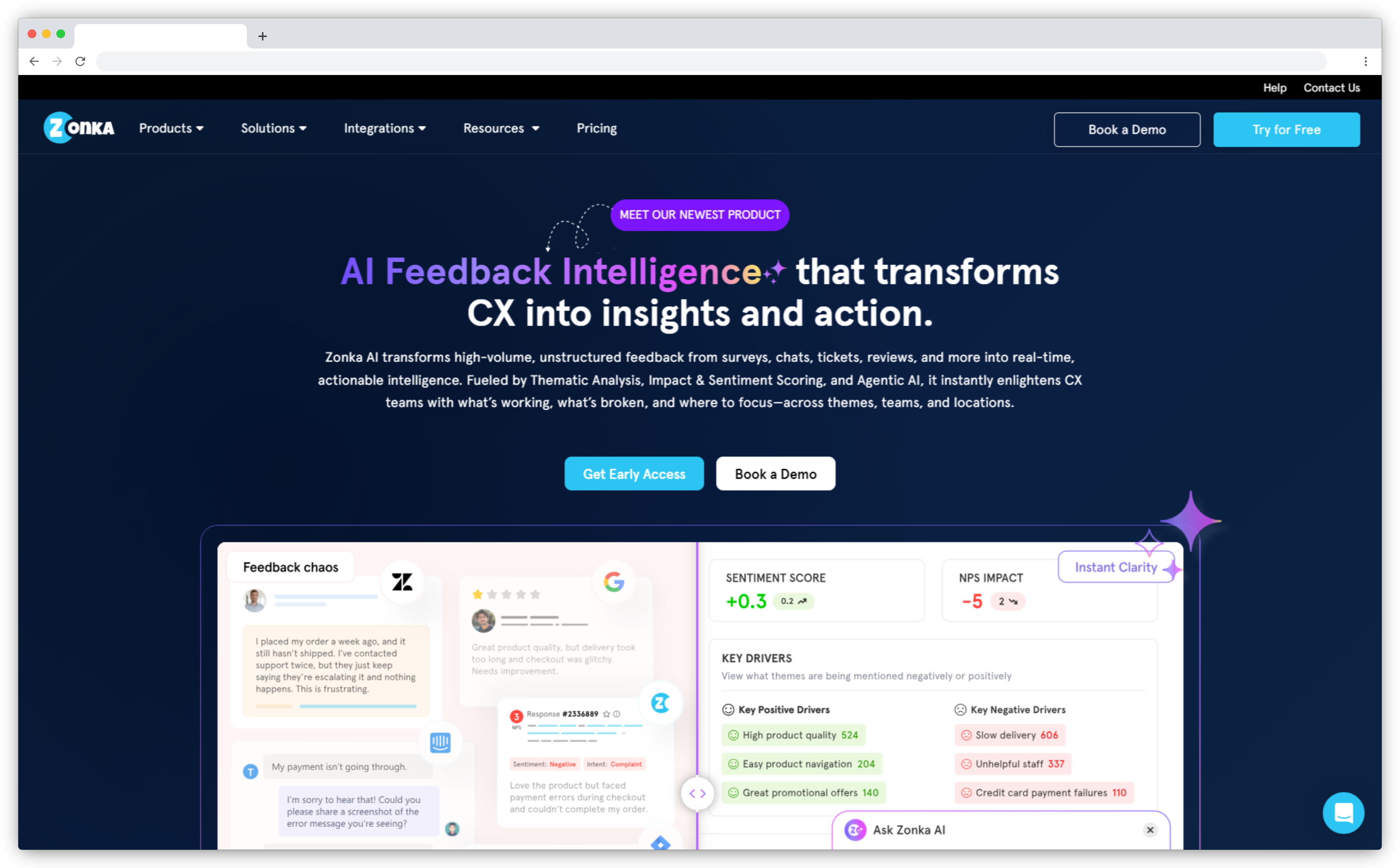
Zonka Feedback's AI Feedback Intelligence unifies open ended feedback from surveys, support tickets, app reviews, chat transcripts, Google Reviews, and CRM notes, then analyzes every response through three layers: thematic analysis (what customers are talking about), experience quality signals (how they feel about each topic), and intent classification (what they expect you to do about it).
Where most tools stop at overall sentiment, Zonka analyzes at both response-level and theme-level. When we analyzed 1M+ open text feedback responses across 8 languages, we found 29% carry mixed customer sentiment: positive about one aspect, negative about another. Zonka treats those as two separate signals rather than averaging them. Entity recognition maps mentions to specific products, agents, locations, or competitors. Intent classification auto-routes complaints to support teams, feature requests to product teams, and advocacy signals to marketing automatically.
The role-based access model means your leadership team sees portfolio-level trends, support teams see escalation patterns, and product teams see feature-level themes, all from the same feedback data, without separate exports or manual report building.
Key Features
- Thematic Analysis with Auto-Evolving Taxonomy: AI discovers recurring themes and sub-themes across all connected sources. The taxonomy auto-updates as new patterns emerge - no manual tagging required.
- Response-Level + Theme-Level Signal Detection: Five signals (sentiment, emotion, urgency, effort, churn risk) measured per response and per individual theme within that response.
- Entity Recognition: Detects and tags products, features, agent names, locations, and competitors in raw customer feedback - filterable across your entire data set.
- Intent Classification with Auto-Routing: Classifies customer responses by intent and routes each to the appropriate team automatically.
- AI Signals: Pre-classifies every detected sub-theme into operational signal buckets (Key Drivers, Churn Signals, Feedback Queries, Praise & Recommendations, Mixed Signals) so teams see pre-sorted, prioritized signals with volume and sentiment change tracking instead of raw theme lists.
- Agentic AI Recommendations: Recommends prioritized next actions based on urgency, sentiment severity, and business impact. Connects directly to CSAT, NPS, and CES scoring - see how Zonka's CSAT tracking works as the measurement layer alongside AI analysis.
Zonka Feedback Pros
- Five experience signals at both response and theme level - deepest signal depth in this list
- Entity recognition attributes feedback to specific products, agents, locations, or competitors
- Intent classification plus automated routing eliminates manual triage
- One of the few customer feedback tools handling full lifecycle in one platform - native collection via in-app feedback tools, email, SMS, WhatsApp, and web - through to AI analysis and loop closure
Zonka Feedback Cons
- Voice feedback analysis (calls, audio) is on the roadmap but not yet natively supported
- Advanced AI features require higher-tier plans
Zonka Feedback Pricing
Custom pricing based on feedback volume and feature requirements. 14-day free trial available. Schedule a demo to see Zonka's AI Feedback Intelligence in action.
2. Qualtrics XM: Best for Enterprise-Scale Experience Management Programs
- Best For: Large enterprises running unified VoC programs across customer surveys, employee experience, product feedback, and brand tracking simultaneously
- G2 Rating: 4.4/5
Qualtrics XM is the broadest platform in this list. It covers customer experience, employee experience, product experience, and brand research in one system, making it suited to enterprises that need a single source of truth across multiple business units and feedback channels. Its AI engine, iQ, powers Text iQ for open ended feedback analysis, Stats iQ for statistical analysis, and Predict iQ for identifying which feedback drivers most impact key metrics.
Text iQ handles survey responses, customer comments from support channels, and open text data at scale, connecting recurring themes directly to NPS, CSAT, and retention metrics in the same dashboard. The integration depth is enterprise-grade: Salesforce, SAP, ServiceNow, Workday, and over 100 other tools connect natively. For organizations with complex permissions, regional data hosting requirements, and formal governance processes, Qualtrics is one of the few platforms built to handle all of it without custom engineering.
Where it earns its place here is specifically on multi-source unified analysis. Teams that need to compare customer sentiment from surveys against employee feedback or product reviews across languages, regions, and business units don't have many alternatives at this scale.
Key Features
- Text iQ: AI-powered text analytics detecting recurring themes, customer sentiment, and intent from open ended feedback across surveys, tickets, and CRM data
- Predict iQ: Identifies which feedback drivers are most likely to influence key metrics like NPS or churn before they show up in dashboards
- Multi-Channel Feedback Collection: Customer surveys via email, SMS, web, in-app, and support platforms feeding into a unified analytics layer
- Stats iQ: Statistical analysis layer for driver analysis, regression, and segmentation by customer segments
- Enterprise Integrations: Native connections to Salesforce, SAP, Marketo, ServiceNow, Slack, and 100+ tools
Qualtrics XM Pros
- Broadest XM platform: covers CX, EX, PX, and brand in one system
- Text iQ accuracy at enterprise scale is well-documented across industries
- Deep integration ecosystem for enterprises already in the Salesforce/SAP stack
- Statistical analysis capabilities that pure NLP tools don't offer
Qualtrics XM Cons
- Implementation timeline: months, not days, typically requiring professional services
- Custom pricing at enterprise scale; not a fit for mid-market teams needing fast time-to-value
- Reporting UI has a learning curve; non-analyst users often need training to self-serve
Qualtrics XM Pricing
Custom pricing. Demo available.
3. Lumoa: Best for Fast, Digestible VoC Insights Without Complex Setup
- Best For: Teams needing clear, real-time VoC insights without analyst overhead
- G2 Rating: 4.4/5
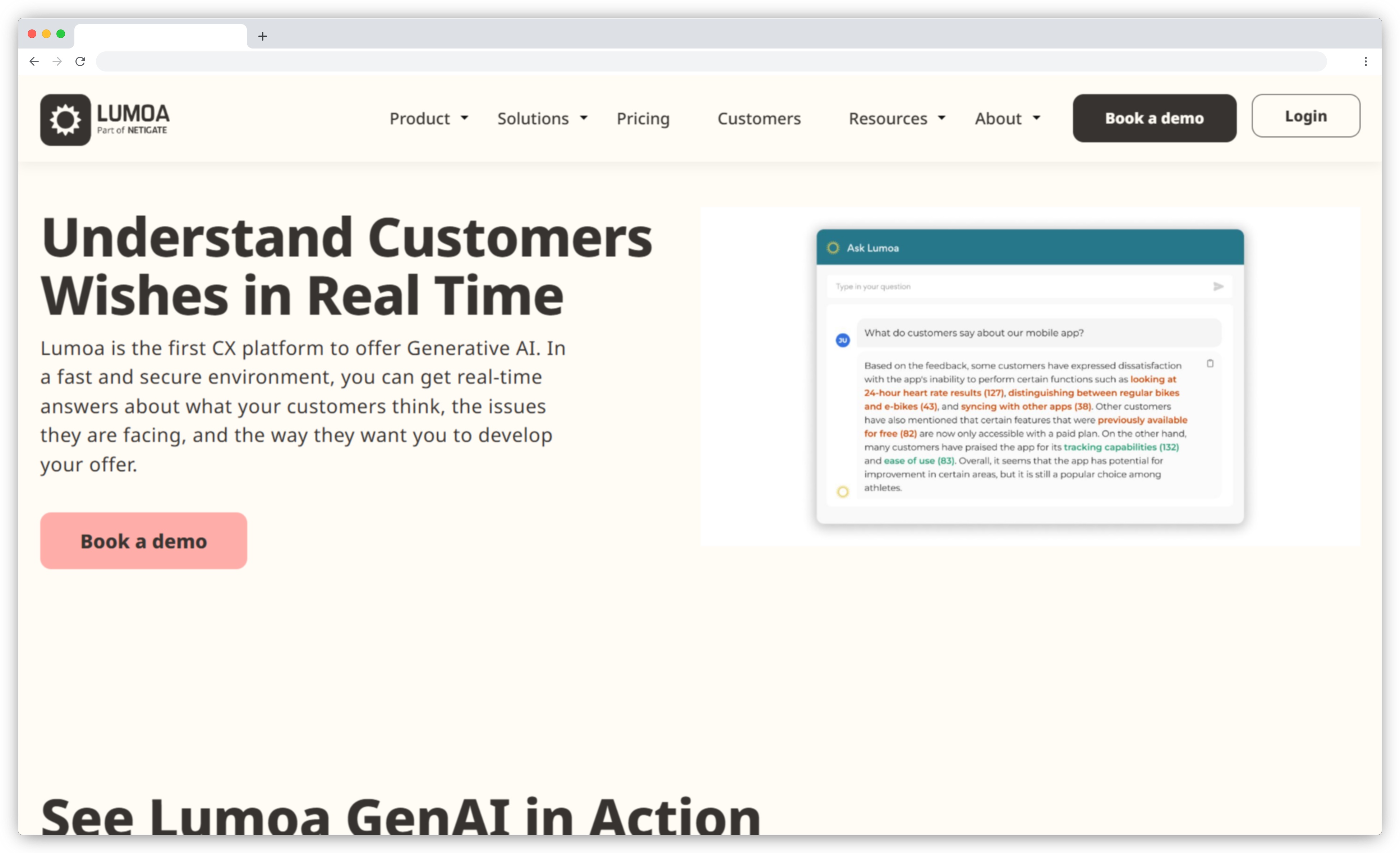
Lumoa is designed for teams that want clear answers from customer feedback without needing an analyst to interpret the charts. Its standout feature is an AI engine that answers questions like "What's making customers unhappy this week?" in natural language, backed by live feedback data.
The platform aggregates feedback from surveys, reviews, support logs, and more, then categorizes it by topic and customer sentiment across 60+ languages. You don't see a wall of incoming feedback. You get recurring themes that matter, how they're trending, and their impact on key metrics like NPS or CSAT. It also lets you assign feedback for follow-up and track case resolution. With near real-time updates and GPT-style querying, Lumoa turns feedback data into automated insights that anyone on your team can understand and act on, with no dedicated analyst required.
For teams earlier in their feedback analytics journey, the low setup overhead is a genuine advantage. You connect your feedback channels, and Lumoa starts surfacing customer sentiment trends within hours rather than weeks.
Key Features
- Multi-Source Feedback Aggregation: Pulls in feedback data from surveys, reviews, support tickets, and more into a single view across 60+ languages
- AI Categorization and Sentiment Detection: Auto-tags customer comments by topic and sentiment so you instantly see which areas are performing and which aren't
- Driver Impact Analysis: Links feedback topics to key metrics like NPS, CSAT, or star ratings and shows how they've shifted over time
- Plain-Language AI Summaries: Answers questions like "What changed in Europe this month?" with automated insights and supporting verbatims
- Feedback Assignment and Alerts: Assigns customer responses to owners for follow-up and notifies teams if negative sentiment spikes in a specific area
Lumoa Pros
- Easy to use with minimal onboarding - great for non-analyst teams
- Supports 60+ languages with real-time translation and analysis
- AI answers in plain language; no dashboard digging required
- Responsive support team with frequent feature updates
Lumoa Cons
- Categorization requires some upfront manual setup for best results
- Not as feature-heavy as enterprise platforms in advanced analytics
- Parts of the UI feel dated; newer AI features are still evolving
Lumoa Pricing
Starts around $600/month with a basic free version available.
AI Feedback Analytics and VoC Intelligence Platforms
These tools specialize in centralizing raw feedback from existing tools (surveys, support tickets, app reviews, CRM notes, social media feedback) and applying AI to surface customer insights at scale. They don't typically collect feedback themselves; they analyze it. For a broader view of enterprise feedback intelligence and VoC platforms, including program-building guidance alongside tool comparisons, see our VoC tools guide.
4. Chattermill: Best for Unified Enterprise Feedback Intelligence
- Best For: Enterprise teams unifying feedback across surveys, reviews, support, and social media feedback
- G2 Rating: 4.5/5
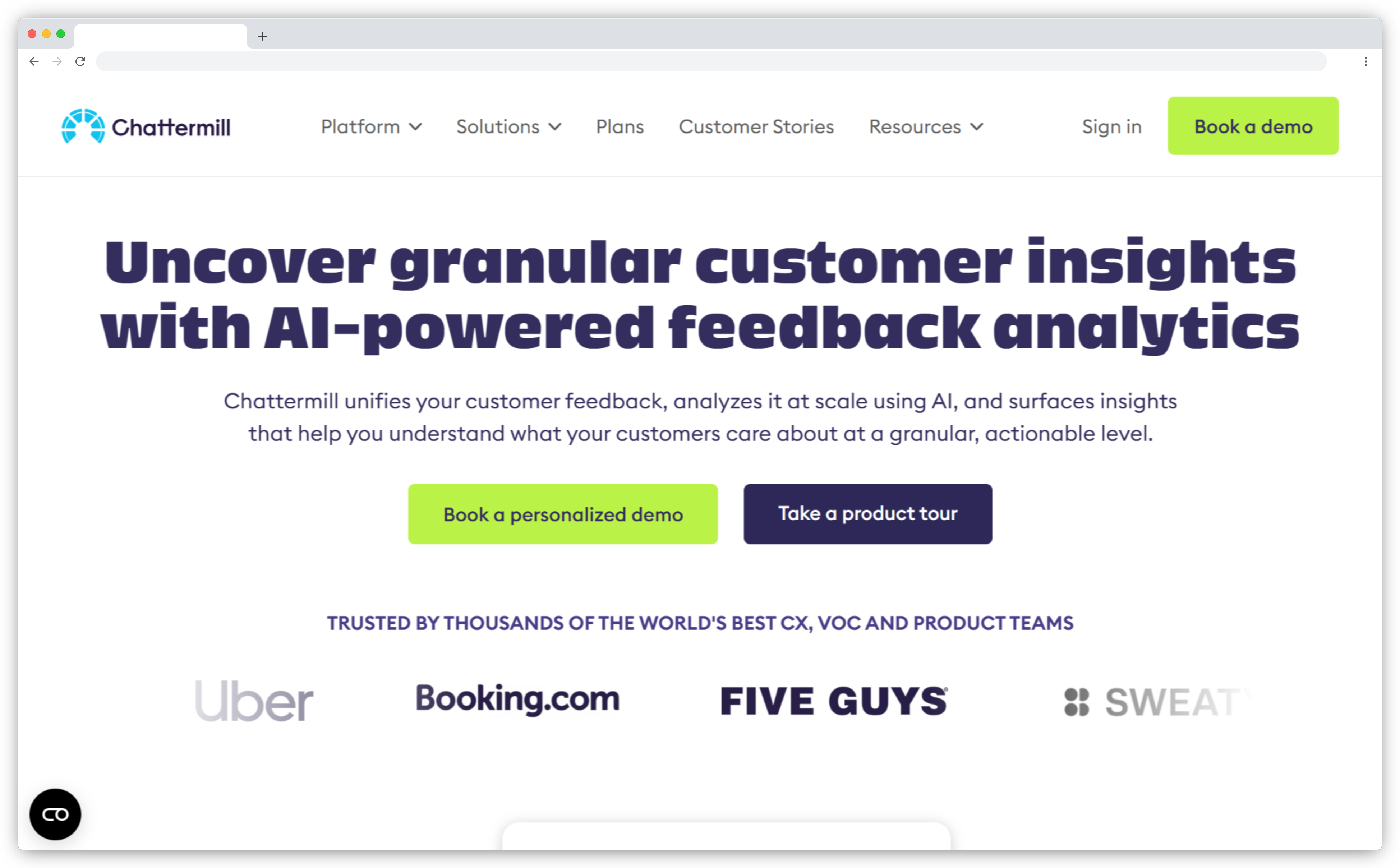
Chattermill is built for enterprises dealing with data chaos: millions of survey responses, support tickets, customer reviews, and social media mentions flowing in every week. It brings all that raw customer feedback into a single AI-powered view, making sense of it at scale. Powered by proprietary NLP and machine learning, Chattermill detects customer sentiment, uncovers recurring themes, and flags emerging issues across feedback channels and languages.
Used by brands like Uber, HelloFresh, and Amazon, it's designed for teams that need precision and performance at volume. Role-specific dashboards, real-time alerts, and drillable verbatims mean you see why something is trending, with the customer's exact words right behind every insight. The AI trains on your historical data, so categorization reflects your customers' actual language rather than generic keyword matching.
Chattermill works especially well when your feedback data lives across five or more disconnected sources and the primary pain point is getting a unified view before any analysis is even possible.
Key Features
- Multi-Channel Feedback Integration: Connects customer surveys, NPS programs, customer reviews, support platforms, chat logs, and social media feedback into one unified feedback data set
- AI-Powered Theme and Sentiment Clustering: Groups customer responses by recurring theme, emotion, and sentiment - even with industry-specific language
- Custom Dashboards and Role-Based Reporting: Create filtered views by product, region, or touchpoint for different teams
- Real-Time Alerts and Trend Detection: Get notified when sentiment dips, complaints spike, or new issues emerge in incoming feedback
- Verbatim Drill-Down and Traceability: Click from a theme directly to the raw customer comments behind it
Chattermill Pros
- Handles massive volumes of unstructured feedback with high accuracy
- Excellent AI-driven theme detection and customer sentiment precision
- Enterprise-ready security, multilingual support, and flexible integrations
- Strong onboarding and customer success support for taxonomy setup
Chattermill Cons
- UI has a learning curve; some features require training to use effectively
- Pricing is enterprise-tier only - may not suit smaller teams or low-volume use cases
Chattermill Pricing
Custom enterprise pricing based on feedback volume, team size, and integration needs.
5. Enterpret: Best for Product and Feature-Level Feedback Intelligence
- Best For: Product teams turning qualitative data into roadmap decisions
- G2 Rating: 4.6/5
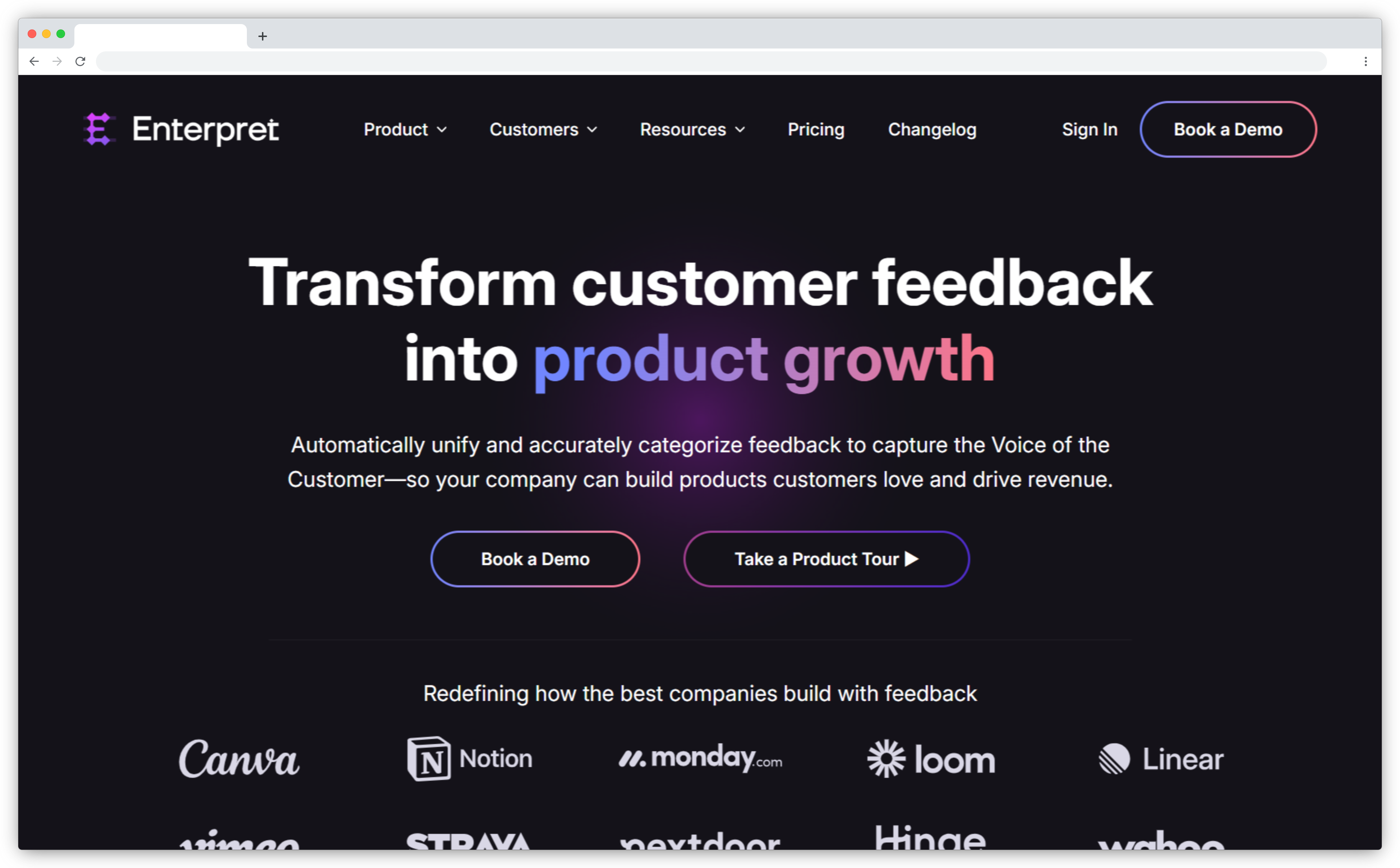
Enterpret custom-trains its NLP models to understand your product's unique language: feature names, support jargon, even internal acronyms. So it doesn't just analyze feedback. It gets it.
Built for product teams dealing with feedback across multiple touchpoints, Enterpret consolidates support tickets, chats, CRM notes, app reviews, social media, and customer surveys into one searchable platform. It categorizes feedback into recurring themes and sub-themes, detects customer sentiment and intent, and shows you which feature requests and issues matter most based on volume and emotional weight. Whether you're a PM prioritizing your roadmap or a CX lead tracing sentiment trends, Enterpret helps you move fast and with context.
Teams often pair Enterpret with dedicated in-app collection tools for the front-end capture layer. If you need that collection layer, user feedback tools for SaaS product teams covers the options that integrate well with analytics platforms like Enterpret.
Key Features
- Custom-Trained Topic Categorization: AI groups feedback into recurring themes tailored to your company's domain, learning your product structure and customer terminology
- Unified Feedback Repository: Connects with Zendesk, Intercom, Salesforce, Slack, app stores, and customer surveys to centralize qualitative data
- Sentiment and Intent Detection: Differentiates between complaints, praise, bug reports, and feature requests so you focus on what's urgent
- Smart Query and Search: Natural language prompts like "Show me all negative feedback about checkout from the past 30 days" return instant results
- Verbatim-Linked Insights: Every insight links back to the original comment or source for full context
- Trend Prioritization: Ranks issues by sentiment impact, beyond mention volume alone
Enterpret Pros
- Learns your company's terminology for more relevant feedback categorization
- Consolidates feedback across platforms into a single, searchable view
- Saves time with auto-tagging, customer sentiment scoring, and trend surfacing
- Every insight links back to raw feedback for full context
Enterpret Cons
- Advanced visualizations may require exporting to Excel or BI tools
- New users may face a learning curve due to a data-dense UI
- Custom setup means time to value can vary depending on taxonomy complexity
Enterpret Pricing
Custom enterprise pricing based on feedback volume, team size, and integration needs.
6. InMoment: Best for Integrated CX Programs Combining Surveys, Reviews, and Operational Data
- Best For: Enterprise CX teams connecting customer feedback analysis directly to journey maps and revenue metrics
- G2 Rating: 4.7/5
InMoment positions itself as a full experience improvement platform, not merely a feedback analytics layer. The difference shows in how it structures insights: where most tools deliver dashboards, InMoment delivers stories. Its AI generates narrative-style summaries for the leadership team that explain what changed, why it changed, and what to do about it, pulling from customer surveys, customer reviews, operational data, and behavioral signals in one view.
Journey iQ, InMoment's journey analytics layer, maps customer interactions across touchpoints to show where user satisfaction drops in context, not just which customer segments are unhappy, but where in their experience things break down. That distinction matters for CX teams presenting findings to product, operations, and finance simultaneously. InMoment is used by enterprise brands in retail, healthcare, and financial services, where connecting open ended feedback to revenue metrics is a core business requirement.
Key Features
- XI Platform: Unified analytics layer ingesting customer surveys, customer reviews, support channels, operational data, and behavioral signals into one intelligence hub
- Journey iQ: Maps customer interactions across touchpoints and overlays feedback data to show where friction concentrates in the customer journey
- AI Narrative Summaries: Generates story-based insight briefs for the leadership team with verbatim evidence
- Recurring Theme Detection: AI surfaces recurring themes from open ended feedback across multiple channels without manual tagging
- Custom Dashboards by Role: CX, product teams, operations, and finance each get views tuned to their priorities
- Enterprise Integrations: Connects to Salesforce, Adobe, and enterprise support platforms
InMoment Pros
- Journey-level analytics connect feedback to specific moments in the customer experience, not just aggregate scores
- AI narrative summaries reduce time between insight generation and leadership action
- Strong for industries requiring feedback-to-revenue traceability
- Deep integration with enterprise CRM and operational systems
InMoment Cons
- Implementation-heavy; requires professional services for taxonomy and journey mapping setup
- Custom pricing and long onboarding cycles, not suited for teams needing fast time-to-value
- Less focused on eliminating manual tagging than pure NLP specialists like SentiSum
InMoment Pricing
Custom pricing. Demo available.
7. Medallia Experience Cloud: Best for Global, Multi-Touchpoint CX Operations at Scale
- Best For: Global enterprises managing customer sentiment analysis across multiple business units, regions, and languages from a single platform
- G2 Rating: 4.5/5
Medallia has been recognized as a Leader in Forrester's Customer Feedback Management research, distinguishing it from lighter-weight analytics tools through its multi-modal capabilities and enterprise governance depth. It's the platform you evaluate when feedback operations are already complex. Multiple regions, strict permissions, formal governance workflows, and customer interactions across dozens of touchpoints. Medallia is built to handle all of that without fragmenting the feedback data or the analysis.
What separates Medallia from other analytics tools in this list is multi-modal feedback support. It doesn't just analyze survey responses and open text feedback. It analyzes speech from customer calls and video from in-branch interactions, all through the same AI engine, all feeding into the same dashboards. For enterprises where voice is a primary feedback channel, that capability matters significantly.
Its closed-loop system routes incoming feedback automatically: support channels get escalation alerts, the leadership team gets executive dashboards, and location managers get site-level performance signals from a single feedback data stream. Medallia makes sense when you need governance, role-based access, and compliance-grade data handling alongside deep analytics.
Key Features
- Multi-Modal Feedback Analysis: Analyzes text, speech, and video feedback through a single AI engine - one of the few platforms to support all three natively
- Real-Time Sentiment Analysis: Detects customer sentiment, emotion shifts, and churn risk signals as incoming feedback arrives
- Closed-Loop Workflows: Routes feedback to support channels, assigns owners, tracks resolution, and sends alerts when negative sentiment spikes
- Journey Analytics: Maps feedback data to customer journey stages, showing where user satisfaction drops across touchpoints
- Role-Based Access: Multiple business units and regional teams each get views scoped to their permissions and priorities
Medallia Experience Cloud Pros
- Multi-modal analysis (text + voice + video) is unique in this category
- Real time insights with anomaly detection that fires before issues escalate
- Enterprise governance: role-based access, regional data hosting, compliance-grade security
- Scales to global programs across multiple business units with minimal re-architecture
Medallia Experience Cloud Cons
- Requires professional services engagement - not suitable for self-serve setup
- Custom pricing at enterprise scale; mid-market teams will find it cost-prohibitive
- Real time insights configuration takes weeks to set up after initial onboarding
Medallia Experience Cloud Pricing
Custom pricing. Demo available.
8. Birdie: Best for Product-Led VoC and Roadmap Prioritization
- Best For: Product-led organizations aligning customer feedback with roadmap execution
- G2 Rating: 4.7/5
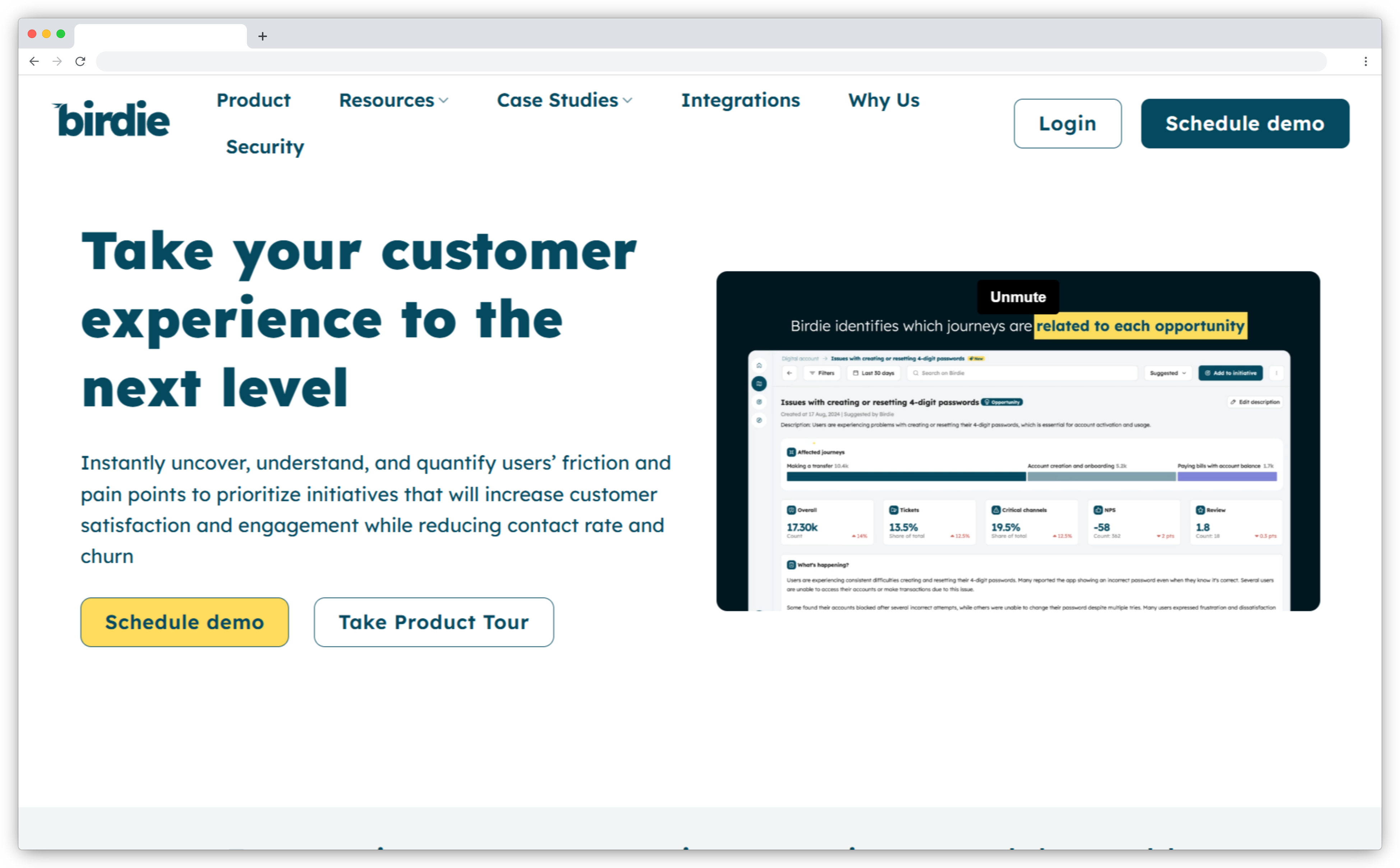
Birdie is built for product teams who want a direct line between customer feedback and product decisions. It pulls in feedback data from surveys, support tickets, social media, app reviews, and more, then uses AI to categorize feedback by feature, recurring theme, or issue.
Where it really shines is its prioritization engine, which quantifies how each issue impacts key metrics like CES, CSAT, or retention, so your team can decide which problems to fix first based on actual feedback data, not intuition. After shipping a feature, Birdie tracks whether related complaints dropped or user satisfaction improved, tying product work to measurable outcomes over time.
You can set custom "Areas of Interest", like "checkout experience" or "onboarding friction", and Birdie tracks all relevant incoming feedback across sources in real time. This makes it particularly useful for product managers handling multiple feature workstreams simultaneously, where knowing which area is generating the most negative customer sentiment at any given moment determines where effort goes next.
Key Features
- AI-Powered Categorization and Sentiment: Classifies feedback by product area or recurring theme and tags customer sentiment for high-friction point detection
- Opportunity Scoring and Prioritization: Quantifies how each issue impacts NPS, CSAT, or retention to focus product teams on high-impact improvements
- Feedback-to-Feature Workflow: Manage opportunities with statuses like "Planned" or "In Progress" and sync with Jira or product tools
- Closed-Loop ROI Tracking: Tracks whether shipped features reduced complaints or improved customer sentiment
- Feedback Centralization: Integrates with CRMs, helpdesks, review sites, and community tools for a 360-degree feedback stream
Birdie Pros
- Translates feedback directly into roadmap actions with priority scores tied to revenue metrics
- Helps justify product decisions with feedback data, not intuition
- Tracks post-launch results to measure real product impact on user satisfaction
Birdie Cons
- Doesn't include its own feedback collection - relies on integrations with existing tools
- Some advanced features (Areas of Interest, segmentation by customer segments) have a learning curve
Birdie Pricing
Custom enterprise SaaS pricing based on data volume, sources, and number of users.
9. Convin: Best for Voice-Based Customer Conversation Intelligence
- Best For: Contact centers and CX teams analyzing customer calls, sales conversations, and support interactions at scale
- G2 Rating: 4.7/5
Convin focuses on extracting structured insights directly from customer calls. Using NLP and machine learning, it automatically transcribes and analyzes conversations to detect customer sentiment, churn risk indicators, compliance gaps, objection handling quality, and buying intent signals. Unlike text-first tools, Convin is built for organizations where voice is the primary customer channel.
Its real-time agent assist provides contextual prompts during live calls, helping support teams improve resolution rates and maintain compliance. For VoC programs, Convin validates survey data against actual customer interactions and uncovers root causes behind NPS or CSAT fluctuations. The platform monitors 100% of calls rather than sampling a fraction, which means QA teams get a complete picture rather than extrapolating from a handful of reviews.
Key Features
- AI-Powered Call Transcription and Sentiment Analysis: Automatically transcribes calls and detects customer sentiment, emotion shifts, and escalation cues throughout the conversation
- 100% Conversation Monitoring: Analyzes every call instead of random samples, giving QA teams complete visibility into agent performance
- Real-Time Agent Assist: Provides contextual prompts and script guidance during live calls, helping support teams navigate objections and maintain compliance
- Automated Quality Assurance Scoring: Scores each customer interaction against customizable criteria
- Churn Risk and Revenue Signal Detection: Flags conversations where customers express switching intent, dissatisfaction patterns, or upsell opportunities
- Compliance Monitoring and Risk Alerts: Detects regulatory compliance gaps in real time, particularly valuable for BFSI and healthcare contact centers
Convin Pros
- Analyzes every call instead of random samples - full visibility, not extrapolation
- Real-time guidance improves resolution and conversion rates for support teams
- Strong compliance monitoring for regulated industries
- Scales well for high-volume contact centers
Convin Cons
- Not a survey creation or distribution platform
- Requires telephony and CRM integrations for full value
- May be more than needed for small teams or non-call-centric organizations
Convin Pricing
Custom pricing based on call volume, users, and feature modules.
AI Text and Theme Analysis Specialists
These tools focus on deep NLP: uncovering recurring themes, customer sentiment drivers, and patterns from large volumes of open text feedback and open ended feedback. They integrate with your existing tools for collection and connect to survey data, support tickets, and app store reviews for analysis. For a broader comparison of tools to analyse unstructured feedback text at scale, including NLP platforms beyond the CX category, see our full text analysis guide. For theme identification methodology specifically, our guide to tools to automatically detect themes in customer feedback covers the analytical approaches in depth.
10. Thematic: Best for AI-Driven Qualitative Feedback Analysis at Scale
- Best For: CX and insights teams analyzing large volumes of open text feedback
- G2 Rating: 4.8/5
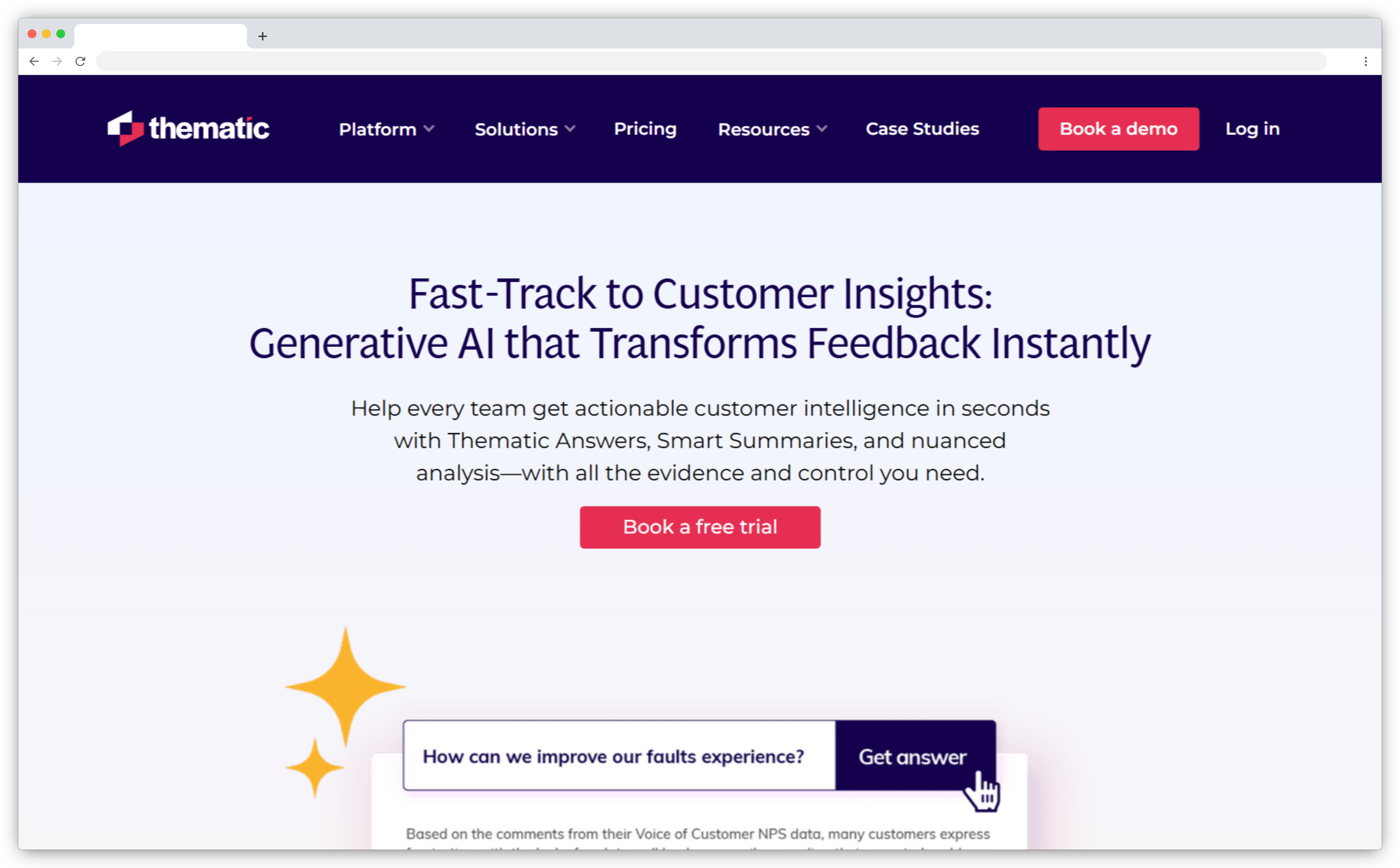
What sets Thematic apart isn't just its AI. It's how that AI collaborates with your team. Its standout feature is an intuitive theme editor that lets analysts refine AI-generated categories, ensuring your feedback taxonomy matches how your business actually thinks and operates. No rigid code frames or misread intent.
Whether you're tracking why NPS dropped last quarter or surfacing patterns from open-text CSAT survey responses, Thematic breaks down customer feedback into meaningful recurring themes, sentiment trends, and impact drivers. Brands like Atlassian, DoorDash, and Jetstar use it for fast, explainable insights with the option to fine-tune every step. For teams that care about thematic analysis accuracy without building custom models, this is a strong fit.
Key Features
- Human-in-the-Loop Theme Detection: AI identifies recurring themes and sub-themes; users can merge, edit, or rename them through a visual interface
- Sentiment Analysis at Theme Level: Every theme is mapped with customer sentiment direction so teams see how customers feel about each specific topic
- Explainable Insights with Verbatim Drilldown: Click any recurring theme to view the raw customer comments that formed it
- Role-Based Dashboards and Thematic Answers: Custom views for CX, product teams, and Ops, plus a GPT-powered search bar for instant actionable insights
- Trend Detection and Emerging Issues Alerts: Flags spikes in topics or sentiment trends as they happen
- Integrations and Flexible Imports: Connects with Qualtrics, Zendesk, and survey tools, or allows CSV/API imports
Thematic Pros
- Unique blend of AI plus human guidance for relevant, trustworthy theme detection
- Highly accurate customer sentiment and topic clustering
- Easy-to-use interface for taxonomy customization
- Verbatim traceability supports stakeholder buy-in
Thematic Cons
- Not built for feedback management or ticketing - purely focused on analytics
- Support teams and operational teams may need separate tools for closing the feedback loop
Thematic Pricing
Custom enterprise pricing based on feedback volume, team size, and integration needs.
11. Kapiche: Best for Customer Feedback Theme Discovery and Driver Analysis
- Best For: Teams prioritizing CX improvements based on measurable theme-to-metric impact
- G2 Rating: 4.7/5
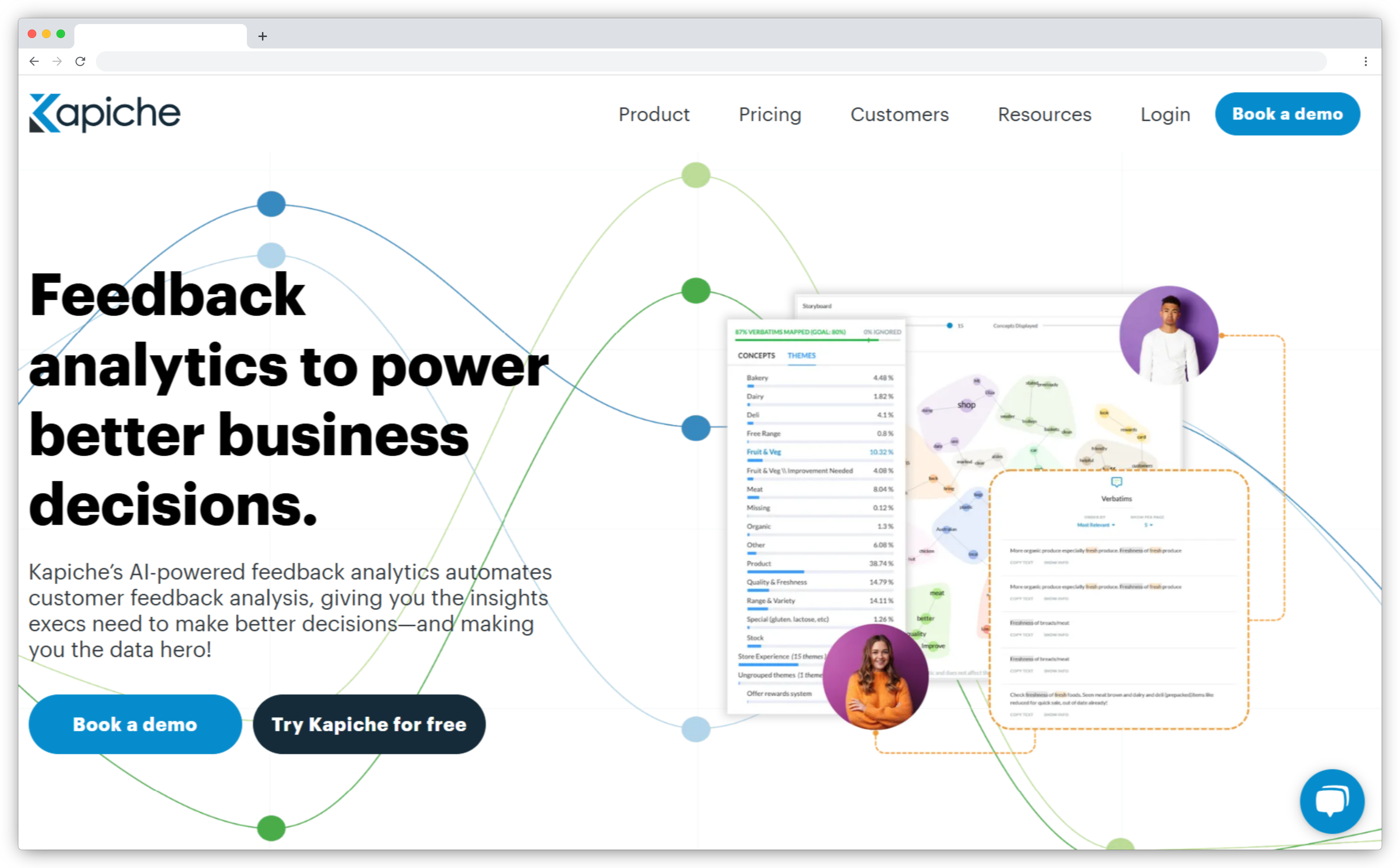
Kapiche is built for speed and clarity. Its Dynamic Discovery engine automatically uncovers recurring themes in customer feedback even when they don't fit into existing taxonomies. But what makes Kapiche stand out is that it connects those themes directly to key metrics like NPS, CSAT, and churn. One click shows you which topics are dragging down customer satisfaction or boosting it.
Unlike tools that require you to define categories upfront, Kapiche discovers themes from your raw customer feedback first, then quantifies their impact on the metrics you care about. That combination of automatic theme discovery and metric impact scoring is what makes it particularly useful for CX teams that need to prioritize improvements across dozens of open ended feedback themes but can't afford to chase every issue equally.
Combined with an intuitive, no-code dashboard and quadrant-style impact visualizations, Kapiche helps teams understand what's being said and what to fix first. No data scientists or complex setup required to get started.
Key Features
- Dynamic Theme Discovery: Detects recurring themes without predefined tags. Also flags unmapped customer comments so nothing slips through
- Theme-to-Metric Impact Analysis: Measures how each recurring theme influences NPS or CSAT so you know what's actually moving the numbers - pairs well with dedicated NPS analytics and closed-loop software if loyalty tracking is your primary goal
- Unified Data Ingestion: Consolidates customer surveys, customer reviews, support tickets, and CRM notes into one feedback hub
- Interactive Dashboards: Filter by customer segments, timeframe, or feedback channel. Explore via word clouds, trend graphs, and quadrant charts
- Collaborative Reporting: Generate stakeholder-specific reports and comment directly in the platform
Kapiche Pros
- No coding or manual taxonomy setup required to get actionable insights
- Processes thousands of customer comments in minutes
- Unique impact visualizations help prioritize what to fix based on feedback data
- Easy-to-use UI with drag-and-drop dashboards
Kapiche Cons
- Pricing starts above $1K/month - may be steep for smaller teams
- Less customization flexibility compared to some enterprise platforms in advanced taxonomy tuning
Kapiche Pricing
Starts at ~$1,060/month with higher tiers for business and enterprise plans.
12. SentiSum: Best for Support Ticket Analytics and Customer Service Insights
- Best For: Support operations and CX teams managing high ticket volumes
- G2 Rating: 4.8/5
SentiSum is purpose-built for support teams in the trenches of daily customer interactions. Its core capability: real-time, automated tagging and customer sentiment detection for every chat, ticket, email, or survey response, with no manual tagging needed. Whether your inbox is flooded with login complaints or feature requests, SentiSum immediately categorizes incoming feedback and assesses tone so support teams can spot rising issues and act before they escalate.
Its Ask-AI feature lets you type plain questions like "Why are refunds up this week?" and get data-backed answers with visualizations and verbatim quotes from open text feedback. This self-serve model means analysts and non-technical managers alike can surface customer insights without building custom reports. SentiSum works especially well for high-volume support environments where the cost of manual triage (often hours per day per analyst) compounds quickly.
For teams that primarily want to understand what's driving ticket volume and how to reduce it, SentiSum's focus on support channels and real time insights from incoming feedback makes it one of the strongest options in its category.
Key Features
- Automated Tagging and Sentiment Detection: Tags each customer interaction with relevant topics and customer sentiment in real time
- Multichannel Feedback Aggregation: Pulls feedback data from Zendesk, Intercom, email, live chat, and survey tools into one view
- Real-Time Alerts and Trend Spotting: Detects sudden spikes in complaints or sentiment trends before they escalate across support channels
- Ask-AI Conversational Querying: Plain English queries return instant summaries with supporting verbatims from open text feedback
- Multilingual Analysis: Handles 100+ languages with native text analysis
SentiSum Pros
- No manual tagging - saves support teams and analysts hours each week
- Excellent for high-volume support environments dealing with large incoming feedback volumes
- Ask-AI adds self-serve insight discovery for non-analysts on the team
- Flexible customization with a responsive product support team
SentiSum Cons
- Doesn't offer survey sending or full VoC program management
- Not suitable for very low ticket volumes; value compounds with scale
- Some limitations in exports and advanced BI-level reporting
SentiSum Pricing
Custom enterprise pricing based on feedback volume, team size, and integration needs.
13. unitQ: Best for Real-Time, Granular Feedback Signal Detection Across All Sources
- Best For: Product and CX teams needing real-time, granular issue categorization across all feedback sources with built-in competitor benchmarking
- G2 Rating: 4.5/5
unitQ does something most text analytics tools don't: it auto-categorizes incoming customer feedback into thousands of granular issue types, not just broad themes. Where Thematic surfaces "pricing confusion" as a theme, unitQ breaks it down into specific, actionable sub-categories like "plan comparison unclear" or "upgrade cost surprise," each mapped to affected user segments and business metrics in real time.
Built for product, engineering, and CX teams that need speed alongside depth, unitQ pulls feedback from support tickets, app reviews, surveys, social media, and product analytics into a single intelligence layer. Its AI agents continuously monitor every incoming signal and fire anomaly alerts the moment a category spikes beyond expected levels. Whether a new release introduced a bug or a policy change is generating friction, your team knows within hours, not weeks. Pinterest, Adobe, PayPal, Bumble, and Upwork use unitQ to stay ahead of quality issues at scale.
What distinguishes unitQ from others in this category is its Impact Analysis feature, which simulates how resolving specific issues would affect CSAT, NPS, and ARR before your team commits engineering resources. Combined with built-in competitor benchmarking, teams can see not just what their customers are experiencing, but how that experience compares to rivals in the same vertical.
Key Features
- Thousands of Granular Categories: AI agents auto-categorize every feedback signal into specific, business-relevant issue types rather than generic topic clusters, giving product and engineering teams precise targets to act on
- Real-Time Anomaly Alerts: Monitors feedback volume per category and fires alerts to Slack, Microsoft Teams, or PagerDuty the moment a trend exceeds expected thresholds
- Impact Analysis: Simulates how fixing a specific customer-reported issue would move CSAT, NPS, and ARR, helping teams prioritize fixes by business impact before committing to a sprint
- Competitor Benchmarking: Compares your product quality signals against competitor app store and public feedback data in the same vertical
- Multi-Source Ingestion Across 50+ Integrations: Connects app store reviews, Zendesk, Intercom, Salesforce, social media, surveys, and product analytics into one unified signal layer
unitQ Pros
- Granularity of categorization is significantly deeper than most feedback analytics tools in this category
- Impact Analysis helps product and engineering teams justify prioritization decisions with business data
- Competitor benchmarking is rarely found as a native feature in this tier
- Real-time anomaly alerts mean teams act on emerging issues before they compound in NPS or churn metrics
unitQ Cons
- Custom pricing only; no public tiers or free plan available
- Setup requires investment to configure monitors, categories, and integrations correctly for best results
- Not a feedback collection platform; relies on connecting existing feedback sources
- Smaller review base on G2 (48 reviews) than more established tools in this list
unitQ Pricing
Custom pricing based on feedback volume, sources, and team size. Demo required.
Research and Qualitative Feedback Platforms
These platforms serve research teams managing user interviews, transcripts, and qualitative data. AI handles transcription, tagging, and searchable insight repositories, turning hours of raw data from interviews and usability sessions into structured customer insights any team can explore.
14. Dovetail: Best for Qualitative Research and Feedback Tagging
- Best For: UX and research teams managing user interviews and qualitative studies
- G2 Rating: 4.5/5
Dovetail isn't just another customer feedback tool. It's a researcher's command center. Its strength is helping teams synthesize qualitative data at scale, from user interviews, usability tests, and transcripts to survey responses and open text feedback.
Upload a batch of user interviews and Dovetail auto-transcribes and suggests themes, visualizations, and quote highlights, ready for cross-functional teams to explore, share, and act on. The searchable insight repository is what makes it stick: months later, when a product decision needs backing data, your team can ask "What do customers say about onboarding?" and instantly pull every relevant note, quote, and video clip across all past research.
This institutional memory function is Dovetail's biggest differentiator. Most teams lose qualitative data insights within weeks of a research session. Dovetail keeps them permanently searchable and attributable, which matters when product teams are making decisions that reference research done a year ago.
Key Features
- Centralized Research Repository: Store, organize, and search everything from interview recordings to survey feedback in one hub
- AI Transcription and Highlight Suggestions: Upload audio or video files and get auto-transcribed content with suggested customer insights
- Tagging and Theming: Tag excerpts with custom labels and Dovetail groups, counts, and visualizes patterns across projects
- Collaborative Insight Building: Teams co-annotate transcripts, comment, and create reports together
- Searchable Insights Across Projects: Ask questions and instantly pull relevant notes, quotes, and video clips from across your qualitative data library
Dovetail Pros
- Full research hub: raw data, customer insights, and analysis in one place
- Speeds up qualitative analysis with AI tagging and highlights from user interviews
- Cross-functional access lets product, design, and marketing teams self-serve on past research
- Powerful search makes it easy to surface patterns from qualitative data over time
Dovetail Cons
- Primarily focused on qualitative data - doesn't replace quantitative feedback analytics
- Advanced metrics (sentiment scoring, VoC trends) require pairing with other tools
Dovetail Pricing
Starts at $15/user/month with a free plan available.
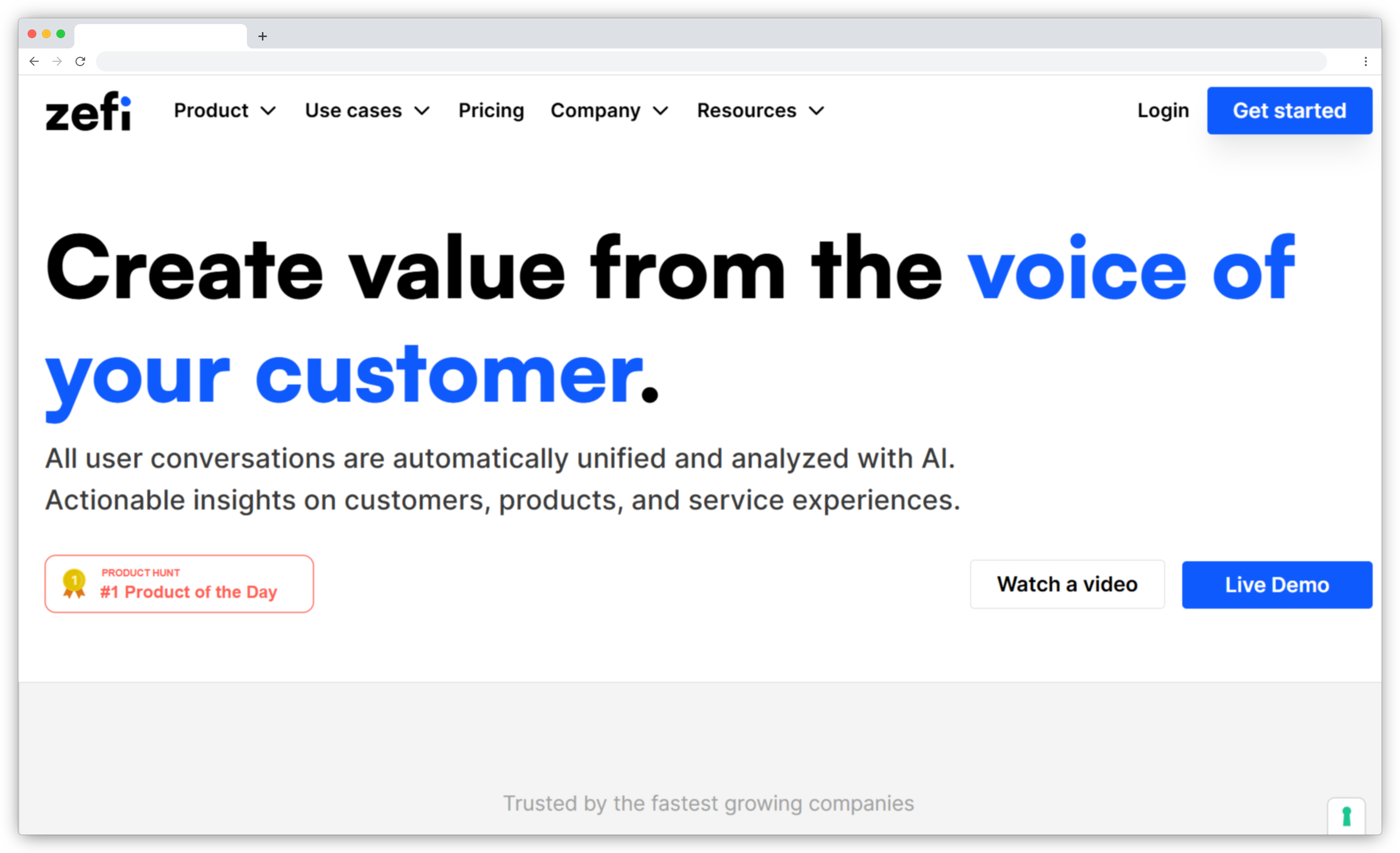
15. Zefi: Best for Centralized Feedback Intelligence and Fast Signal Detection
- Best For: Product and CX teams needing fast signal detection across feedback sources
- G2 Rating: N/A
Zefi does what most feedback platforms don't: it automatically tells you which issues and feature requests deserve your attention right now. Its real-time prioritization engine gathers incoming feedback from support tickets, app reviews, customer surveys, emails, and social media, then uses AI to categorize, score, and highlight urgent patterns that correlate with customer satisfaction drops.
Setup is quick: connect your feedback data sources and Zefi gets to work. No manual training, no complex dashboards. It surfaces "here's what's trending negative this week" so teams can respond fast and iterate faster. For product and CX teams that are resource-constrained and need signal detection without a dedicated analytics function, Zefi's low barrier to entry is a practical advantage over more configuration-heavy platforms.
Where Zefi differs from more established tools is its focus on speed to signal over depth of analysis. It won't replace a platform like Thematic for deep qualitative work, but for teams that need to know what's on fire today across their feedback channels, it covers the core use case well.
Key Features
- Feedback Aggregation Across Channels: Pulls user feedback from email, chat, customer reviews, customer surveys, and CRMs into a single dashboard
- AI-Powered Theme and Sentiment Analysis: Auto-categorizes incoming feedback into topics and detects tone and urgency with no setup needed
- Insight Prioritization by Impact: Highlights the most pressing feedback based on volume, customer sentiment, and satisfaction correlation
- Plug-and-Play Integrations: Works with Slack, Intercom, Zendesk, Gmail, Salesforce, and more
- Fast Time-to-Value: Teams can be up and running in a day with minimal configuration
Zefi Pros
- Instant prioritization of what users care about most without manual analysis
- Saves time by automatically categorizing and summarizing feedback data
- Fast setup with intuitive UI - no training required to get started
- Unifies scattered incoming feedback into one hub across feedback channels
Zefi Cons
- Still maturing as a platform - some features may be basic compared to established tools
- Limited historical footprint: fewer case studies or documented customer outcomes
- Advanced custom reporting and taxonomy tuning are still developing
Zefi Pricing
Free trial available via request, with SaaS pricing that scales by number of feedback sources or monthly data volume.
AI Feedback Analytics vs. ChatGPT: When Do You Need a Dedicated Tool?
A fair question in 2026: why not upload your feedback data to ChatGPT or Claude and skip the specialized software entirely?
For small, one-off tasks, general-purpose LLMs work fine. Paste 50 survey responses, ask for recurring themes, and you'll get a reasonable summary. But that approach breaks down at scale and over time. Here's where dedicated AI feedback analytics tools earn their cost:
| ChatGPT / General LLMs | Dedicated AI Feedback Analytics Tool | |
| Data ingestion | Manual upload (copy-paste or CSV) | Auto-connects to surveys, CRM, helpdesk, customer reviews, social media |
| Taxonomy | Regenerated every session; inconsistent | Persistent, auto-evolving; same recurring themes tracked over time |
| Scale | Context window limits (~100K tokens) | Millions of customer responses processed continuously |
| Trend tracking | Snapshot only; no historical comparison | Time-series feedback trends, anomaly detection, week-over-week shifts |
| Workflow action | None; insights stay in the chat | Auto-routing, alerts, task creation, closed-loop follow-up |
| Data security | Feedback sent to third-party AI provider | Enterprise-grade: SOC 2, GDPR, data residency controls |
| Best for | Quick, exploratory analysis on small data sets | Ongoing, multi-source feedback operations at scale |
In simple terms: ChatGPT is a flashlight. A dedicated tool is a surveillance system. If your team processes incoming feedback continuously across multiple feedback channels, you need the infrastructure that general LLMs can't provide: persistent taxonomy, feedback trends tracking, automated routing, and compliance-grade data handling.
Our webinar polling data backs this up: 46% of CX teams currently use ChatGPT or Claude for feedback analysis, but most hit a wall when they try to scale beyond ad hoc queries. The jump to a purpose-built platform is when AI-powered survey analytics and reporting platforms become an operational system rather than a one-time exercise.
How Do Teams Actually Use AI Feedback Analytics?
The tools above cover different use cases, but it helps to see what AI feedback analytics looks like in practice. Here are five scenarios where these platforms deliver measurable value.
1. Product error triage after a release.
Your team ships an update and within hours, AI detects a spike in negative customer sentiment around "checkout flow" across app reviews and support tickets simultaneously. The product teams get an alert with the specific recurring theme, affected customer segments, and verbatim quotes, enough context to prioritize a hotfix without waiting for a weekly report.
2. Support ticket routing by intent.
Instead of a human scanning every piece of incoming feedback, AI classifies each one by intent: complaint, feature request, billing question, escalation, or advocacy. Each category routes to the right team automatically. Support teams handle complaints, product teams see feature requests, and marketing gets flagged on advocacy signals. Manual triage drops by 60-70%.
3. NPS and CSAT driver analysis.
Your NPS dropped from 42 to 36 this quarter. AI feedback analytics shows the drop is concentrated in two recurring themes: "response time" and "billing clarity," primarily among enterprise customer segments. Your CX lead now knows exactly where to focus, not a general "improve satisfaction" mandate, but two specific problems with a defined audience. Tracking those improvements over time is where tools to detect customer sentiment from surveys and tickets add ongoing measurement depth.
4. Competitive intelligence from customer feedback.
When 32% of open ended responses mention specific entities (including competitor names), AI with entity recognition can surface switching triggers: "We're considering [Competitor X] because..." These signals go directly to your retention and customer success teams with the context needed to intervene.
5. Multi-location performance monitoring.
A restaurant group with 25 locations uses AI to analyze Google Reviews, in-store customer surveys, and delivery feedback across all sites. Each location gets a recurring theme-level health score. The operations director sees that Location 12 has a rising "wait time" theme while Location 7 has a "staff friendliness" spike. Coaching conversations become specific, not generic.
What Mistakes Should You Avoid When Choosing AI Feedback Analytics Tools?
After evaluating dozens of feedback analytics platforms and working with teams across industries, these are the patterns that lead to wasted budget and abandoned tools.
Buying analytics without action.
A dashboard that shows you what's wrong but can't route the actionable insight to someone who'll fix it is an expensive report generator. If the tool doesn't connect analysis to workflow, alerts, and task assignment, your team will still need a separate system to close the feedback loop. That gap is where most feedback programs stall. If you need an analytics-only layer that sits on top of your existing tools, see our guide to multi-source feedback intelligence platforms.
Ignoring mixed customer sentiment.
When 29% of customer responses carry mixed sentiment, positive about one aspect and negative about another, tools that assign a single overall sentiment score lose most of the signal. If your shortlisted tool can't analyze customer sentiment per recurring theme within a single response, you're getting an averaged-out picture that hides the specifics your team needs.
Choosing enterprise scale when you need speed.
Enterprise VoC platforms like Qualtrics and Medallia offer deep governance and cross-regional reporting. They also take months to implement and require dedicated admins. If your team needs to see value in weeks, an end-to-end platform or a focused analytics tool will get you there faster. For teams prioritizing satisfaction metrics specifically, compare tools to measure and improve customer satisfaction and CSAT, NPS and CES tracking and analysis software at mid-market pricing before committing to an enterprise contract.
Skipping the integration audit.
The best AI engine is useless if it can't connect to where your feedback data lives. Before evaluating AI depth, map your feedback channels: which CRM, helpdesk, survey tool, review platforms, and chat systems does your team use? Then check native integrations. API-only connections work but add engineering overhead that many mid-market teams can't absorb.
Treating feedback analytics as a one-time project.
The real value of AI feedback analytics compounds over time: persistent taxonomy builds institutional memory, feedback trends tracking reveals patterns across quarters, and the AI improves as it processes more of your feedback data. Teams that run a pilot, generate a one-time report, and shelve the tool miss the point entirely.
What We Found After Analyzing 1M+ Feedback Responses with AI
When we processed over 1M+ open ended feedback responses across industries and 8 languages through our AI Feedback Intelligence engine, three patterns stood out that directly affect which tool you should choose.
4.2 topics per response on average.
A single customer comment rarely covers one thing. It might mention your product, your support teams, and your pricing in the same sentence. Tools that only assign one recurring theme per response miss most of the signal. Look for platforms that do multi-topic, per-theme analysis.
29% of customer responses carry mixed customer sentiment.
Nearly a third of feedback is positive about one aspect and negative about another. Overall sentiment scoring averages this out and shows "neutral," which is misleading. The tools that detect customer sentiment per theme, rather than per response alone, give you a clearer picture of what's actually happening.
32% of responses mention a specific entity.
Customers name products, agents, locations, and competitors in their open text feedback. Tools with entity recognition let you filter all analysis by these names, turning unstructured feedback into structured, attributable customer insights.
Not all 15 tools listed above handle this complexity the same way. If your feedback data volume is high enough that these patterns affect your decision-making, pay close attention to how each tool handles multi-topic responses, per-theme customer sentiment, and entity-level filtering.
Which AI Feedback Analytics Tool Is Right for Your Team?
In 2026, AI feedback analytics is how modern teams keep pace with what customers are really saying, feeling, and expecting. The right tool doesn't just reduce manual effort. It turns every customer survey, support ticket, and customer review into fuel for smarter decisions, faster fixes, and more loyal customers.
Some platforms are built for enterprise-wide VoC intelligence across multiple business units. Others are designed for product teams, support operations, or research workflows. The right choice depends on where feedback creates the most friction in your organization today.
Start with the category that matches your biggest gap, whether that's scaling open text feedback analysis, unifying raw customer feedback across feedback channels, or routing actionable insights to the right teams automatically. If you want to boost user satisfaction and close the loop faster, schedule a demo with Zonka Feedback and we'll map the right approach to your use case.