.svg)
 Healthcare
 Finance
 Retail
 SaaS & Digital
 eCommerce
 Education
 Salesforce
  HubSpot
 Pipedrive
 Mailchimp
 Klaviyo
 Zendesk
  Intercom
 Freshdesk
 HelpScout
  Front
Front Jira
Jira Slack
Slack  MS Teams
 Zoom
Zoom Google Sheets
  Zapier
  Integrately
 Make
Make  Webhooks



 Sign In
 MS Teams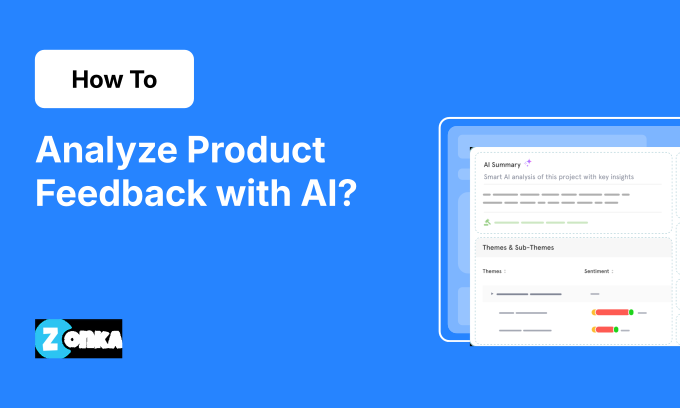


TL;DR
- Product teams collect feedback from dozens of sources but rarely analyze more than a fraction of it. AI changes this: every survey comment, support ticket, and app review gets tagged, scored, and routed in minutes.
- This guide covers 7 steps: define your goal, centralize feedback, clean your data, tag themes and entities, layer sentiment and intent, detect trends, map to KPIs, and turn signals into product decisions.
- Entity recognition identifies which specific features, plan tiers, and integrations your users mention: "users are unhappy" becomes "Enterprise users on v3.2 are frustrated with the reporting module."
- Intent classification separates feature requests from complaints from questions, routing each to the right workflow without manual triage.
- Best practices include training AI with your own taxonomy, re-running analysis post-release to measure impact, and tying every theme to a KPI so feedback drives revenue, not reports.
Product teams don't have a feedback shortage. They have a processing problem. Hundreds of NPS comments arrive after every release. Support tickets pile up with bug reports, pricing complaints, and feature requests buried in the same queue. App store reviews add another layer of signal. And somewhere in that volume are the 3-4 patterns that should reshape your next sprint.
Most teams never find them. Manual tagging is slow, inconsistent, and biased toward whatever the loudest customer said last. By the time someone reads through 200 responses, another 2,000 are waiting. The team debates what customers "really want" based on whoever has the strongest opinion in the room.
AI-powered product feedback analysis solves this at the structural level. You can auto-tag responses into themes, identify which specific features and plan tiers generate friction, detect sentiment shifts at the theme level, and connect patterns directly to churn, NPS, and adoption metrics. What used to take a week in spreadsheets happens in minutes.
This guide walks through 7 steps to build that workflow: from centralizing your data to turning AI-generated signals into Jira tickets with owners and deadlines. Every step is locked to how product teams actually work: sprints, roadmaps, feature adoption, and revenue impact.
How AI Transforms Product Feedback Analysis
Product feedback is messy by nature. One channel gives you NPS comments like "great product, but onboarding was rough." Another is filled with support tickets about payment issues. Reviews complain about crashes after the last update. Manually piecing all of this together is slow, inconsistent, and nearly impossible to scale.
AI is changing product feedback analysis- making it faster, sharper, and directly tied to the metrics product teams track:
- Scattered feedback becomes structured in minutes: Instead of reading every comment, AI auto-tags open-ended responses into themes like Onboarding Experience, Pricing, Performance Issues. What used to take a week in spreadsheets is done in minutes.
- Pattern detection surfaces what drives key metrics: AI can reveal that "pricing confusion" appears in 40% of detractor comments. That's a churn lever you can act on immediately.
- Theme-level sentiment adds urgency: Two users may mention onboarding, but one is frustrated and the other mildly confused. AI layers sentiment and emotion per theme, helping you prioritize the most critical issues first.
- Anomaly detection catches problems before metrics reflect them: When mentions of "checkout errors" double after a release, you know before the churn rate does.
The contrast is stark: traditional analysis tells you "customers are complaining about onboarding." AI tells you "38% of new users drop due to onboarding confusion, concentrated in the Pro plan, and here's the fix." That's the difference between a feedback report and a product decision.
For product teams specifically, this changes the rhythm of how roadmap decisions get made. Instead of quarterly surveys producing a "top 10 issues" report, you get a continuous feed of themed, entity-tagged, intent-classified signals. Feature requests separate from bug reports separate from questions separate from churn signals. Each routes to a different workflow. Your PM doesn't need to read 500 comments to know what to build next: the themes, ranked by frequency, sentiment, and KPI impact, tell them.
7 Steps to Analyze Product Feedback with AI
Before the steps themselves, one prerequisite: purpose. The best AI tools won't get you far if your team isn't aligned on what question you're answering. Whether you're investigating a drop in activation or planning your next release, the first step is identifying what decision your analysis is meant to inform.
This workflow maps to how the Feedback Intelligence Framework processes product feedback: themes first, then signals, then entities. All structured to route decisions to the right team.
Define the Goal Before You Start
Before you run a single AI tag or generate a dashboard, ask: what business or product question are we trying to answer with this feedback?
That question frames your entire analysis. Without it, AI can generate impressive clusters, but you'll struggle to extract anything useful. AI is powerful, but directionless unless pointed at the right problem.
Start by aligning your team on a current product or CX question that actually needs answering:
- Why are activation rates down this month? → Focuses analysis on early-stage user feedback
- What's driving detractor NPS responses post-launch? → Narrows attention to post-release feedback tagged as Detractors
- Which issues are blocking expansion in the EU region? → Guides tagging by metadata like region
- How do users feel about our new pricing model? → Surfaces themes and sentiment tied to pricing
By anchoring your AI analysis to a real product objective, every tag, theme, and co-occurrence becomes more useful. You know what to filter for, which segments to focus on, and how to turn feedback into strategy.
Step 1: Gather and Centralize Product Feedback
You need all your product feedback in one place before AI can process it. Start by consolidating input from every key channel: survey responses (NPS, CSAT, CES), support tickets, in-app feedback, app store and public reviews, interview transcripts and call notes, and feature requests from roadmap tools.
The channel mix matters more than most teams realize. If you're only analyzing NPS survey comments, you're hearing from the 10-15% of users who bothered to respond. Support tickets skew toward frustrated users. App store reviews skew toward extremes. Each channel carries its own selection bias. Combining all of them produces a representative picture of how your product is actually experienced.
Say you're analyzing feedback after a new feature launch. You'll want to pull NPS comments tagged "Feature X," support tickets mentioning bugs, and app reviews referencing that feature into a single inbox. Using an AI feedback analytics tool makes centralizing across sources significantly easier.
Tactics to centralize your feedback:
- Export survey data as CSV from your feedback tool
- Integrate your support tools (Intercom, Zendesk)
- Use APIs or scraping tools for review sites (G2, Play Store)
- Tag and timestamp interview insights in Notion or CRM
Don't forget metadata. Include details like date, platform, location, user plan, or product version. A feedback comment without metadata is a data point without context. A comment tagged with [Enterprise, v3.2, EMEA, post-onboarding] is a signal you can act on.
Step 2: Clean and Prepare Product Feedback for AI
Before AI can analyze your product feedback, it needs data it can understand. That doesn't mean spending hours cleaning every line. But it does mean setting up your inputs with enough structure for the AI to recognize patterns, group themes, and draw reliable conclusions.
Consolidate your feedback into a single file or repository. Each row should represent one piece of feedback (a survey comment, support ticket, app review), and each column should hold relevant metadata: source channel, date, product version, customer type, or region. These fields help AI segment feedback and find context-aware trends later.
Handle these before hitting "analyze":
- Deduplicate entries, especially if you've imported overlapping sources. A user who submits the same complaint via chat and email shouldn't count as two signals.
- Mask or remove personally identifiable info to protect privacy and avoid noisy patterns.
- Leave comments untouched. Don't paraphrase or clean the language: raw verbatims help AI understand nuance. "This is so frustrating" carries different emotional weight than a cleaned-up "user expressed dissatisfaction."
- Standardize source labels. If you're pulling from five channels, make sure "Zendesk" and "zendesk_tickets" and "Support" all map to the same source tag. Inconsistent labels create phantom categories.
Let the AI handle categorization and sentiment. Your job is to give it clean lanes to drive in. If three users say "I couldn't finish onboarding," "Setup was confusing, especially the second part," and "No clue what to do after logging in," you don't need to rewrite anything. Just make sure the verbatims are mapped to the right version and feature. The AI will recognize these as a recurring issue tied to early-stage friction.
Start small. Test with 100 feedback entries first. This gives you a feel for how your metadata and structure influence AI output and lets you adjust before scaling up.
Step 3: Use AI to Auto-Tag Themes and Identify Entities
This is where AI starts earning its place in your workflow. Once feedback is centralized and structured, AI tags open-text responses and clusters them into meaningful themes: fast, consistently, and across thousands of entries.
AI scans each piece of feedback for patterns in word choice, phrasing, and context, then groups similar responses together under a theme. This is thematic analysis: the building blocks of structured product intelligence.
Say you're analyzing post-launch NPS comments for a new product update. AI might surface themes like:
- "UI feels cluttered"
- "Performance slower after update"
- "Love the new dashboard"
- "Can't find saved reports"
These themes didn't require you to read every comment. AI pulled them from the noise based on recurrence and contextual similarity.
But themes alone tell you what's being discussed. Entity recognition tells you what specifically is involved. For product teams, this is where AI gets genuinely useful: it identifies the exact features, plan tiers, integrations, and product areas users mention in each response.
Consider three comments:
- "The reporting module crashes every time I export to PDF"
- "Slack integration keeps disconnecting after the v3.2 update"
- "Enterprise plan doesn't include the API access we were promised"
Without entity recognition, all three land in a generic "product issues" bucket. With it, AI tags [entity: feature = reporting module], [entity: integration = Slack], and [entity: plan tier = Enterprise]. Each is routable to a different team with specific context. The PM working on reporting sees their feedback. The integrations team sees theirs. The pricing team sees the plan-tier gap.
For product teams specifically, the entity types that matter most are:
- Feature entities: Which specific features or modules users mention (reporting, onboarding wizard, billing portal, search)
- Plan tier entities: Which pricing plan or customer segment is affected (Free, Pro, Enterprise, trial users)
- Integration entities: Which third-party tools are involved (Slack, Jira, Salesforce, Zapier)
- Version entities: Which release or product version triggered the feedback (v3.2, "since the last update," "new UI")
- Competitor entities: When users reference competing products ("we're also looking at Notion" or "Asana handles this better")
Competitor entities are especially valuable for roadmap prioritization. When 15% of your feature request feedback mentions a competitor's capability, that's a gap worth evaluating. In simple terms: entity recognition turns vague signals into structured product intelligence that maps directly to your team's ownership model.
Guide the AI. Most AI tools start with pre-trained tagging models, but the best results happen when you guide them with your own taxonomy. Give your AI a few "seed tags" based on known product issues (e.g., "Pricing Confusion," "Mobile UX," "Feature Discovery"). Spot-check the output early: if "setup is hard" and "support was slow" are being grouped together, it's time to refine your tags.
Step 4: Layer Sentiment, Emotion, and Intent for Context
Themes tell you what your users are talking about. Sentiment tells you how they feel about it. That emotional context is what separates a list of feedback from clear product priorities. Thematic and sentiment analysis complement each other: together, they surface topics and urgency simultaneously.
Every tagged comment gets evaluated for sentiment (positive, neutral, or negative) and for emotion (frustration, confusion, delight). But the best results come when AI tags sentiment at the theme level, not the entire comment. User feedback is rarely black-and-white.
Consider a comment like: "Love the new dashboard, but the pricing feels unfair." Instead of treating that as mixed or neutral, AI should break it down:
- Dashboard = Positive
- Pricing = Negative
This level of nuance helps you prioritize accurately. Delight in the dashboard validates a recent release. Pricing frustration might signal churn risk.
Intent classification adds another layer that's especially valuable for product teams. Beyond how users feel, intent detection identifies what they're trying to accomplish or communicate:
- Feature request: "I wish the dashboard had a dark mode option" → routes to the product roadmap backlog
- Complaint about a specific feature: "The export function has been broken since last update" → routes to the engineering bug queue
- Question: "How do I set up the Slack integration?" → routes to docs/support for a knowledge base gap
- Advocacy: "This is the best project management tool I've used" → routes to marketing for testimonial mining
Wondering how intent and entity recognition work together? When the two combine, routing becomes precise. "Feature request + entity: reporting module" goes straight to the PM who owns reporting. "Complaint + entity: Slack integration + plan tier: Enterprise" goes to the integrations team with full context. No manual triage needed.
In simple terms: sentiment tells you the temperature. Intent tells you the action. Entity recognition tells you the address. Together, they replace manual reading with structured, routed signals.
Step 5: Detect Trends, Anomalies, and Root Causes
Once themes, entities, and sentiment are in place, it's time to zoom out and see what's shifting and why. AI tracks how feedback themes evolve over time, flags unexpected spikes, and surfaces hidden patterns that manual analysis would never catch.
- Identify emerging trends: AI can show when mentions of "performance issues" gradually increase over weeks, often before tickets explode or metrics drop. That early warning gives your team a critical edge.
- Detect anomalies automatically: Say "checkout errors" spike by 60% week-over-week. AI anomaly detection alerts you in real time, no manual monitoring required.
- Find co-occurrences and root causes: AI connects the dots across themes. If users mentioning "pricing confusion" also frequently mention "support delays," that's a cross-functional breakdown, not two separate problems.
Co-occurrence detection is particularly powerful for product teams because it surfaces causal chains that single-theme analysis misses. If "slow load times" co-occurs with "dashboard crashes" in 40% of cases, you might have a performance bottleneck affecting multiple features. Fix the root cause and both themes improve. Fix them separately and you're patching symptoms.
Entity-level trending adds another dimension. Instead of "negative sentiment is up 8% this month," you can track "negative sentiment about the reporting module increased 23% among Enterprise users after the v3.2 release." That specificity tells your engineering team exactly where to look and which users are affected.
When tracking anomalies, set custom thresholds that match your product's normal feedback volume. A 20% spike might be noise for a high-traffic feature but a red flag for a niche flow.
Step 6: Map Themes to KPIs
Tagging themes and layering sentiment is a solid start. But real impact comes when you connect feedback directly to business outcomes: how is this affecting our core metrics?
Instead of manually correlating feedback to churn, NPS, or activation, AI tools can automatically flag which themes show up most in detractor comments, which ones precede churn events, or what themes correlate with low activation or conversion.
For instance:
- If "onboarding friction" is present in 45% of NPS detractor comments, that's your biggest churn lever
- If "mobile performance" complaints spike before monthly churn peaks, that's a leading indicator
- If "feature discovery" confusion correlates with low feature adoption in a specific SaaS segment, that's a UX priority
The most useful KPI-theme mappings for product teams follow a specific pattern: they connect a feedback theme to a metric your team already tracks, then quantify the relationship. "Onboarding confusion" is a theme. "45% of detractors mention onboarding confusion" is a KPI-linked signal. In simple terms: "Fixing onboarding confusion could move our NPS from 32 to 38 based on detractor volume" is a business case your PM can take to leadership.
Build these mappings across your core product metrics:
- Activation rate: Which themes cluster in feedback from users who don't complete setup? Common culprits: confusing first-run experience, unclear value proposition, missing integration guidance.
- Feature adoption: Which features generate confusion or frustration themes? Low adoption paired with "can't find" or "too complex" feedback tells you exactly what the UX team should redesign.
- Churn rate: Which themes appear in feedback from users who cancel within 90 days? If "billing confusion" and "slow support response" dominate, those are retention investments with measurable payback.
- Expansion revenue: Which themes appear alongside upgrade requests or advocacy intent? Users mentioning "need more seats" or "hitting plan limits" are expansion signals hiding in feedback data.
Filter by context. Use structured metadata (user segment, product version, lifecycle stage) to filter themes by outcome. You'll get sharper signals: knowing a pricing complaint only affects trial users in APAC, not your entire base, changes how you prioritize the fix.
Step 7: Turn AI Signals into Product Decisions
Analysis without action is an expensive observation exercise. The real win is turning AI-generated signals into roadmap decisions, CX actions, and measurable improvements. Once you've mapped themes to KPIs, it's time to operationalize them:
- Create tickets from signals: Translate each finding into Jira, Linear, or your internal system. Include a clear signal statement, top quotes for context, the impacted KPI, and an acceptance goal like "Reduce onboarding-related negative sentiment from 38% to 25% in 6 weeks."
- Assign ownership and timelines: Loop in relevant team members (Product, CX, Docs) and assign owners and due dates. Each signal needs someone responsible for turning it into a fix.
- Prioritize by impact: Use a prioritization model like RICE or ICE. Consider the volume of mentions, sentiment severity, KPI linkage, and the effort required to address the issue.
- Set a review cadence: Every two weeks, revisit key themes and their KPIs. Track whether negative sentiment is dropping, NPS is climbing, or friction is reducing as a result of action taken.
- Build a feedback-powered mini roadmap: Bundle 3-5 key themes into a "mini roadmap" for the month. It keeps teams focused, ensures accountability, and builds momentum around customer-driven improvements.
- Close the loop: Once a change is implemented, let users know: release notes, in-app nudges, or emails. Closing the feedback loop by showing users their feedback led to action builds trust and encourages future participation.
The cadence matters as much as the analysis. Teams that treat feedback analysis as a monthly event miss the real-time signals that prevent churn. Teams that treat it as a continuous input to sprint planning ship products that customers actually want.
One pattern that works well: dedicate the first 30 minutes of every sprint planning session to reviewing the latest theme-to-KPI dashboard. What's trending up? What improved since last sprint? What's the highest-impact theme you haven't addressed yet? This makes feedback-driven development a habit.
Putting It Together: A Product Team Workflow Example
Here's how this looks end-to-end for a SaaS PM analyzing feedback after a pricing page redesign:
Goal: "Did the pricing page redesign reduce confusion and improve trial-to-paid conversion?"
Centralize (Step 1): Pull NPS comments from the last 30 days, support tickets tagged "billing" or "pricing," in-app feedback from the pricing page, and Intercom chat transcripts where users asked pricing questions. Tag everything with plan tier and signup date.
Clean (Step 2): Deduplicate users who contacted both support and left NPS comments about the same issue. Mask account IDs. Standardize "billing" and "pricing" tags into one category.
Tag and identify entities (Step 3): AI clusters 1,200 responses into themes: "pricing page clarity" (28%), "plan comparison confusion" (22%), "annual vs monthly pricing" (18%), "feature-tier mismatch" (15%), and "positive: cleaner layout" (12%). Entity recognition flags that "Enterprise" plan mentions skew negative, while "Pro" plan mentions are mostly positive.
Layer sentiment and intent (Step 4): Theme-level sentiment shows "plan comparison confusion" is 78% negative with high frustration emotion. Intent classification reveals 40% of those responses are questions ("Which plan includes API access?"), signaling a docs gap, not a pricing gap. The remaining 60% are complaints about feeling misled by the feature comparison table.
Detect trends (Step 5): "Plan comparison confusion" spiked 3x since the redesign launch. Co-occurrence analysis reveals it clusters with "trial extension requests." Users are confused and delaying purchase decisions rather than converting.
Map to KPIs (Step 6): Trial-to-paid conversion dropped 4% since the redesign. "Plan comparison confusion" appears in 52% of feedback from users who didn't convert. Fixing this theme has a quantifiable conversion impact.
Act (Step 7): Create a Jira ticket: "Redesign feature comparison table. Add tooltips, simplify tier names, add FAQ link. Goal: reduce plan-comparison-confusion sentiment from 78% negative to 40% in 6 weeks." Assign to the growth PM. Add a docs ticket for the API access question gap.
Total time from data pull to ticket creation: about 45 minutes. Without AI, the same analysis would take a week of reading comments and debating what's going on.
Best Practices for Product Feedback Analysis with AI
AI handles the heavy lifting, but how you set it up, refine it, and use it makes the difference between signals and noise. Seven practices that separate teams getting real value from those generating dashboards:
- Refine with feedback loops: AI isn't one-and-done. The smartest teams treat it like a teammate: spot-check misclassifications, update seed examples, and retrain periodically. Thirty minutes a month reviewing odd tags can significantly improve accuracy and trust in your system.
- Use theme volume and sentiment together: A high-volume theme isn't always high priority, unless it's also paired with negative sentiment or strong emotion. Prioritize based on volume × negativity × business impact. "Password resets" may be frequent but low-impact, while "confusing billing flow" may have fewer mentions but stronger churn signals.
- Use co-occurrence detection for root causes: AI can reveal which problems show up together, hinting at deeper systemic issues. If "pricing confusion" often co-occurs with "support delays," you may have a broader communication issue, not two separate problems.
- Set anomaly thresholds by feature: A 20% spike in "checkout errors" week-over-week is a red flag. A 20% spike in "dark mode requests" is noise. Configure alerts by feature importance and normal volume so your team responds to what matters.
- Re-run analysis post-release: After rolling out a fix or launching a new feature, re-run your AI analysis two weeks later. Has negative sentiment around onboarding dropped? Are "loading time" complaints down 40%? This before/after delta validates product decisions with evidence.
- Align feedback views to team objectives: Your CX team doesn't need the same signals as your product or exec team. Create custom views: Product teams focus on feature sentiment and usability themes, CX teams see detractor drivers, Execs see themes linked to churn, activation, or expansion.
- Add qualitative anchors: AI surfaces trends, but human context builds buy-in. Whenever you present a theme, pair it with 1-2 user quotes. "Onboarding friction" hits harder when backed by: "I gave up halfway because I didn't know what to do next."
Analyzing Product Feedback with Zonka Feedback
Zonka Feedback's AI product feedback analytics software is purpose-built for product teams to remove the bottlenecks in product feedback analysis. Whether you're launching a new feature, debugging user frustration, or tracking adoption across segments, the platform takes you from scattered feedback to structured product signals in minutes.
- Multi-source consolidation: Pull in NPS, CSAT, app reviews, in-product surveys, and support data into a unified inbox mapped to a central taxonomy. Everything's searchable, filterable, and ready for analysis.
- AI tagging with entity recognition: Each feedback item is tagged with themes, entities (features, plan tiers, integrations), and intent types. The system identifies which product areas generate friction, which features drive satisfaction, and where plan-specific complaints cluster.
- Theme-level sentiment and KPI-linked tracking: Themes are scored by sentiment per topic (not per comment) and layered over metrics like NPS, churn, and feature adoption. You'll know when "billing confusion" is dragging down conversions before it hits your retention numbers.
- Role-based dashboards: Product teams see theme and feature trends. CX sees detractor breakdowns. Executives get a high-level KPI impact summary. Everyone sees what they need, without the noise.
- Closed-loop workflows: Push signals straight into Jira, Asana, or Notion with context: top quotes, sentiment trend, KPI impact, and acceptance criteria. Slack alerts fire when new patterns emerge, and weekly digests keep nothing from getting dropped.
From Feedback Noise to Product Clarity
Product feedback will keep flooding in: after every release, every support interaction, every app store review. The question isn't whether you have enough data. It's whether your team can process it fast enough to make decisions that matter.
The 7-step workflow above gives you the structure: centralize, clean, tag themes and entities, layer sentiment and intent, detect trends, map to KPIs, and turn signals into tickets with owners and deadlines. Each step builds on the last, and the output is a product team that makes roadmap decisions based on what thousands of customers are actually telling you.
The teams that get this right don't ship faster. They ship the right things. And that's a competitive advantage no feature list can replicate.