.svg)
 Healthcare
 Finance
 Retail
 SaaS & Digital
 eCommerce
 Education
 Salesforce
  HubSpot
 Pipedrive
 Mailchimp
 Klaviyo
 Zendesk
  Intercom
 Freshdesk
 HelpScout
  Front
Front Jira
Jira Slack
Slack  MS Teams
 Zoom
Zoom Google Sheets
  Zapier
  Integrately
 Make
Make  Webhooks




 MS Teams


TL;DR
- A SaaS feedback strategy is a structured system for collecting, unifying, analyzing, and acting on user input across the entire product lifecycle — not just a survey cadence.
- The SaaS Feedback Lifecycle runs in four stages: Collect → Unify → Understand → Fix.
- Collect feedback at five key touchpoints: free trial, feature release, 30-day check-in, post-support, and churn.
- Unify signals from surveys, support tickets, app store reviews, live chat, and social mentions into one view.
- Use AI-driven thematic analysis to surface what matters, instead of reading thousands of responses manually.
- Close the loop differently for detractors, passives, and promoters — each segment needs a distinct response workflow.
For managing this program long-term, see our SaaS Feedback Management guide.
You shipped a new feature three weeks ago. NPS just dropped 8 points. You have no idea why.
That scenario plays out inside SaaS companies every quarter. Not because the product is broken, but because the feedback program is. The team collected responses. Skimmed a handful. Moved on. Nobody built a system that could connect a feature release to a satisfaction drop, tell the product team what actually changed, or alert anyone before the churn signal arrived.
This is the gap a feedback strategy closes. Not a survey. A strategy.
According to Bain & Company, promoters have a lifetime value three to eight times higher than detractors — across industries and segments. That difference doesn't come from collecting more surveys. It comes from building a system that turns feedback into product decisions, consistently, across the full lifecycle.
This guide lays that system out in four stages.
Why Most SaaS Feedback Programs Fail Before They Start
Most SaaS teams don't have a feedback problem. They have a strategy problem.
The feedback comes in. It just doesn't go anywhere useful. Three failure patterns drive most of this:
Collecting at the wrong stage. Sending an NPS survey to a user on day three doesn't measure loyalty. It measures confusion. The user hasn't experienced enough of the product to give you meaningful signal. You're asking them to rate something they haven't fully experienced yet.
No system for acting on it. Responses land in a spreadsheet. Someone reviews them at the end of the quarter. By then, the user who gave you a 2 has already churned, and whatever they flagged has had weeks to compound.
Treating every response equally. A 1-star from a free trial user on day one carries different weight than a 1-star from a $50K account at renewal. Without segmentation built into how you read feedback, you can't prioritize what to fix first.
A strategy fixes all three. Here's what that looks like.
The SaaS Feedback Lifecycle: A 4-Stage Framework
Think of your feedback program as a continuous loop with four interconnected stages:
- Collect: ask the right question, at the right moment, through the right channel
- Unify: pull signals from every source into one view, not just your surveys
- Understand: use AI to surface themes, score sentiment, and rank by impact
- Fix: close the loop so the right team acts fast, and users know they were heard
Each stage depends on the one before it. Strong collection without unification gives you partial signal. Unification without analysis gives you data overload. Analysis without action gives you a beautiful dashboard nobody uses.
The rest of this guide walks through each stage in detail.
Stage 1: Collect the Right Feedback, at the Right Time, in the Right Place
The biggest mistake in feedback collection isn't asking bad questions. It's asking the right questions at the wrong moment. Timing, channel, and survey design all determine whether you get signal or noise.
Map Feedback to Your Product Lifecycle Stages
Your product has predictable moments when users have the clearest opinions. Collect feedback there, not on a calendar schedule.
| Lifecycle Stage | What to Ask | Metric | Timing |
|---|---|---|---|
| Free trial / onboarding | "How easy was it to get started?" | Customer Effort Score (CES) | 2–3 days in, not day 1 |
| Post feature release | "How useful was this feature?" | Customer Satisfaction Score (CSAT) | After the user engages with it at least once |
| 30-day active usage | "How likely are you to recommend us?" | Net Promoter Score (NPS) | Only for users who've logged in 4+ times |
| Post-support interaction | "How satisfied were you with this resolution?" | CSAT | Within 24 hours of ticket close |
| Cancellation / churn | "What's the main reason you're leaving?" | Exit survey | Triggered immediately on cancellation intent |
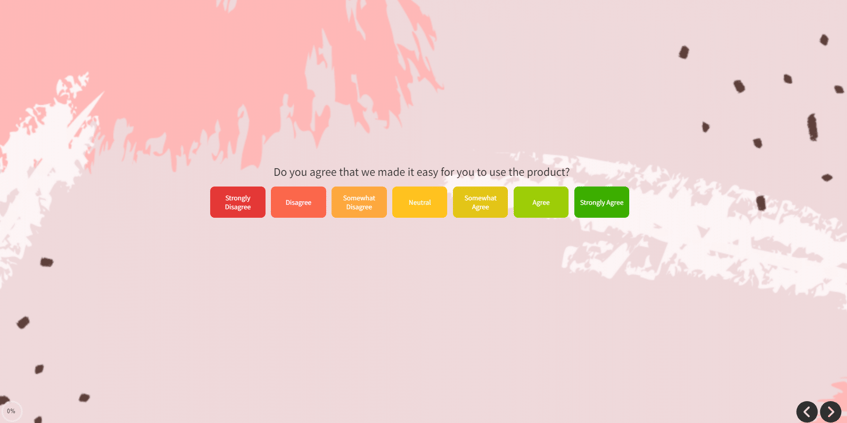
The timing rule for free trial surveys is worth holding onto. Even a trial-stage survey should wait 2–3 days. You're asking about an experience the user needs time to actually have. Surveys sent on day one mostly measure first impressions of the sign-up flow, not the product itself.
A ready-made SaaS onboarding survey template can significantly cut the setup time at this stage.
Choose the Right Channel for Each Touchpoint
Channel fit matters as much as question design. Here's a quick decision guide:
- In-app widgets and popups: best for real-time product feedback while the experience is still fresh. Use slide-ups or popovers so they don't block the UI.
- Email: best for relationship-level surveys like NPS, where users need a moment to reflect. Don't bury it inside a newsletter.
- SMS and WhatsApp: best for post-transaction moments where open rates are critical. Eyewa, one of the largest online eyewear retailers in the Middle East, runs their entire post-purchase NPS and CSAT program via WhatsApp webhook automation, collecting over 86,000 responses through this channel alone.
- Website widgets: best for understanding visitors and prospects. Keep this separate from your in-product surveys; these are different audiences with different contexts.
- Kiosk and offline: best for on-premise locations, clinics, branches, or events where users aren't on a personal device.
For anything in-product (popups, slide-ups, feedback buttons, embedded forms), digital feedback channels give you contextual page targeting and user identification without disrupting the product experience.
Ask Feedback the Right Way
Survey design determines response quality. Five rules that consistently work:
- Keep it short. One to two questions per survey. Every additional question drops completion rates.
- Always include an open-ended field. Ratings tell you the score. Comments tell you the reason. You need both.
- Avoid leading questions. "How amazing was your experience?" isn't a question. It's a suggestion. Ask neutrally.
- Personalize the message. Use the user's name and reference what they just did. Research shows around 90% of US customers find personalization appealing. Generic survey emails get ignored; contextual ones get opened.
- Use a requesting tone. You're asking for their time. Acknowledge that. "This takes 30 seconds and helps us build what you actually need" outperforms a transactional subject line every time.
Control Frequency to Avoid Survey Burnout
Survey fatigue is real, and it's self-inflicted. A user who receives five surveys in a month starts ignoring all of them — including the ones that matter.
Set cadence rules and hold to them:
- NPS: no more than once every 90 days per active user
- CSAT: triggered by specific events (support close, feature engagement), not a calendar interval
- CES: immediately post-task, but only for workflows you're actively trying to improve
- General rule: avoid Fridays, Mondays, and weekends. Mid-week sends (Tuesday through Thursday) consistently outperform. Afternoon and evening windows work better than early morning.
Stage 2: Unify Every Signal Into One Place
Here's what most feedback strategies miss entirely. Your users don't only express themselves in surveys. They write support tickets about the same friction. They leave reviews on G2 and Capterra. They ask questions in live chat. They post in community forums.
All of that is feedback. Most teams never connect it.
Why Survey-Only Feedback Leaves You Blind
Think through the sequence: a confusing workflow frustrates users, they contact support, some leave reviews, NPS eventually drops. By the time NPS registers that drop, the signal appeared in support tickets two weeks earlier.
Teams that only track surveys are always reading last month's story. And they're reading it through the lens of whoever bothered to fill in a form, a fraction of everyone actually affected.
The Five Sources Every SaaS Team Should Unify
Pull these together before you start analyzing anything:
- Survey responses: NPS, CSAT, CES, and open-ended product surveys
- Support tickets: the highest-frequency source of product friction; users describe problems exactly as they experience them
- App store and review platform ratings: G2, Capterra, Trustpilot, App Store; often the first place unhappy users go before churning
- Live chat transcripts: real-time language about what's confusing, broken, or missing
- Social mentions and community posts: unsolicited feedback at its most unfiltered
When these five sources feed into one view through a SaaS feedback platform, patterns that looked like isolated incidents become recognizable trends. A support ticket spike, a review dip, and a low CES score all pointing at the same workflow is an unmistakable signal. Three separate spreadsheets won't show you that. One unified layer will.
Stage 3: Understand Your Data Using AI
Collecting and unifying feedback gets you to a large pile of data. Understanding turns that pile into decisions.
Choose the Right Metric for the Right Context
Not every metric fits every moment. Using the wrong one gives you a score that doesn't tell you what to do next.
| Metric | When to Use | What It Tells You | When NOT to Use |
|---|---|---|---|
| NPS | Every 90 days, active users | Long-term loyalty; likelihood to stay and refer | Day 1 users, trial users, post-single-interaction |
| CSAT | After a specific interaction | Satisfaction with that moment, not the overall product | As a substitute for NPS on long-term sentiment |
| CES | After a task or workflow | How much friction exists in that specific experience | As a loyalty indicator; it measures effort, not relationship |
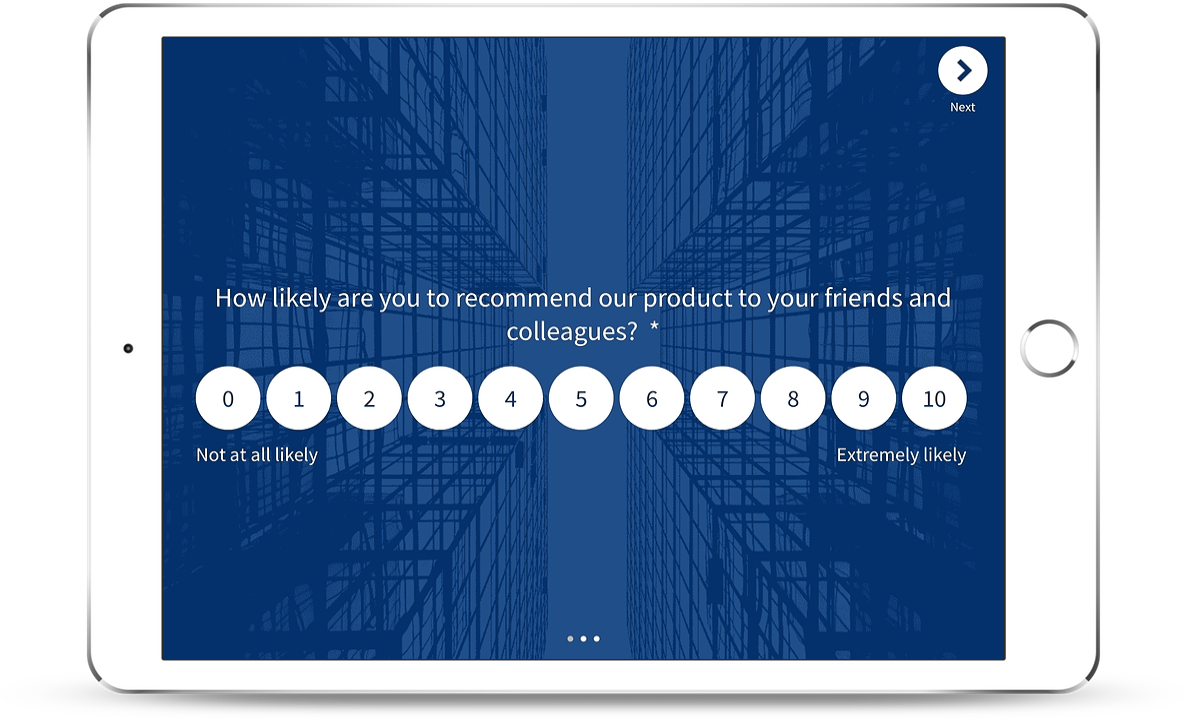
A common mistake: running NPS monthly and wondering why scores don't move. NPS measures relationship strength, which changes slowly. High-frequency NPS surveys mostly produce noise. For a comparison of NPS tools for SaaS built for the right collection cadence, several platforms are worth evaluating.
From Responses to Themes: Why Manual Reading Breaks at Scale
At 200 responses per month, a PM can read every comment. At 2,000, they read a sample. At 20,000, they read the most recent or the most extreme, missing the moderate majority quietly describing the same friction.
Manual reading at scale creates selection bias. Loud, recent, dramatic responses shape the roadmap. The consistent moderate pattern that 800 users described in slightly different words goes unnoticed.
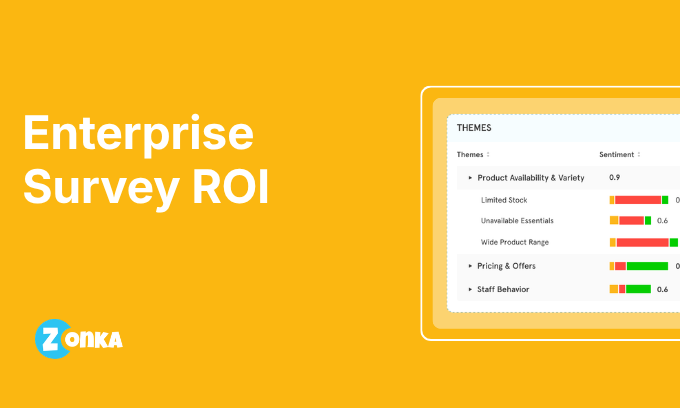
AI-driven thematic analysis solves this. Instead of reading responses, the system clusters them, grouping similar language across thousands of submissions into recurring themes. "Dashboard is confusing," "can't find the export button," and "took 15 minutes to run my first report" all map to the same friction: navigation. That theme gets scored by frequency (how many users mentioned it), sentiment analysis score (how negatively the theme is expressed), and impact (which users by plan tier and lifecycle stage). The output is a ranked list of what to fix, not a list of everything anyone ever said.
Role-Based Signals: Not Everyone Needs the Same View
One of the most underused ideas in feedback strategy is role-specific signal delivery.
A support manager needs CSAT scores broken down by agent. A PM needs feature-level friction trends. A CCO needs NPS movement across regions and segments. Three completely different reports. Giving all three people the same dashboard produces confusion, not clarity.
G2 illustrates what targeted signal distribution looks like in practice. They collect over 33,700 responses via website surveys, but not generically. They target the review submission page with one survey, the pricing page with another, and research pages with a third. Same platform. Three distinct feedback programs. Each serving a different team's questions.
Role-based signal delivery is what turns feedback analysis from a reporting function into an operational one. Every team sees the specific view they can act on.
Stage 4: Fix Issues and Close the Loop
Collecting feedback and doing nothing with it is worse than not collecting at all. Users who gave you feedback and heard nothing back are more frustrated than users who were never asked.
Closing the loop means acting on what you heard, and making sure users know you did.
Respond to Detractors, Passives, and Promoters Differently
Each NPS segment needs a different response workflow.
Detractors (0–6): Apologize. Ask specifically what went wrong. Auto-alert the CS team within 24 hours. If the reason is pricing, route to sales for a retention conversation. If it's a missing feature, route it to the PM with the verbatim comment attached. A generic "thanks for your feedback" reads as indifference. Skip it.
Passives (7–8): Ask what would move them to a 9 or 10. Share a relevant product update or roadmap item if it aligns with what they mentioned. Passives are convertible: they just need a reason to believe you're heading where they want to go.
Promoters (9–10): Thank them and request a public review on G2 or Capterra in a single click. Invite them into your beta program. When a feature they requested ships, mention them by name in the changelog. According to Bain, promoters account for over 80% of referrals in most businesses. The return on investing in this segment compounds steadily.
Build a Closed-Loop Workflow, Not Just a Notification System
A Slack alert when NPS drops isn't a closed-loop system. It's a notification. The loop closes when feedback triggers an assigned action, someone owns it, the issue is resolved, and the user hears back.
Alert → Assign → Resolve → Notify
- Low CSAT after support → auto-creates a Zendesk or Freshdesk ticket, assigned to the account's CS rep
- Bug report via feedback widget → auto-creates a Jira ticket with the user's page URL, browser, and account details attached
- Feature request via sidebar → routes to the product feedback board with account tier tagged for prioritization
The user gets an auto-acknowledgement immediately. The human follow-up comes within 48 hours. When the issue is resolved, a short "here's what we did" message closes the loop.
SmartBuyGlasses runs this kind of program across 30+ countries. Since implementing a structured close the feedback loop workflow, they increased NPS by 30% across more than 84,000 collected responses. That result comes from process discipline, not from better survey questions.
Turn Positive Feedback Into Growth
Positive feedback isn't just a metric to celebrate. It's a growth input.
Promoters who score 9–10: redirect to G2 or Capterra on a single click after submitting. Feature requests your roadmap is already solving: share the changelog post with the user who asked. PMF survey results showing your strongest user segments: use those segments to tighten your PLG positioning.
For SaaS Customer Feedback tools that connect these loops natively, look for platforms where collection, analysis, and action live in one system. Otherwise you're building the pipeline manually every time.
What a Working SaaS Feedback Program Looks Like
Here's all four stages operating as a rhythm, not a one-off project.
Monday morning: an NPS batch from the previous week is processed. Three enterprise accounts scored 4 or below. The AI layer has already clustered their open-ended comments. All three mention the same friction: onboarding step 3 takes too long. A signal goes to the PM and the CS team simultaneously. The CS rep reaches out to each account before end of day.
Wednesday: a new feature ships. An in-app CES survey triggers for users who engage with it in the first 72 hours. By Friday, 200 responses are in. Thematic analysis shows 70% found the feature intuitive, 30% are stuck on one specific screen. The PM creates a Jira ticket before the sprint closes.
End of month: CSAT trends across support tickets are reviewed by the support manager. One agent's scores are consistently below team average. A coaching conversation happens. The following month's CSAT improves.
This is the four stages working together. Not a quarterly survey ritual. A continuous feedback loop where each team runs their own lane — with signals that connect them.


.png)
.svg)