




.svg)
 Healthcare
 Finance
 Retail
 SaaS & Digital
 eCommerce
 Education
 Salesforce
  HubSpot
 Pipedrive
 Mailchimp
 Klaviyo
 Zendesk
  Intercom
 Freshdesk
 HelpScout
  Front
Front Jira
Jira Slack
Slack  MS Teams
 Zoom
Zoom Google Sheets
  Zapier
  Integrately
 Make
Make  Webhooks



 Sign In
 MS Teams

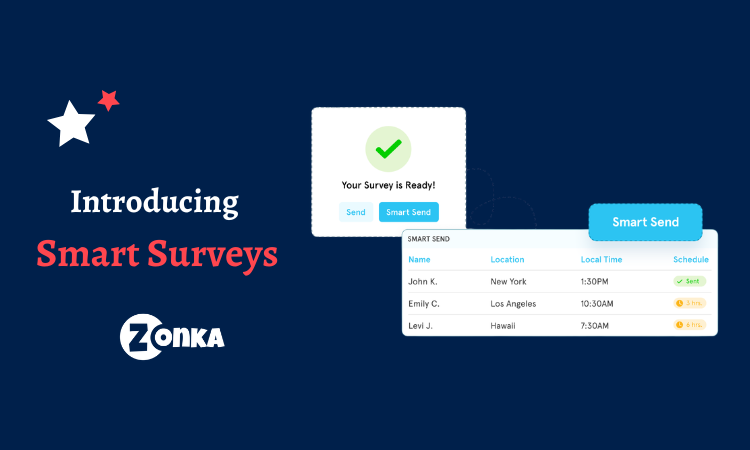


Zonka Feedback has always given you control over when a survey goes out. You can send it now, or schedule it for later. What we hadn't solved, until now, is a simpler question: what time is it where your contact is?
That question doesn't come up when your list is local. It comes up the moment your customers cross a border. You pick a reasonable send time, and part of your list gets it at 2am. Not because you chose poorly. Because the product only knew one clock.
That's been bothering me for a while. So we built Smart Send. Here's what it solves and how it works.
What a Badly Timed Survey Actually Costs?
We've seen this play out across enough accounts to know it costs you in two places, not one. The first is obvious. The second is the one teams don't catch until it's already shaped how customers feel about hearing from them.
a. The Response You Lose
A survey that arrives at 3am doesn't get ignored later. It gets buried under everything that arrives after it. By the time your customer wakes up, your question is twelve items deep in a notification stack nobody scrolls back through. That response isn't delayed. It's gone.
And the people you lose this way aren't a random sample. They're the ones furthest from your timezone, which usually means your international customers, your fastest-growing segments, the exact audience whose feedback you need most. That quietly bends what your scores are telling you.
b. The Impression You Leave
There's a second cost, and it's the one people underestimate. A phone buzzing at midnight, and it's you, asking how they'd rate their experience.
Even if someone shopped at 12am, that doesn't make the follow-up welcome at 12am. The transaction happening late doesn't make the outreach appropriate. Feedback programs are supposed to signal that you're paying attention. Getting the hour wrong undoes that signal before the customer reads the first word.
How Smart Send Works
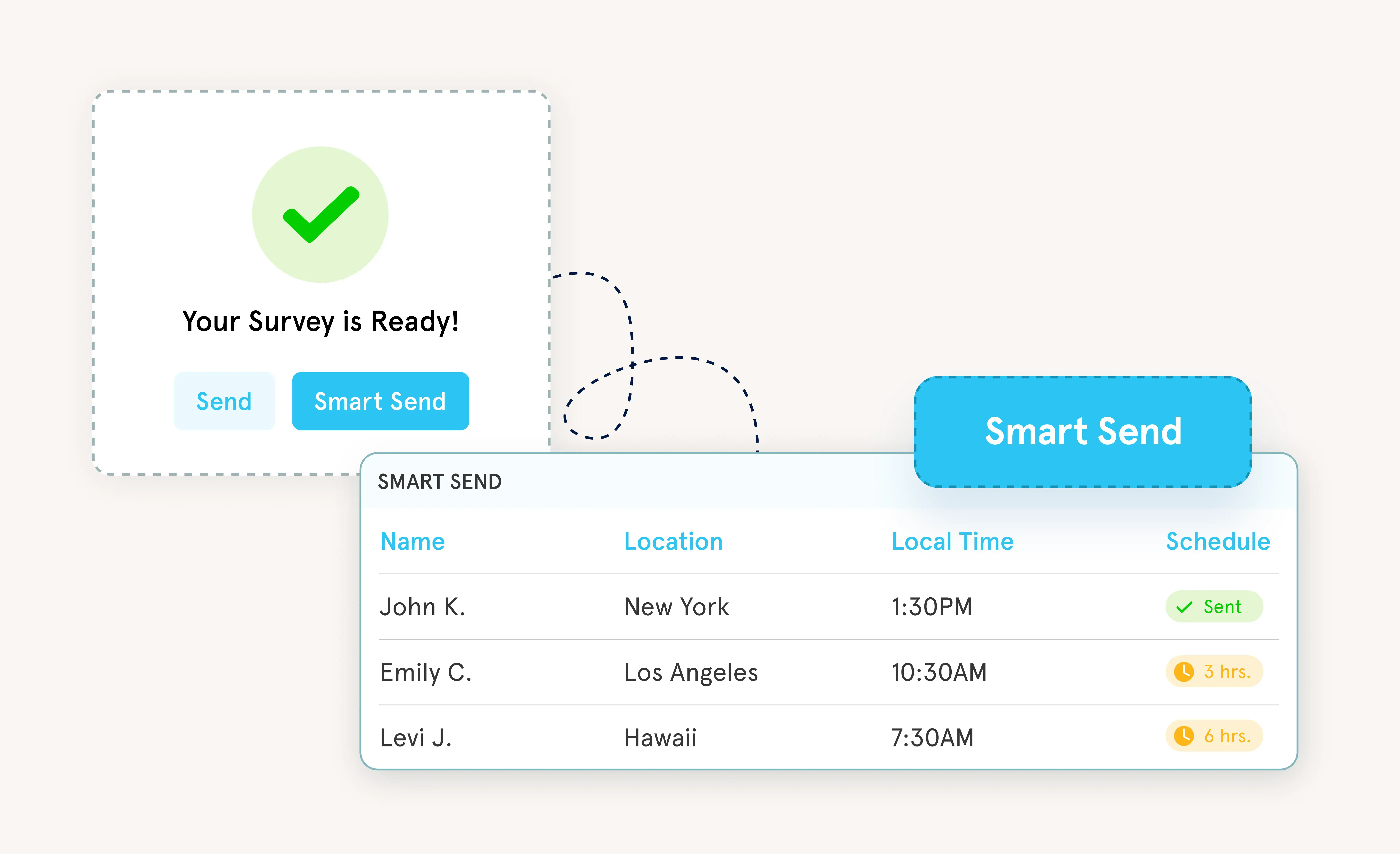
The idea is simple: you set one rule, and Smart Send applies it per contact instead of per send.
a. You Choose the Window
You pick the hours surveys are allowed to go out. Three options:
- 8am to 12pm, if you want your ask landing while inboxes are still calm
- 8am to 8pm, if you just want to stay out of the night
- All day, if timing isn't a constraint for your audience
That's the only decision you make. Everything after this is the system's job.
b. Smart Send Resolves the Timezone
This is the part that does the real work. "8am" means nothing until you know where someone is. So Smart Send checks three tiers, in order:
- Phone number country code. The most reliable signal, and most teams already have it sitting in their data without realising it.
- Contact's timezone attribute. If there's no phone number, we use the timezone your system has stored for that contact.
- Account timezone. If neither exists, we fall back to your company's timezone so nothing sits waiting for data that won't come.
Anything that falls outside the window doesn't get dropped. It gets held and goes out when that contact's window opens the next day. Nothing quietly disappears.
c. Send, Smart Send, and Send Later
In the app, Send and Smart Send sit next to each other. When you need something out immediately, you pick Send. When you want timezone-aware delivery, you pick Smart Send. No settings page, no toggle buried three levels deep.
If you've already scheduled a specific time using Send Later, Smart Send leaves it alone. You picked that hour deliberately. We're not going to overrule it.
Where Smart Send Changes Things?
Smart Send matters more the further your customers are from you, and it matters more on the channels that make noise.
1. Global Relationship Programs
If you've been running relationship NPS or CSAT across regions, you've probably solved this by hand at some point. Someone splits the list by geography, sets up separate sends per region, maintains that split every quarter. It works, until the person who owns the spreadsheet goes on leave and nobody picks it up.
Smart Send collapses all of it into one rule that travels with the contact. One send, every timezone handled. The regional split you were maintaining manually just became unnecessary.
2. SMS and WhatsApp Surveys
An email arriving at 3am is easy to miss. A phone buzzing at 3am is not. That's the difference between a channel someone checks when they're ready and a channel that interrupts.
Smart Send works across every channel you send on: email surveys, SMS surveys, and WhatsApp surveys. It matters most exactly where the interruption is loudest.
3. High-Volume List Sends
When you're pushing a few thousand contacts in at once, you can't personally sanity-check what time it is for each of them. You shouldn't have to. Smart Send does that check on every row, so a bulk upload at 4pm your time doesn't become a 3am wake-up call for half your list.
Autopilot Sets the Cadence, Smart Send Sets the Hour
Earlier this month, we launched Autopilot for email surveys. It took over the cadence: how often each person hears from you, without anyone owning a send calendar. That solved one half of the timing question.
Smart Send solves the other half. Not how often, but what hour. Autopilot decides the day. Smart Send decides the moment within that day that actually makes sense for the person receiving it.
Together, they mean your feedback program handles both frequency and timezone per contact, not per batch. Two decisions you used to make manually, now made for you, thousands of times a day.
Remove a Decision, Not Add One
The features I'm most drawn to building are the ones that remove a decision rather than add one. Not a new dashboard. Not another thing to configure. A small piece of judgment the product now applies on your behalf, quietly, correctly, without asking you about it.
That's what Smart Send is. You were never going to check the local hour for every contact on a 5,000-person list. Nobody was. So the honest options were to accept that some surveys land badly, or to let the product handle it.
Response rates will improve. But the thing I keep coming back to is simpler than metrics. Asking someone for their opinion is a small act of respect. It says their time matters enough that you chose the right moment to ask. Getting the hour wrong doesn't just cost you a response. It quietly says the opposite of what you meant.
That's the kind of thing a product should handle for you. Now it does.
If you're running feedback across regions, or you've simply noticed that part of your list never seems to respond, book a demo with us and we'll set your first Smart Send window up with you.



.png)
.png)
.png)








