.svg)
 Healthcare
 Finance
 Retail
 SaaS & Digital
 eCommerce
 Education
 Salesforce
  HubSpot
 Pipedrive
 Mailchimp
 Zendesk
  Intercom
 Freshdesk
 HelpScout
  Front
Front Jira
Jira Slack
Slack  MS Teams
 Zoom
Zoom Google Sheets
  Zapier
  Integrately
 Make
Make  Webhooks




 MS Teams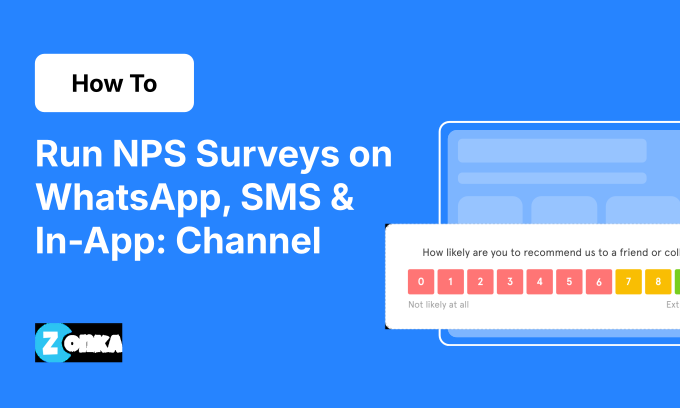


TL;DR
- WhatsApp NPS surveys uses conversational flow inside chat threads — not link surveys.
- SMS NPS surveys require TCPA compliance: express consent, quiet hours (8 AM-9 PM), A2P registration.
- Native in-app NPS surveys triggers via SDK based on user behavior — feature use, session count, milestones.
- Each channel serves different use cases:
- WhatsApp — markets where it's the primary messaging app (India, Brazil, LATAM)
- SMS — immediate post-interaction feedback (support tickets, deliveries)
- In-app — feature-specific tNPS at the moment of product use
- Most businesses run NPS across multiple channels — in-app for feature feedback, SMS/WhatsApp for transactions, email for relationship NPS.
Email NPS response rates sit at 15-25%. Website popups hit 20-30%. But WhatsApp pulls 40-50%, SMS delivers 35-55%, and native in-app surveys reach 30-40%.
The difference isn't just numbers. It's about reaching customers on devices they check every hour, through channels where friction is measured in taps instead of clicks.
These three channels share something email and website popups don't — they're mobile-first, conversational or native experiences that fit how people already use their phones. WhatsApp is a survey inside a chat thread customers already use with your business. SMS is an instant feedback request that requires zero app-switching. Native in-app surveys trigger at the exact moment someone completes a feature or hits a milestone.
This guide covers the implementation mechanics most teams skip — WhatsApp Business API setup and template approval, SMS TCPA compliance and two-way messaging logic, native mobile SDK integration and trigger conditions. It also covers when each channel makes sense, because not every business needs all three.
For the full NPS framework, start with our complete guide to Net Promoter Score.
How to Run NPS Surveys on WhatsApp
WhatsApp isn't just another survey distribution channel. It's a conversational survey experience.
Unlike email — where the survey is a link customers click — or website popups — where the survey interrupts browsing — WhatsApp NPS happens inside a chat thread customers already use to communicate with your business. The NPS question appears as a message. Rating options appear as rich media buttons. Follow-up responses flow like a conversation.
This creates fundamentally different engagement. No link to click, no new page to load, no form to fill out. Just a conversation that already feels natural.
WhatsApp Business API: What You Need to Run NPS
WhatsApp has two APIs. The manual WhatsApp Business App works for small businesses sending individual messages. The WhatsApp Business API handles automated, triggered surveys. NPS programs require the API version.
Setup requirements:
- WhatsApp Business API account (verified through a Business Solution Provider like Twilio, MessageBird, or platforms like Zonka Feedback that include built-in WhatsApp integration)
- Facebook Business Manager account
- Verified business phone number (can't be the same number used for the manual WhatsApp Business App)
- Message template approval (WhatsApp reviews and approves all templates before you can send them — approval takes 24-48 hours)
Why this matters for NPS:
You can't send arbitrary messages to customers. Every message must use a pre-approved template. Templates must follow WhatsApp's formatting rules — no promotional language, clear opt-out instructions, straightforward question wording.
WhatsApp NPS flow:
- Customer opts in (via website widget, SMS keyword, or initial WhatsApp message to your business)
- Trigger event occurs (purchase, support ticket closure, onboarding completion)
- Template message fires with NPS question
- Customer taps a rating button (0-10 scale rendered as rich media buttons)
- Follow-up question appears based on the score (promoter/passive/detractor logic)
- Response syncs to your CRM or feedback platform
Tools like Zonka Feedback handle WhatsApp Business API integration, template management, and response routing without requiring custom API development. Zonka's platform includes built-in WhatsApp delivery, automatic template approval tracking, and opt-in management — the full Business API stack without needing a separate Twilio or MessageBird account.
Conversational NPS Flow: How It Works Inside WhatsApp
The core difference between WhatsApp NPS and email/web NPS: the survey happens inside the messaging interface customers already use, not a separate form.
Example flow:
[Your Business]: Hi Sarah, thanks for your recent purchase! On a scale of 0-10, how likely are you to recommend us to a friend?
[Rich media buttons appear]:
0 1 2 3 4 5 6 7 8 9 10
[Customer taps 9]
[Your Business]: Thanks for the 9! What did you love most about your experience?
[Customer types response]: "Fast shipping and great customer support"
[Your Business]: We're glad to hear it! Thanks for sharing.
Why this works:
Zero friction. No link to click, no new page to load. It's a conversation, and customers already know how WhatsApp conversations work.
The interface is familiar. 98% of WhatsApp users access it on mobile. The survey is optimized for the device they're already holding.
Rich media buttons make rating faster than typing. The 0-10 scale appears as tappable buttons. Clearer than dropdowns, faster than text entry.
Template Message Approval
WhatsApp requires you to submit template messages for approval before using them. Your NPS template must include:
- Clear question wording
- No promotional language ("Get 20% off!" gets rejected; "How likely are you to recommend us?" gets approved)
- Opt-out instructions ("Reply STOP to unsubscribe")
Templates get reviewed within 24-48 hours. Once approved, they're reusable across all your NPS campaigns.
Compliance requirements:
-
Opt-in is mandatory. Customers must explicitly opt in to receive WhatsApp messages from your business. You can't use phone numbers from your general customer database without separate WhatsApp consent.
-
GDPR applies to EU customers. Your opt-in process must meet GDPR standards — clear consent language, documented opt-in timestamp, easy opt-out mechanism.
-
24-hour session window. WhatsApp limits "session messages" (messages outside of active customer-initiated conversations) to 24 hours after the last customer message. Template messages bypass this limit, but they still require opt-in.
For WhatsApp's full Business Policy guidelines, see their official documentation.
When to Use WhatsApp NPS
WhatsApp NPS works best when:
-
Your customers already use WhatsApp to communicate with you: If customers expect WhatsApp for support inquiries, order updates, or appointment confirmations, NPS surveys feel like a natural extension of that channel.
-
You're serving markets where WhatsApp is the primary messaging app: Brazil, Indonesia, Spain, Italy, Latin America, the Middle East, india and parts of Africa. In these regions, WhatsApp open rates approach 98% — far higher than email.
-
You want conversational follow-up capabilities: Customers respond to follow-up questions naturally inside the chat thread. Gathering qualitative feedback doesn't require asking them to switch contexts or open a different app.
-
Your customer base is mobile-first: Nearly all WhatsApp usage is mobile. If your customers are primarily on phones, WhatsApp aligns with their existing behavior.
When NOT to use WhatsApp NPS:
Customers don't actively use WhatsApp to contact your business. Sending NPS surveys via a channel customers don't expect feels intrusive.
B2B enterprise buyers in North America. WhatsApp penetration is lower in this segment. Email or in-app surveys work better.
You can't meet opt-in requirements. If your customer database lacks explicit WhatsApp opt-in consent, you can't compliantly send surveys.
Response rate context:
WhatsApp NPS surveys typically see 40-50% response rates in markets where WhatsApp is dominant. For timing guidance specific to transactional vs relationship NPS, timing windows vary by survey type.
How to Run NPS Surveys via SMS
SMS is the fastest NPS channel.
No app to open, no link to click (if you use two-way SMS), no friction between the trigger event and the response. A support ticket closes, an SMS fires 20 minutes later, the customer taps a number or replies with their rating. Response captured. Total time: under 60 seconds.
But SMS NPS comes with compliance requirements that email doesn't. TCPA regulations in the US carry $500-$1,500 penalties per unauthorized message. This section covers the mechanics (two-way vs link-in-SMS), the compliance requirements (TCPA, GDPR, quiet hours), and when SMS NPS makes sense.
Two-Way SMS vs Link-in-SMS: Which One to Use
There are two ways to run SMS NPS surveys:
1. Two-way SMS (interactive, no link required)
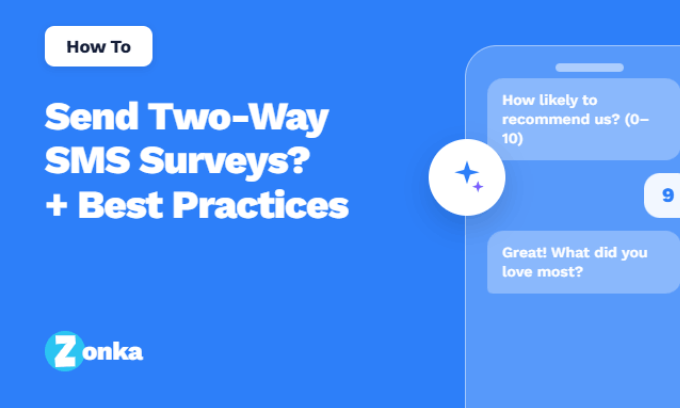
The survey question appears in the SMS body. Customer replies with their rating via text (e.g., reply "8" to rate 8/10). Follow-up question appears automatically based on their response. Entire survey happens via text messages — no browser required.
Example:
[Your Business]: Thanks for calling support! On a scale of 0-10, how satisfied were you with your experience today? Reply with your rating.
[Customer texts back]: 8
[Your Business]: Thanks for the 8! What could we improve? Reply with your feedback.
[Customer texts back]: Wait time was a bit long
[Your Business]: We appreciate the feedback and will work on improving our response times.
2. Link-in-SMS (link to web survey)
SMS contains a short link to a web-based survey. Customer clicks link, survey opens in mobile browser. Customer completes survey on web form.
Example:
[Your Business]: How satisfied were you with your experience today? Tap here to let us know: [short link]
Which one to use:
| Scenario | Two-Way SMS | Link-in-SMS |
| You want zero friction (no link to click) | Best | Adds friction |
| You need to ask 1-2 questions max | Works great | Works |
| You need to ask 3+ questions or collect structured data | Gets messy | Better fit |
| Your audience is mobile-first and dislikes clicking links | Higher response rate | Lower response rate |
| You want to track open rates | No tracking | Click tracking available |
Cost difference:
Two-way SMS costs more — you pay for both outbound and inbound messages. Link-in-SMS costs less — you pay for one outbound message.
US pricing: ~$0.0075-$0.015 per message segment (160 characters).
Most high-volume NPS programs use two-way SMS for simple post-interaction CSAT/NPS (1-2 questions) and link-in-SMS for longer surveys or when collecting structured data.
TCPA Compliance for SMS NPS
SMS marketing — including SMS surveys — is regulated by the Telephone Consumer Protection Act (TCPA) in the US. TCPA violations carry penalties of $500-$1,500 per unauthorized message. Class-action lawsuits are common. Non-compliance isn't a technicality. It's expensive.
Core TCPA requirements for SMS NPS:
1. Express written consent (required before sending ANY SMS)
You must have explicit, documented consent to send SMS messages to each phone number. Consent must clearly disclose that the customer will receive SMS messages. Consent must include opt-out instructions. Pre-checked boxes do NOT count as consent.
If you collected phone numbers for a different purpose (like order confirmations), you cannot use them for SMS surveys without separate SMS opt-in.
Example of compliant opt-in language:
"By checking this box, I consent to receive SMS messages from [Your Business], including feedback surveys. Message frequency varies. Reply STOP to unsubscribe. Msg & data rates may apply."
2. Quiet hours (8 AM - 9 PM in recipient's local time zone)
TCPA prohibits SMS messages before 8 AM or after 9 PM in the recipient's time zone. Build time zone logic into your survey triggers before going live. Most survey platforms (including Zonka Feedback) enforce quiet hours automatically.
3. Opt-out mechanism (required in every message)
Every SMS must include clear opt-out instructions (typically "Reply STOP to opt out"). When a customer replies STOP, you must immediately cease all SMS communication to that number. You must honor opt-outs within 24 hours (most platforms process them instantly).
4. A2P 10DLC registration (US requirement as of 2021)
All businesses sending SMS in the US must register with A2P (Application-to-Person) 10DLC (10-Digit Long Code). Registration takes 1-3 weeks. Unregistered numbers face delivery throttling or blocking by carriers. Zonka Feedback handles A2P 10DLC registration automatically and includes built-in TCPA compliance features: quiet hours enforcement (8 AM-9 PM local time), opt-out processing, and targeting & throttling rules to prevent survey fatigue.
GDPR considerations (for EU customers):
You need a lawful basis for processing mobile phone numbers (consent is most common). Provide clear opt-in language. Allow customers to withdraw consent easily. Store opt-in records (timestamp, method, consent language).
Why this matters:
TCPA class-action lawsuits increased over 100% year-over-year in 2025. Compliance isn't optional. Build opt-in, quiet hours, and opt-out logic into your SMS NPS program from day one.
Character Limits, Costs, and Practical Considerations
Character limits: Standard SMS = 160 characters per message segment. Messages over 160 characters split into multiple segments (charged separately). Keep NPS question + instructions under 160 characters to avoid multi-part messages.
Cost considerations: US average: $0.0075-$0.015 per message segment. Two-way SMS costs 2x (one outbound + one inbound). International rates vary widely (some countries charge $0.05+ per message). High-volume programs can negotiate lower rates.
Example cost: 1,000 NPS surveys/month via two-way SMS (2 messages per survey) = 2,000 messages = $15-$30/month. Compare to email (essentially free at this volume).
Use SMS for high-value touchpoints (post-purchase, post-support) where the higher response rate justifies the cost.
When to Use SMS NPS
SMS NPS works best when:
-
You need fast feedback: Support ticket closures, delivery confirmations, appointment completions — moments where immediate feedback matters.
-
Your customers expect SMS communication from you: Healthcare appointment reminders, retail order updates, service completion notifications.
-
You've collected explicit SMS opt-in consent: You can't compliantly use phone numbers collected for other purposes.
-
You're asking 1-2 questions max: Two-way SMS works great for simple NPS + follow-up. Longer surveys should use link-in-SMS.
SMS NPS typically sees 35-55% response rates — significantly higher than email. Most responses come back within minutes, making SMS the fastest channel for closing the feedback loop.
How to Run NPS Surveys Inside Native Mobile Apps
Native in-app NPS surveys trigger at the exact moment of product use.
A customer completes onboarding → modal overlay appears with the NPS question. They use a feature for the 10th time → bottom sheet slides up. They've been active for 30 days → push notification leads to in-app survey.
This is different from browser-based "in-app" surveys (covered in our guide to collecting NPS on your website). Native in-app surveys run inside iOS and Android apps via SDK integration, not inside a web browser.
SDK Integration: How Native In-App Surveys Work
To run NPS surveys inside a native mobile app, you integrate an SDK (Software Development Kit) into your app's codebase.
The SDK handles:
- Survey rendering (displays the survey UI inside the app)
- Response capture (collects answers and sends them to your feedback platform)
- Trigger logic (determines when and where to show surveys based on user behavior)
Platform support:
- iOS: Swift, Objective-C
- Android: Java, Kotlin
- React Native: JavaScript (cross-platform)
- Flutter: Dart (cross-platform)
Example SDK integration (simplified):
// React Native example
import { ZonkaFeedback } from 'zonka-feedback-sdk';
// Initialize SDK
ZonkaFeedback.init({
apiKey: 'your-api-key',
userId: user.id,
userEmail: user.email
});
// Trigger survey after feature use
ZonkaFeedback.triggerSurvey({
surveyId: 'nps-post-onboarding',
trigger: 'feature_completed',
customParams: {
featureName: 'document-upload',
accountType: 'premium'
}
});
What happens under the hood:
- SDK checks trigger conditions (e.g., user completed feature X)
- If conditions are met, SDK fetches survey configuration from your feedback platform
- Survey renders natively inside the app (not in a web view)
- User completes survey
- Response syncs to your platform in real-time
No-code options:
Zonka Feedback's mobile app SDK offers visual trigger configuration — product managers or CX teams can set up event-based survey triggers (session count, feature use, app version, user segment) without developer involvement after initial SDK installation. The platform also includes offline survey capability, so responses capture even when the device loses connectivity and sync automatically when reconnected.
Survey Formats: How NPS Appears Inside the App
Native in-app surveys can appear in several formats. The best format depends on where in the user journey you're collecting feedback.
1. Modal Overlay (Most Common for NPS)
Survey appears as a centered modal that dims the background. User must interact with the survey (complete or dismiss) before continuing.
Best for: High-priority feedback moments (post-onboarding, major milestone completion). Response rate: 30-40%.
Example use case: User completes onboarding → modal appears → "On a scale of 0-10, how easy was setup?" → User taps rating → Follow-up question appears → User submits → Modal dismisses.
2. Bottom Sheet (Less Intrusive)
Survey slides up from the bottom of the screen. User can dismiss by swiping down or tapping outside.
Best for: Lower-priority feedback (periodic check-ins, feature-specific NPS). Response rate: 20-30%.
Example use case: User navigates to settings screen → bottom sheet slides up → "How satisfied are you with [App Name]?" → User rates → Sheet dismisses.
3. In-Feed Card (Non-Intrusive)
Survey appears as a card inside existing content (in a feed, timeline, or dashboard). User scrolls past if not interested.
Best for: Passive feedback collection, low disruption. Response rate: 10-20%.
Example use case: User scrolls through dashboard → survey card appears between widgets → User taps to expand → Completes survey → Card collapses.
4. Push Notification → Survey
Push notification prompts user to open app and complete survey. Survey appears as modal or bottom sheet when user taps notification.
Best for: Re-engaging inactive users or collecting relationship NPS. Response rate: 5-15% (push open rate) * 30-40% (survey completion rate) = ~2-6% overall.
Which format to use:
| Format | Best For | Response Rate |
| Modal Overlay | High-priority moments (onboarding, major milestones) | 30-40% |
| Bottom Sheet | Periodic check-ins, feature-specific feedback | 20-30% |
| In-Feed Card | Passive, low-disruption collection | 10-20% |
| Push → Survey | Re-engaging inactive users | 2-6% |
Most NPS programs use modal overlays for transactional NPS (tied to specific events) and bottom sheets or push notifications for relationship NPS (periodic check-ins).
Trigger Logic: When to Show In-App NPS Surveys
The advantage of native in-app NPS: you can trigger surveys based on real user behavior inside the app, not generic time delays.
Common trigger conditions:
-
Session count: Show NPS survey after 5 app sessions (user is engaged enough to have an opinion). Show relationship NPS every 30 sessions (periodic check-in).
-
Feature use: Show survey after user completes a specific feature for the first time (e.g., "How easy was it to create your first project?"). Show survey after user uses a premium feature (tNPS for that feature).
-
Days since install: Show onboarding NPS 7 days after install (user has had time to experience the app). Show relationship NPS 30 days after install, then quarterly.
-
App version: Show survey after user upgrades to a new app version (feedback on new features).
-
User segment: Show NPS only to premium users (segment by subscription tier). Show NPS only to users in specific geographies (language/region targeting).
-
Event-based: Show survey after user completes a transaction (purchase, booking, checkout). Show survey after user closes a support ticket inside the app.
Example trigger logic:
IF user.sessionCount >= 5
AND user.lastSurveyDate < 30 days ago
AND user.featureUse.includes('document-upload')
THEN show NPS survey
Set suppression rules (e.g., "don't show another survey for 30 days after user completes one") to avoid survey fatigue.
iOS vs Android: Implementation Differences
iOS considerations: App Store review requires clear disclosure if collecting user feedback. Push notification permissions require explicit user opt-in (iOS 15+). Survey UI must follow Apple Human Interface Guidelines for approval.
Android considerations: More flexible notification permissions (can prompt at any time). Survey UI can vary more widely without app store rejection. Fragment-based UI architecture affects modal overlay implementation.
Most SDK providers (Zonka Feedback, Delighted, Refiner) abstract these differences — install the SDK, and platform-specific logic is handled automatically.
When to Use Native In-App NPS
Native in-app NPS works best when:
-
You have a native iOS or Android app: If your "app" is a responsive web app, see our guide to collecting NPS on your website instead.
-
You want contextual, event-driven feedback: Trigger surveys based on feature use, milestones, behavior — not just time-based schedules.
-
Your users spend significant time in-app: If users only open the app briefly, push → email works better.
-
You're measuring tNPS tied to specific features: In-app surveys capture feedback at the moment of use, when the experience is still fresh.
Native in-app modal surveys typically see 30-40% completion rates. The difference from other channels isn't just response rate — it's context. You're asking at the exact moment someone completes a feature, not three days later when they've forgotten.
WhatsApp vs SMS vs In-App: When to Use Which
You don't need to pick just one. Most businesses run NPS across multiple channels, using each where it fits best.
Decision framework:
| Use Case | Best Channel | Why |
| Post-purchase feedback (e-commerce, retail) | WhatsApp (if customer base uses it) or SMS | Fast, mobile-first, high engagement |
| Post-support ticket closure | SMS or In-App (if app-based support) | Immediate, contextual, high response rate |
| Feature-specific feedback | In-App | Captures feedback at the exact moment of use |
| Relationship NPS (quarterly check-in) | WhatsApp or SMS (if mobile-first audience) or Email (if B2B) | Periodic, broad reach |
| Onboarding completion | In-App (if native app) or Email (if web-based SaaS) | Contextual, tied to milestone |
Channel strengths:
WhatsApp:
- Best for: Conversational follow-up, markets where WhatsApp is dominant (India, Brazil, LATAM, Middle East)
- Response rate: 40-50%
- Cost: Low (if using existing WhatsApp Business API setup)
- Compliance: GDPR opt-in required for EU customers
SMS:
- Best for: Immediate post-interaction feedback, mobile-first US audiences, healthcare/hospitality
- Response rate: 35-55%
- Cost: $0.0075-$0.015 per message (US)
- Compliance: TCPA opt-in required, quiet hours enforced
In-App:
- Best for: Feature-specific tNPS, onboarding feedback, SaaS/mobile app products
- Response rate: 30-40% (modal), 10-20% (in-feed)
- Cost: SDK integration time (one-time setup)
- Compliance: App store guidelines, notification permissions
Multi-channel approach:
Many businesses use:
- In-app NPS for feature-level feedback (tNPS)
- SMS or WhatsApp for post-transaction feedback (tNPS)
- Email for relationship NPS (rNPS)
This ensures you're capturing feedback at the right moments across the customer journey without over-surveying any single channel. For the full channel comparison (including email and website), see our guide to how, when, and where to collect NPS surveys.
Mobile-First NPS: From Setup to Execution
WhatsApp, SMS, and native in-app surveys aren't just alternative channels — they're fundamentally different ways to capture NPS. The difference between 15-25% email response rates and 40-50% WhatsApp response rates isn't just volume. It's timing and context.
A support ticket closes, an SMS fires 20 minutes later. A customer completes onboarding, a modal appears immediately. A purchase is delivered, a WhatsApp message arrives in the thread they already use. The feedback arrives while the experience is still fresh, which means the data is cleaner and the follow-up window is shorter.
Implementation isn't trivial. WhatsApp requires Business API setup and template approval. SMS requires TCPA compliance and A2P registration. Native in-app requires SDK integration. But once the infrastructure is in place, these channels run on triggers and automation — not manual sends.
The channel decision is only the first step. What you ask, when you send it, and what you do with the responses determines whether mobile-first NPS becomes an early warning system or just another survey sitting in an inbox.
What to read next:
If you're implementing WhatsApp, SMS, or in-app NPS and need the right survey questions and follow-up templates, that's the logical next step. If you're trying to figure out how often to send NPS surveys without over-surveying customers, timing and frequency rules matter more than channel choice. And if you're already collecting NPS data but don't have a process for closing the feedback loop with detractors, none of this infrastructure will make any difference.
For WhatsApp, SMS, and in-app NPS implementation with built-in compliance and automation, Zonka Feedback's WhatApp survey software handles the technical integration layer. For the complete NPS framework — from survey design to segmentation to closing the loop — start with our guide to Net Promoter Score.




.png)
_%20Benefits%2c%20Use%20Cases%2c%20Examples%20%26%20More.svg)