.svg)
 Healthcare
 Finance
 Retail
 SaaS & Digital
 eCommerce
 Education
 Salesforce
  HubSpot
 Pipedrive
 Mailchimp
 Klaviyo
 Zendesk
  Intercom
 Freshdesk
 HelpScout
  Front
Front Jira
Jira Slack
Slack  MS Teams
 Zoom
Zoom Google Sheets
  Zapier
  Integrately
 Make
Make  Webhooks




 MS Teams


TL;DR
- 11 NPS tools evaluated for HubSpot integration depth, channel coverage, AI analysis, workflow automation, and pricing.
- Delighted is sunsetting June 30, 2026. If you're using it, start migration planning now.
- HubSpot's native NPS (Service Hub Pro/Enterprise) covers basic email and web surveys. For SMS, WhatsApp, in-app, or AI-powered text analysis, you need a third-party tool.
- Top picks: Zonka Feedback for multi-channel CX automation and AI insights; Survicate for 83% email completion rates through embedded surveys; AskNicely for frontline NPS visibility; SurveySensum for AI insights with free CX consulting.
- Key decision factors: HubSpot workflow triggers (can low NPS auto-create Tasks?), bi-directional sync, custom property mapping, and whether your customers actually respond to email surveys.
Most HubSpot users already collect NPS. What they don't have is NPS data that actually goes somewhere.
Scores sit in a separate dashboard. Detractor comments pile up unread. A promoter responds and nobody routes them to a referral program because the workflow was never built. The tool wasn't the problem. The integration was shallow, the workflow triggers didn't exist, or someone mapped everything to Contacts when it should have gone to Deals.
The tool choice matters more than teams realize until they've spent six months collecting scores that never triggered a single follow-up Task. Get the integration wrong and you're looking at a rebuild. Get the channel coverage wrong and you're missing everyone who doesn't check email. Get the workflow automation wrong and NPS becomes a reporting metric instead of an operational system.
We've set up HubSpot NPS programs across more than 100 organizations. What follows is an evaluation of how these tools actually perform inside HubSpot, what they're suited for, where each one breaks down, and how to pick the right one before you find out the hard way.
What Are NPS Tools for HubSpot?
NPS tools for HubSpot are platforms that integrate with your HubSpot CRM to automate Net Promoter Score survey distribution, sync NPS responses back to contact records, and trigger HubSpot workflows based on customer loyalty scores.
These tools collect the standard NPS question across multiple channels (email, SMS, WhatsApp, websites, in-app, kiosks) and automatically write NPS scores, sentiment classifications (Promoter/Passive/Detractor), and open-text feedback to HubSpot contact properties. Once synced, HubSpot can use that data to segment contacts, trigger follow-up emails, create tasks for account managers, or build dashboards that track NPS trends by region, product line, or customer lifecycle stage.
The core difference between HubSpot's native NPS feature and third-party NPS tools is channel reach and automation depth. HubSpot's built-in tool handles email and website surveys. Third-party tools extend that to SMS, WhatsApp, mobile apps, and offline kiosks, while adding AI-powered text analysis, multi-language support, and closed-loop workflow capabilities that go beyond what HubSpot's native feature can do.
Why NPS Tools Matter for HubSpot Users
Most HubSpot users already track deal stages, email engagement, and support tickets. What's missing is the customer's side of the story. NPS fills that gap by measuring whether customers would actually recommend you, which research from Harvard Business Review shows is a stronger predictor of retention and growth than engagement metrics alone.
Here's what changes when NPS data lives inside HubSpot.
-
Detractor alerts trigger instantly. A customer scores 0-6, and a Task auto-creates for their account manager with priority set to high. Recovery happens within hours, not days. According to a McKinsey study, 71% of consumers expect companies to deliver personalized interactions, and NPS-triggered follow-ups are one of the most direct ways to deliver that.
-
Promoters become growth assets. High scores route to referral workflows automatically. Marketing gets a list of customers likely to leave reviews, provide testimonials, or participate in case studies. Using NPS for referrals is how companies like HubSpot itself built scalable customer advocacy programs without relying purely on paid acquisition.
-
Account health becomes visible. Your CS team sees NPS scores next to renewal dates, support ticket history, and product usage data. Low-scoring accounts with upcoming renewals get flagged before they churn. Research from Bain & Company shows that a 5% increase in customer retention can increase profits by 25% to 95%.
-
Reporting consolidates in one place. NPS trends by segment, region, or product line sit in HubSpot Reports alongside pipeline, revenue, and support metrics. No separate dashboard to check. Teams that build NPS dashboards inside their existing CRM see higher adoption rates than teams running standalone feedback platforms.
-
Without a tool that integrates with HubSpot, NPS data lives in a separate platform. Someone has to manually export scores, match them to contacts, and import them back. That process breaks down at scale. By the time a detractor score reaches the right person, the customer's already frustrated and the moment to recover is gone.
What to Look For in NPS Tools for HubSpot
Not all HubSpot integrations work the same way. Some tools sync scores back to contact properties. Others trigger full workflows, create tickets, update deal stages, and populate custom fields in real-time.
Here's what actually matters when evaluating NPS tools for HubSpot.
-
Integration depth. Can the tool trigger HubSpot workflows based on NPS scores? Does it support bi-directional sync (pulling contact data from HubSpot AND writing survey data back)? Can it map to custom properties, or is it limited to default fields? The deeper the integration, the less manual work required. A tool that only writes scores to a contact property is functional. A tool that can create Tasks, update Deal stages, and trigger email sequences based on NPS responses is actually useful.
-
Channel flexibility. HubSpot's native NPS feature covers email and website surveys. If you need to reach customers on SMS, WhatsApp, in-app, kiosks, or QR codes, you need a third-party tool. Multi-channel distribution matters when your customers don't all engage through email. According to Salesforce's State of the Connected Customer report, 75% of customers expect consistent experiences across multiple channels.
-
AI-powered analysis. Raw NPS scores tell you sentiment. AI text analysis tells you why. Look for tools that cluster open-text responses into themes (pricing frustration, onboarding friction, product quality), detect sentiment beyond the score, and surface patterns across thousands of responses. Teams collecting more than 500 monthly responses physically cannot read every comment. AI analysis becomes essential, not optional.
-
Closed-loop automation. What happens after a detractor responds? Does the tool auto-create HubSpot Tasks, trigger email sequences, or route feedback to the right team? Closing the feedback loop is what turns NPS from a reporting metric into an operational system. Research from Forrester shows that companies that close the loop on negative feedback retain 92% of dissatisfied customers.
-
Real-time sync and API limits. Some integrations sync data every few hours. Others update HubSpot in real-time. Check API rate limits. If your program sends thousands of surveys monthly, you don't want delayed or throttled data writes. HubSpot has specific API limits that affect how quickly third-party tools can write data.
-
Pricing and response limits. Most NPS tools charge per response or per contact surveyed. HubSpot's native NPS is included with Service Hub Pro/Enterprise. Third-party tools range from $99/month to enterprise pricing in the thousands. Match your tool to your program's volume. A tool that charges $0.50 per response sounds cheap until you're sending 10,000 surveys monthly.
How to Choose the Right NPS Tool for Your HubSpot Setup
The right NPS tool depends on your team's size, program complexity, and what you're trying to accomplish with customer feedback.
Start by answering these questions.
-
How many NPS responses do you expect per month?
HubSpot's native tool works for low-volume programs (under 1,000 responses/month). Once you cross 5,000+ monthly responses or need to survey customers across multiple channels, third-party tools scale better. Teams at companies like top NPS-tracked companies typically process tens of thousands of responses monthly.
-
Which channels do your customers prefer?
If everyone's on email, HubSpot's built-in feature handles it. If customers engage via SMS, WhatsApp, in-app notifications, or offline kiosks, you need a multi-channel tool like Zonka Feedback, Survicate, or SurveySparrow. According to Gartner research, 89% of companies compete primarily on customer experience, and channel flexibility is a core component.
-
Do you need AI to analyze open-text responses?
Reading 100 NPS comments manually is possible. Reading 5,000 isn't. AI-powered text analysis (thematic clustering, sentiment detection, driver analysis) becomes essential at scale. Tools like Zonka Feedback, SurveySensum, and Qualtrics offer AI that surfaces patterns automatically. Using sentiment analysis to improve NPS is how teams identify the root causes behind score changes.
-
How deep does your HubSpot integration need to be?
Basic integration means syncing NPS scores to contact properties. Advanced integration means triggering HubSpot workflows, creating tickets, updating deal stages, populating custom fields, and enabling two-way data flow. If you need workflow triggers (like "Create Task when NPS is less than 6"), prioritize tools with deep HubSpot integration like Zonka Feedback, Survicate, or AskNicely.
-
What's your budget?
HubSpot's native NPS is included with Service Hub Professional ($450/month) or Enterprise ($1,200/month). Third-party tools range from $99/month (SurveySensum, Retently) to $300-500/month (Survicate) to enterprise pricing ($30,000/year for Qualtrics). Teams running SaaS NPS surveys at scale often budget $5,000-15,000 annually for their NPS platform.
| Your Situation | Recommended Tool Type |
| Basic email NPS, under 1,000 responses/month | HubSpot Native NPS |
| Multi-channel (email + SMS + in-app) + AI | Zonka Feedback, SurveySparrow, Survicate |
| Frontline teams, real-time feedback | AskNicely |
| AI insights, CX consultation | SurveySensum |
| Enterprise, complex account-based workflows | Qualtrics, CustomerGauge |
The worst choice is paralysis. Pick a tool that fits your current scale, run it for 90 days, and adjust. Most platforms offer free trials. Use them to test HubSpot integration before committing.
How We Evaluated These NPS Tools
This list includes 11 NPS tools with verified HubSpot integration as of 2026. Every tool was evaluated based on six criteria pulled from real HubSpot NPS programs, not vendor marketing.
-
HubSpot integration depth: workflow triggers, bi-directional sync, custom field mapping, whether the integration requires Zapier middleware or works natively.
-
Channel coverage: email, SMS, WhatsApp, in-app, website, kiosk, QR code, offline. Which channels are included in base pricing versus add-ons.
-
AI and automation capabilities: thematic clustering, sentiment detection, entity mapping to HubSpot records, Ask AI functionality for querying feedback datasets.
-
Pricing transparency and response limits: public pricing versus "contact for quote," how pricing scales with volume, hidden costs.
-
G2 ratings and verified user reviews: actual user feedback from teams running these tools with HubSpot, not just feature lists.
-
2026 product updates: AI enhancements, HubSpot API changes, new features launched in the past 12 months.
Best NPS Tools for HubSpot at a Glance
| Tool | Best For | Key Feature | HubSpot Integration | Starting Price |
| Zonka Feedback | Omni-channel CX automation | AI insights + deep integration | Bi-directional, workflow triggers | Custom pricing |
| Survicate | Embedded email surveys | 83% completion rates | Native, workflow triggers | $89/mo |
| SurveySensum | AI insights + CX consulting | Free expert advice | Native sync | $99/mo |
| AskNicely | Frontline, real-time feedback | Daily sampling + leaderboards | Native sync | Custom pricing |
| Delighted | Simple, streamlined NPS | Ease of use | Premium integration | $224/mo (sunsetting 6/30/26) |
| SurveySparrow | Conversational surveys | Chat-style UX | Native sync | $99/mo |
| Qualtrics | Enterprise XM | Comprehensive analytics | API integration | ~$30k/year |
| CustomerGauge | B2B account experience | Revenue-linked NPS | API integration | Custom pricing |
| Wootric (InMoment) | Cloud CX management | Multi-metric tracking | Native sync | Custom pricing |
| Retently | Automated relationship NPS | Set-it-and-forget-it | Native sync | $99/mo |
| Typeform | Beautiful forms | Design-first surveys | Zapier/API | $29/mo |
Pricing figures are approximate and based on publicly available information as of March 2026. Verify directly with each vendor before purchasing.
11 Best NPS Tools for HubSpot in 2026
Some of the best NPS tools for HubSpot in 2026 include HubSpot Native NPS, Zonka Feedback, Survicate, SurveySensum, AskNicely, and Delighted (though Delighted is sunsetting). Each integrates with HubSpot to collect customer loyalty feedback and sync responses to CRM records, so your team can act on data without leaving the platform. Beyond survey creation, the stronger platforms support omnichannel distribution (email, SMS, WhatsApp, in-app, kiosk), HubSpot workflow automation, closed-loop workflows, and AI feedback analysis. Below, we break down each tool by how it integrates with HubSpot, what it does well, and where it falls short.
What About HubSpot's Native NPS?
HubSpot includes a native NPS feature in Service Hub Professional ($450/month) and Enterprise ($1,200/month). It covers email and website surveys, syncs responses to contact records, and triggers basic workflows. For simple programs under 1,000 responses/month with no multi-channel needs, it works fine. The limitation: no SMS, WhatsApp, in-app, or offline surveys. No AI analysis on open-text responses. No advanced closed-loop automation beyond HubSpot's standard workflow capabilities. Teams outgrow it when they need to reach customers across multiple channels, analyze feedback at scale, or run sophisticated NPS programs with revenue-linked insights. The 11 tools below fill those gaps. Let's look at them.
1. Zonka Feedback: Best for Omni-Channel CX Automation and AI Signals
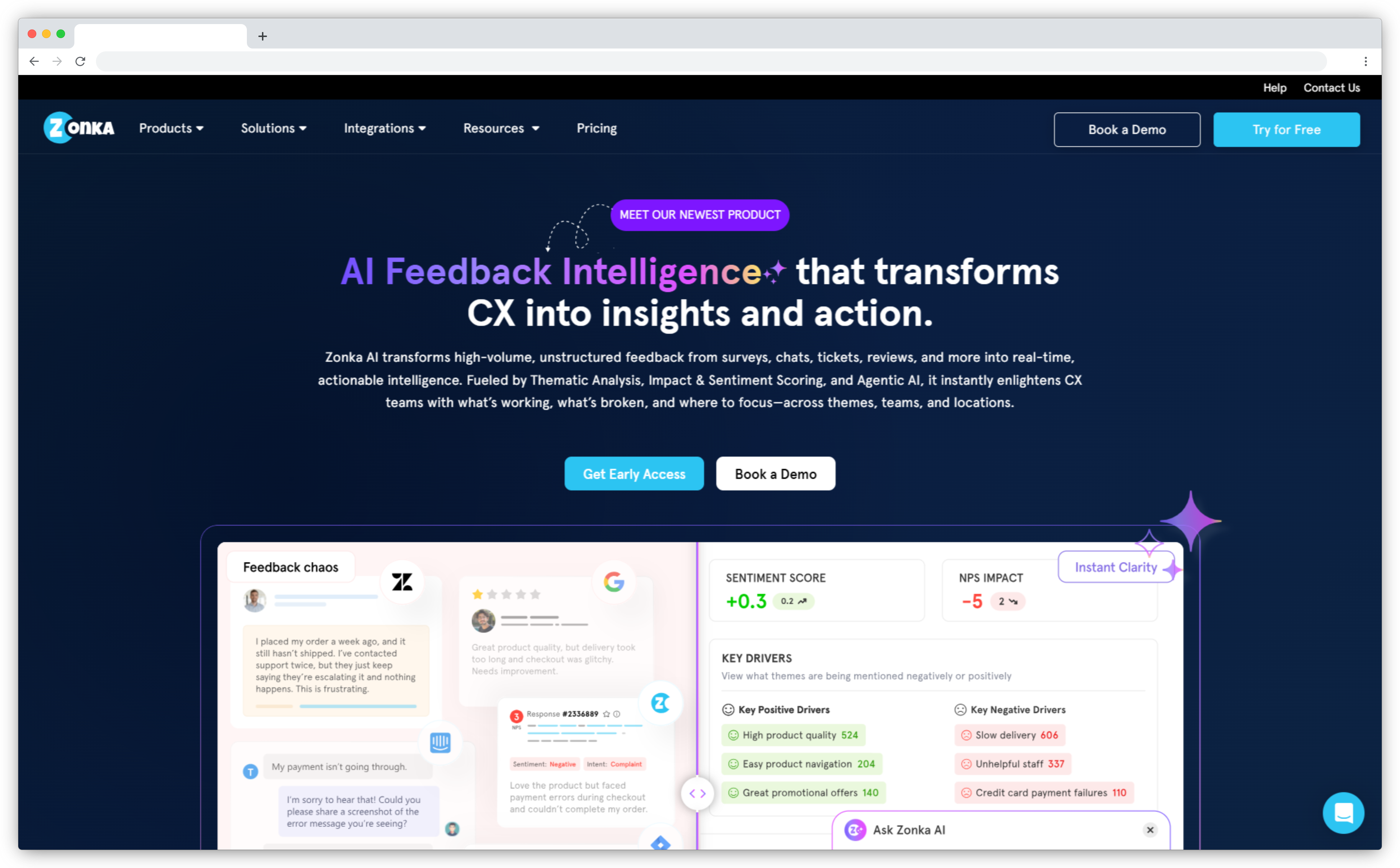
Zonka Feedback is an omnichannel customer feedback platform with deep HubSpot integration designed for teams running NPS programs across email, SMS, WhatsApp, in-app, kiosks, and offline channels. It syncs NPS scores, sentiment classifications, and open-text responses back to HubSpot contact properties in real-time and triggers HubSpot workflows based on feedback data.
The platform's strength is automation depth. Zonka can auto-create HubSpot tickets for detractors, update deal stages based on NPS scores, enrich contact timelines with survey interactions, and trigger follow-up sequences without manual intervention. AI-powered text analysis clusters themes, detects sentiment beyond the score, and surfaces patterns across thousands of responses. According to Forrester research, 73% of customers expect companies to understand their unique needs, and AI text analysis is how teams do that at scale.
Zonka Feedback works well for mid-market and enterprise teams that need multi-channel reach, AI insights, and closed-loop workflows that extend beyond HubSpot's native capabilities. The integration is bi-directional — it pulls contact data from HubSpot for survey personalization and writes survey data back for segmentation and reporting. Teams using WhatsApp, SMS, and in-app NPS surveys get native support rather than workarounds.
Key Features
- Multi-channel NPS surveys (email, SMS, WhatsApp, website, in-app, kiosk, QR, offline)
- AI-powered text analysis (thematic clustering, sentiment detection, driver analysis)
- Deep HubSpot integration (bi-directional sync, workflow triggers, custom field mapping)
- Automated closed-loop workflows (ticket creation, task assignment, follow-up sequences)
- Real-time dashboards and role-based reporting
Zonka Feedback Pros
- Deepest HubSpot integration among third-party tools (bi-directional, workflow triggers, custom properties)
- Multi-channel reach beyond email (SMS, WhatsApp, in-app, kiosks)
- AI-powered insights (sentiment, themes, driver analysis)
- Fast setup and responsive support team
- Scales well for high-volume programs (10,000+ responses/month)
Zonka Feedback Cons
- Advanced AI features require higher-tier plans
- Voice analytics still on roadmap (no call-based NPS yet)
Zonka Feedback Pricing
- Custom pricing based on response volume and feature requirements
- 14-day free trial available for all paid features
- Schedule a demo to get a quote
G2 Rating: 4.7/5 on G2 (based on 400+ reviews)
Best Use Case: Best for HubSpot users running multi-channel NPS programs at scale (5,000+ monthly responses) who need AI-powered insights, closed-loop automation, and deep CRM integration. Ideal for B2B and B2C teams, healthcare, retail, and multi-location businesses. Teams implementing NPS automation workflows get the most value from Zonka's workflow engine.
2. Survicate: Best for Embedded Email Surveys and High Completion Rates
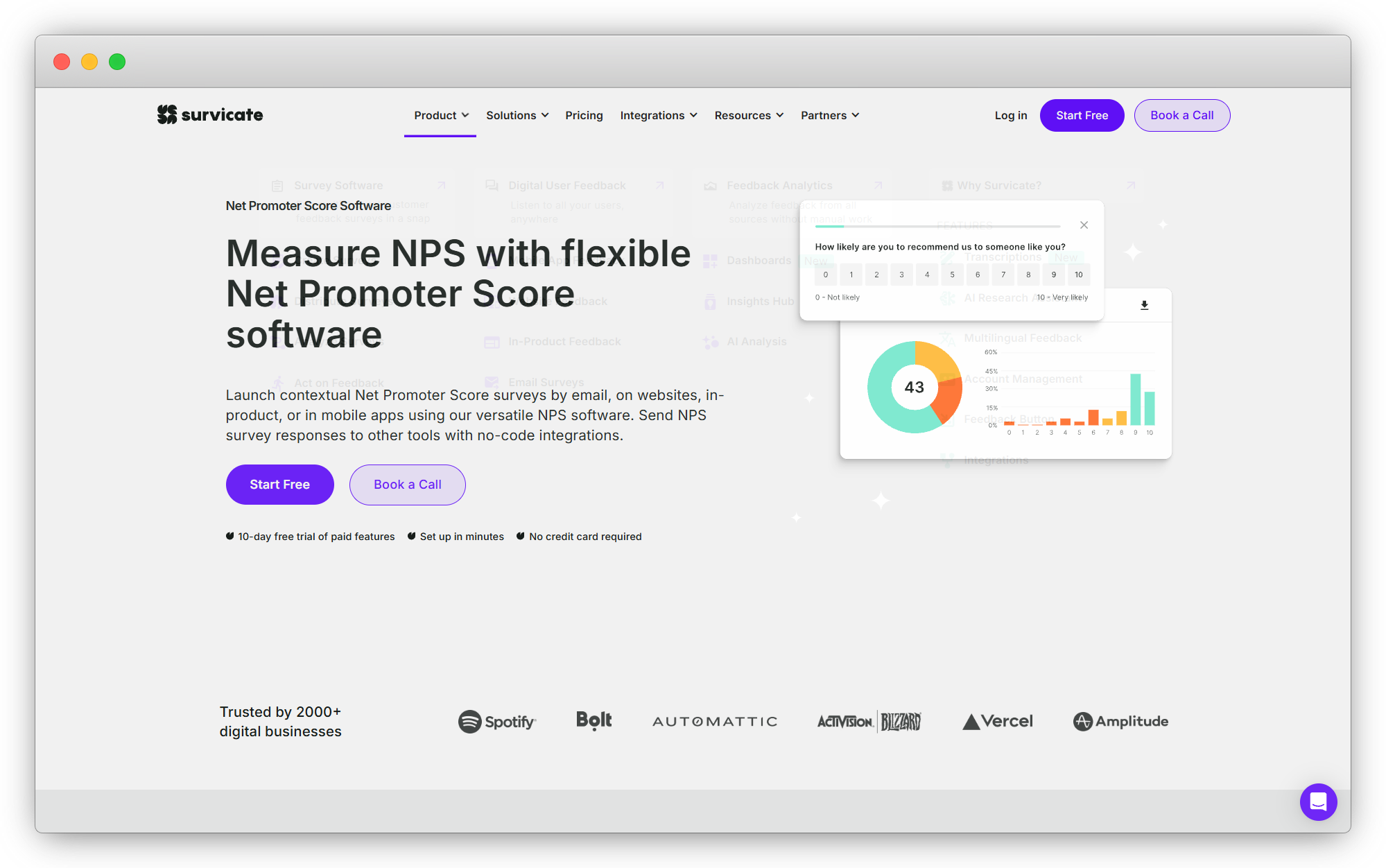
Survicate is a survey platform with over 2,000 installs on the HubSpot App Marketplace, making it the most widely adopted third-party survey tool for HubSpot users. Its standout feature is embedded email surveys — the NPS question appears directly inside the email body, eliminating the need for customers to click through to a separate page. This drives completion rates up to 83%, significantly higher than link-based surveys.
Survicate integrates natively with HubSpot on all plans, including the free trial. It syncs survey responses to HubSpot contact properties, triggers workflows based on NPS scores, and allows you to pull HubSpot data into surveys for personalization. Beyond email, Survicate supports website, in-product, and mobile app surveys. Research from SurveyMonkey shows that embedded surveys get 3-5x higher response rates than link-based surveys.
The platform works best for teams that prioritize email-based NPS collection and want high response rates without complex multi-channel distribution. It's user-friendly, quick to set up, and offers AI-powered Research Assistant for analyzing open-text feedback. Teams focused on improving NPS survey response rates see immediate gains with Survicate's embedded format.
Key Features
- Embedded email surveys (83% completion rates vs 10-18% for link-based)
- Native HubSpot integration (syncs scores, triggers workflows, pulls contact data)
- Multi-channel surveys (email, website, in-product, mobile)
- AI-powered Research Assistant for feedback analysis
- Pre-built survey templates and branching logic
Survicate Pros
- Highest completion rates for email surveys (embedded format)
- Over 2,000 installs on HubSpot marketplace (most adopted tool)
- Easy to use, fast setup, no coding required
- Native integration works on free trial
- 40+ integrations beyond HubSpot (Slack, Intercom, Zendesk)
Survicate Cons
- Email-focused (SMS, WhatsApp, kiosk coverage limited)
- AI analysis less advanced than Zonka or SurveySensum
- Pricing scales with response volume (can get expensive at high volumes)
Survicate Pricing
- Basic plan starts at $89/month (100 responses)
- Business plan starts at $229/month (500 responses)
- 10-day free trial includes all Business plan features
G2 Rating: 4.7/5 on G2 (based on 300+ reviews)
Best Use Case: Best for HubSpot users running email-focused NPS programs who want maximum completion rates through embedded surveys. Ideal for SaaS companies, B2B teams, and anyone prioritizing email as their primary NPS channel. Teams sending NPS survey emails will see immediate response rate improvements.
3. SurveySensum: Best for AI-Powered Insights and Free CX Consulting
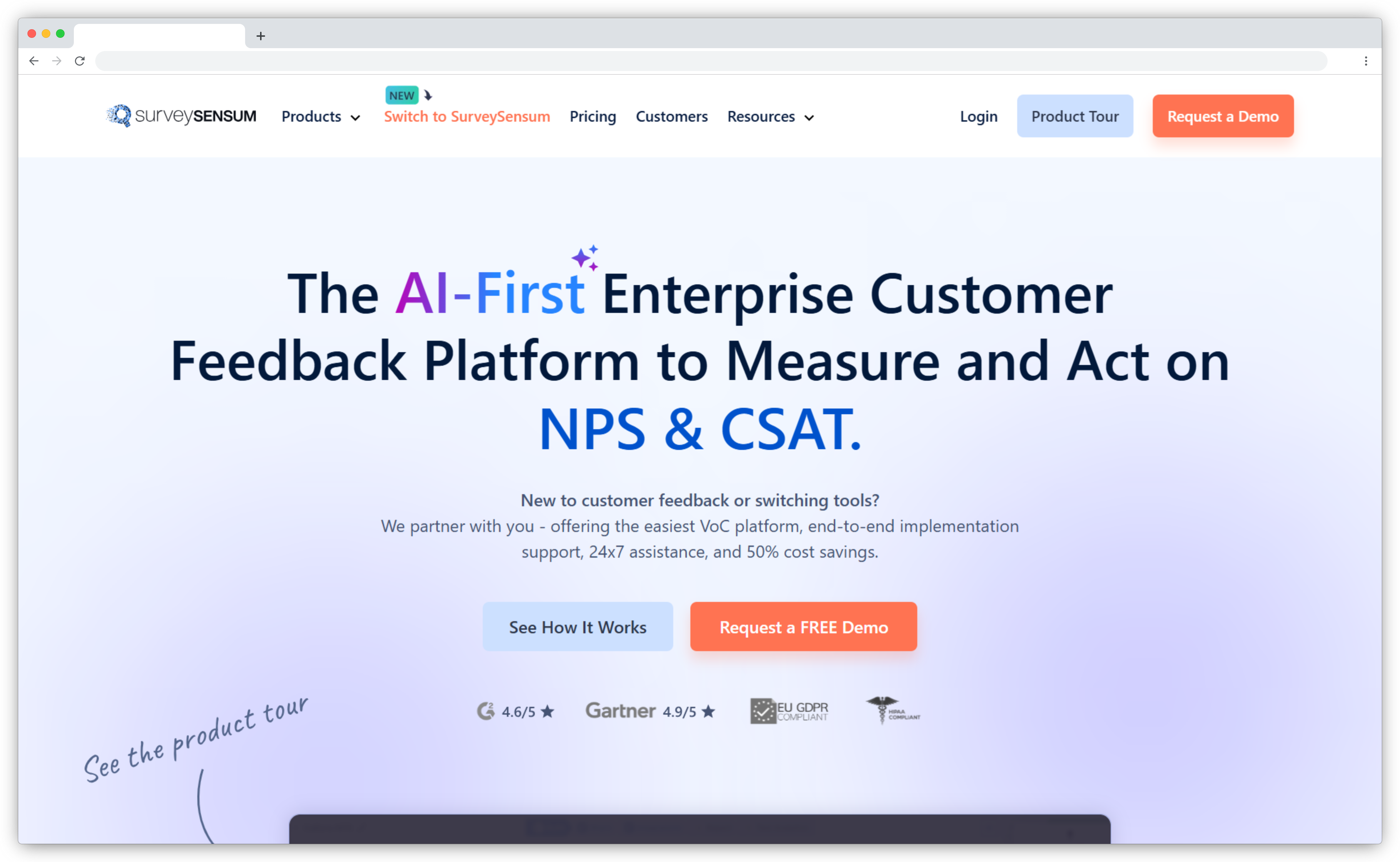
SurveySensum is an AI-powered NPS software designed to help businesses capture, analyze, and act on customer feedback efficiently. It offers real-time insights and automation features that make it a perfect fit for HubSpot users. What sets it apart is the free CX expert advice — SurveySensum provides CX consultants who assist with everything from designing effective surveys to analyzing customer feedback and prioritizing key action points.
SurveySensum finds the sweet spot between essential and advanced features. Basic functionalities like cross-tab analysis, customizable surveys, and analytical dashboards sit alongside advanced capabilities such as an AI-enabled text analysis engine, real-time ticketing system, and enhanced data visualization tools. The HubSpot integration allows NPS data to be synced with customer profiles, with workflow triggers and closed-loop feedback systems that assign follow-up actions automatically.
For teams that want AI insights but also need strategic guidance on how to actually use those insights, SurveySensum's consulting layer makes it different from pure software plays. Research from Gartner shows that 60% of service leaders struggle to translate customer feedback into action, and having consultants guide that process closes that gap.
Key Features
- HubSpot integration with bi-directional sync and workflow triggers
- AI-driven sentiment analysis to uncover hidden patterns in customer feedback
- Custom dashboards and reports for data-driven decision-making
- Closed-loop feedback system to assign follow-up actions in HubSpot
- Free CX expert consultations (unique among NPS tools)
SurveySensum Pros
- Free CX consulting included (no other tool offers this)
- AI analysis finds sweet spot between basic and enterprise-grade
- Affordable pricing starting at $99/month
- Free plan available with 25 survey responses
- Swift support team ready to integrate missing apps on request
SurveySensum Cons
- Some app integrations are missing (though support builds them on request)
- Pricing scales with survey responses (can increase with volume)
SurveySensum Pricing
- Free plan: 25 survey responses, unlimited surveys, unlimited users
- Paid plans start from $99/month and scale with survey responses
G2 Rating: 4.6/5 on G2
Best Use Case: Best for mid-market teams running HubSpot NPS programs who need AI-powered insights but also want strategic guidance from CX experts on how to interpret and act on feedback. Ideal for teams that are resource-constrained and can't hire a full-time CX analyst. Teams focused on NPS data analysis and reporting get both the tools and the expertise.
4. AskNicely: Best for Frontline Teams and Real-Time Feedback
AskNicely is an NPS software built for service businesses and customer-facing teams, providing real-time feedback to improve customer interactions. It's purpose-built for frontline service teams where employees need visibility into their own NPS performance and the ability to act on detractor feedback immediately, not days later.
The HubSpot integration is straightforward. Survey triggers from HubSpot events, NPS scores write back to Contact records, and real-time leaderboards show team performance in a UI that frontline employees can actually use without training. The automated workflows handle the fundamentals — alert the employee when a detractor responds, route promoters toward leaving a review, track how individual performance moves scores over time.
AskNicely excels at daily sampling. It autonomously surveys a sample of your customers daily from a list in HubSpot, with contact rules that protect from survey fatigue. Because survey results go directly into HubSpot tied to contacts, your native HubSpot lists and reports can track Net Promoter Score in real-time. For service businesses like hotels, property management, home services, and healthcare practices, this frontline-first design matches how those programs actually work.

Key Features
- Frontline leaderboards: individual and team NPS visibility for service employees
- Native HubSpot sync with workflow triggers from events
- Real-time detractor alerts with automated follow-up workflow
- Promoter review routing to Google, app stores, and Yelp
- Multi-location support for managing feedback across teams
- Customizable templates for consistent communication
AskNicely Pros
- Best frontline UX in this category — service employees see and act on their own NPS without onboarding
- HubSpot sync is reliable and built specifically for NPS-to-Contact mapping
- Review routing from promoters is practical and often missed by other survey tools
- Real-time feedback collection keeps frontline teams engaged
AskNicely Cons
- NPS-first: limited depth for CSAT, CES, or multi-metric programs
- Open-text AI analysis is basic compared to Zonka, Qualtrics, or SurveySensum
- Integration depth and automation options vary by plan
AskNicely Pricing
- Custom pricing — contact AskNicely for current rates
- Pricing not publicly disclosed; typically requires demo
G2 Rating: 4.7/5 on G2
Best Use Case: Service businesses running NPS programs where frontline employee visibility is core to the program. Best for property management, hospitality, home services, fitness studios, and healthcare practices. Less suitable for multi-metric programs or teams needing deep AI analysis of open-text responses. Teams using NPS surveys for customer reviews and recommendations benefit from AskNicely's review routing.
5. Delighted (by Qualtrics): Best for Simple, Streamlined NPS
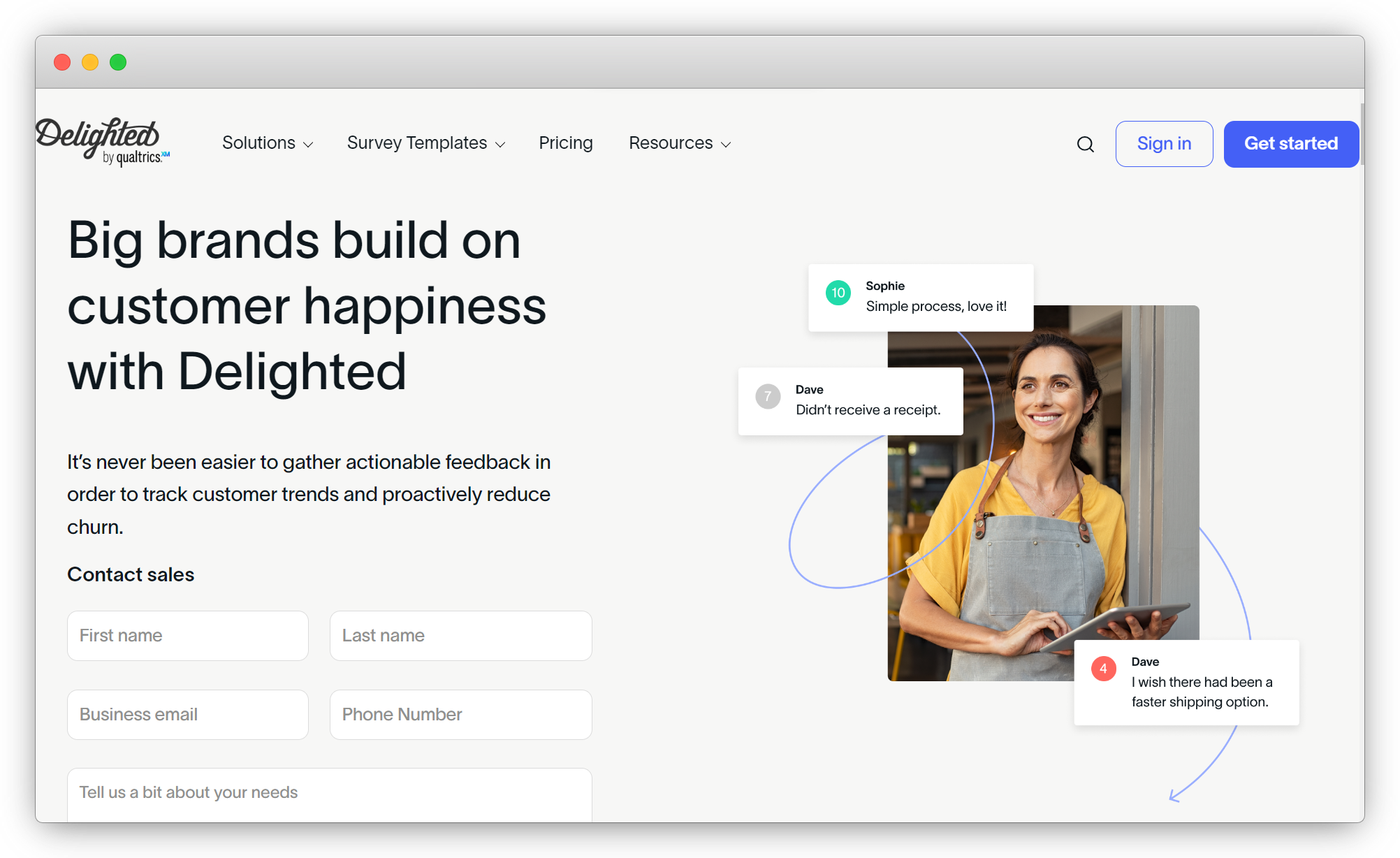
Delighted offers a streamlined approach to NPS surveys, making it ideal for businesses seeking a simple, automated solution. It was acquired by Qualtrics and has been positioned as their entry-level NPS offering. The HubSpot integration is premium (limited to paid plans) and syncs survey responses to matching contacts instantly, both real-time and historically.
The platform's strength is simplicity. The easy-to-use creation wizard makes setting up an NPS survey fast. You can trigger surveys based on segments like how long customers have been with your company or what products they use. The embedded surveys in HubSpot emails option improves response rates significantly. Businesses can sort all customers by NPS score in HubSpot and organize smart lists from score data, giving a complete 360-view of each customer.
Critical note: Delighted is sunsetting on June 30, 2026. If you're currently using Delighted with HubSpot, migration planning needs to start now, not later. Qualtrics has confirmed this timeline in their official announcement. The default migration path is to Qualtrics' full platform, which is significantly more expensive and complex than Delighted.
Key Features
- Simple survey builder with NPS, CSAT, CES, PMF, 5-star, Smiley, and Thumbs survey types
- HubSpot integration syncs scores directly to customer profiles
- Embedded email surveys option (requires requesting HTML from Delighted)
- Automated workflows based on NPS scores
- Dashboard with filters for quick sentiment tracking
Delighted Pros
- Extremely simple to use — fastest setup time in this category
- Clean interface requires minimal training
- Historical sync of past survey responses to HubSpot
- Multiple survey types beyond NPS
Delighted Cons
- Sunsetting June 30, 2026 — migration required
- Premium integration (not available on free plan)
- Limited channel coverage (primarily email-focused)
- AI analysis capabilities are basic
- HubSpot integration requires more manual configuration than native tools
Delighted Pricing
- Premium tier: $224/month annually (supports 500 customer responses/month)
- Product is sunsetting June 30, 2026
G2 Rating: 4.3/5 on G2
Best Use Case: Was best for small teams needing simple NPS with minimal setup. However, given the June 30, 2026 sunset date, new implementations should choose alternative tools. Current Delighted users should begin evaluating replacements like Survicate, SurveySensum, or Zonka Feedback immediately.
6. SurveySparrow: Best for Conversational, Chat-Style Surveys
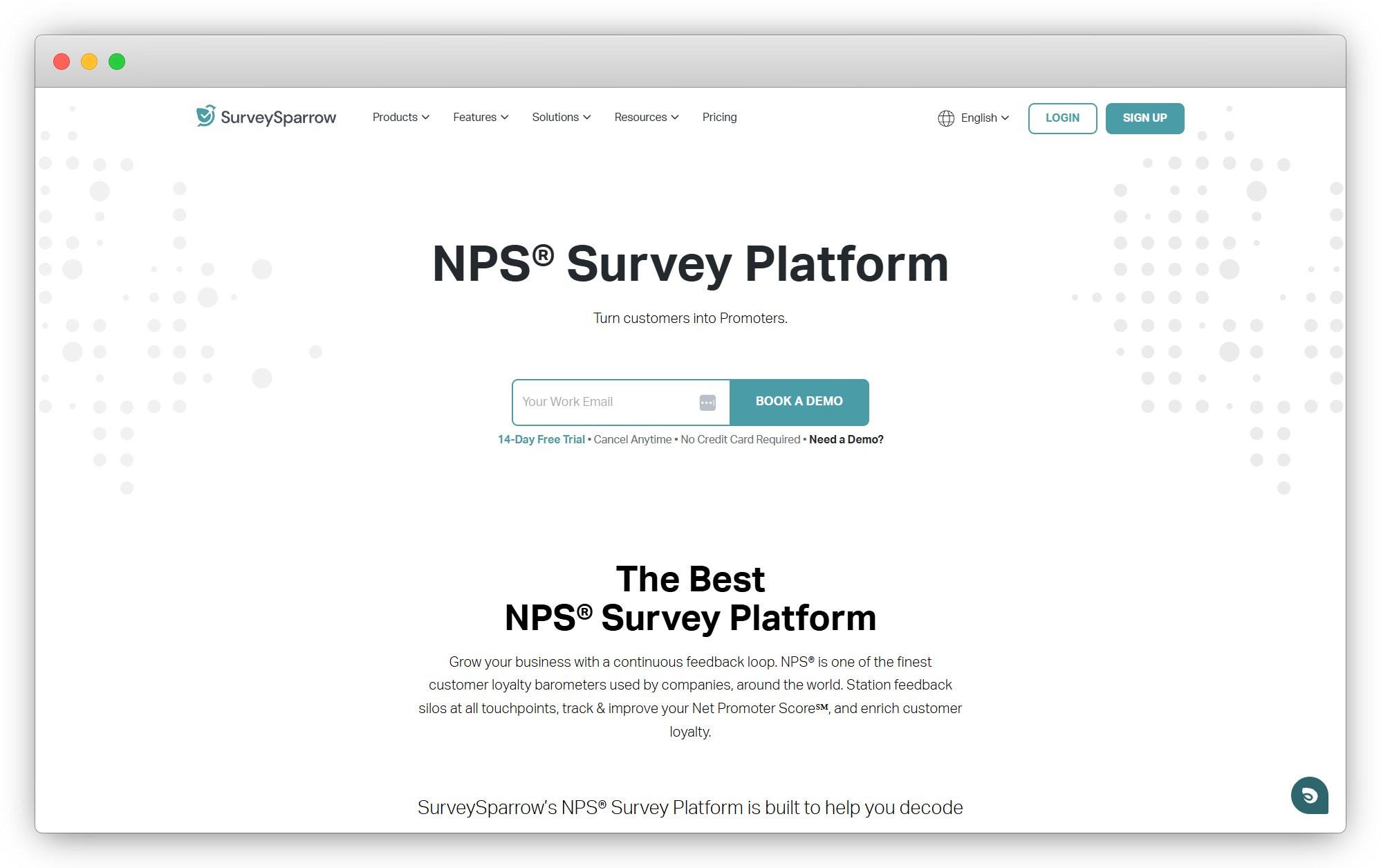
SurveySparrow's main differentiator is format. Chat-style, conversational surveys — one question at a time, messaging-like interface — rather than traditional static form layouts. The argument is that this format gets higher response rates on mobile, and in practice it does work for consumer-facing programs where the survey experience itself affects whether someone completes it.
The HubSpot integration connects via native sync. Surveys trigger from HubSpot events, responses sync to HubSpot records, and basic sentiment tagging is available on responses. NPS, CSAT, CES, and custom survey types are covered. Distribution spans email, SMS, web, and in-app. According to research from Pew Research, 85% of Americans own smartphones, and conversational formats designed for mobile-first experiences perform better with this audience.
The AI analysis layer is limited — basic NLP tagging rather than the thematic clustering and entity mapping that Zonka or SurveySensum provide. For programs generating high volumes of open-text that need automated analysis, that gap matters. For programs where response rate and survey experience are the focus, especially for NPS in education or consumer-facing industries, it may not.
Key Features
- Conversational, chat-style survey format with one-question-at-a-time delivery
- NPS, CSAT, CES, and custom survey types
- HubSpot native sync with response mapping
- Email, SMS, web, and in-app distribution
- Basic sentiment analysis and NLP tagging
- Recurring survey scheduling and audience management
SurveySparrow Pros
- Conversational format genuinely improves response rates on mobile
- Clean visual builder, accessible to non-technical users
- More affordable entry point than enterprise platforms
- Strong for B2C and consumer-facing programs
SurveySparrow Cons
- AI analysis is basic — not suitable for programs requiring thematic analysis
- HubSpot integration depth is less mature than purpose-built tools
- Conversational format works well for B2C; less appropriate for formal enterprise surveys
SurveySparrow Pricing
- Business plans start at $99/month
- Free trial available
- Verify current pricing on SurveySparrow's website
G2 Rating: 4.4/5 on G2
Best Use Case: Teams that prioritize survey experience and response rates over analytics depth. Best for B2C programs, consumer-facing surveys, and smaller teams without enterprise analytics requirements. Works well for mobile-first audiences and industries where traditional form-based surveys feel too corporate.
7. Qualtrics: Best for Enterprise Experience Management
Qualtrics is the enterprise standard for experience management. Customer experience, employee surveys, academic research, product feedback — the platform handles all of it at scale. The HubSpot integration works through API and data connectors, allowing survey data to flow from Qualtrics surveys into HubSpot in real-time. You can automatically create and update lead and contact data, track deal or customer activity based on survey responses.
The analytics depth is where Qualtrics earns its positioning. Text iQ is their AI text analysis layer — thematic clustering and sentiment analysis across large response volumes. Stats iQ handles statistical significance testing for programs that need research-grade analysis. For organizations running quarterly NPS programs across thousands of customers with data science requirements attached, that's real value that simpler tools can't match.
The honest trade-off is that Qualtrics is priced and designed for enterprise programs. A typical Qualtrics implementation with HubSpot involves professional services time, not an afternoon setup. If the complexity fits the program, it's a strong platform. If you're a 50-person company running quarterly NPS, there are better-fit options on this list. Teams tracking NPS and customer lifetime value at enterprise scale often need Qualtrics-level analytics.
Key Features
- Text iQ: AI text analysis including thematic clustering, sentiment, and topic classification
- Stats iQ: statistical significance testing and predictive analytics
- HubSpot integration via API with real-time data flow
- Advanced branching, skip logic, display conditions, and embedded data fields
- Multichannel distribution: email, SMS, web, in-app, offline
- Role-based dashboards and closed-loop case management
Qualtrics Pros
- Most powerful analytics in this category — Text iQ and Stats iQ are genuinely enterprise-grade
- Handles employee experience, CX, and product research in one platform
- Strong compliance posture: HIPAA, GDPR, FedRAMP options available
- Comprehensive multi-channel survey capabilities
Qualtrics Cons
- One of the highest price points in this category — enterprise contracts only
- Steep learning curve; most implementations require professional services
- Overkill for simple NPS or CSAT programs where complexity isn't justified
- HubSpot integration requires more technical setup than native tools
Qualtrics Pricing
- Custom enterprise pricing — contact Qualtrics directly
- No self-serve pricing published; typically starts around $30,000/year
G2 Rating: 4.3/5 on G2
Best Use Case: Large enterprises running complex, multi-program experience management where research-grade analytics and compliance requirements justify the platform's cost and complexity. Not the right fit for teams whose only need is a HubSpot-connected NPS program. Best for organizations measuring NPS impact on revenue with sophisticated attribution models.
8. CustomerGauge: Best for B2B Account Experience and Revenue-Linked NPS
CustomerGauge is a specialized NPS software built specifically for B2B companies with a strong emphasis on account-level feedback management. Its core strength lies in directly linking NPS scores to revenue, helping businesses understand how customer sentiment affects growth, retention, and churn. The HubSpot integration syncs NPS data with account profiles through APIs and webhooks.
What sets CustomerGauge apart is the revenue-linked NPS framework. It doesn't just tell you who your passives and detractors are — it shows you the revenue impact of moving accounts between sentiment bands. For B2B teams where a single customer represents tens or hundreds of thousands in ARR, that connection between NPS and financial outcomes changes how leadership views the program.
The platform excels in relationship-based NPS collection across key account stakeholders, with revenue-linked analysis to prioritize high-value clients. Automated workflows enable revenue-based prioritization so high-value clients receive attention first, and churn recovery tracking monitors the impact of follow-up actions on customer sentiment. For teams running NPS for customer success in B2B environments, CustomerGauge's account-centric model fits how those teams actually operate.
Key Features
- Revenue-linked NPS analysis (connects scores to actual financial impact)
- Account Health Score combining sentiment, engagement, and churn risk
- HubSpot integration for syncing NPS data with account profiles
- Automated alerts for low NPS scores from key accounts
- Task assignment workflows with revenue-based prioritization
- Churn recovery tracking and impact monitoring
CustomerGauge Pros
- Only B2B-focused NPS platform that directly links scores to revenue
- Account-level feedback management designed for complex B2B relationships
- Strong for account-based NPS tracking and churn prediction
- Revenue prioritization helps teams focus on highest-impact accounts
CustomerGauge Cons
- NPS-only focus — doesn't support CSAT or CES natively
- Limited digital survey capabilities compared to omnichannel platforms
- Best suited for B2B; not ideal for B2C or transactional programs
- Custom pricing only; no transparent pricing published
CustomerGauge Pricing
- Custom pricing based on account volume, user roles, and features
- Contact CustomerGauge for pricing details
G2 Rating: 4.5/5 on G2
Best Use Case: B2B companies with complex account relationships where understanding the revenue impact of NPS scores matters more than multi-channel distribution. Best for enterprise software, professional services, and manufacturing companies selling to other businesses. Teams in banking and financial services often use CustomerGauge for account-level NPS tracking.
9. Wootric (Now InMoment): Best for Cloud CX Management
Wootric was an independent CX platform before InMoment acquired it. It's been absorbed into InMoment's broader platform, which adds text analytics depth the standalone Wootric didn't have. The HubSpot integration works through native sync with response data flowing to HubSpot fields and new contacts created from survey responses.
The methodology covers NPS, CSAT, and CES across web forms, mobile apps, email, and SMS — more versatile than a pure NPS tool and at a lower price point than Qualtrics or CustomerGauge. Wootric provides clear, real-time analytics tailored to product and CX team needs, including NPS trend tracking, user segment performance, response filtering by traits and behavior, and export options.
A practical note for buyers: be clear whether you're getting Wootric (the entry product) or InMoment (the enterprise platform). Pricing, onboarding, and implementation support differ meaningfully between the two. The post-acquisition product direction has also introduced some uncertainty around roadmap. Worth confirming current tiers and HubSpot integration status directly with InMoment before committing.
Key Features
- NPS, CSAT, and CES — all three metrics supported natively
- HubSpot native sync with response data mapping
- Survey distribution via email, SMS, web, in-app
- Text analytics through InMoment's platform
- Dynamic CTAs for post-survey engagement
- Real-time analytics oriented toward product decision-making
Wootric (InMoment) Pros
- Covers all three CX metrics in one tool without enterprise complexity
- Strong in-app and web integration — good fit for product teams
- InMoment acquisition adds analytics depth compared to standalone Wootric
- Real-time feedback collection with immediate visibility
Wootric (InMoment) Cons
- Post-acquisition product direction creates uncertainty
- Channel range is narrower than Zonka or SurveySparrow
- Smaller HubSpot-specific documentation and community
- Advanced workflows require integration with additional platforms
Wootric (InMoment) Pricing
- Custom pricing — contact InMoment directly for current rates
- Pricing structure changed post-acquisition; confirm current tiers
G2 Rating: InMoment ratings vary by product; Wootric-specific ratings not separately tracked post-acquisition
Best Use Case: Mid-market CX and product teams that need NPS, CSAT, and CES across web and in-app touchpoints with HubSpot sync, at a price point below Qualtrics or CustomerGauge. Works well for SaaS product teams running NPS for product roadmap decisions.
10. Retently: Best for Automated, Relationship-Focused NPS
Retently is a customer experience management and NPS survey tool positioned as a fully automated survey platform. The core value proposition is set-it-and-forget-it automation that saves time and increases response rates. The HubSpot integration syncs survey responses and allows teams to trigger surveys based on HubSpot contact properties or lifecycle stages.
Retently focuses specifically on relationship NPS programs — the kind where you survey customers quarterly or annually to track loyalty over time, not transactional programs triggered by specific interactions. The automation handles survey scheduling, reminder emails, and response collection without manual intervention. For teams running relationship surveys who want the program to run automatically without constant attention, this focus works well.
The platform provides NPS trend tracking, segmentation by customer attributes, and basic text analysis. It's positioned between simple tools like Delighted and enterprise platforms like Qualtrics — more capability than basic email surveys, less complexity than full experience management platforms. The trade-off is channel coverage. Retently is primarily email-focused with limited SMS support.
Key Features
- Fully automated survey scheduling and reminder emails
- HubSpot native sync with contact property mapping
- NPS trend tracking and customer segmentation
- Automated workflows based on score thresholds
- Multi-language survey support
- Basic text analytics on open-ended responses
Retently Pros
- True set-it-and-forget-it automation — minimal ongoing management
- Affordable pricing starting at $99/month
- Good for relationship NPS programs with predictable timing
- Clean interface, minimal learning curve
Retently Cons
- Limited to relationship NPS — not designed for transactional programs
- Email-focused with basic SMS (no WhatsApp, in-app, or kiosk)
- Text analysis is basic compared to AI-powered platforms
- HubSpot integration is functional but not as deep as Zonka or Survicate
Retently Pricing
- Plans start at $99/month
- Free trial available
- Verify current pricing on Retently's website
G2 Rating: 4.6/5 on G2
Best Use Case: Small to mid-size teams running relationship NPS programs who want automated quarterly or annual surveys with minimal ongoing management. Best for SaaS companies, subscription businesses, and professional services firms tracking customer loyalty over time. Not suited for high-volume transactional programs or teams needing multi-channel distribution.
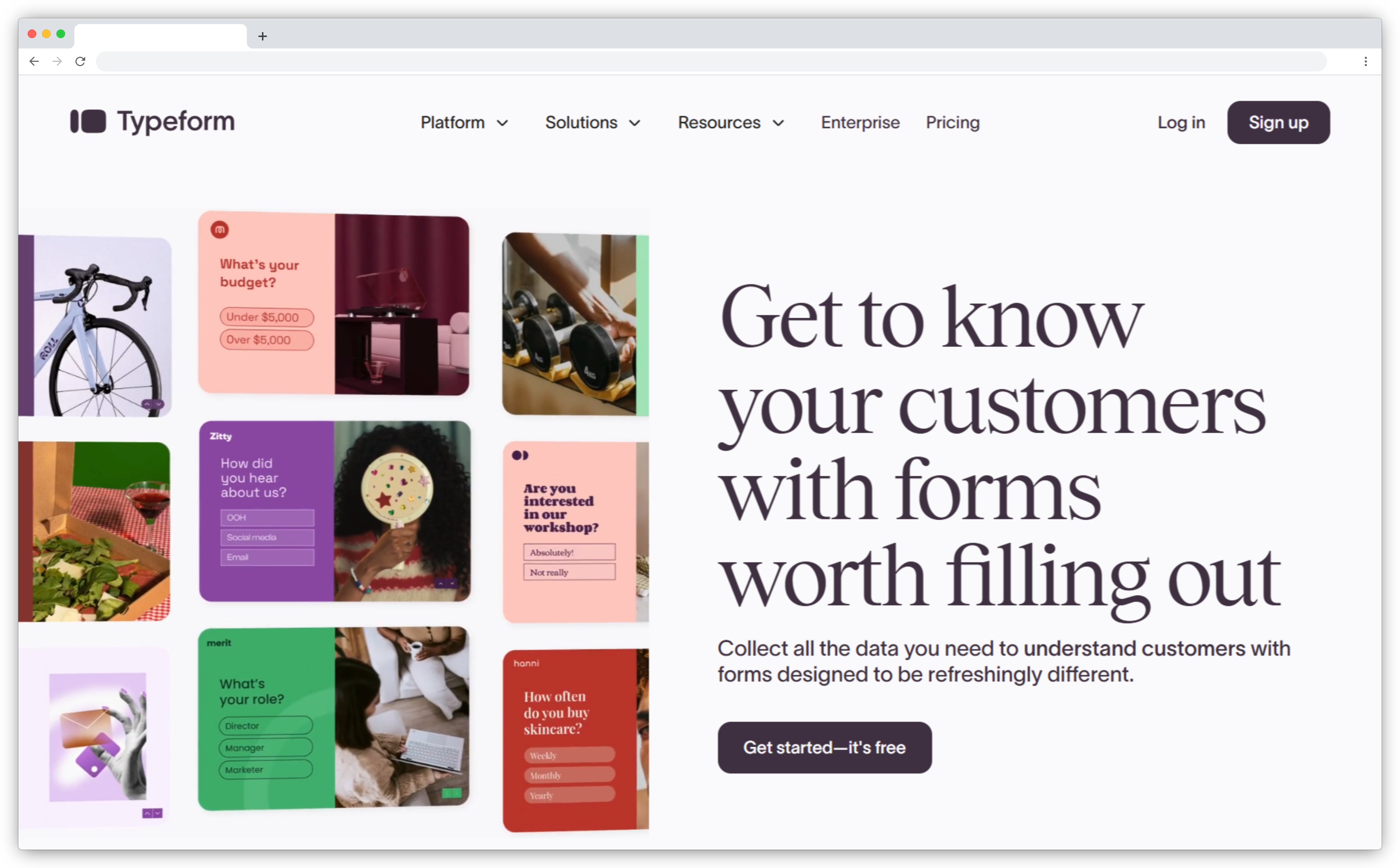
11. Typeform: Best for Beautiful Forms with Basic HubSpot Integration
Typeform is best known for creating beautiful, engaging online forms and surveys with a design-first approach. The platform emphasizes visual appeal and user experience over deep analytics or automation capabilities. The HubSpot integration works through Zapier or API connections rather than a native integration, which adds a middleware layer but provides flexibility.
Typeform's strength is the survey experience itself. The one-question-at-a-time format, smooth animations, and visual design create surveys that feel less corporate than traditional form builders. For brands where survey experience matters as much as data collection, this design focus resonates. Research shows that well-designed surveys can improve completion rates by 10-20% compared to basic forms.
The limitation for HubSpot users is integration depth. Because Typeform connects through Zapier or custom API builds rather than native integration, workflow automation requires additional configuration. There's no AI analysis on responses. Closed-loop workflows need to be built in Zapier rather than handled natively. For teams that need deep HubSpot integration and automated follow-up, Typeform becomes one component in a larger stack rather than an all-in-one solution.
Key Features
- Design-first survey builder with visual appeal
- One-question-at-a-time format for better engagement
- HubSpot integration via Zapier or API
- Logic jumps and conditional branching
- Multi-channel distribution (email, link, embed)
- Basic analytics and response export
Typeform Pros
- Best-in-class survey design and user experience
- Affordable entry point at $29/month
- Works well for brand-conscious companies where survey experience matters
- Easy to use, minimal learning curve
Typeform Cons
- HubSpot integration requires Zapier middleware (not native)
- No AI analysis or advanced text analytics
- Limited closed-loop automation capabilities
- Not purpose-built for NPS programs — better suited for general surveys
Typeform Pricing
- Basic plans start at $29/month
- Business plans with more features start at $59/month
- Free plan available with limited features
G2 Rating: 4.5/5 on G2
Best Use Case: Brand-conscious companies that prioritize survey design and user experience over deep analytics or automation. Best for marketing teams, creative agencies, and consumer brands where the survey itself is part of the brand experience. Not ideal for teams needing native HubSpot integration or AI-powered feedback analysis. Works better as a general survey tool rather than a dedicated NPS platform.
HubSpot Workflow Triggers: What to Automate Based on NPS Scores
Most teams collect NPS scores. Few automate what happens next. HubSpot's workflow engine makes it possible to route feedback, assign tasks, and trigger follow-ups automatically, but only if your NPS tool supports the right triggers.
Here's what high-performing NPS programs automate inside HubSpot.
-
Detractor workflows (NPS 0-6). Create a Task assigned to the account manager with priority set to High. Include the detractor's open-text comment in the task description. Set an SLA: Task must be completed within 24 hours. Send an internal Slack notification to the customer success team. Suppress marketing emails for 7 days to give the detractor space while their issue is being resolved. According to Harvard Business Review research, 70% of buying experiences are based on how customers feel they're being treated, and immediate detractor response is critical.
-
Passive workflows (NPS 7-8). Send a personalized follow-up email asking, "What would it take to make you a 9 or 10?" Route responses to a re-engagement campaign with product tips, feature updates, or a check-in call from their CSM. Add a deal property marking the account as "At-risk" because research shows passives are the most likely segment to churn quietly without warning signs.
-
Promoter workflows (NPS 9-10). Send a thank-you email with a referral link (offer an incentive if appropriate). Add to a "Review Request" list and reach out in 7 days asking for a G2 or Capterra review. Flag as "Testimonial Candidate" so the sales team can request a case study or quote. Route to advocacy programs like customer advisory boards, beta testing, or co-marketing opportunities. Teams using NPS to increase Google reviews automate this promoter routing to capture reviews while sentiment is high.
-
Aggregate workflows (monthly roll-ups). At the end of each month, auto-generate a report showing average NPS by region, product line, or customer segment. Email it to leadership. Create a HubSpot Dashboard widget showing NPS trend over time. Set alerts: If NPS drops more than 5 points month-over-month, notify the CX lead immediately.
The difference between NPS programs that drive action and ones that generate reports is workflow automation. If your tool can't trigger a HubSpot workflow when a detractor responds, you're back to manual routing, and manual processes break down at scale.
When evaluating NPS tools, ask this question: "Can this trigger a HubSpot workflow when NPS is less than 6?" If the answer is no, you'll spend more time managing feedback than acting on it. Teams focused on NPS automation see 3x faster loop closure rates than teams managing follow-ups manually.
Which NPS Tool Is Right for Your HubSpot Setup?
The right NPS tool depends on your program's complexity and what you're trying to accomplish.
If you're already on Service Hub Professional or Enterprise and need basic email/web NPS, start with HubSpot's native feature. It's included, requires zero setup, and handles simple programs well.
If you need multi-channel reach (SMS, WhatsApp, in-app, kiosks), AI-powered text analysis, and closed-loop automation, a third-party tool makes sense. Zonka Feedback offers the deepest HubSpot integration and strongest AI capabilities. Survicate delivers the highest email completion rates through embedded surveys. AskNicely works best for frontline teams collecting real-time feedback. SurveySensum provides AI insights with free CX consulting.
For enterprise teams running complex NPS programs across multiple regions, products, or business units, Qualtrics and CustomerGauge offer the most comprehensive feature sets, but at significantly higher price points.
The worst decision is collecting NPS scores without a plan for what happens next. Pick a tool that integrates deeply with HubSpot, automate your workflows, and give your team the ability to act on feedback in real-time. That's how NPS becomes a growth lever instead of a reporting metric. Teams that focus on inner loop, outer loop, and huddles in the Net Promoter System see measurably better business outcomes than teams collecting scores without operational discipline.
Start with a free trial. Most platforms offer 7-14 days to test HubSpot integration, send sample surveys, and confirm the tool fits your workflow before committing. For teams implementing a complete program, reading about how to implement NPS before choosing your tool will clarify which features you actually need versus nice-to-haves.


.png)