.svg)
 Healthcare
 Finance
 Retail
 SaaS & Digital
 eCommerce
 Education
 Salesforce
  HubSpot
 Pipedrive
 Mailchimp
 Klaviyo
 Zendesk
  Intercom
 Freshdesk
 HelpScout
  Front
Front Jira
Jira Slack
Slack  MS Teams
 Zoom
Zoom Google Sheets
  Zapier
  Integrately
 Make
Make  Webhooks




 MS Teams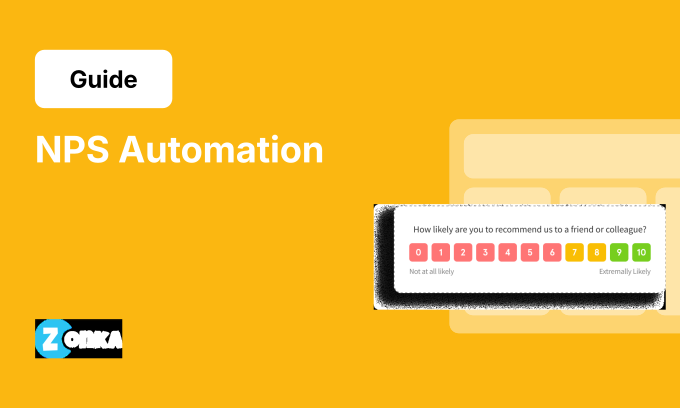


TL;DR
- NPS automation handles the routing, not the relationship. Humans still own the conversation.
- Build trigger logic that routes feedback to the right people based on score, account value, and risk flags.
- Set escalation rules for high-risk responses: scores 0-3, high-value accounts, churn risk signals.
- Use suppression rules to prevent survey fatigue across channels and touchpoints.
- Measure loop closure rate, not just response rate. If you're routing 90% of detractors but only closing 40% of loops, automation hasn't solved your problem.
You're collecting 200 NPS responses a week. Half the detractors never get followed up with because they land in an inbox nobody owns.
Manual NPS follow-up doesn't scale. Responses pile up. Feedback gets lost. Detractors churn before anyone notices the score.
This isn't a data collection problem. It's an execution problem. You need automation, but not for survey sending (that's a different topic). You need it for what happens after a response comes in.
This guide covers the workflows, triggers, routing logic, and escalation rules that turn NPS from a data collection exercise into an action system. You'll learn what to automate (and what to keep manual), how to build trigger logic that routes feedback to the right people, escalation rules for high-risk responses, suppression logic to prevent survey fatigue, and workflow blueprints for detractors, passives, and promoters.
What NPS Automation Actually Means (And What It Doesn't)
NPS automation isn't about sending surveys on a schedule. That's distribution automation, and most platforms handle it fine. This is about post-response automation: what happens after someone gives you a score.
What gets automated: response routing, task creation, escalation, follow-up triggers, suppression rules, data sync to your CRM. The mechanical work that causes feedback to fall through cracks when it's manual.
What doesn't get automated (and shouldn't): the human response to a detractor, the judgment call on escalation priority, the actual customer conversation. You can't automate empathy, and you shouldn't try.
The balance looks like this: automation handles routing and alerts. Humans handle empathy and recovery.
Modern NPS platforms are built around this principle. The automation engine handles the mechanical work (routing, task creation, alerts) while keeping the human response flexible and context-aware. You define the rules once, and the system executes them consistently across thousands of responses. Tools like Zonka Feedback work this way: the workflow builder handles infrastructure, but the actual customer conversation stays human.
Common mistake: Automating the entire detractor response with a canned email. This makes things worse, not better. When someone scores you a 3 and gets a generic "we're sorry to hear that" email, you've just confirmed that nobody's actually paying attention.
The framework: automate the routing, not the relationship.
What to Automate vs What to Keep Manual
Not everything should be automated. The decision framework: automate the infrastructure, keep human judgment where it matters.
| Automate This | Keep This Manual |
| Survey trigger (case closed, onboarding complete, etc.) | Deciding if a situation requires executive escalation |
| Response routing to the right owner (account manager, support lead, CS rep) | Choosing the right recovery offer or compensation |
| Task creation in CRM (Case, Task, or Opportunity) | Actual customer outreach and recovery conversation |
| Escalation alerts for detractors scoring 0-3 | Judgment call on whether a passive needs follow-up |
| Suppression rules (don't survey the same customer twice in 30 days) | Deciding when to override suppression (e.g., major incident recovery) |
| Data sync (NPS score to Account health score in CRM) | Interpreting sentiment in open-text responses |
| Reminder notifications when Tasks aren't updated | Assessing if feedback patterns signal systemic product issues |
The workflow engine in better platforms automates the routing layer while preserving flexibility where you need it. For example, you can set a rule that detractors with scores 0-3 create high-priority Tasks and send Slack alerts to the CS manager. But the actual follow-up message is still written by the account owner who knows the customer's history. The system creates the infrastructure. The human provides the context.
The Anatomy of an NPS Automation Workflow
A complete workflow runs from trigger to routing to action to escalation. Here's what that looks like in practice.
Step 1: Trigger
Survey response received. Score captured (0-10). Customer segmented (Detractor, Passive, Promoter).
Step 2: Routing Logic
-
Detractor (0-6): Route to account owner, create high-priority Task.
-
Passive (7-8): Route to account owner, create medium-priority Task.
-
Promoter (9-10): Route to account owner, trigger advocacy workflow (covered in our guide on how to get NPS promoters to promote you).
In modern workflow builders, this routing logic is visual. You set conditions ("if score is 0-6") and actions ("create Task in Salesforce, assign to Contact owner"). The logic executes instantly when a response comes in. Zonka Feedback's trigger builder works this way: you map conditions to actions, and the system handles the execution automatically.
Step 3: Escalation Rules
-
IF score = 0-3 AND open-text response contains ["cancel", "churn", "terrible", "worst"] → Escalate to CS Manager.
-
IF score = 0-6 AND account revenue > $50K → Escalate to VP of Customer Success.
-
IF score = 0-6 AND response is within 48 hours of onboarding → Escalate to Onboarding Lead.
Better platforms support both score-based rules and text analysis rules. You can set escalation based on NPS score alone, OR combine it with keyword detection in the follow-up response, OR layer in CRM data like account value or customer lifecycle stage. The conditions stack, which means you can build escalation logic that actually matches business priority.
Step 4: Follow-Up Automation
Task assigned with 24-hour SLA. Reminder sent to owner after 12 hours if Task not updated. Second escalation if Task not closed within 48 hours.
Step 5: Suppression
Customer marked as "recently surveyed" for 30 days. Prevents duplicate surveys across different touchpoints.
The workflow doesn't END when the Task is created. It ends when the loop is closed: Task marked "Complete" and outcome logged. For specific strategies on responding to detractors once they're routed to you, see our guide on handling NPS detractors.
Building Trigger Logic: When to Send, When to Route, When to Escalate
This is the decision tree. The "if this, then that" logic that makes automation smart instead of just fast.
a. Survey Trigger Logic
-
Transactional triggers: Case closed, onboarding complete, feature adopted, renewal completed. These are moment-in-time events tied to a specific interaction. For the full breakdown of when to use transactional vs relational surveys, see our guide on relationship vs transactional NPS.
-
Relational triggers: Quarterly check-in, 30 days post-onboarding, pre-renewal (60 days out). These measure the overall relationship, not a single event.
-
Suppression override: Major incident recovery. Send even if within 30-day window. This is a judgment call, which is why it requires manual approval.
Modern platforms integrate with your CRM and support systems, so triggers fire automatically based on real-time data changes. When a Case status changes to "Closed" in Salesforce, the system receives that webhook and sends the survey without manual intervention. The connection is live, not batch-synced.
b. Routing Logic
-
Default rule: Route to account owner (Contact owner or Account owner in CRM).
-
Fallback rule: If no owner assigned, route to queue manager or CS lead.
-
Team-based routing: High-value accounts (>$50K ARR) go to Enterprise CS team queue. SMB accounts go to Standard CS queue.
You can map routing rules directly to CRM fields in most platforms. If the Account Owner field is populated, Task goes there. If it's blank, the workflow routes to a default queue or manager. This prevents feedback from landing in no-man's-land, which is where most manual follow-up processes break down.
c. Escalation Logic
-
Severity-based: Scores 0-3 escalate immediately. Scores 4-6 escalate if Task not updated within 24 hours.
-
Account-based: Enterprise accounts escalate to dedicated CSM. Strategic accounts escalate to VP.
-
Risk-based: If detractor + churn risk flag in CRM → escalate to retention team.
| Condition | Action | Owner | SLA |
| Detractor (0-6) + ARR < $10K | Create Task | Account Owner | 48 hours |
| Detractor (0-6) + ARR > $10K | Create Task + Escalate | Account Owner + CS Manager | 24 hours |
| Detractor (0-3) + Churn risk flag | Create Case + Escalate | Retention Team | 12 hours |
| Passive (7-8) + High engagement | Create Task | Account Owner | 72 hours |
| Promoter (9-10) + Willing to refer | Trigger advocacy workflow | Marketing Ops | No SLA |
The conditional logic builder in platforms like Zonka Feedback supports multi-variable rules. You're not limited to score alone. Combine NPS score + account value + CRM risk flags + text sentiment to build escalation rules that actually match business priority. The system evaluates all conditions simultaneously and routes accordingly.
NPS Automation Workflow: Detractors, Passives, Promoters
Here are ready-to-implement workflows for each segment. These aren't theoretical. They're what works in production.
1. Detractor Workflow (High-Touch)
Trigger: NPS score 0-6
Step 1: Create high-priority Task in CRM
- Assigned to: Account owner
- Due date: 24 hours
- Task description: "[Customer Name] scored [X] on NPS. Reason: [Open-text response]"
Better platforms automatically populate the Task description with the customer's score, their verbatim feedback, and a link back to their full response history. The account owner sees everything in context without switching tools. This matters because detractor follow-up isn't about reading a number. It's about understanding what broke.
Step 2: Send internal Slack alert (if connected)
Message: "Detractor alert: [Customer] scored [X]. Task assigned to [Owner]."
Real-time alerts go to designated channels. You can route detractor alerts to #customer-success, enterprise account alerts to #executive-escalations, and keep the rest in a general #nps-feedback channel. The routing is configurable, so you're not spamming every team with every response.
Step 3: Escalation (if score 0-3 OR high-value account)
CC: CS Manager. Create Case (not just Task) if churn risk.
Step 4: Reminder automation
12 hours: Reminder to owner if Task status = "Not Started".
24 hours: Second reminder + CC manager if Task status ≠ "In Progress".
The reminder engine in most platforms checks Task status in your CRM and sends follow-up notifications based on progress. If a Task sits untouched, the system escalates automatically without manual oversight. This is what prevents detractors from sitting in a queue for a week.
Step 5: Loop closure tracking
Task marked "Complete" only when follow-up logged. Outcome recorded: [Resolved, Escalated, Churned, No Response].
For the actual conversation strategies with detractors once they're routed to you, see our guide on how to handle NPS detractors.
2. Passive Workflow (Medium-Touch)
Trigger: NPS score 7-8
Step 1: Create medium-priority Task
- Assigned to: Account owner
- Due date: 72 hours
- Task description: "[Customer Name] scored [X] on NPS. They're satisfied but not enthusiastic."
Step 2: No immediate escalation (unless account flags indicate risk)
Step 3: Check-in automation
Send personalized email (templated but customizable) asking: "What would make this a 9 or 10?"
The follow-up email templates in better tools are pre-loaded but fully editable. The system sends the initial outreach, but account owners can modify the message before it goes out if they want to add personal context. This keeps the efficiency of automation without losing the flexibility of a custom message.
Step 4: Reminder (less aggressive than detractor workflow)
48 hours: Reminder if Task not updated.
For passive engagement strategies beyond the initial follow-up, see our guide on engaging NPS passives.
3. Promoter Workflow (Light-Touch + Advocacy)
Trigger: NPS score 9-10
Step 1: Create low-priority Task
- Assigned to: Account owner
- Due date: 7 days
- Task description: "[Customer Name] is a promoter. Consider asking for a referral or testimonial."
Step 2: Trigger advocacy workflow (if they selected "Yes" to "Would you recommend us?")
Send request for review (G2, TrustRadius, Capterra). Or: Send referral program invite. Or: Request case study participation.
Modern advocacy automation can branch based on the customer's answer to your follow-up question. If they say "yes" to providing a referral, they get the referral form link. If they select "review," they get a review request. One workflow, multiple outcomes. No manual branching required.
Step 3: Thank-you automation
Send thank-you email: "Your feedback helps us improve. Here's a [resource/guide] you might find useful."
For promoter activation strategies beyond the thank-you email, see our guide on getting NPS promoters to promote you. There's also a full breakdown of how to turn promoters into active advocates in our guide on using NPS for customer reviews and recommendations.
Suppression Rules: Preventing Survey Fatigue
Most companies over-survey. The problem looks like this: customer closes 3 support tickets in one week, gets 3 NPS surveys, develops survey fatigue, stops responding to all surveys. Your response rate drops across the board, and you don't know why.
The solution: suppression logic.
Rule 1: Time-Based Suppression
Don't send another NPS survey to the same customer within 30 days (configurable based on your business). This is the most basic suppression rule, and it prevents the majority of over-surveying.
Rule 2: Channel-Based Suppression
If customer responded to email NPS, suppress SMS NPS for 30 days (and vice versa). They already gave you feedback. The channel doesn't matter.
Rule 3: Cross-Survey Suppression
If customer responded to CSAT this week, delay NPS send by 7 days. Don't stack feedback requests on top of each other just because they're different metrics.
Rule 4: Volume-Based Suppression
If customer has 5+ open Cases, suppress NPS until Case volume drops below 3. They're too frustrated to give useful feedback right now. Wait until the situation stabilizes.
The suppression engine in better platforms tracks survey history across all touchpoints: email, SMS, in-app, WhatsApp. When a customer responds through any channel, they're automatically marked as "recently surveyed" and excluded from the next send. You define the suppression window (30 days, 60 days, etc.), and the platform enforces it globally. No manual tagging required.
For more on survey frequency and timing strategy, see our guide on how, when, and where to collect NPS surveys.
Suppression Override Cases
There are times when you need to override suppression:
- Major incident recovery (you want to measure post-resolution sentiment)
- Executive escalation (CEO wants to personally check in)
- Renewal window (you need NPS data before renewal conversation)
You can manually override suppression for individual customers when needed. If a VIP account needs a post-incident check-in even though they responded last week, you can send a one-time survey without breaking your global suppression rules. The override is per-customer, not system-wide.
How to Implement
Set global suppression rules in your NPS tool. Tag customers as "recently surveyed" when they respond. Build logic that checks this tag before sending. Most modern NPS platforms do this automatically, but if you're building custom workflows, these are the three steps.
Common Automation Failures (And How to Fix Them)
Most NPS automation setups break in predictable ways. Here's how to preempt the problems before they surface.
1. Tasks Get Created But Never Acted On
Why it happens: No ownership, no SLA, no reminders.
Fix: Assign Tasks to specific people (not queues), set hard SLAs, enable reminder escalation.
The better platforms handle this by requiring an owner assignment for every Task. If no owner is available in the CRM, the workflow should fail visibly (alerting you to fix the gap) rather than creating orphaned Tasks. This forces you to address ownership gaps at setup, not after 200 detractors have been ignored.
2. Escalation Alerts Go to the Wrong Person
Why it happens: Routing logic based on outdated CRM data (account owner left the company).
Fix: Fallback routing rules. If primary owner inactive, route to queue manager.
Build your routing to check for active users first. If the assigned owner's CRM status is "inactive," the workflow should automatically route to the fallback (manager or queue) instead of failing silently. The system should validate ownership before creating the Task, not after.
3. High-Volume Responses Overwhelm the Team
Why it happens: Every detractor creates a high-priority alert, even low-severity ones.
Fix: Tiered escalation. Only scores 0-3 get immediate alerts. Scores 4-6 go into a daily digest.
Configure your system to send real-time alerts for critical responses (0-3) while batching less urgent feedback into a daily summary email. This prevents alert fatigue without missing critical issues. The batching should be time-based, not volume-based, so urgent issues still surface immediately.
4. Customers Get Surveyed Too Often
Why it happens: No suppression rules across touchpoints.
Fix: Global suppression logic (covered above).
5. The Loop Never Actually Closes
Why it happens: Task marked "Complete" without logging outcome.
Fix: Require outcome field before Task can be closed (Resolved / Escalated / No Response).
Set up your CRM workflow to require a specific field to be populated before a Task can be marked complete. This forces outcome tracking and gives you clean data on loop closure rates. Without this, "Task Complete" just means someone clicked a button, not that the customer issue was actually resolved.
6. Automation Removes the Human Touch
Why it happens: Canned responses sent automatically.
Fix: Automation creates the Task and alert. The human writes the actual message.
Measuring Automation Effectiveness
Your automation is running. Tasks are being created. Alerts are going out. But is it actually working? Here are the five metrics that tell you if your NPS automation is closing loops or just creating noise.
a. Loop Closure Rate
Formula: (# of Tasks completed with outcome logged / Total # of Tasks created) × 100
Target: 80%+ for detractors, 60%+ for passives
This is the metric that matters. It tells you if feedback is turning into action or just sitting in a queue. If you're creating 100 Tasks a week but only closing 40 of them, automation hasn't solved your problem. It's just made the gap more visible.
Track this by segment, owner, and time period. You'll see which account managers are closing loops consistently and which ones need support. The pattern matters more than the number. If your closure rate drops every Friday, you have a capacity problem, not a workflow problem.
b. Time to First Response
Formula: Time between response received and first customer outreach
Target: <24 hours for detractors, <72 hours for passives
Speed matters because memory fades fast. A detractor who scores you a 2 on Monday and hears from you on Friday doesn't remember what made them angry anymore. The conversation starts with "remind me what happened" instead of "here's how we're fixing it."
Good platforms timestamp every workflow action: response received, Task created, Task updated, Task closed. This lets you measure response time at the individual and team level, which surfaces bottlenecks that aren't visible in aggregate metrics. If your average time to first response is 18 hours but one CS rep is averaging 4 days, you know where the problem is.
c. Escalation Hit Rate
Formula: (# of escalations that resulted in retention / Total # of escalations) × 100
Target: 50%+ (if lower, your escalation logic is too aggressive)
Escalation should be reserved for situations where it actually makes a difference. If you're escalating every detractor to the VP of Customer Success and only 20% of those escalations result in saves, you're burning executive bandwidth on noise.
Low hit rate means one of two things: your escalation logic is flagging too many low-severity issues, or your team isn't following through after escalation. Either way, the fix is in the workflow rules, not the people.
d. Survey Suppression Rate
Formula: (# of surveys suppressed / Total # of survey triggers) × 100
Target: 5-10% (if higher, your suppression rules might be too strict)
This metric tells you if your suppression logic is working. Too low (under 5%) means you're probably over-surveying some customers. Too high (over 15%) means your suppression window is so conservative that you're missing feedback opportunities.
The right suppression rate depends on your business. High-touch B2B with quarterly check-ins? You'll suppress more. High-volume transactional business? You'll suppress less. The key is tracking the trend. If suppression rate suddenly spikes, something changed in your trigger logic.
e. Task Completion SLA
Formula: % of Tasks completed within SLA window
Target: 85%+
SLA compliance tells you if your team can keep up with the volume automation is creating. If you're hitting 95% SLA on passives but only 60% on detractors, you know where the bottleneck is.
The best systems flag overdue Tasks visibly and send automated reminders to owners. This turns SLA from a reporting metric into an operational one. You're not looking at last week's performance. You're seeing today's backlog in real time.
The Pattern to Watch: If your loop closure rate is below 60%, automation isn't the problem. It's team capacity or accountability. For strategies on improving loop closure rates, see our guide on closing the feedback loop. For dashboard setup and reporting structure, see our guide on building NPS dashboards and reports.
From Reactive to Proactive
Most companies start with reactive NPS programs. They collect responses, review them in weekly meetings, and maybe follow up with a few detractors. Automation changes this from a periodic review exercise into a real-time operating system.
What good automation looks like: A detractor response comes in at 3pm. Task created by 3:01pm. Account owner notified by 3:02pm. Follow-up call scheduled by 4pm. Issue resolved by end of day.
What bad automation looks like: Response comes in Monday. Spotted in Friday's report. Followed up the following Tuesday. Customer already churned.
Automation doesn't just speed up responses. It changes the customer's perception of your business. When someone scores you a 3 and gets a call from their account manager within hours, that experience often overwrites the original bad experience. When that same person scores you a 3 and hears nothing for a week, the damage is permanent.
The real ROI: Loop closure rate is the metric that matters. If you're routing 90% of detractors but only closing the loop on 40% of them, automation hasn't solved your problem. It's just made the gap more visible. Which is actually valuable, because now you know where to fix it.
Build the infrastructure, then measure what happens next. The workflows in this guide give you the routing, escalation, and suppression logic. What happens inside those Tasks is where the recovery happens.
Conclusion
NPS automation isn't about removing humans from the process. It's about removing the manual routing, tracking, and alerting that causes feedback to fall through cracks.
The framework: Automate the routing, not the relationship. Build trigger logic that routes feedback to the right people. Set escalation rules for high-risk responses. Use suppression rules to prevent survey fatigue. Measure loop closure rate, not just response rate.
The litmus test: Open your CRM and find a detractor from last week. Do you know who followed up, when, and what the outcome was? If not, your automation isn't working.
Next steps: Read our guide on closing the feedback loop for the strategy behind automation. Learn how to respond to NPS detractors once automation routes them to you. Explore proven strategies to improve your NPS score.



.svg)
.png)