.svg)
 Healthcare
 Finance
 Retail
 SaaS & Digital
 eCommerce
 Education
 Salesforce
  HubSpot
 Pipedrive
 Mailchimp
 Zendesk
  Intercom
 Freshdesk
 HelpScout
  Front
Front Jira
Jira Slack
Slack  MS Teams
 Zoom
Zoom Google Sheets
  Zapier
  Integrately
 Make
Make  Webhooks




 MS Teams


TL;DR
- NPS provides insights into customer loyalty, highlights areas for improvement, and helps turn NPS detractors into passives and passives into promoters.
- Collect NPS effectively by designing engaging surveys, segmenting your audience, automating distribution, using an omnichannel approach, and closing the feedback loop.
- NPS timing depends on what you're measuring — transactional surveys go out immediately after interactions, relational surveys go out at consistent intervals (quarterly, annually, or at key milestones).
- NPS should be collected at key touchpoints: post-purchase, during onboarding, at renewals, after support interactions, and through channels like email, SMS, in-app, and website widgets.
Most NPS programs fail at collection, not calculation!
The formula is simple — everyone knows how to subtract promoters from detractors. But getting customers to actually respond? That's where programs quietly fall apart. Low response rates, survey fatigue, timing that misses the moment — these aren't edge cases. They're the norm.
The businesses that get real value from NPS don't just measure loyalty. They've figured out how to collect feedback without exhausting customers, when to ask without interrupting, and where to show up so surveys feel contextual instead of intrusive.
This isn't about perfecting every survey send. It's about building a collection system that gives you clean signal without overwhelming the people you're trying to understand.
We'll cover the mechanics: how to design surveys that people finish, when to trigger them so feedback lands while experience is fresh, and where to deploy them across touchpoints without creating survey fatigue. By the end, you'll have a framework for NPS collection that works at scale.
How to Collect NPS Feedback?
Collecting NPS feedback effectively requires more than just sending surveys. It's about strategic design, smart segmentation, precise timing, and genuine follow-through.
Here are the core strategies that separate NPS programs that generate noise from programs that generate insight:
a. Design the NPS Survey
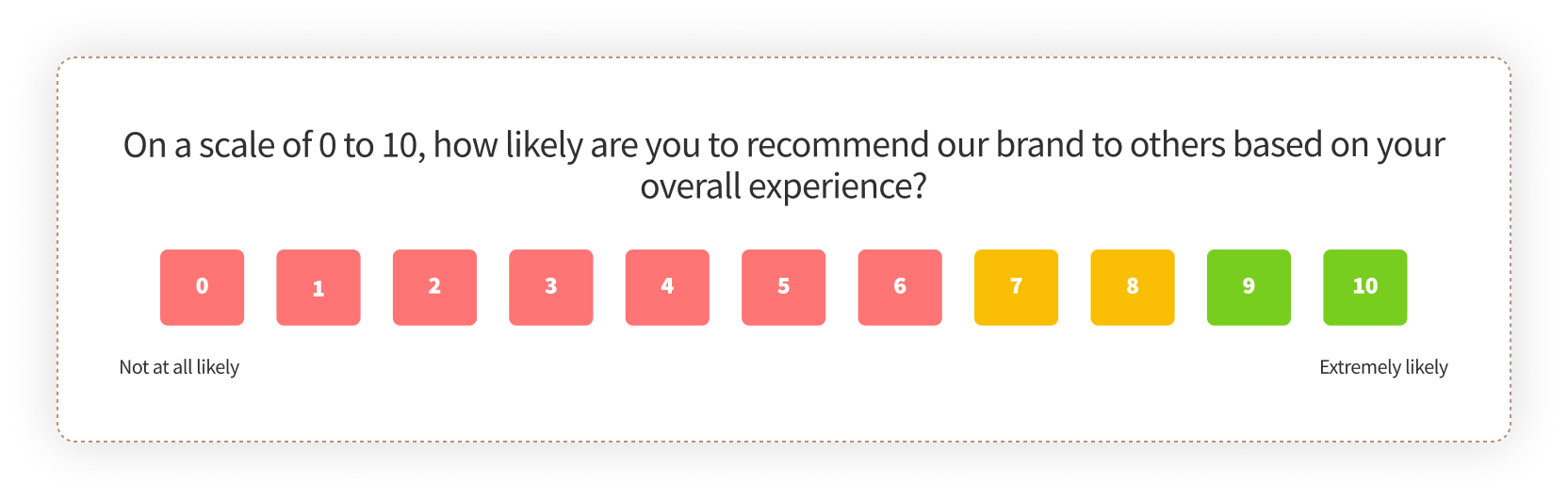
The survey itself is where most programs lose people. Not because the NPS survey question is complicated — it's deliberately simple. Programs fail because they add unnecessary friction around that simplicity.
A well-designed survey provides valuable insights beyond the core NPS metric. The follow-up question — "Why did you choose that score?" — is where the real data lives. That's what tells you what's working or breaking in your customer experience.
Apple is known for its attention to detail. Their NPS surveys often include follow-up questions that go beyond the score to specific product features or customer experiences. This helps them identify improvement areas without needing to guess.
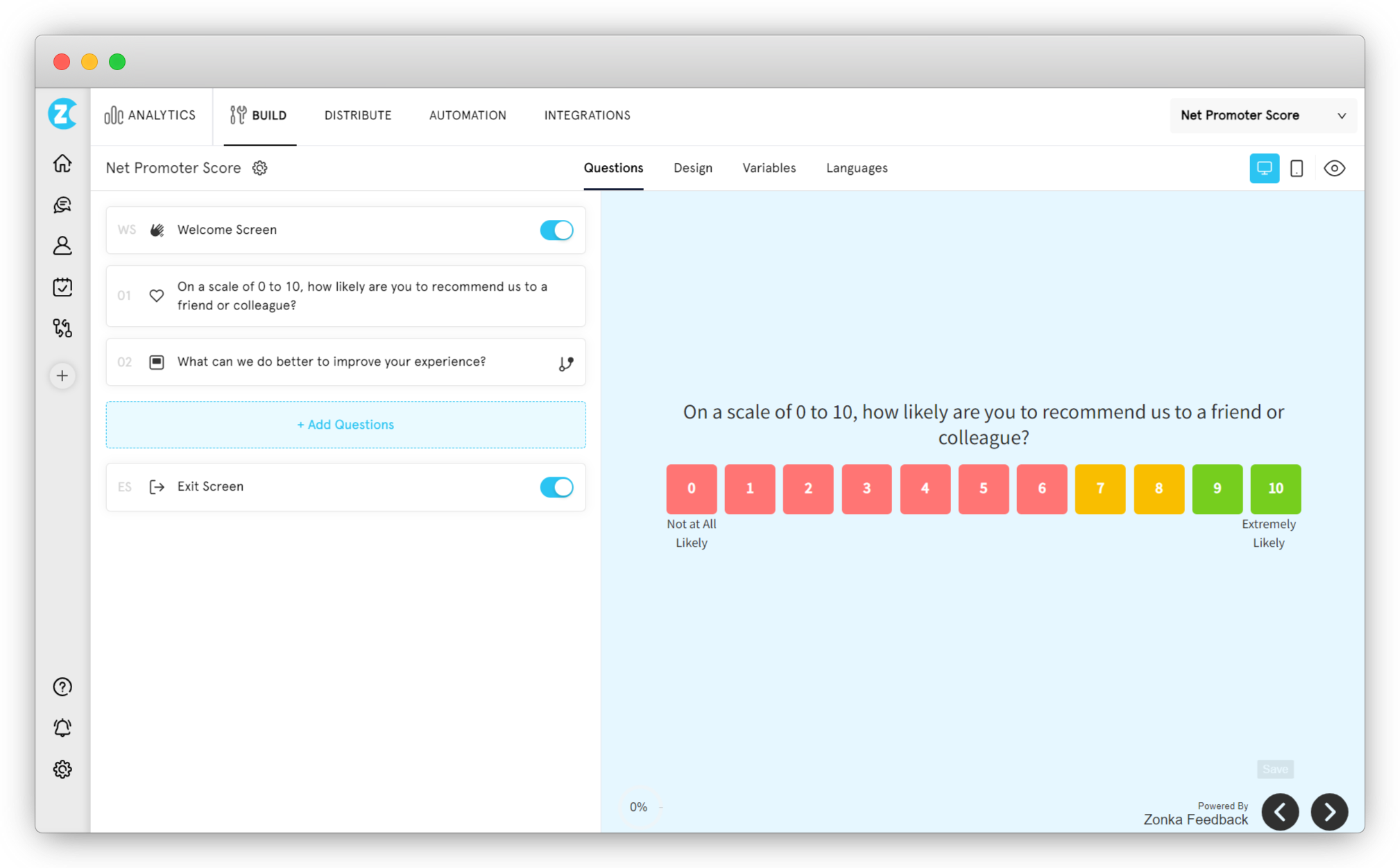 Here's how you can design NPS surveys that people actually complete:
-
Keep it short: Aim for a survey that can be completed in under two minutes. Prioritize the most critical questions. Use survey logic and branching so additional questions appear only when relevant — not as a default.
-
Use visuals: A simple smiley face survey instead of just numbers makes the rating more engaging and accessible. Interactive elements like sliders can enhance the experience, but only if they don't slow down completion.
-
Ensure mobile optimization: With the increasing use of smartphones, your survey must work on smaller screens. The design should be responsive and easy to navigate without zooming or horizontal scrolling.
💡Advanced question types like matrix questions, Likert scales, and semantic differential scales can gather nuanced feedback, but only use them if the insight justifies the added cognitive load. Most NPS surveys should stay simple.
b. Segmentation: Know Your Customers to Know Your Questions
Treating all customers alike is inefficient. A first-time buyer and a long-term customer have different contexts, different expectations, and different pain points. Customer segmentation with NPS allows you to tailor your questions to specific groups, yielding more actionable insights.
Imagine this: A luxury car manufacturer sends the same NPS survey to both first-time buyers and long-term owners. While both groups are valuable, their experiences differ significantly. A new owner might be asked about their buying experience, while a long-term owner might be queried about the car's performance and after-sales service.
Amazon is a master of segmentation. They send different surveys to Prime members, casual shoppers, and business customers. This granular approach helps them understand the unique needs of each segment and tailor their offerings accordingly.
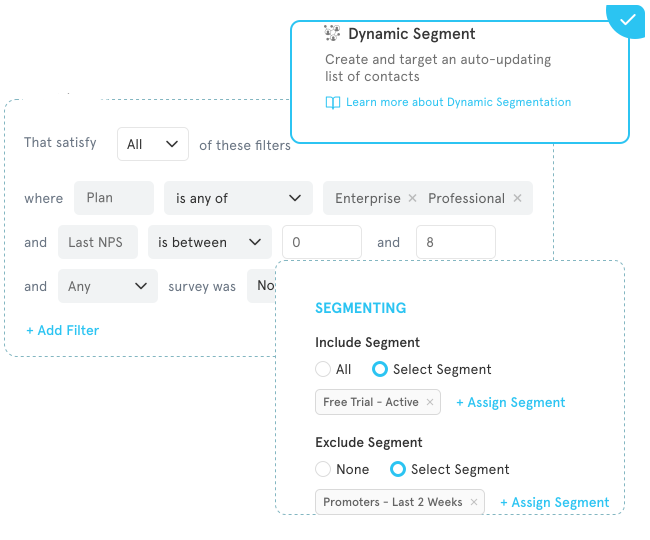
Here's how you can make your NPS segmentation even more effective:
-
Use advanced segmentation: Consider customer segmentation models based on demographics, behavior, purchase history, and lifetime value to uncover hidden patterns.
-
Create customer personas: Develop detailed profiles of your ideal customer segments to better understand their needs and preferences.
-
Prioritize segments: Focus on high-value segments for more in-depth analysis and targeted interventions.
-
Dynamic segmentation: Use real-time data to adjust segments and survey questions as customer behavior evolves.
c. Send Surveys at Optimal Times with Automation
Timing matters with NPS surveys. Sending them at the right moment can significantly impact response rates and the quality of feedback. Automation makes this possible at scale.
If you run a SaaS company, sending an NPS survey immediately after a customer successfully completes a critical onboarding step is strategic. It captures their initial impressions and identifies any pain points early.
Automation tools can be set up to trigger surveys based on specific actions: making a purchase, completing a support ticket, renewing a subscription. This ensures feedback is collected when it matters most.
Here's how you can use automation to collect NPS:
-
Integrate NPS automation with CRM: Leverage existing customer data for more precise targeting and segmentation. Your CRM already knows where customers are in their lifecycle — use that.
-
Utilize customer lifecycle triggers: Automate surveys based on lifecycle stages: trial end, first purchase, renewal, contract expiration.
-
Implement event-based triggers: Send surveys after specific events or milestones: product launch, feature release, customer support interaction.
-
Create custom automation workflows: Build complex automation rules based on multiple criteria: customer segment, purchase value, support interactions.
- Deliver surveys in each contact's local time: A 6 p.m. send from your timezone is a 2 a.m. arrival for a contact eight timezones away. A survey tool with feature like smart send reads each contact's local time and delivers inside a window you define, using phone country code, contact timezone attribute, or company default as fallbacks. The result is surveys that arrive during each recipient's working day, not just yours.
d. Omnichannel Approach: Meet Your Customers Where They Are
In today's digital age, customers interact with brands across multiple channels. An effective NPS program must mirror this behavior.
Some customers prefer email, while others are more responsive to SMS. Some might fill out a survey within your mobile app, while others might prefer a traditional web-based form.
To maximize your reach, consider using a combination of email, SMS, in-app surveys, and website feedback widgets. This ensures that you capture feedback from a diverse customer base across their preferred channels.
Develop a comprehensive omnichannel strategy that considers customer preferences, demographics, and the nature of the interaction. For instance, a younger demographic might respond better to SMS or in-app surveys, while older customers might prefer email.
e. Closing the Feedback Loop
Collecting NPS data is just the first step. What truly matters is how you respond to that feedback. A closed feedback loop demonstrates your commitment to customer satisfaction.
Imagine a customer who rates your product a 6 out of 10. They leave a comment mentioning a specific issue they encountered. A company that truly cares would acknowledge their feedback, apologize for the inconvenience, and outline the steps being taken to address the problem.
NPS tools like Zonka Feedback help you streamline this process by automating follow-ups and assigning tasks to relevant teams. This ensures no piece of feedback falls through the cracks.
When to Gather NPS Survey Feedback?
Timing isn't everything with NPS surveys. But it's close.
Send too early, and customers haven't experienced enough to form a real opinion. Send too late, and the memory fades — you lose the specific details that would have told you what to fix. The gap between those two points? That's where actionable feedback lives.
💡An NPS survey should be sent after the customer has thoroughly experienced your product or service. NPS measures loyalty and willingness to speak positively about your brand — which only happens once they've actually interacted with what you're offering.
Here's the thing most companies miss: there's no single "right time" for NPS. The timing shifts depending on whether you're measuring a relationship or a transaction, what industry you're in, and what kind of insight you're actually trying to extract.
Understanding Your NPS Timing Framework
Before you pick a specific send time, you need to understand which category your survey falls into. Most NPS programs use a combination of these four approaches:
| Approach | When to Use | What It Captures | Example |
| Real-Time | Customer is still on-premises or actively using your product | Immediate reaction while experience is fresh | Retail checkout surveys, in-store kiosk feedback |
| Drip | Triggered at key milestones throughout customer journey | Progress-based satisfaction at critical moments | SaaS onboarding completion, feature adoption milestones |
| Post-Purchase | 2-3 weeks after product delivery | Informed opinion after actual product use | eCommerce satisfaction after delivery and initial use |
| Post-Transaction | Immediately after a specific interaction | Service quality while interaction details are fresh | Support ticket closure, service appointment completion |
The distinction here isn't just academic. Each approach solves a different business problem. Real-time captures immediate reaction before bias sets in. Drip tracks progress against your customer journey map. Post-purchase measures actual product experience, not just buying experience. Post-transaction isolates specific touchpoint quality.
You're not picking one. You're combining them strategically based on what you need to learn.
When to Send Transactional NPS Surveys?
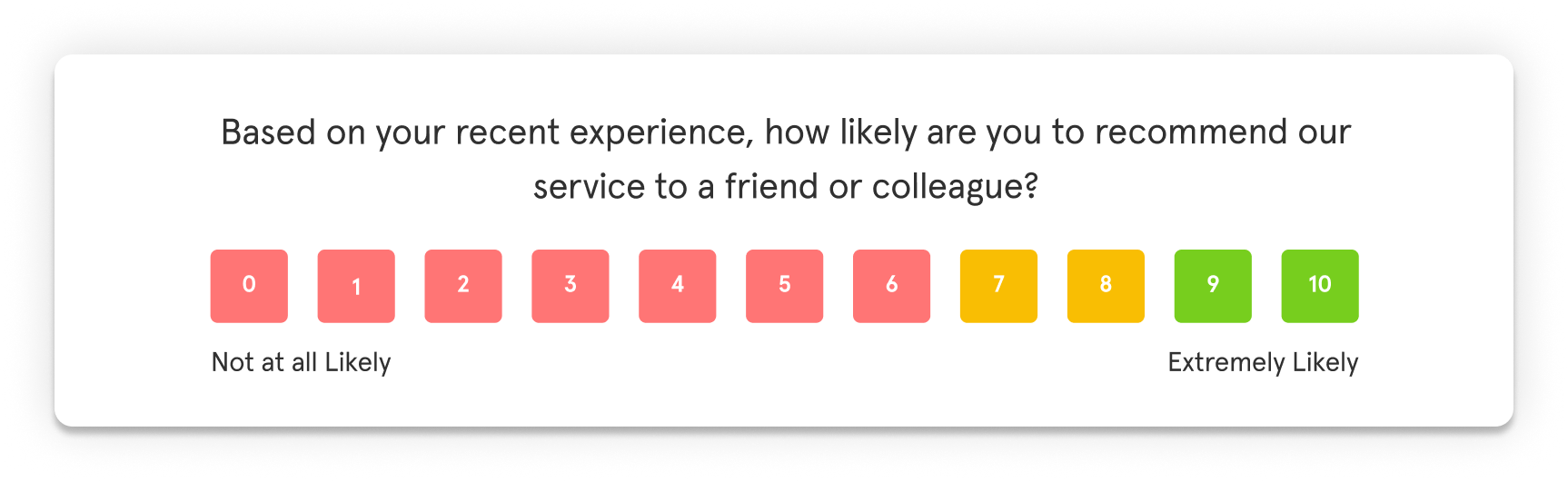
Transactional NPS surveys focus on a specific interaction or transaction — a purchase, a support call, a delivery. They capture immediate feedback, allowing you to identify issues and address them before they compound.
Ideal times to send transactional NPS surveys include:
-
Immediately After a Purchase: This helps gauge customer satisfaction with the buying experience and product. Amazon, for example, sends post-purchase surveys to understand customer satisfaction with their delivery service — not weeks later, but within hours of delivery confirmation.
-
After a Customer Service Interaction: This provides valuable insights into the quality of your support. A telecommunications company might send a survey immediately after a customer service call to assess the agent's performance and resolution effectiveness.
-
Following a Product or Service Delivery: This helps measure customer satisfaction with the product or service itself. A furniture retailer might send a survey after a customer receives their order to gauge satisfaction with the delivery process and initial product impression.
-
After App or Software Downloads: Capturing feedback early helps identify any onboarding issues and improve the user experience. SaaS companies often trigger NPS surveys after first login or completion of key setup steps.
-
After Training or Workshop Completion: Assessing participant satisfaction helps refine future training programs and identify content gaps.
-
After Event Attendance: Gathering feedback immediately after an event helps measure attendee satisfaction and identify areas for improvement while the experience is still fresh.
When to Send Relational NPS Surveys
Relational NPS surveys help you track customer loyalty and satisfaction over time. These aren't tied to a specific event — they measure the overall relationship. The key is striking a balance between collecting enough data and overwhelming customers.
Consider sending relational surveys:
-
Subscription Renewals: Measuring customer satisfaction at renewal points provides insights into retention and churn prevention. This is your last chance to address issues before a customer walks.
-
Regular Purchase Intervals: For customers making repeat purchases, sending surveys at regular intervals helps gauge overall satisfaction and loyalty without tying it to any single transaction.
-
Annual Customer Reviews: Conducting annual surveys provides a comprehensive overview of customer sentiment and identifies long-term trends. Many B2B companies use this approach for strategic account management.
-
Post-Campaign Evaluations: Measuring the effectiveness of marketing campaigns helps optimize future efforts and understand how campaign engagement affects loyalty.
-
Quarterly or Annually: This provides a snapshot of overall customer sentiment and helps identify trends over time. Many SaaS companies send quarterly NPS surveys to gauge customer satisfaction and loyalty as part of their customer success operations.
-
After Significant Milestones: For example, after a customer reaches a certain usage level or tenure, or after a major product update that changes the core experience.
Timing by Industry: What Actually Works
The optimal timing for NPS surveys can vary significantly depending on the industry. Here's what works in practice across major verticals:
-
Retail and eCommerce: Retail and eCommerce businesses often have shorter customer lifecycles, making transactional NPS surveys particularly valuable. Send surveys immediately post-purchase to capture first impressions, post-delivery to assess the delivery experience, and post-return or exchange to identify product or service issues. Companies like Warby Parker have found that understanding delivery experience impact on satisfaction directly correlates with repeat purchase rates.
-
B2B and SaaS brands: B2B and SaaS businesses often have longer sales cycles and customer relationships, requiring a different approach to NPS timing. Send post-implementation surveys after product implementation to understand initial satisfaction, quarterly or annual check-ins to track satisfaction over time, post-customer support interactions to measure support quality, and post-product updates or feature releases to assess their impact on satisfaction.
-
On-Demand Products: On-demand businesses operate in a fast-paced environment, requiring timely feedback to address issues promptly. Send surveys immediately post-service while the experience is fresh. Uber, for example, sends surveys immediately after rides to understand customer satisfaction with both driver and route quality.
-
Healthcare: The healthcare industry has unique considerations for NPS timing due to the sensitive nature of the patient-provider relationship. Send post-appointment surveys to capture feedback immediately after appointments, post-discharge surveys to assess overall patient satisfaction with hospital stays, and follow-up surveys for chronic conditions to track patient satisfaction over time.
-
Service Transactions: Service-based businesses rely on customer satisfaction to drive repeat business. Send surveys immediately post-service to capture feedback while the service is fresh — for example, a cleaning service might send a survey right after a clean. Use periodic checks for repeat customers to track satisfaction over time, and post-service complaint resolution surveys to measure satisfaction after resolving a complaint.
The Mistakes That Kill Response Rates
Most timing mistakes don't surface immediately. They compound over months until you're looking at survey data that isn't telling you anything useful.
-
Sending NPS after every support interaction: NPS measures relationship loyalty, not transactional satisfaction. Fire it after a case closes and you're measuring the wrong thing at the wrong moment. Use CSAT for transactions. Save NPS for when there's actually a relationship to measure.
-
Mapping survey responses to the wrong object: A CSAT that maps to a Contact instead of the Case it belongs to looks fine in setup but breaks your reporting — you lose the ties to specific agents, case types, and resolution times.
-
Sending too many surveys too fast: Running NPS, CSAT, and CES simultaneously to the same customers creates fatigue and drops response rates across all three. A 30-day suppression window (if a customer responded recently, hold the next survey) fixes most of this.
-
Treating response rates as the success metric: A 40% response rate on a survey nobody acts on is worthless. What matters is loop closure rate — what percentage of low scores triggered a follow-up, and of those, how many customers actually got their issue resolved.
-
Building the survey program before the loop: Many businesses set up collection first and figure out the closed-loop process later. Without routing and recovery in place from the start, low scores pile up with nothing behind them. Build the loop first, then launch the surveys.
How Often to Send NPS Surveys?
The frequency question has no universal answer — it depends on your business model and what you're measuring.
-
For transactional NPS: Send immediately after each qualifying interaction (purchase, support ticket, delivery). The survey frequency matches transaction frequency.
-
For relational NPS: Quarterly works for most B2B and SaaS businesses. Annually works for businesses with longer sales cycles or lower engagement frequency. The key is consistency — quarterly means every quarter for every customer, not randomly scattered.
-
Suppression rules prevent over-surveying: If a customer responded to any survey in the last 30 days, suppress the next one. This protects response rates across your entire feedback program. For high-touch customers, extend this to 60-90 days.
-
Transaction volume affects frequency: A customer who makes monthly purchases shouldn't get monthly NPS surveys. Use a 90-day suppression window and send relational NPS quarterly instead. Reserve transactional surveys for CSAT or CES.
The throughline: send often enough to track trends, infrequently enough that customers don't experience survey fatigue. For most businesses, quarterly relational NPS + transactional surveys at key moments (with suppression rules) hits that balance.
Making the Timing Decision
If you're building an NPS program from scratch, here's the practical framework:
- Start with post-purchase or post-interaction transactional NPS. This gives you immediate signal on what's working or breaking in your core experience.
- Add relational NPS at natural checkpoints — renewals, anniversaries, quarterly reviews. This tracks loyalty trends over time.
- Set suppression rules so customers aren't over-surveyed. 30 days is a safe default.
- Measure send time vs. response rate after your first month. If morning sends get 40% response and evening sends get 25%, shift your timing.
- Don't send NPS for every transaction. Use CSAT for transaction-level feedback. Use NPS when you're actually measuring the relationship.
The goal isn't perfect timing on every survey. The goal is consistent, appropriate timing that gives you clean data without exhausting your customers.
Where to Collect NPS Survey Feedback?
Collecting NPS feedback at the right touchpoints and through the right channels is crucial for gaining valuable insights into the customer experience. By strategically placing survey collection points throughout the customer journey and using different channels, you can better understand customer sentiment and identify areas for improvement.
Let us first look at the key customer touchpoints where you can collect NPS survey feedback.
Key Touchpoints for Collecting NPS Feedback
Here are some of the key touchpoints where you must collect NPS feedback to get a comprehensive understanding of customer sentiment and drive loyalty.
a. Post-Purchase or Post-Service Interaction
Gathering feedback immediately after a purchase or service interaction helps you to capture the customer's initial reaction to the product or service.
You can send an NPS survey via email or SMS right after the transaction is completed.
For instance, if you run a luxury hotel chain, you can implement post-stay NPS surveys sent via SMS immediately after check-out. This timing will allow you to capture guests' fresh impressions of their stay, leading to actionable insights that can help improve guest satisfaction and increase repeat bookings.
b. Onboarding Process
Understanding the customer's experience during onboarding can highlight areas for improvement in initial interactions, which are critical for setting the tone of the customer relationship.
For this, you can deploy in-app surveys or emails after the onboarding steps are completed. Slack, for instance, sends an in-app survey to new users after they complete the onboarding process to gauge their satisfaction with the setup and initial use.
c. Product or Service Renewal
Renewal periods are opportune moments to gauge ongoing satisfaction and address any concerns that might affect renewal decisions. For this, you can trigger email or SMS surveys a few days before and after the renewal date.
For instance, Salesforce sends NPS surveys to customers before their subscription renewal date to understand their current satisfaction and address any potential issues.
d. Marketing Campaigns and Promotions
Capturing feedback during or after marketing campaigns and promotions helps measure the effectiveness of these initiatives and their impact on customer satisfaction. You can send NPS surveys via email or SMS after a campaign ends or a promotion is redeemed.
If you run a retail company, you can send NPS surveys after major sales events like Black Friday to understand customer satisfaction with the promotions.
e. Sales and Account Management Interactions
Sales and account management interactions are crucial for building and maintaining customer relationships. Measuring NPS after these interactions helps assess satisfaction and identify improvement areas. For this, you can deploy email or in-app surveys after significant sales meetings or account reviews.
For instance, a B2B software company can send NPS surveys after quarterly business reviews with key accounts to gauge satisfaction with account management.
f. Billing and Payment Experience
The billing and payment experience can significantly impact customer satisfaction. Measuring NPS after billing interactions helps identify issues and improve the overall experience. You can send email surveys shortly after billing cycles or payment transactions.
For example, if you run a subscription-based service, you can implement NPS surveys to your customers after each billing cycle. You might find that there is a confusion around billing details. To address this issue, you can establish clearer communication and support for an improved overall customer satisfaction and reduced churn.
g. Key Milestones
Important milestones such as anniversaries, significant usage milestones, or contract completions provide an opportunity to check in on customer satisfaction. You can schedule automated NPS surveys through CRM integrations to send at these key times.
For instance, Dropbox sends an NPS survey on the one-year anniversary of a customer's subscription to gauge long-term satisfaction and gather feedback on their overall experience.
Effective Channels for NPS Feedback Collection
Let us look at different survey channels along with their use case and advantages so that you do not miss out on any channel and maintain an effective NPS feedback process.
1. Email Surveys
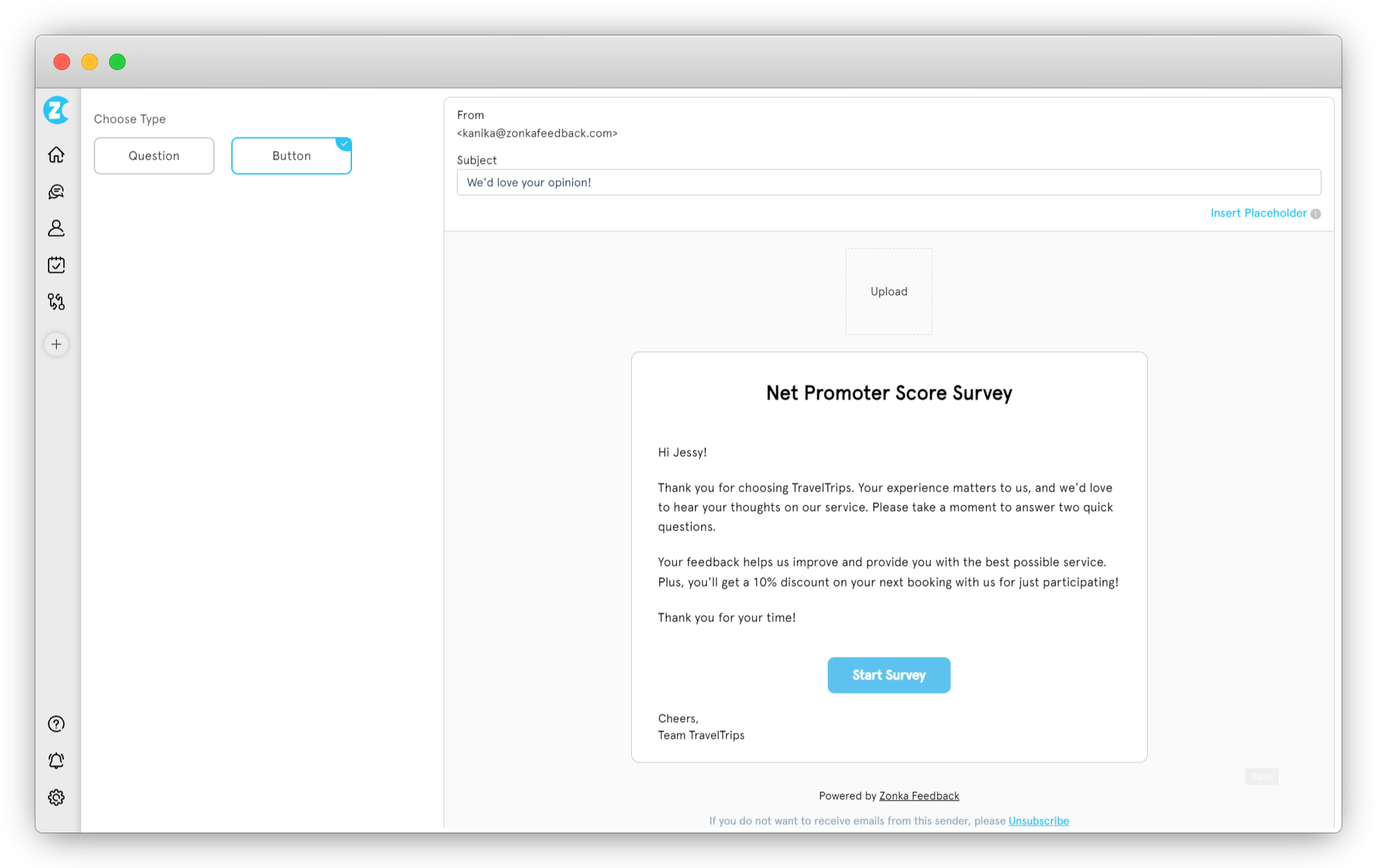
Email remains a powerful tool for NPS feedback collection due to its high reach, personalization capabilities, and ease of tracking. It's particularly effective for post-purchase feedback, renewal reminders, customer satisfaction assessments, and for segmented customer groups.
Here's how you can leverage NPS email surveys for your benefit:
-
Segmented Campaigns. Tailor surveys to different customer segments (e.g., new customers vs. loyal customers) to gather more relevant insights
-
Triggered Emails. Send automated NPS surveys triggered by specific actions, such as after a purchase or customer support interaction
-
Personalized Content. Use dynamic content to personalize survey emails, making them more engaging and relevant to each recipient
2. SMS Surveys
SMS surveys excel at capturing immediate feedback due to high open rates and speed. You can use them for post-service interactions, event feedback, or time-sensitive inquiries.
Here's how you can make the most of your NPS SMS surveys for collecting feedback:
-
Time-Sensitive Feedback. Use SMS surveys for immediate feedback after events, promotions, or time-sensitive interactions
-
Geo-Targeted Surveys. Send surveys based on customers' locations to gather context-specific feedback
-
Short Code Surveys. Utilize short codes for easy recall and brand recognition
3. In-App Surveys
In-app surveys offer real-time feedback within the app environment, providing valuable insights into user behavior. You can use this for onboarding, feature usage, post-purchase experiences, and app performance assessments.
Mobile gaming apps often use in-app surveys to gauge player satisfaction and inform updates.
In NPS in-app surveys, you can:
-
Contextual Triggers. Trigger surveys based on user actions within the app, such as completing a purchase or using a new feature.
-
Interactive Elements. Use interactive elements like sliders or star ratings to make the survey experience more engaging.
-
A/B Testing. Test different survey designs and questions to see which format yields the best response rates and insights
4. Web Widget Surveys
Web widget surveys offer a seamless way to collect feedback directly on your website. You can place widgets strategically on your website to maximize visibility. Use website feedback widgets to gauge website experience, post-purchase, and post-support interactions.
Additionally, you can use it for:
-
Exit-Intent Surveys. Deploy surveys that appear when users are about to leave the website to capture their feedback before they go
-
Behavior-Based Surveys. Trigger surveys based on user behavior, such as time spent on a page or specific actions taken
-
Custom Widgets. Design custom widgets that match your website's aesthetics to ensure a seamless user experience
5. Offline Surveys
Offline surveys offer a more personal approach, especially in retail or event settings. You can use it for gauging in-store experiences, trade shows, or events where direct interaction is possible. Luxury brands often use tablets for in-store surveys to gather immediate feedback.
Use these tips to enhance the output from your NPS offline surveys:
-
Tablet Kiosks. Set up tablet kiosks in-store for customers to provide feedback on their experience
-
Interactive Displays. Use interactive displays at events to engage attendees and collect their feedback
-
Data Integration. Integrate offline survey data with CRM systems for comprehensive analysis and insights
6. Social Media Listening
With social media, you can monitor online conversations to understand public perception of a brand, product, or industry. It involves tracking mentions, analyzing sentiment, and gathering insights to inform business decisions.
You can use social media to track public opinion, respond to customer inquiries, and identify emerging trends. Do this by:
-
Hashtag Monitoring. Track specific hashtags related to your brand or campaigns to gather organic feedback.
-
Influencer Engagement. Collaborate with influencers to promote survey participation and gather insights from their followers.
-
Real-Time Responses. Use social media listening tools to respond to feedback in real-time, demonstrating your brand's commitment to customer satisfaction.
From Collection to Action
Getting customers to respond is half the work. The other half — what you do with those responses — is what determines whether your NPS program becomes a growth engine or just another dashboard nobody checks. The collection system you've built (how, when, where) only generates value when it connects to a response system. A detractor score without follow-up is worse than no survey at all. It signals that you asked for feedback but don't actually care about the answer.
The businesses that extract real value from NPS don't just measure loyalty. They've connected collection to action: detractors get immediate outreach, passives get targeted engagement, promoters get channeled into advocacy programs. The feedback doesn't sit in a report — it triggers workflows.
If your collection system is working (clean data, decent response rates, feedback landing at the right moments), the next step isn't more surveys. It's building the loop that turns scores into outcomes. That's where customer experience programs separate from customer experience theater.
Ready to close the gap between collection and action? Start here: closing the feedback loop with NPS surveys.