.svg)
 Healthcare
 Finance
 Retail
 SaaS & Digital
 eCommerce
 Education
 Salesforce
  HubSpot
 Pipedrive
 Mailchimp
 Klaviyo
 Zendesk
  Intercom
 Freshdesk
 HelpScout
  Front
Front Jira
Jira Slack
Slack  MS Teams
 Zoom
Zoom Google Sheets
  Zapier
  Integrately
 Make
Make  Webhooks



 Sign In
 MS Teams



TL;DR
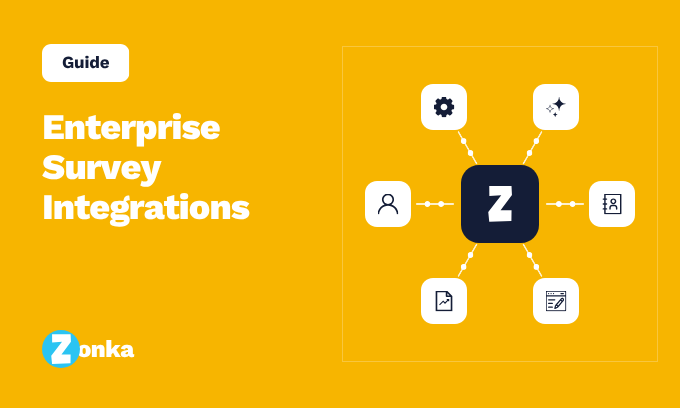
- Enterprise survey integrations link your survey tool to the other software your company uses, so survey answers show up where your teams already work instead of getting stuck in one place.
- They matter because feedback only leads to action when it reaches the people who can actually do something about it.
- There are six main types: customer records (CRM), support desks, reporting and analytics, login and access, automation, and AI tools.
- The login and access integrations are really about security, so go through them with your security team.
- When you compare platforms, look at how well the integrations actually work and how much they do for you, not how many logos a vendor shows.
Feedback is only useful where people can act on it. Too often a survey score stays locked inside the survey tool, while the systems your teams actually work in, the CRM, the helpdesk, the analytics tools, never see it. Enterprise survey integrations close that gap. They move that customer feedback out of the survey tool and into the rest of your business, so a response becomes something a person can act on instead of a chart nobody opens.
At a small company you can get by without them. One person exports a spreadsheet and emails it around. At enterprise scale that falls apart fast. Feedback pours in from more channels, more teams need it, and more systems have to stay in sync, and none of that happens if the survey platform can't connect to the tools around it. The result is feedback that gets collected but never used, which is worse than not collecting it at all.
This guide covers what enterprise survey integrations do, why they matter more as you grow, the six main types to know, and how to judge a platform's integration depth before you commit.
What Enterprise Survey Integrations Do
Enterprise survey integrations are the links that move survey data from your feedback platform into the existing business systems your company already runs, like your CRM, helpdesk, and BI tools. A survey platform's job is to capture feedback. The integrations decide where that feedback goes next.
They send a response into your CRM. They open a ticket in your helpdesk. They push scores into your BI tool. And they pull customer details back into the survey, so every response shows up with the account attached.
All of it comes down to three simple things. It moves data on its own, so nobody has to export a spreadsheet at the end of the month. It adds context, so a score arrives with the customer, the product, and the history around it. And it starts the next step, so a low rating becomes a task for a real owner without anyone watching a dashboard. A survey tool on its own just collects answers. One that's wired into your systems puts them to work.
Why Enterprise Survey Integrations Matter at Scale
Enterprise survey integrations matter because feedback is only useful where people can act on it, and at enterprise scale that means reaching a lot of disconnected systems. A large company also runs many types of enterprise surveys at once, and each one has to reach the systems where people can act on it. The bigger the company, the more places feedback has to go, and the harder that gets.
The numbers show how bad the sprawl is. In MuleSoft's 2025 Connectivity Benchmark Report, the average company runs 897 apps, but only 2% have connected more than half of them. Your feedback data lands in that same mess, stuck in one more tool that doesn't talk to the rest.
Without integrations, that sprawl costs you in a few ways.
- Feedback that can't move can't be acted on while it still matters. A slow response is often the same as no response.
- A score on its own tells you little without the account value, support history, and product use that explain it, and those details usually sit with the multiple teams that each own a piece.
- Someone has to carry every finding from one system to the next by hand, which at enterprise volume just doesn't happen.
- Every manual copy is one more chance to lose data accuracy.
Integrations fix that. When a detractor's response goes straight into the CRM, tags the account, and opens a ticket for the right team, the feedback loop closes on its own. That's what enterprise surveys look like when they run as a system instead of a habit, and it only works when the survey platform is plugged into everything around it.
Types of Enterprise Survey Integrations
There are six main types of enterprise survey integrations: CRM, helpdesk and support, BI and analytics, identity and provisioning, automation and workflow, and AI tools. A good platform handles all of them, either built in or through an API. You can browse the full set on a vendor's survey integrations page, but here's what each one is for.
CRM Integrations
Your CRM is where survey data pays off, because it sits right next to your customer data in the customer record. Integrations with Salesforce, Microsoft Dynamics, and HubSpot write the score, the comment, and the sentiment straight onto the contact, account, or deal, so your sales and success teams see how a customer feels without leaving the tool they live in.
The best CRM integrations run both ways. The survey writes results into the CRM, and the CRM triggers the survey. A closed deal, a completed renewal, or a resolved case can each fire the right survey on its own, and the answer comes back tagged to that exact record. That two-way link is what lets you sort feedback by account value, catch an unhappy enterprise account before its renewal, and send a detractor straight to the account owner. For most companies this is the most useful integration, and the deepest one. Salesforce setups have their own quirks worth a closer look at enterprise Salesforce surveys.
Helpdesk and Support Integrations
Support is where feedback turns into a fix, and these integrations work in both directions. On one side, a resolved ticket can trigger a CSAT or CES survey on its own, so you measure that customer interaction while it's still fresh. On the other, a low score or an angry comment can open a new ticket, sent to the right queue with the survey, the history, and the account already attached.
That saves the step everyone hates, which is rekeying context. The agent picks up a ticket that already explains itself, using integrations with Zendesk, Intercom, and ServiceNow. You can also set rules so a very low score escalates to a manager, or a certain complaint type routes to a specialist team. The result is a support loop that catches unhappy customers and acts on them without waiting for anyone to read a report.
BI and Analytics Integrations
For teams that build reports and forecasts, survey data has to reach the warehouse. Analytics tools like Power BI and Tableau, plus data warehouses like Snowflake, BigQuery, and Redshift, let analysts analyze feedback alongside revenue, churn, and product usage, so a score stops being a standalone number and becomes one more variable in a model.
This is where feedback earns a seat in serious analysis. An analyst can test whether NPS actually predicts renewal, blend CSAT with support volume to find friction points, or feed sentiment into a churn model and predictive analytics. Most platforms offer this two ways: a direct connector for live dashboards, or a scheduled export into the warehouse for teams that model on their own schedule. Either way, it's how feedback ends up in board-level reporting instead of a slide someone rebuilds by hand every quarter.
Identity and Provisioning
This is where integrations and security meet. Single sign-on through SAML lets people log in with the same company credentials they use everywhere else, usually through an identity provider like Okta or Microsoft Entra. SCIM provisioning takes it further and helps you manage users automatically: it creates accounts when someone joins, updates them when they change roles, and shuts them off the moment they leave.
At enterprise scale this isn't a convenience, it's a data security control. When you have thousands of users across regions, managing survey logins by hand guarantees stale accounts, and stale accounts are the access gap behind so many data breaches. Role-based access on top of that decides who can see which data, so a regional team reaches its own responses and nothing more. Because identity governs who can reach respondent data, treat it as part of your enterprise survey security review, not a side feature.
Automation and Workflow
Automation covers everything a built-in integration doesn't, and three tools do the heavy lifting. Webhooks push each response to any endpoint the moment it's submitted, so you get real-time alerts. A documented API lets your developers build automated workflows and pull data on your own terms. And no-code platforms like Zapier, Make, and Google Sheets connect your survey tool to thousands of apps and custom workflows without writing anything, using APIs and webhooks under the hood.
In practice, this is what lets a team ping a Slack channel when a VIP leaves a bad score, log every response to a Google Sheet for a quick shared view, or open a Jira issue from a product complaint. It also lets you automate tasks and hook feedback into a niche internal system the vendor never built a connector for. When there's no native integration, this layer is your fallback, and a strong API is what makes it possible without deep technical expertise.
AI Tools and LLMs
This is the newest group, and it's moving fast. AI integrations come in two shapes. Some send your survey data to a large language model to do the work on its own, tagging themes, scoring sentiment, and summarizing thousands of open-text comments no human has time to read. Others let an LLM sit on top of your feedback so anyone can ask a plain-language question, like which complaints are rising this month, and get an answer without building a report.
Both are genuinely useful at enterprise volume, where open-text feedback piles up faster than any team can read it. But both also send customer comments, often full of sensitive data, to a model. Done inside your security rules, with clear limits on what the model can see, whether it trains on your data, and proper data protection, that's fine. Done carelessly, it's the same open-text exposure a security review should catch. Give AI integrations the same care you give identity: useful, but only when they're governed.
Enterprise Survey Integration Evaluation Checklist
Use this checklist when you compare enterprise survey tools. It focuses on how deep the integrations really go, not how many logos a vendor shows. A long logo wall means little if each one only syncs a bare score with no context.
| What to check | What good looks like | Red flag |
| Native CRM integrations | Two-way sync with Salesforce, Dynamics, HubSpot | Score-only, one-way push |
| Helpdesk integrations | Auto-ticketing with full context | Manual export to support |
| BI and warehouse | Direct connectors or clean data export | No way to reach the warehouse |
| Identity | SSO, SAML, and SCIM provisioning | No enterprise identity support |
| API and webhooks | Documented API, real-time webhooks | Closed platform, no API |
| iPaaS | Zapier, Make, or similar supported | Native connectors only, no fallback |
| AI and LLM handling | Governed, configurable data access | No policy on what AI touches |
The clearest sign is two-way sync with context, not one-way score dumps. A platform that pushes a number into your CRM looks integrated. One that writes the score, the comment, the sentiment, and the account link, then pulls customer details back, actually is.
Integrations Turn Feedback Into Action
A survey program is only as good as what happens to the feedback after it comes in. A score that flows into your CRM, opens a support ticket, or shows up in a report gets acted on. One that's stuck in the survey tool gets forgotten. Integrations are what make the difference, and they deserve more weight in your decision than most buyers give them.
When you pick a platform, look at how well it connects to the tools your teams already use, and how much it can handle on its own. That's one of the core enterprise survey best practices for a large program. When you're ready, see how enterprise survey software built for scale connects feedback to the rest of your stack.


.png)
.png)

.png)
.png)