.svg)
 Healthcare
 Finance
 Retail
 SaaS & Digital
 eCommerce
 Education
 Salesforce
  HubSpot
 Pipedrive
 Mailchimp
 Klaviyo
 Zendesk
  Intercom
 Freshdesk
 HelpScout
  Front
Front Jira
Jira Slack
Slack  MS Teams
 Zoom
Zoom Google Sheets
  Zapier
  Integrately
 Make
Make  Webhooks




 MS Teams

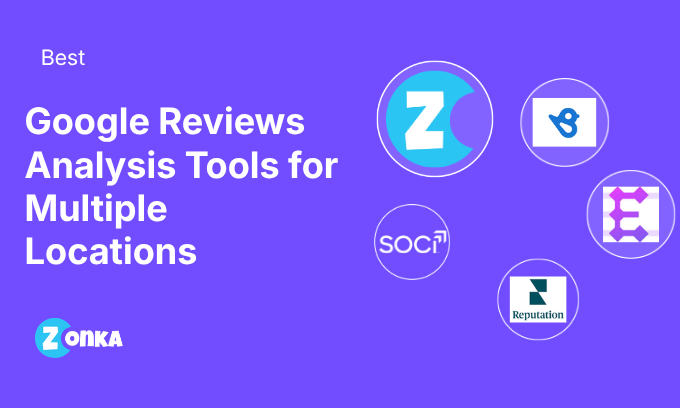


Quick answer: The best Google reviews analysis tools for businesses with multiple locations are Birdeye, Zonka Feedback, Reputation, Enterpret, SOCi, Alchemer (formerly Chatmeter) and LocalClarity. Each of these tools connects to Google reviews for every business location, finds themes and sentiment in the review text, and compares locations with each other.
The seven tools, ranked by G2 rating:
- Birdeye: best for location-level priorities ranked by impact
- Zonka Feedback: best for AI feedback analysis and signals across locations
- Reputation: best for benchmarking locations against competitors
- Enterpret: best for linking Google review themes to product and support feedback
- SOCi: best for franchise networks comparing sentiment by store
- Alchemer (formerly Chatmeter): best for regional rollups across large footprints
- LocalClarity: best for Google-first teams tracking topic sentiment by location
Google Reviews Analysis Tools Compared
The table compares seven Google reviews analysis tools on six criteria, pricing model and G2 rating.
| Tool | Google Reviews Connection | Themes and Sentiment | Location Comparison | Routing to Location Owners | Pricing Model | G2 Rating |
| Birdeye | Yes | Yes | By region, location and theme | Yes, tracked tickets | Quote based on locations | 4.7/5 (4,202 reviews) |
| Zonka Feedback | Yes | Yes, themes and sub-themes | Location dashboards | Yes, auto-assignment and alerts | Custom pricing based on usage and needs | 4.7/5 (80 reviews) |
| Reputation | Yes | Yes | Brand, region and location; competitors as an add-on | Yes, routed tasks | From $80 per location per month | 4.6/5 (2,387 reviews) |
| Enterpret | Yes | Yes, adaptive taxonomy | Stores and regions as entities | Partial, through Jira, Slack and Zendesk | Not published | 4.6/5 (110 reviews) |
| SOCi | Yes | Yes | Stores and regions | Partial, escalations | Not published | 4.5/5 (4,652 reviews) |
| Alchemer (formerly Chatmeter) | Yes | Yes | Locations, regions and competitors | Yes, alerts to the right person | Not published for reputation management | 4.5/5 (354 reviews) |
| LocalClarity | Yes | Yes, topic sentiment | Topics compared across locations | Partial, scheduled reports | From $12 per location per month, billed yearly | 5.0/5 (10 reviews) |
All seven tools connect to Google reviews, analyze review text and compare locations. The largest differences between the tools are the other feedback each one analyzes next to Google reviews and how findings reach the team at each location.
Which Google Reviews Analysis Tool Is Best for Your Situation?
The best Google reviews analysis tool depends on the question each location needs answered.
- To see what to fix first at each location, ranked by impact: Birdeye
- To analyze Google reviews next to surveys and support tickets from the same location, with issues routed to location owners: Zonka Feedback
- To benchmark every location against local competitors: Reputation, with the Competitive Insights add-on
- To put Google review themes in the same taxonomy as support tickets and app reviews: Enterpret
- To compare sentiment by topic across a franchise network: SOCi
- To roll up review themes by region across a large footprint, alongside Alchemer surveys: Alchemer (formerly Chatmeter)
- To track topic sentiment on Google reviews with published per-location pricing: LocalClarity
- To reply to reviews, request more reviews or fix business listings: a review management tool, covered in the review analysis vs. review management section below
What Are the Best Tools to Analyze Google Reviews Across Multiple Locations?
The seven best tools to analyze Google reviews across multiple locations are listed below in order of G2 rating. Every entry uses the same fields, so the tools can be compared field by field.
1. Birdeye: Best for Location-Level Priorities Ranked by Impact
Birdeye analyzes Google reviews for every location through Birdeye Insights, which ranks what to fix first by region, location and theme. Birdeye is a reputation and customer experience platform for multi-location businesses, and Insights is the analysis layer of that platform.
At a Glance
- Google reviews connection: Connects each location's Google Business Profile and brings reviews from other review sites into one dashboard.
- What it analyzes: Themes and sentiment across reviews, surveys and listings data, benchmarked against the industry at every location.
- Location comparison: Priorities by region, location and theme, ranked by impact.
- Other feedback it combines: Birdeye surveys and listings data.
- Limitations: Support tickets and product feedback aren't listed as inputs for Insights.
- Best for: Operations and marketing teams that want a ranked fix list for each location.
- Not the right fit if: Your team needs Google review themes connected to support tickets.
Birdeye Pros
- Easy to use for managing reviews across many locations.
- Brings reviews from multiple review sites into one centralized platform.
- Fast, effective customer support.
Birdeye Cons
- Fewer reporting options and integrations than some teams need.
- The dashboard can get confusing for administrators managing many locations.
Birdeye Pricing
- Birdeye prices by the number of locations and the products deployed. The Birdeye pricing page doesn't list fixed prices.
G2 Rating: 4.7/5 (4,202 reviews)
2. Zonka Feedback: Best for AI Feedback Analysis & Signals Across Locations
Zonka Feedback syncs Google Business reviews by location and runs AI thematic and sentiment analysis on them alongside survey and support feedback from the same location. Zonka Feedback is a customer feedback and intelligence platform, and its online reputation management module connects multiple Google Business locations to one account.
At a Glance
- Google reviews connection: Connects multiple Google Business accounts and syncs reviews by location.
- What it analyzes: Themes and sub-themes, sentiment and signals such as urgency and churn risk, at the review and theme level.
- Location comparison: Location intelligence dashboards show themes, sentiment and signals for each location, with NPS, CSAT and CES compared by location.
- Other feedback it combines: Surveys on every channel, including kiosks and WhatsApp, plus Zendesk, Intercom and Freshdesk tickets.
- Limitations: Zonka Feedback doesn't manage business listings, so listing accuracy needs a separate tool.
- Best for: Multi-location teams that collect feedback at each location and want Google reviews analyzed and routed in the same place.
- Not the right fit if: Your team only needs to reply to reviews and manage listings.
Zonka Feedback Pros
- Easy to use, with flexible survey customization.
- Responsive support team.
- Strong Salesforce integration.
Zonka Feedback Cons
- The breadth of features can take new users some time to learn.
- Custom pricing means teams need a quote before comparing costs.
3. Reputation: Best for Benchmarking Locations Against Competitors
Reputation analyzes Google reviews for every location through Reputation Insights, which benchmarks rating, sentiment, review volume and topics at brand and location level. Reputation (reputation.com) is a reputation management platform built for multi-location enterprises.
At a Glance
- Google reviews connection: A unified review inbox centralizes reviews from Google, Facebook, Yelp and industry sites.
- What it analyzes: Sentiment, topics, trends and review volume, plus an Ask Anything feature that explains patterns.
- Location comparison: Benchmarks by rating, sentiment, volume and topic at brand, region and location level. Competitor benchmarking comes through Competitive Insights, a paid add-on.
- Other feedback it combines: Customer surveys, with more survey templates on higher plans.
- Limitations: Reputation Insights requires the Rep Core + Pulse plan or higher.
- Best for: Enterprises that manage location performance against local competitors.
- Not the right fit if: Your team needs support tickets or product feedback analyzed next to reviews.
Reputation Pros
- Centralizes review management across Google, Facebook and other platforms.
- Real-time review monitoring comes with trend and sentiment reports.
- Reporting dashboard with custom report exports.
Reputation Cons
- Metrics and reporting could be clearer and easier to use.
- New users face a learning curve when switching to the platform.
Reputation Pricing
- Rep Core costs $80 per location per month. Rep Core + Pulse, which adds Reputation Insights, costs $115 per location per month, and Rep Core + Surveys costs $150 per location per month. Enterprise plans for 125+ locations use custom pricing.
G2 Rating: 4.6/5 (2,387 reviews)
4. Enterpret: Best for Linking Google Review Themes to Product and Support Feedback
Enterpret analyzes Google reviews as one feedback source among many, using an adaptive taxonomy that builds themes and sub-themes from the text. Enterpret is an AI feedback analysis platform with native integrations for Google Maps reviews and Google My Business locations.
At a Glance
- Google reviews connection: Native integrations for Google Maps reviews and Google My Business locations.
- What it analyzes: A five-level hierarchy of keywords, themes and sub-themes, refined with AI-assisted validation.
- Location comparison: Stores and regions can be modeled as objects in the Enterpret customer context graph, so themes can be filtered and compared by store.
- Other feedback it combines: Support tickets, surveys, app store reviews and sales calls.
- Limitations: Enterpret doesn't include a survey builder, so survey data comes from another tool.
- Best for: Product, support and CX teams that want Google review themes in the same taxonomy as tickets and app reviews.
- Not the right fit if: Your team wants to collect surveys at each location in the same product.
Enterpret Pros
- Brings feedback from many sources into one view.
- Dashboards are easy to create and share.
- Strong, responsive support.
Enterpret Cons
- Setup can be complex, and pages occasionally load slowly.
- The interface could be more intuitive for new users.
5. SOCi: Best for Franchise Networks Comparing Sentiment by Store
SOCi analyzes Google reviews across locations with SOCi Genius Reviews, which groups similar feedback into opinion clusters and compares sentiment by topic across stores or regions. SOCi is a multi-location marketing platform for franchise networks and chains, covering listings, reviews and social media.
At a Glance
- Google reviews connection: Monitors Google and other review platforms continuously.
- What it analyzes: Review tone, intent and urgency, sentiment trends, and themes built from opinion clusters.
- Location comparison: Sentiment by topic compared across stores or regions.
- Other feedback it combines: SOCi sells Surveys as a separate product.
- Limitations: Support tickets and product feedback aren't listed as inputs for review analysis.
- Best for: Franchise networks that want review themes compared by store, with sensitive reviews escalated to a person.
- Not the right fit if: You only need review analysis and don't use listings or social media tools.
SOCi Pros
- Manages listings, reviews and social posts across locations in one place.
- Bulk review replies save time across locations.
- Quick, responsive support.
SOCi Cons
- Post scheduling has limits, including editing posts one by one.
- Feature releases can feel reactive.
SOCi Pricing
- SOCi doesn't publish pricing. The SOCi pricing page leads to a demo request.
G2 Rating: 4.5/5 (4,652 reviews)
6. Alchemer (formerly Chatmeter): Best for Regional Rollups Across Large Footprints
Alchemer analyzes Google reviews through Alchemer Reputation Management, which compares ratings, sentiment and emerging themes across locations, regions and competitors. Alchemer acquired Chatmeter in September 2025, and Chatmeter's multi-location reputation product now runs inside Alchemer.
At a Glance
- Google reviews connection: Brings reviews and ratings from Google, Yelp, Facebook and other review sites into one dashboard.
- What it analyzes: AI sentiment analysis and recurring themes such as service, cleanliness, wait time and pricing.
- Location comparison: Performance compared across locations, regions and competitors, with the locations that need attention flagged.
- Other feedback it combines: Surveys from the Alchemer survey platform.
- Limitations: Chatmeter's product is moving into Alchemer, and chatmeter.com now sends customers to Alchemer for accounts and pricing.
- Best for: Large brands that want regional rollups of review themes and use Alchemer for surveys.
- Not the right fit if: Your team wants published pricing before a sales conversation.
Alchemer (formerly Chatmeter) Pros
- Support works as a close partner to customers.
- Broad reputation management features for multi-location brands.
- Straightforward to navigate.
Alchemer (formerly Chatmeter) Cons
- Priced above tools built for small businesses.
- Pricing for reputation management isn't published.
Alchemer (formerly Chatmeter) Pricing
- Alchemer doesn't publish pricing for Reputation Management. The Alchemer pricing page covers survey plans only.
G2 Rating: 4.5/5 (354 reviews, listed as Chatmeter)
7. LocalClarity: Best for Google-First Teams Tracking Topic Sentiment by Location
LocalClarity analyzes Google reviews with topic-level sentiment analysis, showing how topics such as staff knowledge or pricing rate across locations. LocalClarity is a local SEO and reputation platform for enterprises, agencies and multi-location brands.
At a Glance
- Google reviews connection: Aggregates Google, Facebook, TripAdvisor and other reviews, and records every version of each Google review's rating, comment and response.
- What it analyzes: Sentiment by topic across review text.
- Location comparison: Topic ratings compared across locations, with competitor reviews indexed for comparison.
- Other feedback it combines: Business listings data.
- Limitations: Surveys and support tickets aren't listed as inputs.
- Best for: Google-first multi-location teams that want topic sentiment by location at published per-location prices.
- Not the right fit if: Your team needs surveys or support tickets analyzed next to reviews.
LocalClarity Pros
- Easy to set up and use.
- Strong customer support.
- Google, Yelp, TripAdvisor and Facebook reviews sit in one inbox.
LocalClarity Cons
- Occasional issues with collating data from Google.
- Less established than the larger platforms on this list.
LocalClarity Pricing
- The Professional plan costs $16 per location per month billed monthly, or $12 per location per month billed yearly. Enterprise and agency plans use custom pricing.
G2 Rating: 5.0/5 (10 reviews)
How Do You Analyze Google Reviews Across Multiple Locations?
Analyzing Google reviews across multiple locations means tagging every review to its business location, finding themes and sentiment in the review text, and comparing each location with the rest of the group.
- Connect every location's Google Business Profile to one analysis tool, so new reviews and historical reviews flow in automatically.
- Tag each review with its location, region and location group before any analysis runs.
- Run thematic analysis and sentiment analysis on the review text, so every theme carries its own sentiment.
- Compare each location's theme share and sentiment with the group average, alongside its average star rating.
- Separate themes that appear at most locations from themes concentrated at a few locations.
- Route negative feedback on each location-specific theme to the location owner, then check whether new reviews on that theme improve.
Themes in positive reviews at high-rated locations deserve the same attention as common complaints. Positive themes show what the best locations do that other locations can copy.
How Do You Tell a Local Problem From a Chain-Wide One?
A problem is chain-wide when a theme appears in a similar share of reviews at most locations, and local when the same theme is concentrated in a few locations.
| Pattern in the Reviews | What It Usually Means | Who Owns the Fix |
| A theme appears in a similar share of reviews at most locations | A policy, product or process issue | Head office or the owner of that process |
| A theme appears in a much higher share of reviews at a few locations | A staffing, management or site issue | The location or regional manager |
| A theme rises at every location at the same time | A recent company-wide change, such as new pricing or a new policy | The team that made the change |
| A theme spikes at one location for a few weeks | A temporary event, such as a renovation or short staffing | The location manager, with a follow-up check |
Theme share is the percentage of a location's reviews that mention a theme. Raw mention counts favor busier locations, because a location with more reviews always shows more mentions. Every location also needs the same theme list, since a custom list per location breaks the comparison.
For a step-by-step program built on this comparison, see how location intelligence AI can turn customer feedback into location-level action.
How Many Google Reviews Does a Location Need for Reliable Analysis?
A location needs enough written reviews in the chosen time window for each theme to appear several times. Star-only reviews add to the average star rating but carry no written feedback for theme analysis.
- Set one minimum number of written reviews per location for each reporting period, and apply the same minimum to every location.
- Report locations below the minimum at region or location-group level until they have more data.
- Widen the time window for low-volume locations, for example to 90 days, and use the same window whenever two locations are compared.
- Read recent reviews for current trends and historical reviews for the baseline.
- Count total reviews and the number of reviews with text separately, because only reviews with text support theme analysis.
- Fix review volume first when a location can't reach the minimum. The guide on how to get Google reviews covers ways to get more reviews at each location.
What Is the Difference Between Review Analysis and Review Management?
Review analysis explains why ratings differ between locations, while review management covers collecting reviews, replying to them and keeping response rates high.
| Aspect | Review Analysis | Review Management |
| Main job | Find themes, sentiment and causes across locations | Collect, monitor and reply to reviews |
| Output | Location comparisons, theme trends and issue lists | Review requests, replies including AI responses, and review response rates |
| Typical question | Why does one location rate lower than the others? | Did every negative review get a reply? |
Multi-location businesses typically need both. The guide to reputation management software covers tools for review replies, review generation and listings.
Listings-first platforms such as Yext focus on keeping business listings accurate across Google Maps, search results and other directories, with review management alongside listings.
Key Terms
- Google reviews: Online reviews and star ratings that customers leave on a business's Google Business Profile, shown on Google Maps and in Google search results.
- Google reviews analysis: The process of extracting themes and sentiment from the text and star ratings of Google reviews to uncover trends, usually across multiple business locations.
- Theme: A recurring topic in review text and customer comments, such as wait time, staff friendliness or cleanliness.
- Sentiment by theme: The positive, neutral or negative tone attached to one theme inside a review, measured separately from the review's overall star rating.
- Theme share: The percentage of a location's reviews that mention a theme.
- Location benchmarking: Comparing one location's ratings, themes and sentiment with other locations, the group average or local competitors.
- Systemic issue: A theme that appears in a similar share of reviews at most locations, pointing to a policy, product or process cause.
- Entity mapping: Tagging each review or response with the location, region, team or agent it relates to, so analysis can be filtered and compared by that entity.
How This List Was Built
A tool earns a spot on this list only if it pulls Google reviews for multiple locations and analyzes the review text. Each tool's capabilities were confirmed on the vendor's own product pages. The test ruled out listings-first tools and single-listing analyzers that summarize one business without analyzing reviews across locations.
Tools that passed were compared on six criteria:
- Google reviews connection: a native Google Business Profile connection for every location
- Theme depth: themes found in review text, with sentiment for each theme
- Location comparison: comparisons across locations, regions, location groups and competitors
- Local vs. shared issues: whether the tool shows that an issue is specific to one location or shared across many
- Other feedback: surveys, support tickets or other sources analyzed for the same location
- Routing: how findings reach the person who owns each location
Tools are ordered by G2 rating, with ties broken by review count, and tools with fewer than 50 G2 reviews appear after established tools. Ratings come from each tool's G2 profile and pricing from each vendor's own pricing page, both checked in September 2026. Where a vendor doesn't publish a price, the entry says so.
Zonka Feedback publishes this guide and appears in it. Zonka Feedback is held to the same criteria, format and length as every other tool, limitations included.


.png)