.svg)
 Healthcare
 Finance
 Retail
 SaaS & Digital
 eCommerce
 Education
 Salesforce
  HubSpot
 Pipedrive
 Mailchimp
 Klaviyo
 Zendesk
  Intercom
 Freshdesk
 HelpScout
  Front
Front Jira
Jira Slack
Slack  MS Teams
 Zoom
Zoom Google Sheets
  Zapier
  Integrately
 Make
Make  Webhooks




 MS Teams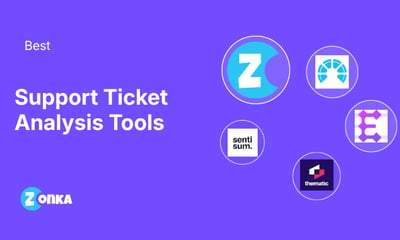



Quick answer: The best ticket analysis tools in 2026 are Zonka Feedback, SentiSum, Enterpret, Chattermill, Thematic, Qualtrics XM Discover, and Zendesk AI. Each uses natural language processing to read support tickets, group them into themes, and score sentiment. They differ on which helpdesks they pull ticket data from, who the output is built for, and what they cost.
TL;DR
- Ticket analysis tools read the text of customer support tickets at scale, sort it into ticket themes and categories, and track sentiment trends so support leaders can see what's driving ticket volume.
- Zonka Feedback maps ticket themes to agents, teams, and locations, and ties them to post-resolution CSAT and CES.
- SentiSum, Enterpret, Chattermill, and Thematic are dedicated analysis layers that sit on top of your helpdesk and pull tickets in alongside other feedback channels.
- Qualtrics XM Discover fits enterprise and contact center programs. Zendesk AI classifies tickets natively but only sees Zendesk data.
- Published pricing ranges from Zendesk's per-agent plans to SentiSum's six-figure annual partnership, and four of the seven use custom pricing.
Most customer support teams know their ticket volume to the decimal. Far fewer can say why it moved last month. The answer is sitting in the ticket text, in thousands of customer interactions written in the customer's own words. Helpdesk tags only catch the phrasings someone predicted when they built the tag list.
Ticket analysis tools close that gap. They read every ticket, find the recurring issues, and show which ones are growing. This guide compares seven of them, covering what each one reads, who it's built for, what it costs, and where it falls short.
What Are Ticket Analysis Tools?
Ticket analysis tools are software that use natural language processing to read support tickets, chats, and emails, then group them into themes, detect customer sentiment, and surface recurring issues across the support queue. A support ticket analysis tool works as an analysis layer on top of your helpdesk. Your ticket management stays where it is.
Picture 400 tickets in one week about a broken export. Customers describe it as a timeout, a stuck CSV, a dead button. Keyword tags scatter those tickets across three categories and miss a chunk entirely. An NLP-based tool reads the intent, puts all 400 in one theme, and shows the trend line starting on Tuesday.
That's the core job. The better tools go further and connect ticket insights to the things leaders already measure, like customer satisfaction scores, agent performance, customer segments, or revenue.
Is Ticket Analysis the Same as Ticket Triage?
No. Two kinds of product get sold as "ticket AI," and they solve different problems. Triage and automation tools act on tickets in the queue. They route, prioritize, draft replies, or resolve tickets outright. Analysis tools read tickets in bulk to extract insights about what's driving support volume, which themes are rising, and how those themes affect the customer experience.
That dividing line matters when you shortlist. Plenty of helpdesk AI classifies a ticket so it lands with the right agent. Much less of it rolls those classifications up into trends a product team can act on. And built-in helpdesk dashboards mostly cover operational reporting for support operations, like first response time and SLA compliance.
This list covers analysis tools. Zendesk is included as the native benchmark, since it's the classification layer many support teams already have.
The 7 Best Ticket Analysis Tools at a Glance
| Tool | Tool Type | Best For | Ticket Sources | Pricing | G2 Rating |
| Zonka Feedback | Feedback collection + ticket intelligence | Ticket themes by agent, team, and location | Zendesk, Intercom, and other support tools | Custom pricing based on usage and needs | 4.7/5 (81 reviews) |
| SentiSum | Support-first ticket analytics | Support orgs that want fixes priced in dollars | Zendesk, Intercom, Freshdesk, Gorgias, Dixa, Salesforce | From $100,000/year | 4.8/5 (14 reviews) |
| Enterpret | Customer intelligence platform | Product teams ranking themes by account revenue | Zendesk, Intercom, Salesforce, 50+ sources | Custom pricing | 4.5/5 (111 reviews) |
| Chattermill | Customer intelligence platform | Enterprise CX teams unifying feedback channels | Zendesk, Intercom, Freshdesk, Salesforce, Deskpro | Custom pricing | 4.5/5 (200+ reviews) |
| Thematic | Customer intelligence platform | Insights teams that need auditable themes | Zendesk, Intercom, Freshdesk, Salesforce | From $25,000/year | 4.8/5 (43 reviews) |
| Qualtrics XM Discover | Enterprise experience analytics | Contact center and enterprise programs | Zendesk, Salesforce, Genesys Cloud, LivePerson | On request | 4.3/5 (751 reviews, Qualtrics CX) |
| Zendesk AI | Helpdesk-native classification | Zendesk-only support teams | Zendesk tickets only | From $115/agent/month (Suite Professional) | 4.3/5 (6,997 reviews, Zendesk suite) |
How We Evaluated These Ticket Analysis Tools
A tool earns a spot on this list only if it can pull ticket text straight from a helpdesk and analyze it. We confirmed that for every tool in its own product documentation, integration pages, or help center. The test ruled out several well-known CX suites whose helpdesk integrations only trigger post-ticket surveys, along with tools that have been acquired or repositioned away from support data.
Tools that passed were compared on five criteria:
- Analysis depth: whether the tool reads intent and themes across full tickets or relies on keywords and fixed tags
- Ticket coverage: which helpdesks, support channels, and other feedback sources it connects to natively
- Business context: whether ticket themes tie back to agents, teams, customer segments, CSAT, or revenue
- Workflow fit: how findings reach the people who fix the issue, through alerts, dashboards, or routing
- Pricing transparency: whether pricing is published and how it scales with ticket volume or seats
Ratings come from each tool's G2 profile and pricing from each vendor's own pricing page, both checked in September 2026. Where a vendor doesn't publish a price, we say so.
Zonka Feedback publishes this guide and appears in it. Zonka is held to the same criteria, format, and length as every other tool, limitations included.
The Best Ticket Analysis Tools for Support Teams
1. Zonka Feedback: Best for Ticket Themes Mapped to Agents, Teams, and Locations
Zonka Feedback is an AI Customer Feedback & Intelligence Platform that analyzes support tickets alongside the feedback it collects. It consolidates tickets, emails, and chats from Zendesk, Intercom, and other support tools, then reads them for themes, sub-themes, urgency, and emotion without manual tagging.
Entity mapping is what sets its customer service analytics apart on this list. Each ticket theme can be tied to the agent, team, process, or region it came from, and linked to CSAT, CES, resolution time, and recontact rate. A support leader sees which theme is pulling satisfaction down at which location. Each agent sees the themes and sentiment on their own tickets. Zonka also runs the post-resolution surveys, so the score and the ticket text sit in one place.
Key Features
- Theme and sub-theme detection across tickets, chats, emails, and agent notes
- Entity recognition for agents, locations, processes, and custom entities
- Impact analysis linking ticket themes to CSAT, CES, and recontact rate
- AI Co-Pilot for asking questions of ticket data in plain language
- Real-time alerts for negative sentiment spikes, issue recurrence, and high ticket volume
Zonka Feedback Pros
- Post-resolution surveys and ticket analysis in one platform
- Agent- and location-level views for distributed support teams
- G2 reviewers highlight how customizable the platform is
Zonka Feedback Cons
- No public pricing tiers
- Some G2 reviewers find the user experience takes longer to learn than lighter tools
Zonka Feedback Pricing
- Custom pricing based on usage and needs, scaling with response volume.
G2 Rating: 4.7/5 on G2 (based on 81 reviews)
Best Use Case: Support organizations with multiple locations or distributed agent teams that want ticket themes and satisfaction compared by agent and site.
2. SentiSum: Best for Support-First Ticket Analysis With Dollar-Weighted Fixes
SentiSum is an AI-native Voice of the Customer platform built around support conversations. It reads and scores every conversation in full, whether a human or an AI agent handled it, with no sampling. Native integrations cover Zendesk, Intercom, Freshdesk, Gorgias, Dixa, and Salesforce, plus data platforms like Snowflake and Microsoft Fabric.
The pitch is specific. SentiSum tells you what to fix and estimates what each fix is worth in dollars. Tickets and chats are its center of gravity, with surveys and reviews layered on, which suits support organizations whose richest customer signal already lives in the queue. G2 reviewers repeatedly credit the team for tailoring the model to their business. G2's review summary also notes that machine-learning output sometimes needs manual correction.
Key Features
- Full-coverage analysis of support conversations across tickets, chats, and emails
- Root-cause detection with an estimated dollar impact per issue
- Early Warning and Insights agents that flag emerging customer issues
- Native helpdesk integrations plus warehouse connectors
- MCP access for internal AI tools and copilots
SentiSum Pros
- Deep focus on support data and contact drivers
- Hands-on vendor team, a recurring theme in G2 reviews
- Analyzes AI-agent conversations as well as human ones
SentiSum Cons
- Pricing starts at $100,000 a year, which rules it out for smaller teams
- Only 14 G2 reviews, so there's less peer data to benchmark against
SentiSum Pricing
- From $100,000 per year for the core CX Intelligence Layer, sold as an annual partnership.
G2 Rating: 4.8/5 on G2 (based on 14 reviews)
Best Use Case: Enterprise support organizations with high ticket volume that want contact-driver analysis tied to financial impact.
3. Enterpret: Best for Product Teams Weighing Ticket Themes by Account and Revenue
Enterpret is a customer intelligence platform that ingests tickets from Zendesk, Intercom, and Salesforce along with feedback from more than 50 other sources. Its adaptive taxonomy learns categories from your own data and updates them as new issues appear. A new problem gets its own theme the first time customers describe it, without anyone writing a tag.
The second piece is the customer context graph, which connects each ticket to the account, segment, and revenue behind it. That's why Enterpret shows up so often with product teams. A recurring issue can be ranked by the revenue it touches, which is an easier case to make in a roadmap meeting than raw ticket counts. On G2, reviewers report an average implementation time of about a month. A few say the interface can feel overwhelming, and one wants a design rework.
Key Features
- Adaptive taxonomy that keeps pace with changing ticket language
- Customer context graph linking tickets to accounts and revenue
- 50+ feedback integrations, including sales call recordings
- Natural-language questions over feedback data
- MCP server for bringing feedback into other AI tools
Enterpret Pros
- Themes weighted by the revenue and accounts they touch
- Roughly one-month implementation, per G2 reviewer averages
- Wide source coverage beyond support tickets
Enterpret Cons
- No published pricing
- Some reviewers find the volume of information hard to navigate
Enterpret Pricing
- Custom pricing. Enterpret doesn't publish plan prices.
G2 Rating: 4.5/5 on G2 (based on 111 reviews)
Best Use Case: Product-led companies that want ticket insights prioritized by the accounts and revenue each issue affects.
4. Chattermill: Best for Enterprise CX Teams Unifying Tickets With Other Feedback Channels
Say tickets are one feedback stream among five, and leadership wants to know how last month's contact spike relates to the NPS dip. Chattermill is built for that view. Its Lyra AI analyzes tickets alongside surveys, reviews, and calls, with native connectors for Zendesk, Intercom, Freshdesk, Salesforce, and Deskpro.
Impact analysis is the strength. Themes are tied to metrics like NPS, CSAT, and churn, so a CX lead can see how much a single billing theme moved the score. Anomaly detection flags when a theme or support volume shifts, which matters most for teams handling high ticket volume across several markets. Chattermill doesn't charge per seat, so access can extend across support, product, and leadership without per-user math. It has no feedback collection layer of its own, which Chattermill states openly, so you'll need existing survey or feedback tools feeding it. G2's review summary mentions filter frustrations, information overload, and a learning curve.
Key Features
- Lyra AI theme and aspect-level sentiment analysis
- Impact analysis against NPS, CSAT, and churn
- Anomaly detection with alerting
- Reports and dashboards for multiple teams
- Workflows and automations for sharing feedback insights
Chattermill Pros
- Strong cross-channel analysis at enterprise volume
- No seat-based pricing, which helps wide adoption
- Customer stories include Uber and HelloFresh
Chattermill Cons
- No built-in feedback collection
- Filtering and information overload come up in G2 reviews
Chattermill Pricing
- Custom pricing, shared during a demo call.
G2 Rating: 4.5/5 on G2 (based on 200+ reviews)
Best Use Case: Enterprise CX teams analyzing tickets as one input in a wider feedback program.
5. Thematic: Best for Insights Teams That Need Auditable, Editable Themes
Thematic imports tickets and chats from Zendesk and Intercom, tickets from Freshdesk, and support interactions from Salesforce, per its integrations page. It clusters them into themes you can trace back to the raw comments. Traceability is the core idea. Every theme links to the verbatims behind it, and analysts can edit themes directly, which matters when leadership asks how a number was produced.
Theme Lens lets each team build its own view on the same data, so support can track effort drivers while product watches feature feedback. Thematic Answers adds natural-language questions over the dataset. On G2, reviewers praise how easy themes are to manage and how responsive the support team is. One reviewer notes the Impact score is hard to explain to leadership, and another found setup slow when connecting several data sources.
Key Features
- Auditable themes linked to source comments
- Human-in-the-loop theme editing
- Theme Lens for team-specific analysis models
- Thematic Answers for natural-language queries
- One-click integrations and an API
Thematic Pros
- Transparent, editable themes analysts can defend
- Published entry-level pricing
- Support quality scores 9.8 on G2
Thematic Cons
- The Foundation plan caps at 25,000 comments and three datasets, which high ticket volume can outgrow
- Multi-source setup takes time, per G2 reviewers
Thematic Pricing
- Foundation plan at $25,000 per year for up to 25,000 comments. Enterprise pricing is custom.
G2 Rating: 4.8/5 on G2 (based on 43 reviews)
Best Use Case: Insights and CX teams that need explainable ticket themes and have an analyst to tune them.
6. Qualtrics XM Discover: Best for Contact Center and Enterprise Programs on Qualtrics
G2 reviewers of Qualtrics' customer experience suite put average implementation at three months, and that number says a lot about who XM Discover is for. Qualtrics XM Discover is Qualtrics' conversation analytics product, separate from its core survey platform. Its Zendesk inbound connector can import every ticket as a document or bring chat tickets in as conversations, with an option to load only closed tickets. Connectors for Salesforce, Genesys Cloud, LivePerson, and Sprinklr cover the contact center side.
It suits organizations that already run Qualtrics and want tickets, phone calls, chats, and survey responses in one enterprise model. Industry categorization templates speed up theme setup, and redaction rules mask sensitive data before analysis. One caution. The standard Qualtrics app for Zendesk does something different (survey triggers and ticket creation, sold as an add-on), so confirm which product your quote covers.
Key Features
- Zendesk inbound connector for tickets and chats
- Contact center connectors for Genesys Cloud, LivePerson, and Sprinklr
- Industry and vertical categorization templates
- Data substitution and redaction rules
- Outbound connector that triggers Qualtrics workflows from alerts
Qualtrics XM Discover Pros
- Tickets, voice calls, and chats in one enterprise platform
- Natural fit for existing Qualtrics programs
- Redaction rules help with sensitive customer data
Qualtrics XM Discover Cons
- G2 reviewers of Qualtrics CX point to a steep learning curve
- Heavy for mid-market support teams that only need ticket insights
Qualtrics XM Discover Pricing
- On request.
G2 Rating: XM Discover has no separate G2 profile. Qualtrics Customer Experience holds 4.3/5 on G2 (based on 751 reviews).
Best Use Case: Enterprise and contact center programs already on Qualtrics that want ticket data in the same model as calls and surveys.
7. Zendesk AI: Best for Zendesk-Only Teams Wanting Native Ticket Classification
If every ticket you care about already lives in Zendesk, you may not need a separate tool at first. Zendesk's intelligent triage classifies incoming tickets by topic, sentiment, language, and custom entities like product names. Since July 1, 2026, those classifications are included on Suite and Support Professional plans and above, with a dashboard for spotting trends.
The limits are specific. Classification runs on the ticket subject and first public comment, so later replies in a long thread don't reshape the topic. It only sees Zendesk data, so an issue that also shows up in surveys or reviews stays out of view. And using classifications in routing workflows requires the Copilot add-on. On G2, reviews of Zendesk flag a steep learning curve and weak reporting, with each theme raised in more than 110 reviews.
Key Features
- Topic, sentiment, language, and entity classification on new tickets
- Custom topics and entities
- Intelligent triage dashboard for trend reporting
- Copilot add-on for routing workflows and autoreplies
- AI ticket summaries for support agents
Zendesk AI Pros
- No extra vendor or integration if you're already on Zendesk
- Classifications included on Professional plans
- Feeds straight into routing and agent productivity workflows
Zendesk AI Cons
- Sees Zendesk tickets only
- Classifies from the subject and first public comment only
Zendesk AI Pricing
- Suite Professional at $115 per agent per month, billed yearly. The Copilot add-on is $50 per agent per month, billed yearly.
G2 Rating: 4.3/5 on G2 for Zendesk for Customer Service overall (based on 6,997 reviews)
Best Use Case: Zendesk-only support teams that want native ticket classification before investing in a dedicated analysis layer.
How to Choose the Right Ticket Analysis Tool
Start with where your support data lives. If every ticket sits in one helpdesk and nothing else matters, native classification can carry you for a while. Once you're running multi-channel support and tickets, surveys, reviews, and calls all describe the same customer issues across multiple channels, a dedicated platform earns its cost.
Next, decide who reads the output. Support leaders want contact drivers, agent performance monitoring, and ticket volume by queue. Product teams want themes ranked by customers or revenue affected. Enterprise teams running a formal CX program want one model across every channel. The tools above lean different ways, and picking the wrong audience is the most common mismatch.
Then check data volume against budget. Thematic's Foundation plan tops out at 25,000 comments, SentiSum's published floor is $100,000 a year, and Zendesk charges per agent. For smaller teams and mid-market support teams, those numbers narrow the list fast.
Finally, ask how each tool handles the score. Ticket themes on their own tell you what customers wrote. Themes tied to CSAT or CES tell you which issues are costing satisfaction, which is the question most support leaders get asked.
| If You Need | Look At |
| Ticket themes compared by agent, team, or location, with CSAT and CES attached | Zonka Feedback |
| Support-first analysis with the financial impact of each issue | SentiSum |
| Themes prioritized by account and revenue for product teams | Enterpret |
| Tickets unified with surveys, reviews, and calls in one enterprise program | Chattermill or Qualtrics XM Discover |
| Explainable themes an analyst can edit and defend | Thematic |
| A starting point inside the helpdesk you already pay for | Zendesk AI |
When Your Helpdesk's Built-In Tagging Is Enough
Not every team needs a dedicated ticket analysis tool, and it's worth saying so. If your queue is small enough that a team lead can skim the week's tickets, your product is stable, and one helpdesk holds everything, a well-maintained tag list plus native classification will answer most questions. A monthly manual support feedback analysis pass covers the rest.
The signs you've outgrown it tend to show up together. Your "Other" or "General" tag keeps growing, because new issues don't fit old categories. Tagging drifts between support agents, since it happens under time pressure at the end of each ticket. Product asks a question the tags can't answer, like whether the billing complaints come from new or long-time customers. The same issue appears in survey responses and reviews, and nobody can connect it back to the queue. Or leadership asks which issue is costing the most CSAT, and the honest answer is a guess.
Two or more of those, and the manual approach is costing more analyst time than a tool would. At that point, run a pilot on historical data before you sign anything. Most vendors on this list will analyze a sample export, and 90 days of real tickets shows you more than any demo dataset.
One more test worth adding to a pilot is outcome validation. After a fix ships, can the tool show whether related tickets actually dropped? Few buyers ask, and it separates tools that report themes from tools that help you prove a fix worked.
Which Ticket Analysis Tool Is Right for Your Team?
The fastest way to decide is to give two or three shortlisted vendors the same export. Pull 90 days of tickets, ask each vendor to analyze them, and compare what comes back. Look at whether they found the issues your team already knows about, what they found that your tags missed, and how long it took.
If your shortlist is still broad, it helps to see the wider category. The AI feedback analytics tools roundup covers platforms that analyze surveys and reviews as well as tickets. The text analytics tools guide covers general-purpose NLP options. And if churn is the underlying worry, the list of churn signal detection tools focuses on spotting at-risk customers in feedback.


.png)