.svg)
 Healthcare
 Finance
 Retail
 SaaS & Digital
 eCommerce
 Education
 Salesforce
  HubSpot
 Pipedrive
 Mailchimp
 Klaviyo
 Zendesk
  Intercom
 Freshdesk
 HelpScout
  Front
Front Jira
Jira Slack
Slack  MS Teams
 Zoom
Zoom Google Sheets
  Zapier
  Integrately
 Make
Make  Webhooks




 MS Teams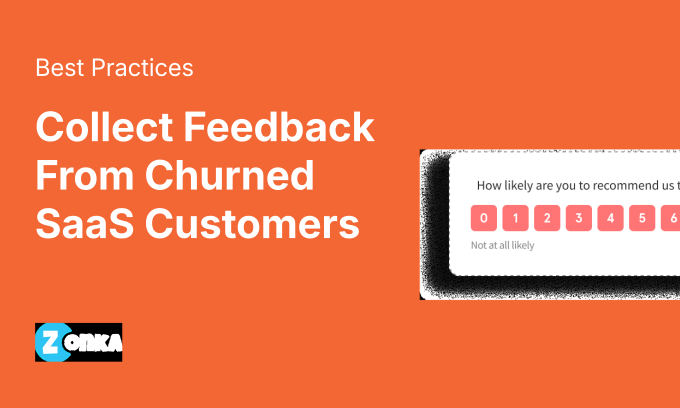


TL;DR
- Most churned customers leave without a word. Exit surveys are the only structured way to find out why.
- Send within 30 to 60 minutes of cancellation. Every hour of delay, response rates fall.
- Keep it to one multiple-choice question plus one optional open-ended follow-up. Brevity drives completion.
- Automate the trigger: cancellation event, survey delivery, response routing, team alert.
- "Too expensive," "missing features," and "not using it enough" each require a different response protocol.
- At 200+ responses, manual analysis stalls. AI thematic clustering surfaces the top churn drivers without you reading every response.
Here's what most SaaS teams assume: if a customer is unhappy, they'll say something.
They won't.
They'll cancel, switch to a competitor, and never send the strongly-worded email you were half-expecting. No ticket. No warning. No parting feedback. Just a churn event in the dashboard and a question no one can answer: why did they actually leave?
Exit surveys are the mechanism that closes that gap. But only when they're timed correctly, written lean, and followed by an actual response to what customers say. An exit survey that collects data and does nothing with it is just an expensive way to feel like you're doing something.
This guide covers the full cycle as part of any serious SaaS Feedback Management program: what to ask, when to send it, how to automate the trigger, and what to do when the answers start coming in, including when volume becomes the bottleneck.
Why Most Churned SaaS Customers Leave Without Saying a Word
The silent exit is not the exception. It is the default.
There is a mental model in most CS teams: dissatisfied customers escalate. They open tickets, post negative reviews, or send the "I'm disappointed" email. So when a customer churns quietly, the working assumption is that the reason was minor, budget-related, situational.
That assumption is wrong.
Research consistently shows that the vast majority of unhappy customers don't complain before leaving. They've already decided. Their energy has shifted to the next tool. By the time your CS team flags the cancellation in the CRM, that customer is three days into a competitor's onboarding flow.
Three reasons this happens, every time:
They've already moved on. The decision to leave gets made before the cancel button gets clicked. Filling out a survey after cancellation feels like unpaid work with no personal upside, especially when the customer sees no evidence that past feedback changed anything.
They assume it won't matter. Feedback fatigue is real. Customers who have given input and seen no visible response stop giving input. The survey is not worth 60 seconds if nothing moves.
The cancel button is faster than an explanation. Especially in SaaS, where cancellation is usually four clicks and two confirmation screens. Explaining why is optional. Most customers take the shortcut.
The result: you see the symptom (the churn number climbing) but never the cause. Exit surveys address that directly. The challenge is getting customers to complete them, which starts with understanding that there are actually two different moments to collect this feedback.
The Two Windows for Collecting Churn Feedback (and Which One Most Teams Miss)
Exit surveys feel like a single tactic. They're actually two distinct opportunities, and most SaaS teams build only one.
Window 1: The cancellation moment.
This is the in-app trigger: a slide-up or popup that fires the instant a user clicks "Cancel subscription." The customer is still inside your product. Their reason for leaving is fresh. Their motivation to respond is at its peak. Response rates here consistently outperform every other channel because the context is live and the action is immediate.
This is the window most product and CS teams build for. And it works, for the customers it reaches.
Window 2: Post-cancellation email, SMS, or WhatsApp.
This is the window most teams miss entirely.
Some customers cancel via a support ticket. Some are on enterprise plans where an admin handles the cancellation on behalf of users who never touched a survey screen. Some close the in-app prompt without completing it. Some cancel through a third-party billing portal with no in-app surface at all.
For every one of these customers, a follow-up channel is the only path to churn data. A short email sent within an hour of confirmed cancellation, or a WhatsApp message for customers who engage on that channel, reaches the segment that slipped through Window 1.
These two windows are sequential, not competing. If a customer responds in Window 1, suppress Window 2. The goal is full coverage, not duplicate outreach.
This is also where your digital feedback infrastructure matters. The in-app and in-product touchpoints that make Window 1 possible need to be set up correctly before Window 2 can function as the safety net. Building both is what separates a churn feedback program from a churn feedback survey.
The SaaS Churn Exit Survey: 5 Questions Worth Asking
The most effective churn exit survey has two questions. Maybe three.
Not because you cannot think of more to ask. Because churned customers are not motivated to fill out a detailed form. They have already mentally left. Every additional question reduces completion rates. The goal is to collect enough signal to act on, not to gather every possible data point.
Here is the structure that works.
The Core Question (and Why Format Matters)
Lead with a single multiple-choice question:
What's the primary reason you're canceling?
- It's too expensive
- I'm not using it enough
- It's missing features I need
- I found a better alternative
- Technical issues / too difficult to use
- My business needs have changed
- Other (optional text field)
Multiple-choice outperforms open-ended as the primary question for two reasons. First, it is faster to complete: the respondent selects from a list rather than composing an explanation. Second, it produces structured data that can be analyzed at volume without manual tagging.
The "Other" option with a text field matters. It captures edge cases your list did not anticipate. Over time, the patterns in those free-text responses often reveal the next category to add to your answer set.
The Follow-Up Question (and When to Show It)
One conditional open-ended question, triggered by their primary answer using survey logic. Not shown to everyone. Only to the selections where deeper context is worth collecting.
| If They Selected | |
| Too expensive | "What would the right price look like for you?" |
| Missing features | "Which specific feature or workflow is most critical for you?" |
| Found a better alternative | "Which product are you switching to?" (optional, but high-value competitive intelligence) |
| Not using it enough | "Was there a specific step where things felt unclear or hard to start?" |
| Technical issues | "Can you describe what you ran into? This helps us fix it for other users." |
Conditional logic keeps the survey short for most respondents while collecting deeper data where it matters. Showing every follow-up question to every respondent is the most common reason exit survey completion rates drop.
The Win-Back Question
After the primary question, on a final screen:
"If we fixed the reason you're leaving, would you consider coming back?"
- Yes, absolutely
- Maybe, if the change were significant
- No, I've already moved on
This seeds your win-back list. Customers who answer "Yes" or "Maybe" are not just data points. They're a segment to re-engage 30 to 60 days later when you have made the relevant change. Keep this question optional and place it after the main question is complete. A win-back prompt embedded mid-survey reads as a retention tactic, not genuine interest. Customers can tell the difference.
What NOT to Ask
Don't ask "How would you rate your overall experience?" They're canceling. The answer is implied. Asking it signals you're collecting metrics rather than listening.
Don't ask "Would you recommend us?" An NPS question at the point of cancellation introduces metric fatigue at the worst possible moment.
Don't exceed three to four questions total. Keeping cancellation surveys as short as possible, ideally one question with a conditional follow-up, is the single biggest driver of completion rates. Churned customers aren't filling out forms as a favor. Every extra field you add is a reason to close the tab.
Think of it as a natural part of the cancellation flow, not a form to fill out. A question, a follow-up, and a thank-you.
Timing Your Exit Survey: What Response Rate Data Shows
Send it within the hour. Every delay costs you signal.
Exit survey data decays faster than almost any other survey type. The customer's context, frustration, and recall are sharpest at the moment of cancellation. That is the peak window, and it closes fast.
What the patterns consistently show:
- In-app surveys at the moment of cancellation achieve the highest response rates. The captive context and real-time timing work together. Customers are still in your product, still in the decision flow.
- Email surveys sent within one hour of confirmed cancellation significantly outperform those sent 24 or more hours later.
- Email surveys sent a day or more after cancellation see sharp drop-off. The customer has mentally moved on. They have onboarded into a new tool. Your survey is now an interruption from a chapter they have already closed.
- Surveys sent seven or more days later generate near-zero signal worth acting on.
One follow-up email is the ceiling. If a customer doesn't respond within three to four days, a second nudge recovers a fraction of non-responders. Beyond that, the marginal data gain doesn't justify the relationship cost.
Understanding where exit surveys fit alongside your broader SaaS churn and customer success metrics matters here. Exit surveys give you the qualitative reason behind the churn number. Metrics give you the quantitative scale. Neither tells the full story without the other.
How to Automate Your Churn Feedback Workflow (Step by Step)
An exit survey that doesn't fire automatically doesn't fire reliably.
Manual processes break at scale and under pressure. When CS is overloaded, surveys get deprioritized. When a customer cancels at 11 PM on a Friday, no one sends the email until Monday morning, by which point the timing window has closed entirely. Automation removes the human bottleneck.
Here is the full workflow:
Step 1: Define the cancellation trigger. What counts as a churn event in your system? A confirmed plan cancellation? A downgrade to free? An admin deactivating an account? Each trigger type may need its own survey variant. A high-LTV enterprise cancellation warrants different questions than a free-tier downgrade.
Step 2: Deliver the survey at the right moment.
- In-app: fire a slide-up or popup on the cancellation confirmation screen, before the final "Confirm Cancellation" button. The customer is in the flow of canceling. This is the highest-leverage moment.
- Email: send within 30 to 60 minutes of confirmed cancellation for customers who bypassed or dismissed the in-app survey. Short subject line, single question in the email body, reply-optional.
Step 3: Route responses automatically by churn reason. Not every churn reason belongs in the same inbox:
- "Too expensive" → alert CS in Slack with customer LTV and subscription history
- "Missing features" → create a Jira ticket with the exact response text and customer plan details
- "Technical issues" → alert engineering and trigger CS outreach within 24 hours
- "Switched to a competitor" → tag in CRM and route to competitive intelligence, hold on immediate outreach
Step 4: Close the feedback loop with churned customers. Auto-send a response email: "Your feedback is being reviewed by [role] and will be actioned within [timeframe]." Then, 30 to 60 days after the initial churn, trigger a win-back sequence for customers who indicated they would consider returning.
For the platforms that handle this kind of automated routing, from survey trigger through to team alerts and closed-loop workflows, the SaaS customer feedback tools guide covers what to look for and which platforms support the full chain.
What to Do When They Tell You Why They Left
Collecting churn feedback without a response protocol is an expensive way to build a spreadsheet.
The data is only valuable when it triggers a specific action, routed to the right person, within the right timeframe. Here is the playbook for the five most common churn reasons.
"It's too expensive."
Immediate response: offer a downgrade to a lower tier or a temporary discount, only if the customer's LTV justifies the retention cost. A blanket discount for every price-objection churner is worse than no discount. It trains customers to cancel as a negotiation tactic.
The signal that matters more: if more than 15% of your exit surveys list pricing as the primary reason in a given quarter, that's not a CS problem to solve one customer at a time. That's a pricing model signal. Optimize the model, not the exceptions.
"I'm not using it enough."
This one almost always points to an onboarding gap, not a product gap.
Pull their usage data. Did they complete setup? Did they reach the activation event? If the answer is no, the churn happened weeks before the cancellation. It happened the moment onboarding stalled. A well-designed SaaS onboarding survey template at that earlier stage could have flagged the friction before it became a cancellation.
Flag this for the product team as an activation issue, not a retention issue. By the time it shows up in exit surveys, it is too late for that customer. But addressing the onboarding gap prevents the next one.
"It's missing a feature I need."
Create a feature request ticket automatically, with the customer's exact words attached.
Send an acknowledgement: "This is on our radar. If we build it, we'll reach out directly."
If the same missing feature appears in more than 20% of exit surveys across a quarter, it's not an edge case. It's a roadmap priority signal wearing the costume of individual feedback. Treat it like one.
"I found a better alternative."
Don't try to retain them. They've decided.
Ask which competitor. This data point is more strategically valuable than the churn itself. Feed it into your competitive analysis. If one platform name appears repeatedly across a quarter of exit surveys, that's a product differentiation gap, not a one-off loss.
"Technical issues / too difficult to use."
This is the most fixable churn reason, and the one CS teams respond to slowest because it requires engineering involvement.
Immediate response: CS reaches out within 24 hours with a troubleshooting offer.
The real signal: if technical issues appear in more than 10% of exit surveys, case-by-case CS follow-up doesn't fix it. The product has a UX problem that needs an engineering sprint, not a support conversation.
Pricing churn and activation churn look identical in your churn rate. The exit survey is the only mechanism that separates them. Treating both with the same retention playbook, applying discounts and win-back emails across the board, is how teams spend six months optimizing for the wrong problem.
How Do You Analyze Hundreds of Churn Exit Survey Responses?
The exit survey that is working well creates a new problem: volume.
Fifty responses a month is manageable. Two hundred is not. Open-ended answers, the responses with the most actionable signal, become a backlog. They sit in a spreadsheet. Someone has to read through them, tag each one by theme, and try to surface patterns manually. That process takes days. By the time insights emerge, the data is a quarter stale and the product team has already moved on.
AI thematic analysis changes that picture.
Instead of reading every response, AI clusters open-ended text into recurring themes automatically. Billing friction. Feature gaps in reporting. Onboarding confusion after step three. These patterns emerge without anyone tagging each response individually. The volume that used to create a bottleneck becomes a source of statistical confidence — you are reading patterns across the full dataset, not guessing from a sample.
This is exactly where Zonka's AI Feedback Intelligence earns its place. When 300 churn exit surveys come in, Zonka's thematic engine processes the open-ended answers and surfaces the top five or six recurring patterns — without a human reading queue. Entity mapping then connects those patterns to your actual business data: which plan tier, which customer cohort, which segment of users signed up in the last 30 days. The same underlying churn driver becomes visible at the level of segmentation that changes where your product and CS teams focus next.
Role-based dashboards take it further. The CS lead sees their accounts' churn themes. The product team sees the recurring feature gaps across all churned users. The CCO sees the aggregate picture across the organization. Everyone gets the picture relevant to their decisions, rather than one shared export that ends up in someone's downloads folder.
For VoC tools for SaaS that operate at this level, the distinction between a survey tool and a feedback intelligence platform is the difference between collecting data and actually understanding it.
Your Churn Feedback Loop Starts Here
Most SaaS companies track churn. Fewer understand it. And fewer still act on what they learn fast enough to prevent the same pattern repeating next quarter.
Exit surveys close that gap. Not because asking the question is hard. Because building the system around the question, the trigger, the questions, the routing, the response protocols, the analysis at scale, takes deliberate design. None of it happens by default.
But when it is built, churn stops being a mystery. It becomes a signal you can read, route, and act on while there is still time to matter.
Zonka Feedback handles the full workflow: in-app and email exit survey triggers, automated response routing, AI thematic analysis across hundreds of open-ended responses, and closed-loop automation that connects churn signals directly to the teams who can fix what's driving them. Book a demo to see it in action, or get started with a 14-day trial.


.png)
.svg)