.svg)
 Healthcare
 Finance
 Retail
 SaaS & Digital
 eCommerce
 Education
 Salesforce
  HubSpot
 Pipedrive
 Mailchimp
 Klaviyo
 Zendesk
  Intercom
 Freshdesk
 HelpScout
  Front
Front Jira
Jira Slack
Slack  MS Teams
 Zoom
Zoom Google Sheets
  Zapier
  Integrately
 Make
Make  Webhooks



 Sign In
 MS Teams



TL;DR
- GetFeedback Direct shuts down December 31, 2026. Moving to the default option, SurveyMonkey Enterprise, isn't a simple data migration. Your responses move with you; the Salesforce integration is a full rebuild.
- The surveys are the easy part. What you actually rebuild is the integration layer: outbound messages and Flow triggers, field and object mappings, conditional write-back, permissions, and sandbox parity.
- Your historical responses won't carry over on their own. Export them first, and confirm timestamps are preserved, or your year-over-year trend lines break.
- One thing most migration checklists miss: if your new survey links aren't unique per case, the same customer can resubmit and quietly skew your CSAT.
- This guide is for the admin who owns the organization. Five rebuilds, a carries-over-versus-rebuild matrix, and how to verify any tool before you sign.
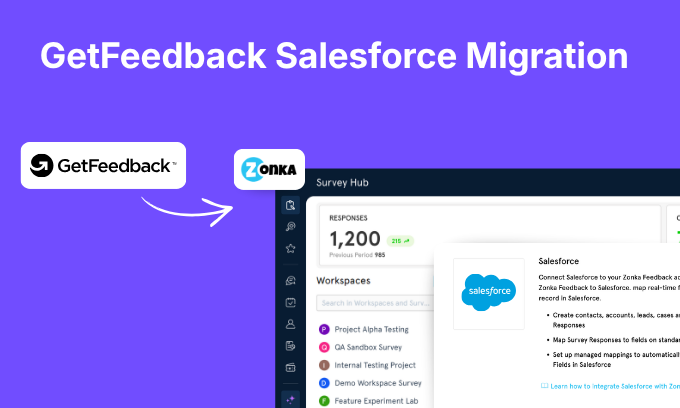
GetFeedback Direct is shutting down on December 31, 2026. The default replacement SurveyMonkey points you to, SurveyMonkey Enterprise, connects to Salesforce as a third-party integration, not the way GetFeedback did from inside your organization. So the case-closure triggers, the response mappings, the conditional rules, and the permissions you built don't carry over. Your data does. Everything wired around it is a rebuild.
That's what makes a GetFeedback Salesforce migration an admin project, not a tool swap. The teams that get caught out treat it as picking a new survey app, then hit the real work, the rebuild, with the deadline closing in. This guide takes the other route: exactly what you rebuild, in order of what hurts most to get wrong, and how to prove a replacement holds up in your own organization before you commit. Let's get started.
Export Your GetFeedback Data Before You Lose Access
Do this first, before you've even chosen a replacement. Your historical responses are the one thing that genuinely cannot be recreated, and they don't transfer on their own.
Start by knowing where that data actually lives, because it changes how you get it out. If you used GetFeedback's managed mapping, your responses sit in three managed-package objects in your org, Survey, Response, and Answer. Uninstalling a managed package removes all of its data from Salesforce, so pull those records out before anyone removes the package. If you used custom mapping instead, responses were written into your own standard and custom objects like Contact, Account, and Case; those records stay, but the mappings that fed them don't.
Then export your full response history while you still have access. SurveyMonkey's own notice confirms the platform closes on December 31, 2026, and the pattern with these shutdowns is that data doesn't linger past the date. The detail that trips teams up: when you import that history into a new tool, the responses need to keep their original submission dates. If everything imports stamped as "today," your year-over-year trend lines collapse, you can't compare 2027 CSAT to 2025 CSAT, and years of customer-sentiment tracking effectively resets to zero. So when you evaluate any replacement, the question isn't just "can you import my data," it's "will the original timestamps survive the import." Zonka Feedback imports your historical responses and can run alongside GetFeedback during the switch, so the data side stays continuous while you rebuild the rest.
5 Things Every Salesforce Admin Has to Rebuild
Five parts of your GetFeedback setup don't transfer and have to be rebuilt by hand: the outbound messages and Flow triggers, the field and object mappings, the conditional write-back rules, the permission layer, and sandbox parity. That's the part no generic migration post covers, because you can't write it without watching an admin do it. Walk through each one in a trial or sandbox before you commit to anything.
1. Outbound Messages and Flow Triggers
Your CSAT program almost certainly fires from a Salesforce event, a case moving to Closed, an opportunity reaching a stage. That trigger is built with an outbound message or a Flow, and it's the engine of the whole program. It does not port to a new tool. You rebuild it.
When you do, test it like production, not like a demo. Close a real test case and confirm the survey actually sends, sends exactly once, and carries the right merge fields with it. Then run it across every case record type you use, because that's where triggers get selective in ways a clean demo organization never shows. Reopened-then-reclosed tickets, bulk closes, cases closed by automation rather than a person, those are the edges that break after go-live.
2. Field and Object Mappings
Every place a survey answer writes back into Salesforce is a mapping, and every one of them gets recreated by hand in the new tool. This is usually the single biggest time sink in the move. It doesn't matter whether you ran GetFeedback's managed mapping or custom mapping into your own objects, the mapping configuration doesn't come across either way. Neither do the merge fields GetFeedback appended to each survey URL to tie a response back to a Case or Contact; those get rebuilt on the new platform too, and they're worth listing now, because they're easy to forget until a response lands with no record to attach to.
Two things separate a tool that really maps to Salesforce from one that just claims to. Can it write to a picklist field, not only a free-text field, so your reporting stays filterable? And can it traverse a lookup, for example writing a response to a field on the Contact related to a Case? Push a test response and watch where it lands. Tools that can only write flat text turn your clean picklist reporting into mush you can't segment. A tool worth shortlisting maps to standard and custom objects, syncs picklist values, and follows lookups, so confirm that against your own object model before you trust it.
3. Conditional Write-Back and Business Rules
The logic on top of the mappings is its own rebuild. The rules that made your program useful, create a follow-up case only when a rating is negative, require a comment before a detractor can submit, set the survey language from a field on the Salesforce record, all of that has to be reconstructed.
List your current conditional rules before you start evaluating, because it's easy to forget the quiet ones until they're missing. Then make each tool show you it can reproduce them. Conditional actions tied to response values, mandatory comments on negative ratings, and language driven by a Salesforce field are all things a capable platform handles, but "handles" is a claim until you watch it run.
4. The Permission Layer and Roles
GetFeedback sat inside your Salesforce permission model. A replacement has its own, and you re-establish who can build surveys, who can see responses, who can export, and who can touch which records. For a support organization this isn't optional housekeeping, it's governance.
Map your current roles before the trial, then confirm the new tool supports the access controls you rely on, single sign-on so logins stay governed, and role-based access so an agent sees their queue and a manager sees the team. If your security team has to approve the tool, this is the section they'll scrutinize.
5. Sandbox Parity, and the Refresh Question Nobody Asks
You'll build and validate in a sandbox, connect to production, and periodically refresh that sandbox from production. Here's the question almost no one asks in a sales call and the one that creates the most rework: what happens to your field mappings when the sandbox refreshes? If every refresh forces you to rebuild them from scratch, you've signed up for a recurring tax that never appears in the pricing. Ask directly whether mappings persist through a refresh, then verify it yourself by refreshing and reconnecting.
One emphasis on the rollout itself: don't cut over cold. Build and validate in a sandbox, then run the new tool live alongside GetFeedback for a couple of weeks before you switch. Parallel running is how you go from thinking it works to having watched it work, and it's the difference between a calm switch and a December scramble.
The Duplicate-Response Problem Most Migration Checklists Miss
Duplicate responses are the failure that quietly skews CSAT after a migration: if your new survey links aren't unique per case, the same customer can submit more than once and inflate or tank your numbers. It's invisible until your data is already wrong, and it's the exact failure we watched catch out an enterprise support team mid-evaluation.
Their pain had nothing to do with surveys. It was duplicate responses. Their survey link wasn't unique per case, the tool treated only the root of the URL as unique, and the personalization rode along as appended parameters. So the same customer could open an old survey email weeks later and submit again. One annoyed customer could walk back through ten past tickets and rate every one of them off a single bad day. Their CSAT had stopped measuring satisfaction. It was measuring whoever resubmitted most.
When you evaluate a replacement, test this directly. Send a survey tied to a test case, submit it, then open the same link and try to submit a second time. Take the link unchanged and fire it at a second case. A tool that's built for this gives each case its own personalized URL, binds one response to one record, and refuses or flags a second submission on the same link. Zonka Feedback uses personalized survey URLs that tie a single response to a single case and carries the Case ID through as a hidden variable, so the response always maps back to the right record and the same link can't be answered twice. If a tool lets you resubmit, your trend data is fiction, and no dashboard will tell you.
What Comes With You, and Who Rebuilds the Rest
Two questions decide how heavy this gets: what comes with you, and who rebuilds the rest. Your data and surveys are portable, they come with you. The Salesforce integration, the triggers, mappings, rules, and permissions, is what gets rebuilt. The part most guides skip is that the rebuild doesn't have to be yours to do alone. On the default SurveyMonkey Enterprise path, it is. With a vendor that runs the migration for you, a team does it alongside you. Here's both, side by side.
| Part of your setup | Default path (you rebuild it) | With Zonka's migration support |
|---|---|---|
| Historical NPS and CSAT responses | Export and re-import yourself; chase down timestamp preservation | Imported by our team |
| Survey content and design | Rebuild each survey from scratch | Rebuilt with you |
| Salesforce field and object mappings | Re-map every field by hand | Set up by our team |
| Case-closure triggers (Flows / outbound messages) | Rebuild the automation yourself | Set up by our team |
| Conditional write-back and business rules | Recreate each rule yourself | Set up by our team |
| Permissions, roles, SSO | Re-establish access controls yourself | Configured at onboarding |
| Reports and dashboards | Rebuild on the new data yourself | Rebuilt with you |
Same scope either way. The difference is whether you carry it alone against the December deadline, or a team carries it with you.
So the data side is a migration you can largely trust, provided you confirm the timestamps. The rest is the rebuild, and that's where the time and the risk live.
Since Zonka Feedback does that setup with you rather than handing it over, here's the part worth knowing about the result, plainly, as it's our platform: surveys fire once per case closure with the right merge fields, responses land in picklists and custom objects rather than flat text, conditional rules and language-from-field logic work, and SSO and roles carry over. The one thing worth testing in your own sandbox, with any tool including ours, is how field mappings survive a refresh.
How to Verify a Replacement Before You Commit
There's a popular version of this advice that says "ask vendors these questions." Asking is fine, but every vendor has good answers ready, and answers aren't proof. A trial turns questions into tests. Three that the same team kept open until they could test them make good cases for any tool you're evaluating: does a mapping survive a sandbox refresh (refresh and see), can a survey link expire after a set window (set it and let the clock run), and can it send to a multi-recipient field if your records hold a comma-separated list of emails (point a survey at one and confirm who receives it).
To make that systematic, we turned a real support team's Salesforce evaluation into an evaluation checklist, grouped into the areas that decide the move and with the Salesforce-specific questions flagged, so you can pull the relevant part into each demo and score every tool the same way instead of going on gut feel. If you're still building your shortlist of who to even trial, start with getfeedback alternatives and competitors.
What to Verify About Data and Security
For a support organization pushing customer data through Salesforce, security is part of the evaluation, not a box you check at the end. And it's worth cutting through the marketing here.
You'll see some replacements market themselves as "Salesforce-native" and others as connected integrations. For an admin, the label matters less than what you can actually verify: where response data lives the moment someone submits, how it's encrypted in transit and at rest, which compliance frameworks the vendor can show documentation for (not just logos), whether it supports SSO and role-based access, and how it authenticates to Salesforce, including whether that holds up against Salesforce's Spring '26 move from Connected Apps to External Client Apps.
For where Zonka lands on that: it connects through Salesforce OAuth with a one-time authentication and no package to install, so there's nothing to push through your organization's change process or maintain across Salesforce releases. Responses sync both ways, encrypted in transit and at rest. Zonka is GDPR, HIPAA, and ISO 27001 aligned, you control your data, survey responses aren't shared with sub-processors, and EU customers can keep data resident in the Frankfurt region. If you want the full side-by-side of how Zonka maps to Salesforce against what GetFeedback did, that's zonka feedback vs getfeedback for salesforce.
Don't Just Rebuild, Use the Move to Upgrade
You're already doing the work of switching, so it's worth asking what GetFeedback never gave you. A few things to put any replacement through while you have it in trial: whether it runs your program on channels beyond email, SMS, WhatsApp, in-app, so feedback isn't limited to inbox reach; whether it reads open-ended responses for you, sentiment, emerging themes, the drivers behind a low score, as signals instead of leaving someone to tag comments by hand; and whether it can close the loop, alerting the right person the moment a detractor comes in.
Zonka Feedback's AI Feedback Intelligence handles the text analysis automatically, which is the difference between knowing your CSAT dropped and knowing why. If a tool clears the five rebuilds and adds reach and analysis on top, the migration stops being a cost to absorb and becomes an upgrade you'd have wanted anyway.
Your Next Move
Don't wait for December to find out what breaks. Export your data now, then test a replacement the way you'd run it in production, wired to a real case-closure trigger, against your own organization, not a vendor's demo organization, and take the checklist into every demo so you score each tool the same way.
If you want to run those tests against Zonka Feedback, you can schedule a demo and connect it to a sandbox in a few minutes. Build it, break it, see what holds. That's the whole point of trying before you switch.


.png)
.svg)
.png)