.svg)
 Healthcare
 Finance
 Retail
 SaaS & Digital
 eCommerce
 Education
 Salesforce
  HubSpot
 Pipedrive
 Mailchimp
 Klaviyo
 Zendesk
  Intercom
 Freshdesk
 HelpScout
  Front
Front Jira
Jira Slack
Slack  MS Teams
 Zoom
Zoom Google Sheets
  Zapier
  Integrately
 Make
Make  Webhooks



 Sign In
 MS Teams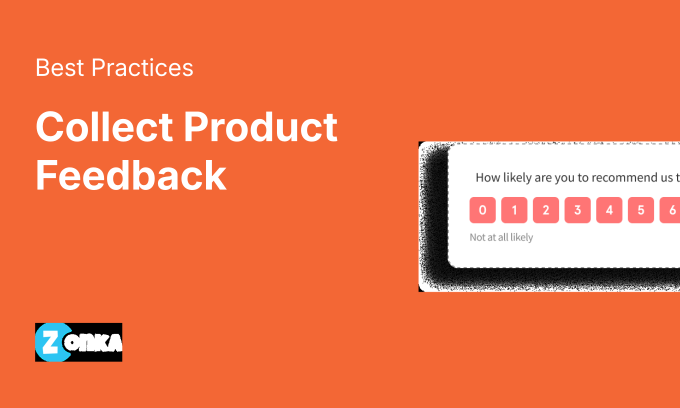


TL;DR
- Product feedback collection works best when you use multiple channels. No single method reaches all users.
- In-app and website surveys consistently deliver the highest response rates (25-40%) because you're reaching users while they're engaged.
- Email and SMS work better for relationship feedback (NPS), while in-product surveys work better for transactional feedback (CSAT, CES).
- Timing matters more than channel. Ask while the experience is fresh: within hours, not days.
- The difference between teams that improve products and teams that guess is whether feedback reaches the right person fast enough to act.
You've got a product. Users are signing up. Some stay. Some leave. And you're not entirely sure why either group does what they do.
So what separates the teams that figure it out from the ones that keep guessing?
You could wait for them to tell you through support tickets, app store reviews, or tweets you'd rather not see. Or you could ask. The teams that build products people actually want tend to do a lot of asking, and they do it at the right moments through the right channels.
This guide covers the practical ways to collect product feedback: which channels work for which use cases, what response rates to expect, and how to avoid the mistakes that turn feedback programs into noise generators. (For the strategic layer that connects collection to product decisions, see our complete guide to product feedback.)
Why Product Feedback Matters
You'll hear from users either way. The question is whether you hear early enough to act.
When someone churns, they've already made their decision. When they leave a 2-star review, the damage is public. But when you collect user feedback and customer feedback proactively, at the right moment through the right channel, you get signal while there's still time to fix things. For SaaS teams especially, feedback collection is a retention mechanism. Users who feel heard stay longer.
Product feedback does three things that nothing else can:
It reveals what metrics hide. Usage data shows what users do. Feedback shows why. A feature with low adoption might be undiscoverable, or it might be useless. Only feedback tells you which.
It catches problems before they compound. A bug that frustrates one user will frustrate a hundred. Feedback surfaces it before the hundred ever see it.
It keeps your roadmap honest. The features you think users want and the features users actually want are rarely the same list. Regular feedback closes that gap before you build the wrong thing. (For real-world examples of how companies like Uber, Slack, and Asana put this into practice, see product feedback examples.)
8 Ways to Collect Product Feedback
Product feedback comes through surveys, but surveys travel through channels. The channel you pick determines who responds, when they respond, and what kind of feedback you get. The best product feedback tools support most of these channels from one place, so you're not stitching together a separate app for each.
Here's how each channel works in practice.
| Method | Best For | Response Rate | Channel Type |
| In-Product Surveys | Post-feature adoption, friction points | 20-35% | Web |
| In-App Surveys (Mobile SDK) | Post-session, core actions, onboarding | 25-40% | Mobile |
| Email Surveys | Relationship feedback, churn, milestones | 25-35% (embedded) / 8-15% (link) | |
| SMS Surveys | Transactional, time-sensitive, mobile-first | 35-50% | SMS |
| Live Chat & Conversational | Support themes, onboarding friction | N/A (extracted, not surveyed) | Chat |
| CX Metric Surveys (NPS/CSAT/CES) | Benchmarking, trend tracking | Varies by channel | Multi-channel |
| Open-Ended Feedback | Why behind scores, feature ideas | Optional add-on | Multi-channel |
| Passive Feedback | Sentiment trends, competitive intel | N/A (always-on monitoring) | Social/Reviews |
Response rate ranges based on industry benchmarks and internal data from product teams running multi-channel feedback programs.
1. In-Product Surveys (Website Popups & Feedback Buttons)
In-product surveys reach users while they're actively using your product. That context matters. Someone who just completed a task can tell you exactly what worked and what didn't. Details they won't remember by the time they check their email.
When to use it:
- After feature adoption (user completes a key action)
- At friction points (checkout, form submission, complex workflows)
- Exit intent (user is about to leave)
Expected response rates: 20-35%
Deployment options:
- Survey popups: triggered by user behavior (scroll depth, time on page, button click)
- Feedback buttons: always visible, user-initiated, non-intrusive
What works: Trigger surveys after users complete something, not while they're trying to complete it. A survey that interrupts a workflow gets dismissed. A survey that appears after success gets answered.
We've seen teams get 3x higher completion when they trigger post-task versus mid-task. The difference isn't the survey. It's the timing.
For more on digital feedback deployment across web and in-app touchpoints, including behavior-triggered intercepts and always-on widgets, see our guide to website surveys.
2. In-App Surveys (Mobile SDK)
Mobile users behave differently than web users. Sessions are shorter. Attention is more fragmented. The feedback window is narrower.
In-app surveys, deployed through a mobile SDK, let you reach users inside your iOS or Android app at moments that matter.
When to use it:
- Post-session feedback (user closes a feature or ends a session)
- After completing a core action (booking, purchase, level completion)
- Onboarding checkpoints
Expected response rates: 25-40%
Mobile survey response rates tend to run higher than web for one reason: phones are personal. A notification that something wants your opinion feels more direct. Use that sparingly.
What works: Single-question microsurveys outperform multi-page forms on mobile. The small screen makes long surveys feel like homework. Ask one thing well.
Our mobile SDK for in-app feedback covers the technical setup for iOS, Android, React Native, and Flutter.
3. Email Surveys
Email surveys reach users outside your product, which is both the advantage and the limitation. You can reach churned users, dormant users, or users who haven't logged in recently. But you're also competing with everything else in their inbox.
When to use it:
- Relationship feedback (quarterly NPS, post-onboarding)
- Churn surveys (sent after cancellation)
- Milestone moments (renewal window, anniversary)
Expected response rates:
- Embedded question in email body: 25-35%
- Link to external survey: 8-15%
That gap matters. When you embed the first question directly in the email so users can respond without clicking through, response rates roughly double. Most email survey tools support this. Use it.
What works: Keep the ask small. "One question about your experience" gets opened. "Please complete our 10-minute feedback survey" gets deleted.
Survey methodology research consistently confirms what most product managers already suspect: the longer the survey, the less time respondents spend on each question, and the more likely they are to quit before finishing.
For email survey best practices, see ouremail surveys guide. If you need ready-made questionnaires for each survey type, the product feedback survey templates guide maps 10 templates to their lifecycle stages.
4. SMS Surveys
SMS cuts through noise. Industry data from Gartner puts open rates around 98%, and most texts get read within minutes. For time-sensitive feedback, or audiences that don't live in email, SMS surveys can dramatically outperform other channels.
When to use it:
- Transactional feedback (post-purchase, post-delivery, post-appointment)
- Time-sensitive requests (event feedback, same-day service)
- Mobile-first audiences
Expected response rates: 35-50%
What works: Keep it to 1-2 questions. SMS works for quick pulse checks, not deep discovery. A single NPS question with an optional follow-up is the sweet spot.
Don't overuse this channel. SMS feels personal because it is. Survey fatigue hits harder here than anywhere else. We've found monthly is the upper limit before response rates start to decay.
For SMS-specific setup, see our SMS survey software guide.
5. Live Chat & Conversational Feedback
Live chat isn't a survey channel in the traditional sense. But every chat conversation contains feedback: complaints, confusion, feature requests, praise. The question is whether you're capturing it.
When to use it:
- Support interactions (extract themes from tickets and chats)
- Onboarding friction (users asking how to do things)
- Feature discovery ("Is there a way to..." questions)
How to extract signal:
- Tag conversations by theme (pricing, bugs, feature requests, confusion)
- Route tagged data to your feedback tool via integration
- Track theme frequency over time
The trick isn't collecting. It's categorizing. Without tagging, chat feedback becomes noise. With tagging, it becomes a real-time signal of what users are struggling with.
Tools like Intercom, Zendesk, and Freshdesk all support tagging and can push conversation data into feedback platforms. Teams using Intercom, for example, can tag every support conversation by product theme and route those tags directly into their feedback analysis layer.
6. CX Metric Surveys (NPS, CSAT, CES)
Metric surveys give you quantifiable benchmarks you can track over time. They don't replace open-ended feedback, but they provide a score you can tie to business outcomes.
The big three:
NPS (Net Promoter Score) measures relationship loyalty. "How likely are you to recommend us to a friend or colleague?" Use it at milestone moments: post-onboarding, quarterly check-ins, renewal windows. Don't use it after a single support ticket. NPS is a relationship metric, not a transactional one.
CSAT (Customer Satisfaction Score) measures whether a specific interaction went well. "How satisfied were you with your experience today?" Use it after support tickets, feature launches, or any discrete touchpoint where you want to know if it worked.
CES (Customer Effort Score) measures how easy it was to get something done. "How easy was it to resolve your issue?" Research from CEB (now Gartner) published in the Harvard Business Review found that reducing customer effort is a stronger predictor of loyalty than delighting customers. CES tends to predict churn better than CSAT, especially for self-service products.
What works: Pair the metric question with a follow-up asking why. The score tells you something changed. The follow-up tells you what to do about it.
Which metric you use also depends on how you segment your users. Trial users need CES (is the product easy to learn?). Power users need NPS (would they recommend it?). At-risk accounts need CSAT on recent interactions (did something go wrong?).
See our detailed guides on NPS surveys, CSAT surveys, and CES surveys for implementation specifics.
7. Open-Ended Feedback Fields
Rating scales tell you how users feel. Open-ended questions tell you why, in their words, not yours.
When to use it:
- After any metric question (NPS, CSAT, CES follow-up)
- Feature feedback ("What would you improve about this feature?")
- Churn surveys ("What's the main reason you're leaving?")
What works: Make open-ended questions optional, not required. Required open-text fields kill completion rates. Users who have something to say will say it. Users who don't will abandon the survey entirely if forced.
The best open-ended prompts are specific. "What almost stopped you from completing signup?" gets more useful answers than "Any feedback?" Narrow the aperture and you get sharper signal.
Analyzing at scale: Once you're collecting hundreds of open-text responses, manual review breaks down. AI-powered analysis (thematic clustering, sentiment detection, entity mapping) turns a wall of text into patterns you can act on. Zonka Feedback's AI Feedback Intelligence does exactly this: it clusters open-text responses into themes, scores them by frequency and impact, and maps them to specific product entities so your team sees signals, not spreadsheets.
8. Passive Feedback (Social, Tickets, Reviews)
You're already getting feedback. It's just scattered.
Support tickets contain feature requests and complaints. App store reviews describe what users love and hate. Social mentions capture reactions in real time. G2 and Capterra reviews tell you how you stack up against competitors. All of it is unsolicited feedback that arrives whether you ask for it or not.
Sources to monitor:
- Support tickets and help desk conversations
- App store reviews (iOS App Store, Google Play)
- Social media mentions (Twitter/X, LinkedIn, Reddit)
- Third-party review sites (G2, Capterra, TrustRadius)
How to use it:
- Centralize all sources into a single view
- Tag by theme (pricing, UX, bugs, feature gaps)
- Track sentiment and volume over time
The difference between solicited feedback (surveys you send) and unsolicited feedback (reviews, tickets, social) is that solicited gives you answers to the questions you ask. Unsolicited tells you what users actually think when nobody's asking. You need both.
For more on centralizing review data, see our resource on online reputation management.
Choosing the Right Channel for Your Use Case
The channel matters less than the match between channel and moment. But how do you know which channel fits which moment? For product managers choosing between channels, the decision comes down to what you're measuring and who you're measuring it from.
| Use Case | Best Channel | Why |
| Post-feature adoption | In-app survey | Contextual, high intent, user just completed something |
| Post-support interaction | Email CSAT or SMS | Tied to specific ticket, measurable by agent |
| Onboarding completion | Email NPS or in-app | Milestone moment, relationship baseline |
| Friction detection | In-product CES | Captures effort signal at the moment of effort |
| Churn prevention | Exit survey (in-app or email) | Last chance to understand why |
| Relationship health check | Email NPS (quarterly) | Broad reach, not tied to single event |
| Mobile-first audience | SMS or in-app SDK | Meets users where they are |
| Dormant users | Only channel that reaches users outside the product |
The pattern: Transactional feedback (CSAT, CES) works best in-product or via SMS, close to the interaction. Relationship feedback (NPS) works best via email, at scheduled intervals, not triggered by events.
For the strategic framework that sits above channel selection, including audience design, prioritization, and decision routing, see the product feedback strategy guide.
How to Increase Product Feedback Response Rates
Response rates aren't fixed. They're a function of timing, channel, survey length, and user state.
Timing: Ask within hours, not days. Response rates drop significantly when you wait more than 24 hours after the interaction you're asking about. Memory fades. Context disappears.
Channel match: SMS for mobile-first audiences. Email for B2B professionals. In-app for active users. Mismatched channels feel like spam.
Survey length: One question beats five. Industry data on survey completion shows that surveys longer than 12 minutes on desktop (9 minutes on mobile) see drastic respondent drop-off. For most product feedback use cases, 1-3 questions is the ceiling.
Incentives: Controversial, but effective for some audiences. Discounts, account credits, or sweepstakes entries can lift response rates. But they also attract low-quality responses from people just chasing the reward. Use sparingly and for research-heavy surveys, not routine feedback.
Follow-up signals: When users see that feedback leads to action ("You asked, we built" announcements, personalized follow-ups), future response rates go up. Building a product product feedback loop that closes visibly is the best incentive of all.
Common Product Feedback Collection Mistakes to Avoid
Sending NPS after a single support ticket. NPS measures relationship loyalty, not interaction satisfaction. Firing it after one touchpoint gives you noisy data that doesn't reflect how the customer actually feels about your product. Use CSAT for transactions. Save NPS for milestone moments.
Collecting feedback without a plan to act on it. Surveys that go nowhere train customers to stop responding. Before you launch, know who owns the follow-up, what the SLA is for responding to detractors, and how feedback routes to product or support. Collection without action is worse than no collection at all.
Asking too many questions too often. Survey fatigue is real. A 30-day suppression window (don't survey someone who responded recently) protects response rates across all your programs. One well-timed question beats five poorly timed ones.
Using the wrong channel for your audience. SMS to B2B enterprise buyers feels intrusive. Email to mobile-first consumers gets ignored. Match the channel to how your users actually communicate, not to what's easiest to set up.
Treating all feedback equally. A detractor score from a $500K account and a detractor score from a free trial user require different responses. Segment your feedback by customer value, lifecycle stage, or use case so your team prioritizes what matters most.
How Do You Start Collecting Product Feedback?
You'll hear from users either way, through reviews, tickets, churn, or silence. The teams that build products people want don't wait for that. They ask at the right moment, through the right channel, and they build systems to route feedback to the people who can act on it.
The channel matters less than the habit. Start with one: post-feature in-app surveys, or quarterly NPS emails, or a feedback button on your dashboard. Measure what you get. Expand from there.
The difference between feedback that improves your product and feedback that sits in a dashboard is whether it reaches the right person fast enough to matter.
Ready to start collecting product feedback that actually drives decisions? Zonka Feedback helps you collect feedback on every channel (in-app, email, SMS, website, WhatsApp) and gives you the AI analysis to find patterns across thousands of responses. Schedule a demo →