.svg)
 Healthcare
 Finance
 Retail
 SaaS & Digital
 eCommerce
 Education
 Salesforce
  HubSpot
 Pipedrive
 Mailchimp
 Klaviyo
 Zendesk
  Intercom
 Freshdesk
 HelpScout
  Front
Front Jira
Jira Slack
Slack  MS Teams
 Zoom
Zoom Google Sheets
  Zapier
  Integrately
 Make
Make  Webhooks




 MS Teams
.png)


For years, Usersnap has been a trusted website feedback tool for web agencies, software teams, and mid-market businesses to collect feedback, manage bug reports, and streamline client feedback on live websites. Its visual feedback capabilities, like annotated screenshots and easy collaboration with development teams, have made it a go-to solution for managing multiple web projects.
But in 2026, growing teams need more than static comments or screen captures—they need AI-powered feedback tools that turn user feedback and customer feedback into actionable insights. Modern Usersnap alternatives now combine project management, feedback widgets, and session replay with automation, analytics, and seamless two-way integrations to deliver a more connected feedback process.
This article explores the best Usersnap alternatives for mid-market teams seeking scalable, intelligent, and user-friendly platforms. From visual feedback tools like Marker.io and BugHerd to AI-driven product feedback solutions like Zonka Feedback, and even open-source feedback boards for flexibility, we’ve covered every option.
Each platform listed brings unique features—from real-time collaboration to AI sentiment analysis—to help you collect feedback, track issues, and enhance customer experience across web pages and mobile apps with speed and precision. Let's get started!
TL;DR
- Many teams are exploring Usersnap alternatives because of its limited AI capabilities, basic analytics, and lack of deeper project management integrations that growing software teams and web agencies now expect.
- While Usersnap offers simple visual feedback, bug tracking, and client feedback on live websites, it often falls short on automation, scalability, and advanced insights for mid-market businesses.
- In 2026, leading Usersnap competitors combine AI-driven feedback collection, feedback widgets, and two-way integrations with your development team’s stack to streamline the entire feedback process.
- We’ve curated the best Usersnap alternatives across key categories — Visual Bug Reporting & UAT, Product Feedback & CX Intelligence, Session Replay & Diagnostics, and Open-Source Feedback Boards — to help teams collect feedback, manage bugs, and improve customer experience.
- Our top picks include Zonka Feedback, Hotjar, Marker.io, Userback, BugHerd, Fider and more— each catering to different use cases from product feedback to visual bug reporting.
- Looking for an AI-powered product feedback tool that turns customer insights into actionable outcomes? Schedule a demo with Zonka Feedback — the best Usersnap alternative for mid-market teams in 2026.
Measure Customer Feedback & User Insights
Try the best Medallia competitors and alternatives to understand what users need and learn ways to delight your customers.

Best Usersnap Alternatives Compared
| Category | Usersnap Alternative | Best for | Notable Strength | G2 rating (Out of 5) |
| Product Feedback & CX Intelligence | Zonka Feedback | Product, CX, Support teams needing AI-driven insights | Multichannel feedback consolidated with AI themes, sentiment, intent and role-based dashboards | 4.7 |
| Hotjar | Growth/UX teams combining behavior analytics + quick feedback | Heatmaps, recordings and on-site surveys in one stack | 4.3 | |
| Survicate | Agile web/app surveys with fast deployment | Strong targeting and integrations with AI survey builder/analysis | 4.6 | |
| Qualaroo | Contextual micro-surveys and UX nudges | Precise on-page targeting for in-flow feedback | 4.3 | |
| Visual Bug Reporting & UAT | Marker.io | In-house QA and agency UAT | Point-and-annotate reports that auto-create tickets with metadata in Jira/Asana/ClickUp | 4.8 |
| Userback | Visual feedback with session context | Screenshot/video feedback plus built-in session replay | 4.8 | |
| BugHerd | Client-friendly website reviews and sign-off | Sticky-note style on-page comments with simple task boards | 4.8 | |
| Session Replay & Diagnostics | Sentry (Replay) | Dev-centric teams wanting replay + error tracking | Deep developer workflow with session replay tied to issues | 4.5 |
| OpenReplay | Privacy-sensitive or engineering-led teams preferring OSS | Self-host or cloud session replay with growing AI features | NA | |
| FullStory | Product analytics + replay at scale | DXI analytics, funnels and segmentation with high-fidelity replays | 4.5 | |
| Open-Source Feedback Boards | Fider | Public idea boards, voting and roadmaps | Lightweight, self-hostable portal for suggestions and prioritization | NA |
| Planka | OSS kanban for simple roadmapping and visibility | Minimal, self-hosted task boards for product workflows | NA |
Top Usersnap Alternatives to Consider for Product Feedback & CX Intelligence
Let’s look at the best Usersnap alternatives that delivers powerful, AI-driven product and customer feedback insights. These customer feedback tools help teams collect feedback, analyze sentiment, and improve the customer experience with automation and actionable data.
1. Zonka Feedback: Best for AI-Powered Product Feedback & CX Intelligence
-
Best For: Product, CX, and Support teams that want AI-driven feedback analysis + closed-loop workflows
-
Use Case: Unify feedback from surveys + support + reviews + chat, auto-detect themes + sentiment + emotion + intent + urgency, and route issues to the right owners (Jira/Zendesk/Slack, etc.)
-
Zonka Feedback vs Usersnap: Usersnap is built for visual bug reporting (annotated screenshots/screen recordings + technical metadata). Zonka Feedback is a stronger “Usersnap alternative” when your priority is multi-channel VoC + AI analysis + action workflows rather than visual QA/UAT capture.
-
G2 Rating: 4.7/5

AI Features in Zonka Feedback
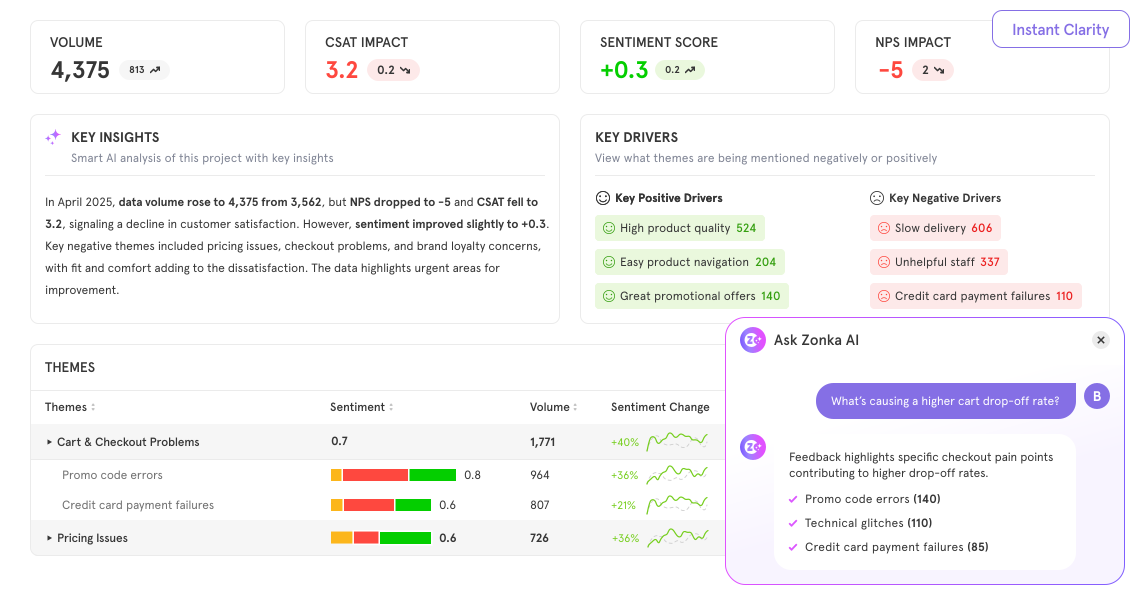
Zonka’s AI Feedback Intelligence transforms unstructured customer feedback into real-time, contextual insights. It automatically interprets survey responses, support conversations, and product feedback to help teams understand sentiment, detect emerging issues, and take faster action. Here are its core AI capabilities:
- Thematic & Sentiment Analysis: Automatically detects themes, trends, and emotions across customer feedback from multiple channels.
- Entity Tracking: Identifies products, features, agents, and locations mentioned in feedback to pinpoint the exact driver of satisfaction or dissatisfaction.
- AI Impact Analysis: Quantifies how specific issues affect CSAT/NPS scores and prioritizes the fastest-to-fix opportunities.
- Predictive Analytics: Uses machine learning to detect early churn signals and forecast satisfaction trends.
- Ask AI Assistant: Enables real-time Q&A, letting you ask, “What’s driving negative feedback for our app users this month?” and get immediate, contextual insights.
Why Zonka Feedback is the Best Usersnap Alternative?
Usersnap is a solid website feedback tool for capturing visual feedback on live websites. But if you’re comparing Usersnap alternatives for roadmap impact, Zonka Feedback goes further. It unifies user feedback from in-product surveys, support tickets, interviews, and app-store reviews, then applies AI Feedback Intelligence (themes, sentiment, urgency, entity recognition) to show what users truly need and which issues block adoption. Instead of handing engineers screenshots to triage, Zonka Feedback translates signals into roadmap-ready priorities—linking requests and defects to outcomes like activation, NPS, and churn risk—so you decide faster and build with confidence.
Where Usersnap largely stops at capture and handoff, Zonka Feedback adds action with CX automation: auto-tagging, alerting, and two-way integrations that route cases to the right owners and close the feedback loop. Role-based dashboards give PMs, designers, support, and leadership the views they need, reducing back-and-forth and “what to build next” debates.
For mid-market teams that want to manage feedback at scale across web pages and mobile apps—without bolting on more external project management tools—Zonka’s unified platform delivers deeper analytics, governance (SSO, access control, data hosting), and a more user-friendly path from signal to shipped improvement, making it the best Usersnap alternative.
Top Features
- AI Feedback Intelligence: Transform qualitative and quantitative data into insights using sentiment analysis, predictive analytics, and emotion detection to uncover valuable insights faster.
- Unified Product Feedback Hub: Pull feedback from surveys, in-app widgets, support tickets, app reviews, web surveys into one place.
- AI Analysis Suite: Thematic clustering, sentiment & impact scores, entity extraction to link feedback to features/flows.
- Ask AI/Insights Assistant: Query feedback with natural language (e.g. “What feature feedback rose this month?”).
- CX Automation & Workflow: Auto-routing, alert triggers, case management, follow-ups, and closing the feedback loop.
- Impact & Trend Analysis: Identify top churn drivers, friction points, and satisfaction gaps across customer segments and touchpoints.
- Role-Based Dashboards: Tailored views for PMs, UX, engineers, support—each sees what matters.
- Integrations & Automation: Sync to CRM, ticketing, analytics tools; two-way integration ensures teams stay aligned.
- CX Automation & Case Management: Automate routing, alerts, task assignments, and case closures to speed up resolution and improve customer satisfaction.
- Survey Management at Scale: Create advanced customer satisfaction surveys, NPS, CSAT, CES, and market research forms with 100+ templates, survey logic, and multilingual surveys.
- Security & Enterprise Readiness: ISO/GDPR support, SSO, data residency, role control for larger orgs.
Zonka Feedback Pros
- Unified feedback source reduces fragmentation across web pages, apps, and support tickets
- Real-time customer feedback collection across multiple channels with seamless integration
- Role-based views let different teams see relevant perspectives
- Powerful CX automation workflows to close the feedback loop efficiently
- Deep customization options with custom pricing, branding, and AI model tuning
- Exceptional customer support with onboarding assistance
Zonka Feedback Cons
- Limited capability for visual feedback (annotated screenshots) compared to pure visual tools
- Yet to add voice feedback analysis
Zonka Feedback Pricing
- Custom pricing available based on business requirements
- Free trial for paid features available upon request
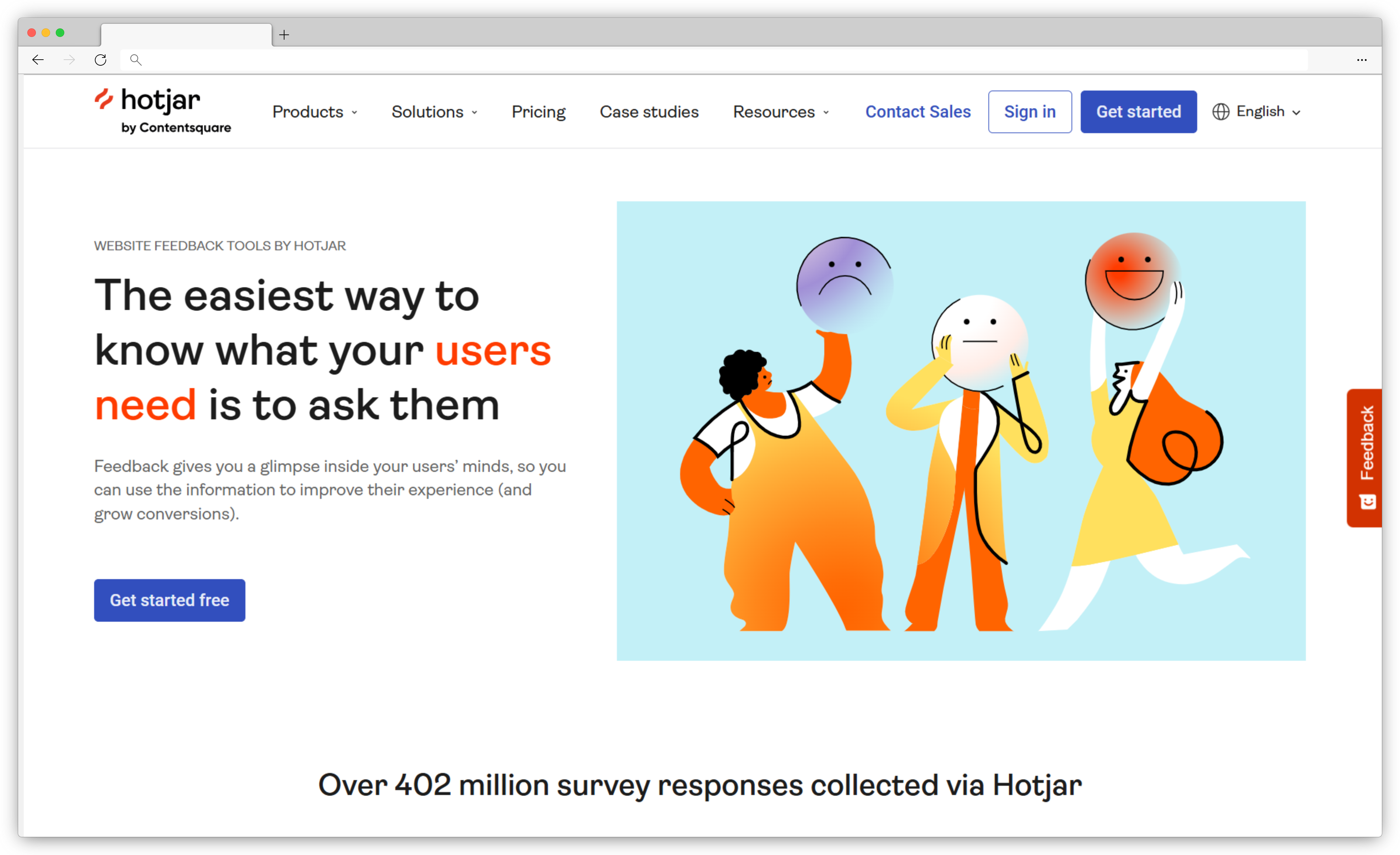
2. Hotjar: Best for Combining Behavior Analytics with Quick User Feedback
-
Best For: Product, UX, and growth teams that want behavioral insights (session replay, heatmaps) paired with quick user feedback
-
Use Case: Understand what users do on your website or product using session recordings and heatmaps, then validate why through on-page surveys and feedback widgets
-
Hotjar vs Usersnap: Usersnap focuses on visual bug reporting with annotated screenshots and technical metadata for dev workflows. Hotjar is a stronger Usersnap alternative when your goal is UX diagnostics, behavior analysis, and qualitative feedback, not structured bug reports or QA handoff.
-
G2 Rating: 4.3/5
AI Features in Hotjar
- AI Survey Response Summaries: Automatically summarizes open-ended survey responses to highlight common themes and user pain points.
- AI-Assisted Tagging & Categorization: Groups similar feedback responses to surface recurring UX issues faster.
- Pattern Detection in Qualitative Feedback: Helps identify trends across large volumes of comments without manual tagging.
- Automated Insight Highlights: Surfaces notable feedback signals (e.g., frequent complaints about a page or flow) for quicker review.
Why Hotjar is a Strong Usersnap Alternative?
If you’re exploring Usersnap alternatives because you want to understand user behavior, not just capture bugs, Hotjar is one of the most widely adopted options.
Where Usersnap captures what’s broken via screenshots and annotations, Hotjar helps teams understand why users struggle by combining session recordings, heatmaps, funnels, and lightweight feedback tools. This makes it especially valuable for UX optimization, conversion analysis, and usability research.
Hotjar works best upstream of development — helping product managers and designers identify friction points before issues become formal bug tickets. Instead of sending annotated screenshots to engineers, teams use Hotjar to observe real user behavior, validate hypotheses, and prioritize UX improvements.
For mid-market teams focused on product discovery, UX research, and behavioral insight, Hotjar offers a simpler, more exploratory alternative to Usersnap’s structured bug-reporting workflow.
Top Features
- Session Recordings: Watch real user sessions to see clicks, scrolls, rage clicks, and navigation behavior.
- Heatmaps: Visualize where users click, scroll, and drop off on key pages.
- On-Page Feedback Widgets: Collect in-context user feedback with polls and incoming feedback buttons.
- Website & In-App Surveys: Launch targeted surveys based on URL, device, or user behavior.
- AI Feedback Summaries: Quickly understand large volumes of open-text responses without manual analysis.
- Funnels & Trends: Identify where users abandon flows and how behavior changes over time.
- Privacy & Compliance Controls: Built-in masking, consent tools, and GDPR support.
- Integrations: Connect with tools like Google Analytics, Segment, Slack, and Jira (one-way).
Hotjar Pros
- Excellent visibility into real user behavior via session replay and heatmaps
- Easy to deploy with minimal engineering effort
- Strong qualitative feedback collection for UX and product discovery
- AI summaries save time reviewing open-ended feedback
Hotjar Cons
- Not designed for visual bug reporting or QA workflows
- Lacks annotated screenshots, technical metadata, or console logs
- Limited workflow automation and ticketing compared to Usersnap
- AI capabilities focus on summarization, not prioritization or prediction
Hotjar Pricing
- Free version available
- Paid plan start at $39/month
3. Survicate: Best for Agile Web & In-App Surveys with AI-Driven Insights
-
Best For: Product, growth, and UX teams that want lightweight, targeted surveys inside web apps and websites
-
Use Case: Collect contextual feedback using in-product, website, and email surveys, analyze responses quickly, and share insights with product and CX teams
-
Survicate vs Usersnap: Usersnap is designed for visual bug reporting and QA workflows with annotated screenshots and technical context. Survicate is a stronger Usersnap alternative when your goal is collecting structured user feedback and survey-based insights, not reporting bugs or managing UAT feedback.
-
G2 Rating: 4.6/5

AI Features in Survicate
- AI Text & Sentiment Analysis: Automatically analyzes open-text survey responses to detect sentiment and recurring themes.
- Response Summarization: Helps teams quickly understand large volumes of feedback by highlighting key takeaways.
- Theme Detection: Groups similar responses to surface common product or UX issues.
- AI-Assisted Survey Creation: Helps generate and refine survey questions to improve response quality and completion rates.
Why Survicate is a Strong Usersnap Alternative?
If you’re evaluating Usersnap alternatives because you need direct user input at key moments, Survicate is a solid choice.
While Usersnap captures what’s broken through visual bug reports, Survicate focuses on what users think and feel through targeted surveys embedded directly in the product or website. This makes it especially effective for measuring feature satisfaction, onboarding experience, usability feedback, and product-market fit signals.
Survicate is often used earlier in the product lifecycle than Usersnap — helping teams validate ideas, identify friction, and gather structured insights before issues escalate into bugs or support tickets. Instead of screenshots and annotations, Survicate provides quantitative signals (NPS, CSAT, CES) combined with qualitative responses to guide product decisions.
For teams prioritizing continuous discovery, user research, and fast feedback loops, Survicate offers a simpler, survey-first alternative to Usersnap.
Top Features
- In-Product & Website Surveys: Launch surveys via pop-ups, slide-ins, or embedded widgets.
- Email & Link Surveys: Collect feedback outside the product for broader reach.
- Targeting & Triggers: Show surveys based on user behavior, URL, device, or lifecycle stage.
- AI Text & Sentiment Analysis: Analyze open-ended responses at scale.
- CX Metrics Tracking: Measure NPS, CSAT, CES, and custom satisfaction metrics.
- Real-Time Dashboards: View responses instantly with filters and trend views.
- Integrations: Connect with tools like Intercom, HubSpot, Salesforce, Slack, and Google Analytics.
- Survey Templates: Access pre-built templates for product feedback, onboarding, churn, and feature validation.
- Multilingual Support: Run surveys across regions with localized language support.
Survicate Pros
- Excellent for in-product and website feedback collection
- Easy to set up and deploy without engineering overhead
- Strong survey targeting and triggering options
- AI-assisted analysis reduces manual review of responses
- Integrates well with product, marketing, and CRM tools
Survicate Cons
- Not built for visual bug reporting or QA/UAT workflows
- No annotated screenshots, session replay, or technical metadata
- Limited workflow automation compared to CX-focused platforms
- Less suitable for managing high-volume support or bug feedback
Survicate Pricing
- Starts at $99/month
- Free trial available
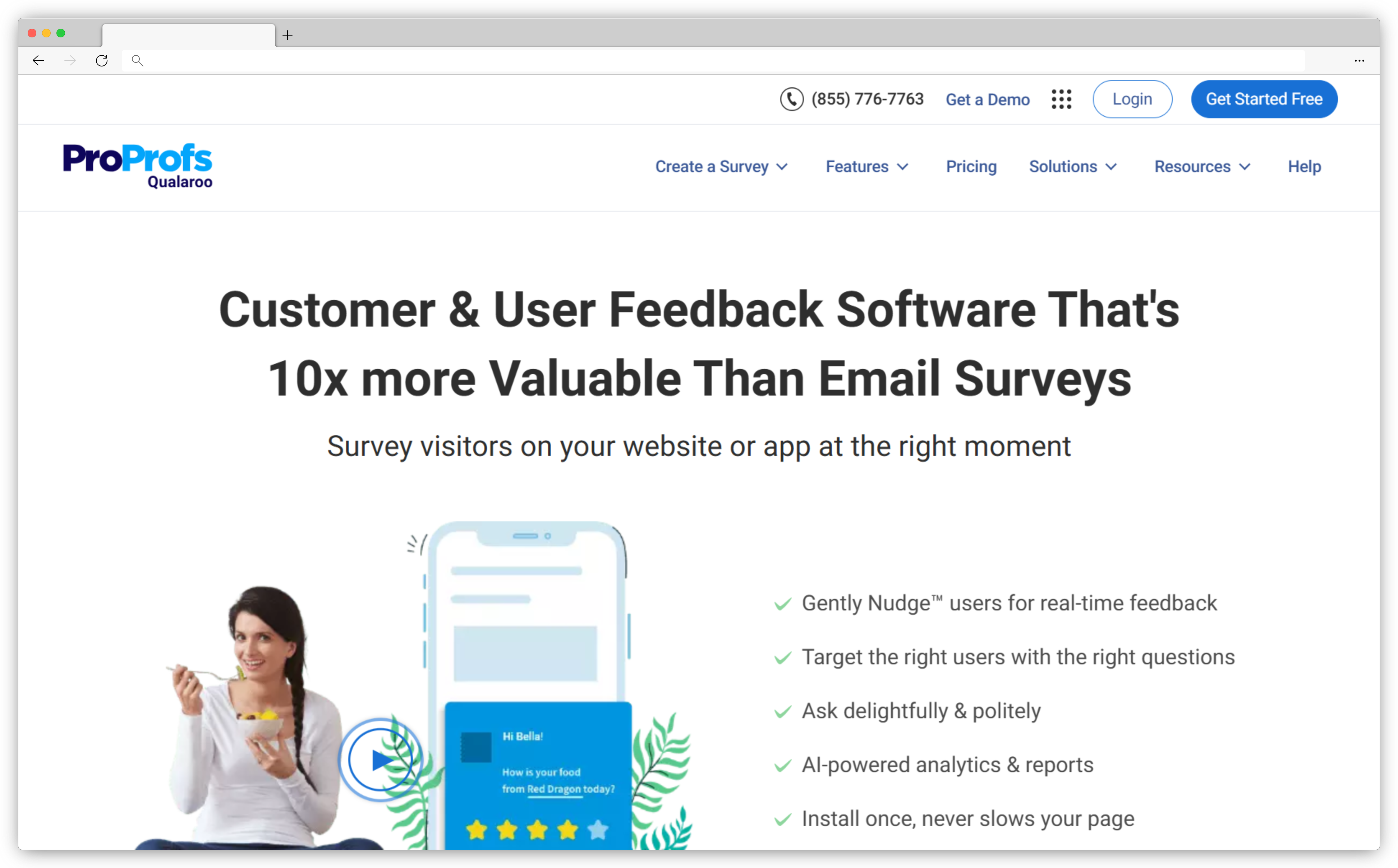
4. Qualaroo: Best for Collecting Contextual Micro-Surveys and UX Nudges
-
Best For: Product, UX, and marketing teams that want highly targeted, in-the-moment user feedback on specific pages, steps, or segments
-
Use Case: Trigger contextual micro-surveys (Qualaroo “Nudges”) based on URL, behavior, or audience rules to capture why users convert, drop, or struggle—without running full research studies
-
Qualaroo vs Usersnap: Usersnap is built for visual bug reporting (annotated screenshots/screen recordings + technical metadata) to help dev/QA teams reproduce issues. Qualaroo is a stronger Usersnap alternative when your goal is capturing on-page user sentiment and UX feedback (micro-surveys and targeted questions), not creating bug tickets from visual reports.
-
G2 Rating: 4.3/5
AI Features in Qualaroo
- AI Sentiment Analysis for Text Responses: Qualaroo’s sentiment analysis uses IBM Watson
- Natural Language Understanding to analyze text-based responses and surface sentiment/emotion signals.
- Sentiment Reporting to Spot Trends Faster: Helps teams quickly understand how users feel about pages, flows, or experiences (without manually reading every response).
Why Qualaroo is a Strong Usersnap Alternative?
If you’re looking at Usersnap alternatives because you need to collect feedback in context—right when a user is experiencing friction—Qualaroo is a strong fit.
Where Usersnap shines in capturing bugs with visual evidence, Qualaroo shines in capturing intent and sentiment with “Nudges” that appear at the right moment in the user journey. This is especially useful for diagnosing conversion drop-offs, onboarding friction, pricing-page confusion, feature discoverability, and UX clarity issues—cases where a screenshot alone won’t tell you why the user struggled.
For mid-market teams focused on product discovery and UX optimization, Qualaroo provides a lightweight feedback layer that can complement (or sometimes replace) visual bug capture—depending on whether your priority is behavior + perception vs. bug reproduction + dev handoff.
Top Features
- Survey Nudges (micro-surveys): Lightweight, in-context questions shown on specific pages or flows.
- Advanced Targeting & Segmentation: Target by user behavior, page rules, cookies/properties, and other audience logic (positioned as a core strength in reviews).
- Sentiment Analysis for Open-Text: IBM Watson NLU-powered sentiment insights for qualitative responses.
- Real-Time Feedback Collection: Designed for “real-time surveys” and rapid user research loops.
- Website & App Feedback Collection: Positioned for website/app surveys and user research use cases.
Qualaroo Pros
- Excellent for contextual UX feedback with precise targeting rules
- Faster to deploy for discovery than full bug-reporting workflows
- Sentiment analysis helps teams summarize qualitative feedback at scale
Qualaroo Cons
- Not built for visual bug reporting, annotations, or QA/UAT signoff
- Doesn’t replace dev-focused metadata capture (console logs, network details, repro steps)
Qualaroo Pricing
- Starts at $19.99/month
- Free version available
Top Usersnap Alternatives to Consider for Visual Bug Reporting & UAT Tools
If your development team or web agency needs precise bug tracking and easier client feedback on live websites, these tools offer visual feedback widgets, annotated screenshots, and collaborative features that make managing client feedback simple and efficient.
5. Marker.io: Best for In-House QA Teams & Agency UAT Workflows
-
Best For: Product, QA, and web teams (especially agencies) that need fast, accurate visual bug reporting with direct handoff to development tools
-
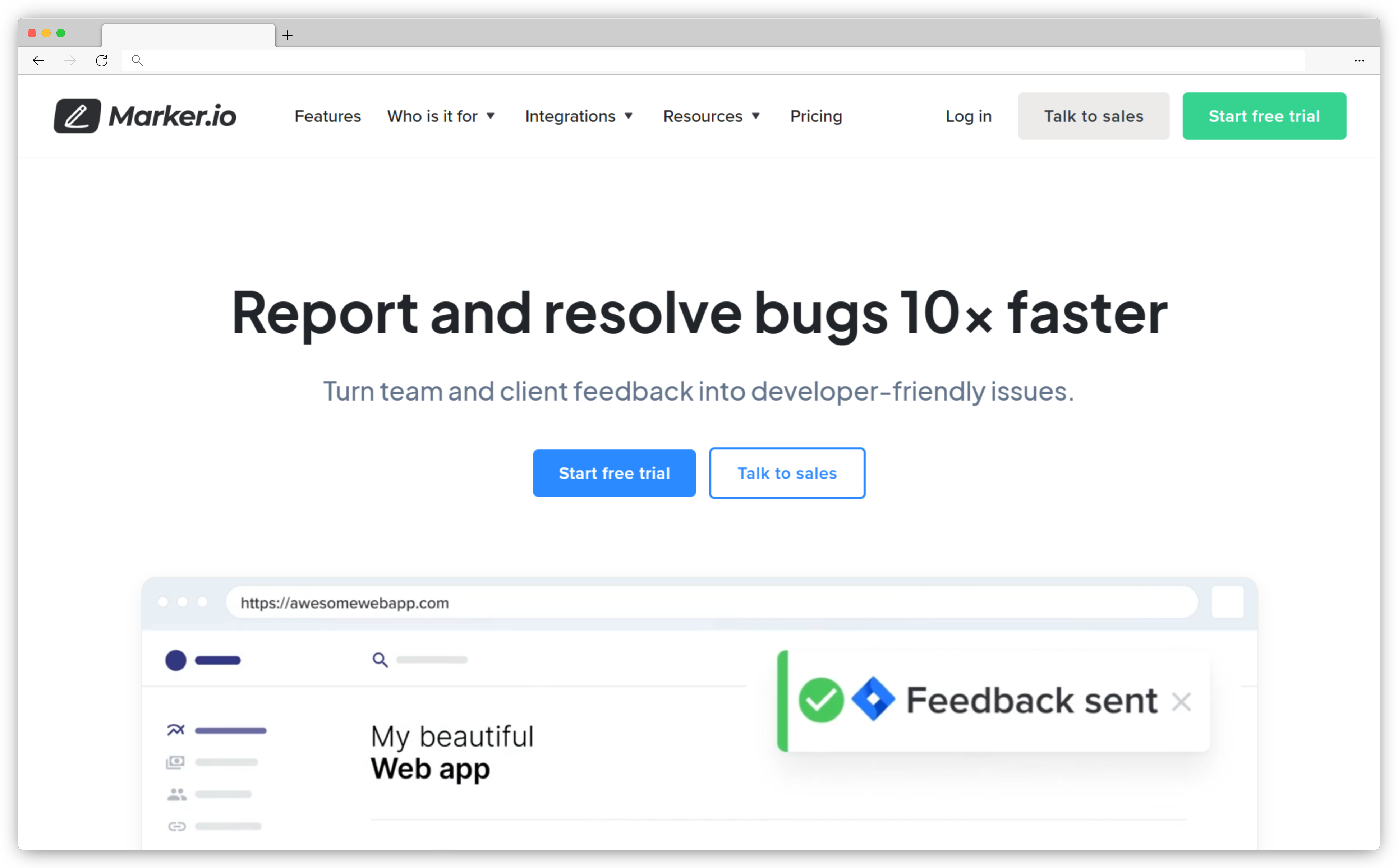
Use Case: Capture bugs directly from live websites or web apps using annotated screenshots, technical metadata, and reproduction context, and send them instantly to tools like Jira, Asana, ClickUp, or Linear
-
Marker.io vs Usersnap: Both are built for visual bug reporting. Marker.io is often preferred by teams that want a lighter, faster QA workflow with extremely tight project-management integrations and minimal setup, especially for agency and in-house QA use cases.
-
G2 Rating: 4.8/5
AI Features in Marker.io
- Automatic Technical Metadata Capture: Automatically collects browser, OS, screen resolution, URL, and environment details with every report.
- Smart Issue Templates: Pre-structured bug reports ensure engineers receive consistent, actionable tickets without back-and-forth.
- Automated Ticket Creation: Instantly creates issues in connected project management tools with all context attached.
Why Marker.io is a Strong Usersnap Alternative?
If you’re comparing Usersnap alternatives specifically for visual bug reporting and QA, Marker.io is one of the strongest options available.
Like Usersnap, Marker.io lets users report issues directly from the website with annotated screenshots, but it differentiates itself with a highly streamlined workflow and deep, two-way integrations with popular issue trackers. Bugs submitted through Marker.io arrive in Jira, ClickUp, Asana, or Linear with all technical details attached—ready for engineers to act on immediately.
Marker.io is especially popular with web agencies and internal QA teams that manage multiple projects and clients. Instead of juggling emails, screenshots, and vague bug descriptions, teams get structured, reproducible reports tied directly to their development workflow.
For teams whose primary need is accurate bug capture, faster QA cycles, and cleaner dev handoffs, Marker.io delivers a more focused experience than broader feedback platforms—and stands as a true Usersnap alternative.
Top Features
- Visual Bug Reporting Widget: Capture bugs directly from live websites and web apps.
- Annotated Screenshots: Click, draw, and comment directly on screenshots to show exactly what’s broken.
- Automatic Technical Metadata: Browser, OS, viewport, URL, and environment details captured automatically.
- One-Click Ticket Creation: Send bugs directly to Jira, Asana, ClickUp, Linear, GitHub, and more.
- Two-Way Integrations: Status updates sync back from project management tools to Marker.io.
- Guest & Client Feedback Support: Allow clients or non-technical users to report issues easily.
- Simple Setup: Lightweight script install or browser extension with minimal configuration.
- Team Collaboration: Comment, assign, and manage bug reports in a shared workspace.
Marker.io Pros
- Extremely easy for non-technical users and clients to submit issues
- Tight integrations with modern PM and dev tools
- Reduces back-and-forth between QA, PMs, and engineers
- Excellent fit for agencies managing multiple sites or clients
Marker.io Cons
- No session replay or behavior analytics
- No AI-powered feedback analysis or prioritization
- Focused on bugs and QA—not surveys, CX metrics, or VoC programs
Marker.io Pricing
- Starts at $39/month
- Free trial available
6. Userback: Best for Visual Feedback with Built-In Session Replay
-
Best For: Product, QA, and support teams that want visual bug reporting plus session replay context to reproduce issues faster
-
Use Case: Collect feedback from your website/app via a widget (bugs, UX issues, feature requests) using annotated screenshots, screen recordings, session replay, and technical metadata, then push it into Jira/Linear/ClickUp/Zendesk/Slack workflows
-
Userback vs Usersnap: Usersnap is strong for visual bug reporting and website annotations. Userback is a stronger Usersnap alternative when you want visual feedback + session replay + broader feedback workflows (feature requests/portals + richer integrations) in one stack.
-
G2 Rating: 4.7/5
AI Features in Userback
- AI-assisted widget (Next-Gen): Automatically categorizes feedback, analyzes sentiment, helps prioritize submissions, suggests feedback titles, and flags unanswered feedback.
- AI Insights (noted as “coming soon”): Intended to analyze feedback across projects to identify themes, sentiment, and trends.
Why Userback is a Strong Usersnap Alternative?
If you’re looking at Usersnap alternatives because visual feedback alone isn’t enough to reproduce issues reliably, Userback stands out because it pairs in-context bug reports with session replay and richer user feedback flows.
Users can submit feedback with annotated screenshots and screen recordings, and teams can use session replay + technical metadata to understand what happened right before a bug occurred—reducing back-and-forth and speeding up fixes.
Userback also supports broader product feedback motions (bugs + ideas + general feedback) and plugs into modern product/dev stacks via two-way sync integrations—making it a practical alternative for mid-market teams that need capture → triage → ship loops to run cleanly.
Top Features
- Visual Feedback Widget: Collect bugs and UX feedback directly from websites/web apps.
- Annotated Screenshots: Highlight and mark up issues visually.
- Video/Screen Recording: Share richer context than screenshots alone.
- Session Replay: Replay user sessions to diagnose friction and reproduce bugs.
- Technical Metadata Capture: Capture environment details alongside reports (positioned in integration listings).
- Two-Way Integrations: Jira + ClickUp + Linear 2-way sync and more.
- Support & Collaboration Integrations: Connect with Intercom, Zendesk, Slack/Microsoft Teams, etc.
Userback Pros
- Strong Usersnap-style visual bug reporting with added replay context
- Excellent integration coverage (including 2-way sync options)
- AI-assisted triage features reduce admin work as feedback volume grows
Userback Cons
- Not a full UX analytics suite like FullStory/Hotjar (its focus is feedback capture + workflow)
- AI “Insights” is referenced as coming soon, so treat advanced AI analytics claims carefully
Userback Pricing
- Starts at $7/month
- Free version available
7. BugHerd: Best for Client-Friendly Website Reviews & Project Sign-Offs
-
Best For: Web agencies, product teams, and QA teams that need client-friendly visual feedback with built-in task tracking
-
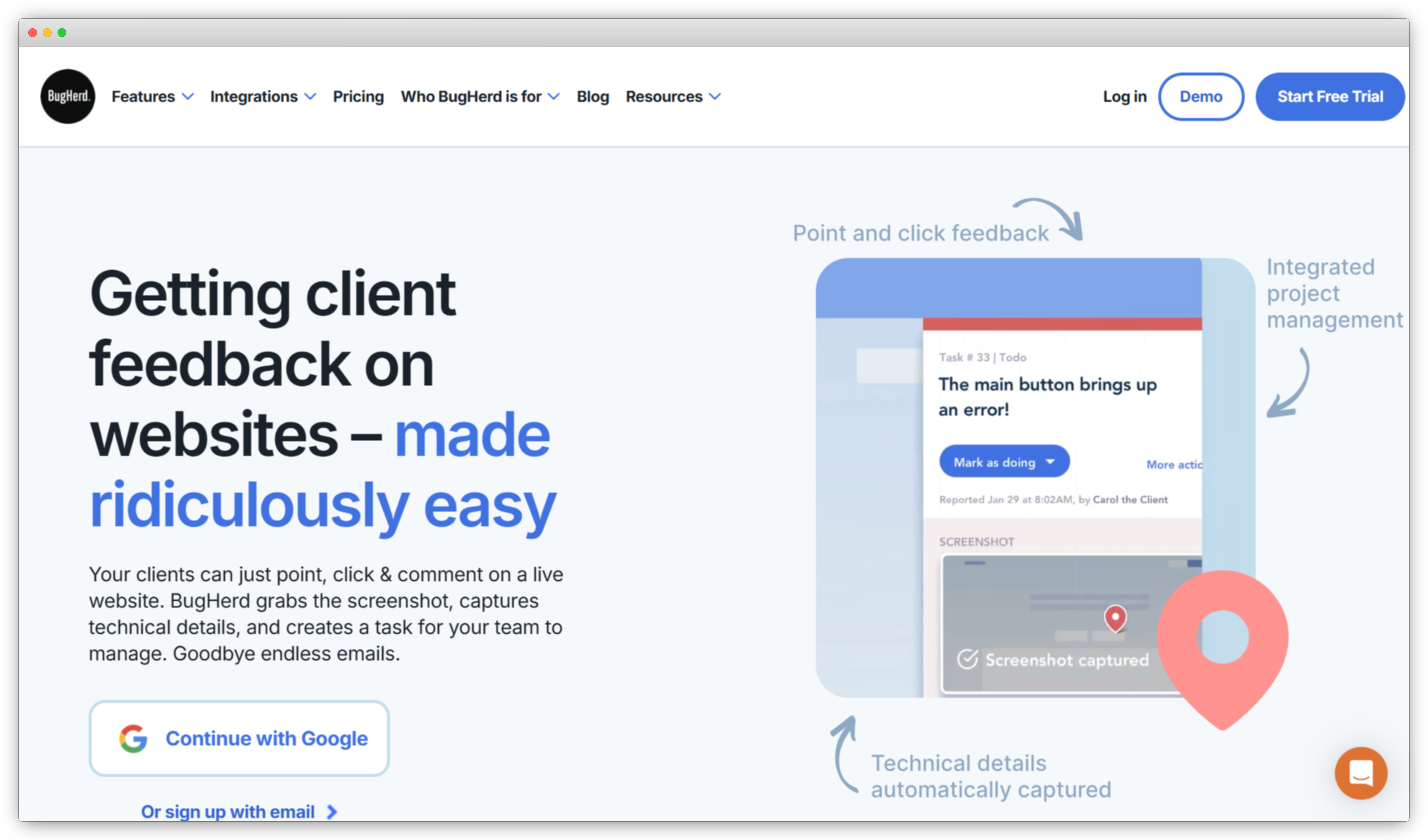
Use Case: Let clients and internal teams point, click, and comment directly on live web pages, auto-capture screenshots + browser/OS details, and convert every comment into a trackable task in BugHerd (or sync to Jira/ClickUp/Asana, etc.)
-
BugHerd vs Usersnap: Usersnap is great for visual bug reporting and structured developer handoff. BugHerd is a stronger Usersnap alternative when your workflow involves non-technical reviewers/clients and you want a “sticky-note on the website” experience with a simple built-in task board for approvals and sign-off.
-
G2 Rating: 4.8/5
AI Features in BugHerd
- AI-assisted features (Beta): BugHerd’s first AI features are available in open beta and can be enabled per project.
- AI support documentation + enablement: BugHerd provides official guidance on enabling and trying the AI beta.
Why BugHerd is a Strong Usersnap Alternative?
If you’re evaluating Usersnap alternatives for website feedback and UAT, BugHerd stands out because it’s built for stakeholder collaboration—especially when clients or non-technical teammates need to give precise feedback without learning a bug tracker.
Users can drop a pin directly on a page element, and BugHerd captures a screenshot plus technical context (like browser/OS details), turning that feedback into a task your team can track. This reduces back-and-forth (“where on the page?” / “what device?”) and makes sign-off workflows smoother than email threads or spreadsheets.
For agencies managing multiple websites, BugHerd’s combination of in-context feedback + built-in task board + integrations often feels more “client-ready” than developer-first reporting tools.
Top Features
- Point-and-click visual feedback: Pin comments directly onto page elements in context.
- Automatic screenshot capture: Captures screenshots (including pins) with each report.
- Technical details captured automatically: Records browser and operating system details to help reproduce issues.
- Every comment becomes a task: Built-in workflow where feedback converts into trackable tasks.
- Integrations: Verified integrations listed on G2 include Jira, ClickUp, Asana, Linear, GitHub, Slack, Trello, Zapier, and more.
- Browser extension: BugHerd offers a Chrome extension for capturing feedback and bug reports.
BugHerd Pros
- Extremely easy for clients/non-technical reviewers to leave precise feedback
- Built-in task workflow keeps reviews organized without extra tools
- Solid integration coverage for pushing tasks into dev/project tools
BugHerd Cons
- Primarily optimized for website reviews/UAT, not full product analytics or session replay suites
- If you want deep developer diagnostics (logs/error traces), you may still pair it with dev tools
BugHerd Pricing
- Starts at $50/month
- Free trial available
Top Usersnap Alternatives to Consider for Session Replay & Diagnostics
These website feedback tools add an extra layer of context with session replay, console logs, and user actions tracking—helping your software team diagnose issues, resolve bugs, and deliver a smoother user experience across web pages and mobile apps.
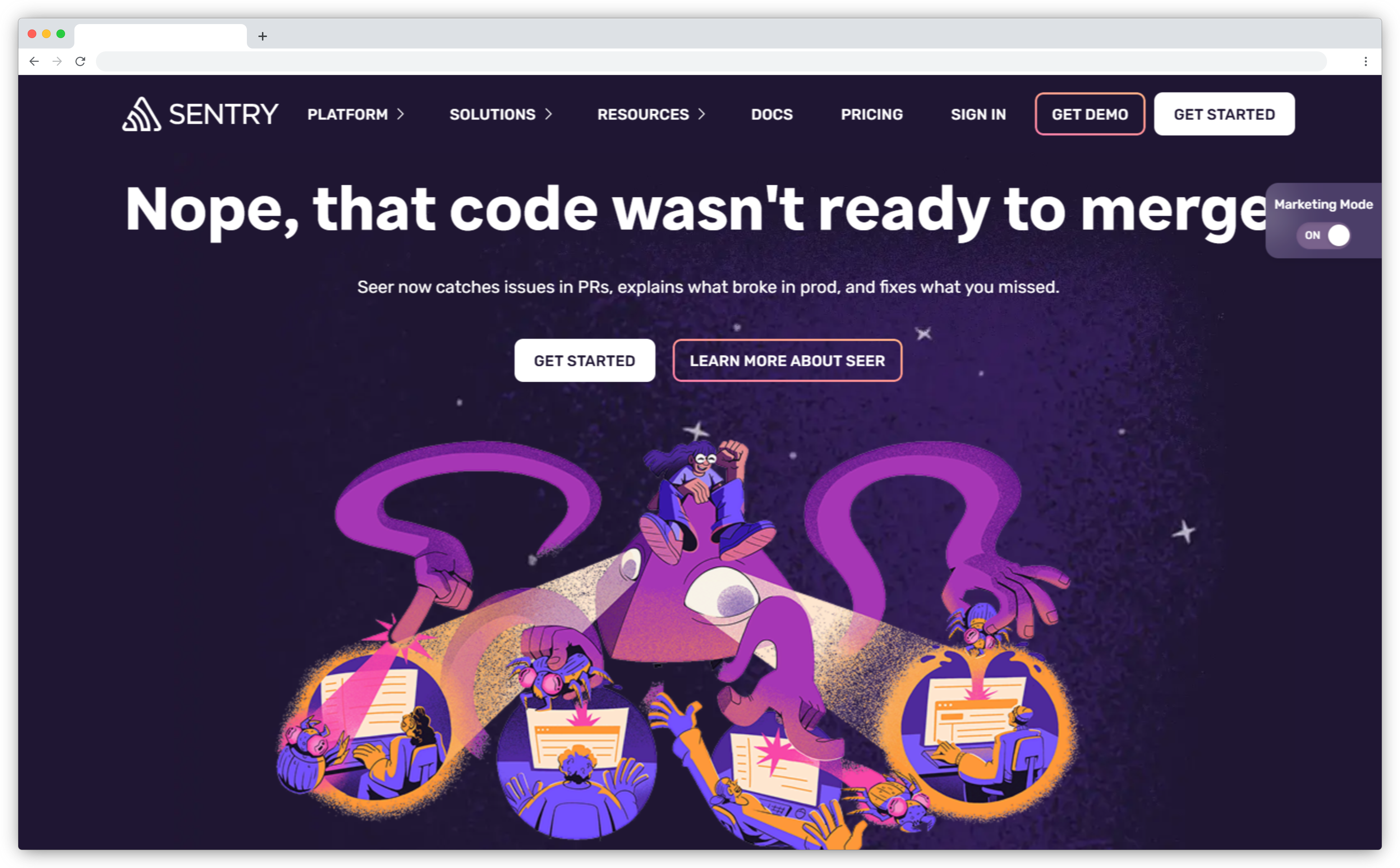
8. Sentry (Replay): Best for Developer Teams Combining Error Tracking & Session Replay
-
Best For: Engineering and QA teams that want error monitoring + performance insights + session replay in one developer workflow
-
Use Case: Capture session replays tied to errors and performance issues to reproduce bugs faster, then triage directly inside Sentry with stack traces, breadcrumbs, and linked events
-
Sentry vs Usersnap: Usersnap is optimized for visual bug reporting from end users/clients (annotated screenshots, screen recordings, UAT feedback). Sentry is a stronger Usersnap alternative when you need developer-grade diagnostics—error tracking and performance monitoring—plus replay to see what the user did leading up to the issue.
-
G2 Rating: 4.5/5
AI Features in Sentry
- Replay tied to issues and debugging context: Session Replay is designed to help teams understand what happened around an error or performance issue by watching the user session (“before, during, after”).
- Replay filtering & triage workflows: Sentry provides replay pages and filters to find the sessions that match conditions you care about.
- Web + Mobile replay support: Sentry supports Session Replay for both Web and Mobile (with separate docs)
Why Sentry is a Strong Usersnap Alternative?
If you’re researching Usersnap alternatives because user-submitted bug reports aren’t enough to reproduce issues, Sentry is a strong fit.
Instead of waiting for someone to file a report with a screenshot, Sentry captures production errors and performance problems, then lets your team jump into session replay to watch exactly what the user did. This can drastically reduce “can’t reproduce” cycles and speed up fixes—especially for issues that users don’t report or can’t describe clearly.
For dev-centric teams, Sentry is often the better alternative when the goal is diagnostics + root cause rather than client-friendly visual feedback and UAT sign-off.
Top Features
- Session Replay (Web & Mobile): Record real user sessions and replay interactions (clicks, scrolls, navigation) to understand what happened before, during, and after an issue.
- Replay Linked to Errors & Transactions: Automatically associate session replays with captured errors, exceptions, or performance issues—so engineers can jump directly from an error to the exact user session that triggered it.
- Breadcrumbs & Contextual Debugging: Combine replay with Sentry’s breadcrumbs (network requests, console logs, UI events) to get a complete picture of application behavior.
- Replay Filters & Search: Filter replays by browser, OS, release version, error presence, URL, or other attributes to quickly isolate relevant sessions.
- Performance Monitoring Integration: Replay works alongside Sentry’s performance monitoring, enabling teams to correlate slow interactions or freezes with real user impact.
Sentry Pros
- Combines error tracking, performance monitoring, and replay in one workflow
- Reduces “can’t reproduce” bugs by showing exact user behavior
- Strong ecosystem and integrations within the developer tooling space
- Highly configurable privacy and data-capture controls
- Proven scalability for high-traffic production environments
- Well-documented platform with mature SDKs and support resources
Sentry Cons
- Not designed for client-facing feedback or UAT workflows
- No annotated screenshots, visual pins, or commenting on UI elements
- Not suitable for collecting structured user feedback (no surveys, no NPS/CSAT)
- Requires developer involvement for setup and ongoing tuning
Sentry Pricing
- Starts at $26/month
- Free version available
9. Observe.AI: Best for Privacy-Conscious, Self-Hosted Session Replays
-
Best For: Support ops, contact center leaders, and QA teams that need conversation intelligence + automated QA + real-time agent assistance
-
Use Case: Analyze 100% of customer conversations (calls + chats), generate summaries, score quality, detect compliance risks, and coach agents with real-time guidance—so support performance improves consistently across teams.
-
Observe.AI vs Usersnap: Usersnap is built for website/app visual feedback and bug reporting (screenshots, screen recordings, annotations). Observe.AI is not a like-for-like Usersnap replacement—it’s for contact center intelligence and agent performance, not on-page bug capture or QA/UAT feedback on websites.
-
G2 Rating: 4.6/5

AI Features in Observe.AI
- Real-Time Agent Assist: In-the-moment guidance to help agents follow processes and compliance requirements during live conversations.
- Conversation Intelligence: GenAI-powered analysis to extract insights from customer interactions and support coaching and business analytics.
- AI Agents + Workflow Integrations: Markets “AI Agents for customer experience” with integrations across “250+ systems,” designed for complex workflows and governance.
- Auto QA + Summaries: Public releases highlight post-interaction summaries and Auto QA as core value drivers.
Why Observe.AI is a Strong Usersnap Alternative?
If you’re researching Usersnap alternatives because customer feedback no longer comes primarily from websites or in-app widgets, Observe.AI becomes relevant.
Instead of relying on users to submit visual bug reports or feedback forms, Observe.AI captures the voice of the customer directly from support conversations. It enables teams to understand recurring product issues, friction points, and dissatisfaction signals by analyzing what customers actually say to support agents—often where the most detailed feedback lives.
For organizations where support conversations are the richest feedback channel, Observe.AI serves as an alternative to visual feedback tools like Usersnap—shifting feedback collection from screenshots and annotations to AI-analyzed conversations and agent interactions.
Top Features
- Conversation Intelligence (Calls & Chats): Analyze 100% of customer interactions using AI transcription and NLP.
- Auto QA & Compliance Monitoring: Automatically score conversations for quality, policy adherence, and risk.
- Real-Time Agent Assist: Deliver in-the-moment coaching and guidance during live calls.
- AI Summaries & Post-Call Insights: Generate concise summaries, action items, and insights after every interaction.
- Sentiment & Intent Analysis: Detect customer emotion, escalation risk, and churn signals.
- Enterprise Integrations: Integrates with major CCaaS, CRM, and helpdesk platforms for operational workflows.
Observe.AI Pros
- Excellent for contact center–driven feedback and CX insights
- Analyzes 100% of conversations instead of sampling
- Strong AI automation for QA, compliance, and coaching
- Real-time agent assistance improves consistency and outcomes
- Highly rated by enterprise support and operations teams
- Scales well for large, high-volume contact centers
Observe.AI Cons
- Not designed for website or in-app visual feedback
- No annotated screenshots, session replay, or UI-level bug reporting
- Not suitable for QA/UAT workflows on web or mobile apps
- Requires contact center infrastructure (calls/chats) to be useful
Observe.AI Pricing
- Custom pricing based on interaction volume, features, and deployment scope
- Free trial or pilot available on request
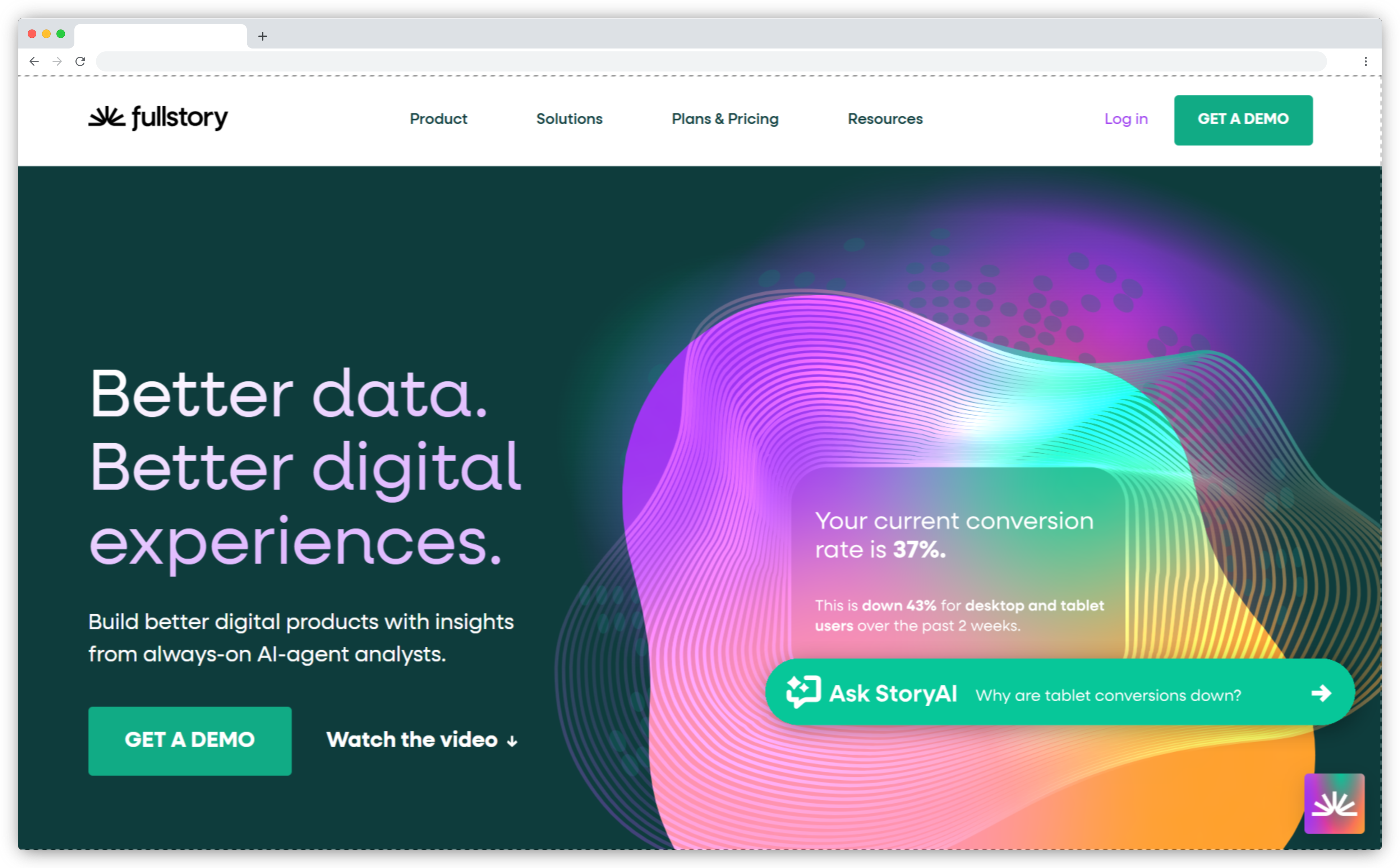
10. FullStory: Best for Large-Scale Digital Experience Analytics & Product Optimization
-
Best For: Product, UX, and growth teams that want session replay + behavioral analytics to understand user friction, conversion drop-offs, and experience issues at scale
-
Use Case: Capture high-fidelity session replays of real user behavior, combine them with experience signals (rage clicks, dead clicks, errors), and analyze how issues impact funnels, conversions, and user journeys
-
FullStory vs Usersnap: Usersnap is optimized for visual bug reporting and structured feedback capture (annotated screenshots, screen recordings, UAT comments). FullStory is a stronger Usersnap alternative when your priority is observing real user behavior and diagnosing UX friction at scale, even when users never submit feedback.
-
G2 Rating: 4.5/5
AI Features in FullStory
- AI-Assisted Session Analysis (StoryAI): Helps teams ask natural-language questions and surface insights from session data (e.g., identifying patterns behind friction or drop-offs).
- Automatic Frustration & Behavior Signals: Detects rage clicks, dead clicks, excessive scrolling, and errors to highlight sessions likely tied to poor user experience.
- Session Clustering & Pattern Detection: Groups similar behaviors and issues across sessions to identify recurring UX problems.
- Experience Impact Insights: Helps teams connect qualitative session observations to quantitative outcomes like conversion, retention, or drop-off trends.
Why FullStory is a Strong Usersnap Alternative?
If you’re evaluating Usersnap alternatives because relying on user-submitted feedback alone leaves blind spots, FullStory offers a different—but complementary—approach.
Instead of waiting for users to report bugs or UX issues, FullStory records what users actually do. Teams can watch sessions to see where users struggle, rage-click, abandon flows, or encounter errors—often uncovering issues users never report. This makes FullStory especially valuable for product discovery, UX optimization, and conversion analysis.
For teams focused on proactive experience improvement, FullStory serves as a powerful alternative to Usersnap’s reactive, report-based feedback model—shifting insight from “what users tell you” to “what users actually experience.”
Top Features
- Session Replay (Web & Mobile): Watch real user sessions with precise playback of clicks, scrolls, navigation, and interactions.
- Frustration Signals: Automatically detect rage clicks, dead clicks, errors, and unusual behavior.
- Funnels & Journey Analysis: Understand how experience issues affect key flows like onboarding, checkout, or feature adoption.
- Search & Filtering: Find sessions by user attributes, pages, errors, events, or experience signals.
- Privacy & Data Controls: Built-in masking, consent tools, and compliance support for GDPR and privacy requirements.
- Integrations: Connect with tools like Jira, Slack, Segment, Google Analytics, and data warehouses.
- Enterprise Scalability: Designed to support high-traffic products with large session volumes.
FullStory Pros
- Powerful session replay quality and playback accuracy
- Automatically surfaces frustration and UX issues
- Strong fit for UX research, product analytics, and conversion optimization
- Scales well for mid-market and enterprise teams
- Broad integration ecosystem for product and analytics stacks
FullStory Cons
- Not built for client-facing feedback or QA/UAT workflows
- No annotated screenshots or in-page commenting like Usersnap
- Less suitable for structured bug submission and task handoffRequires thoughtful setup to manage data volume and privacy
FullStory Pricing
- Custom pricing based on session volume and feature requirements
- Free trial available for limited usage
Top Usersnap Alternatives to Consider for Open-Source Feedback Boards
For teams that prefer flexibility, transparency, and self-hosting, these open-source feedback tools make it easy to collect feedback, manage guest portals, and customize your own feedback process with complete control over your data and roadmap visibility.
11. Fider: Best for Public Idea Boards, Voting & Community Roadmaps
-
Best For: Product and engineering teams that want a simple, open-source way to collect feature requests and ideas from users or internal stakeholders
-
Use Case: Create a public or private feedback board where users can submit ideas, vote on requests, and track status updates—ideal for roadmap transparency and community-driven prioritization
-
Fider vs Usersnap: Usersnap is optimized for visual bug reporting and in-context feedback on websites/apps. Fider is a stronger Usersnap alternative when your goal is collecting and prioritizing feature requests via a public idea board—not capturing bugs with screenshots or session context.
-
G2 Rating: Not available

AI Features in Fider
- Fider does not position itself as an AI-powered platform. Its value lies in simplicity, transparency, and community voting, not automated analysis.
Why Fider is a Strong Usersnap Alternative?
If you’re researching Usersnap alternatives because you want a transparent, community-facing feedback loop, Fider is a strong fit.
Instead of collecting bug reports or visual annotations, Fider focuses on ideas and feature requests. Users submit suggestions, vote on what they care about, and see progress through clear statuses like Planned, In Progress, or Completed. This makes it especially useful for SaaS products that want to involve customers in roadmap decisions.
For teams that don’t need screenshots, metadata, or QA workflows—but want an open, self-hostable feedback portal—Fider offers a clean alternative to Usersnap’s in-product feedback model.
Top Features
- Public & Private Feedback Boards: Collect ideas from customers or internal teams.
- Voting & Prioritization: Let users upvote requests to surface demand.
- Status Updates: Communicate roadmap progress transparently.
- Authentication Options: Supports sign-in via common identity providers.
- Self-Hosted & Open-Source: Full control over data and deployment.
- Moderation Tools: Merge duplicates and manage submissions easily.
- Simple UI: Minimal learning curve for users and admins.
Fider Pros
- Fully open-source and self-hostable
- Excellent for feature request collection and voting
- Encourages community engagement and transparency
- Lightweight and easy to deploy
- No vendor lock-in or usage-based pricing
Fider Cons
- Not designed for bug reporting or QA workflows
- No visual feedback (screenshots, annotations, session replay)
- No AI analysis, sentiment detection, or automation
- Limited analytics compared to commercial VoC tools
Fider Pricing
- Free (open-source)
- Optional paid hosting and support plans available via Fider
12. Planka: Best for Open-Source Kanban & Product Workflow Visibility
-
Best For: Product and engineering teams that want an open-source kanban board for internal task tracking and roadmap visibility
-
Use Case: Manage tasks, backlogs, and product roadmaps using a Trello-like kanban interface that you can self-host and customize
-
Planka vs Usersnap: Usersnap is built for collecting user feedback and bug reports. Planka is not a direct Usersnap alternative—it does not collect feedback from users. It’s relevant only as a downstream tool for managing work once feedback has already been gathered elsewhere.
-
G2 Rating: Not available

AI Features in Planka
- Planka does not position itself as an AI-powered platform. Tasks are created manually.
Why Planka is a Strong Medallia Alternative?
Teams evaluating Usersnap alternatives are often looking not only for how to collect feedback, but also how to organize and execute on it once priorities are clear.
Planka fits into this workflow as a downstream companion tool rather than a direct replacement. While it doesn’t capture feedback itself, it provides a simple, open-source way to manage tasks, bugs, and roadmap items that originate from feedback platforms.
For teams that prefer open-source infrastructure and want to avoid vendor lock-in, Planka offers a clean, self-hosted alternative to proprietary project management tools—making it a natural fit in stacks where feedback is collected elsewhere and execution happens internally.
Top Features
- Kanban Boards: Trello-style boards with columns and cards for task tracking
- Self-Hosted & Open-Source: Full control over deployment, data, and customization
- Projects & Boards: Organize work by product, team, or initiative
- Task Assignments & Labels: Assign owners, add labels, and manage priorities
- Comments & Collaboration: Discuss work directly within cards
- Simple Permissions: Control access for team members
- Lightweight & Fast: Minimal setup and low operational overhead
Planka Pros
- Fully open-source with no licensing fees
- Easy to self-host and customize
- Clean, intuitive kanban interface
- Works well for internal product and engineering teams
Planka Cons
- Does not collect user feedback or bug reports
- No visual feedback, screenshots, or annotations
- No public feedback boards or voting mechanisms
- No analytics, AI, or prioritization intelligence
- Requires a separate feedback tool to be useful in a Usersnap-style workflow
Planka Pricing
- Free (open-source, self-hosted)
- Optional Planka Cloud plans available for teams that prefer managed hosting
Why Switch from Usersnap?
Usersnap is a reliable and well-established tool for visual bug reporting and in-product feedback, especially for teams that need annotated screenshots, screen recordings, and straightforward integrations with development tools. It works well for collecting feedback directly from live websites and web apps and has become a trusted choice for QA teams, agencies, and product teams alike.
That said, many teams today find that Usersnap doesn’t always align with their evolving needs around scale, analytics depth, and workflow flexibility. As product organizations mature and feedback volumes grow, teams often begin looking for Usersnap alternatives that better match how they build, analyze, and act on feedback in 2026.
Here are some common reasons businesses explore alternatives to Usersnap:
- Limited Insight Beyond Visual Feedback: Usersnap excels at capturing what is wrong through screenshots and annotations. However, teams that want to understand why issues happen—across trends, segments, or journeys—often need deeper analytics, session replay, or AI-driven insight tools that go beyond individual reports.
- Scaling Becomes Costly or Restrictive: As usage grows across multiple projects, clients, or teams, some organizations find Usersnap’s pricing and plan structure less flexible for scaling. This can prompt teams to evaluate alternatives that offer more predictable costs or broader capabilities at similar price points.
- Workflow & Automation Gaps: While Usersnap integrates well with popular project management tools, teams running high-volume feedback programs may want more advanced automation—such as intelligent routing, prioritization, or closed-loop workflows—without relying heavily on manual triage.
- Need for Behavior Context, Not Just Reports: Visual feedback depends on users actively submitting issues. Product and UX teams increasingly want tools that reveal unreported friction through session replay, heatmaps, and behavioral signals—helping them uncover problems even when users don’t leave feedback.
- Different Feedback Jobs Require Different Tools: As teams mature, they often realize that bug reporting, UX discovery, feature requests, and roadmap feedback are distinct jobs. Usersnap is strong for bug capture, but teams may switch to or complement it with tools purpose-built for product analytics, customer feedback intelligence, or public idea boards.
What to Look for in a Usersnap Alternative?
Choosing the right Usersnap alternative isn’t about finding a tool that does everything—it’s about selecting a platform that aligns with how your team collects, analyzes, and acts on feedback today. As product teams grow and feedback sources diversify, the right solution should reduce friction, speed up insight, and fit naturally into your existing workflows.
Here are the key criteria to consider when evaluating Usersnap competitors in 2026:
1. Feedback Collection That Matches Your Workflow
Usersnap is optimized for visual bug reporting on live websites and apps. If your feedback now comes from multiple channels—in-app widgets, surveys, support tickets, reviews, or conversations—you’ll want a platform that can capture and unify these inputs without creating silos.
2. AI-Powered Analytics for Faster Insights
As feedback scales, manual review doesn’t hold up. Look for tools that use AI-powered analytics—such as text analysis, sentiment detection, theme clustering, or summarization—to help teams quickly understand what users are saying and identify patterns without weeks of manual tagging.
3. Context Beyond Screenshots
Annotated screenshots explain where an issue occurred, but not always why. Many teams look for alternatives that add behavioral or diagnostic context, such as session replay, error tracking, or performance data, to accelerate debugging and UX improvements.
4. Insight & Prioritization at Scale
When hundreds or thousands of feedback items flow in, prioritization becomes critical. Strong Usersnap alternatives help teams focus on what matters most through AI-assisted categorization, voting mechanisms, impact analysis, or structured workflows.
5. Automation & Closed-Loop Workflows
Capturing feedback is only the first step. The best tools enable automation and closed-loop action—routing issues to the right teams, triggering alerts, syncing with Jira or helpdesks, and ensuring feedback leads to visible outcomes.
6. Ease of Use for All Stakeholders
Feedback tools are often used by developers, product managers, designers, support teams, and even clients. A good alternative balances technical depth with usability, allowing both technical and non-technical users to collaborate without friction.
7. Scalability, Security & Data Control
As organizations grow, requirements around permissions, privacy, and governance increase. Evaluate whether the platform supports role-based access, data privacy standards (such as GDPR), and the ability to scale without excessive operational complexity.
8. Seamless Integration with Your Existing Stack
Your feedback tool should integrate smoothly with the rest of your ecosystem—project management, analytics, CRM, and support platforms—so insights flow naturally into execution and reporting.
Conclusion
Usersnap is a strong and well-established tool for visual bug reporting and in-product feedback—especially when teams need annotated screenshots, screen recordings, and simple QA handoff on live websites. But for many mid-market teams in 2026, that focus can feel limiting as feedback volumes grow and product workflows demand deeper insight, automation, and scalability.
If you’re prioritizing agility, AI-powered analysis, and faster time-to-action, newer Usersnap alternatives are often a better fit. Tools built for modern product teams combine multi-channel feedback, behavioral context, and automated workflows—helping teams move beyond static reports toward clear prioritization and measurable impact. That’s where Zonka Feedback stands out: a unified feedback intelligence platform that centralizes user input, applies AI to uncover themes and sentiment, and automates closed-loop actions—without the overhead of stitching together multiple tools.
Ready to turn user feedback into roadmap-ready insights faster? Schedule a demo with Zonka Feedback and see how mid-market teams improve product and customer experience at scale.






.svg)
.png)