.svg)
 Healthcare
 Finance
 Retail
 SaaS & Digital
 eCommerce
 Education
 Salesforce
  HubSpot
 Pipedrive
 Mailchimp
 Klaviyo
 Zendesk
  Intercom
 Freshdesk
 HelpScout
  Front
Front Jira
Jira Slack
Slack  MS Teams
 Zoom
Zoom Google Sheets
  Zapier
  Integrately
 Make
Make  Webhooks




 MS Teams


This guide reflects our current evaluation of customer insights platforms. Each tool was assessed on AI depth, data unification, insight delivery, integrations, and whether insights actually reach the teams that need them. We also considered real-world use cases across feedback analytics, behavioral data, and operational intelligence.
TL;DR
- This guide covers 9 customer insights platforms: Zonka Feedback, Qualtrics XM, Medallia, Enterpret, Brandwatch, Enfra, CleverX, Formo and SaidText.
- Use cases range from AI feedback intelligence and enterprise VoC to social listening, search-level marketing data, verified research panels, onchain product analytics, and frontline voice capture.
- Each tool is evaluated on AI capability depth, data unification, insight delivery, integration ecosystem, and action closure.
- Includes a comparison table, decision framework, and common selection mistakes to avoid.
Most teams shopping for customer insights platforms are still thinking in dashboard terms. Collect data. Build a report. Share it quarterly. Hope someone reads it.
That's one version of the category. But the tools have split. Some still focus on collecting and visualizing feedback. Others go further: they unify signals from surveys, tickets, reviews, calls, and social mentions, then use AI to surface what's actually driving customer sentiment — and route those signals to the specific people who can fix things. Not just charts. Actual intelligence that reaches the right role at the right time.
This guide covers 9 platforms across AI feedback analysis, enterprise experience management, unstructured feedback analytics, social intelligence, search data enrichment, verified research panels, onchain analytics, and frontline voice capture. Each one evaluated on AI depth, data unification, insight delivery, integrations, and whether it closes the gap between knowing what customers think and doing something about it.
At a Glance: Top Customer Insights Platforms Compared
| Tool | Best For | Key AI Capability | Starting Price |
| Zonka Feedback | AI feedback analysis & automated signals | AI agents, thematic analysis, entity mapping, role-based signals | Custom pricing |
| Qualtrics XM | Enterprise-scale experience research | Text iQ, Stats iQ, predictive analytics | $1,500/yr+ |
| Enterpret | Product teams analyzing unstructured feedback | Adaptive taxonomy, AI theme clustering, Wisdom AI | Contact sales |
| Medallia | Enterprise VoC with predictive analytics | Real-time theme detection, speech-to-text, behavioral analysis | Contact sales |
| Brandwatch | Social and consumer intelligence | AI social listening, image recognition, trend detection | Contact sales |
| Enfra | Grounding AI tools with live SEO data | Live SERP injection into ChatGPT, Claude, Gemini, Perplexity | $25/user/mo |
| CleverX | Verified research panels & AI-moderated insights | AI Interview Agent, theme extraction, sentiment analysis | $99/mo |
| Formo | Onchain product analytics & wallet intelligence | Web-to-onchain attribution, wallet profiling, audience insights | Contact sales |
| SaidText | Frontline voice to structured insights | Voice-to-structured capture, trend detection, AI summaries | Contact sales |
The short version: If you need a platform that collects customer feedback and tells your team what to fix — with AI that maps insights to your business structure — the field narrows fast. If you need behavioral analytics, social listening, or industry-specific intelligence, the right pick depends on where your data lives and which team needs to act on it.
How We Evaluated These Platforms
Five criteria shaped this list:
1. AI capability depth. Does the tool just show you charts, or does it actually surface what's driving customer sentiment? There's a meaningful gap between "sentiment score: 72%" and "delivery complaints at your Southeast locations spiked 340% this week — here's what's behind it."
2. Data unification. Customer insights live in surveys, support tickets, reviews, calls, social mentions, product usage data, and a dozen other places. We looked at how well each platform brings those sources together — or whether it even tries.
3. Insight delivery. A dashboard nobody checks isn't an insight. We evaluated whether each tool pushes signals to the right people or waits for someone to go looking.
4. Integration ecosystem. Insights that don't connect to your CRM, helpdesk, or product tools create more work than they save. Native integrations matter here.
5. Action closure. Can the platform help your team actually do something with what it finds? Or does the insight sit in a report that gets shared once and forgotten?
6. On transparency: We are the team behind Zonka Feedback. Zonka is included here as one tool among nine. Descriptions are written to the same standard as every other tool. This guide is not sponsored, and no tool paid for placement.
G2 ratings are included where available. Pricing comes from official sources.
The 9 Best Customer Insights Platforms for 2026
1. Zonka Feedback – Best for AI Feedback Analysis & Automated Signals
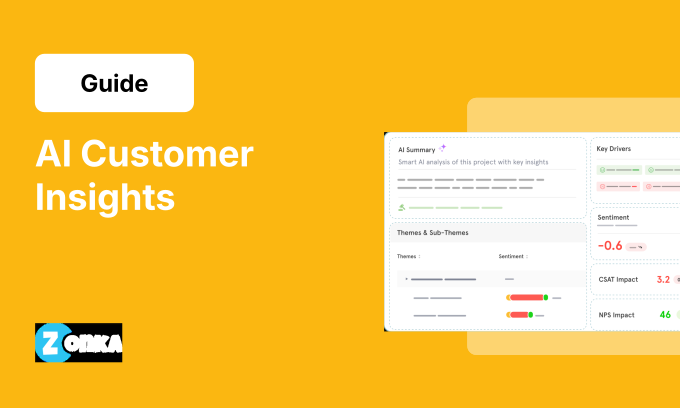
Zonka Feedback is an AI customer feedback and intelligence platform that unifies feedback from surveys, support tickets, reviews, chats, calls, and social mentions into one intelligence layer. Instead of giving you a dashboard and leaving you to figure out what matters, AI agents continuously monitor feedback, detect emerging themes and sentiment shifts, and send role-based signals to the people who can actually do something about it.
The platform maps every piece of feedback to your business entities — locations, agents, products, services, departments — automatically. So when a theme like "billing confusion" starts spiking at three specific branches, the branch managers see it, not just the CX team. The AI Co-Pilot lets teams ask natural-language questions across all their feedback data, and closed-loop workflows make sure critical signals don't just get surfaced — they get resolved.
Where Zonka fits best is the gap between collection and action. If your team already has feedback coming in from multiple channels but struggles to connect the dots or get insights to the right people fast enough, that's the problem this platform was built for.
Key Features
-
AI agents that surface signals and detect anomalies in real time
Continuous monitoring across all feedback sources with automated alerting when patterns change or new issues emerge. -
Thematic analysis with entity mapping
AI clusters themes and maps them to specific locations, agents, products, and services — so you see exactly where problems sit, not just that they exist. -
Multi-source feedback unification
Surveys, support tickets, reviews, chats, calls, and social mentions flow into one intelligence layer. No data pipelines to build. -
Role-based signals
Agents see their signals. Branch managers see theirs. The CX leader sees everything. Each role gets what's relevant to them. -
Ask AI / Insights Co-Pilot
Natural-language queries across all your feedback data. Ask a question, get an answer grounded in actual customer voice. -
Closed-loop workflows
Built-in case management, automated routing, and follow-up workflows to ensure feedback leads to resolution.
Zonka Feedback Pros
- Collects feedback AND analyzes it in one platform — no separate analytics tool needed
- AI agents proactively surface signals instead of waiting for someone to check a dashboard
- Entity mapping connects insights to your actual business structure automatically
- Multi-source unification without needing data engineering
Zonka Feedback Cons
- Not a traditional survey-only tool — teams looking for a simple form builder may find it more than they need
- Initial entity mapping setup requires some upfront configuration
- Best suited for teams with feedback already flowing from multiple channels
Zonka Feedback Pricing
- Custom pricing based on business requirements.
G2 Rating: 4.7/5
2. Qualtrics XM – Best for Enterprise-Scale Experience Research
Qualtrics XM is the experience management platform most large enterprises default to when they want to run CX, EX, product, and brand research programs at scale. The platform covers the full research lifecycle — survey design, distribution, analysis, and action — across customer experience, employee experience, and market research in a single ecosystem.
What makes Qualtrics a serious insights platform is the analytics layer. Text iQ handles sentiment and theme detection across open-text responses. Stats iQ runs statistical analysis without requiring a data science team. Predict iQ identifies at-risk customers before they churn. And the platform's journey optimization tools let teams track experiences across digital touchpoints with session replay and frustration detection.
The trade-off is complexity. Qualtrics is built for organizations with dedicated CX or insights teams who can manage the platform's depth. Smaller teams or those without research expertise may find the learning curve steep and the pricing model challenging to navigate.
Key Features
-
Text iQ and Stats iQ
AI-driven sentiment analysis, theme detection, and statistical modeling across survey and unstructured data. -
Predict iQ
Predictive analytics to identify at-risk customers and forecast experience outcomes. -
Journey optimization
Digital experience tracking with session replays, frustration detection, and behavioral analysis. -
XM Discover (formerly Clarabridge)
Natural language understanding across calls, chats, social, and reviews for omnichannel insights. -
Closed-loop action engine (xFlow)
Automated workflows that trigger actions based on feedback signals — ticket creation, alerts, escalations. -
Research suite
Full market research capabilities including concept testing, pricing research, and brand tracking.
Qualtrics XM Pros
- Covers CX, EX, product, and brand research in one platform
- Deep analytics with Text iQ, Stats iQ, and predictive modeling
- Massive integration ecosystem and enterprise-grade security
- Recognized as a Gartner Leader in VoC
Qualtrics XM Cons
- Steep learning curve for advanced features
- Pricing is enterprise-oriented — can be restrictive for smaller programs
- Implementation typically requires consulting engagement
- AI features are increasingly gated behind premium tiers
Qualtrics XM Pricing
- Custom pricing based on interactions. Starts at approximately $1,500/year for basic plans.
G2 Rating: 4.4/5
3. Enterpret – Best for Product Teams Analyzing Unstructured Feedback
Enterpret is a customer intelligence platform built specifically for product and CX teams that need to make sense of large volumes of unstructured feedback. The platform connects to 50+ feedback sources — support tickets, reviews, NPS surveys, sales calls, social media, community forums — and applies custom AI models to categorize, cluster, and surface themes without manual tagging.
The standout feature is Enterpret's Adaptive Taxonomy — a five-level classification system that learns your business language and evolves as new signals emerge. Instead of forcing your feedback into pre-built categories, the taxonomy builds structure around how your customers actually talk about your product. The Wisdom AI feature lets teams ask natural-language questions and get answers grounded in actual customer voice, cited back to specific conversations.
Enterpret works best for product-led companies — teams at companies like Notion, Canva, and Strava use it to connect customer pain points directly to roadmap decisions. The trade-off is that Enterpret is purely an analytics layer. It doesn't collect feedback; it analyzes what you've already collected elsewhere.
Key Features
-
Adaptive Taxonomy
Five-level AI classification that learns your business terminology and evolves with new feedback patterns. -
Wisdom AI
Natural-language interface to query all your feedback data and get cited, verified answers. -
Multi-source unification
Connects to 50+ feedback sources including Zendesk, Intercom, Gong, app stores, and social channels. -
Anomaly detection and trend alerts
Automated alerts when feedback patterns shift after product releases or operational changes. -
AI Agents for workflow automation
Automatically create Jira tickets, update Linear issues, and close the loop with customers when issues resolve. -
Cohort-based analysis
Contrast feedback across different customer segments, plans, or behavioral cohorts for deeper insights.
Enterpret Pros
- Purpose-built for unstructured feedback analysis — not a survey tool trying to do analytics
- Adaptive Taxonomy is genuinely differentiated — learns your business, not generic categories
- Wisdom AI makes insights accessible to non-technical teams
- Strong product team integrations (Jira, Linear, Slack)
Enterpret Cons
- Analytics only — doesn't collect feedback, requires existing data sources
- Learning curve for new users navigating dashboards and filters
- Integration setup can require upfront effort to map customer attributes
- Pricing not publicly available
Enterpret Pricing
- Contact sales for pricing. Usage-based model with scalable plans.
G2 Rating: 4.6/5
4. Medallia – Best for Enterprise VoC with Predictive Analytics
Medallia is the enterprise VoC platform built for organizations that want to capture signals from every possible touchpoint — surveys, contact center calls, social media, IoT devices, video, and digital behavior — and turn them into experience insights at scale. The platform's strength is breadth. If a signal exists, Medallia likely has a way to ingest it.
Where Medallia differentiates from other enterprise platforms is its real-time processing and predictive capabilities. The platform applies AI models for theme detection, root-cause analysis, and predictive scoring as feedback flows in — not after the fact. Role-based dashboards push relevant insights to frontline staff, managers, and executives without requiring them to query anything.
The challenge is the same one most enterprise platforms face: deployment timelines, cost, and complexity. Medallia works best for large organizations with dedicated CX teams and the budget to support a full-scale VoC program.
Key Features
-
Omnichannel signal capture
Ingests feedback from surveys, calls, chats, social media, reviews, digital behavior, IoT devices, and more. -
Real-time AI analytics
Theme detection, sentiment scoring, and root-cause analysis applied as data flows in. -
Predictive experience scoring
AI identifies at-risk customers and predicts experience outcomes before they materialize. -
Role-based action management
Frontline employees, managers, and executives each get relevant signals and recommended actions. -
Speech and text analytics
Native speech-to-text processing and NLP across contact center interactions. -
Digital experience analytics
Session replay, journey analysis, and behavioral tracking across web and app touchpoints.
Medallia Pros
- Broadest signal capture of any VoC platform — if data exists, Medallia can ingest it
- Real-time AI processing at enterprise scale
- Strong role-based action management for frontline teams
- Deep speech and text analytics capabilities
Medallia Cons
- Enterprise pricing — not accessible for mid-market teams
- Long implementation timelines (months, not weeks)
- Requires dedicated CX team to manage and maintain
- Can be overwhelming for organizations not ready for full-scale VoC
Medallia Pricing
- Contact sales for pricing. Enterprise-oriented.
G2 Rating: 4.5/5
5. Brandwatch – Best for Social and Consumer Intelligence
Brandwatch is a consumer intelligence platform focused on understanding what customers say about your brand across social media, review sites, forums, news, and the broader public internet. While most customer insights platforms analyze feedback you've actively collected, Brandwatch captures the conversations happening without you — the unprompted mentions, sentiment shifts, and emerging trends that surface organically.
The platform's AI capabilities cover social listening, image recognition (identifying brand logos in photos), trend detection, and automatic audience segmentation. Teams use it to track brand health, monitor competitors, spot emerging crises early, and understand consumer perception across markets. The reporting and visualization layer is built for stakeholder communication — dashboards that translate social signals into business-relevant summaries.
Brandwatch fits best in marketing, brand, and communications teams. If your customer insights challenge is "we don't know what people are saying about us outside our own feedback channels," this is the tool. If your challenge is analyzing survey responses or support tickets, it's not the right fit.
Key Features
-
Social listening at scale
Monitors mentions across social media, news, blogs, forums, and review sites in real time. -
AI-powered sentiment and trend detection
Automatically identifies sentiment shifts, emerging topics, and conversation trends across channels. -
Image recognition
Detects brand logos and visual mentions in images across social platforms. -
Audience segmentation
AI segments audiences by demographics, interests, and behavioral patterns from public data. -
Competitor monitoring
Track competitor mentions, share of voice, and sentiment alongside your own brand metrics. -
Customizable dashboards and reporting
Visual reporting designed for stakeholder communication and executive-level summaries.
Brandwatch Pros
- Captures unsolicited customer sentiment — not just survey responses
- Strong competitive intelligence and share-of-voice tracking
- Image recognition adds a layer most text-only tools miss
- Built for marketing and brand teams specifically
Brandwatch Cons
- Social-focused — doesn't analyze support tickets, surveys, or internal feedback
- Pricing is enterprise-oriented and not publicly listed
- Requires expertise to filter signal from noise in high-volume social data
- Less relevant for product or CX ops teams
Brandwatch Pricing
- Contact sales for pricing.
G2 Rating: 4.4/5
6. Enfra – Best for Grounding AI Tools with Live SEO and Marketing Data
Enfra is a Chrome extension that brings real SEO and marketing data directly into AI tools like ChatGPT, Claude, Gemini, and Perplexity. Instead of prompting AI with assumptions, Enfra lets marketers inject live Google search results, competitor pages, sitemaps, metadata, and other structured context into their AI conversations — so the outputs are grounded in what's actually happening in search.
This isn't a traditional customer insights platform in the survey-and-feedback sense. Enfra's angle is search-level intelligence: understanding what customers are searching for, how competitors are positioned, and where content gaps exist — then feeding all of that into AI workflows so teams can act faster. For SEO professionals and content teams who already use AI daily, Enfra removes the guesswork that comes from prompting without data.
The approach is deliberately lightweight. No APIs to configure, no integrations to set up. Install the extension and your AI tools get context they didn't have before.
Key Features
-
Live SERP analysis inside AI tools
Injects real-time search results for any keyword across multiple countries directly into ChatGPT, Claude, Gemini, and Perplexity. -
Competitor and content analysis
Surfaces gaps, missed search intents, and optimization opportunities from competitor pages. -
Sitemap injection with metadata
Feeds URLs, meta titles, and meta descriptions into AI for better interlinking, content planning, and intent coverage checks. -
Pre-built SEO workflows
Ready-made workflows for content briefs, SERP comparisons, intent analysis, and schema reviews. -
Zero-setup Chrome extension
No APIs, no integrations, no engineering effort. Install and start using.
Enfra Pros
- Makes AI outputs actually grounded in real search data
- Works inside the AI tools teams already use daily
- No setup, no APIs, no technical overhead
- Useful for SEO, content marketing, and competitive analysis workflows
Enfra Cons
- Focused on search and SEO intelligence — not customer feedback or support data
- Chrome-only currently
- Limited to marketers and SEO teams; not relevant for CX or product ops
- Relatively new — smaller user base compared to established platforms
Enfra Pricing
- $25/user/month. Annual plans receive a 20% discount.
7. CleverX – Best for Verified Research Panels & AI-Moderated Insights
CleverX gives product, CX, and insights teams access to verified panels of 8 million+ B2B and B2C participants across 150+ countries, combined with research infrastructure for live moderated sessions, AI-moderated interviews, surveys, and diary studies. Teams can target specific consumer or professional segments by demographics, behavior, role, or industry. Post-session AI analysis identifies themes and sentiment across interview transcripts within the same platform that handles recruitment and session execution.
Where CleverX fits best is active research workflows. If your team needs verified consumers and professionals for ongoing customer understanding — and wants qualitative collection and AI-driven analysis in the same place — that's the gap this platform closes. If you're after purely passive feedback collection, it's more than you need.
Key Features
-
Verified 8M+ B2B and B2C panel
150+ countries with attribute-level targeting by demographics, behavior, role, or industry. -
AI Interview Agent
Adaptive AI-moderated interviews that run at scale for continuous qualitative insight collection. -
Live moderated sessions
Real-time sessions with Krisp AI noise cancellation. -
Broad method coverage
Interviews, surveys, diary studies, usability testing, and prototype testing in one platform. -
AI-assisted screening
Behavioral consistency checks that reduce low-quality participant data. -
Post-session AI analysis
Theme extraction, sentiment analysis, and automated tagging across transcripts. -
Integrated research workflow
Recruitment, session execution, and insight analysis handled in one platform. -
BYOA support
Bring your own audience for teams that already have internal customer lists.
CleverX Pros
- Consolidates participant access, session infrastructure, and analysis — no tool-stitching
- AI Interview Agent enables continuous qualitative insight collection at scale
- AI sentiment and theme extraction included in the platform
- Behavioral screening reduces low-quality participant data
CleverX Cons
- Best fit for teams that need active research workflows rather than purely passive feedback collection
CleverX Pricing
- Starter at $99/month (1 seat, 99 credits/month); Pro at $149/seat/month (unlimited seats, 149 credits/seat/month); Managed Services with custom pricing. Additional credits at $1/credit.
8. Formo – Best for Onchain Product Analytics and Wallet Intelligence
Formo is a product analytics platform built specifically for web3 and crypto companies. It tracks user behavior from the first website visit through to onchain transactions, connecting product usage data (pageviews, wallet connects, UTM attribution) with onchain activity across 30+ blockchain networks.
The insight Formo delivers is something traditional analytics tools simply can't: understanding who your users are based on their wallet activity — what tokens they hold, which DeFi protocols they use, their net worth range, and their onchain history. This turns anonymous wallet addresses into actionable user profiles without cookies or personally identifiable data. For crypto product teams, this is the customer insights layer they've been missing — the bridge between "someone visited our site" and "this user is an active DeFi participant with $50K+ in stablecoin positions."
If your product lives onchain, Formo fills a gap no traditional analytics platform can. If your product doesn't involve wallets or blockchain, it's not relevant.
Key Features
-
Web-to-onchain funnel tracking
Unified tracking from website visit through wallet connect to onchain transactions. -
Wallet profiles (Customer 360)
Holdings, DeFi positions, transaction history, and social connections for each wallet address. -
Audience insights
Top apps, tokens, chains, and net worth ranges across your user base. -
Onchain attribution
Ties marketing campaigns and UTM sources to actual onchain conversions. -
Token-gated surveys and forms
Collect qualitative feedback from specific wallet segments. -
AI-powered data exploration
Ask questions about your user data in natural language.
Formo Pros
- Only product analytics platform purpose-built for web3
- Bridges the offchain-to-onchain data gap that generic tools can't
- Privacy-friendly, cookie-free analytics
- Wallet-level user intelligence is genuinely unique
Formo Cons
- Exclusively for crypto and web3 companies — no relevance outside blockchain
- Relatively niche audience limits community and ecosystem size
- Onchain data quality depends on chain coverage
- Less mature than traditional product analytics tools
Formo Pricing
- Contact sales for pricing.
9. SaidText – Best for Turning Frontline Voice into Structured Operational Insights
SaidText is built for a problem most customer insights platforms don't even acknowledge: the majority of frontline knowledge never gets captured because it lives in spoken conversations, not typed data. Field ops, service teams, maintenance supervisors, shift handovers — these teams generate insights constantly, but none of it makes it into a dashboard because nobody has time to type it up.
SaidText captures voice updates from frontline teams and converts them into structured data — consistent categories, tags, timestamps, ownership records, and closure notes. AI then detects patterns across those updates: recurring issues, repeat complaints, bottleneck hotspots, time-to-respond trends. The platform generates AI summaries for stakeholders — weekly insight briefs, exception reports, "what changed vs. last week" comparisons — so ops leaders get visibility without adding data-entry burden to the people closest to the customer.
This is a specific tool for a specific problem. If your customer insights gap is "our frontline teams know what's going wrong but that information never reaches decision-makers," SaidText closes that gap. If your challenge is analyzing survey data or social mentions, look elsewhere.
Key Features
-
Voice-to-structured capture
Converts spoken updates into consistent, tagged, timestamped records without manual data entry. -
Trend and driver detection
AI identifies recurring issues, top drivers behind delays or complaints, and repeat patterns across teams. -
AI summaries for stakeholders
Weekly insight briefs, shift summaries, exception alerts, and "what changed" comparisons. -
Operational insight metrics
Time-to-respond, time-to-close, repeat frequency, and bottleneck hotspot tracking. -
Activation and routing
Notifies the right owners, tracks resolution, and closes the loop with structured outcomes.
SaidText Pros
- Solves a genuine blind spot — frontline voice data that no other tool captures
- Zero data-entry burden on field teams
- Pattern detection across spoken updates is differentiated
- Fits frontline-heavy industries where insights are spoken, not typed
SaidText Cons
- Focused on operational and frontline voice — not survey, social, or digital feedback
- Best fit is mid-market to enterprise in industrial, facilities, and field service sectors
- Newer platform with smaller market presence
- Requires frontline team adoption to deliver value
SaidText Pricing
- Contact sales for pricing.
How to Choose the Right Customer Insights Platform
Start with where your insights gap actually sits.
"Customer insights" means different things to different teams. A CX leader needs feedback intelligence across channels and locations. A product team needs unstructured feedback analysis connected to the roadmap. A marketing team needs to understand brand perception and search behavior. An ops leader needs frontline knowledge captured and structured. Define what you're actually trying to accomplish before evaluating features.
Match the tool to your data reality.
If your feedback lives in surveys and support tickets, Zonka Feedback or Enterpret will serve you better than a social listening tool. If your most important signals come from social conversations, Brandwatch covers that. If you need verified participants for active research, CleverX is built for that. If your data lives onchain, Formo is the only option. If your insights are spoken and never written down, SaidText fills that gap. Horizontal coverage isn't always better than vertical depth.
Check whether the tool collects, analyzes, or both.
Some tools collect feedback but leave analysis to you. Others analyze data but don't collect it — you pipe it in from elsewhere. A few do both. These are fundamentally different capabilities sold under the same "customer insights" label. Ask specifically: do I need a collection tool, an analytics layer, or an all-in-one platform?
Assess whether insights reach the people who can act.
The most common failure mode in customer insights isn't bad data — it's good data that never reaches the right person. Before choosing a tool, ask: does it push signals to roles, or wait for someone to open a dashboard? Does it integrate with the systems your teams already use? Can it trigger workflows or create cases automatically?
Understand the pricing model.
Per-seat, per-response, per-interaction, flat monthly — each model scales differently. An interaction-based model is manageable at low volumes and expensive at scale. A flat-rate model looks expensive early but becomes cost-effective as usage grows. Ask how pricing changes as your insights program matures.
| If you need... | Look for... | Consider... |
| AI feedback analysis with action closure | Multi-source unification, entity mapping, role-based signals | Zonka Feedback |
| Enterprise experience research | Full CX/EX/product research suite, predictive analytics | Qualtrics XM |
| Enterprise VoC at massive scale | Omnichannel signal capture, real-time AI, speech analytics | Medallia |
| Unstructured feedback for product teams | Adaptive taxonomy, AI theme clustering, roadmap integration | Enterpret |
| Social and consumer intelligence | Social listening, brand monitoring, competitive benchmarking | Brandwatch |
| Better data inside AI workflows | Live SERP data, competitor analysis in ChatGPT/Claude | Enfra |
| Verified participants for active research | 8M+ B2B/B2C panel, AI-moderated interviews, post-session analysis | CleverX |
| Onchain product analytics | Wallet profiling, web-to-onchain attribution | Formo |
| Frontline voice intelligence | Voice-to-structured capture, trend detection, AI briefs | SaidText |
Common Mistakes When Choosing Customer Insights Platforms
1. Buying an enterprise platform when you need focused analytics.
Qualtrics and Medallia are incredible. They're also built for organizations running multi-department experience programs with dedicated research teams. A product team that needs to analyze support tickets and NPS responses doesn't need that scale. Match complexity to actual requirements — you can always upgrade.
2. Treating insights as a set-it-and-forget-it dashboard.
The tool finds patterns. You have to do something with what it finds. Teams that deploy a customer insights platform and never build action workflows end up with dashboards full of data and zero behavior change. Before choosing a tool, define who acts on insights, how fast, and through what channel.
3. Ignoring unstructured feedback.
Customer insights tools default to structured survey data — NPS scores, CSAT ratings, multiple choice responses. But some of the most valuable signals live in open-text comments, support tickets, call transcripts, and review sites. If you're only analyzing numbers and ignoring text, you're missing the signal.
4. Confusing data collection with insight delivery.
Collecting feedback isn't the same as generating insights. A survey tool that sends you 10,000 responses per month hasn't given you insights — it's given you data. The insight comes when AI surfaces the three themes that matter most, maps them to specific business entities, and tells the right person what to do. Different capability, different tool requirements.
5. Paying for breadth you'll never use.
A platform that analyzes surveys, social media, IoT data, video feedback, and 200 other signal types sounds impressive until you realize your team only uses three of those. For most organizations, depth on the sources that matter beats shallow coverage of everything. Prioritize quality of insight over quantity of data sources.
The Real Question
Customer insights in 2026 isn't about whether to listen to your customers. Every competitor already does that. Your customers already expect you to understand their experience and act on it.
The real question is whether your insights reach the people who can do something about them.
A sentiment score is not a strategy. A dashboard is not a plan. The platforms that matter most in 2026 are the ones that help your team move from "we saw that pattern" to "here's what we're doing about it" — before the next survey cycle, before the next quarterly review, before the customer has already left.
If you need help connecting customer feedback to action — not just collecting it, but making sure the right team knows what to fix — that's a different problem from dashboards. But the principle is the same. Collecting signals without acting on them is just noise with better formatting.
The tool you choose should match how your team actually works, not how you wish it worked. Start there.