.svg)
 Healthcare
 Finance
 Retail
 SaaS & Digital
 eCommerce
 Education
 Salesforce
  HubSpot
 Pipedrive
 Mailchimp
 Klaviyo
 Zendesk
  Intercom
 Freshdesk
 HelpScout
  Front
Front Jira
Jira Slack
Slack  MS Teams
 Zoom
Zoom Google Sheets
  Zapier
  Integrately
 Make
Make  Webhooks



 Sign In
 MS Teams


TL;DR
- Survey data analysis turns raw data into patterns you can act on. It covers both quantitative data (scores, scales, multiple choice) and qualitative data (open-ended comments).
- Quantitative survey analysis methods include frequency distributions, cross-tabulation, descriptive statistics, trend comparisons, and statistical significance testing to surface what's happening across your respondent base.
- Qualitative analysis is where most teams fall short: open-ended responses contain 4.2 distinct topics on average, and traditional manual coding can't extract them reliably at scale.
- AI-powered analysis (thematic analysis, per-theme sentiment detection, intent classification, entity recognition) turns thousands of comments into structured themes, signals, and priorities without manual tagging.
- The best approach to how to analyze survey data combines both: scores tell you what changed, comments tell you why, and the connection between them is what turns data into decisions.
You ran the survey. Responses are in. Now what?
This is the exact point where most survey programs quietly stall. The collection part went fine: survey questions were written, the form was distributed, and survey results rolled in. But the spreadsheet sitting in your inbox has 2,000 rows, a mix of rating scales and free-text comments, and nobody on the team has a clear process for turning raw data into something useful.
The problem isn't a lack of data. It's a lack of method.
Most teams default to scanning the average score, skimming a handful of open-ended comments, and calling it done. That approach misses most of what the survey actually captured. And the missed part? It's almost always the part that explains why the score looks the way it does.
This guide covers how to analyze survey data from both sides: the quantitative analysis methods that summarize your scores, and the qualitative techniques (including AI-powered analysis) that extract meaning from what people actually wrote. Because a satisfaction score of 3.8 tells you almost nothing on its own. The 400 comments explaining why it's 3.8, analyzed properly, tell you everything.
What Survey Data Analysis Actually Involves
Survey data analysis is the process of cleaning, organizing, and interpreting survey results to identify patterns, trends, and signals that inform decisions. Whether you're running customer satisfaction surveys, employee engagement research, or market research studies, the core process is the same. But in practice it covers two very different types of work, each with its own analysis methods.
Quantitative analysis handles the numbers: rating scales, multiple choice selections, NPS scores, CSAT ratings, and other closed-ended questions where respondents choose from predefined answer choices. You count frequencies, calculate averages, run cross-tabulations, and compare survey results across segments. The math is simple. The value comes from knowing which comparisons to make and which differences actually matter.
Qualitative analysis handles the text: open-ended responses, comment boxes, follow-up explanations. This is where the richest insight lives and where most teams give up. Reading 50 comments is manageable. Reading 2,000 isn't. And skimming introduces bias: you remember the angry ones, miss the patterns, and overlook the signals hiding in "fine, but..." responses.
In simple terms: quantitative analysis tells you what's happening. Qualitative analysis tells you why. A complete survey data analysis does both. The research question you started with should guide which analysis methods get the most attention.
Why this matters at scale: In an analysis of 1M+ open-ended feedback responses across industries and 8 languages, Zonka Feedback found that the average response contains 4.2 distinct topics. A single satisfaction score captures none of that. If you're only looking at the numbers, you're leaving the most useful part of your survey unread.
How to Prepare Survey Data for Analysis
Before any analysis, your raw data needs cleaning. Even well-designed surveys produce messy data sets: incomplete responses, duplicate submissions, obvious bad-faith entries, and formatting inconsistencies that will skew every calculation you run downstream.
Cleaning the Data
Start with these four checks:
Remove incomplete responses. A respondent who answered one survey question out of twenty adds noise, not signal. A good rule: if someone completed less than 30% of the survey, exclude them from the data set. Survey research professionals typically discard 10-20% of raw data during this step.
One exception worth noting: a respondent who skipped demographic information questions but answered all the core satisfaction survey questions is still valuable. Don't discard them from satisfaction analysis just because you're missing their job title.
Remove duplicates. The same person submitting twice (technical glitch, impatient click) doubles their weight in your data set. Match on email address, respondent ID, or submission timestamp to catch these.
Flag suspicious patterns. Straight-lining (selecting the same answer choices for every question) and impossibly fast completion times are both signs of low-effort responses. A 30-question survey completed in 45 seconds wasn't read. Filter these out or flag them for separate review. Also watch for non-response bias: if certain subgroups (like enterprise customers or a specific age cohort) are underrepresented in your data, your survey results may not reflect the views of your target audience.
Standardize formats. If respondents typed "New York," "new york," "NY," and "NYC" in a location field, your survey analysis tool will treat those as four different locations. Standardize text entries before analyzing, especially for any field you plan to segment by.
Know your data types before you analyze survey data. Survey data falls into four measurement levels, and the level determines which statistical analysis methods apply:
- Nominal: Categorical data with no order. Survey questions about department, region, or marital status produce nominal data. You can count frequencies but can't calculate a meaningful average.
- Ordinal: Ranked categories, like satisfaction on a Likert scale or agreement levels. Ordinal data tells you the order but not the exact distance between values. Cross-tabulation and median work well here.
- Interval: Numerical data where the intervals between values are equal (like temperature or test scores), but there's no true zero point.
- Ratio: Numerical values with a true zero point, like revenue, age, or count of support tickets. Both interval and ratio data support the full range of statistical analysis: means, standard deviations, t-tests, and regression analysis.
The most common mistake market researchers make: treating ordinal data as interval data and running analyses that assume equal spacing between answer choices. A "4" on a 5-point scale isn't necessarily twice as good as a "2."
How to Analyze Quantitative Survey Data
Quantitative survey data is the structured side: numeric ratings, Likert scales, multiple-choice selections, ranking questions. All of these come from closed-ended questions where the response format is predefined. These responses are already organized, which makes them the natural starting point for most survey analysis.
But "start with the numbers" doesn't mean "stop at the average." The real insights come from how you slice and compare, not from the top-level score.
Six Methods That Cover Most Quantitative Analysis
1. Frequency distribution. Count how many respondents selected each option. For a "How satisfied are you?" question on a 1-5 scale, frequency distribution shows you the exact shape of responses: are they clustered around 4, or split between 2 and 5? The shape tells a very different story than the average alone. A 3.5 average could mean everyone picked 3-4, or it could mean half picked 5 and half picked 2. Those are fundamentally different situations requiring different responses.
Spotify runs satisfaction surveys after major app updates and reportedly segments frequency distributions by user cohort (new vs power users) before deciding whether to roll back changes. The distribution shape, not the average, drives the decision.
2. Descriptive statistics. Mean, median, and standard deviation. The mean gives you the central tendency. The median tells you what the "typical" respondent actually said (useful when outliers pull the mean). Standard deviation tells you how much agreement exists: a low deviation means consensus, a high deviation means your respondents are split. For Net Promoter Score surveys, these basics drive most operational reporting.
3. Cross-tabulation. This is where quantitative analysis gets genuinely useful, and it's the single most underused technique in survey analysis. Cross-tabs let you compare responses across segments: satisfaction by department, NPS by customer tenure, effort score by support channel. If your overall CSAT is 4.1 but enterprise customers score 3.2 while SMB customers score 4.6, you've found a problem that the average completely hides.
Wondering how this works in practice? A B2B SaaS company cross-tabulated their CSAT scores by customer segment and discovered that mid-market accounts were 1.4 points lower than enterprise or SMB. The overall score masked the problem. The cross-tab surfaced it.
4. Trend analysis. Compare results against previous survey periods. Is satisfaction improving, declining, or flat? Trend data is only useful if you're asking the same questions the same way each time. Change the wording or the scale, and you've broken comparability. Quarterly or monthly surveys with consistent questions build the trendline you need. Amazon reportedly tracks weekly feedback trends on specific fulfillment metrics, comparing week-over-week shifts rather than absolute scores.
5. Benchmarking. Compare your scores against industry standards, competitors, or your own historical data. A CSAT score of 78% means nothing in isolation. If your industry averages 82%, you're underperforming. If it averages 71%, you're ahead. Benchmarking requires external data, which reports from Qualtrics XM Institute, Bain & Company's NPS benchmarks, or the American Customer Satisfaction Index can provide.
6. Statistical significance testing. Before concluding that enterprise customers are less satisfied than SMB, check whether the difference is statistically significant or just noise in your sample. Three tests handle most survey data analysis scenarios:
- T-test: Compares the mean score between two groups. "Is the satisfaction score for new customers statistically different from returning ones?" A t-test tells you if the gap is real. Use it whenever you're comparing one variable (like CSAT) across two groups (like new vs. returning).
- Chi-square test: Compares proportions across categorical variables. "Did a higher proportion of churned customers mention pricing than retained ones?" Chi-square works on categorical data where you're comparing how different groups distribute across answer choices.
- Regression analysis: Examines the relationship between two variables (or more) to understand what drives an outcome. For example, regression analysis can tell you how much impact response time (the independent variable) has on satisfaction score (the dependent variable), while controlling for other independent variables like customer tenure or plan tier. This is how you move from "these two variables are correlated" to "this one actually predicts the other."
If you need to compare three or more groups simultaneously (like satisfaction across five regions), ANOVA is the standard test. It's essentially a t-test scaled up for multiple different groups.
In simple terms: statistical analysis tells you whether a pattern in your survey results reflects a real difference or just happened by chance. Most survey analysis software calculates confidence intervals and significance tests automatically. A confidence interval tells you the range within which the true value likely falls: if your CSAT is 4.1 with a 95% confidence interval of 3.9-4.3, you can trust the score is somewhere in that range. If yours doesn't calculate this, a sample size of 30+ per subgroup is a reasonable minimum before treating a difference as meaningful.
Sample size guidance: For overall findings from your survey research, aim for at least 100-200 complete responses. For segment comparisons (cross-tabulation by subgroups), you need roughly 30+ responses per segment before drawing conclusions. Smaller bases are directional signals, not facts. If a segment has fewer than 30 responses, note it when reporting: "early signal, not yet statistically reliable." If your sample size doesn't represent the larger population, consider weighting the data to correct for underrepresented groups.
Where to start: Always begin with frequency distributions, not averages. The shape of the distribution reveals more than the number. Then move to cross-tabs to find the segments pulling the score up or down. Save significance testing for when you find a difference that matters operationally and want to confirm it's real before investing resources.
How to Analyze Open-Ended Survey Responses
Open-ended responses are the qualitative half of your survey data, and for most teams, they're the half that gets ignored. Not because the data isn't valuable, but because reading, categorizing, and synthesizing hundreds or thousands of free-text comments is work that doesn't scale with manual effort.
A CX leader at a financial services firm described the problem plainly in Zonka Feedback's AI in Feedback Analytics 2025 research: "We analyze 150+ comments daily, but still don't know what to do. There's a lot of confusion, and nothing happens." That research, based on conversations with 100+ CX leaders, found that 87% of organizations still rely on manual text review to extract insights from customer feedback.
That confusion comes from trying to do qualitative analysis the way it was done ten years ago: read each comment, mentally tag it, build a spreadsheet of categories, and summarize. At 50 responses, that works. At 500, it's slow. At 5,000, it's impossible.
The Manual Approach (and Where It Breaks)
Manual qualitative coding follows a predictable process: read responses, identify recurring themes, create a codebook (the list of categories), tag each response against the codebook, count frequencies, and report. Academic researchers still use this for small datasets, and the rigor is real. Braun and Clarke's six-phase thematic analysis framework remains the gold standard in qualitative research for datasets under a few hundred responses.
But in a business context, manual coding has three problems that compound over time.
First, it's slow. Analysts typically process 40-60 responses per hour when coding carefully. A quarterly survey with 3,000 open-text responses means 50-75 hours of coding time. Second, it's inconsistent: two analysts will code the same comment differently, and the same analyst will code differently on Monday morning versus Friday afternoon. Third, it can't detect patterns humans miss. When 4.2 topics are buried in each response, manual reading catches the loudest one and misses the rest.
For datasets under 200 responses, manual qualitative coding is still viable. For anything larger, the economics and the consistency problem push you toward AI-assisted methods.
AI-Powered Qualitative Analysis
AI changes what's possible with open-ended survey data. Instead of a human reading each comment, natural language processing and large language models process the full dataset and extract structured patterns. Four techniques do most of the work.
Thematic analysis. AI reads every response, identifies recurring topics and subtopics, and organizes them into a consistent hierarchy. Instead of 2,000 individual comments, you see that 34% mention wait time, 22% discuss resolution quality in their survey verbatims, and 18% reference a specific product issue. The taxonomy is consistent across all responses, which means you can track themes over time and compare them across segments. In simple terms: AI does the coding work that used to take 50+ hours, and it applies the same criteria to every single response.
Sentiment analysis. AI classifies each response (and each theme within a response) as positive, negative, mixed, or neutral. The important word there is "each theme within a response." A comment that says "Great support team, but the billing process is a nightmare" isn't simply negative or positive. It's positive about support and negative about billing. Per-theme sentiment analysis catches that distinction. Flattening it into a single label loses the signal both teams need.
Nearly one-third (29%) of all open-ended feedback responses contain this kind of mixed sentiment, according to Zonka Feedback's analysis of 1M+ responses. If your analysis tool labels each response with a single sentiment score, you're misclassifying almost a third of your data.
Intent classification. AI identifies what the respondent wants to happen next: are they requesting a feature, filing a complaint, asking a question, expressing an intent to leave, or advocating for the product? Nearly one-quarter (23%) of feedback responses contain clear intent signals. Intent classification turns those signals into routing rules: complaints go to support, feature requests go to product, advocacy signals go to marketing.
Entity recognition. AI extracts specific mentions of people, products, locations, and competitors from open-ended text. When a survey respondent writes "Sarah in billing was great but the mobile app keeps crashing," entity recognition tags "Sarah" as a staff mention and "mobile app" as a product mention. This turns unstructured text into structured data you can filter: show all comments mentioning the mobile app, show all feedback referencing a specific location, surface every competitor mention across your survey data.
Key distinction: AI doesn't replace human judgment in qualitative analysis. It replaces the manual reading, tagging, and counting. Humans still decide what the patterns mean and what to do about them. The difference is speed: what took 50 hours now takes minutes, and the consistency is higher because the AI applies the same criteria to every response.
Combining Scores and Comments: Where the Real Insights Live
The most common mistake in survey analysis is treating quantitative and qualitative data as separate workstreams. The scores go into one report. The comments go into another (or nowhere). Nobody connects them.
The connection is where the insight actually lives.
Consider a simple example: your quarterly NPS dropped from 42 to 35. The quantitative data tells you it dropped. Cross-tabs tell you which segment drove it. But the open-text follow-up question ("What's the primary reason for your score?") tells you why. If 40% of detractors mentioned pricing changes and 30% mentioned a specific feature removal, you now have two concrete things to investigate. Neither the score alone nor the comments alone would have given you that clarity.
Connecting the two requires your analysis tool to link scores and comments at the respondent level. When someone gives you a CSAT of 2 and writes "Had to call three times before anyone picked up," those two data points belong together. The score quantifies the problem. The comment explains it. And if you're also running Customer Effort Score surveys, that "had to call three times" language validates the effort signal your CES is already flagging.
Three Ways to Connect Quantitative and Qualitative Data
Segment-level theme analysis. Filter open-text responses by score range. What do NPS detractors (0-6) talk about versus promoters (9-10)? The themes that appear in detractor comments but not promoter comments are your improvement priorities. The themes exclusive to promoters are what you're doing right. Netflix reportedly applies this approach to content satisfaction surveys, analyzing what themes drive promoter scores by market before making regional content investment decisions.
Theme-score correlation. Do respondents who mention "wait time" as a theme consistently score lower than those who don't? If yes, wait time is a driver of dissatisfaction: something more than a topic of conversation. This moves you from "people talk about wait time" to "wait time causes score drops," which is a much stronger case for investment.
Trend overlay. Plot your NPS or CSAT trend alongside the theme frequency trend. If "billing confusion" mentions spike in Q3 and your score drops in Q3, you have a correlation worth investigating. If you fixed the billing issue in Q4 and both the theme count and the score recovered, you've closed the loop with evidence.
The teams that do this well treat their survey analysis as a two-layer system: the score layer tells them where to look, and the comment layer tells them what they're looking at. Neither layer is optional. And the connection between them is what turns a survey report into something a leadership team can actually make decisions from.
Example in practice: A B2B SaaS company noticed NPS drop 8 points in one quarter. Cross-tabs showed the decline concentrated in mid-market accounts. Filtering detractor open-text responses for that segment surfaced a dominant theme: "onboarding took too long." The quantitative data identified the segment. The qualitative data identified the cause. The fix was operational: they restructured onboarding for mid-market accounts, and NPS recovered within two quarters.
How to Present Survey Analysis to Your Team and Leadership
Survey results analysis that stays in a spreadsheet doesn't change anything. The way you present survey findings determines whether anyone acts on them. The goal is to help your audience interpret survey results quickly, draw meaningful conclusions, and know what to do next.
Most survey reports make the same mistake: they present every data point in the order it was collected, organized by question number, with no narrative thread connecting one chart to the next. The VP reading that report at 4pm on a Friday will skim the first page and close it. Not because the survey data isn't valuable, but because the presentation didn't do the interpretive work for them.
Structure the Report Around Decisions, Not Survey Questions
Organize findings by business question or research question, not by survey question number. A leadership team doesn't care about "Question 7 survey results." They care about "What's driving the satisfaction gap in enterprise accounts?"
A reliable structure for survey results analysis presentations:
Lead with 3 key insights. Three sentences, each paired with one recommended action. This is the executive summary. If a decision-maker reads nothing else, these three data points should give them the full picture. Nordstrom's internal CX teams reportedly lead every quarterly review with exactly three customer signals, each tied to an operational recommendation.
Show the "so what" for each finding. Every chart, table, or insight needs an annotation: what does this mean for the business? A bar chart showing satisfaction by segment is data. That same chart with a sentence below it saying "Enterprise satisfaction dropped 1.4 points because onboarding speed is a recurring theme in their comments" is a finding. Good survey data analysis focuses on translating numbers into specific pain points your team can address.
Use the right data visualization for the job. Bar charts for comparisons across different subgroups (satisfaction by department). Line charts to identify trends over time (NPS quarter-over-quarter). Heatmaps for cross-tabulation data (satisfaction by segment × topic). Avoid pie charts unless you're showing composition of a whole (and even then, a stacked bar often reads cleaner).
Connect scores to comments visually. If your survey data analysis connected quantitative and qualitative data (as it should), show that connection in the report. A chart showing NPS trend alongside a table of the top three themes per quarter makes the story obvious without requiring explanation.
Close with prioritized next steps. Not a summary of what you found. A list of 2-3 specific actions, each with an owner and a timeline. "Support team: reduce first-response time for enterprise tickets to under 4 hours by Q3" is a next step. "Improve customer satisfaction" is not.
Presentation format by audience: For executive leadership, a one-page summary with three findings and three recommended actions. For department heads, a 3-5 page report with their segment's data highlighted. For frontline teams, a dashboard they can check themselves, filtered to their scope (their team, their region, their product area). Same underlying data, different views.
Common Survey Data Analysis Mistakes (and How to Avoid Them)
Most common mistakes in survey analysis aren't statistical. They're procedural. Teams make decisions early in the process that quietly undermine everything that follows.
Reporting averages without distributions. An average score of 4.0 on a 5-point scale sounds fine. But if 60% of respondents picked 5 and 40% picked 2, you have a polarized audience with very different experiences. The average hides the split. Always check the distribution shape before reporting any average.
Ignoring open-text data. The result is predictable: most open-text data never gets analyzed at all. The comments sit in a spreadsheet column nobody opens. That's where the "why" behind every score lives. Skipping it means making decisions on incomplete data.
Asking different questions each time. If you change the wording, the scale, or the order of questions between survey rounds, you can't compare results. Trendlines require consistency. Add new questions if you want, but keep your core metrics identical quarter over quarter.
Drawing conclusions from small segments. A cross-tab showing that "healthcare customers rate you 2.1" sounds alarming until you notice only 8 healthcare customers responded. That's a signal to investigate, not a finding to present. Treat subgroups under 30 responses as directional indicators and label them accordingly in every report.
Surveying too often without acting. A quarterly survey that leads to visible changes builds trust and increases response rates over time. A monthly survey where nothing ever changes teaches respondents that their time is wasted. Response rates will decline, and the respondents you keep will be the angriest ones: a biased dataset that looks like your customer base is angrier than it actually is. The fix: build your closed-loop feedback process before you launch the survey, not after.
Treating every comment as equal weight. A comment from a customer with $500K in annual revenue and a renewal in 30 days carries different business weight than a comment from a trial user who signed up yesterday. If your analysis tool connects survey responses to customer records, segment by revenue, tenure, or lifecycle stage before drawing conclusions.
Survey Data Analysis Tools: From Spreadsheets to AI Platforms
The tool you use shapes what analysis is even possible. Spreadsheets handle quantitative analysis for small datasets. Survey platforms automate score reporting. AI platforms handle both quantitative and qualitative analysis at any scale. Wondering which fits your situation? It depends on three things: your response volume, whether you need to analyze open-text data, and how fast you need answers.
Spreadsheets (Excel, Google Sheets)
Good for frequency counts, averages, basic cross-tabs, and simple charts on datasets under 500 responses. Most teams start here, and for a one-off survey with 100 responses, it's perfectly fine. Where spreadsheets break: they can't do qualitative coding at scale, they can't detect themes in open text, and maintaining consistent analysis across quarterly surveys becomes increasingly manual. HubSpot, Shopify, and plenty of startups ran their early customer surveys through Google Sheets before outgrowing it.
Survey Platform Built-In Analytics
Tools like SurveyMonkey, Typeform, and Qualtrics include reporting dashboards that handle quantitative analysis automatically: score distributions, segment filters, trend charts. Some include basic text analytics (word clouds, simple categorization). These are a step up from spreadsheets and work well for teams that primarily need score reporting with occasional qualitative exploration.
AI Feedback Intelligence Platforms
Survey analysis software built specifically for feedback analysis handles both structured scores and unstructured text at scale. These platforms use machine learning and natural language processing to process every open-ended response through thematic analysis, sentiment detection, entity recognition, and intent classification. The output is structured: themes with frequency counts, sentiment trends over time, entities mapped to feedback, and intent signals routed to the right team.
The difference is what happens to the open-text data. In a spreadsheet, it sits unread. In basic survey analysis tools, it gets a word cloud. In an AI platform, it becomes structured data that's as analyzable as your NPS score. And as more teams adopt AI for this work (46% of CX professionals already use ChatGPT or Claude for feedback analysis, according to Zonka Feedback's March 2026 webinar polling data), the question about how to analyze survey data is shifting from "should we use AI?" to "which approach fits our scale?"
For teams analyzing fewer than 200 responses per cycle, ChatGPT with structured framework prompts can handle single-session analysis surprisingly well. For teams processing thousands of responses continuously and needing trend tracking, persistent taxonomy, and automated routing, a dedicated AI feedback analytics platform closes the gap between insight and action.
| Spreadsheets | Survey Platform Analytics | AI Feedback Intelligence | |
| Quantitative analysis | Manual formulas | Automated dashboards | Automated + segment filtering |
| Open-text analysis | Manual reading | Word clouds, basic categories | AI thematic analysis, sentiment, intent, entities |
| Scale | Under 500 responses | Thousands | Unlimited, continuous |
| Trend tracking | Manual comparison | Built-in for scores | Scores + theme trends + sentiment shifts |
| Statistical testing | Manual (formulas or add-ons) | Some built-in | Automated significance + correlation |
| Best for | One-off small surveys | Score-focused programs | Programs analyzing scores AND comments at scale |
How Zonka Feedback Helps You Analyze Survey Data
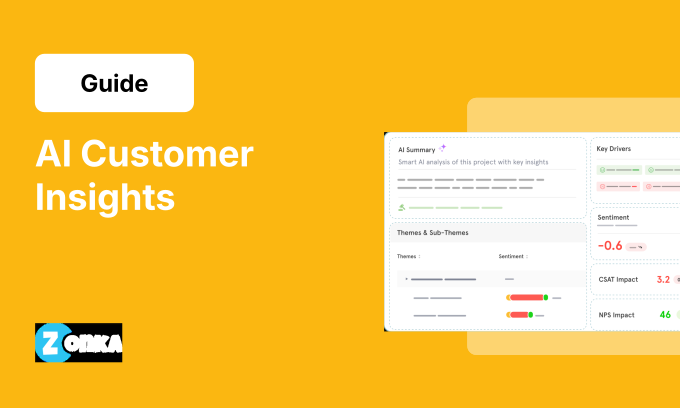
Zonka Feedback connects both sides of survey data analysis in one platform. Structured scores (NPS, CSAT, CES) are tracked with automated dashboards, segment filters, and trend reporting. Open-ended responses are analyzed through AI-powered thematic analysis, per-theme sentiment detection, entity recognition, and intent classification.
What makes the analysis different from standalone tools:
- Thematic analysis runs automatically on every open-text response as it arrives. Themes and sub-themes are organized into a persistent, auto-evolving taxonomy. You don't tag manually, and the categories stay consistent across survey rounds.
- Sentiment is detected per theme, not per response. A single comment praising your support team but criticizing your checkout process gets two separate sentiment tags, not one averaged label. That distinction: it's what the Feedback Intelligence Framework calls "experience signals," and it's the difference between knowing a score dropped and knowing exactly which part of the experience caused it.
- Entity recognition identifies mentions of specific staff, products, locations, and competitors within survey comments and maps them to structured data your team can filter and act on.
- Role-based dashboards deliver different views to different teams. Support leaders see agent-level CSAT and theme patterns. Product teams see feature-level feedback trends. CX leadership sees the aggregate picture. Same data, different lens for each team's decisions.
- Closed-loop workflows connect analysis to action. Low scores or specific themes can auto-trigger alerts, create tasks, or route feedback to the right person through Slack, email, or your ticketing system.
The result: survey data doesn't sit in a dashboard waiting for someone to look at it. It reaches the right team, with the right context, in time to act.
Survey analysis has always been split between teams who look at the numbers and teams who read the comments. The method that works best doesn't choose one side. It connects both: scores identify the pattern, comments explain the cause, and the combination gives every team a clear signal on what to fix next. That connection is what turns survey data from a reporting exercise into a system that genuinely improves the experience you deliver.
Schedule a demo to see how Zonka Feedback turns survey responses into structured intelligence your team can use.