.svg)
 Healthcare
 Finance
 Retail
 SaaS & Digital
 eCommerce
 Education
 Salesforce
  HubSpot
 Pipedrive
 Mailchimp
 Klaviyo
 Zendesk
  Intercom
 Freshdesk
 HelpScout
  Front
Front Jira
Jira Slack
Slack  MS Teams
 Zoom
Zoom Google Sheets
  Zapier
  Integrately
 Make
Make  Webhooks




 MS Teams



TL;DR
- Customer feedback software collects, organizes, and analyzes input from customers so teams can measure customer satisfaction and act on it. This guide compares 14 platforms side by side on channels, AI analysis, closed-loop action, integrations, and price.
- The picks span three software types: all-in-one feedback platforms, survey and form software, and specialized feedback software for specific channels or industries.
- Zonka Feedback fits teams that need omnichannel collection and AI feedback analysis in one place, so a detractor score turns into a routed, tracked action instead of a number on a dashboard.
- A survey tool and a feedback platform aren't the same purchase. If low scores need to reach a person and get resolved, you're buying software, not a form builder.
- Comparison table first, then the criteria that separate platforms, then a profile of each. For the broader landscape including lighter and free options, the customer feedback tools guide covers more.
Choosing customer feedback software is less about finding a tool that collects responses and more about picking the platform you won't replace in a year. Most can run a survey. Fewer can analyze what comes back and get the signal to someone who can act on it.
That gap is where the money is won or lost. A platform that collects and then leaves interpretation to a spreadsheet costs you the same subscription as one that clusters themes, scores sentiment, and routes a churn signal to an owner within the hour. The difference shows up in what your team actually does with the feedback.
This guide compares 14 customer feedback platforms on the things that separate them at purchase time, not the features every vendor lists. The comparison table is first, so you can scan the field, then each platform gets an even, honest profile with the jobs it's the right and wrong buy for.
What Is Customer Feedback Software?
Customer feedback software is a platform that collects, organizes, and analyzes feedback from your customers so your team can measure customer satisfaction and act on it. It replaces scattered inboxes and manual spreadsheets with one place to capture input across surveys, feedback forms, in-app prompts, reviews, and support conversations, then routes what matters to the person who can do something about it.
Good software does three things in sequence: it collects feedback across the channels your customers actually use, it analyzes both structured scores and open-text comments, and it helps you close the feedback loop by getting the right signal to the right team. The strongest platforms in 2026 treat all three as one workflow rather than three disconnected steps.
There's a distinction worth getting straight before you shop, because vendors blur it. A survey tool creates and sends surveys and reports the results. Customer feedback software, sometimes called a customer feedback platform, adds the analysis and action layer on top: AI theme and sentiment detection, automated routing, case workflows, and loop closure with an SLA. Feedback management software goes one step further into case ownership and SLAs. The short version: don't pay for a platform when a form will do, and don't buy a form when the job needs a platform. This guide focuses on the platforms themselves; where the wider field of lighter and free options or a full selection method is more useful, we point to those further down.
Customer Feedback Software Comparison Table
| Tool | Best for | Feedback channels | Key strength | Pricing | G2 |
| Zonka Feedback | All-in-one CX + AI feedback analysis | Web, in-app, email, SMS, WhatsApp, kiosk, offline | Omnichannel collection with closed-loop action | Custom pricing | 4.7/5 (80+) |
| Sogolytics | Data-driven survey programs | Email, web, SMS, links | Advanced survey logic + secure reporting | Free + paid from ~$39/mo | 4.6/5 (86) |
| Qualtrics | Enterprise experience management | Web, email, SMS, app, digital, passive | Enterprise-grade XM depth + analytics | Custom (quote-based) | 4.3/5 (740+) |
| Typeform | Conversational, high-completion surveys | Web forms, email, embeds | One-question-at-a-time format | Free + paid from ~$25/mo | 4.5/5 (1,000+) |
| SurveyMonkey | Scalable general surveys | Email, web, social | Templates and reach at scale | Free + paid from ~$39/mo | 4.4/5 (23k+) |
| QuestionPro | Research-grade surveys | Email, web, SMS, embeds | Deep logic and analytics | Free + Advanced ~$99/mo | 4.5/5 (1,100+) |
| Jotform | Fast no-code feedback forms | Web, email, QR, links | Speed of form creation | Free + paid to ~$129/mo | 4.7/5 (4,700+) |
| Nicereply | NPS, CSAT, CES for support teams | Email, in-app, links | Simple metric tracking + helpdesk fit | From ~$59/mo (annual) | 4.5/5 (430+) |
| BugHerd | Visual website and bug feedback | Website point-and-click | In-context visual feedback as tasks | From ~$50/mo | 4.7/5 (170+) |
| ProductLogz | Product feedback and feature requests | In-product widgets, boards | Centralized request prioritization | Paid + free trial | New to G2 |
| Famewall | Turning feedback into social proof | Text, audio, video testimonials | Testimonial collection and display | Free + paid from ~$9.99/mo | New to G2 |
| Birdeye | Multi-location reputation | Reviews, surveys, social, SMS | Reputation at scale across locations | Custom (by location) | 4.7/5 (3,900+) |
| Convin.ai | Feedback from conversations | Calls, chat, email, meetings | Conversation intelligence + QA | Custom (free tier) | 4.7/5 (540+) |
| Efeedor | Healthcare and patient feedback | Multichannel, multilingual | Accreditation-ready patient insights | Custom pricing | New to G2 |
How We Evaluated These Tools
We looked at each tool through the lens of what it's built to do, not a single leaderboard. Every entry was assessed on the channels it collects feedback from, how it analyzes responses, whether it can drive action after collection, its integration depth, and what real users report on G2. Ratings and review counts come from each tool's official G2 profile, and pricing reflects each vendor's official pricing page at the time of writing; capability notes come from vendor documentation and hands-on familiarity with the category.
One disclosure worth stating plainly: Zonka Feedback is our product. We've included it where it genuinely fits the use case, and we've kept its entry the same length and format as every other tool, with the same honest treatment of what it does and doesn't do. Where another tool is the better answer for a specific job, we say so. A guide that puts its own product at the top of every category isn't a guide. It's a brochure.
All-in-One Feedback Platforms
The first software type collects feedback everywhere, analyzes it with AI, and helps you act on it without stitching separate tools together. These are the platforms you buy when feedback isn't one team's side project but a program that spans support, product, and CX at once, and when you need collection breadth and analysis depth in the same system.
Zonka Feedback: Best for AI Feedback Analysis and Signals
Zonka Feedback is a customer feedback and experience management platform that captures sentiment at every touchpoint and turns it into signals teams can act on. It collects structured and unstructured feedback through surveys, NPS, CSAT, CES, in-app prompts, websites, email, SMS, WhatsApp, and offline kiosks, all from one place. What sets it apart is the AI layer on top of collection: its AI agents cluster open-text comments into themes, score sentiment, and map feedback to the entities customers mention. A low score doesn't just get logged. It can auto-create a task, route to the account owner, and track resolution, so the loop closes. If all you need is a form, it's more platform than you'll use.
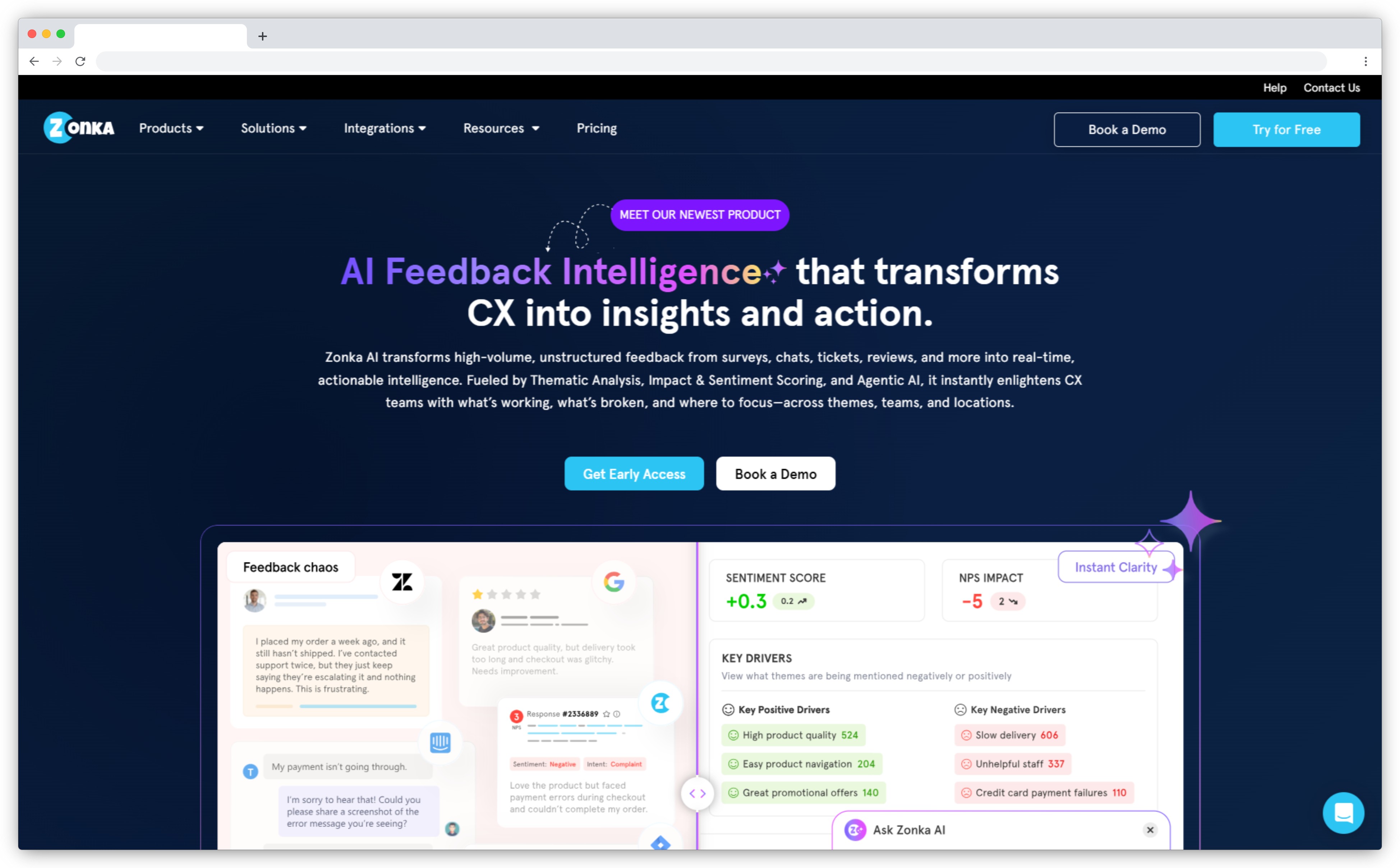
Key Features
- Omnichannel collection across email, SMS, WhatsApp, in-app, kiosk, offline, and web
- AI feedback intelligence for themes, sentiment, emotion, and entity tracking
- Closed-loop automation with real-time alerts, workflows, and ticket routing
- Role-based dashboards for executives, CX leaders, managers, and frontline teams
- 30+ question types and advanced segmentation to trigger surveys by behavior and attributes
- 50+ integrations, including Salesforce, HubSpot, Zendesk, Freshdesk, and Intercom
Zonka Feedback Pros
- Collects feedback across nearly every customer touchpoint
- AI analysis surfaces themes and sentiment without a manual review pass
- Automation and alerts close the loop instead of leaving it open
- Strong integration ecosystem for syncing feedback back into your stack
Zonka Feedback Cons
- More capability than small teams coming from a simple form tool will need at first
- Advanced AI features sit on higher paid plans
Zonka Feedback Pricing
Custom pricing based on your channels, volume, and needs. No free trial.
G2 Rating: 4.7/5 on G2 (80+ reviews)
Best Use Case: A support or CX team that collects feedback across several channels and wants a detractor response to trigger a routed, tracked follow-up automatically.
Sogolytics: Best for Data-Driven Survey Programs
Sogolytics is a feedback and experience platform built for teams that care about survey rigor, data control, and reporting depth. It supports the core CX metrics, CSAT, NPS, and CES, and its code-free builder still offers the logic and branching research-minded teams expect. Where it stands out is analytics and compliance: role-based access, enterprise security standards, and detailed reporting make it a fit for teams handling sensitive feedback or clearing a security review before they buy. Its weaker spot is real-time, closed-loop action. Sogolytics is strong at collecting and analyzing feedback, but if your priority is routing low scores to owners within minutes, a CX-first platform will feel more purpose-built for that job.
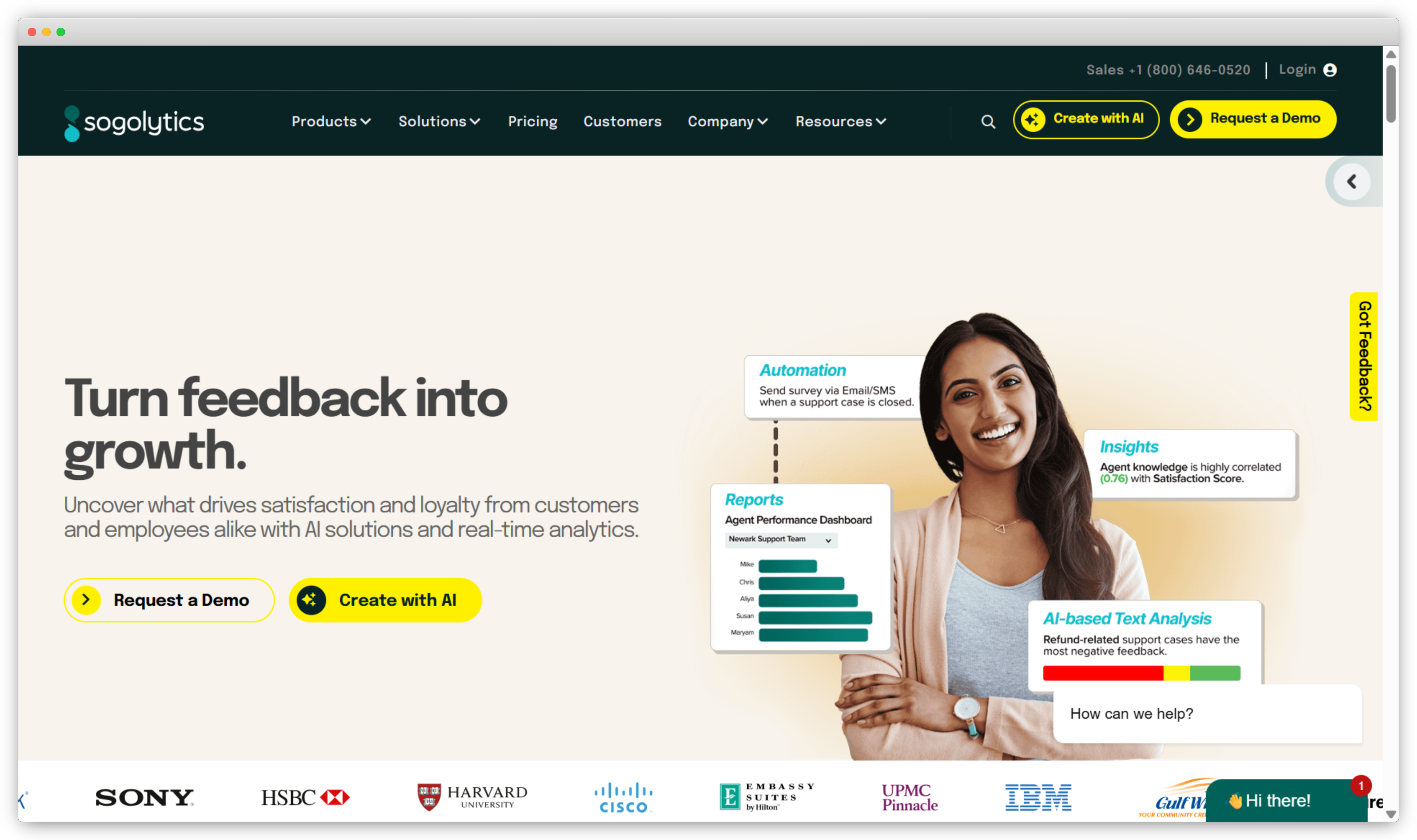
Key Features
- Advanced survey builder with extensive logic and customization
- Support for NPS, CSAT, CES, and custom scorecards
- Distribution across email, web, SMS, and shareable links
- Dashboards, filters, and trend analysis for reporting
- Role-based access and enterprise security, including GDPR support
- Multilingual surveys and CRM, helpdesk, and collaboration integrations
Sogolytics Pros
- Flexible survey design for complex research needs
- Analytics and reporting that go well beyond basic survey tools
- Enterprise-ready security and compliance controls
Sogolytics Cons
- Setup can feel heavy for teams that want quick, simple surveys
- Less focused on real-time closed-loop workflows than CX-first platforms
Sogolytics Pricing
Free plan and free trial; Pro from about $39/month, Pro Max around $99/month, and enterprise tiers above.
G2 Rating: 4.6/5 on G2 (86 reviews)
Best Use Case: A research or insights team running structured survey programs that needs deep analytics and strong data governance more than instant loop closure.
Qualtrics: Best for Enterprise Experience Management
Qualtrics is the enterprise standard for experience management, and for large organizations that need customer, employee, product, and brand feedback on one governed platform, little else matches its depth. It collects across channels, layers on predictive analytics and text analysis through tools like Text iQ and Stats iQ, and supports closed-loop action at scale. For a global enterprise with a dedicated insights team, that breadth is the whole appeal. For everyone else, it's the catch. Pricing is quote-based and often runs into five or six figures a year, implementation takes real time and services budget, and smaller teams leave most of the platform unused. It's the right call when experience management is a company-wide program, and overkill when it's one team's job.
Key Features
- Experience management across customer, employee, product, and brand on one platform
- Omnichannel collection with survey, digital, and passive listening posts
- Text iQ and Stats iQ for AI text and statistical analysis
- Predictive analytics and driver analysis for what moves scores
- Closed-loop workflows and role-based dashboards
- Enterprise governance, security, and a broad integration ecosystem
Qualtrics Pros
- Unmatched depth for large, multi-department programs
- Strong AI text analytics and predictive modeling
- Governed, secure, and built for enterprise scale
- Handles customer, employee, and product experience together
Qualtrics Cons
- Quote-based pricing and implementation costs are high for most teams
- Depth and setup are overkill for single-team or SMB use
Qualtrics Pricing
Custom, quote-based; Qualtrics doesn't publish public rates. Enterprise contracts commonly run into five or six figures a year, with implementation billed separately. A limited free trial exists.
G2 Rating: 4.3/5 on G2 (740+ reviews)
Best Use Case: A large enterprise running experience management across several departments that needs governance, depth, and analytics more than fast, lightweight setup.
Survey and Form Software
The second software type is what most teams picture first: tools that create and send surveys and track the three metrics that do most of the work, Net Promoter Score for loyalty, CSAT for satisfaction with an interaction, and Customer Effort Score for how easy you made things. They're survey-first, so they're strong on collection and design and lighter on the analysis and action layer. Pick from here when a clean survey engine is the job, and step up to an all-in-one platform when the analysis matters more than the form.
Typeform: Best for Conversational, High-Completion Surveys
If your feedback problem is that nobody finishes your surveys, Typeform is built for exactly that. It presents one question at a time in a clean, conversational format, and that design reliably lifts completion rates compared with a wall of fields. For customer feedback where response rate is the constraint, it's a strong pick. It's a survey and form tool at heart, so it shines at collection and design more than analysis. You get themes, branding, logic jumps, and a wide integration set to push responses into the rest of your stack. What you won't get is the closed-loop routing and AI theme detection a full CX platform brings, and advanced reporting sits on the higher tiers.
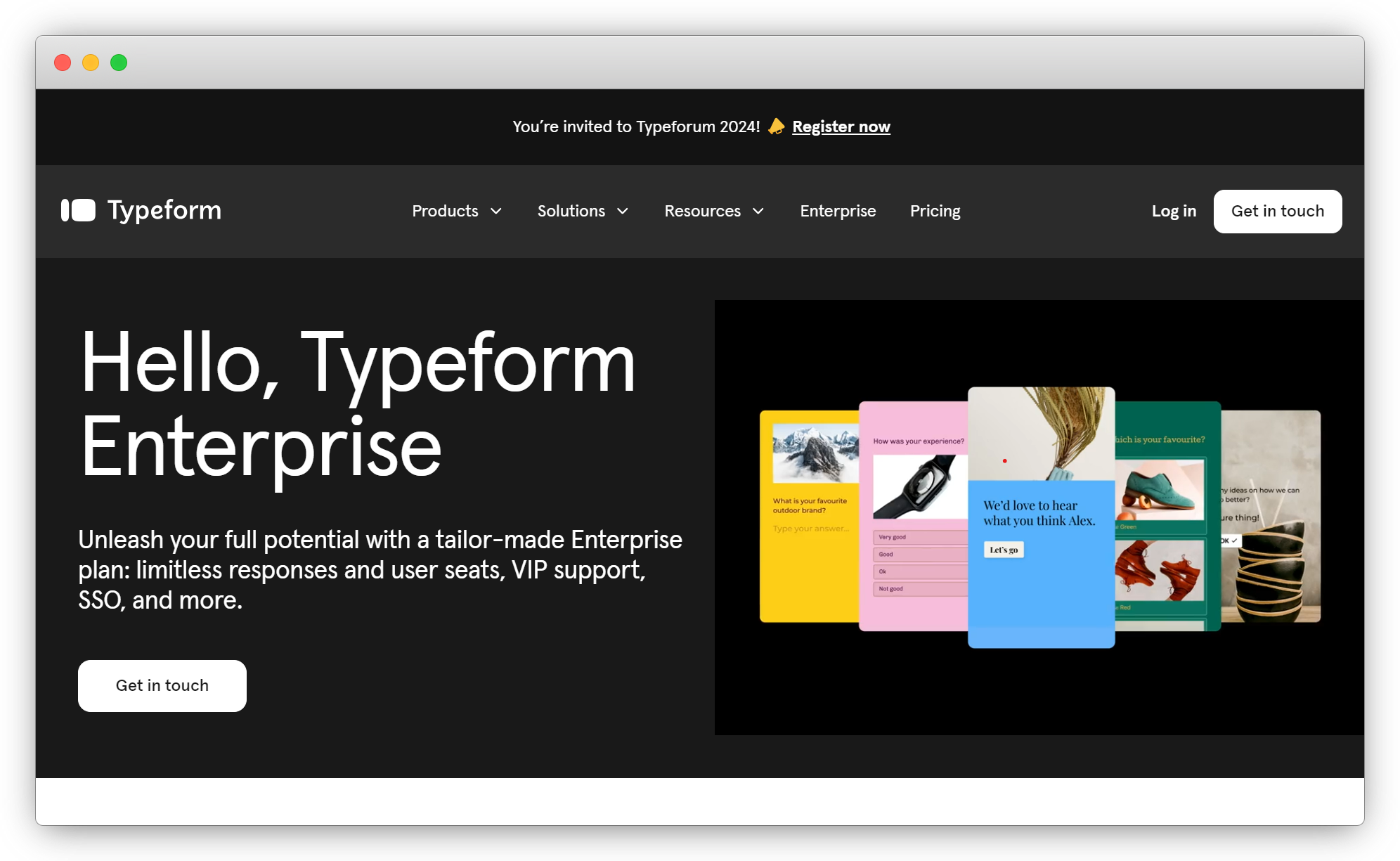
Key Features
- Conversational, one-question-at-a-time interface
- Custom branding, themes, and layout control
- Logic jumps and conditional flows for personalized surveys
- Distribution via links, embeds, pop-ups, and email
- Response summaries and basic analytics
- Integrations with HubSpot, Slack, Google Sheets, Zapier, and more
Typeform Pros
- Design that encourages higher completion rates
- Easy to build with minimal setup
- Strong branding and a wide integration library
Typeform Cons
- Analytics are light next to dedicated CX platforms
- Costs climb as response volume and features grow
Typeform Pricing
Free plan; paid plans from about $25/month (billed annually), with Business and custom Enterprise tiers.
G2 Rating: 4.5/5 on G2 (1,000+ reviews)
Best Use Case: A marketing or CX team that wants engaging surveys and cares most about getting people to finish them. If you want alternatives, see our roundup of Typeform alternatives.
SurveyMonkey: Best for Scalable General Surveys
SurveyMonkey is one of the most recognized survey tools in the category, and its strength is that reach and maturity. It offers a large template library, a code-free builder, and enough question types and logic to run most customer feedback surveys at scale. Teams pick it for reliability and breadth rather than depth. It handles CSAT, NPS, and custom surveys across email, web, and social, with solid reporting and exports. As with most survey-first tools, real-time action and closed-loop workflows aren't the focus, advanced analytics live on higher tiers, and team plans carry a three-user minimum that pushes the real entry cost above the headline per-seat price.
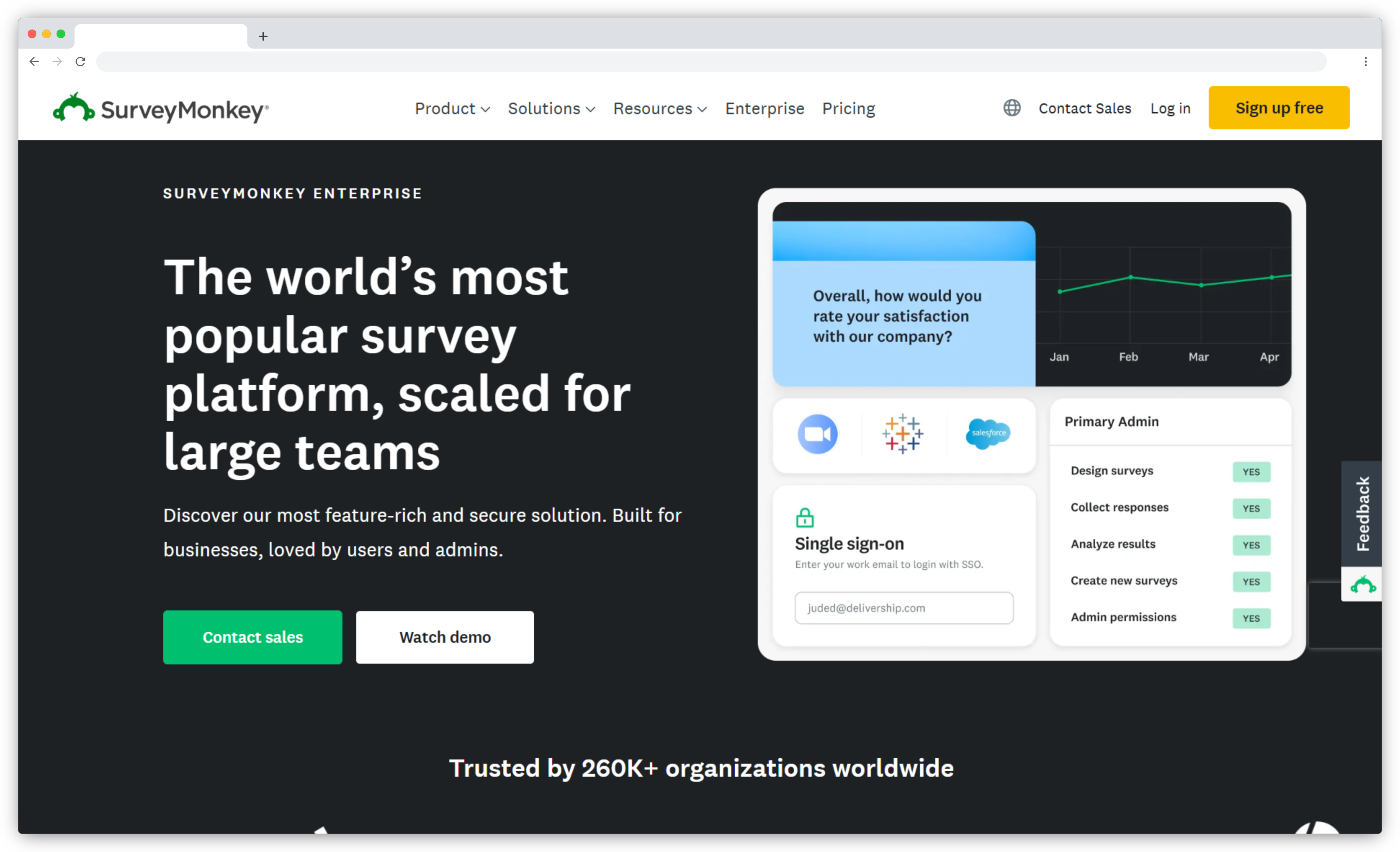
Key Features
- Large template library and code-free builder
- Support for CSAT, NPS, and custom survey scoring
- Distribution via email, web, embeds, and social
- Built-in analytics with charts, filters, and exports
- Skip logic and branching for personalized surveys
- Integrations with Salesforce, HubSpot, and Zapier
SurveyMonkey Pros
- Easy to use with a shallow learning curve
- Deep library of ready-made templates
- Scales across teams of any size
SurveyMonkey Cons
- Advanced analytics require higher-tier plans
- Limited real-time and closed-loop workflows
SurveyMonkey Pricing
Free plan; individual paid plans from about $39/month, with team (three-user minimum) and Enterprise tiers above.
G2 Rating: 4.4/5 on G2 (23,000+ reviews)
Best Use Case: A team that wants a proven, broadly capable survey tool for general feedback and one-off research without a heavy setup.
QuestionPro: Best for Research-Grade Surveys
Here's where the "more powerful" label is earned, and where it can also be a trap. QuestionPro is built for teams that need serious survey logic, cross-tabulation, and research-focused analytics. If you run market research alongside CX programs, that depth is a real advantage, and 80+ question types plus multilingual support back it up. For a team that just wants to track CSAT after support tickets, though, the same depth is overkill. The interface and configuration ask more of you than a lightweight tool does, and team plans require a five-user commitment. Buy it for the research capability and the analytics, not because it happens to have the longest feature list.
.png)
Key Features
- Advanced survey builder with extensive question types and logic
- Support for NPS, CSAT, and custom satisfaction scores
- Distribution across email, web, SMS, and embedded surveys
- Analytics with filters, cross-tabulation, and trend analysis
- Role-based access and collaboration controls
- Multilingual surveys and CRM integrations
QuestionPro Pros
- Flexible design for complex feedback and research needs
- Reporting and analytics beyond standard survey tools
- Scales well for large teams and enterprise use
QuestionPro Cons
- Depth can feel like friction for simple surveys
- Setup takes more time than lightweight tools
QuestionPro Pricing
Free Essentials tier; Advanced from about $99/month (billed annually), Team from about $83/user/month (five-user minimum), Enterprise custom.
G2 Rating: 4.5/5 on G2 (1,100+ reviews)
Best Use Case: An insights or research team that needs statistical rigor and complex survey logic, not just a satisfaction score.
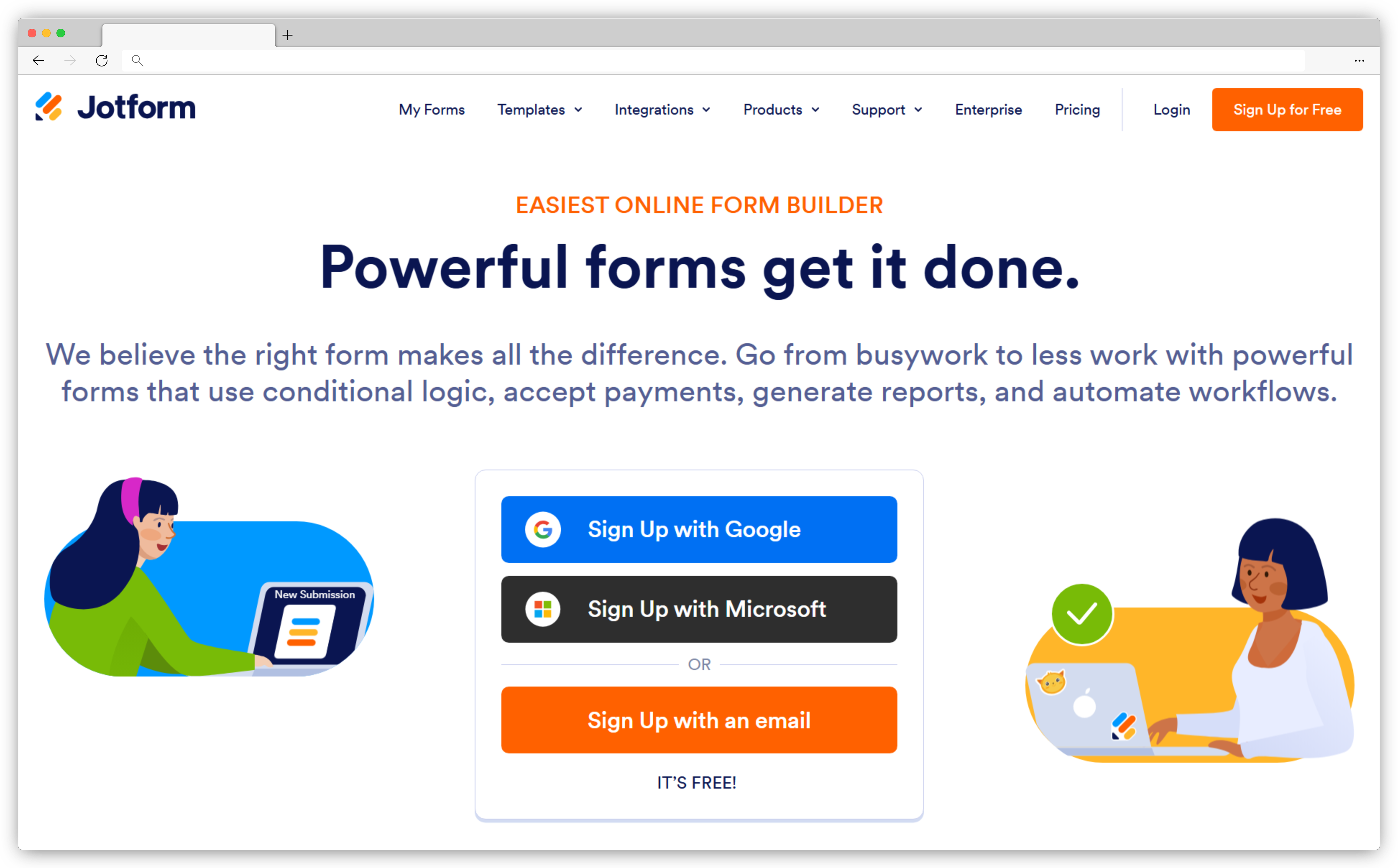
Jotform: Best for Fast No-Code Feedback Forms
A 4.7 G2 score from thousands of reviewers tells you what Jotform is good at: getting a form live fast. Jotform is a no-code builder with a large template library and a drag-and-drop editor, and teams reach for it when they want to collect structured feedback today without involving a developer. Newer AI features help generate and refine forms from a prompt instead of a blank page. It's a form builder first, so treat it accordingly. You get flexible forms, conditional logic, and broad integrations, which is plenty for collecting feedback. For analyzing that feedback at scale or closing the loop on it, you'll pair it with something else or move up to a platform.
Key Features
- Drag-and-drop builder with a wide template selection
- Surveys, feedback forms, polls, and questionnaires
- Sharing via links, embeds, email, and QR codes
- Conditional logic and form workflows
- Reporting and response management dashboards
- Integrations with Google Sheets, Slack, Zapier, and CRMs
Jotform Pros
- Fast to set up with an intuitive interface
- Large template library speeds up creation
- Broad integration and sharing options
Jotform Cons
- Analytics are basic compared with CX platforms
- Built for collection, not loop closure
Jotform Pricing
Free plan; paid tiers up to Gold at about $129/month, with custom Enterprise above.
G2 Rating: 4.7/5 on G2 (4,700+ reviews)
Best Use Case: A small or no-code team that needs to stand up feedback forms quickly. For other options, see our list of Jotform alternatives.
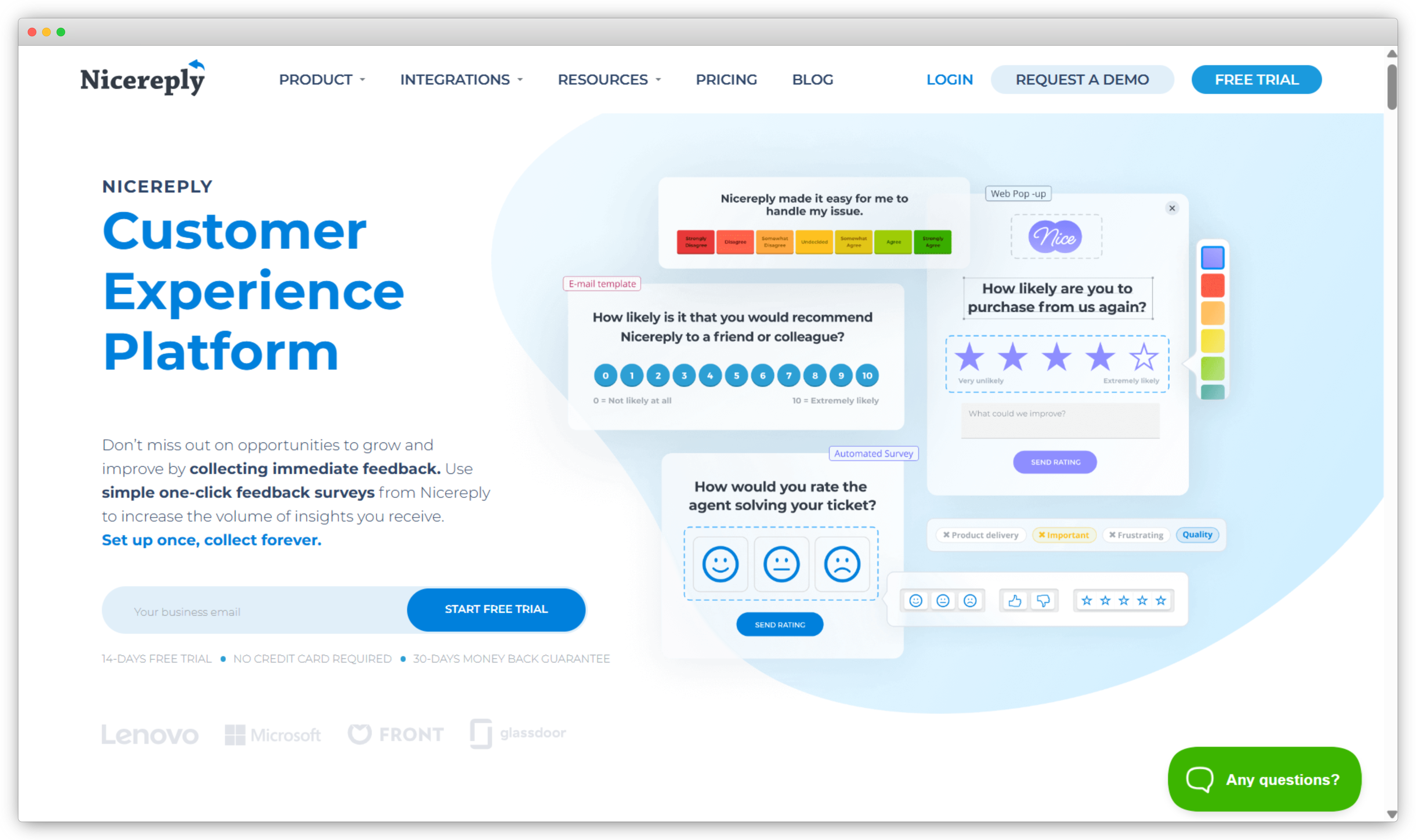
Nicereply: Best for NPS, CSAT, and CES in Support Teams
Nicereply is the tool support teams reach for when they want to measure satisfaction without running a whole CX suite. It focuses on the three core metrics, NPS, CSAT, and CES, triggered at the moments that matter most: right after a support interaction or a resolved case. Its fit is the helpdesk. Native integrations with Zendesk, Freshdesk, Intercom, and HubSpot mean surveys fire automatically off support events, and scores land back where agents and team leads already work. Teams at companies like Microsoft and Buffer use it for exactly that. The trade-off is scope. It's deliberately narrow, so if you need omnichannel collection or research-grade surveys, it isn't trying to be that.
Key Features
- NPS, CSAT, and CES surveys built for support workflows
- Automated triggers based on customer interactions and events
- Post-resolution, email signature, and link surveys
- Real-time dashboards for satisfaction trends
- Closed-loop follow-up on negative responses
- Integrations with Zendesk, Freshdesk, Intercom, and HubSpot
Nicereply Pros
- Simple to set up, even for non-technical teams
- Focused on the metrics support teams actually track
- Strong helpdesk integrations
Nicereply Cons
- Limited customization next to advanced survey platforms
- Not built for research-heavy or omnichannel use cases
Nicereply Pricing
Starter from about $59/month (billed annually); higher tiers scale with responses and seats. Free trial, no free plan.
G2 Rating: 4.5/5 on G2 (430+ reviews)
Best Use Case: A customer support team that wants reliable CSAT and CES tracking wired directly into its helpdesk.
Specialized Feedback Software
The third software type is built for one job rather than the whole program. Some of these capture feedback in context, on a live page or inside a product. Others turn it into public proof, pull it from conversations, or meet a specific industry's rules. They aren't trying to be an all-in-one platform, and that focus is exactly why teams buy them alongside a broader system rather than instead of one.
BugHerd: Best for Visual Website and Bug Feedback
If your feedback is "this is broken on this page," a survey is the wrong tool and BugHerd is the right one. It lets users and clients point and click on any element of a live site to leave a comment or report a bug, and each submission captures a screenshot plus technical details like browser, device, and URL automatically. The clever part is what happens next: every comment becomes a task on a Kanban board, so feedback turns straight into something a team can prioritize and resolve. Newer AI features auto-generate bug titles from screenshots. It's built for web teams, designers, and agencies, which also defines its limit. It isn't a general survey platform.
Key Features
- Point-and-click visual feedback on live web pages
- Automatic capture of browser, device, and URL with each pin
- Feedback converted into tasks on a Kanban board
- Client feedback without a login, via a shared link
- Integrations with Jira, Trello, Asana, GitHub, Slack, and Zapier
- Screenshot and annotation capture to remove ambiguity
BugHerd Pros
- Intuitive visual interface that needs little training
- Captures precise technical context with every report
- Turns feedback directly into trackable tasks
BugHerd Cons
- Focused on website and bug feedback, not general surveys
- Less suited to in-app or mobile feedback contexts
BugHerd Pricing
Standard from about $50/month for a small team; Studio and Premium tiers above. Free trial.
G2 Rating: 4.7/5 on G2 (170+ reviews)
Best Use Case: A web team or agency that needs precise, in-context feedback and bug reports that flow straight into a task board.
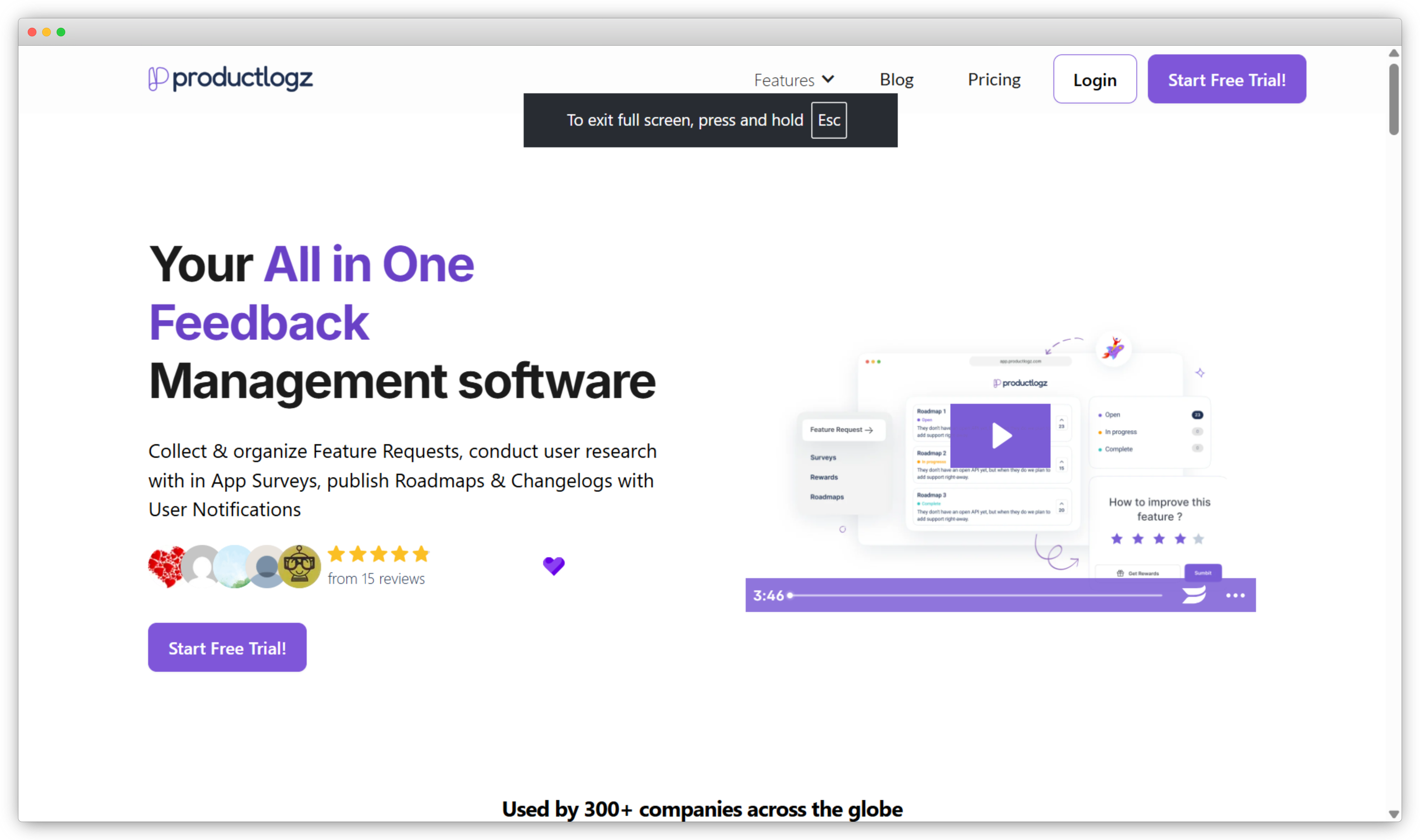
ProductLogz: Best for Product Feedback and Feature Requests
ProductLogz is a lightweight tool for SaaS and product teams that want to collect feature requests, organize them, and show customers what's coming next. It centralizes product feedback, adds a voting system so patterns surface on their own, and pairs it with a public roadmap. It's deliberately focused rather than broad. That focus is the appeal for a small product team, and also the boundary: it's built for feature requests and roadmap communication, not omnichannel CX or deep analytics. For teams whose feedback lives entirely inside the product, that narrow scope is a feature rather than a gap. Teams tend to outgrow it once feedback spans more than one channel.
Key Features
- Centralized collection of product feedback and feature requests
- Tagging and categorization by theme or priority
- Voting to surface the most-requested ideas
- Idea and request tracking tied to roadmap planning
- Status updates so customers see progress
- A clean interface built for product managers
ProductLogz Pros
- Focused specifically on product feedback and requests
- Voting makes prioritization straightforward
- Lightweight alternative to heavy product suites
ProductLogz Cons
- Limited collection channels beyond in-product widgets
- Not built for broad CX or analytics use cases
ProductLogz Pricing
Paid plans from a low monthly tier, with a free trial. Confirm current pricing on the vendor site.
G2 Rating: New to G2, without enough reviews yet for an aggregate score. See its G2 profile
Best Use Case: An early-stage or small product team that wants a simple way to collect, prioritize, and communicate feature requests.
Famewall: Best for Turning Feedback into Social Proof
Famewall treats customer feedback as a marketing asset. It collects testimonials in text, video, and audio, and gives you the tools to display them where they influence buying decisions, on landing pages, pricing pages, and in campaigns. Setup is no-code. You share a personalized collection page by link, or import existing testimonials from platforms like Twitter, LinkedIn, and app stores to pull social proof into one place. Customizable widgets and standalone "Wall of Fame" pages then surface that proof on your site. It's purpose-built for testimonials and trust, so it isn't a full survey or CX analytics tool, and it won't analyze feedback the way a dedicated platform does.
-2.png)
Key Features
- Personalized collection pages that automate testimonial gathering
- Text, video, and audio testimonial formats
- Import from 30+ platforms and CSV files
- Customizable widgets for on-page display
- Standalone "Wall of Fame" pages on your domain
- Embed codes for placing testimonials anywhere
Famewall Pros
- Intuitive setup that gets testimonials flowing quickly
- Multiple content formats keep social proof engaging
- Flexible widgets for websites and landing pages
Famewall Cons
- Focused on testimonials, not general feedback surveys
- Limited analytics compared with dedicated CX tools
Famewall Pricing
Free plan; paid plans from about $9.99/month.
G2 Rating: New to G2, with too few reviews yet for an aggregate score. See its G2 profile
Best Use Case: A marketing or growth team that wants to collect authentic testimonials and turn them into visible social proof.
Birdeye: Best for Multi-Location Reputation
Run 20 locations and the feedback problem changes shape entirely. Birdeye is built for multi-location and franchise brands that need to capture feedback, manage reviews, and track reputation across every location from one system. It brings surveys, reviews, listings, messaging, and analytics together so distributed teams can monitor customer signals at scale. Its edge is local intelligence and automation: AI agents analyze sentiment, track themes, benchmark competitors, and surface location-level insights, which is what a business running dozens or hundreds of storefronts needs. For a single-location team, that breadth is more than the job requires, and pricing is quote-based and oriented toward multi-location operations rather than solo sites.
Key Features
- Review monitoring and response across 200+ platforms
- Surveys and feedback collection across locations
- Sentiment and theme tracking with AI agents
- Local SEO and listings management
- Unified messaging inbox across SMS, webchat, and social
- Competitor benchmarking and location-level reporting
Birdeye Pros
- Strong AI insights across large location footprints
- Automation built for scale
- Deep integration and reputation coverage
Birdeye Cons
- Feature depth adds a learning curve
- Pricing and scope suit multi-location businesses, not solo sites
Birdeye Pricing
Custom pricing based on number of locations; contact for a quote. Free trial available.
G2 Rating: 4.7/5 on G2 (3,900+ reviews)
Best Use Case: A multi-location or franchise business that needs centralized feedback, reviews, and reputation management across every site.
Convin.ai: Best for Feedback from Conversations
Not a survey tool at all, and that's the point. Convin.ai captures customer feedback directly from voice calls, chats, emails, and meetings, then uses AI to analyze it. For sales and support teams sitting on thousands of recorded conversations, it surfaces sentiment and recurring issues that surveys would never catch, because it reads what customers actually said rather than waiting for a form. That makes it a fit for contact centers and conversation-heavy teams rather than structured survey programs. It analyzes 100% of interactions instead of a sampled few, and it doubles as a QA and agent-coaching tool. If you want survey-based metrics, pair it with a survey tool. Convin is for the unstructured signal.
Key Features
- AI analysis of calls, chats, emails, and meetings
- Automatic sentiment detection across conversations
- Voice-of-customer insights pulled from real interactions
- QA automation to evaluate agent performance at scale
- Keyword and topic detection for recurring issues
- Real-time alerts for negative sentiment and escalations
Convin.ai Pros
- Captures every interaction, not a sampled subset
- Strong conversation-intelligence and sentiment analysis
- Improves customer experience and agent performance together
Convin.ai Cons
- Not a traditional survey builder; best used alongside one
- Suited to conversation-heavy teams more than general use
Convin.ai Pricing
Custom pricing based on team size and use case; a free tier and free trial are available.
G2 Rating: 4.7/5 on G2 (540+ reviews)
Best Use Case: A contact center or support and sales team that wants to mine feedback from conversations without relying only on surveys.
Efeedor: Best for Healthcare and Patient Feedback
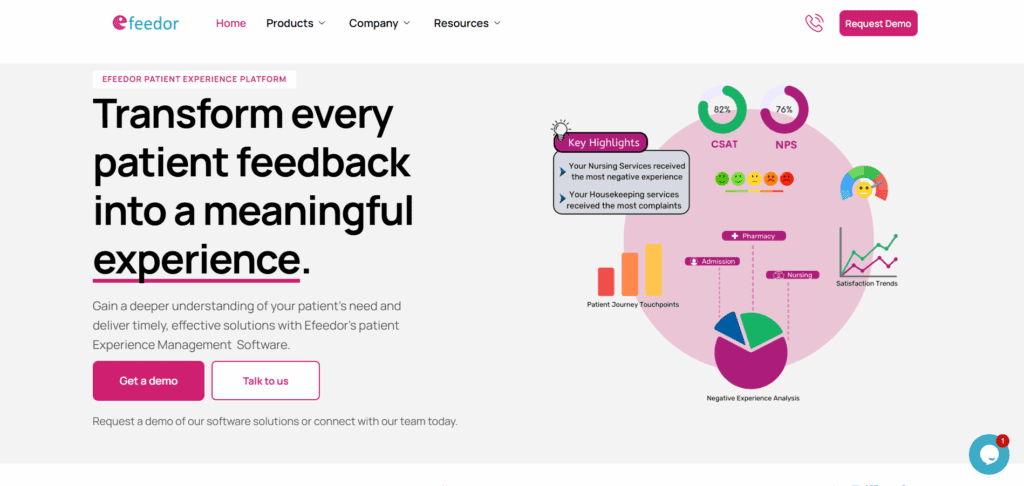
Efeedor is built exclusively for healthcare, and that focus is what makes it work where a general tool wouldn't. It captures patient feedback across the full journey, admission, doctors, nurses, billing, and discharge, through multiple channels and in patients' preferred languages, then gives quality teams the dashboards and reports they need. The reason a hospital picks it over a general survey tool is compliance: Efeedor delivers accreditation-ready reporting for standards like NABH, NQAS, JCI, and GAC, plus the ticketing and alerting that patient service recovery demands. That specialization is also its boundary. It's for healthcare organizations, and its support footprint is strongest in India, the UAE, and the Middle East.
Key Features
- Multichannel, multilingual patient feedback for inpatient and outpatient settings
- Ticketing and real-time alerting for service recovery
- Patient sentiment analysis and experience trend tracking
- Department-level patient experience analytics
- Accreditation-ready dashboards for NABH, NQAS, JCI, and GAC
Efeedor Pros
- Purpose-built for healthcare standards and regulation
- Strong accreditation and quality-improvement support
- Highly customizable to hospital workflows
Efeedor Cons
- Built only for healthcare organizations
- Personalized support concentrated in India, the UAE, and the Middle East
Efeedor Pricing
Custom pricing based on hospital size and scale; contact for a quote.
G2 Rating: New to G2, without an aggregate score yet. See its G2 profile
Best Use Case: A hospital or healthcare group that needs accreditation-ready patient feedback across every point in the care journey.
When to Move from a Free Tool to Customer Feedback Software
Plenty of teams start with a free form builder or the survey tool bundled into their helpdesk, and for a first NPS or CSAT program that's the right call. The question is when the free tool starts costing you more than it saves. A few signals usually show up together.
You're collecting faster than anyone can read. Once open-text comments pass a few hundred a month, manual review breaks down, and a tool with no AI theme or sentiment analysis means the most useful feedback goes unread. That's the clearest line between a free tool and paid software.
Feedback is stuck where it lands. When a low score sits in a spreadsheet instead of creating a task for an owner, you don't have a feedback problem, you have a routing problem, and that's what the workflow and alerting in real software solves. The same goes for channels: the moment you need feedback from web, in-app, SMS, WhatsApp, and offline unified into one view, a single-channel free tool can't keep up.
And the ground has shifted under the whole category. AI analysis moved from a premium add-on to a baseline expectation in 2026, so the gap between a free collector and a platform that interprets what comes back is wider than it was two years ago. If you recognize your team in two or more of these, you've outgrown the free tier. For the lighter and free options themselves, our customer feedback tools guide covers the field; the platforms in this guide are what you graduate to.
How to Choose the Best Customer Feedback Software
Once you've scanned the field, a handful of factors separate the platform you'll keep from the one you'll replace in six months. Weigh these against your actual situation, not a feature checklist. For a full step-by-step selection method, our guide to choosing customer feedback software goes deeper than the summary here.
Channel coverage. Where do your customers actually give feedback? If it's web, in-app, SMS, WhatsApp, and offline, you need omnichannel collection. If it's one channel, don't pay for six.
Action, not just collection. Decide whether feedback needs to drive a response. If a low score should create a task, route to an owner, and track resolution, you need workflows and alerts, not just a form. When case ownership and SLAs are the core requirement, that's customer feedback management software territory. If you're only collecting for research, a survey tool is enough.
Analysis depth. A pile of open-text comments nobody reads is wasted feedback. If you're processing hundreds of responses a month, look for AI theme and sentiment analysis so patterns surface without a manual review. Smaller volumes can get by with basic dashboards.
Integrations. Feedback is most useful next to the rest of your customer data. Check that the platform syncs with your CRM and helpdesk, Salesforce, HubSpot, Zendesk, so signals reach the systems your team already lives in.
Total cost, not sticker price. Match the platform to your scale, and compare like for like. A three-user minimum, per-response overage, or paid analytics add-on can move the real number well past the headline tier. Quote against your projected 12-month volume, not today's.
Choosing the Right Customer Feedback Software for Your Team
There's no single best customer feedback software, and any list that crowns one is selling you something. The best tool is the one that matches the job you're solving for, the channels your customers use, and whether you need to act on feedback or simply collect it. If you're still shaping the program itself rather than the shortlist, our complete guide to customer feedback covers the fundamentals.
So start there. Name your core job, shortlist the two or three tools built for it, and run a short pilot with real feedback before you commit. A ready-made customer feedback survey template is a fast way to get that pilot in front of customers. Pay attention to whether your team actually adopts it, because the most capable platform is worthless if it sits unused. If your job is unifying feedback across channels and closing the loop with AI analysis in one place, that's the use case Zonka Feedback is built for, and you can schedule a demo to see how it fits your channels and workflows.


.png)