.svg)
 Healthcare
 Finance
 Retail
 SaaS & Digital
 eCommerce
 Education
 Salesforce
  HubSpot
 Pipedrive
 Mailchimp
 Klaviyo
 Zendesk
  Intercom
 Freshdesk
 HelpScout
  Front
Front Jira
Jira Slack
Slack  MS Teams
 Zoom
Zoom Google Sheets
  Zapier
  Integrately
 Make
Make  Webhooks




 MS Teams


Slack has become a central collaboration hub for modern workplaces, helping teams communicate, coordinate, and make decisions in real time. As remote and hybrid work continue to grow, Slack has evolved beyond simple messaging into a shared workspace where conversations, tools, and everyday workflows come together.
More than just a messaging tool, Slack acts as a productivity hub where conversations, workflows, and tools come together. Its extensive library of apps and integrations allows teams to automate tasks, reduce manual work, and bring critical updates from other tools directly into Slack, saving time and improving day-to-day workflows.
In this article, we’ve curated the best Slack apps, integrations, and tools for 2026 to help you maximize Slack’s potential. Whether you’re looking to streamline workflows, improve team engagement, or connect your tech stack more efficiently, these Slack integrations are designed to elevate productivity and collaboration in 2026 and beyond.
TL;DR
-
Slack integration apps are software programs that expand its potential and help streamline communication, enhance collaboration, and boost productivity by seamlessly connecting various tools and applications within the Slack platform.
-
They ensure a unified workspace experience, allowing teams to consolidate tasks, share information effortlessly, and efficiently manage workflows.
-
Some of the best Slack integrations include Zonka Feedback, Trello, Assembly, Dropbox, Zapier, Albato, ActiveCampaign, Calendly, GitHub, Salesforce, MailChimp, Karma and ZipBooks among others.
-
Zonka Feedback is a leading survey tool that allows you to create surveys of various types through templates. You can analyze results, take action and close the feedback loop effectively. Sign up to schedule a demo for a closer look at its capabilities.
Streamline Workflow & Maximize Productivity with Feedback Surveys🔥
Create and send surveys to measure satisfaction levels with Zonka Feedback and Slack integration and set up custom response alerts to notify your teams and streamline collaboration effortlessly.

What is a Slack App?
A Slack app is a tool that connects with Slack to help teams do more without leaving their workspace. It adds specific functionality to Slack, such as managing tasks, running surveys, automating updates, sharing files, or syncing data from other tools.
Slack apps allow teams to handle everyday work directly inside channels, whether that means getting alerts from tools like Google Drive, Salesforce, or Trello, scheduling meetings, or automating routine actions. This reduces context switching and keeps important information visible where conversations already happen.
With thousands of Slack apps available, teams can tailor Slack to match how they work, building workflows that improve communication, coordination, and productivity without relying on multiple disconnected tools.
10 Best Slack Apps & Integrations for 2026
| Tool | Category | Best For | Pricing | Free Trial | G2 rating |
| Zonka Feedback | Surveys & Feedback | Real-time surveys and feedback alerts in Slack | Custom | As per plan | 4.6/5 |
| Polly | Polls & Team Feedback | Polls, pulse surveys, and standups inside Slack | $12/user/month | Yes | 4.6/5 |
| Evergreen | Knowledge Sharing | Recurring updates and announcements in Slack | $3.99/active user/month | Trial | 4.8/5 |
| Nectar | Recognition & Rewards | Employee recognition and rewards programs | Contact sales | No | 4.7/5 |
| ClickUp | Project Management | Task and project management within Slack | $7/user/month | Yes | 4.7/5 |
| Trello | Project Management | Visual boards and task tracking in Slack | $5/user/month | Yes | 4.4/5 |
| Asana | Project Management | Structured planning and coordination | $10.99/user/month | Yes | 4.4/5 |
| Harvest | Time Tracking | Time tracking and reporting alerts | $11/month | Yes | 4.3/5 |
| tl;dv | Meetings | Sales, CS, & Product Teams sharing meeting insights on Slack | Free, Pro: $18/month, Business: $59/month | Yes | 4.7/5 |
| Zoom | Meetings | Launching and joining video meetings from Slack | $13.33/user/month | Yes | 4.6/5 |
What are the Top Slack Integrations and Apps for Businesses in 2026?
The top Slack apps and integrations for businesses in 2026 include tools for project management, automation, file sharing, surveys and feedback, scheduling, and team engagement, such as Zonka Feedback, ClickUp, Zapier, Google Drive, Trello, Asana, Polly, and more. These apps integrate with Slack through native integrations or automation platforms to send real-time updates, automate workflows, sync data, and enable teams to take action directly within Slack channels. By bringing key tools and information into one place, these Slack integrations help teams collaborate more efficiently and stay aligned. Let’s look at each of them in detail.
a. What are the best Slack Integrations for Surveys, Feedback & Team Engagement?
Let’s start by looking at Slack integrations focused on surveys, feedback, and team engagement. These tools help teams collect feedback, run polls, recognize contributions, and keep a pulse on team sentiment directly within Slack. Instead of switching tools or relying on emails, they bring feedback and engagement workflows into everyday conversations, enabling faster responses and better alignment.
These integrations are especially useful for customer support, people ops, HR, product, and CX teams that need real-time visibility, quick follow-ups, and stronger team engagement inside Slack.
Tools in this category include: Zonka Feedback, Polly, Evergreen, and Nectar.
1. Zonka Feedback: Best for Real-Time Surveys & Feedback Alerts in Slack
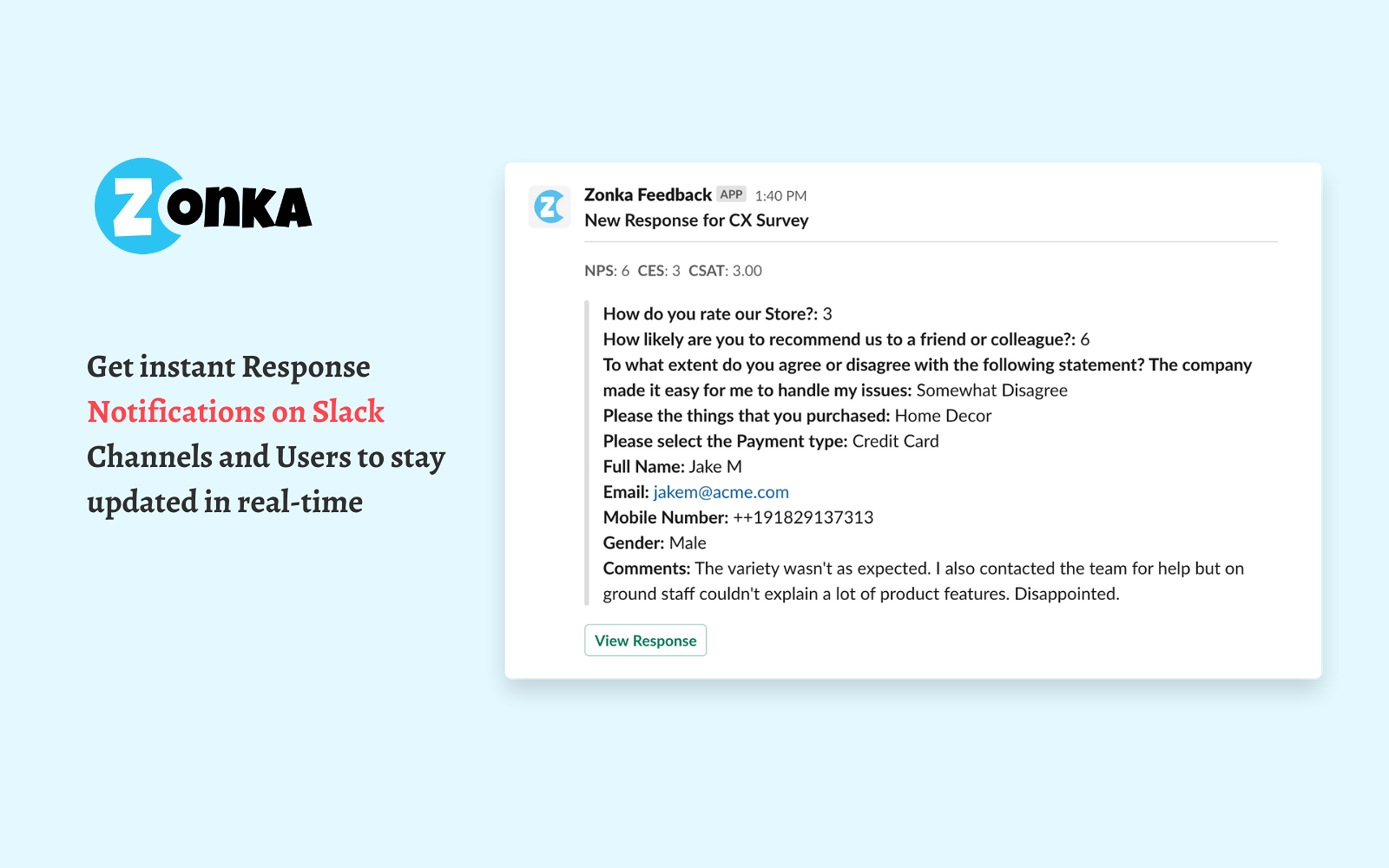
Zonka Feeback is one of the most powerful survey apps that cater to a variety of feedback needs such as employee feedback, product feedback, website feedback, customer service feedback, event feedback, and more to measure customer satisfaction. Integrated seamlessly with the Slack app, it provides real-time alerts, keeping your teams in sync effortlessly, sans the reliance on emails.
With this survey software, you can receive notifications, CX metrics visibility, and the ability to trigger satisfaction surveys directly within the Slack channel, ensuring a smooth collaboration process. You can further channel feedback efficiently by assigning different users and channels to distinct surveys.
The seamless trigger functionality helps you to conduct employee pulse checks, daily standups, and customized workflows for specific responses without leaving Slack app. Moreover, it also offers powerful reporting and analytics that can help you get real-time reports that offer a comprehensive view of your team's performance, trends, and actionable insights, enhancing collaboration within the Slack environment.
Ideal for: Customer support teams, CX leaders, product teams, and operations teams who want to collect customer or employee feedback and receive real-time survey alerts directly in Slack.
Top Features of its Integrations with Slack
-
Set up instant alerts for negative feedback based on CX Metrics scores for NPS surveys, CES surveys, and CSAT surveys within Slack channel to improve scores.
-
Explore 100+ customizable survey templates and 30+ question types within Slack, facilitating diverse feedback collection to measure satisfaction effectively.
-
Implement dynamic surveys with skip logic and branching, answer piping, themes, and multiple languages, ensuring versatile and engaging feedback experiences.
-
Receive immediate Slack alerts for new survey responses, promoting prompt follow-ups and eliminating reliance on traditional email communication.
-
Conduct tailored employee pulse surveys, employee NPS surveys, and daily standups within Slack for enhanced team communication and workplace improvement.
-
Configure response workflows to your specific Slack channel based on custom filters and conditions, refining feedback management and response handling.
-
Access real-time reports and insights directly within Slack, including snapshot reports, response insights, location analytics, team performance metrics, trends analysis, and text analytics.
-
Utilize a real-time Response Inbox within Slack for immediate access to incoming feedback, allowing for tagging, notes, task assignments, and seamless communication to efficiently close the feedback loop.
-
Benefit from a centralized inbox for feedback and responses in Slack, offering comprehensive filtering options, tagging, task assignment, and activity tracking for a robust feedback management system.
Top Triggers in Zonka Feedback and Slack Integration
-
Send instant Slack notifications when a new survey response is received
-
Alert specific Slack channels when low CSAT, NPS detractors, or negative feedback is submitted
-
Notify teams when surveys are completed, partially completed, or abandoned
 What can you do with Zonka Feedback and Slack integration?
-
Receive real-time survey responses directly in Slack channels
-
Get alerts for negative feedback and low satisfaction scores
-
Tag teammates in Slack to assign follow-ups and close the feedback loop faster
-
Keep feedback visible within ongoing team conversations
Zonka Feedback Pros
-
Real-time Slack alerts for survey responses and negative feedback
-
Easy setup with granular notification controls
-
Supports multiple survey types including CSAT, NPS, CES, and employee feedback
Zonka Feedback Cons
-
Advanced workflows and automation are available on higher-tier plans
-
Analytics and reporting may take time for first-time users
Zonka Feedback Pricing
- Custom pricing based on business requirements
- Free trial of paid features available on request
2. Polly: Best for Polls, Surveys, and Team Feedback Inside Slack
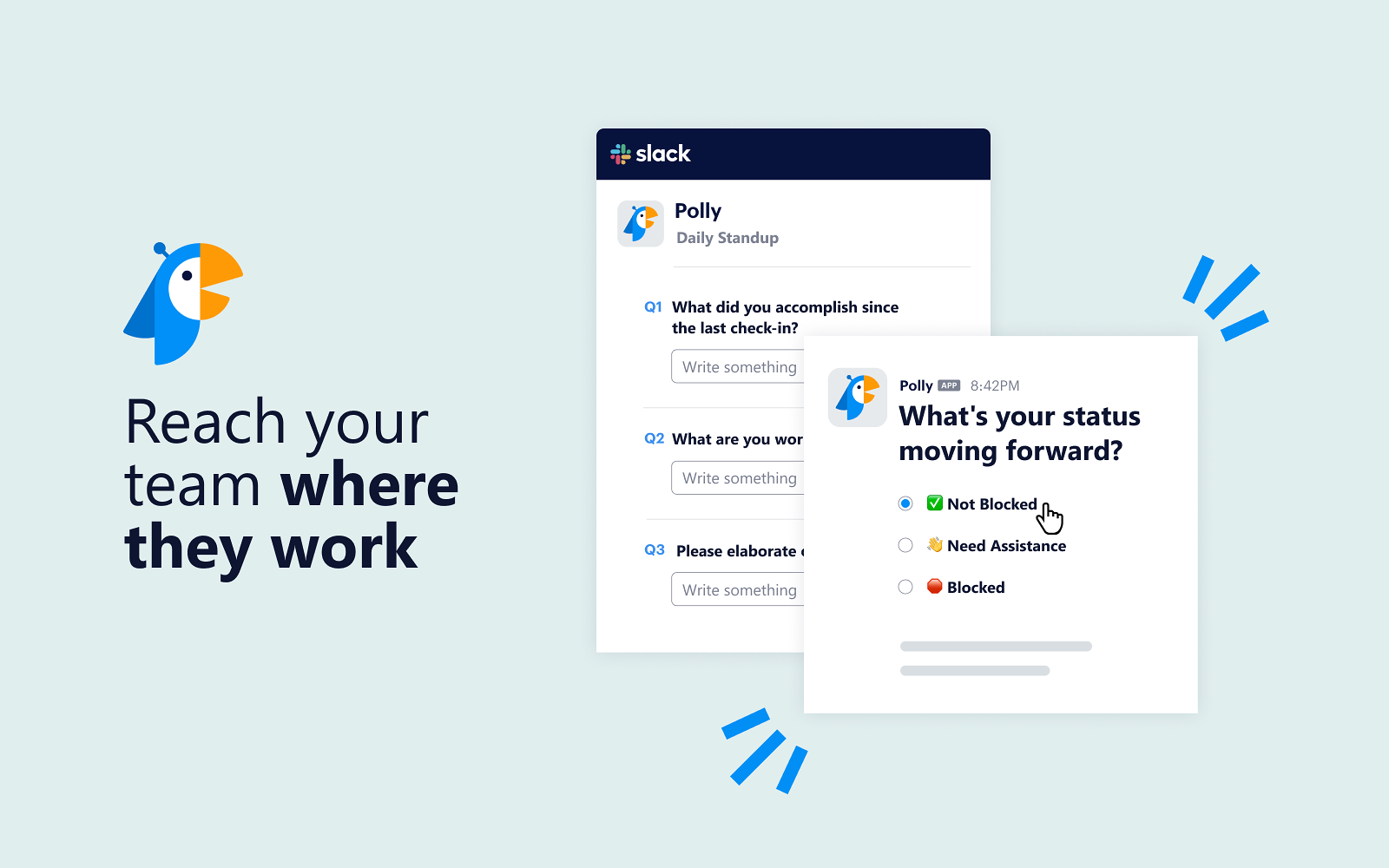
Polly is a versatile Slack integration that streamlines information gathering for remote teams, enabling quick feedback collection on processes or team well-being, and freeing resources for more impactful tasks.
Ideal for: People ops teams, managers, HR teams, and distributed teams that want to run quick polls, pulse surveys, standups, and feedback checks directly within Slack.
Top Features
-
Seamlessly design polls within Slack, facilitating easy decision-making, such as scheduling meetings or gauging employee sentiments on work-related procedures.
-
Access a comprehensive suite of survey capabilities directly within Slack, eliminating the need for external platforms and ensuring a seamless workflow experience.
-
Leverage APIs to craft tailored feedback-driven workflows, integrating internal systems for systematic data access, and enhancing operational efficiency within the organization.
Top Triggers in Polly and Slack Integration
-
Trigger polls and surveys in Slack channels or direct messages
-
Schedule recurring pulse surveys or standups in Slack
-
Notify teams when poll responses are submitted or completed
What can you do with Polly and Slack integration?
-
Run instant polls and surveys directly inside Slack conversations
-
Collect anonymous or named feedback from team members
-
Schedule recurring surveys for engagement, retrospectives, or standups
-
View responses and results in real time without leaving Slack
Polly Pros
-
Native Slack-first experience with no external redirects
-
Easy to launch polls and surveys in channels or DMs
-
Supports anonymous responses for honest team feedback
-
Useful templates for pulse surveys and standups
Polly Cons
-
Limited customization options on lower plans
-
More suited for internal team feedback than customer surveys
Polly Pricing
-
Starts at $12/user/month
-
Free version available
3. Evergreen: Best for Knowledge Sharing and Team Updates in Slack
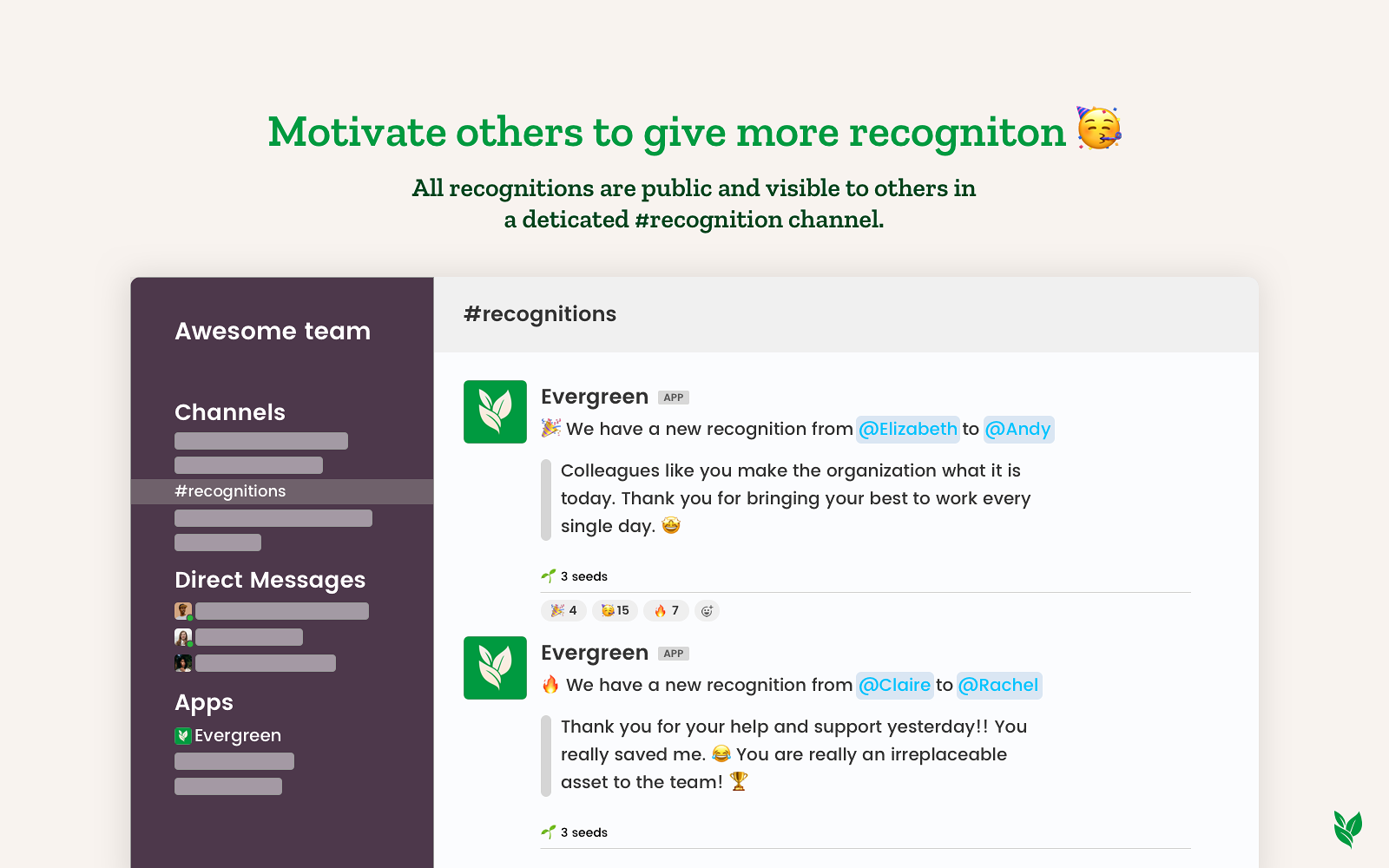
Evergreen is a unique Slack integration that promotes a culture of appreciation and environmental impact by planting trees for each colleague's recognition received, cultivating both workplace positivity and sustainability.
Ideal for: Internal communications teams, managers, and remote teams that want to share updates, reminders, and announcements in Slack without repetitive manual posting.
Top Features
-
Empower team members to acknowledge colleagues' efforts by awarding tree seeds, and planting trees for each recognition for a positive workplace and environmental contribution.
-
Boost team morale by broadcasting recognitions directly to the company-wide Slack channel, enhancing transparency and cultivating a sense of appreciation across the organization.
-
Export comprehensive recognition lists as CSV files for monitoring and strengthening employee engagement dynamics.
Top Triggers in Evergreen and Slack Integration
-
Automatically post scheduled or recurring messages to Slack channels
-
Trigger reminders for updates, announcements, or knowledge sharing
-
Notify channels when recurring posts are published
What can you do with Evergreen and Slack integration?
-
Schedule recurring messages and announcements in Slack
-
Share important updates consistently without manual follow-ups
-
Keep knowledge, reminders, and announcements visible over time
-
Reduce repetitive communication for managers and team leads
Evergreen Pros
-
Simple and focused tool for recurring Slack messages
-
Saves time by automating repeat announcements
-
Easy to set up and manage schedules
Evergreen Cons
-
Limited functionality beyond scheduled posting
-
Not designed for two-way interactions or feedback collection
Evergreen Pricing
-
Starts at $3.99/active users/month
-
Free trial available
4. Nectar: Best for Employee Recognition and Rewards in Slack
Nectar is an employee recognition and rewards platform designed to enhance workplace morale and create a culture of appreciation by offering various ways to recognize and reward employees for their achievements and efforts.
Ideal for: HR teams, people ops, managers, and distributed teams looking to recognize employee contributions, boost morale, and run rewards programs directly within Slack.
Top Features
-
Receive real-time notifications for employee recognition in Slack
-
Seamlessly integrate Nectar into Slack to enhance engagement
-
Schedule automated birthday and work anniversary messages
Top Triggers in Nectar and Slack Integration
-
Trigger recognition messages when peers send rewards or shoutouts
-
Notify Slack channels when points or rewards are given
-
Send reminders for birthdays, work anniversaries, and milestones
What can you do with Nectar and Slack integration?
-
Recognize teammates with public or private shoutouts in Slack
-
Send reward points that can be redeemed for gifts or perks
-
Celebrate birthdays, work anniversaries, and achievements
-
Build a culture of appreciation within everyday Slack conversations
Nectar Pros
-
Seamless Slack-native recognition experience
-
Wide range of reward and redemption options
-
Helps improve engagement and team morale
Nectar Cons
-
Requires budget allocation for rewards
-
More focused on recognition than performance management
Nectar Pricing
-
Contact sales for pricing information
b. What are the Best Integrations with Slack for Project Management & Task Organization?
Next, let’s look at Slack integrations built for project management and task organization. These tools help teams plan work, assign tasks, track progress, and stay aligned without leaving Slack. By turning conversations into actionable tasks and surfacing project updates directly in channels, they reduce context switching and keep work moving forward.
These integrations are especially useful for project managers, product teams, engineering teams, and cross-functional teams that need clear ownership, visibility into progress, and real-time updates while collaborating in Slack.
Tools in this category include: ClickUp, Trello, Asana, Harvest, and Favro
5. ClickUp: Best for Project and Task Management in Slack
ClickUp, a robust project management platform, seamlessly integrates with Slack to elevate team collaboration and productivity, consolidating tasks and updates in one unified workspace.
Ideal for: Project managers, product teams, engineering teams, and cross-functional teams that want to track tasks, projects, and updates in Slack without switching between tools.
Top Features
-
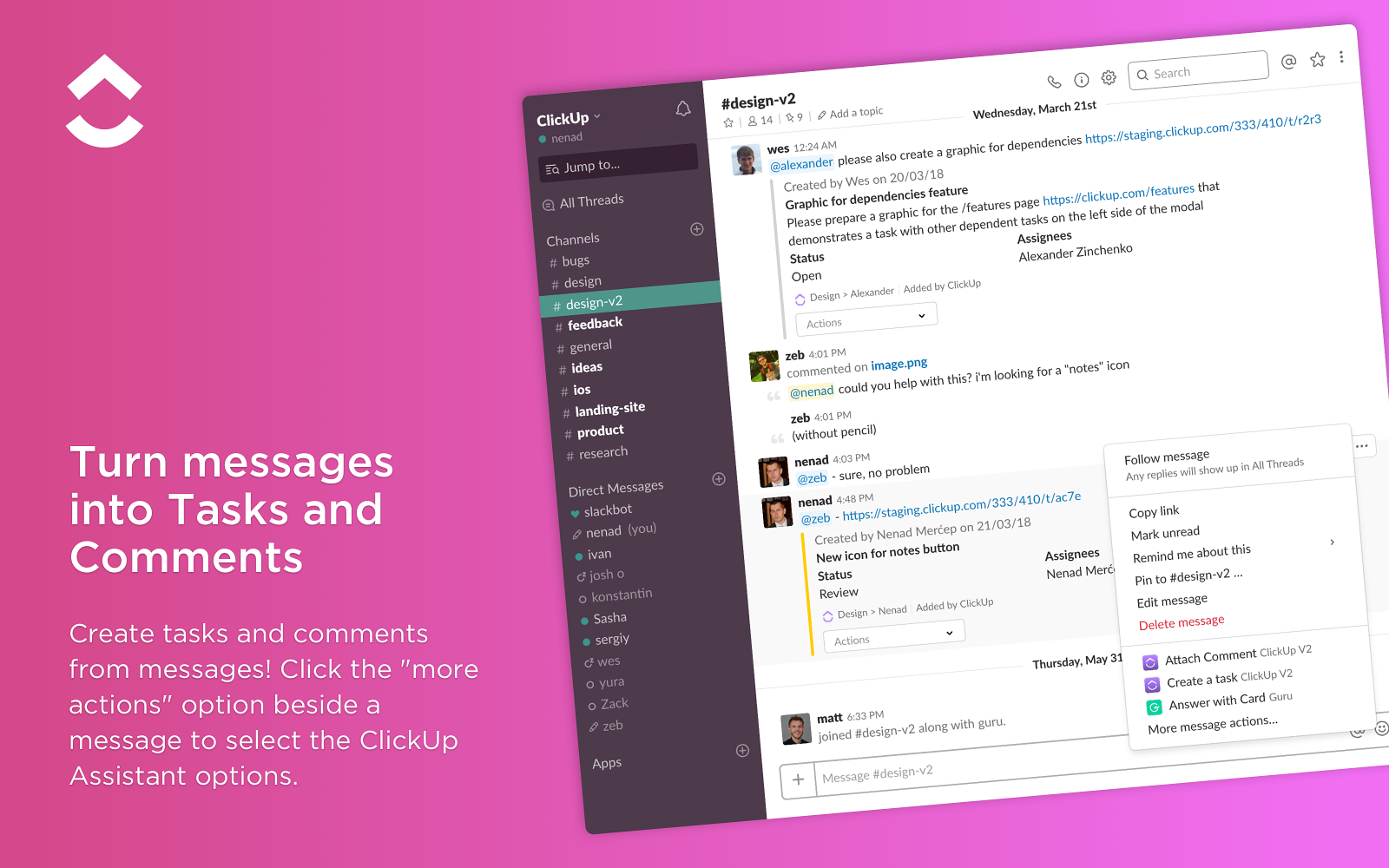
Instantly convert any Slack message into a ClickUp task, optimizing workflow efficiency with streamlined task creation and comprehensive functionality.
-
Get instant notifications about progress, comments, and updates in your chosen Slack channel.
-
Rich task previews in Slack let you view and manage tasks without switching apps.
-
Schedule meetings, access docs, and collaborate in one place.
Top Triggers in ClickUp and Slack Integration
-
Send Slack notifications when tasks are created, updated, or completed
-
Alert channels when task statuses, priorities, or assignees change
-
Notify teams about due dates, comments, and mentions on tasks
What can you do with ClickUp and Slack integration?
-
Create and manage ClickUp tasks directly from Slack messages
-
Receive real-time task updates and status changes in Slack
-
Turn Slack conversations into actionable tasks
-
Keep project progress visible within team channels
ClickUp Pros
-
Strong task and project management capabilities
-
Flexible workflows for different team needs
-
Reduces context switching between Slack and ClickUp
ClickUp Cons
-
Feature-rich interface may feel complex for new users
-
Advanced functionality requires setup and configuration
ClickUp Pricing
-
Starts at $7/user/month
-
Free version available
6. Trello: Best for Visual Task and Board-Based Project Management in Slack
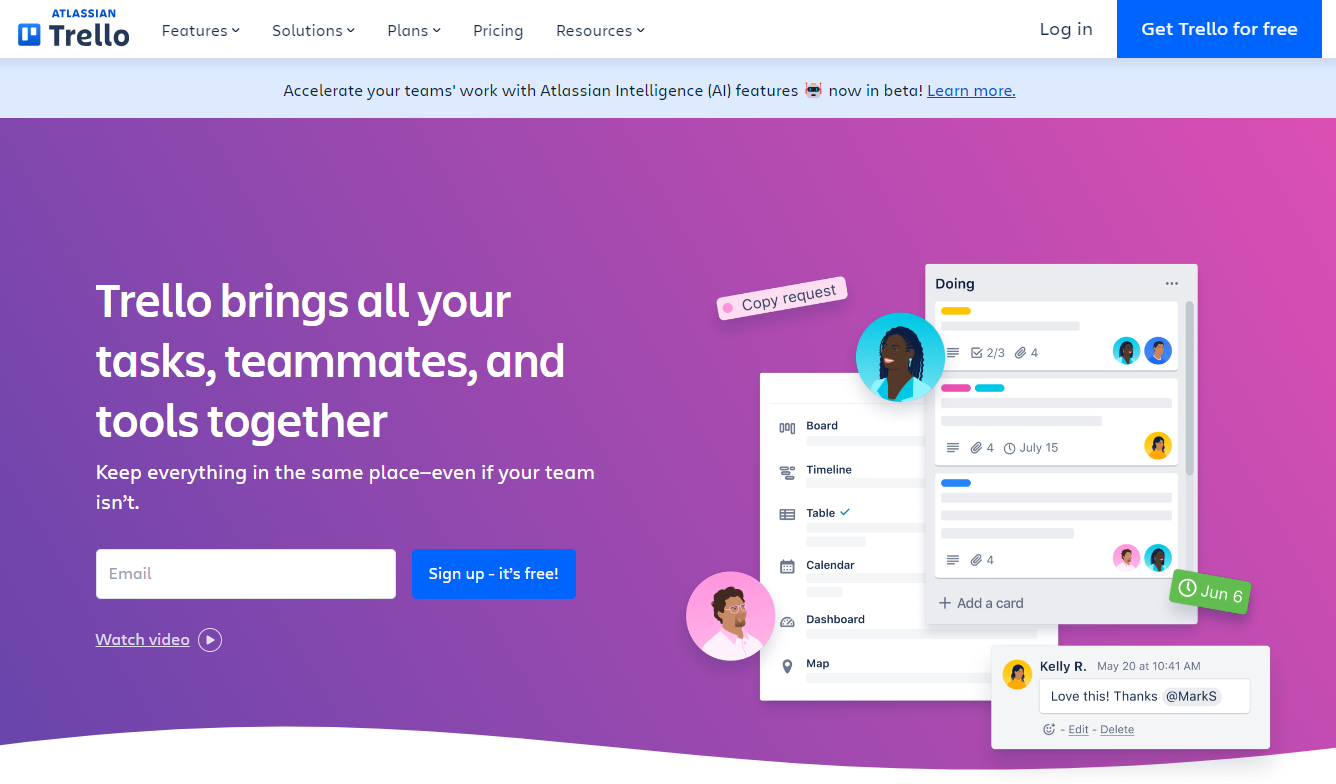
Trello when integrated as a Slack app offers seamless project management collaboration, enables real-time updates, create tasks and manage them within the Slack channel, enhancing team productivity and workflow efficiency.
Ideal for: Small teams, startups, and marketing or creative teams that prefer visual boards for managing tasks and lightweight projects within Slack.
Top Features
-
Collaborate effortlessly by creating, updating, and assigning Trello cards directly within Slack channels, eliminating the need for toggling between platforms for task management.
-
Get instant notifications about project updates, comments, and deadlines right in your Slack channels.
-
Easily create collaborative workspaces, set deadlines, and manage boards and cards from Slack, streamlining project coordination and efficient collaboration among team members.
Top Triggers in Trello and Slack Integration
-
Send Slack notifications when cards are created, moved, or completed
-
Alert channels when due dates, comments, or assignments change
-
Notify teams when boards or lists are updated
What can you do with Trello and Slack integration?
-
Create Trello cards directly from Slack messages
-
Receive real-time updates on card activity in Slack
-
Share boards, lists, and cards within channels
-
Track task progress without leaving Slack
Trello Pros
-
Simple and intuitive visual task management
-
Easy to adopt for non-technical teams
-
Works well for lightweight projects and workflows
Trello Cons
-
Limited advanced project management features
-
Not ideal for complex or large-scale projects
Trello Pricing
-
Starts at $5/user/month
-
Free version available
7. Asana: Best for Structured Project Planning and Team Coordination in Slack
Asana, one of the most popular project management tools when integrated within Slack streamlines project management, allowing seamless task assignment, progress tracking, and communication without leaving the Slack environment, promoting efficient collaboration and helping assign tasks.
Ideal for: Project managers, operations teams, and cross-functional teams that need clear task ownership, timelines, and dependency tracking alongside Slack collaboration.
Top Features
-
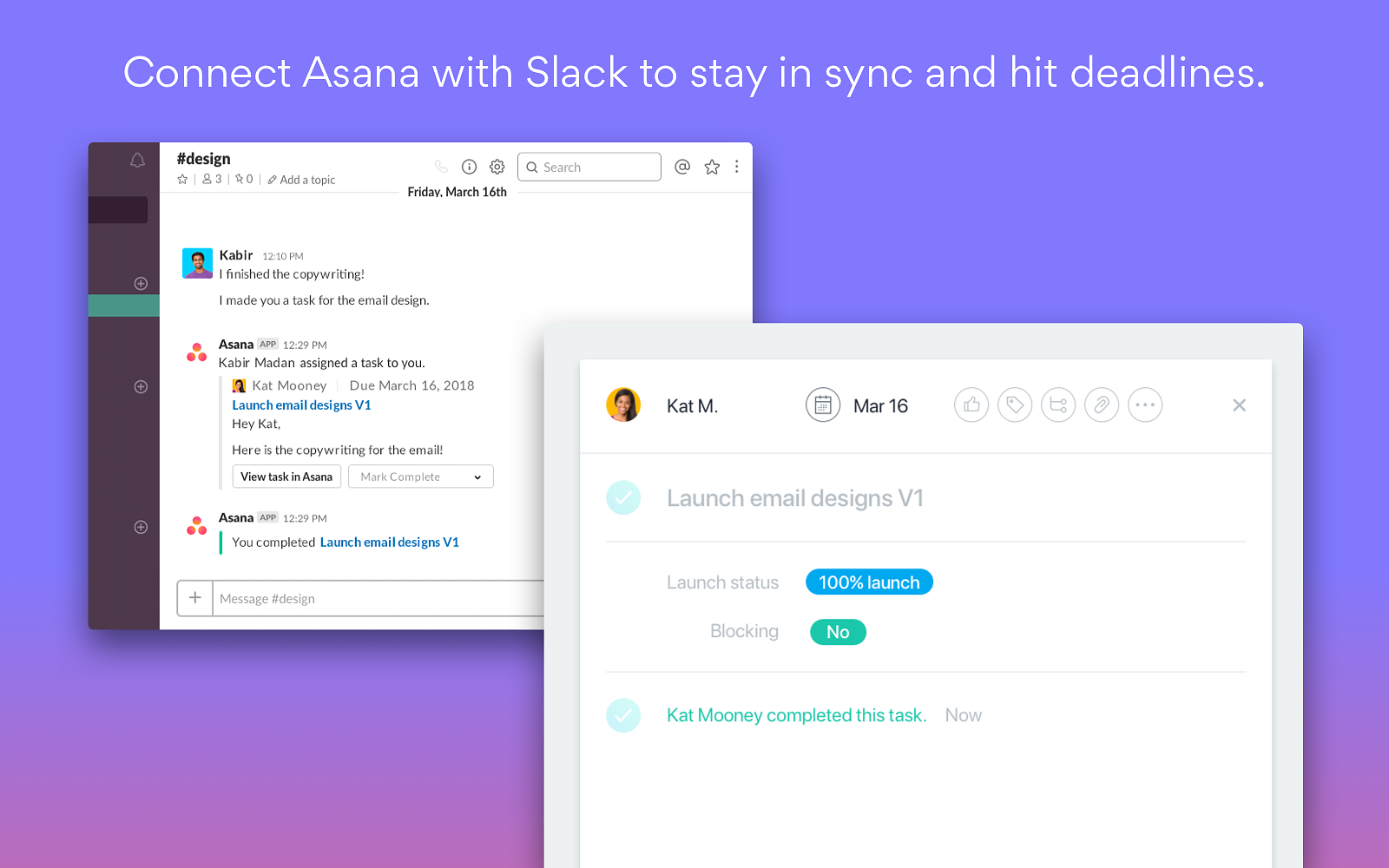
Instantly turn new message of Slack into Asana tasks and manage them on the go.
-
Get real-time updates on progress, comments, and deadlines – all in Slack.
-
Complete tasks, assign work, and access project data – without leaving the conversation and save time.
-
Set up rules to trigger actions & keep your team moving forward.
-
Link channels to projects for team-wide visibility.
Top Triggers in Asana and Slack Integration
-
Send Slack notifications when tasks are created, completed, or reassigned
-
Alert channels when due dates, priorities, or dependencies change
-
Notify teams when comments or updates are added to tasks or projects
What can you do with Asana and Slack integration?
-
Create and assign Asana tasks directly from Slack messages
-
Receive real-time project and task updates in Slack
-
Turn Slack discussions into actionable tasks
-
Keep teams aligned on deadlines and progress within Slack channels
Asana Pros
-
Strong task tracking with timelines and dependencies
-
Scales well for growing and cross-functional teams
-
Helps maintain clarity on ownership and priorities
Asana Cons
-
Can feel structured for teams that prefer lightweight tools
-
Advanced features are available on paid plans
Asana Pricing
-
Starts at $10.99/user/month
-
Free version available
8. Harvest: Best for Time Tracking and Reporting in Slack
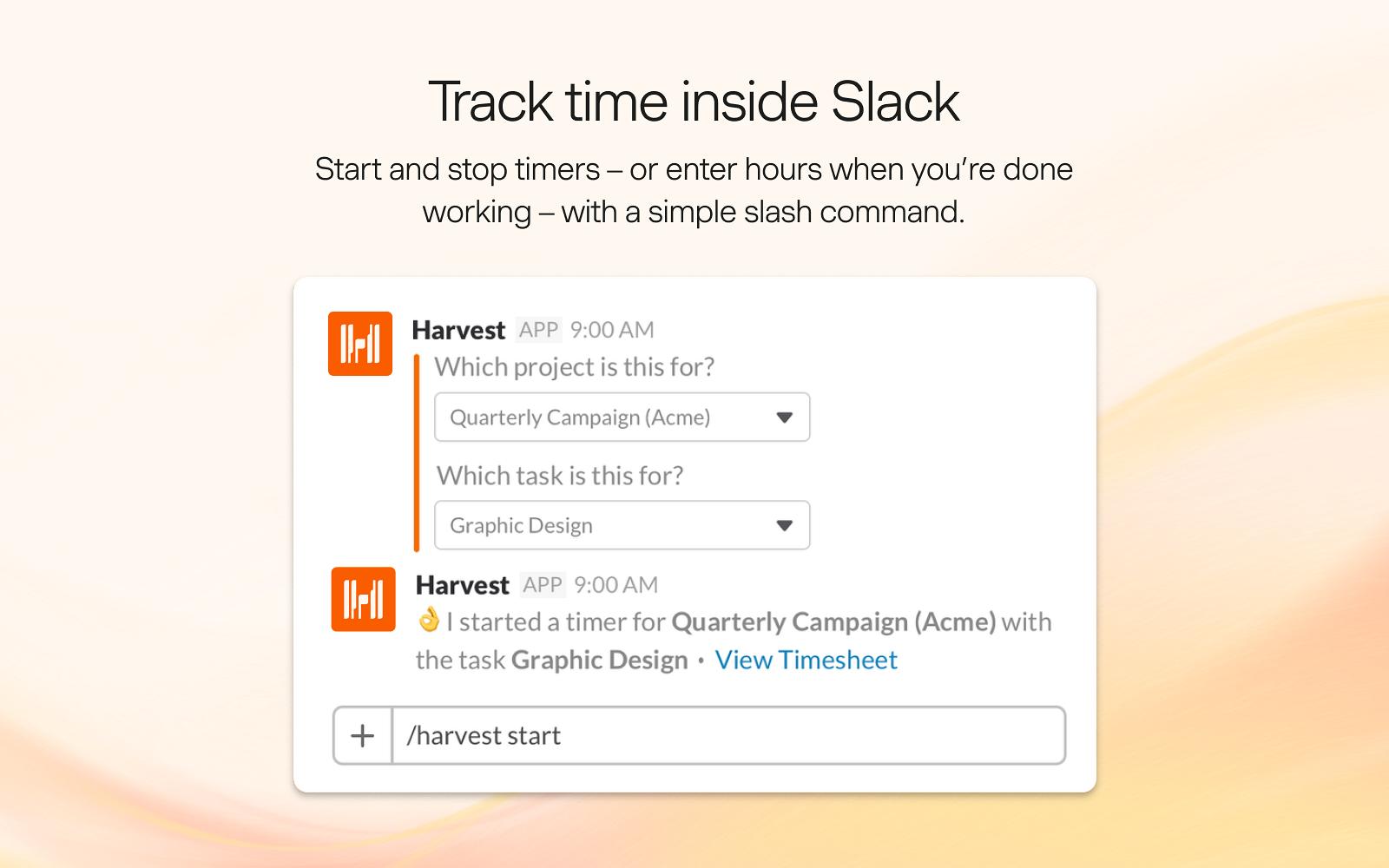
Harvest is a project management tool that seamlessly integrates with Slack app, empowers remote teams with efficient time-tracking capabilities. From initiating timers and logging hours to monitoring workflows and project progress, it fosters collaboration by consolidating team time into comprehensive reports.
Ideal for: Agencies, professional services teams, consultants, and remote teams that want to track time, monitor project hours, and receive time-related updates directly in Slack.
Top Features
-
Start or stop timers, log hours, and review colleagues' workflows directly within Slack, streamlining time-tracking processes.
-
Managers gain instant access to project progress and budget tracking, enhancing decision-making and oversight.
-
Harvest's integration ensures team time is effortlessly compiled into cohesive reports, promoting transparency and teamwork.
Top Triggers in Harvest and Slack Integration
-
Send Slack notifications when timers are started or stopped
-
Alert channels when logged hours reach set limits
-
Notify teams about missing time entries or approvals
What can you do with Harvest and Slack integration?
-
Start and stop time tracking directly from Slack
-
Receive reminders to log or submit timesheets
-
Get notified about project hour limits and budgets
-
Keep time tracking updates visible within team channels
Harvest Pros
-
Simple and reliable time tracking experience
-
Useful reporting for projects and billable hours
-
Easy to integrate with existing project tools
Harvest Cons
-
Limited project management features
-
Advanced reporting requires paid plans
Harvest Pricing
-
Starts at $11/month
-
Free version and trial available
9. Favro: Best for Agile Planning and Collaborative Roadmaps in Slack
Favro, your collaborative planning ally, seamlessly integrates with Slack app to revolutionize task management. With executive dashboards and flexible planning, it ensures clarity, allowing Slack teams to schedule tasks, track time, and convert Slack messages into Favro tasks effortlessly.
Ideal for: Product teams, agile teams, and development teams that need flexible planning, backlogs, and roadmaps while staying aligned through Slack.
Top Features
-
Schedule tasks and track time directly within Slack, enhancing productivity and ensuring seamless coordination.
-
Create specialized Slack channels for Favro projects, promoting focused communication and efficient collaboration.
-
Transform Slack message into Favro tasks in seconds, streamlining the workflow and ensuring important details are captured effortlessly.
Top Triggers in Favro and Slack Integration
-
Send Slack notifications when cards are created, updated, or moved
-
Alert channels when backlog items or boards change
-
Notify teams about comments, mentions, or status updates
What can you do with Favro and Slack integration?
-
Receive real-time updates on boards, backlogs, and cards in Slack
-
Share roadmap and planning updates with team channels
-
Stay informed about changes without switching tools
-
Keep product and agile teams aligned through Slack notifications
Favro Pros
-
Flexible and agile-friendly planning structure
-
Good fit for product and development workflows
-
Supports collaborative roadmaps and backlogs
Favro Cons
-
Interface may feel complex for non-product teams
-
Fewer integrations compared to larger PM tools
Favro Pricing
-
Starts at $5.1/user
-
Free trial available
c. What are the Best Slack Apps Integrations for Communication & Collaboration?
Now, let’s explore Slack apps designed to improve communication and collaboration across teams. These integrations help teams move seamlessly from chat to meetings, share updates more effectively, and collaborate in real time without breaking workflow. By bringing calls, videos, and shared content directly into Slack, they make collaboration faster and more contextual.
These tools are especially useful for remote and hybrid teams that rely on real-time communication, quick decision-making, and smooth transitions between messaging and meetings.
Tools in this category include: Zoom, Microsoft Teams Calls, Loom, Giphy, Dropbox and Loom.
10. Zoom: Best for Video Meetings and Calls Launched from Slack
Zoom's integration with Slack revolutionizes virtual meetings by enabling seamless hosting and joining of video conferences within Slack, enhancing communication and collaboration without leaving the workspace.
Ideal for: Remote teams, hybrid teams, managers, and distributed organizations that want to start and manage video meetings directly from Slack.
Top Features
-
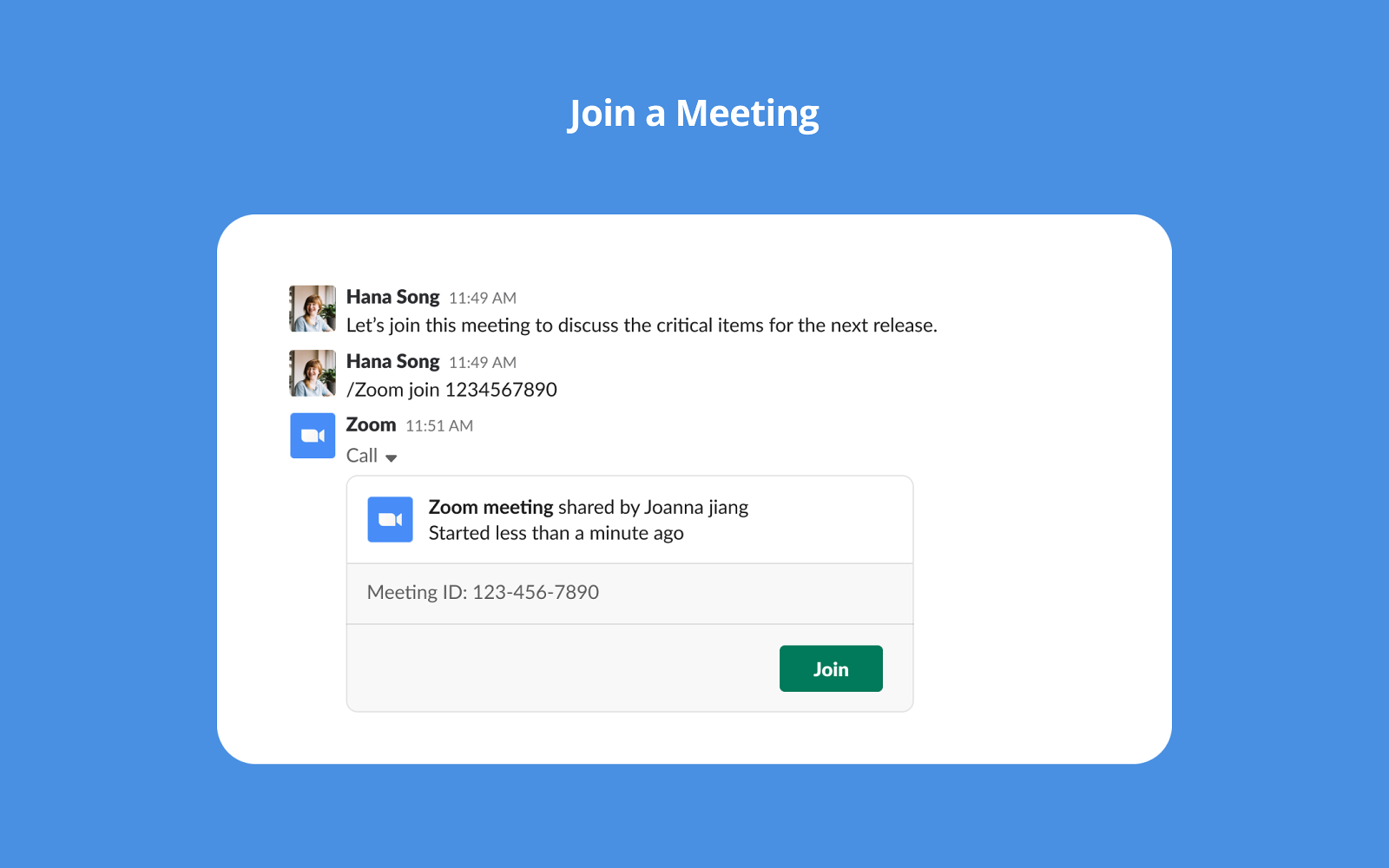
Initiate and join Zoom meetings directly within Slack, eliminating the need to switch platforms, ensuring efficient communication, and enhancing team connectivity.
-
Launch Zoom calls with a single click or use the /zoom Slack command.
-
Share screens, annotate documents, and brainstorm together - all within Slack interface.
-
Receive meeting summaries and access recordings directly within Slack, providing post-meeting resources and facilitating seamless information sharing among team members.
Top Triggers in Zoom and Slack Integration
-
Trigger Zoom meeting creation from Slack commands
-
Send Slack notifications when meetings start or are scheduled
-
Alert channels with meeting links and reminders
What can you do with Zoom and Slack integration?
-
Start Zoom meetings directly from Slack channels or DMs
-
Share meeting links automatically in Slack
-
Receive reminders and notifications for upcoming meetings
-
Reduce friction when switching from chat to video calls
Zoom Pros
-
Fast and easy meeting launch from Slack
-
Widely adopted and familiar video conferencing tool
-
Reliable performance for remote collaboration
Zoom Cons
-
Advanced features require paid Zoom plans
-
Limited meeting management from Slack itself
Zoom Pricing
-
Starts at $13.33/user/month
-
Free version available
11. Microsoft Teams Calls: Best for Launching Teams Meetings from Slack
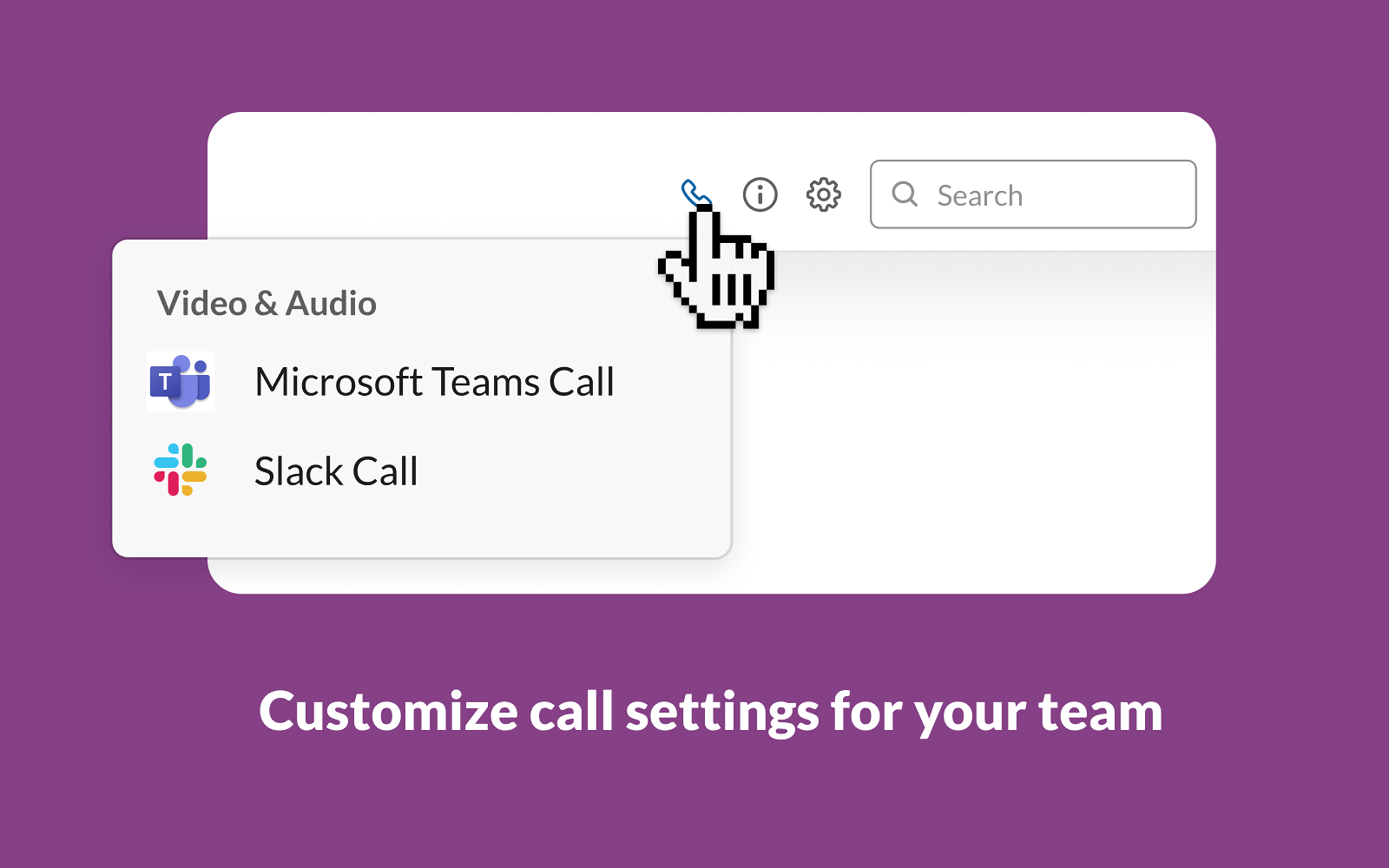
Microsoft Teams calls help you seamlessly elevate team collaboration into Slack. You can effortlessly start meetings directly from your Slack window, receive timely alerts, and initiate calls swiftly using the /teams-calls command, for frictionless communication.
Ideal for: Organizations using Microsoft Teams for meetings but relying on Slack for day-to-day communication and collaboration.
Top Features
-
Receive timely reminders within Slack, ensuring your team never misses a scheduled meeting.
-
Initiate meetings directly from Slack with a single click, streamlining the process for a hassle-free experience.
-
Use the /teams-calls command to effortlessly kick-off calls and check participants, enhancing communication efficiency.
-
Seamlessly blend Microsoft Teams Calls into Slack, promoting a unified workspace for efficient collaboration.
Top Triggers in Microsoft Teams Calls and Slack Integration
-
Trigger Microsoft Teams meeting creation from Slack commands
-
Send Slack notifications with Teams meeting links
-
Share meeting details automatically in Slack channels or DMs
What can you do with Microsoft Teams Calls and Slack integration?
-
Start Microsoft Teams calls directly from Slack
-
Share Teams meeting links in Slack conversations
-
Reduce friction between chat and video meetings
-
Support collaboration across mixed Slack and Microsoft Teams environments
Microsoft Teams Calls Pros
-
Useful for teams operating across Slack and Microsoft ecosystems
-
Simple way to launch Teams meetings from Slack
-
Helps avoid switching tools for meeting setup
Microsoft Teams Calls Cons
-
Limited functionality beyond meeting links and notifications
-
Requires Microsoft Teams accounts for participants
Microsoft Teams Calls Pricing
-
Pricing starts at $4/month
-
Free version available
12. Assembly: Best for Employee Recognition and Engagement Programs in Slack
Assembly enriches the virtual workspace by fostering a positive company culture through peer recognition. Team members can acknowledge and reward their peers, reinforcing company values and fostering stronger relationships.
Ideal for: HR teams, people ops, and managers who want to run recognition programs, rewards, and engagement initiatives directly within Slack.
Top Features
-
Access built-in reports to analyze departmental collaboration and pinpoint areas for improvement towards shared objectives.
-
Encourage positive interactions among team members through incentives and rewards, nurturing a vibrant company culture.
-
Strengthen relationships by commemorating milestones and anniversaries, facilitating personal connections within the team.
Top Triggers in Assembly and Slack Integration
-
Trigger recognition messages when peers send shoutouts
-
Notify Slack channels when rewards or points are given
-
Send reminders for milestones, achievements, and engagement activities

What can you do with Assembly and Slack integration?
-
Recognize employees with public or private shoutouts in Slack
-
Send reward points and manage incentives within Slack
-
Celebrate achievements, milestones, and contributions
-
Encourage peer-to-peer recognition through daily Slack use
Assembly Pros
-
Slack-native recognition experience
-
Supports rewards, shoutouts, and engagement programs
-
Helps build a positive team culture
Assembly Cons
-
Requires budget for rewards and incentives
-
Less suited for performance tracking or feedback
Assembly Pricing
- Starts at $2/user/month
13. Giphy: Best for Expressive Communication and Team Engagement in Slack
Giphy is among the most popular Slack bots that injects fun and creativity into workplace communication, allowing users to easily incorporate entertaining GIFs into Slack conversation, fostering a lively and engaging team atmosphere.
Ideal for: Teams that want to add personality, humor, and visual expression to conversations while keeping Slack interactions engaging and informal.
Top Features
-
Instantly include GIFs in chat messages through a user-friendly menu, enabling users to express personality and humor, enhancing communication in a visually engaging manner.
-
Access the largest database of GIFs directly within Slack, offering a vast collection of easily incorporable GIFs to suit various conversation tones and themes.
-
Admins can tailor search settings to ensure workplace-friendly content, maintaining a professional environment while encouraging fun interactions among team members.
-
Use the /giphy command to instantly find and share GIFs, all without leaving your conversation.
Top Triggers in Giphy and Slack Integration
-
Insert GIFs into Slack messages using simple commands
-
Trigger GIF suggestions based on keywords
-
Share animated reactions instantly in channels or DMs

What can you do with Giphy and Slack integration?
-
Search and share GIFs directly within Slack conversations
-
React to messages with visual expressions instead of text
-
Make team communication more engaging and fun
-
Add personality to everyday Slack interactions
Giphy Pros
-
Easy and fun way to enhance team communication
-
Simple, native Slack integration
-
Helps build culture and engagement
Giphy Cons
-
Limited functional or productivity use
-
Can be distracting if overused
Giphy Pricing
- Free for all
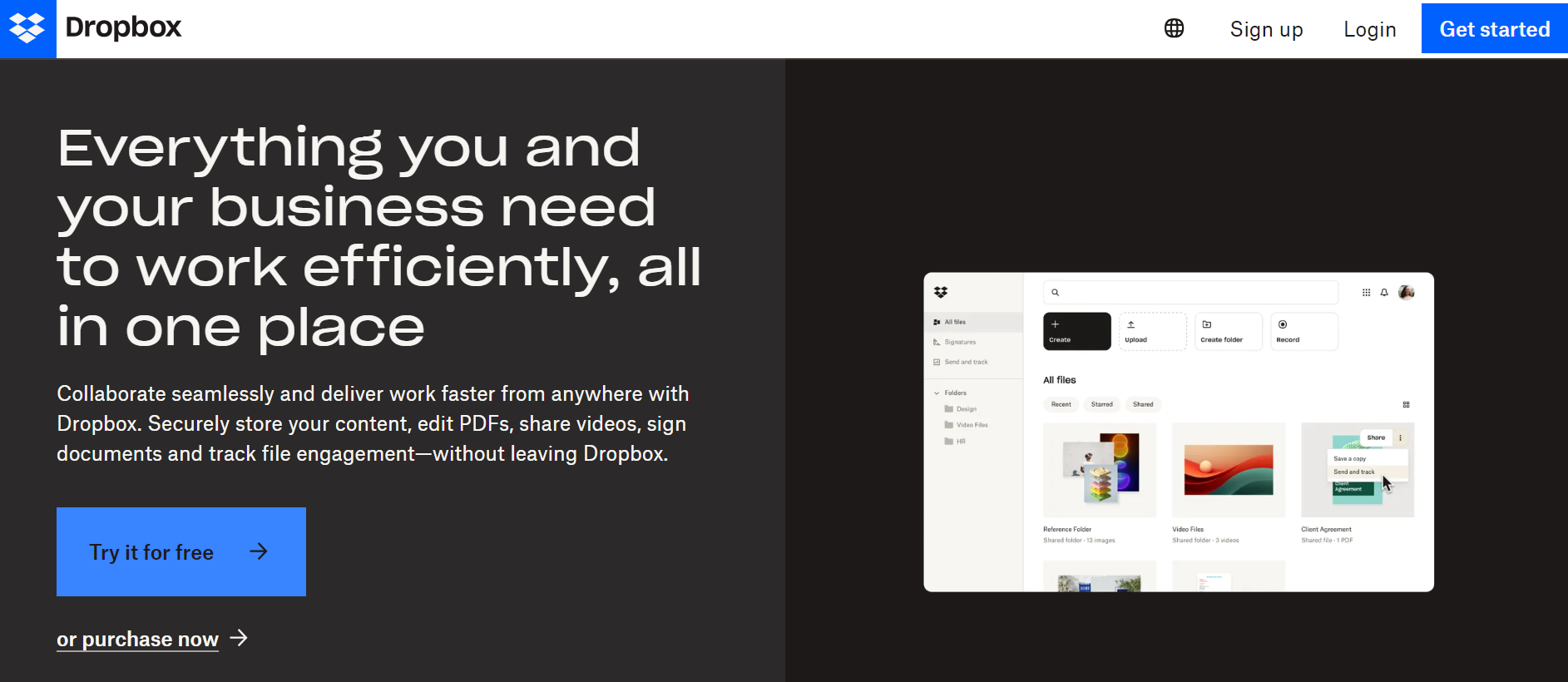
14. Dropbox: Best for File Storage and Sharing in Slack
Dropbox's integration with Slack streamlines file sharing and document accessibility, enabling seamless access to Dropbox files within the workspace, enabling efficient collaboration and document management.
Ideal for: Teams that frequently share documents, files, and assets and want quick access to cloud storage links directly within Slack.
Top Features
-
Share Dropbox files directly in Slack channel or DMs without switching different apps, with instant previews and updates.
-
Get rich previews of Dropbox files within Slack conversations, facilitating quick insights into file content and structure.
-
Monitor file activity feeds within Slack and gain insights into file interactions, user access, and sharing details to understand file utilization and collaboration patterns among team members.
Top Triggers in Dropbox and Slack Integration
-
Send Slack notifications when files or folders are shared
-
Alert channels when files are updated or commented on
-
Notify teams about access requests or changes
What can you do with Dropbox and Slack integration?
-
Share Dropbox files and folders directly in Slack
-
Preview files within Slack conversations
-
Receive updates when files are edited or commented on
-
Collaborate on documents without leaving Slack
Dropbox Pros
-
Seamless file sharing and previews in Slack
-
Useful for teams working with large files
-
Reduces friction in document collaboration
Dropbox Cons
-
Advanced storage and security features require paid plans
-
File organization still managed within Dropbox
Dropbox Pricing
-
Pricing starts at $11.99/month
-
Free version available
15. Loom: Best for Asynchronous Video Messaging in Slack
Loom's Slack integration enriches team communication by facilitating seamless video messaging and screen sharing, enabling enhanced collaboration and detailed discussions within Slack channels.
Ideal for: Remote teams, managers, customer support, and product teams that want to share quick video updates, walkthroughs, or explanations without scheduling live meetings.
Top Features
-
Record quick screen shares and explain things faster than emails, right within Slack.
-
Watch Loom videos directly within Slack threads, providing a seamless viewing experience without leaving the workspace.
-
Add a personal touch to feedback, instructions, or updates with your face & voice.
-
Jump to specific video moments and tag teammates for targeted communication.
Top Triggers in Loom and Slack Integration
-
Share Loom video links automatically in Slack
-
Notify channels when new videos are recorded or shared
-
Preview video thumbnails directly in Slack messages
What can you do with Loom and Slack integration?
-
Record and share short videos directly into Slack conversations
-
Explain ideas, feedback, or updates asynchronously
-
Reduce the need for live meetings
-
Improve clarity with visual and audio context
Loom Pros
-
Saves time by replacing meetings with short videos
-
Easy video recording and sharing
-
Works well for distributed teams
Loom Cons
-
Advanced features require paid plans
-
Not ideal for real-time discussions
Loom Pricing
-
Paid plans start at $15/user/month
-
Free version and trial available
d. What is the Best App Integration with Slack for Workflow Automation?
Now, let’s look at Slack integrations built specifically for workflow automation. These tools help teams automate repetitive tasks, trigger actions across multiple apps, and receive real-time updates in Slack based on predefined events. By using automation, teams can reduce manual work, improve efficiency, and ensure important actions and alerts are never missed.
In this category, Zapier stands out as a powerful automation platform that connects Slack with hundreds of other tools, allowing teams to build custom workflows and automate processes without writing code.
16. Zapier: Best for Workflow Automation Between Slack and Other Apps
Zapier serves as an automation powerhouse, seamlessly connecting various apps and workflows, enhancing productivity by integrating Slack with numerous applications, allowing streamlined data transfer, and enabling automated actions, ultimately optimizing team workflows.
Ideal for: Operations teams, growth teams, marketers, and businesses that want to automate workflows between Slack and hundreds of other tools without writing code.
Top Features
-
Integrate Slack with thousands of apps, automating repetitive tasks for a seamless workflow.
-
Get instant Slack notification from any app, keeping you in the loop without context switching.
-
Build custom Zaps for virtually any scenario, tailoring automation to your needs.
-
Receive notifications for upcoming Google Calendar events directly in Slack channels, facilitating better calendar management and team coordination in real-time.
Top Triggers in Zapier and Slack Integration
-
Trigger Slack messages when events occur in connected apps
-
Send alerts to Slack when records are created, updated, or changed
-
Automate multi-step workflows involving Slack and third-party tools
What can you do with Zapier and Slack integration?
-
Automatically send notifications to Slack from other apps
-
Trigger actions in connected tools based on Slack messages or commands
-
Build multi-step workflows that include Slack as a notification or action layer
-
Reduce manual work by automating repetitive processes
Zapier Pros
-
Connects Slack with thousands of apps
-
No-code automation with flexible workflows
-
Supports complex, multi-step automations
Zapier Cons
-
Can become complex for advanced workflows
-
Higher usage requires paid plans
Zapier Pricing
-
Starts at $19.99/month
-
Free version available
e. What are the Top Slack App Integrations for Marketing & CRM?
Next, let’s explore Slack integrations designed for marketing and CRM teams. These tools help teams stay informed about leads, campaigns, deals, and customer interactions by sending real-time updates and alerts directly to Slack. By surfacing critical marketing and sales activity in one place, they help teams respond faster, collaborate better, and keep revenue-related workflows moving.
These integrations are especially useful for sales, marketing, and customer support teams that rely on timely updates, automation signals, and shared visibility across the customer lifecycle.
Tools in this category include: ActiveCampaign, Mailchimp, Salesforce, and HubSpot.
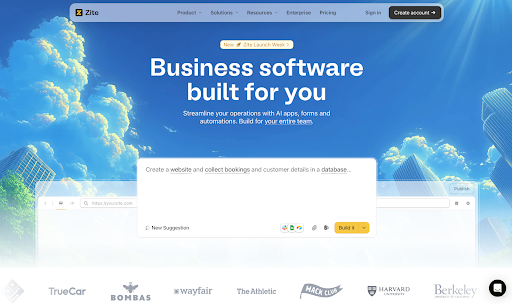
17. Zite: Best for Lead Alerts, Marketing Updates, and Support Notifications on Slack
Zite is a no-code AI app builder that enables users to create websites, dashboards, portals, CRMs, and other business tools. With Slack integration, Zite automatically notifies your team about new leads, marketing updates, support tickets, and other important events, helping you respond faster and stay aligned in real time.
Ideal For: Product managers, operations teams, business owners, and support teams who want streamlined operations, early visibility into opportunities and leads, stage updates, and real-time user feedback.
Top Features
- Send automated Slack notifications in public or private channels for new leads, deals, or opportunities
- Receive alerts for new orders, technical issues, or customer feedback to improve satisfaction
- Customize messages with details like deal value, client name, or priority to give context
Triggers in Zite and Slack Integration
- Send Slack notifications when new leads or contacts are created
- Alert channels when deals move stages or are closed
- Notify teams when orders are collected or fulfilled
- Alert teams when support tickets are opened, updated, or closed
What can you do with Zite and Slack integration?
- Get instant notifications when a lead is captured or a deal progresses
- Monitor customer support tickets and track resolution status in real time
- Track order collection and fulfillment updates directly in Slack
- Sync user feedback or survey responses directly to Slack channels for team visibility
Zite Pros
-
No-code setup makes integration easy without technical expertise
-
Added native integration with Fillout forms lets you approve or reject submissions directly
-
Customizable messages let you tailor alerts to your workflow
Zite Cons
- Slack integration is focused solely notifications
Zite Pricing
-
Free plan available.
-
Starts at $15 per month.
18. Albato for AI-Powered No-Code Automation
Albato is a no-code automation platform with built-in AI capabilities that connects Slack with a wide range of business tools, enabling teams to automate workflows, reduce manual work, and keep communication centralized so they can move faster and stay aligned.
Top Features
- Connect Slack with 1K+ apps to automate workflows across marketing, sales, support, and operations.
- Create flexible, multi-step automations without code, adapting workflows to complex business scenarios.
- Sync data between apps and Slack to reduce manual data entry and improve cross-team visibility.
Triggers in Albato and Slack Integration
- New message in public channel
- New user
- New reaction to the element
- New channel
- New file
- New mention
- New private message
- New message in private channel
- New message in the thread (Private channel)
- New message in the thread (Public channel)
Actions in Albato and Slack Integration
- Send a message to a public channel
- Send a message to a private channel
- Send a private message to a user
- Set a conversation topic in a public channel
- Invite a user to a public channel
- Plans to send a message to a public Slack channel
- Find a user by Email
- Find a user by ID
- Schedule a message to be sent to a private channel
- Send a private message to the user in a private channel
- Set a conversation topic in a private Slack channel
- Send a private message to a user in a public channel
- Create a text file in a public Slack channel
- Create a text file in a private Slack channel
- Custom API request
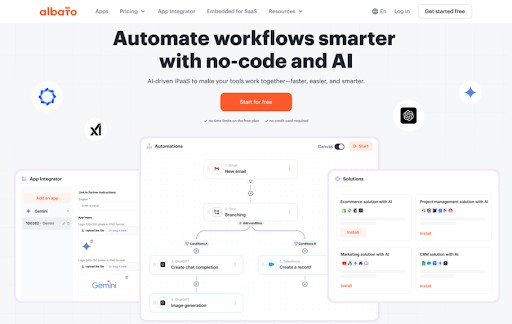
What can you do with Albato and Slack integration?
- Automatically create a task in your project management tool when a new message is posted in a specific Slack channel
- Create a support ticket when a new private message is received in Slack
- Notify a sales Slack channel when a new lead is created in the CRM
- Post an alert in Slack when a critical error is logged in your monitoring tool
Albato Pros
-
Easy-to-use, no-code platform
-
Strong support
-
Cost-effective compared to alternatives
Albato Cons
-
Learning curve for custom integrations
-
Supports fewer app integrations than some competitors, although the number is constantly growing
Albato Pricing
-
Free plan available
-
Paid plans from $19/month
19. Active Campaign: Best for Marketing and Sales Automation Alerts in Slack
ActiveCampaign, a sales automation CRM software, enriches sales teams productivity through email marketing, automation, and CRM tools. Integrating with Slack enables tailored communication and enhanced customer management for business expansion.
Ideal for: Marketing teams, sales teams, and growth teams that want visibility into campaign activity, leads, and automation events directly inside Slack.
Top Features
-
Create personalized Slack messages, mentioning team members to efficiently manage customer tickets and facilitate collaborative customer support.
-
Receive Slack notifications concerning prospect status updates, ensuring timely updates on customer interactions and sales pipeline movements.
-
Get notified in Slack whenever a contact subscribes or unsubscribes, allowing prompt action and real-time insights into customer engagement.
Top Triggers in ActiveCampaign and Slack Integration
-
Send Slack notifications when new contacts are added or updated
-
Alert teams when leads reach specific stages or scores
-
Notify channels when automations, campaigns, or goals are triggered
What can you do with ActiveCampaign and Slack integration?
-
Receive real-time alerts for new leads and contact activity
-
Monitor marketing automation and campaign performance in Slack
-
Keep sales and marketing teams aligned on lead movement
-
Act quickly on high-intent leads without switching tools
ActiveCampaign Pros
-
Strong marketing automation and CRM capabilities
-
Useful real-time visibility for sales and marketing teams
-
Reduces delays in lead follow-ups
ActiveCampaign Cons
-
Requires ActiveCampaign setup and configuration
-
Slack integration is primarily notification-based
ActiveCampaign Pricing
-
Starts at $29/month
-
Free trial available
20. MailChimp: Best for Email Marketing Alerts and Campaign Updates in Slack
Mailchimp, an all-in-one marketing platform, empowers businesses to engage their target audience effectively. Integrated with Slack, it elevates marketing proficiency by enabling real-time campaign updates and streamlined communication.
Ideal for: Marketing teams and small businesses that want to track email campaign activity, audience updates, and performance notifications directly in Slack.
Top Features
-
Receive Slack notification for new subscriptions and unsubscriptions in Mailchimp, ensuring immediate awareness and prompt action on subscriber activities.
-
Stay informed about the status of email campaigns within Slack, providing real-time insights into campaign performance and facilitating team collaboration on marketing strategies.
-
Set up rules to trigger actions like celebrating new subscribers or responding to unsubscribers.
-
Share Mailchimp activities and updates with the team through dedicated Slack channels, promoting transparency and collaboration in marketing efforts. Find out more Mailchimp alternatives.
Top Triggers in Mailchimp and Slack Integration
-
Send Slack notifications when campaigns are sent
-
Alert channels when new subscribers are added
-
Notify teams about campaign performance updates
What can you do with Mailchimp and Slack integration?
-
Receive campaign send and performance alerts in Slack
-
Get notified when subscribers join or leave audiences
-
Keep marketing teams aligned on campaign activity
-
Monitor email marketing updates without switching tools
Mailchimp Pros
-
Easy visibility into email campaign activity
-
Simple setup with Slack notifications
-
Useful for small and mid-sized marketing teams
Mailchimp Cons
-
Limited interaction beyond alerts and notifications
-
Advanced automation features require higher plans
Mailchimp Pricing
-
Starts at $4.21/month
-
Free version available
21. Salesforce: Best for CRM Updates and Sales Alerts in Slack
Salesforce, a powerful CRM tool for businesses, optimizes sales revenue, marketing strategies, and service delivery. Integrated with Slack, it transforms teams into high-impact forces, fostering efficient communication and enhanced productivity.
Ideal for: Sales teams, revenue operations, and customer success teams that want real-time visibility into CRM activity and deal updates directly in Slack.
Top Features
-
Receive relevant Salesforce alerts and direct message in Slack channels, ensuring immediate awareness of important updates and actions.
-
Browse Salesforce items and information within Slack using simple commands (/salesforce <search term>), streamlining data access and facilitating quick information retrieval.
-
Facilitate bi-directional messaging between Salesforce Chatter and Slack channels for seamless collaboration and synchronization of customer interactions.
Top Triggers in Salesforce and Slack Integration
-
Send Slack notifications when deals are created, updated, or closed
-
Alert channels when leads or opportunities change status
-
Notify teams about task assignments, mentions, or record updates

What can you do with Salesforce and Slack integration?
-
Receive real-time deal and lead updates in Slack
-
Collaborate on opportunities directly from Slack conversations
-
Stay informed about pipeline movement and sales activity
-
Reduce delays in follow-ups by acting on CRM updates instantly
Salesforce Pros
-
Deep integration between Slack and Salesforce
-
Improves visibility across sales and revenue teams
-
Helps speed up deal-related collaboration
Salesforce Cons
-
Requires Salesforce configuration and permissions
-
Can feel complex for smaller teams
Salesforce Pricing
-
Paid plans starts at $25/month
-
Free trial available
22. HubSpot: Best for CRM, Marketing, and Support Alerts in Slack
HubSpot, a leading marketing CRM platform, seamlessly integrates with Slack to empower your team across sales, marketing, and service functionalities.
Ideal for: Sales, marketing, and customer support teams that want real-time visibility into CRM activity, leads, tickets, and automation events inside Slack.
Top Features
-
Convert Slack messages into new opportunities within HubSpot
-
Manage website chat responses directly from Slack
-
Access live chat, send notifications, and update opportunities across Marketing Hub, Sales Hub, and Service Hub within Slack
Top Triggers in HubSpot and Slack Integration
-
Send Slack notifications when new leads or contacts are created
-
Alert channels when deals move stages or are closed
-
Notify teams when support tickets are opened, updated, or closed
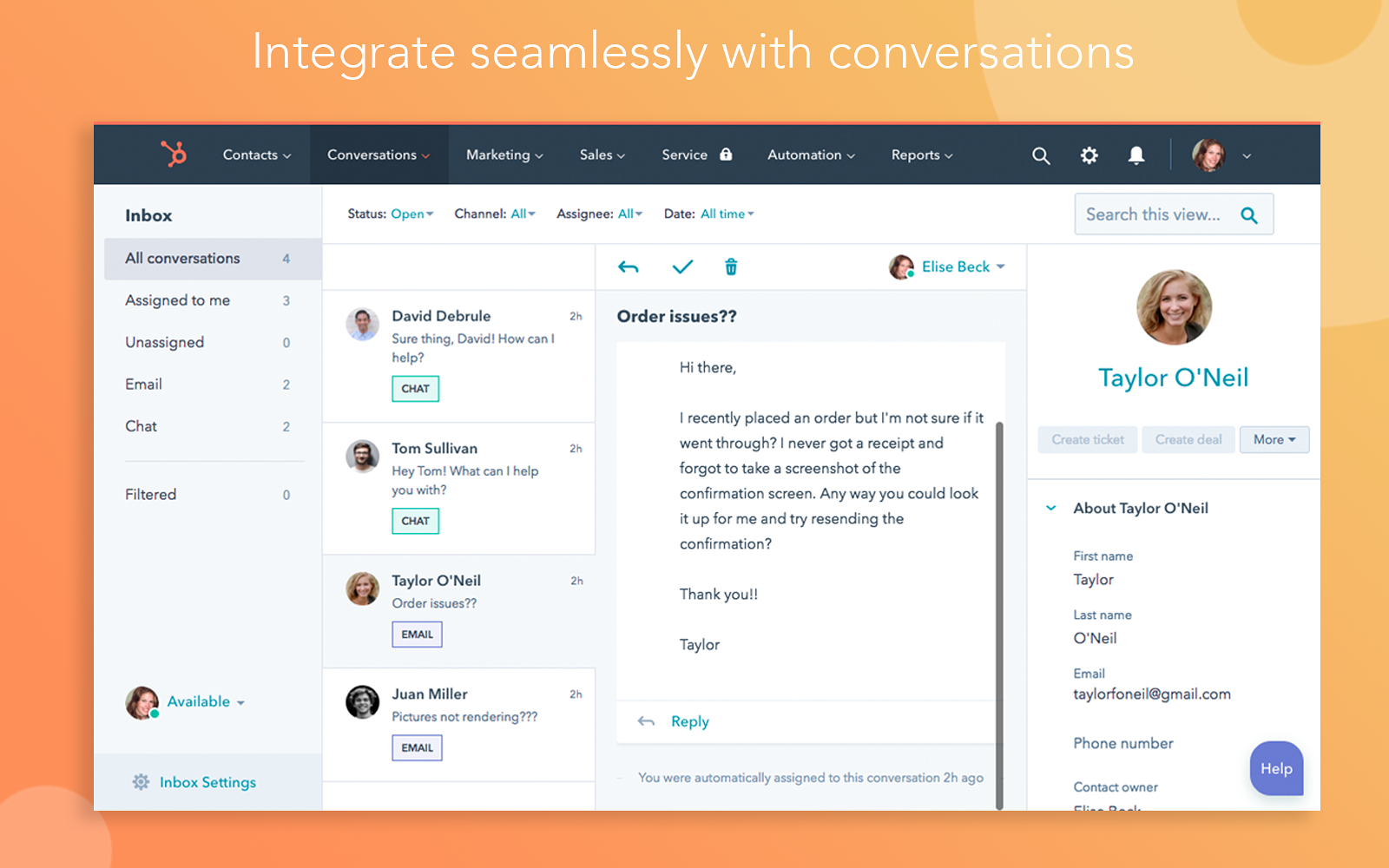
What can you do with HubSpot and Slack integration?
-
Receive real-time CRM, deal, and ticket updates in Slack
-
Stay aligned across sales, marketing, and support teams
-
Act faster on leads and customer issues
-
Reduce the need to constantly check HubSpot dashboards
HubSpot Pros
-
Broad CRM, marketing, and support visibility in Slack
-
Helps improve response times across teams
-
Easy setup with native integration
HubSpot Cons
-
Mostly notification-based interactions
-
Advanced automation requires higher-tier plans
HubSpot Pricing
-
HubSpot offers a free CRM plan.
- HubSpot offers multiple pricing tiers. The Marketing Hub Starter plan starts at $45 per month.
f. What are the Slack Integrations for Scheduling & Meetings?
Let’s now look at Slack integrations focused on scheduling and meetings. These tools help teams coordinate calendars, schedule meetings, and receive reminders directly in Slack, reducing back-and-forth and missed meetings. By bringing scheduling updates and availability into Slack, teams can manage time more efficiently and move from conversation to meeting with minimal friction.
These integrations are especially useful for sales teams, recruiters, managers, and distributed teams that rely on frequent meetings and need better visibility into schedules.
Tools in this category include: Calendly, Clockwise, and Google Calendar.
23. tl;dv: Best for AI Meeting Intelligence & Video Clips in Slack
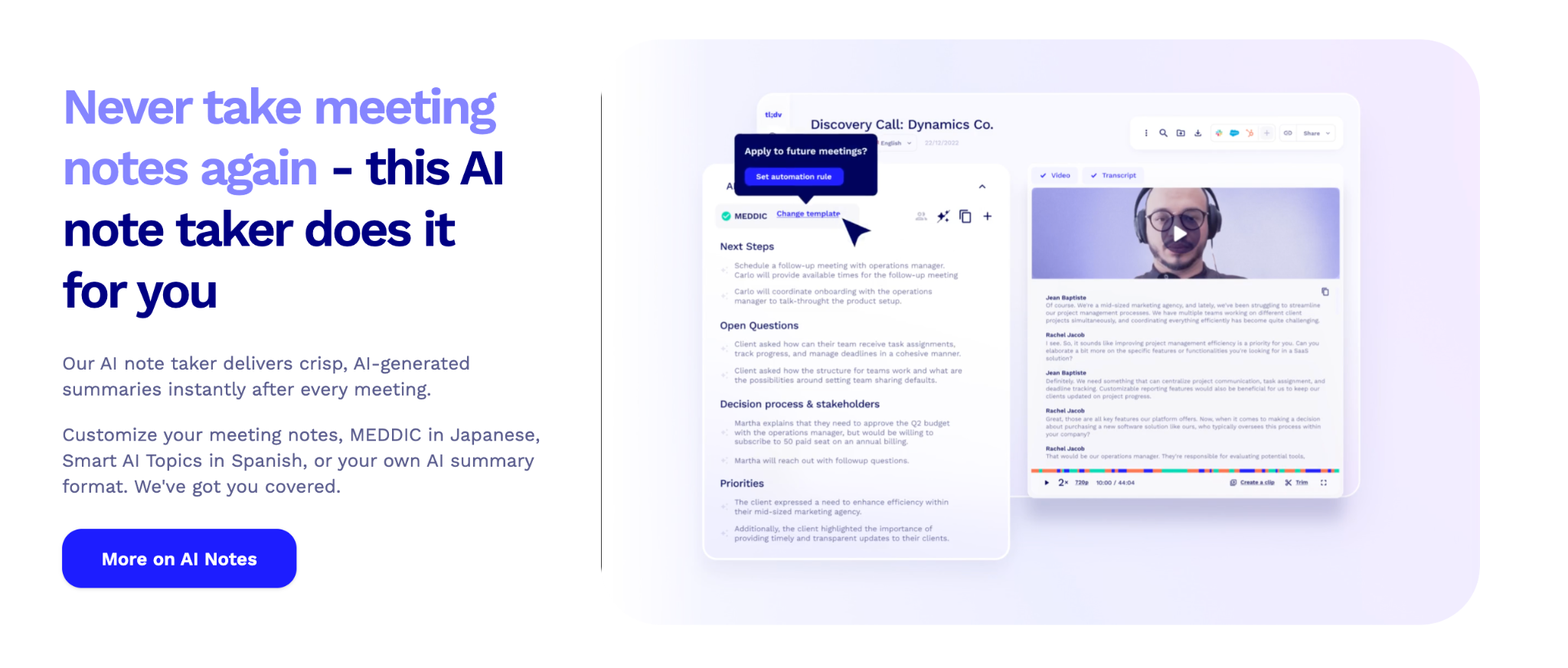
tl;dv is an AI meeting intelligence platform that records, transcribes, and summarizes meetings on Zoom, Google Meet, and Microsoft Teams. Integrated with Slack, it delivers real-time meeting insights, cross-meeting intelligence, and shareable video clips directly into your team's workspace, helping sales, customer success, and product teams collaborate more effectively without switching tools.
Ideal for: Sales teams, customer success managers, product teams, and privacy-conscious organizations that want meeting intelligence, coaching playbooks, and video collaboration directly in Slack.
Top Features
- Receive instant Slack notifications when meetings are recorded and transcribed, keeping teams informed without email reliance
- Share video clips and key moments from meetings directly into Slack channels for async collaboration and faster decision-making
- Set up alerts for competitor mentions, objections, or feature requests detected across meetings to surface insights automatically
- Access cross-meeting intelligence reports delivered to Slack, identifying patterns and trends across your entire call library
- Trigger sales coaching playbooks (BANT/MEDDICC) and receive timestamped evidence in Slack to scale call review and training
- Automatically sync meeting summaries and action items to Slack channels, ensuring alignment without manual follow-ups
- Privacy-first architecture with EU data centers and GDPR compliance, meeting security requirements for regulated industries
Top Triggers in tl;dv and Slack Integration
- Send Slack notifications when new meeting recordings or transcripts are ready
- Alert specific Slack channels when keywords like competitor names or critical objections are mentioned
- Notify teams when coaching playbook scores or insights are generated
- Share video clips automatically when key moments are tagged or highlighted
What can you do with tl;dv and Slack integration?
- Receive real-time meeting summaries and transcripts in Slack channels
- Share video clips of important moments without forcing teammates to watch full recordings
- Get alerts when patterns emerge across multiple customer or sales calls
- Keep meeting insights visible within ongoing team conversations
- Track coaching metrics and rep performance without leaving Slack
tl;dv Pros
-
Real-time Slack alerts for meeting insights and cross-meeting intelligence
-
Video clips enable async collaboration and faster knowledge sharing
-
Privacy-first with EU data residency and GDPR compliance
- Support 30+ languages and integrate with major meeting platforms
tl;dv Cons
-
Free plan limits AI meeting notes to 10 total and archives older recordings after 3 days
-
Advanced coaching and CRM features require paid Business plan ($59/seat/month)
- Meeting bot joins calls visibly, which may not suit all sales contexts
Calendly Pricing
-
Free plan available with unlimited recordings and 10 AI meeting notes
-
Pro starts at $18/seat/month (annual billing)
-
Business starts at $59/seat/month (annual billing) with full coaching playbooks
-
Enterprise pricing available with custom features and privately hosted AI
24. Calendly: Best for Meeting Scheduling and Booking Alerts in Slack
Calendly, a convenient scheduling tool simplifies meeting arrangements at your preferred times. Integrated with Slack, it streamlines scheduling workflows, preventing email overload and unexpected interruptions during your downtime.
Ideal for: Sales teams, recruiters, customer success teams, and professionals who want instant visibility into scheduled meetings and bookings directly in Slack.
Top Features
-
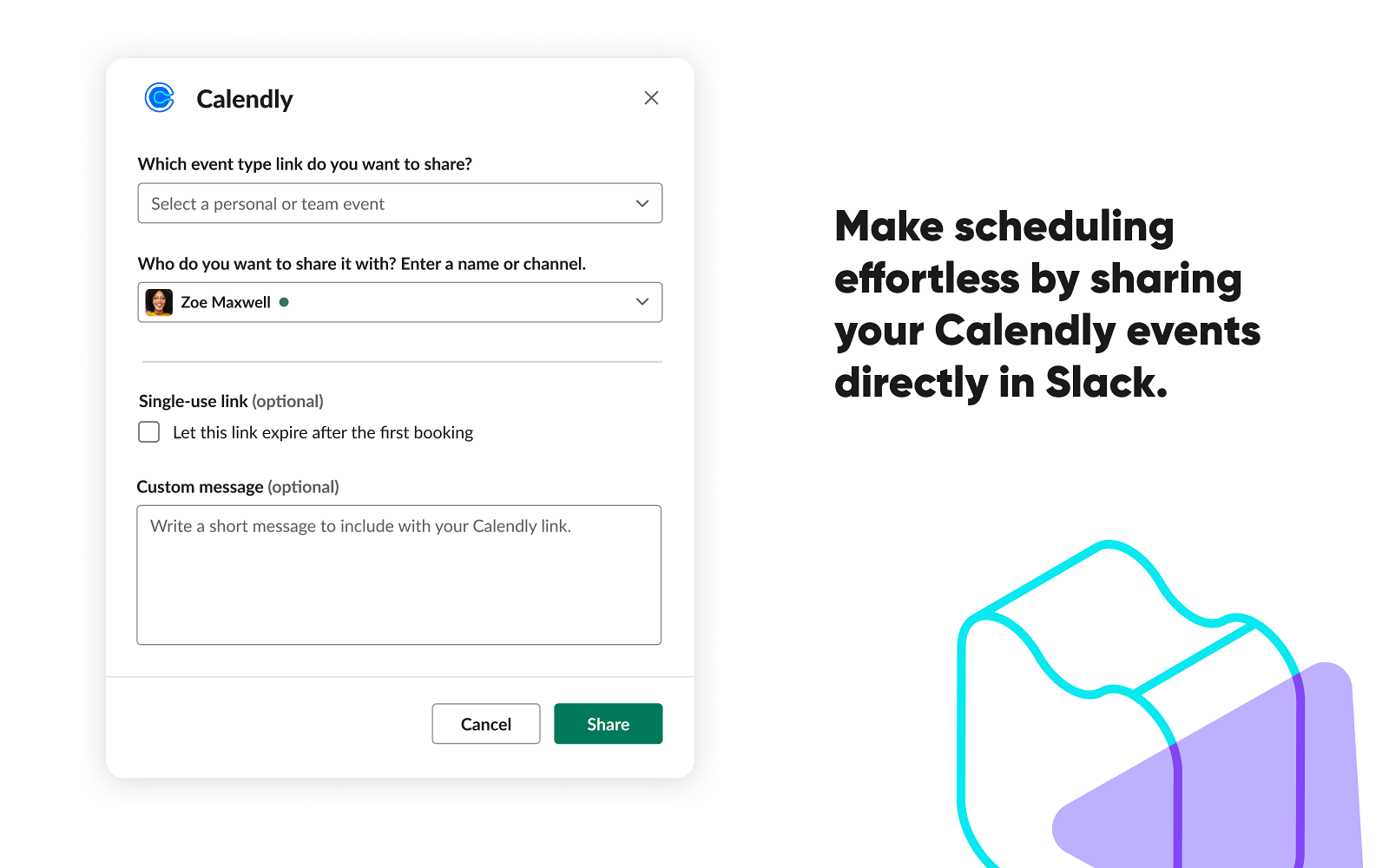
Share instant meeting links, personalized invites, and pick durations – all within Slack.
-
Customize meeting links with personalized messages, allowing Slack user to add context or additional information seamlessly.
-
Set meeting types and durations (e.g., 15-minute rundown or 30-minute discussion) directly from the Slack interface, optimizing meeting preferences without navigating away from Slack.
Top Triggers in Calendly and Slack Integration
-
Send Slack notifications when meetings are scheduled or canceled
-
Alert channels when invitees reschedule meetings
-
Notify teams about upcoming meetings and bookings
What can you do with Calendly and Slack integration?
-
Receive real-time meeting booking alerts in Slack
-
Stay informed about scheduling changes
-
Coordinate meetings without switching tools
-
Improve scheduling visibility across teams
Calendly Pros
-
Simple and reliable scheduling alerts
-
Easy integration with Slack
-
Saves time on meeting coordination
Calendly Cons
-
Limited interaction beyond notifications
-
Advanced scheduling features require paid plans
Calendly Pricing
-
Starts at $10/seat/month
-
Free version available
25. Clockwise: Best for Smart Calendar Management and Focus Time in Slack
Clockwise, a calendar assistant bot optimizes your schedule by carving out dedicated focus time and rearranging conflicting meetings. Perfect for remote teams, it aids in managing calendars and reducing the meeting load.
Ideal for: Knowledge workers, managers, and teams that want to protect focus time, reduce meeting overload, and manage calendars more intelligently using Slack.
Top Features
-
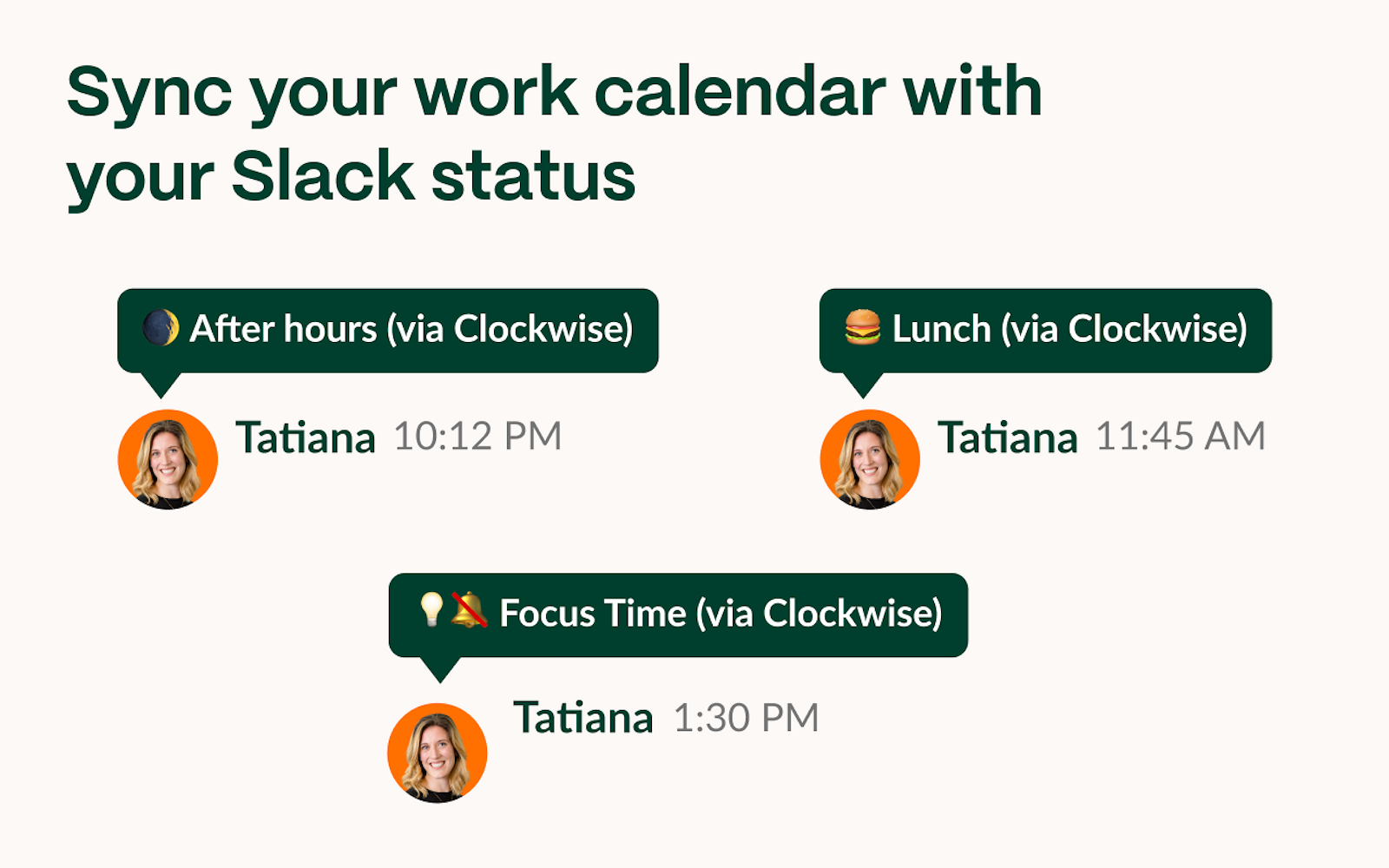
Synchronize your Slack status with your calendar for seamless updates.
-
Auto-enable Do Not Disturb mode during focused work hours for uninterrupted productivity.
-
Gain a comprehensive view of upcoming meetings and efficiently decline conflicting ones.
-
Access through the Clockwise Chrome extension for simplified signup and usage.
Top Triggers in Clockwise and Slack Integration
-
Send Slack notifications when focus time is scheduled or updated
-
Alert users when meetings are automatically moved or rescheduled
-
Notify teams about calendar changes that affect availability
What can you do with Clockwise and Slack integration?
-
Get visibility into focus time and meeting changes directly in Slack
-
Stay informed when meetings are automatically optimized
-
Reduce interruptions by protecting deep work time
-
Coordinate availability without checking calendars constantly
Clockwise Pros
-
Helps reduce meeting fatigue
-
Automatically optimizes calendars for focus time
-
Works quietly in the background with Slack notifications
Clockwise Cons
-
Best value seen in meeting-heavy teams
-
Limited control over automation preferences on lower plans
Clockwise Pricing
-
Paid plans start at $6.75/user/month
-
Free version available
26. Google Calendar: Best for Calendar Sync and Event Notifications in Slack
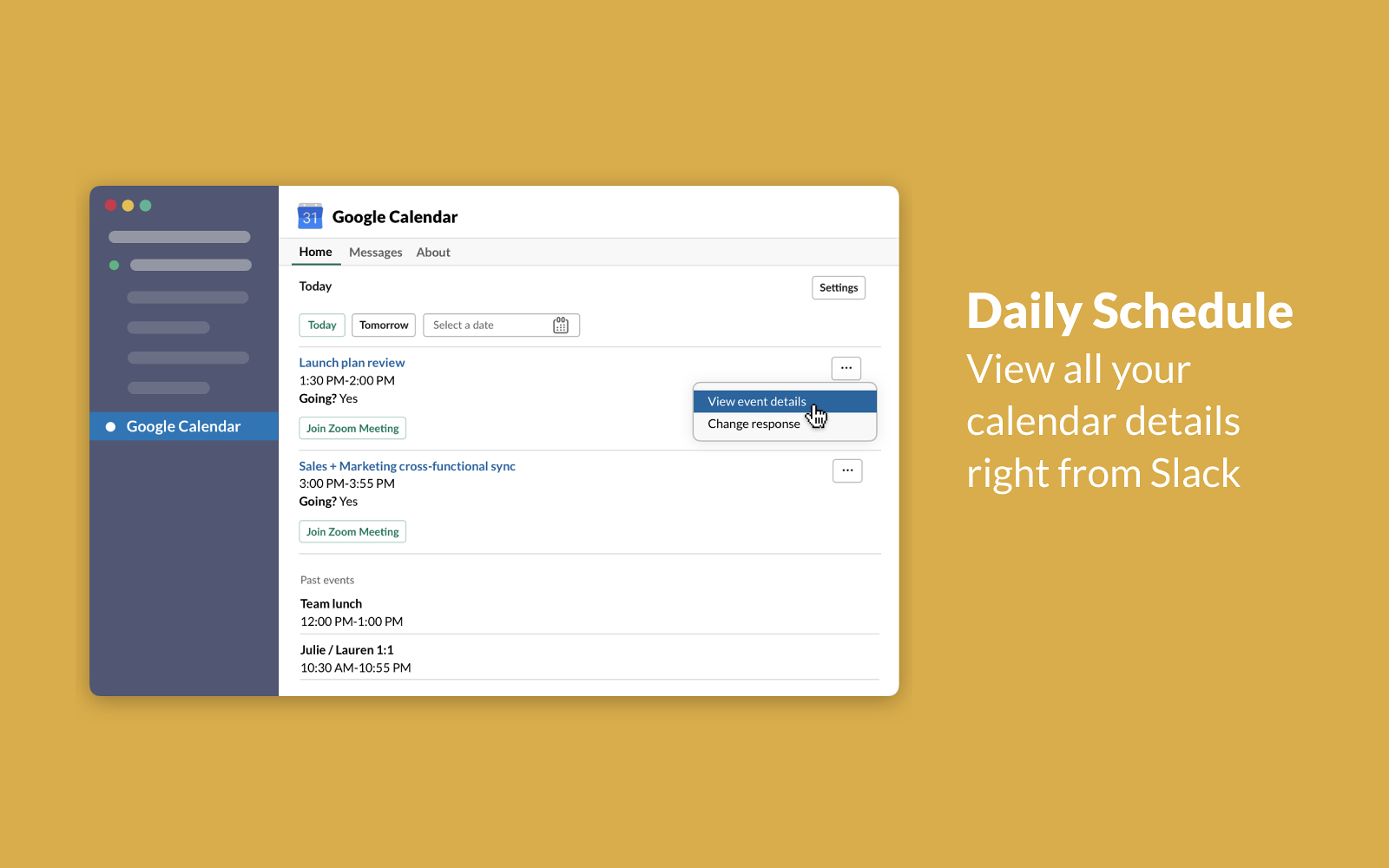
Google Calendar integrated with Slack streamlines team organization and communication. It automatically updates Slack statuses for meetings and displays real-time availability for smoother scheduling. Users can easily manage, join, or cancel meetings directly from Slack, receive reminders, and access event details effortlessly.
Ideal for: Teams and professionals using Google Workspace who want meeting schedules, reminders, and availability updates surfaced directly in Slack.
Top Features
-
Auto-update Slack statuses to indicate meeting or busy times, simplifying team culture and coordination.
-
Seamlessly schedule and manage meetings straight from Slack with just a few clicks of a button.
-
Accept or decline event requests within Slack and swiftly create new events with ease.
-
Seamless sync of Google Calendar with Slack statuses, eliminating manual updates and saving time.
-
Receive Slack notifications with meeting details, including links or dial-in information for Hangouts, Zoom, Webex, or Microsoft Teams.
Top Triggers in Google Calendar and Slack Integration
-
Send Slack notifications for upcoming meetings and events
-
Alert users when events are created, updated, or canceled
-
Notify teams about meeting start times and reminders
What can you do with Google Calendar and Slack integration?
-
Receive meeting reminders and event updates in Slack
-
Stay aware of schedule changes without checking calendars
-
Share availability and event details with teammates
-
Keep meetings top of mind within daily Slack conversations
Google Calendar Pros
-
Real-time Slack alerts for survey responses and negative feedback
-
Easy setup with granular notification controls
-
Supports multiple survey types including CSAT, NPS, CES, and employee feedback
Google Calendar Cons
-
Limited interaction beyond notifications
-
Advanced controls require Google Workspace setup
Google Calendar Pricing
- Free for all
-
For business teams, it’s included in Google Workspace plans starting at around $7 per user per month
g. What is the Best Slack Integration for Developer & Coding Collaboration?
Next, let’s explore Slack integrations built for developer and engineering collaboration. These tools help teams stay updated on code changes, pull requests, issues, and deployments directly in Slack, keeping development workflows transparent and aligned. By surfacing critical updates where teams already communicate, they reduce delays and improve collaboration between engineering and non-technical teams.
These integrations are especially useful for engineering, product, and DevOps teams that need real-time visibility into development activity and faster collaboration around code.
Tools in this category include: GitHub.
27. GitHub: Best for Code Updates and Development Notifications in Slack
GitHub, a leading development platform, empowers software teams to manage projects effortlessly. Integrated with Slack, it becomes a centralized hub for developers, providing streamlined access to repositories and community-approved projects.
Ideal for: Engineering teams, developers, and product teams that want real-time visibility into code changes, pull requests, and repository activity directly in Slack.
Top Features
-
Gain comprehensive insights into GitHub projects via Slack channels, enabling team-wide visibility and collaboration on repositories.
-
Open or close issues, manage pull requests and interact with GitHub repositories directly from Slack for seamless code management without switching platforms.
-
Receive instant notifications on new commits, pull requests, issues, code reviews, and deployment statuses using the /GitHub subscribe [repository name] command in Slack for timely awareness of project activities.
Top Triggers in GitHub and Slack Integration
-
Send Slack notifications when pull requests are opened, merged, or closed
-
Alert channels when commits are pushed or issues are created
-
Notify teams about code reviews, comments, and mentions
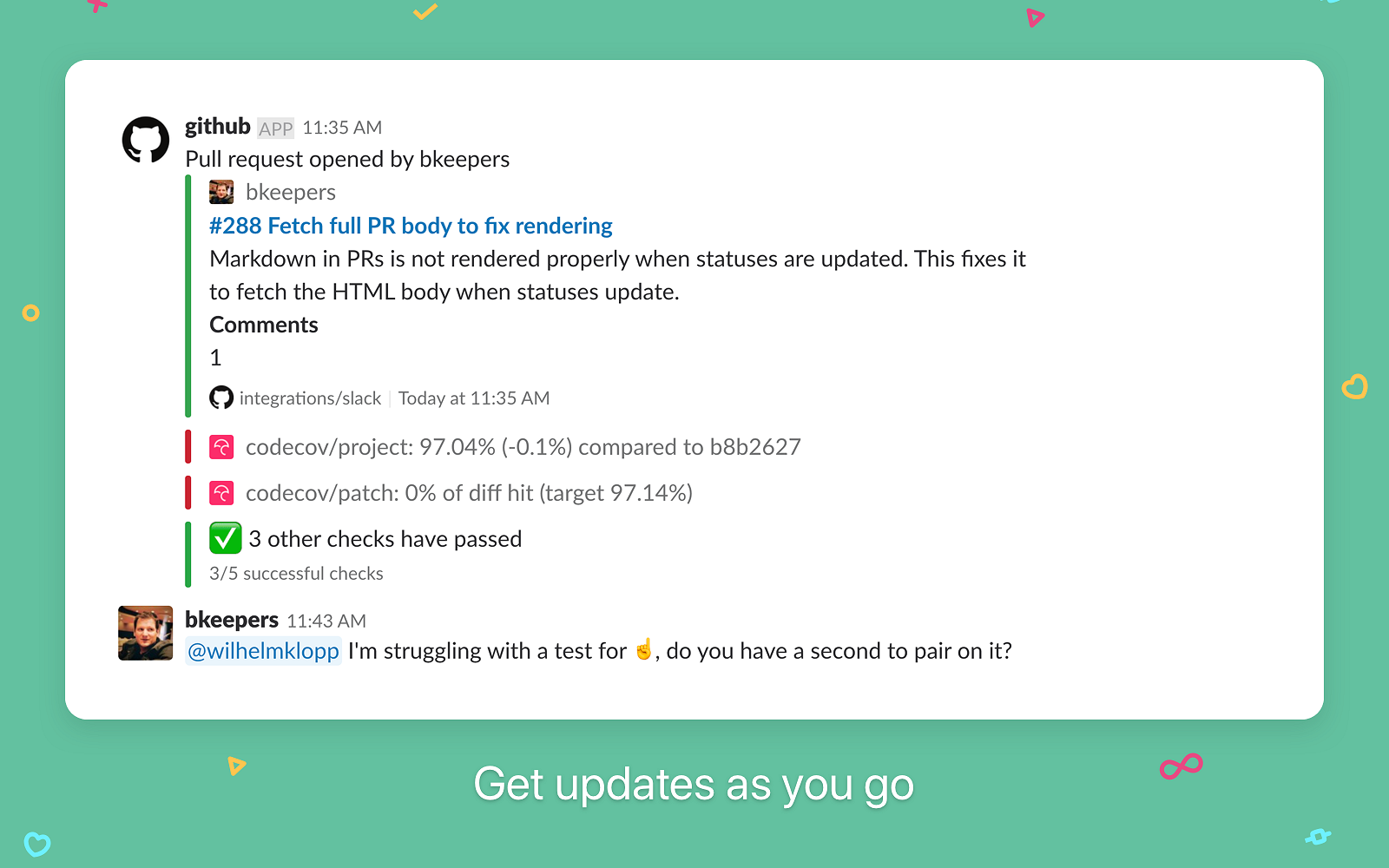
What can you do with GitHub and Slack integration?
-
Receive real-time updates on pull requests and commits in Slack
-
Stay informed about issue tracking and code reviews
-
Collaborate on development work without switching tools
-
Improve visibility into engineering progress across teams
GitHub Pros
-
Essential integration for development teams
-
Keeps code activity visible and transparent
-
Reduces delays in reviews and approvals
GitHub Cons
-
High notification volume if not configured carefully
-
Limited interaction beyond alerts and updates
GitHub Pricing
-
Starts at $4/user/month
-
Free version available
h. What are the Best Slack Best Integrations for Employee Engagement & Recognition?
Finally, let’s look at Slack integrations designed to improve employee engagement and recognition. These tools help teams recognize contributions, celebrate milestones, run check-ins, and build stronger connections within Slack. By embedding engagement and recognition into everyday conversations, they help foster a positive team culture, especially in remote and hybrid work environments.
These integrations are especially useful for HR teams, people ops, managers, and distributed teams that want to boost morale, encourage peer recognition, and maintain a strong sense of connection.
Tools in this category include: Karma, Donut, Bonusly.
28. Karma: Best for Employee Recognition and Motivation in Slack
Karma, a Slack bot, elevates team motivation by acknowledging top performers and commemorating significant work achievements. Its Slack integration enables micro-feedback sharing, automated rewards, and comprehensive performance assessments, ensuring recognition for outstanding contributions.
Ideal for: Teams and managers who want to encourage positive behavior, recognize achievements, and build motivation through peer-to-peer recognition in Slack.
Top Features
-
Establish weekly, monthly, or quarterly bonuses directly within Slack, fostering a culture of recognition for team accomplishments.
-
Access actionable performance data within Slack, empowering leaders to make informed decisions during reviews and support ongoing improvement.
-
Set and monitor monthly goals in Slack, aligning team efforts and enhancing accountability for streamlined success.
Top Triggers in Karma and Slack Integration
-
Trigger recognition messages when teammates give kudos
-
Notify channels when points or recognition are awarded
-
Send reminders for appreciation and engagement activities
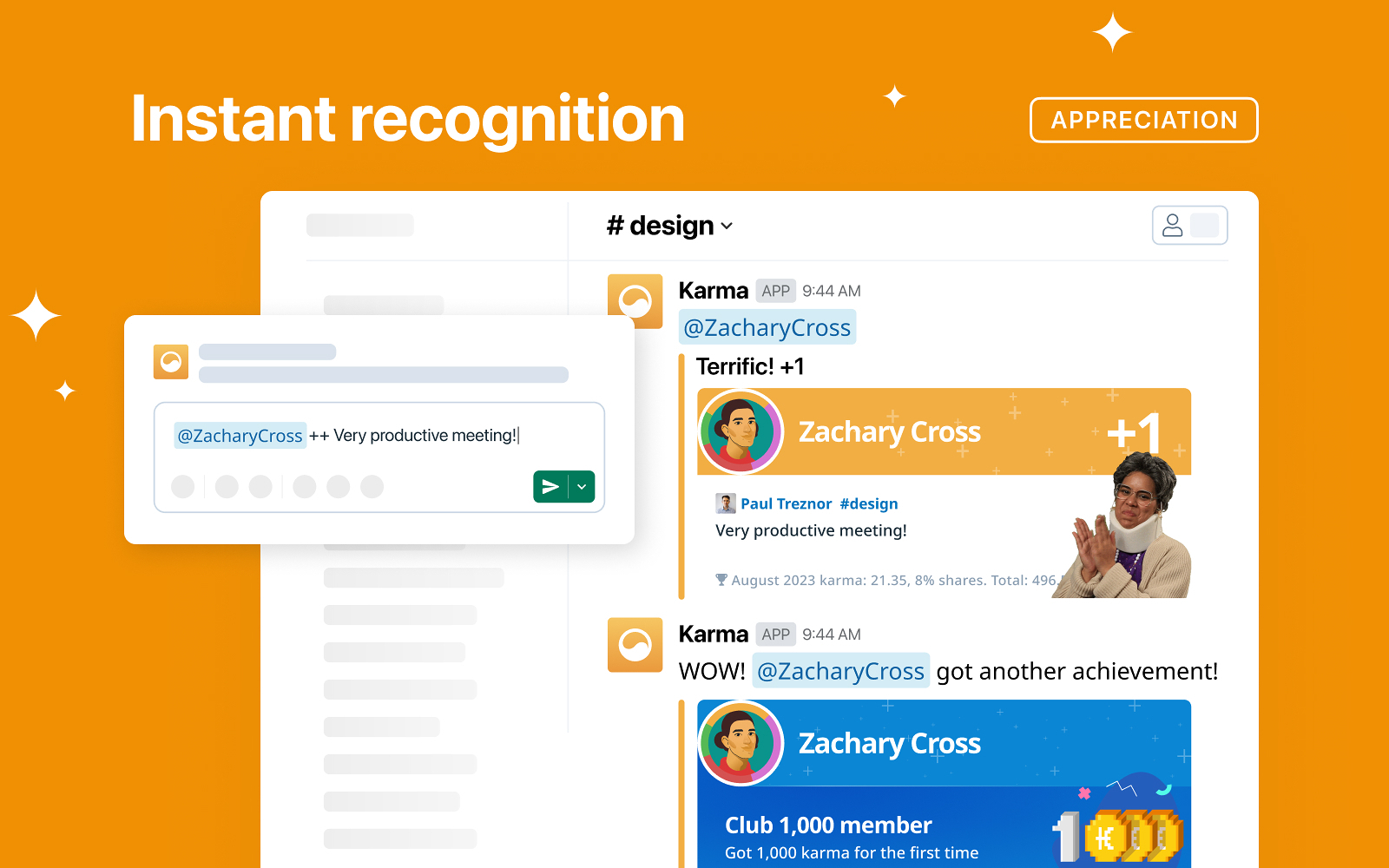
What can you do with Karma and Slack integration?
-
Send and receive peer recognition directly in Slack
-
Reward teammates with points for positive contributions
-
Promote a culture of appreciation and motivation
-
Keep recognition visible in everyday conversations
Karma Pros
-
Simple and lightweight recognition tool
-
Easy to use within Slack
-
Encourages positive team behavior
Karma Cons
-
Limited reporting and analytics
-
Fewer reward options compared to larger platforms
Karma Pricing
-
Starts at $28/month
-
Free trial available
29. Donut: Best for Team Bonding and Virtual Coffee Chats in Slack
Donut, integrated with Slack, combats remote work isolation by randomly pairing colleagues for virtual coffee breaks, fostering connections akin to office interactions. It's the virtual water cooler, enhancing team spirit and cultivating a vibrant, connected remote workplace.
Ideal for: Remote and hybrid teams that want to build relationships, encourage informal interactions, and strengthen team culture through regular Slack introductions.
Top Features
-
Facilitates 1:1 video chat over virtual coffee or donuts, randomly pairing team members for casual interactions, reinforcing team bonds and boosting company culture.
-
Automatically generates private threads for individuals, displays mutual availability, and prompts setting up virtual coffee breaks, seamlessly integrating with Zoom or Google Meet for calendar invites.
-
Provides shortcuts for channel engagement within Slack, enables channel creation to pair diverse teammates, and allows customized welcome messages for new remote employees.
Top Triggers in Donut and Slack Integration
-
Automatically pair teammates for virtual coffee chats
-
Trigger introductions for new hires in Slack channels
-
Send reminders for scheduled meetups and conversations
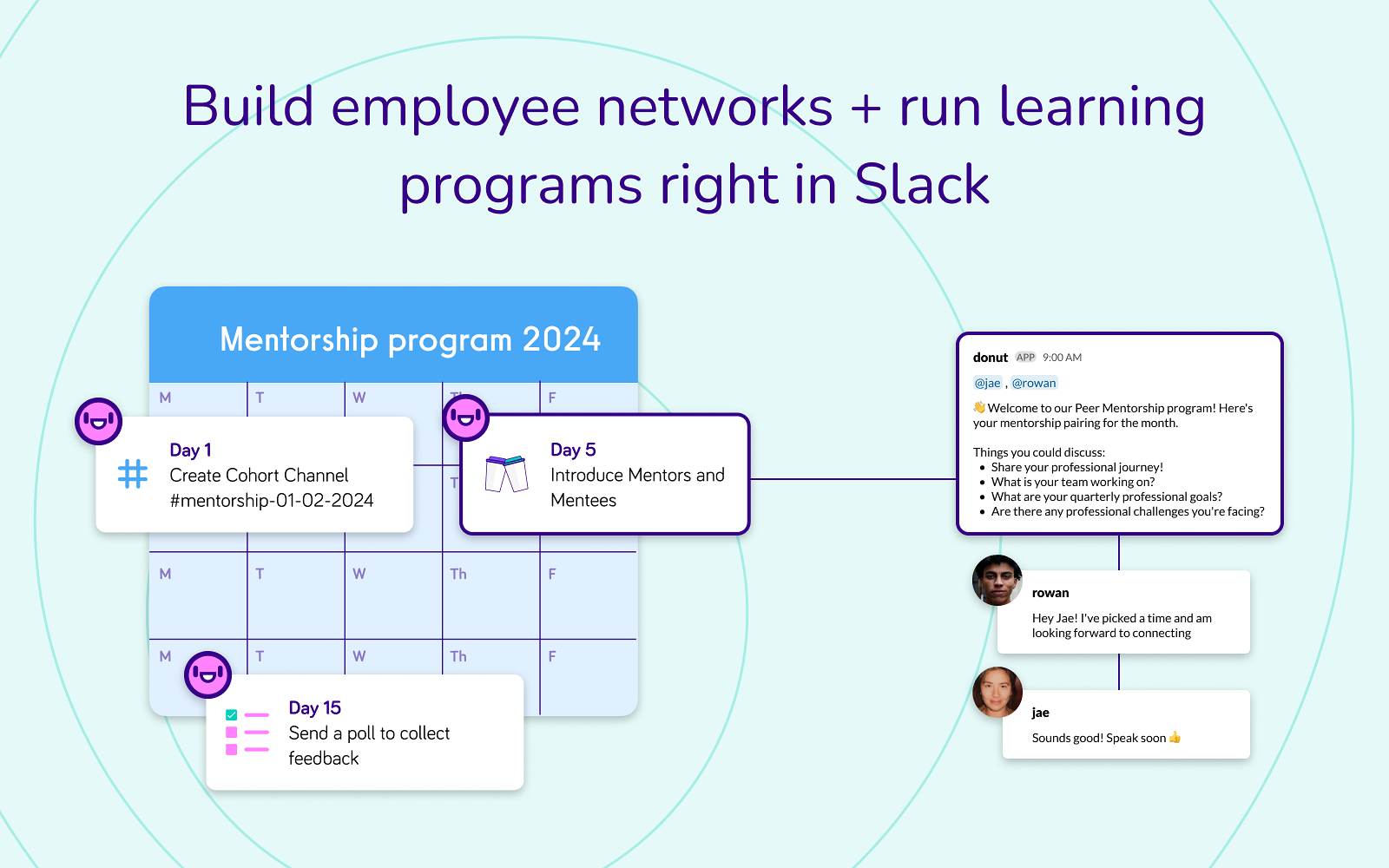
What can you do with Donut and Slack integration?
-
Pair teammates for casual one-on-one conversations
-
Onboard new hires with automated introductions
-
Encourage cross-team connections
-
Strengthen team culture through regular interactions
Donut Pros
-
Helps build relationships in remote teams
-
Easy to set up and run automatically
-
Encourages inclusion and engagement
Donut Cons
-
Limited functionality beyond pairing and introductions
-
Engagement depends on team participation
Donut Pricing
-
Paid plans start at $74/month
-
Free version available
30. Bonusly: Best for Employee Recognition and Rewards in Slack
Bonusly integrates seamlessly with Slack, offering a platform for celebrating and recognizing employee achievements. Enhance team morale and motivation by acknowledging hard work across the organization.
Ideal for: HR teams, people ops, and managers who want to run employee recognition programs with rewards and incentives directly within Slack.
Top Features
-
Enable employees to commend their peers and management for achievements and contributions directly within Slack.
-
Encourage alignment with company goals by providing a transparent system where everyone can see and appreciate each other's contributions.
-
Accumulate points for recognition, redeemable for various rewards such as gift cards or charity donations, fostering engagement and healthy competition.
Top Triggers in Bonusly and Slack Integration
-
Trigger recognition messages when peers give bonuses
-
Notify channels when points are awarded or redeemed
-
Send reminders for recognition and reward activities
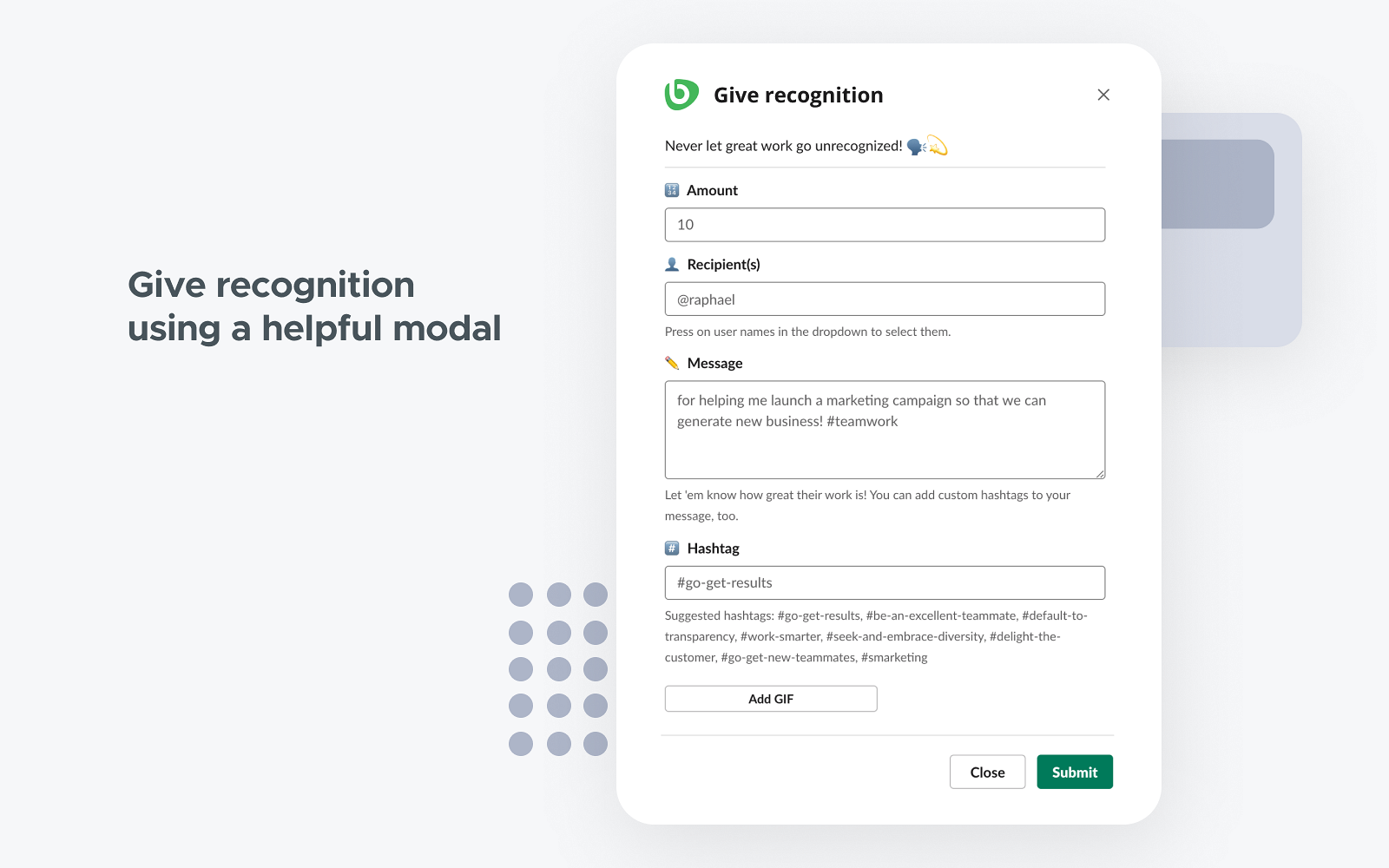
What can you do with Bonusly and Slack integration?
-
Recognize teammates with points and public shoutouts in Slack
-
Redeem rewards directly through the platform
-
Encourage peer-to-peer appreciation
-
Reinforce company values through recognition
Bonusly Pros
-
Strong rewards and incentives ecosystem
-
Easy Slack-native recognition experience
-
Supports company-wide recognition programs
Bonusly Cons
-
Requires budget for rewards
-
More focused on recognition than performance insights
Bonusly Pricing
-
Starts at $3/month
-
Free trial available
i. What are the Best Integrations with Slack for Team Check-ins & Coordination?
Next, let’s explore Slack integrations focused on team check-ins and coordination. These tools help teams share regular updates, track progress, identify blockers, and stay aligned without relying on frequent meetings. By enabling asynchronous check-ins and structured updates directly in Slack, they make coordination more efficient and less disruptive to daily work.
These integrations are especially useful for managers, team leads, and remote teams that need consistent visibility into team health, priorities, and progress.
Tools in this category include: Range, Status Hero, and Geekbot.
31. Range: Best for Team Check-Ins and Status Updates in Slack
Range, integrated with Slack, simplifies remote team check-ins, optimizing work hours by streamlining updates and syncing team progress efficiently.
Ideal for: Managers, team leads, and remote teams that want to run regular check-ins, track team sentiment, and stay aligned on priorities through Slack.
Top Features
-
Facilitates streamlined check-ins without continuous messaging, keeping teams in sync.
-
Efficiently gathers progress updates, freeing your employees from constant departmental updates.
-
Seamlessly integrates with Slack, enabling effortless communication and updates.
-
Promotes team visibility, promote accountability, and ensure everyone’s on the same page.
Top Triggers in Range and Slack Integration
-
Trigger daily or weekly check-ins in Slack
-
Send reminders for team members to share updates
-
Notify channels when check-ins are completed
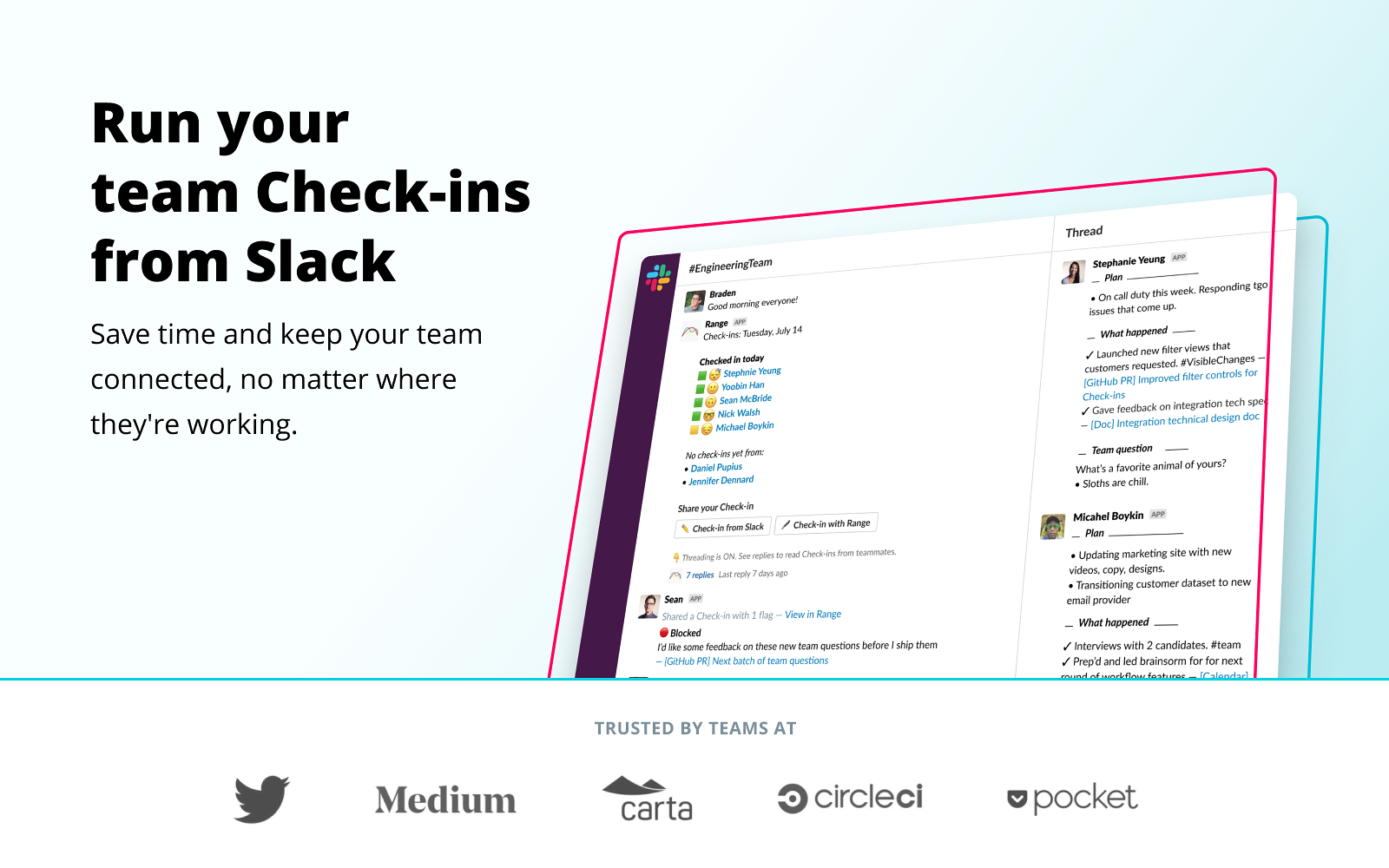
What can you do with Range and Slack integration?
-
Run structured team check-ins directly in Slack
-
Collect updates on goals, blockers, and team sentiment
-
Share summaries and insights with managers
-
Improve visibility into team health and progress
Range Pros
-
Helps maintain alignment in remote teams
-
Simple and structured check-in workflows
-
Encourages consistent communication
Range Cons
-
Limited use outside check-ins and status updates
-
Best suited for teams with regular routines
Range Pricing
-
Starts at $8/team member
-
Free for up to 12 users
32. Status Hero: Best for Automated Standups and Team Status Reporting in Slack
Status Hero, integrated with Slack, optimizes team productivity by offering a seamless way to gather and present essential information without disrupting workflow.
Ideal for: Engineering teams, product teams, and remote teams that want to automate standups and get visibility into daily progress without meetings.
Top Features
-
Enables team members to share daily progress and goals through simple check-ins.
-
Syncs data with project coordination tools, providing a comprehensive overview of new tasks and their statuses.
-
Generates progress reports accessible to all team members for real-time updates.
Top Triggers in Status Hero and Slack Integration
-
Trigger automated daily standups in Slack
-
Send reminders for team members to submit updates
-
Notify teams when standup reports are generated
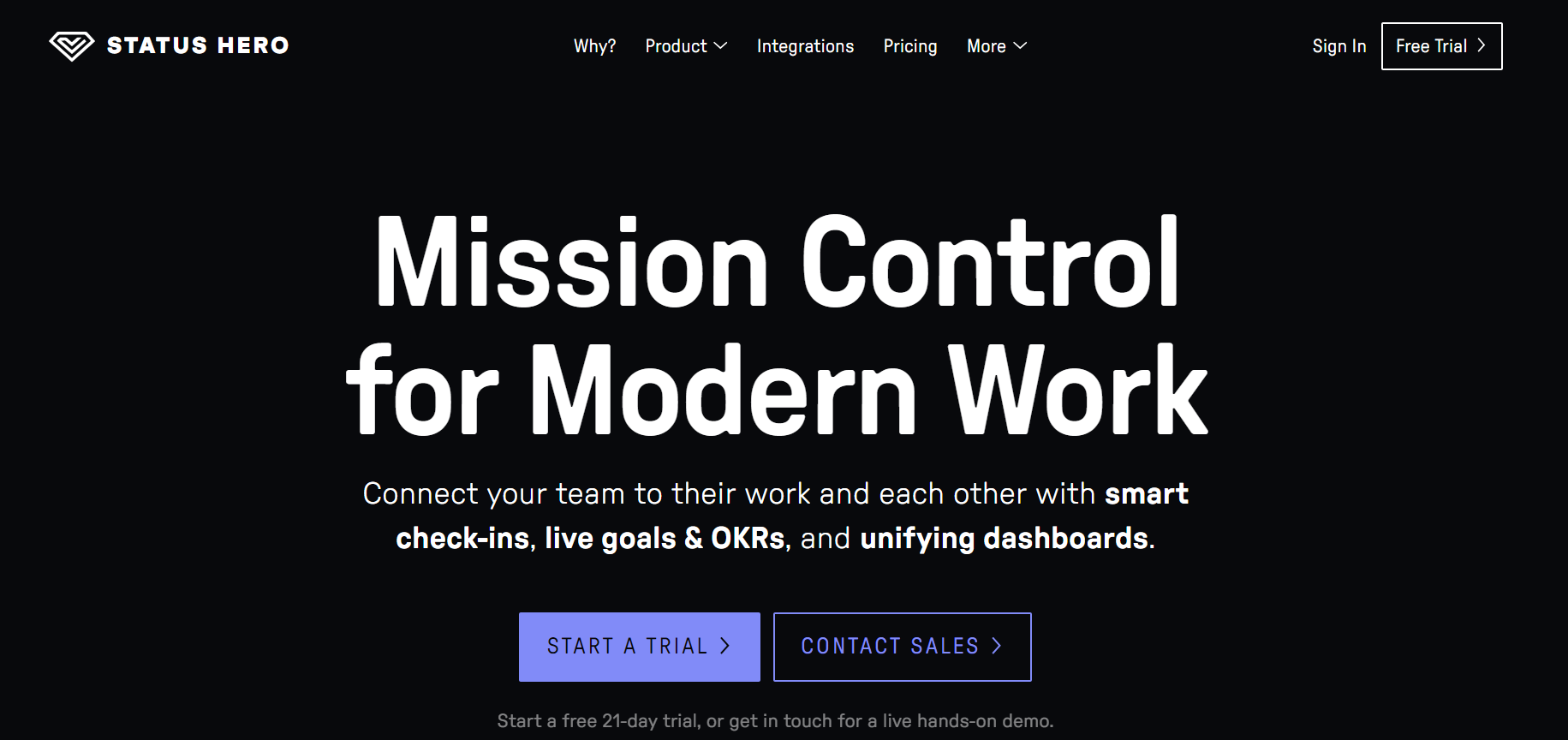
What can you do with Status Hero and Slack integration?
-
Run asynchronous standups directly in Slack
-
Track goals, blockers, and progress
-
Share status reports with teams and stakeholders
-
Reduce the need for daily standup meetings
Status Hero Pros
-
Real-time Slack alerts for survey responses and negative feedback
-
Easy setup with granular notification controls
-
Supports multiple survey types including CSAT, NPS, CES, and employee feedback
Status Hero Cons
-
Limited functionality beyond standups
-
Adoption depends on consistent participation
Status Hero Pricing
-
Starts at $6.99/month
-
Free trial available
33. GeekBot: Best for Automated Standups and Team Surveys in Slack
GeekBot streamlines remote team communication by automating standup meetings and reports across various time zones, simplifying collaboration and enhancing productivity.
Ideal for: Engineering teams, product teams, and remote teams that want to automate standups, retrospectives, and recurring questions directly in Slack.
Top Features
-
Effortlessly conduct standup meetings and surveys, saving time in organizing entire team communication.
-
Gather and consolidate employee data into customizable reports, offering insights into feedback, sales, and meeting notes, enhancing operational efficiency.
Top Triggers in Geekbot and Slack Integration
-
Trigger daily standups and surveys in Slack
-
Send reminders to teammates to answer questions
-
Notify channels when responses are collected
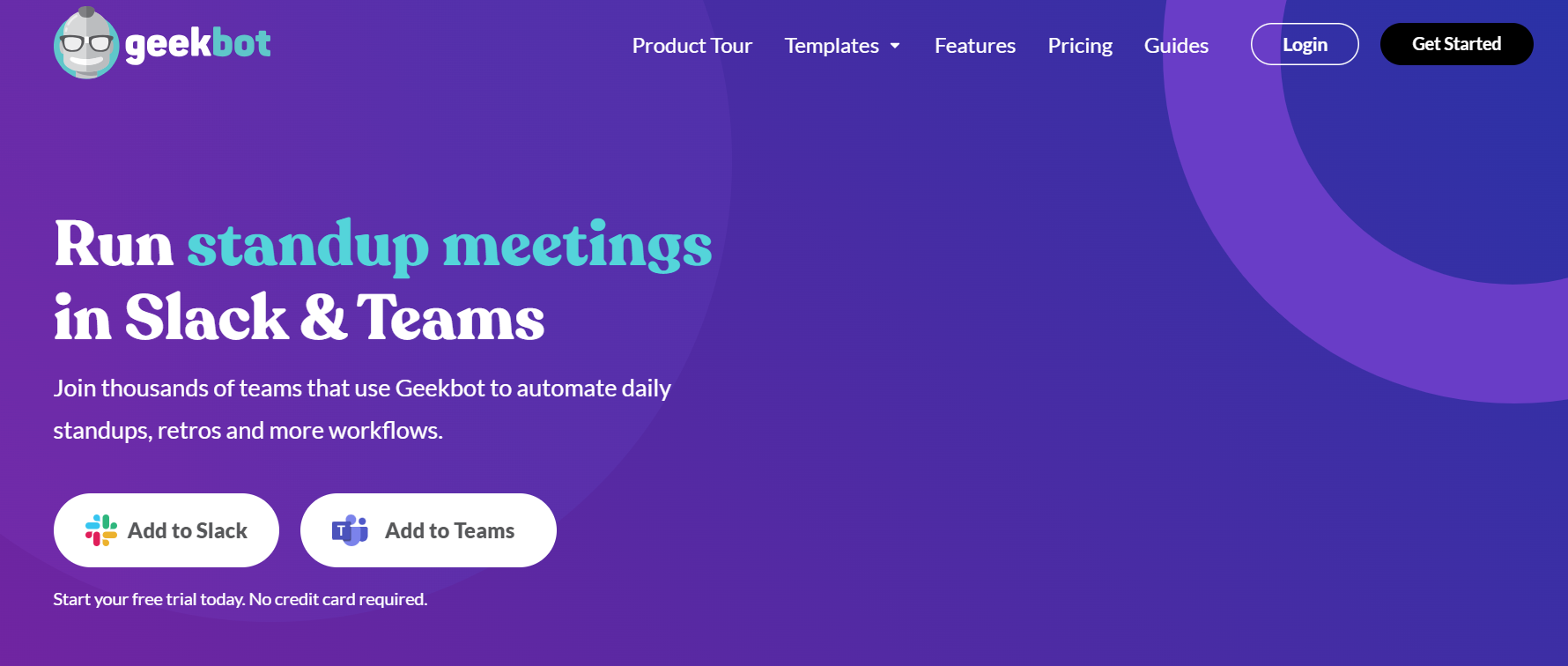
What can you do with Geekbot and Slack integration?
-
Run automated standups and retrospectives in Slack
-
Ask recurring questions for updates and feedback
-
Collect responses asynchronously
-
Share summaries with teams
GeekBot Pros
-
Flexible and customizable question flows
-
Easy to set up and use in Slack
-
Reduces meeting overhead
GeekBot Cons
-
Can feel repetitive if overused
-
Limited analytics compared to larger tools
GeekBot Pricing
-
Starts at $2.5/user/month
-
Free for up to 10 users
j. Which is the Best Slack App Integration for Accounting & Invoicing?
Lastly, let’s look at Slack integrations built for accounting and invoicing. These tools help teams stay informed about invoices, payments, expenses, and basic financial updates directly in Slack. By sending timely alerts and notifications into Slack channels, they reduce manual follow-ups and make it easier for teams to track financial activity without constantly switching to accounting software.
This category is especially useful for small businesses, freelancers, and finance teams that want quick visibility into invoicing and payment status while collaborating in Slack.
The key tool in this category is: ZipBooks.
34. ZipBooks: Best for Accounting and Invoicing Alerts in Slack
ZipBooks offers efficient accounting, enabling invoice creation, expense tracking, and insights. Integrate it via the Slack app directory for enhanced accounting functionalities, including accounting project management features to streamline financial tasks and project workflows.
Ideal for: Small businesses, freelancers, and finance teams that want visibility into invoices, payments, and accounting updates directly in Slack.
Key Features
-
Seamlessly record expenses from your Slack workspace into ZipBooks
-
Generate online invoices directly within Slack for efficient billing
-
Access basic income statements (revenue, fees, net income) via Slack's slash commands
Top Triggers in ZipBooks and Slack Integration
-
Send Slack notifications when invoices are created or paid
-
Alert channels about overdue invoices or payment reminders
-
Notify teams when financial records are updated
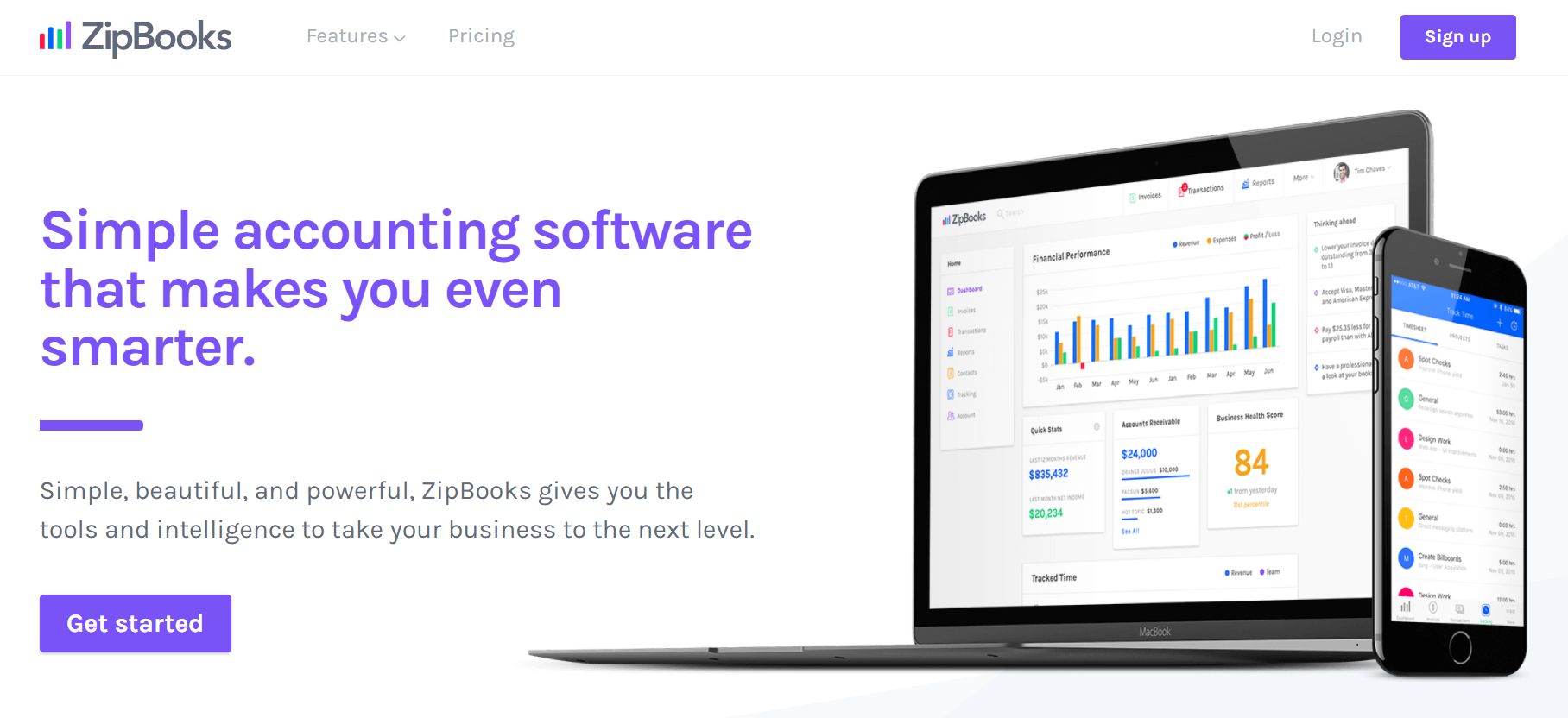
What can you do with ZipBooks and Slack integration?
-
Receive invoice and payment updates in Slack
-
Track overdue invoices without logging into accounting tools
-
Stay informed about basic financial activity
-
Reduce manual follow-ups on payments
ZipBooks Pros
-
Simple and easy-to-use accounting tool
-
Useful Slack alerts for finance updates
-
Good fit for small businesses and freelancers
ZipBooks Cons
-
Limited advanced accounting features
-
Less suitable for larger or complex financial operations
ZipBooks Pricing
-
Starts at $15/month
-
Free version available
Conclusion
Slack integrations open up countless ways to improve how teams collaborate, communicate, and get work done. From project management and scheduling to automation, file sharing, and team engagement, different Slack apps serve different needs. The key is to choose integrations that align with your team’s workflows and help reduce friction in everyday work.
If you’re looking to bring surveys and real-time feedback directly into Slack, Zonka Feedback is a strong option to consider. As an online survey and feedback tool, it allows teams to send surveys, receive instant alerts in Slack, track CX metrics, and act on feedback faster by keeping everyone in the loop. By integrating Zonka Feedback with Slack, teams can improve visibility, collaboration, and responsiveness without leaving their workspace. You can schedule a demo to explore its features and see how it fits into your Slack workflows.




.png)

.png)