.svg)
 Healthcare
 Finance
 Retail
 SaaS & Digital
 eCommerce
 Education
 Salesforce
  HubSpot
 Pipedrive
 Mailchimp
 Klaviyo
 Zendesk
  Intercom
 Freshdesk
 HelpScout
  Front
Front Jira
Jira Slack
Slack  MS Teams
 Zoom
Zoom Google Sheets
  Zapier
  Integrately
 Make
Make  Webhooks



 Sign In
 MS Teams


TL;DR
- The questions themselves aren't the hard part. Knowing which question to send at which lifecycle stage is.
- Covers 12 survey types: PMF, NPS, CSAT, CES, feature feedback, bug reporting, support, feature requests, and more.
- Includes lifecycle-stage questions for onboarding, free trial, cancellation, and renewal: the moments that actually move retention.
- Each section has a When to use callout with trigger timing, target segment, and recommended channel.
- Ends with a FAQ on the most common questions teams have when building a SaaS feedback program.
Most SaaS teams have survey questions. They've copied an NPS template, pasted a CSAT question into a Zendesk trigger, and dropped an open-ended box at the bottom of their onboarding flow.
What they rarely have is a framework for when to ask, who to ask, and why this question rather than that one belongs at this specific moment.
That's the gap this post closes. You'll find 50+ SaaS customer feedback questions organized two ways: by survey type, so you can match the right metric to the right goal, and by lifecycle stage, so you know exactly when to deploy each one. Every section includes timing guidance you can act on the same day.
Quick Reference: Which Question Type for Which Moment
Before getting into the question banks, here's how the main survey types map to lifecycle moments. Use this as a routing guide when deciding what to deploy next.
| Lifecycle Moment | Recommended Question Type | Best Channel |
| Onboarding (days 1–7) | CES | In-app slide-up |
| Day 7 check-in | CSAT | In-app popup |
| Post-support ticket close | CSAT | Email or next login |
| After feature use (3+ times) | Feature feedback | In-app popover |
| Day 30+ of active use | NPS | Email or in-app |
| Post-trial (day 14 or trial end) | PMF + open-ended | |
| Exit or cancellation intent | Churn exit survey | In-app popup |
| 30–45 days before renewal | Renewal intent | |
| Ongoing, user-initiated | Bug report / feature request | In-app sidebar (always-on) |
Part 1: SaaS Customer Feedback Questions by Survey Type
The sections below cover 10 question categories, organized by what each one measures.
1. Product-market fit survey questions
Product-market fit (PMF) surveys answer the most important question a SaaS team can ask: do users genuinely need this product, or do they just kind of like it?
The benchmark comes from Sean Ellis's research, which established a measurable threshold. If 40% or more of your users say they'd be "very disappointed" if they could no longer use your product, you've crossed into product-market fit territory. Slack hit 50% when they first ran it. Superhuman famously used this framework to iterate toward PMF before scaling growth. It's a blunt instrument. That's exactly what makes it useful.
For teams thinking through how PMF fits into a broader feedback program, the SaaS Feedback Management guide covers how to layer measurement across the full product lifecycle.
When to use: Send to users who've been active for at least 30 days. Anyone earlier than that hasn't used the product enough to answer honestly. Target your highest-engagement cohort first. Email works best here: this survey asks for reflection, not a real-time reaction.
Questions to include:
- How did you first discover this product?
- How would you feel if you could no longer use this product? (Very disappointed / Somewhat disappointed / Not disappointed)
- What type of person would benefit most from this product?
- What's the main benefit you get from using it?
- What would you use instead if this product disappeared tomorrow?
- How clearly does this product solve the problem you came here to solve?
- Is there anything that currently prevents you from getting full value from it?
- On a scale of 1–10, how essential is this product to your daily workflow?
Interpreting the results: Fewer than 40% choosing "very disappointed" isn't a positioning problem. It's a product problem. The open-ended follow-ups tell you what to fix.
2. NPS survey questions
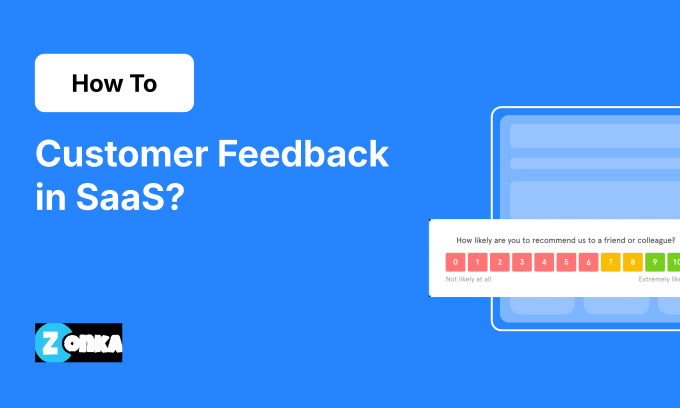
Net Promoter Score (NPS), developed by Fred Reichheld at Bain & Company, measures customer loyalty by asking how likely someone is to recommend your product. In SaaS, it's most useful as a trend metric. A single NPS number tells you less than watching it move over three quarters.
G2, one of the world's largest software review platforms, runs NPS surveys through slide-up widgets on their review submission and pricing pages. The follow-up open-ended question is where the signal lives. The number gives you a health check. The open-ended answers tell you what's driving it.
For a deeper look at how to track and act on this metric, how to measure NPS in SaaS covers benchmarks, segmentation, and closed-loop workflows in detail. For the full picture of how NPS fits into a complete feedback strategy, the SaaS Feedback Management guide covers how to layer every survey type across the product lifecycle.
When to use: Send 90 days after signup, then quarterly to active users. Never within the first 30 days: users don't have enough experience to give a meaningful loyalty signal. Email works for breadth; in-app slide-up works for timing precision (trigger after a successful session, not mid-task).
Questions to include:
- On a scale of 0–10, how likely are you to recommend [Product] to a friend or colleague?
- What's the primary reason for your score?
- What would make you more likely to recommend us?
A note on the follow-up: The open-ended question is where teams consistently underinvest. Running NPS without reading the open-ended responses is like taking your temperature but not going to the doctor. The number tells you something's off. The words tell you what.
3. CSAT survey questions
Customer Satisfaction (CSAT) measures how satisfied a customer was with a specific interaction: a support resolution, a feature launch, an onboarding step. It doesn't measure loyalty or effort. It measures that moment.
That specificity is its strength. CSAT gives you a score you can actually act on because it's tied to a discrete event, not a general feeling about your product. A 3/5 on post-support CSAT points directly at your support team. A 3/5 on post-onboarding CSAT points at your setup flow. You know where to look.
When to use: Trigger immediately after a key interaction closes: support ticket resolution, onboarding completion, feature first-use. Keep it to 1–2 questions. Best channels: in-app slide-up triggered on the next page load after the event, or a post-ticket email. Avoid sending more than 24 hours after the interaction: recall fades fast.
Questions to include:
- How satisfied are you with [specific interaction, e.g., "your experience with our support team today"]?
- How would you rate the quality of [specific feature or experience]?
- Did you find what you were looking for?
- Were we able to resolve your issue?
- Could you tell us what went well or what we could improve?
4. CES survey questions
Customer Effort Score (CES) measures how easy it was for a user to complete a specific task. Not how satisfied they were. Not how loyal they feel. Just: was that hard?
The distinction matters. A user can be satisfied with an outcome and still have found the path frustrating. High effort predicts churn even when satisfaction scores look fine. Teams that track CES alongside CSAT catch friction before it becomes a retention problem.
When to use: Trigger CES immediately after a task completes: an export, a setup step, a bug submission, an integration connection. In-app slide-up is the right channel. Fire it while the effort is still fresh, before the user moves on. CES is not a periodic survey. It's an event-triggered one.
Questions to include:
- [Company] made it easy for me to [task description]. (Strongly agree to Strongly disagree, 7-point scale)
- How easy was it to complete [this specific action]?
- What, if anything, made this harder than you expected?
- On a scale of 1–7, how much effort did this require?
5. Feature feedback questions
Feature feedback surveys answer a question product teams wrestle with constantly: did this launch actually land?
You built it. Users are using it. But are they getting value from it, or clicking around it without it solving anything real? A feature feedback survey, timed correctly, tells you. It also tells you whether the problem you were trying to solve was the right one.
When to use: Trigger after 3+ uses of a feature. One use doesn't give enough experience; three uses means the user has a real opinion. A popover anchored contextually to the feature itself works better than a floating popup: it's tied to the moment, not interrupting something else. This kind of digital feedback — captured in-product, at the point of use — gives you opinions before users have time to forget what they actually experienced.
Questions to include:
- What was your first reaction to [feature name]?
- How satisfied are you with how this feature works?
- Does this feature help you accomplish what you were trying to do?
- On a scale of 1–5, how important is this feature to your workflow?
- Is there anything about this feature you'd change or improve?
- How does this compare to how you handled this before [feature name] existed?
6. Bug reporting questions
Bug reporting surveys are the feedback type most teams overlook, and then wonder why user-reported issues surface on social media instead of internally.
A bug reporting channel doesn't interrupt the user experience. It invites feedback. A persistent feedback button on every product page gives users a low-friction path to report what's broken, without hunting for a support email or filing a formal ticket. The result: you hear about bugs faster, with more context, before they escalate.
When to use: Always-on. An in-app sidebar (feedback button) should live on every page inside the product, user-initiated and never triggered automatically. Don't throttle bug reporting: you want every occurrence reported, not just the first one in a session.
Questions to include:
- Did you encounter any issues or bugs while using [product or feature]?
- Please describe the bug or issue you experienced.
- Which page or feature were you on when this happened?
- Can you share a screenshot or recording of the issue?
- How often does this happen?
7. Customer support feedback questions
Support feedback tells you two things: whether the issue got resolved, and whether the interaction itself was good. Those are different problems with different owners.
A resolution failure is a product or process problem. A poor interaction is a people and training problem. If your support CSAT is low but your resolution rate is high, you're looking at how agents communicate, not what they're resolving. Separating these signals matters.
When to use: Trigger on the user's next login after a ticket closes, not immediately after resolution when frustration may still be raw. Keep it to 1 CSAT question plus one optional open-ended. Pass the ticket ID and agent name through your helpdesk integration so support managers can filter results by agent and spot patterns across the team.
Questions to include:
- How would you rate your experience with our support team today?
- Did we resolve your issue?
- How satisfied are you with the time it took to resolve your issue?
- Was the support agent knowledgeable and helpful?
- Is there anything we could have done better?
8. Feature request questions
Feature requests are the most underused feedback channel in most SaaS products. Not because users don't want to submit them. Because teams don't give them a clear, always-accessible way to do it.
The best feature request programs have two layers: a persistent feedback button for spontaneous submissions, and a structured survey on a dedicated ideas or roadmap page for more considered input. The combination captures both the "this just frustrated me" moment and the "I've been thinking about this for a while" reflection.
When to use: Always-on feedback button, plus periodic structured surveys for specific roadmap questions. Don't throttle: users should be able to submit a request any time. When using logged-in mode, pass subscription plan as a variable so the product team can weight Enterprise requests appropriately during roadmap prioritization.
Questions to include:
- What feature would you like us to add?
- How would you use this feature, and what problem would it solve for you?
- On a scale of 0–10, how important is this feature to your workflow?
- Would you be willing to pay more for access to this feature?
- Which existing alternative are you currently using instead?
- Can you add any attachments, mockups, or screenshots to explain your idea?
9. Best and worst aspects questions
These questions surface the product's real strengths and weaknesses: not the ones the team assumes, but the ones users actually experience.
The value is in ranking. A product can have ten things going wrong and two that are exceptional. Knowing which exceptional things to protect and which problems to prioritize is a strategy decision, and it starts with asking directly.
When to use: Include these as part of a broader relationship survey: a quarterly NPS follow-up, an onboarding debrief, or a win/loss analysis. These questions need context around them to generate useful answers.
Questions to include:
- What's the one thing you like most about [Product]?
- What's the one thing you'd most like us to change?
- Which feature do you rely on most?
- If you had to describe [Product] to a colleague in one sentence, what would you say?
- What almost stopped you from choosing us?
10. Segmentation questions
A note on framing: these aren't feedback questions in the traditional sense. They're filters.
Segmentation questions let you divide respondents so you can analyze NPS, CSAT, and CES results by cohort: by plan tier, by role, by usage level, by geography. A 45 NPS overall tells you something. A 65 NPS among Enterprise users and a 30 NPS among Starter users tells you something completely different.
When to use: Include in onboarding surveys or early lifecycle surveys (days 1–14) where they make sense contextually. Avoid adding them to event-triggered surveys like post-support CSAT: they break the flow and hurt completion rates.
Questions to include:
- What is your primary role at your company?
- How often do you use [Product]?
- What's the main reason you chose [Product] over alternatives?
- Which feature do you use most frequently?
- How many people on your team use [Product]?
Part 2: SaaS Customer Feedback Questions by Lifecycle Stage
Survey type tells you what to measure. Lifecycle stage tells you when. These are different pieces of information, and you need both.
The questions below are organized by specific moments in the user journey: onboarding, free trial, cancellation, and renewal. They work best when triggered by events, not sent on a calendar schedule. A user who just completed setup has a very different answer to "how easy was that?" than a user who completed setup six weeks ago.
11a. Onboarding feedback questions
Onboarding is where most SaaS products lose users they've already won. The user signed up believing the product would solve something. The onboarding experience either confirms that belief or quietly erodes it.
Catching friction here is cheap. Fixing it after users have built habits around your product's gaps is expensive.
The SaaS onboarding survey template lets you deploy these questions immediately rather than building from scratch.
When to use: Trigger a CES slide-up after each onboarding step to catch friction in real time. On day 7, send a CSAT popup to measure the overall first-week experience. Pass the onboarding step as a variable in logged-in mode so you can filter results by step and see exactly where users struggle.
Questions to include:
- How easy was it to complete [specific onboarding step]?
- Did you find the setup process clear and straightforward?
- Did you get the support and guidance you needed to get started?
- Were there any steps that felt confusing or unnecessary?
- How would you rate your overall onboarding experience so far?
11b. Free trial feedback questions
Trial users are the most valuable segment to survey, and the most time-pressured. They're actively evaluating whether to spend money. Their feedback tells you what's driving conversion and what's blocking it.
Send three touchpoints during a trial: a quick check-in on day 3, a satisfaction check on day 7, and a conversion-intent question before the trial ends. Keep each one short.
When to use: Day 3 (CES: how easy was getting started?), day 7 (CSAT: how's the experience?), and day 14 or trial end (conversion intent). Pass trial_day and activation_status as variables so the growth team can segment responses by where users are in the funnel.
Questions to include:
- How has your free trial experience been so far?
- Did you find [Product] useful for solving the problem you came here with?
- Have you been able to explore the main features during your trial?
- Based on your trial, how likely are you to recommend us to a colleague? (NPS scale)
- What's the main thing that would make you more likely to subscribe?
- Is there anything that's missing or that prevented you from getting full value?
11c. Cancellation and churn feedback questions
Churn surveys are the highest-stakes feedback you'll collect. Not because users are more honest when they're leaving (though they often are), but because the answers directly point at revenue risk patterns.
A spike in "too expensive" responses after a pricing change is a pricing problem. A spike in "missing features" is a roadmap problem. A spike in "switched to competitor" followed by the same name appearing repeatedly is a retention and positioning problem. The signal is there. You just have to ask.
When to use: Trigger immediately when a user clicks "Cancel subscription" or initiates a cancellation flow. A popup at that moment catches the honest reason before they've mentally moved on. If the reason is pricing, a workflow alerts CS to offer a retention conversation. If it's a missing feature, a Jira ticket gets created automatically. This is where you close the feedback loop in real time.
Also send post-cancellation follow-ups 24–48 hours after churn for users who didn't complete the in-app survey. For a complete system covering every churn touchpoint, how to collect feedback from churned SaaS customers walks through the full approach.
To build a system that surfaces these signals before cancellation happens, SaaS customer feedback tools covers the stack most teams use to connect feedback to retention workflows.
Questions to include:
- What's the main reason you're cancelling?
- Did our product solve the problem you originally came here to solve?
- Was there a specific moment or experience that led to this decision?
- What would have made you stay?
- What product or approach will you use instead?
- Would you consider coming back if [specific issue] was addressed?
11d. Renewal and expansion questions
This is the lifecycle stage most SaaS feedback programs skip entirely. The focus goes on onboarding, feature adoption, and churn. But renewal is where the value of a good feedback program actually compounds.
A user approaching renewal has a fully formed opinion of your product. They know what they use, what they don't, what they'd pay more for, and what's blocking their team from getting more value. Asking 30 to 45 days before renewal gives you time to act on the answers, specifically the ones tied to accounts large enough that losing them would hurt.
When to use: Trigger 30–45 days before the renewal date, or when a user hits a plan usage limit. Email works well here: this isn't a moment-in-time reaction survey, it's a considered conversation. Keep it to 5–6 questions.
Questions to include:
- How likely are you to renew your subscription? (0–10 scale)
- What's the most valuable thing [Product] does for your team?
- Is there a feature or capability that would make you consider upgrading to a higher plan?
- What's currently blocking your team from using [Product] more?
- Have you explored [specific underused feature]? If not, what's been in the way?
- Is there anything about our pricing or packaging that doesn't quite fit your team's needs?
12. Open-ended survey questions
Every survey, regardless of type or trigger, should end with a question that gives the user room to say what you didn't think to ask.
Closed-ended questions confirm hypotheses. Open-ended questions generate them. The bug you never knew about. The use case you didn't build for. The feature combination that's become someone's core workflow. These answers rarely fit in a multiple-choice option. They surface in a text box at the bottom of a survey you almost didn't include.
Keep it to one per survey. Two open-ended questions is the upper limit; more than that and completion rates fall sharply.
Questions to include:
- Is there anything else you'd like to tell us about your experience?
- What's one thing we could do to make [Product] more valuable for you?
- Is there a problem you're still solving without [Product]'s help?
- What would you tell a colleague who was considering [Product]?
Running These Surveys in Zonka Feedback
All of these run in Zonka with event-based triggers, in-app SDK, and throttle controls that prevent a single user from being hit with five surveys in a week.
The deployment layer matters as much as the questions. A CES survey triggered three seconds after a task completes is more useful than the same survey sent in a Monday morning email. A churn survey that fires when a user clicks "Cancel" catches the honest reason before it becomes a decision. A renewal survey sent 45 days before a contract end gives the CS team time to act.
Zonka's SaaS feedback platform handles the full cycle: collection across every channel, AI analysis across all responses, and role-based signals so the right team sees the right feedback without having to dig.
Start with the templates linked throughout this post. Connect to your existing helpdesk and CRM. You can have your first survey running in under a day. If you're looking to expand beyond surveys into third-party reviews, support tickets, and social mentions, VoC tools for SaaS covers the broader collection landscape.