.svg)
 Healthcare
 Finance
 Retail
 SaaS & Digital
 eCommerce
 Education
 Salesforce
  HubSpot
 Pipedrive
 Mailchimp
 Klaviyo
 Zendesk
  Intercom
 Freshdesk
 HelpScout
  Front
Front Jira
Jira Slack
Slack  MS Teams
 Zoom
Zoom Google Sheets
  Zapier
  Integrately
 Make
Make  Webhooks




 MS Teams


In my experience evaluating and implementing survey tools across SaaS, B2B, and service-led teams, one pattern has always stood out: the businesses that actively measure customer experience outperform those that rely on assumptions. And inside HubSpot, the most reliable way to measure real customer sentiment is through a survey tool that syncs seamlessly with CRM data and workflows.
With 2,00,000+ companies now using HubSpot across 135+ countries to manage their customer journey, the pressure to deliver fast, frictionless, high-quality experiences has never been higher. Whether the goal is improving onboarding, reducing support escalations, or boosting customer satisfaction, surveys have become one of the most dependable levers for capturing actionable feedback.
After setting up dozens of survey integration with HubSpot workflows—NPS after onboarding, CSAT post-ticket, churn-risk surveys, product-adoption check-ins—I’ve seen firsthand how much the right tool can streamline operations. Some survey tools integrate effortlessly with HubSpot properties and workflows, while others make even simple automation unnecessarily complex.
That’s exactly why I created this list.
In this article, I’ve handpicked the top HubSpot survey tools for 2026, based on real implementation experience—not just feature pages. Every tool here supports reliable syncing to contacts, workflows, pipelines, and CX reporting. When used well, they help you collect insights at the right moments, close the loop faster, and turn feedback into measurable improvements. Let's get started!
TL;DR
- Integrating your HubSpot CRM with survey tools can help identity gaps in your customer experience throughout the customer journey and find how the customer feel at each touchpoint.
- The blog lists top survey tools for HubSpot based on integration, feedback, automation, and pricing. Each tool is evaluated for measuring satisfaction, triggering workflows, and improving overall customer experience.
- Based on Zonka Feedback’s 2026 comparative analysis of these HubSpot survey tools, the strongest picks by category are Zonka Feedback for HubSpot surveys, CX automation, and AI-powered insights, SurveySparrow for conversational, chat-style HubSpot surveys, AskNicely for NPS tool for HubSpot, and Survicate for targeted website and in-app feedback synced to HubSpot.
- You can find the features that these tools offer when integrated to the HubSpot CRM and how you can integrate them with your account, their pricing, and the reviews. To know more about HubSpot CRM, you must read the HubSpot CRM review.
- Zonka Feedback is the most complete HubSpot survey app and customer feedback tool for multi-channel feedback, deep workflow automation, and fast setup—making it a strong first choice if you want to improve CX directly from HubSpot. Schedule a demo today to see it in action.
Measure & Improve Customer Experience In HubSpot
With Customer Experience Surveys, understand what users need and learn ways to delight your customers.

Best HubSpot Survey Tools in 2026: Quick Survey Tools Comparison
| HubSpot Survey Tool | Best For | Key HubSpot Sync Features | Free Plan/Trial | G2 Rating |
| Zonka Feedback | AI-powered CX automation, multi-channel NPS/CSAT/CES | Bi-directional sync, contact & ticket properties, deals, timeline events, workflow triggers, smart lists | No free plan; 14-day free trial | 4.6 |
| SurveySparrow | Conversational surveys & lightweight HubSpot workflows | Contact property mapping, response sync to timeline, ticket/deal-based triggers, list-based targeting | Free-forever plan; 14-day free trial | 4.4 |
| AskNicely | NPS programs & frontline team coaching | NPS scores & comments to contact properties, timeline events, smart lists, workflow-based NPS triggers | No free plan; trial via sales | 4.7 |
| Survicate | Website & in-app surveys, fast CSAT collection | Contact property sync, email-embedded surveys, workflow triggers, list-based targeting, timeline logging | Free plan; paid plans with trial | 4.6 |
| InMoment (Wootric) | VoC analytics, journey-based NPS/CSAT/CES | Scores & comments to contact properties, timeline events, journey point triggers, smart lists & alerts | No free plan; custom demo/trial | 4.7 |
| Helpwise | Shared inbox + post-ticket CSAT for support teams | Contact, company & deal sync, CSAT logging on timelines, activity updates from inbox, workflow-compatible | No free plan; 7-day free trial | 4.6 |
| Simplesat | Ticket-based CSAT & agent performance tracking | Ratings & comments to contact properties, custom feedback objects, ticket updates, email embeds, follow-up tickets | No free plan; free trial available | 4.8 |
| SurveySensum | Multi-touchpoint NPS/CSAT programs | Response sync to contact properties, lead creation, question→property mapping, workflow triggers | Free-forever plan; paid tiers with trial | 4.7 |
| Delighted | Simple NPS/CSAT surveys (existing users only) | Contact-based response sync, timeline events, segmentation for workflows, basic property enrichment | Limited free tier historically; being sunset | 4.7 |
| Retently | Automated NPS/CSAT/CES & lifecycle workflows | Contact sync, score & feedback sync to properties, workflow-triggered surveys, list-based campaigns | No free plan; free trial available | 4.7 |
Jump into the survey tools for HubSpot directly
What are HubSpot Survey Tools?
HubSpot survey tools are platforms or apps that integrate directly with your HubSpot CRM to help you collect, manage, and automate customer feedback across your entire customer journey. These tools sync survey responses to HubSpot contact records, trigger automated workflows based on NPS/CSAT/CES scores, and give teams a real-time view of customer satisfaction inside the CRM.
In 2026, HubSpot survey tools typically support:
- NPS, CSAT, CES, and custom surveys
- Multi-channel feedback collection (email, web, WhatsApp, in-app, chat)
- Two-way HubSpot integration (sync properties, update contact records, trigger workflows)
- AI-powered insights (sentiment analysis, themes, predictive scoring
- Automated CX workflows (tickets, alerts, follow-ups, service recovery)
These tools help businesses understand how customers feel at key touchpoints—onboarding, support, product usage, renewals—and act quickly using HubSpot automation.
Why Customer Feedback Tools for HubSpot Matter for CX, Retention & Automation?
HubSpot survey tools play a crucial role in improving customer experience (CX), reducing churn, and strengthening automation-driven retention programs. When customer feedback flows directly into HubSpot, teams can identify friction points faster and take action without switching platforms. Here’s why these tools matter in 2026:
1. You can measure customer sentiment exactly where customer data lives
When NPS, CSAT, or CES scores sync straight into HubSpot, you get a real-time picture of how customers feel — without relying on scattered tools or manual uploads.
2. Automations instantly turn feedback into action
A low score shouldn’t sit unnoticed in an inbox. With HubSpot:
- A CSAT of 2 can create a support ticket
- A detractor NPS can notify the account owner
- A positive experience can trigger an upsell journey
This is where feedback stops being “data” and starts driving change.
3. Early signals help prevent churn
I’ve seen many teams save accounts simply because a workflow alerted them to a negative response at the right moment. HubSpot survey tools make this proactive retention possible.
4. You can personalize journeys based on true customer sentiment
Feedback becomes a segmentation superpower. You can tailor onboarding flows, success check-ins, renewal nudges, product education campaigns , all based on how customers actually feel.
5. CX reporting becomes dramatically clearer
With AI-powered survey tools feeding insights into HubSpot, you can track sentiment trends, friction points across the journey, drivers of satisfaction, high-risk segments. Your teams finally get one unified view of customer experience.
Bottom line: HubSpot survey tools don’t just collect feedback, they transform it into automated, meaningful actions that improve CX, retention, and customer relationships at scale.
What are the Best Survey Tools for HubSpot in 2026?
The best survey tools for HubSpot in 2026 are platforms that offer deep two-way CRM integration, automated workflows, and multi-channel feedback collection. Top options include Zonka Feedback, SurveySparrow, AskNicely, Survicate, and Retently, all of which support NPS, CSAT, CES, and custom surveys that sync directly to HubSpot contacts, tickets, and deals. These tools stand out for their automation triggers, AI insights, and ability to turn survey responses into real-time HubSpot actions that improve customer experience and retention.
As a CRM platform, HubSpot's capability extends beyond basic contact management. It encompasses functionalities such as lead generation, email marketing, sales pipeline management, customer support ticketing, and analytics. By integrating HubSpot with your survey software, you can effectively manage customer interactions, drive revenue, and deliver exceptional customer experiences throughout the entire customer lifecycle. This is why choosing the right HubSpot survey tool matters: it directly impacts your ability to manage interactions, drive revenue, and deliver exceptional customer experiences.
Let’s take a look at the top survey tools for HubSpot.
1. Zonka Feedback: Best for AI-Powered, Multi-Channel HubSpot Survey Automation
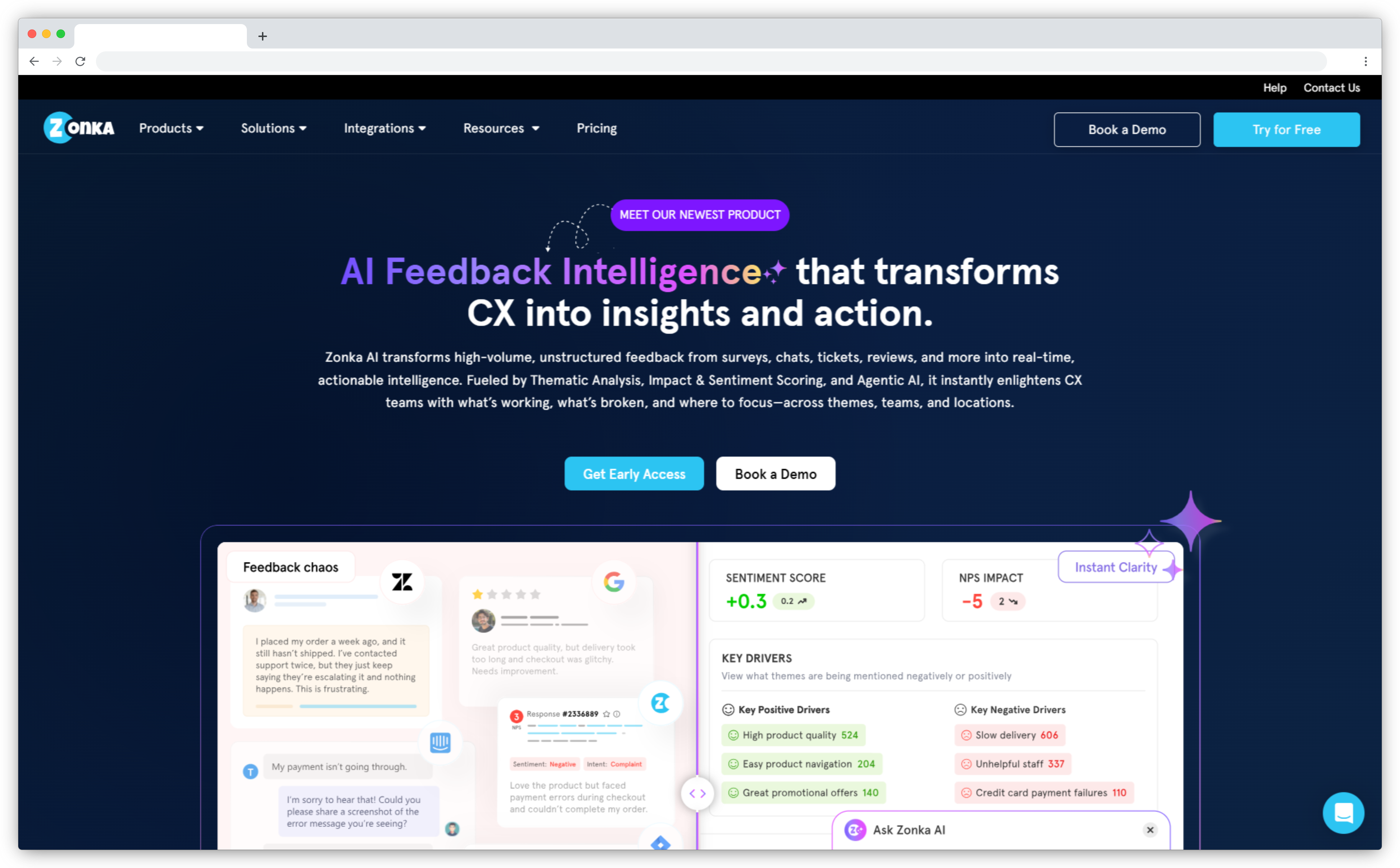
Zonka Feedback is widely considered one of the best survey tools for HubSpot in 2026 thanks to its deep two-way CRM sync, AI-powered insights, and the ability to trigger automated HubSpot workflows directly from survey responses. It’s the most complete HubSpot integration for teams wanting to collect, analyze, and act on customer feedback without manual effort.
- Best for: AI-driven CX automation, HubSpot ticketing workflows, Multi-channel surveys, Lifecycle NPS/CSAT/CES
- Use Cases: Post-ticket CSAT · Transactional NPS · Multi-location CX · Website & in-app surveys · Lifecycle automation
- HubSpot Integration Highlights: Native integration, bi-directional sync, workflow triggers, contact property updates, timeline activities
- G2 rating: 4.6/5 (out of 79 reviews)
What Makes Zonka Feedback the Best Survey Tool for HubSpot in 2026?
Zonka Feedback stands out as a HubSpot survey tool because it turns feedback into structured CRM intelligence rather than disconnected survey responses. Unlike basic survey apps, Zonka Feedback maps every score, comment, and sentiment tag directly into HubSpot properties—giving teams instant context during sales, service, and renewal conversations.
Zonka Feedback’s AI engine is also a major advantage for HubSpot users. It automatically analyzes open-text responses, detects sentiment, categorizes themes, and identifies the drivers behind NPS, CSAT, and CES scores—then syncs those insights directly into HubSpot contact properties. This means your teams don’t just see “what” the customer said; they see the intent, emotion, and root cause behind it. With AI summaries, impact analysis, and automated tagging, HubSpot workflows become significantly smarter—prioritizing high-risk accounts, alerting owners when sentiment drops, and personalizing follow-ups based on what actually matters to customers.
With this survey tool, you can collect, measure, and improve your experience by taking real-time customer feedback. You can also track their satisfaction at the very moment and take immediate action simultaneously. Although Zonka Feedback is flexible with most CRM platforms like Pipedrive, Salesforce, Zendesk, Freshdesk, and more, we are going to focus on Zonka Feedback and HubSpot integration.
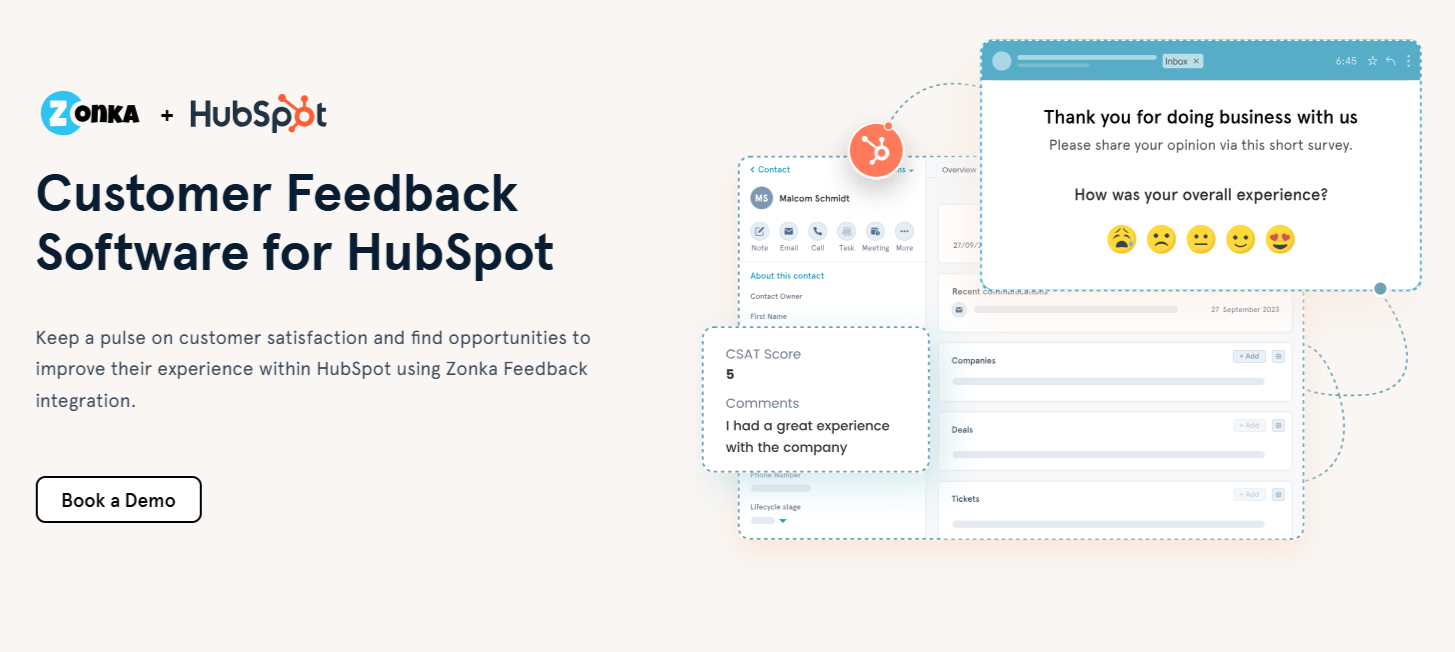
Integrating Zonka Feedback with HubSpot, you can measure complete customer experience and track Voice of Customer to gauge their satisfaction levels. One of the interesting features you get with HubSpot integration is that you can empower your teams with real-time data synced in HubSpot contacts, ensuring your business has access to accurate, consistent, and up-to-date information. You can also use CX automation to run workflows that let you reach out to unhappy customers and turn satisfied customers or detractors into promoters to effectively close the feedback loop.
Another interesting feature you get with Zonka Feedback and HubSpot integration is that you don't need to ask for the contact's personal details every time in the survey, as Zonka Feedback automatically links the responses to the HubSpot contact. You can capture feedback at all key touchpoints within the journey through different survey collection channels by sending email surveys, SMS surveys, website surveys, in-app surveys, and more.
You can also use the free Customer Satisfaction Survey Template to get started with creating your CSAT Surveys on this HubSpot customer feedback software and integrate them into your HubSpot account to measure your experiences.

Why Choose Zonka Feedback as Your HubSpot Survey Tool?
Choosing Zonka Feedback as your HubSpot survey tool makes sense if your team wants a platform that doesn’t just collect feedback but actively strengthens your CRM operations. What sets Zonka Feedback apart is how seamlessly it fits into HubSpot’s ecosystem—every insight becomes usable data that drives better follow-ups, smarter segmentation, and more personalized customer journeys.
Because Zonka Feedback supports advanced mapping, automated scoring logic, and AI-assisted text interpretation, it helps teams understand customer intent faster and respond more effectively inside HubSpot. The platform is also ideal for teams that rely heavily on HubSpot workflows, since surveys of every kind whether Net Promoter Score (NPS), Customer Effort Score (CES), and more, can be used to trigger actions across marketing, sales, and service without any manual setup or external connectors.
For companies scaling their CX programs, Zonka Feedback offers a balance of flexibility and depth: easy-to-launch surveys, consistent data syncing, and the ability to track experience trends over time directly within HubSpot dashboards and properties. Whether you're improving onboarding, managing support quality, or running continuous NPS programs, Zonka Feedback ensures HubSpot becomes the single source of truth for customer sentiment and experience analytics.
Key Features of Zonka Feedback and HubSpot Integration
- Measure customer feedback across all key touchpoints in the customer lifecycle using CSAT, NPS, CES, and custom surveys.
- Capture feedback via email, SMS, WhatsApp, website widgets, QR codes, kiosks, and in-app surveys—all linked automatically to HubSpot contacts.
- Get real-time feedback by syncing CX metrics, comments, and feedback from Zonka Feedback surveys to HubSpot contacts instantly
- Add survey responses as timeline events for Contacts, Tickets, and Deals for instant visibility into context and customer history.
- Trigger automated customer satisfaction surveys from HubSpot workflows based on lifecycle stage changes, ticket closure, deal updates, form submissions, or list enrollments.
- Create smart contact lists in HubSpot automatically based on NPS/CSAT/CES scores, sentiment, or journey attributes (detractors, passives, promoters).
- Use AI-powered feedback analysis to detect sentiment, categorize themes, and sync insights into HubSpot for smarter automation.
- Receive instant notifications inside HubSpot for negative feedback or low scores to proactively reduce churn and close the feedback loop.
- Set conditions and mapping rules to push survey fields into specific HubSpot contact properties using filters and real-time syncing.
- Create HubSpot tickets automatically for low CSAT/NPS scores and assign them to the right pipeline, agent, or team for timely follow-up.
- Enrich deal timelines with customer sentiment and feedback, allowing sales and success teams to identify churn risks or renewal/upsell opportunities.
- Use HubSpot’s workflow automation to send follow-up messages, escalate issues, or trigger service recovery based on feedback sentiment and urgency.
- Ensure consistent, accurate data across your CRM with bi-directional syncing and full visibility of survey interactions in HubSpot.
- Leverage Zonka Feedback’s native HubSpot App Marketplace integration for stable, secure, and real-time performance without additional setup or charges.
Zonka Feedback Pros
- Deepest HubSpot integration among survey tools (bi-directional sync + workflow triggers)
- Multi-channel survey delivery (email, SMS, WhatsApp, website, in-app, QR, kiosks)
- AI-powered insights: sentiment, themes, driver analysis, and auto-summaries
- Native closed-loop automation for follow-ups, alerts, and ticket creation
- Auto-mapping of responses to HubSpot contact, ticket, and deal properties
- Real-time CX dashboards with location, agent, and lifecycle segmentation
- No-code setup with templates for CSAT, NPS, CES, and HubSpot-specific flows
- Strong scalability for multi-team and multi-location CX programs
Zonka Feedback Cons
- Full analytics depth requires some onboarding to configure dashboards
- UI richness may feel feature-heavy for very small teams
Zonka Feedback Pricing
- Custom pricing available based on business requirements
- Free trial for paid features available for 14 days
2. SurveySparrow: Best for Conversational Surveys & Lightweight HubSpot Automations
SurveySparrow is a popular choice for teams that prefer conversational, chat-like surveys and want a simple, user-friendly HubSpot integration. While not as advanced as Zonka Feedback or enterprise tools, SurveySparrow is ideal for quick survey launches, automated feedback collection, and basic HubSpot workflows tied to deal/ticket events.
- Best for: Conversational surveys, mobile-first feedback, lightweight HubSpot workflows
- Use Cases: Post-ticket CSAT · Lead capture surveys · Post-deal feedback · Employee pulse surveys
- HubSpot Integration Highlights: Contact property mapping, automated survey triggers, response sync to contact timeline
- G2 Rating: 4.4/5 (out of 2022 reviews)
What Makes SurveySparrow the Best Customer Feedback Tool for HubSpot?
SurveySparrow, a known SurveyMonkey alternative, is a popular online survey software that makes it easy for businesses to start collecting feedback in a fraction of a second. The SurveySparrow and HubSpot integration lets you do all the needful contact-HubSpot mapping and syncing offered by other survey software.
You can capture new leads and map survey question responses to different HubSpot properties. You can quickly create and share a highly personal and engaging survey for your respondents in HubSpot. As a survey tool for HubSpot, you can also use SurveySparrow to trigger surveys automatically when a ticket is closed in HubSpot.
HubSpot and SurveySparrow combined bring together surveys & inbound marketing right under a single roof, opening up a plethora of possibilities. Additionally, you can also keep a constant check on customer views and requirements. The standout feature that you get from combining SurveySparrow with HubSpot is that you don’t have to juggle between different software and manually entering survey responses into your database. You can view your survey responses right within the HubSpot contact database and keep a pulse on customer trends.
Why Choose SurveySparrow as your survey tool for HubSpot?
Choose SurveySparrow if your priority is engagement over complexity. Its conversational UI consistently drives higher response rates, and the HubSpot integration ensures every response lands directly in your CRM—with no extra effort from your team. It is among the most popular Android survey apps that empower businesses to improve employee engagement and customer satisfaction and when you look at its HubSpot's integration, it helps you to run automated triggers when deals are lost or tickets close, helping to understand customer sentiment at critical moments.
If your priority is simplicity, mobile-friendly feedback, and fast deployment rather than deep analytics or heavy CRM automation, SurveySparrow is a practical and efficient HubSpot survey tool.
Key Features of Surveysparrow's HubSpot Integration
- Trigger surveys automatically when deals close, deals are lost, or tickets resolve in HubSpot
- Map survey responses directly to HubSpot contact properties for unified CRM data
- Sync feedback into the HubSpot contact timeline for instant team visibility
- Capture new leads via survey forms and add them to HubSpot lists
- Send personalized follow-up emails from SurveySparrow based on responses
- Combine marketing campaigns with survey triggers to improve engagement
- Track customer trends and satisfaction inside HubSpot contact profiles
- Set up feedback automations without needing additional connectors or custom code
SurveySparrow Pros
- Clean, conversational survey UI that improves response rates
- Easy to set up and user-friendly for non-technical teams
- Smooth HubSpot contact mapping and automated triggers
- Good for mobile-first feedback collection
- Strong template library for CSAT, NPS, and lead capture
SurveySparrow Cons
- Limited branding and structural customization
- Lacks advanced analytics compared to top-tier HubSpot survey tools
- Automation depth is basic vs. enterprise CX tools
- Some users report backend speed issues during peak usage
SurveySparrow Pricing
- Starts at $19/month
- Free trial available
3. AskNicely: Best for NPS-Driven HubSpot Feedback & Frontline Team Coaching
AskNicely is one of the oldest voice of customer tools that has been helping businesses send surveys to their customers for years. AskNicely is a strong contender in terms of its NPS software. With its focus on industries like healthcare, financial services, real estate market, and property management, AskNicely offers a range of features that contribute to improving customer satisfaction. Its HubSpot integration is built around continuous Net Promoter Score measurement, automated follow-ups, and frontline performance improvement—making it ideal for teams that rely heavily on NPS as their core CX metric.
- Best for: NPS programs, service teams, frontline coaching, multi-location businesses
- Use Cases: Ongoing NPS tracking · Post-service feedback · Technician/agent performance · CX improvement loops
- HubSpot Integration Highlights: NPS syncing, timeline events, smart lists, automated survey triggers
- G2 Rating: 4.7/5 (out of 1037 reviews)

What Makes AskNicely a Strong HubSpot Survey Tool?
AskNicely stands out for HubSpot users who want a purpose-built NPS engine rather than a general survey builder. Its integration pushes scores, comments, and follow-up actions directly into HubSpot contact timelines, giving sales and service teams clear visibility into customer sentiment before every conversation. The platform’s smart-list logic allows you to precisely target who receives NPS surveys and exclude contacts that shouldn’t be surveyed—helping you avoid over-surveying and maintain cleaner HubSpot lists.
While the platform is less customizable than broader survey tools, AskNicely excels at running high-frequency NPS programs with automated workflows, coaching loops, and role-based insights for frontline teams. For companies that rely on NPS as a primary feedback metric, AskNicely provides a simple, reliable way to operationalize feedback directly inside HubSpot.
Why Choose AskNicely as your Survey Tool for HubSpot?
Choose AskNicely if your HubSpot workflow revolves around NPS, service quality, and frontline performance. The seamless HubSpot integration, comprehensive tracking, real-time feedback, automation capabilities, and robust survey reporting make AskNicely a valuable tool for optimizing customer experiences and fostering long-term customer relationships.
The tool is built for companies that want to capture customer sentiment consistently and turn those insights into team-level coaching and improvement. With real-time syncing of NPS responses into HubSpot properties and timelines, your service, sales, and retention teams always know how customers feel—and can act on it immediately.
Key Features of AskNicely and HubSpot Integration
- Sync NPS scores, comments, and sentiment directly to HubSpot contact properties
- Add feedback activity to contact timelines for instant context during customer calls
- Trigger automated NPS surveys based on HubSpot lifecycle stages, ticket closures, or list enrollments
- Build smart lists to target or exclude specific segments to avoid over-surveying
- Capture feedback across multiple touchpoints (email, mobile, in-app) and unify inside HubSpot
- Use NPS data to trigger service recovery workflows or internal escalation
- Identify team-level trends (technician/agent performance) through AskNicely’s coaching features
AskNicely Pros
- Purpose-built for NPS and continuous customer sentiment tracking
- Simple setup with clean HubSpot integration and timeline visibility
- Strong frontline coaching features tied to NPS themes and trends
- Great for post-service feedback and multi-location performance improvement
AskNicely Cons
- Limited survey customization (primarily NPS-focused)
- Cap on 2,000 HubSpot Active Lists may restrict larger teams
- Lacks broader survey types like CSAT/CES compared to other tools
AskNicely Pricing
- Custom pricing based on business requirements
- Free trial not publicly offered; must request through sales
4. Survicate: Best for Targeted, In-Product HubSpot Surveys & Fast Feedback Collection
Survicate is a popular customer feedback platform known for lightweight deployment, strong targeting options, and frictionless web/in-app surveys. For HubSpot users, Survicate offers one of the simplest and cleanest integrations—allowing teams to send surveys directly from HubSpot, enrich contact properties automatically, and trigger workflows based on customer responses in real time.
- Best for: Website & in-app surveys, fast-response CSAT, email-embedded surveys
- Use Cases: Website popups · In-app micro-surveys · List-triggered CSAT · Lead qualification surveys
- HubSpot Integration Highlights: Contact property mapping, workflow triggers, in-email surveys, instant response syncing
- G2 Rating: 4.6/5 (out of 198 reviews)

What Makes Survicate One of the Best Survey Tools for HubSpot?
Survicate stands out for teams that want to collect quick, contextual feedback without heavy setup. Its HubSpot integration is particularly valuable for marketing and product-led teams because it allows survey responses—including scores, comments, and attributes—to flow into HubSpot instantly. This means you can trigger actions like follow-ups, scoring updates, lifecycle stage changes, and email sequences based directly on customer sentiment.
Survicate also excels at web and in-app surveys, making it ideal for SaaS companies or digital businesses that want to measure feedback inside the product rather than relying only on email or external links. With built-in targeting rules and the ability to run surveys inside HubSpot emails, it becomes a fast data-collection engine without adding friction to the user journey and helps close the feedback loop.
Why Choose Survicate as your Customer Feedback Tool for HubSpot?
Survicate is a great fit for HubSpot users who want speed, simplicity, and targeted feedback rather than deep analytics or heavy CX automation. Its strength lies in delivering the right survey at the right moment—whether that's after a website visit, after a feature interaction, or as part of a HubSpot workflow. Because responses sync instantly, your teams always have up-to-date sentiment and qualification data inside HubSpot, making it easier to personalize emails, segment customers, and streamline follow-ups.
Key Features of Survicate's HubSpot Integration
- Sync CSAT, NPS, CES, and open-text responses to HubSpot contact properties instantly
- Trigger surveys directly from HubSpot emails using native embed options
- Launch targeted surveys based on HubSpot lists, lifecycle stages, and segments
- Add survey activity to HubSpot timelines for fast customer context
- Trigger HubSpot workflows automatically when someone completes a survey
- Use 15+ question types to capture structured and qualitative insights
- Run website and in-app surveys to gather real-time product and UX feedback
- Invite unlimited Survicate users to collaborate on survey creation and analysis
- Use HubSpot segments to target the right audience at the right touchpoint
- Boost customer experience metrics with customer experience surveys through automated emails or SMS
Survicate Pros
- Very easy HubSpot integration with quick setup and minimal configuration
- Strong website and in-product survey capabilities
- High response rates with email-embedded survey options
- Fast syncing of feedback into HubSpot for automation and segmentation
Survicate Cons
- Limited advanced analytics compared to heavier CX platforms
- Fewer deep CRM automation features
- Pricing can scale if multiple survey channels are used extensively
Survicate Pricing
- Starts at $56/month
- Custom pricing available for higher tiers
- Free trial available
5. InMoment: Best for Enterprise-Grade VoC Analytics & HubSpot Journey Insights
InMoment (formerly Wootric) is a powerful VoC platform designed for companies that need deeper analytics, predictive insights, and scalable feedback programs. Its HubSpot integration brings enterprise-level NPS/CSAT/CES tracking into the CRM, enabling teams to automate follow-ups and analyze sentiment across the entire customer journey.
- Best for: Enterprise VoC, predictive analytics, journey insights, multi-touchpoint feedback
- Use Cases: Journey-based NPS · Post-support CSAT · Customer churn prediction · Enterprise CX programs
- HubSpot Integration Highlights: Workflow-based triggers, predictive alerts, smart lists, journey-point surveys
- G2 Rating: 4.7/5 (out of 319 reviews)
What Makes InMoment the Best Survey Tool for HubSpot?
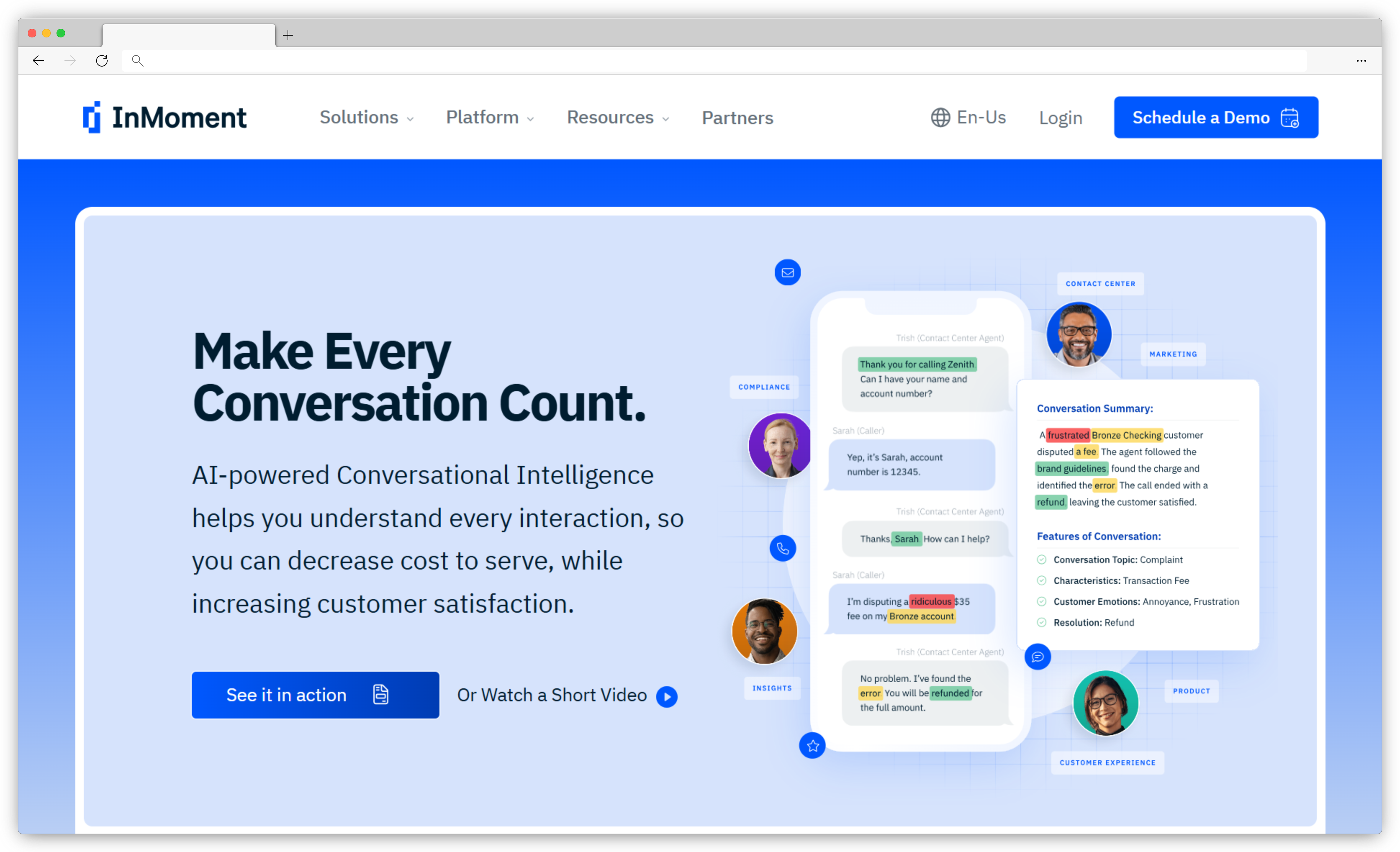
InMoment excels as a HubSpot survey tool because it offers deeper analytics and predictive modeling than most traditional survey platforms. Once integrated, InMoment automatically syncs scores, comments, and sentiment data into HubSpot properties and contact timelines, helping teams understand customer behavior and identify churn risks early.
This customer experience management platform is particularly strong for companies with complex customer journeys. With InMoment, you can trigger surveys based on specific HubSpot touchpoints—like onboarding completion, ticket closure, or lifecycle stage changes—and instantly route negative feedback to service teams for follow-up. Its AI-powered sentiment analysis and trend detection help teams uncover the “why” behind customer scores, making it ideal for businesses needing more than just basic survey results.
Why Choose InMoment as Your Survey Tool for HubSpot?
Choose InMoment if your HubSpot workflows depend heavily on journey analytics, root-cause insights, and predictive retention signals. Where simpler survey tools stop at score collection, InMoment provides actionable intelligence—helping teams understand what drives customer happiness, frustration, and churn. The integration is also built for rapid follow-up: detractors trigger service recovery workflows, promoters receive review requests, and agents can send personalized thank-you messages directly from HubSpot.
For organizations managing large customer bases or high-touch programs, InMoment’s combination of HubSpot automation + enterprise analytics delivers a more complete CX engine inside the CRM.
Key Features of InMoment and HubSpot Integration
- Trigger micro-surveys (NPS, CSAT, CES) from HubSpot workflows at key journey touchpoints
- Sync scores, comments, and sentiment directly to HubSpot contact properties
- Add feedback events to HubSpot timelines for sales and service context
- Build smart lists based on score thresholds (e.g., detractors < 6, promoters > 9)
- Automate follow-up emails from HubSpot for low-score responses
- Trigger service recovery workflows for detractors to prevent churn
- Send targeted review requests to promoters using automated HubSpot sequences
- Receive instant notifications for low scores to reduce response time
- Use predictive insights to prioritize accounts at churn risk
InMoment Pros
- Enterprise-level VoC analytics with predictive insights
- Strong HubSpot workflow automation for service recovery
- Excellent at multi-touchpoint and journey-based feedback collection
- AI-powered sentiment and trend analysis for deeper understanding
InMoment Cons
- More complex setup compared to lightweight survey tools
- Pricing requires custom quotes and may not suit small teams
- Interface and survey setup can feel less intuitive for beginners
InMoment Pricing
- Custom pricing based on business requirements
- Free trial availability varies; must contact sales
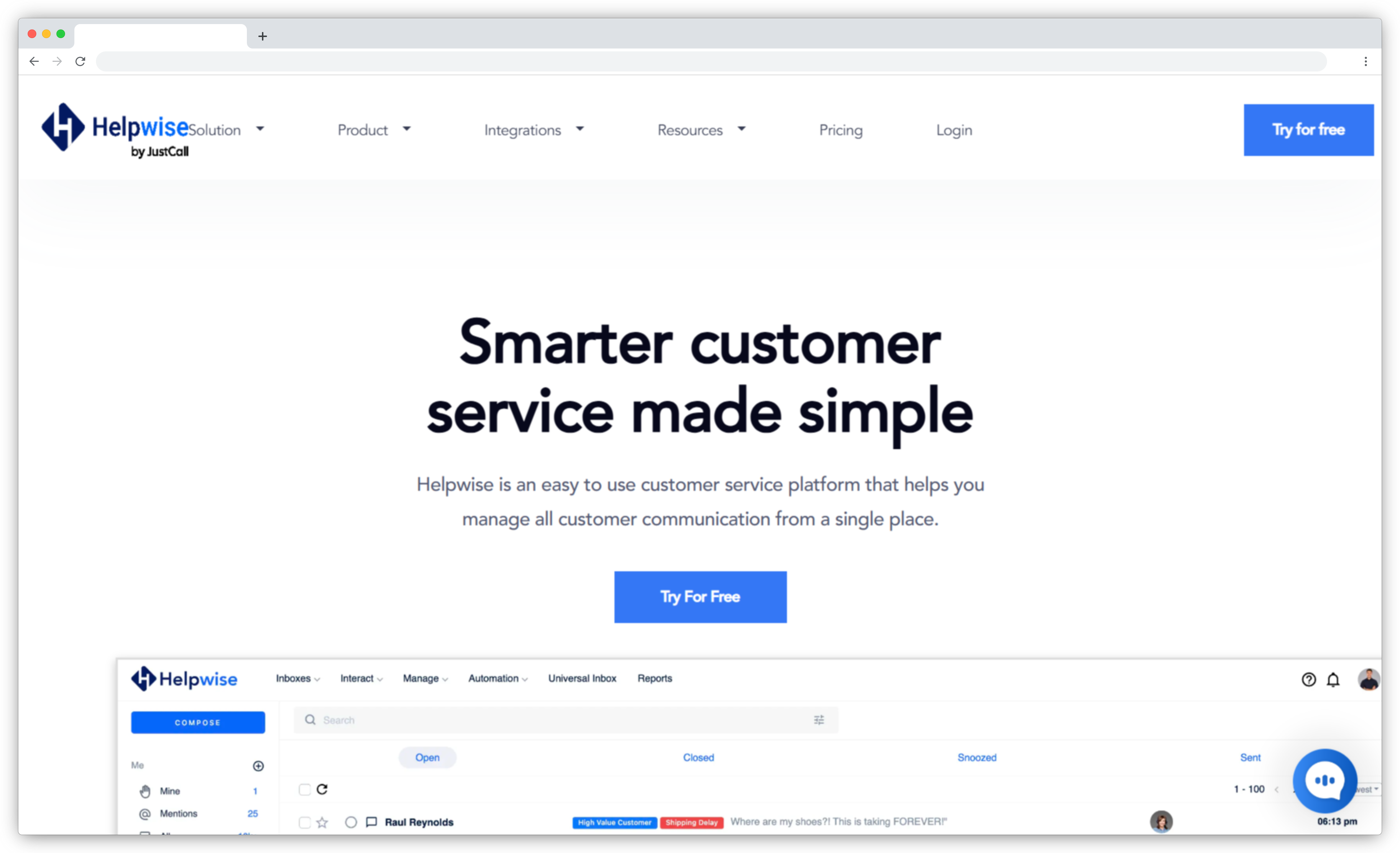
6. Helpwise: Best for Support Teams Needing Shared Inbox & HubSpot CSAT Workflows
Helpwise is a shared inbox and customer communication platform that includes built-in CSAT surveys for collecting quick post-interaction feedback. It’s designed for support teams that manage queries across email, chat, SMS, WhatsApp, and social channels—and want to sync that activity with HubSpot. Its HubSpot integration strengthens service operations by pulling CRM context into the Helpwise inbox and pushing conversation and CSAT data back into HubSpot in real time.
- Best for: Support teams, shared inboxes, post-ticket CSAT, multi-channel service
- Use Cases: Post-support CSAT · Ticket triage · Agent performance · Multi-channel query management
- HubSpot Integration Highlights: Contact sync, deal sync, create/edit CRM records from inbox, CSAT logging
- G2 Rating: 4.6/5 (out of 182 reviews)
What Makes Helpwise Top Customer Feedback Software for HubSpot?
Helpwise stands out because it brings HubSpot CRM context directly into the support conversation, reducing the back-and-forth that slows down agents. When integrated with HubSpot, agents can view contact details, deals, engagements, and company information inside their Helpwise inbox—without switching tabs or visiting different survey collection channels. CSAT responses and message threads sync to HubSpot automatically, allowing service teams to analyze support quality and trigger workflows based on feedback.
The platform is also strong for teams that need centralized communication. Since Helpwise unifies email, live chat, SMS, and WhatsApp, it becomes easy to capture post-interaction feedback wherever the conversation happens and see the results instantly reflected inside HubSpot contact properties.
Why Choose Helpwise as Your Survey Tool for HubSpot?
Choose Helpwise if your primary focus is support efficiency, multi-channel communication, and fast CSAT collection after conversations. Unlike standalone survey tools, Helpwise embeds CSAT collection directly into the communication workflows your support team already uses. The ability to create or update contacts, deals, and activities from the inbox—and sync entire message threads—gives teams the context they need to deliver faster, more personalized responses. For support teams heavily invested in HubSpot, Helpwise ties communication and feedback into a single, seamless experience.
Key Features of Helpwise and HubSpot Integration
- Sync HubSpot contacts, companies, and deals directly into the Helpwise inbox
- Create or update contacts, companies, deals, or activities from Helpwise in real time
- Add CSAT feedback and conversation history to HubSpot contact timelines
- Assign message threads or conversations to the right HubSpot team members
- Organize communication with tags, labels, and shared views
- Use pre-defined responses and templates for faster customer replies
- Pull key CRM fields (contact info, company details, deals, engagements) into Helpwise for context
- Improve workflow automation by syncing support activity with HubSpot sequences and triggers
Helpwise Pros
- Strong shared inbox + CSAT combo for support teams
- Excellent real-time HubSpot sync for contacts, deals, and activities
- Reduces tool-switching by bringing CRM context into the inbox
- Multi-channel communication: email, SMS, chat, WhatsApp
- Simple setup and intuitive UI for fast adoption
Helpwise Cons
- Not a full-scale survey platform (CSAT-heavy, limited NPS/CES functionality)
- Lacks deep analytics compared to dedicated feedback tools
- Best suited for service teams—not ideal for product-led surveys
Helpwise Pricing
- Starts at $12/user/month
- Custom pricing available for larger teams
- Free trial available
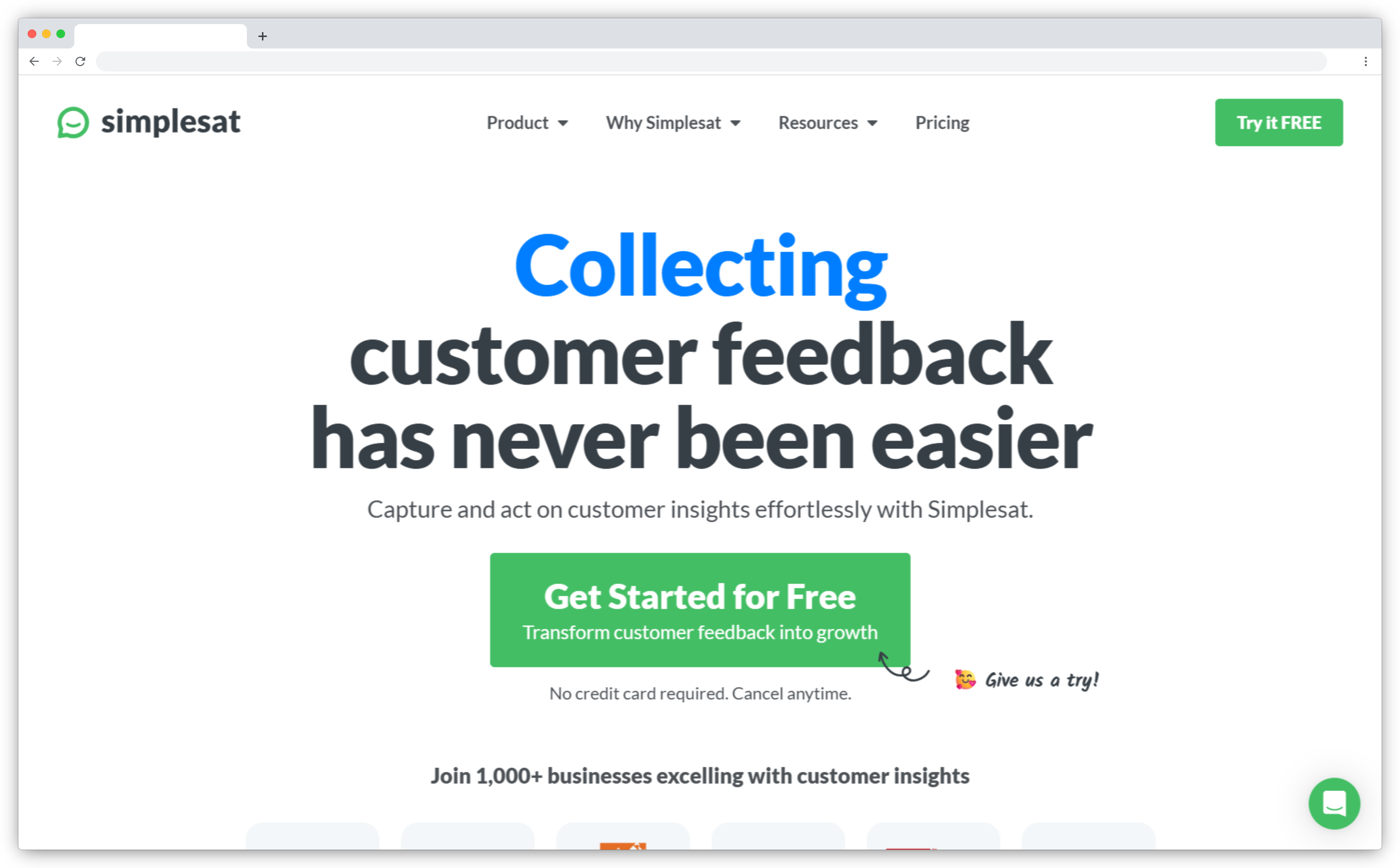
7. Simplesat: Best for Ticket-Based CSAT & Real-Time HubSpot Feedback Sync
Simplesat is a lightweight CSAT/NPS survey tool built specifically for service teams that rely on ticketing systems and need a simple way to collect customer satisfaction ratings. Its HubSpot integration focuses on syncing survey responses directly to contacts, companies, custom objects, and ticket records—making it ideal for support teams managing high volumes of tickets.
- Best for: Post-ticket CSAT, agent performance tracking, real-time rating sync
- Use Cases: Ticket-based surveys · Agent/technician scorecards · Service recovery workflows
- HubSpot Integration Highlights: Contact updates, custom objects, ticket-based triggers, HubSpot email embed
- G2 Rating: 4.8/5 (out of 158 reviews)
What Makes Simplesat the Best HubSpot Survey Tool in 2026?
Simplesat stands out because it is designed to work directly within your support workflows. Instead of general-purpose surveys, it specializes in post-ticket and post-interaction feedback, allowing teams to measure customer satisfaction immediately after resolving an issue. With the HubSpot integration, every rating, comment, and follow-up action is synced back to the CRM automatically—helping teams understand customer sentiment at the exact moment it matters.
The platform enables users to create custom objects, update contact fields with rating details, tag unhappy customers, and trigger service recovery workflows. Embedding Simplesat surveys into HubSpot emails is also extremely simple (copy/paste once), making it easy for support reps to send surveys without leaving HubSpot. For teams who rely on ticket-level feedback to drive performance improvements, Simplesat delivers fast insights with minimal setup.
Why Choose Simplesat as Your Survey Tool for HubSpot?
Choose Simplesat if your focus is ticket-driven CSAT and agent performance visibility inside HubSpot. The integration gives teams complete control of feedback data by syncing ratings to contacts, companies, and custom objects—ensuring that every interaction contributes to a clear customer sentiment profile. Automated follow-up tickets help teams close the loop quickly, while real-time rating sync makes it easy to identify unhappy customers and prevent churn. For support and service teams that need effortless CSAT collection directly through HubSpot emails and workflows, Simplesat is a strong, user-friendly choice.
Key Features of Simplesat and HubSpot Integration
- Sync customer ratings, comments, and attributes to HubSpot contact properties
- Create custom feedback objects to associate responses with contacts, tickets, and companies
- Trigger follow-up tickets in HubSpot based on negative or low survey responses
- Add notes to HubSpot tickets automatically when a customer submits feedback
- Embed CSAT/NPS surveys directly into HubSpot email templates (simple one-time setup)
- Map Simplesat survey data to any HubSpot contact field for segmentation and automation
- Use updated rating fields to build reports, dashboards, and customer segments
- Track unhappy customers and trigger service recovery workflows
- Allow agents to send survey emails directly from HubSpot
- Maintain accurate, up-to-date customer satisfaction history within HubSpot CRM
Simplesat Pros
- Extremely simple setup for HubSpot users—ideal for quick CSAT deployment
- Strong ticket-based feedback functionality for service teams
- Real-time sync of ratings to contacts, companies, and custom objects
- Easy HubSpot email embed for rapid survey distribution
- Great for agent and team performance visibility
Simplesat Cons
- Limited survey types (primarily CSAT/NPS; not designed for complex surveys)
- Basic analytics compared to larger CX platforms
- Better suited for service teams than product or marketing surveys
Simplesat Pricing
- Starts around $109/month
- Custom pricing available for advanced features
- Free trial available
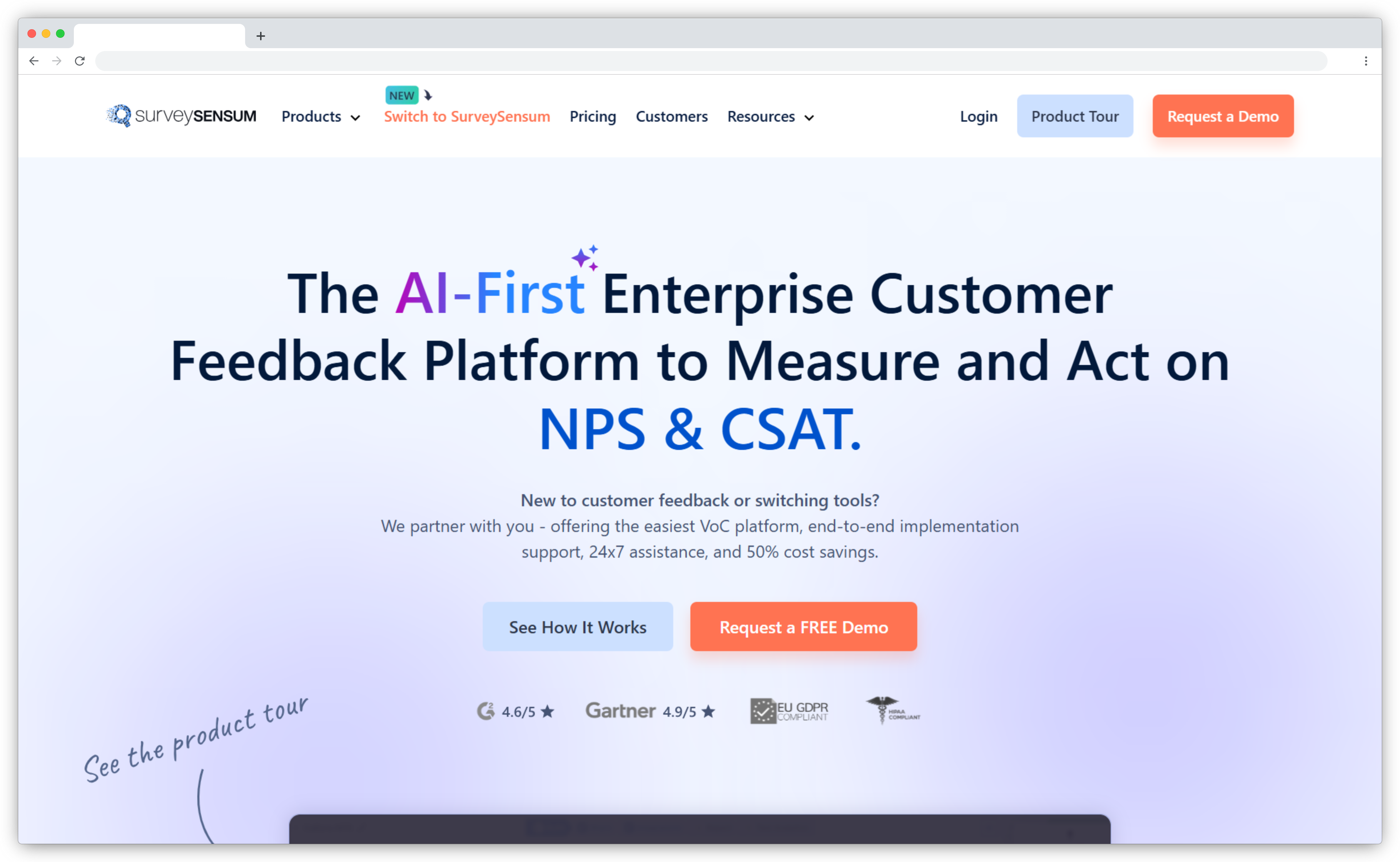
8. SurveySensum: Best for Multi-Touchpoint Feedback & HubSpot Integration
SurveySensum is a survey platform designed to help teams capture insights across multiple touchpoints in the customer journey. It’s ideal for businesses that want structured NPS, CSAT, and CES programs without managing a highly complex CX tool. When integrated with HubSpot, SurveySensum becomes a simple and effective way to collect feedback, sync responses to CRM records, and use customer insights to improve lifecycle communication and service quality.
- Best for: Multi-touchpoint feedback, NPS/CSAT programs, journey mapping
- Use Cases: Onboarding surveys · Support follow-up feedback · Renewal-stage NPS · Marketing lifecycle surveys
- HubSpot Integration Highlights: Response sync, lead creation, question/property mapping
- G2 Rating: 4.7/5 (out of 33 reviews)
What Makes SurveySensum Top HubSpot Survey Tool?
SurveySensum is particularly useful for HubSpot users who want to understand customer sentiment at critical points in the journey—onboarding, activation, support resolution, or renewal. The integration allows feedback responses to flow directly into HubSpot contact properties, helping teams identify friction points and monitor changes in customer satisfaction over time.
Since SurveySensum supports multiple survey types and flexible logic, it’s easy to measure customer experience across channels and stages. HubSpot users can map SurveySensum questions to CRM fields, trigger workflows based on responses, and track feedback trends as part of everyday marketing or service operations. The result is a streamlined way to collect and operationalize customer feedback inside HubSpot without overwhelming teams with complexity.
Why Choose SurveySensum as Your Survey Tool for HubSpot?
Choose SurveySensum if your goal is to run consistent, touchpoint-based feedback programs and connect those insights directly to HubSpot contacts, leads, and workflows. The platform offers clean mapping tools, fast setup, and straightforward reporting—making it a good fit for teams that want actionable customer insights without dealing with enterprise-level setup. While lighter than full CX suites, SurveySensum still provides robust NPS/CSAT capabilities and dependable HubSpot syncing, giving teams the foundation to improve satisfaction and reduce churn.
Key Features of SurveySensum and HubSpot Integration
- Sync all survey responses directly into HubSpot contact properties
- Create new HubSpot leads automatically from SurveySensum submissions
- Map survey questions to HubSpot fields for personalized follow-ups
- View all responses inside HubSpot for better customer context
- Trigger workflows based on survey outcomes (e.g., low score alerts)
- Capture NPS, CSAT, and CES across multiple journey points
- Monitor satisfaction trends using HubSpot segments and lists
- Build more accurate segmentation based on customer sentiment
SurveySensum Pros
- Easy-to-use interface with flexible survey types
- Clean HubSpot mapping for leads, contacts, and properties
- Great for multi-touchpoint feedback collection
- Well suited for NPS/CSAT programs across onboarding and support
- Real-time sync ensures teams get immediate visibility
SurveySensum Cons
- HubSpot integration is not as deep as tools built specifically for HubSpot
- Limited automation compared to advanced CX platforms
- May feel basic for teams requiring long-term trend analytics
SurveySensum Pricing
- Starts at $3600/year
- Custom pricing available for advanced needs
- Free trial available
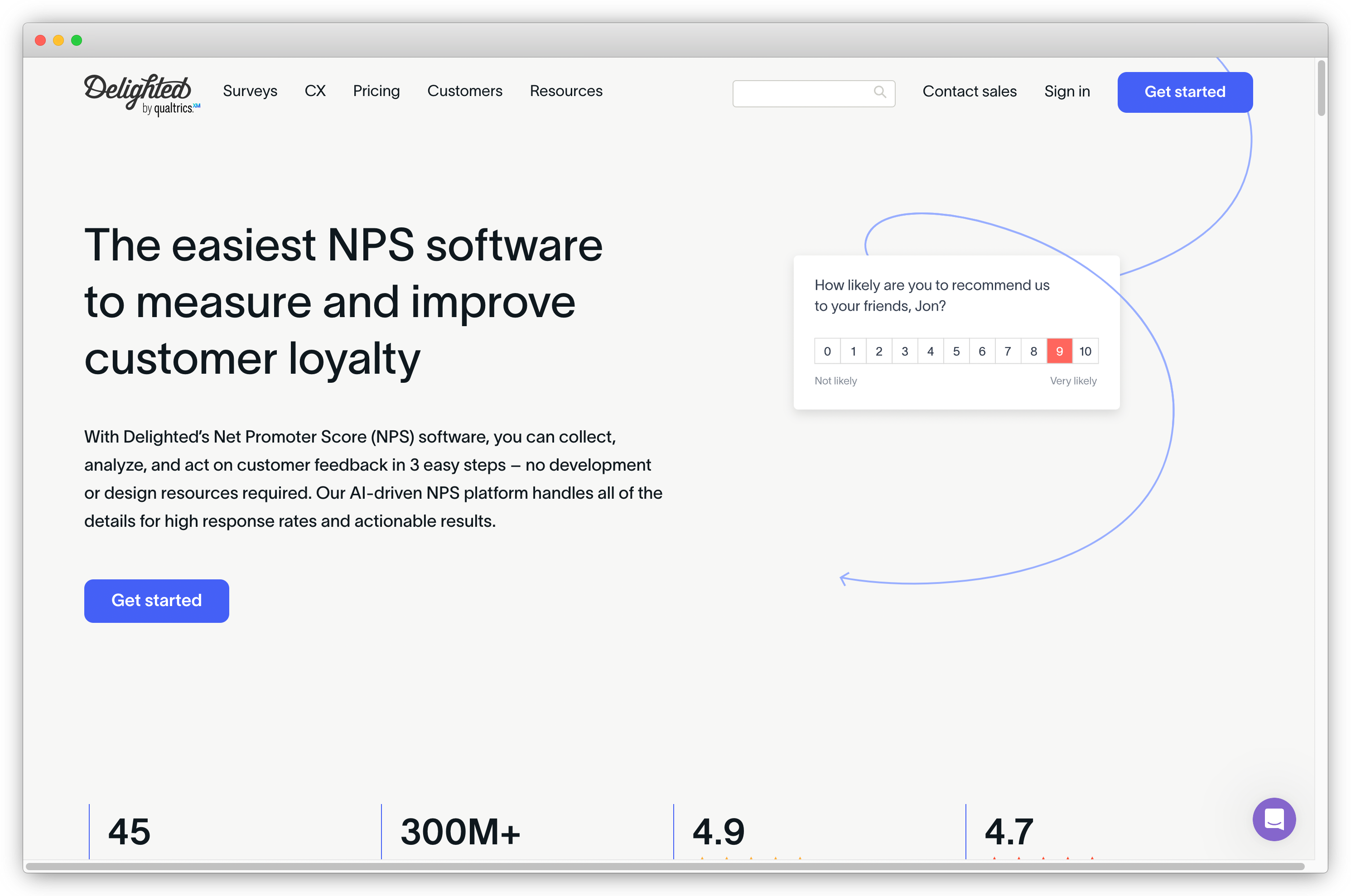
9. Delighted: Best for Simple NPS/CSAT Surveys for HubSpot
Delighted has long been known for its simple, clean survey experience and support for key CX metrics like NPS, CSAT, CES, PMF, and star-ratings. It was widely used by SaaS companies and growing brands looking for lightweight feedback collection. Although it integrates with multiple CRMs—including HubSpot, Salesforce, and Zendesk—it's important to note that Delighted is shutting and its users will need to migrate to another survey tool soon.
- Best for: Lightweight NPS/CSAT surveys, simple feedback collection, basic HubSpot sync
- Use Cases: NPS programs · Post-purchase CSAT · Transactional surveys · Quick customer sentiment checks
- HubSpot Integration Highlights: Contact-based response sync, timeline events, workflow-triggered follow-ups
- G2 Rating: 4.7/5 (out of 60 reviews)
What Makes Delighted Top HubSpot Survey Tool?
Before its sunset, Delighted was popular for its quick setup, minimalist UI, and accessible templates across NPS, CSAT, CES, and PMF surveys. In HubSpot, Delighted could sync survey responses directly to contact profiles, letting teams enrich customer records with sentiment data, monitor promoters/detractors, and trigger follow-up sequences automatically.
Its email-based identity matching system made syncing responses simple, and the integration helped marketers and CX teams run campaigns for satisfied customers or build workflows for detractors. However, because the tool is being retired, businesses relying on these capabilities should begin transitioning to Delighted alternatives with a more future-proof HubSpot integration.
Why Choose Delighted as Your Customer Feedback Tool for HubSpot?
(Note: Only relevant if you are currently using Delighted and need to maintain your existing workflows temporarily)
Delighted offers an easy-to-use survey creation experience and a clean HubSpot sync that enriches contact data and provides simple reporting. It works well for companies that want minimal setup and straightforward feedback flows. However, due to the upcoming sunset, most teams should instead focus on identifying the best replacement to maintain CX continuity.
Key Features of Delighted and HubSpot Integration
- Sync survey responses (NPS, CSAT, CES, PMF) automatically to HubSpot contact properties
- Add survey activity to HubSpot timelines for clearer customer context
- Segment customers based on feedback to trigger marketing workflows
- Set up automated campaigns for promoters or dissatisfied customers
- Use email-based lookups to match responses with HubSpot contacts
- Trigger follow-up workflows to reduce churn and improve service recovery
- Filter responses and enrich HubSpot data using Delighted’s simple dashboard
Delighted Pros
- Intuitive, minimalistic UI for fast survey creation
- Clean HubSpot sync for contacts and timeline records
- Good for teams wanting simple NPS/CSAT workflows
- Supports multiple survey types without complexity
Delighted Cons
- Delighted is being sunset in 2025 — migration required
- Cannot send surveys directly from the platform’s own automation
- HubSpot integration is basic compared to modern alternatives
- Limited customization for advanced CX programs
Delighted Pricing
- Starts at $224/month
- Custom pricing for advanced needs
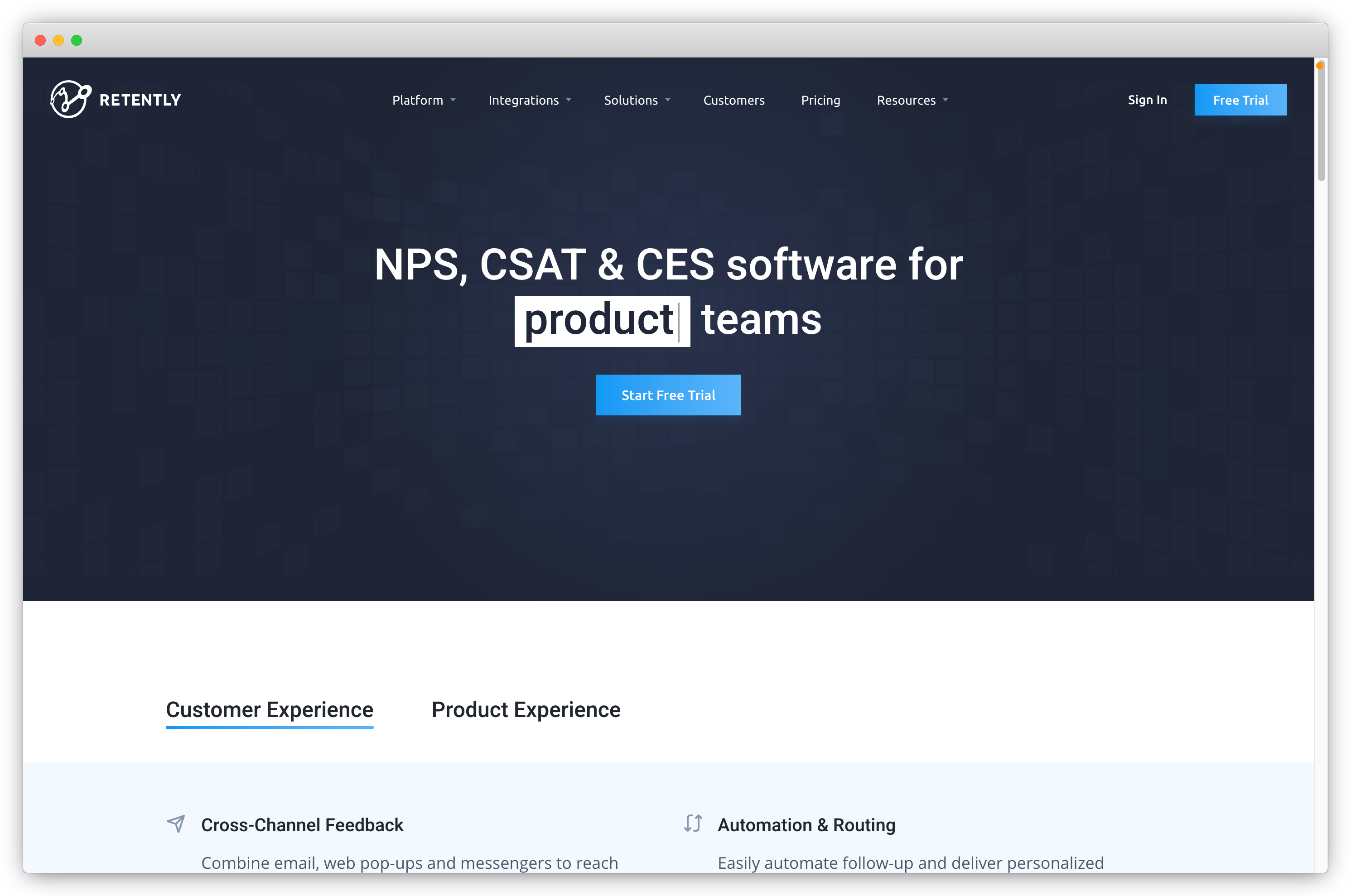
10. Retently: Best for Automated NPS/CSAT Surveys & HubSpot Workflow Triggers
Retently is known for its automation-first approach to customer feedback. Originally built as an NPS-only tool, it has since expanded to CSAT and CES, making it a solid choice for teams that want continuous, lifecycle-based feedback programs connected tightly with their HubSpot CRM. Its HubSpot integration allows you to sync contacts, trigger surveys automatically, and use survey scores to influence workflows — ideal for teams running retention or account health programs.
- Best for: Automated NPS/CSAT programs, lifecycle-based surveys, churn prediction workflows
- Use Cases: Renewal health checks · Onboarding surveys · Post-support NPS · Automated follow-ups · Customer lifecycle tracking
- HubSpot Integration Highlights: Contact sync, workflow triggers, score mapping, segmentation via HubSpot lists
- G2 Rating: 4.7/5 (out of 27 reviews)
What Makes Retently the Best HubSpot Survey Tool?
Retently stands out for its strong automation capabilities and clean, reliable CRM sync. What makes it particularly effective with HubSpot is its ability to automatically send surveys based on workflow triggers — such as lifecycle stage changes, ticket closures, onboarding steps, or renewal dates. Because Retently specializes heavily in NPS, CSAT, and CES, it provides structured, benchmark-friendly feedback ideal for SaaS and subscription businesses.
The platform also helps prevent over-surveying by letting users set frequency rules and define custom HubSpot-based targeting parameters. This ensures that feedback programs stay intelligent instead of becoming intrusive. Retently’s sentiment tagging, customer segments, and follow-up reminders make it easy for HubSpot teams to detect experience patterns and proactively catch churn risks — directly within their CRM environment.
Why Choose Retently as Your Survey Tool for HubSpot?
Retently is a strong fit for HubSpot users who want fully automated, recurring feedback loops without heavy configuration. If your team relies heavily on HubSpot workflows, Retently lets you incorporate NPS/CSAT/CES scores into automated follow-ups, account escalations, renewal health monitoring, and customer success playbooks.
Its biggest advantage is simplicity: Retently keeps the feedback program focused on core CX metrics, avoids unnecessary survey complexity, and ensures that customer sentiment becomes an actionable part of your HubSpot lifecycle.
Key Features of Retently and HubSpot Integration
- Sync HubSpot contacts and their properties directly into Retently for accurate targeting
- Trigger NPS/CSAT/CES surveys automatically based on HubSpot workflow events
- Map survey scores and feedback to HubSpot contact properties in real time
- Export insights like NPS score, comment, sentiment, and tags back to HubSpot
- Build automated, personalized survey campaigns for HubSpot lists and segments
- Avoid over-surveying via frequency rules and custom HubSpot-based triggers
- Trigger follow-up actions or escalate low-scoring customers inside HubSpot workflows
- Create reminder surveys or multi-step feedback campaigns for unanswered surveys
Retently Pros
- Strong automation for NPS, CSAT & CES programs
- Excellent workflow-triggered survey delivery
- Clean HubSpot sync with score mapping
- Ideal for SaaS and subscription lifecycle monitoring
Retently Cons
- Limited survey customization and branding flexibility
- UI feels dated compared to newer feedback platforms
- Fewer native integrations beyond major CRMs
Retently Pricing
- Starts at $49/month
- Free trial available
How to Choose the Best Survey Tool for HubSpot (Key Criteria)
Selecting the right survey tool for HubSpot depends on how well that platform integrates with your CRM workflows, supports customer experience metrics, and fits the way your team captures and uses feedback. Unlike generic survey software, HubSpot survey tools must sync customer sentiment, automate workflows, and create a complete feedback loop across marketing, sales, and service.
Based on hands-on experience evaluating multiple HubSpot survey integrations, here’s what truly matters when choosing the best survey tool for your business.
1. Depth of HubSpot Integration
The most critical factor is how deeply the survey tool connects with HubSpot. A great HubSpot survey platform should offer bi-directional data syncing so that survey responses, scores, and comments automatically update contact, ticket, and deal properties. The tool should also log survey activity on timelines and allow surveys to be triggered from HubSpot workflows.
Without a strong native integration, feedback becomes disconnected from your CRM—and that limits your automation, segmentation, and reporting capabilities.
2. Multi-Channel Survey Delivery
Customers share feedback on multiple touchpoints, so your tool must support survey delivery across email, SMS, WhatsApp, websites, in-app widgets, and even QR or kiosk-based inputs if needed. Multi-channel survey availability ensures you capture more accurate and contextual feedback, which then flows into HubSpot for better lifecycle visibility. It also helps you avoid channel bias and measure customer experience across the entire journey.
3. Support for Core CX Metrics
Any HubSpot survey tool you choose should support the key customer experience measurement frameworks: NPS (Net Promoter Score), CSAT (Customer Satisfaction Score), and CES (Customer Effort Score). These metrics serve different purposes across onboarding, support, and renewal cycles. Tools that offer additional customization—such as conditional logic, multiple question types, and branded survey themes—provide more flexibility for different use cases within your HubSpot environment.
4. Automation & Workflow Capabilities
Automation is where HubSpot shines, so your survey tool should extend that capability. The best platforms allow you to trigger surveys when a ticket closes, a deal moves stages, a lifecycle changes, or a form is submitted. They also help you close the loop by triggering internal alerts for low scores, sending follow-up tasks, and segmenting contacts based on sentiment. Without automation, feedback programs become manual and slow—weakening your CX strategy.
5. AI-Powered Feedback Analysis
AI has become essential for customer feedback operations, especially when syncing large volumes of comments to HubSpot. Tools that offer AI-based sentiment analysis, theme detection, churn prediction, and automatic text summaries help teams instantly interpret feedback and act faster.
These insights enrich HubSpot properties with actionable intelligence, which is valuable for teams using dashboards, reporting, or predictive scoring models.
6. Reporting & Dashboarding Inside HubSpot
To get the full value from HubSpot as your CRM, your survey data should live inside it—not in external dashboards. Look for tools that allow CX metrics to be viewed directly on contact, ticket, or deal records and can be used in HubSpot lists, segments, and reports. When feedback becomes part of HubSpot dashboards, it helps your service, sales, and marketing teams act on real customer sentiment during every interaction.
7. Ease of Use & Onboarding
Choose a tool your team can adopt quickly. Platforms with intuitive survey builders, pre-built templates for NPS/CSAT/CES, and no-code HubSpot setup will reduce friction during implementation. Complex or rigid tools can slow down adoption and limit how quickly you can launch automated feedback programs.
8. Pricing, Scalability & Limitations
Pricing varies widely across HubSpot survey tools, so compare not just the base cost—but how pricing scales with survey volume, number of users, automation, and AI features. Some tools charge extra for HubSpot integration or advanced analytics. Consider your future use cases, especially if you plan to automate surveys across onboarding, renewal, or support journeys. The right tool should be cost-effective now and scalable as your feedback program grows.
Conclusion
The question now arises, which survey integration plan should you opt for with HubSpot? Although there is a slight difference in the use case of each tool, choosing the right tool will depend on your specific needs as a subscriber.
However, our number one recommendation is Zonka Feedback if you're looking for affordable pricing, guaranteed quality, and rich features.
Why? It’s because Zonka Feedback has everything that survey users are looking for:
- Distribute your surveys and get customer feedback in real-time
- Build and customize your surveys in minutes
- Choose from different styles of your survey questions
- Add logic-based follow-up questions to identify key drivers for the customer experience score
- Set up and automate survey-based workflows and actions
- Gain amazing insights with Zonka Feedback’s real-time feedback reports
- Integrate with your existing tools for seamless feedback management.
So get a taste of how powerful HubSpot and Zonka Feedback are together, and sign up to get the best features for your survey tool for HubSpot CRM. You can schedule a demo to explore the survey software and its various features.