.svg)
 Healthcare
 Finance
 Retail
 SaaS & Digital
 eCommerce
 Education
 Salesforce
  HubSpot
 Pipedrive
 Mailchimp
 Klaviyo
 Zendesk
  Intercom
 Freshdesk
 HelpScout
  Front
Front Jira
Jira Slack
Slack  MS Teams
 Zoom
Zoom Google Sheets
  Zapier
  Integrately
 Make
Make  Webhooks




 MS Teams


The best Salesforce survey tools in 2026 are Zonka Feedback, Salesforce Feedback Management, Qualtrics, Medallia, AskNicely, Wootric (InMoment), SurveySparrow, Formstack, and Titan.
TL;DR
- 9 Salesforce survey tools evaluated across Salesforce integration depth, channel coverage, AI analysis on survey responses, closed-loop automation, and setup complexity.
- GetFeedback Direct shuts down December 31, 2026. If you're on it, start your migration now. The rebuild takes longer than teams expect.
- Native Salesforce Feedback Management covers simple email survey programs inside your Salesforce org. For SMS, WhatsApp, in-app channels, AI sentiment analysis on open-text feedback, or managed mapping to custom Salesforce objects, you need a third-party tool.
- Top picks by use case: Salesforce Feedback Management for basic native programs at no additional cost. Zonka Feedback for AI feedback analysis and signals across channels. Qualtrics for enterprise-grade research programs. AskNicely for NPS-focused teams with frontline visibility.
- Related guides: best NPS tools for Salesforce · Salesforce CSAT survey guide · complete guide to Salesforce surveys
Most Salesforce teams already have a survey tool. What they don't have is a survey program that works.
Responses sit in a separate dashboard nobody logs into. Open-text comments pile up unread. A low CSAT fires and nothing happens because nobody set up the follow-up workflow. The tool wasn't the problem. The integration was. Or the channel coverage. Or the fact that responses mapped to Contacts instead of Cases, which quietly broke every agent-level report from day one.
The tool choice matters more than most teams realize until they've made the wrong one. It's the difference between a survey program that drives customer satisfaction improvements and one that generates data nobody uses. Get the integration wrong and you're rebuilding in 18 months. Get the object mapping wrong and six months of CSAT data is disconnected from the cases it was supposed to measure. Get the channel coverage wrong and you're missing everyone who doesn't respond to email.
We've set up Salesforce survey programs across more than 100 organizations. What follows is an evaluation of how these tools actually perform inside Salesforce: what they're genuinely suited for, where each one falls short, and how to pick the right one before you find out the hard way.
What Is a Salesforce Survey Tool?
A Salesforce survey tool connects to your Salesforce org to collect customer feedback and sync survey responses back to CRM records. Survey invitations trigger from Salesforce events, responses map to Contacts, Cases, Accounts, or Opportunities, and your team sees feedback in context, not in a separate dashboard that nobody logs into.
That last part is what separates a Salesforce survey tool from a simple survey platform. A CSAT score in a standalone tool is just a number. That same score attached to a specific Case, visible to the agent who handled it, flagging a follow-up Task if it's low? Now your team can act on it. The difference between a Salesforce survey tool and a generic survey tool is that survey data stays connected to your customer data, everything else you already know about the account.
Why Most Salesforce Teams End Up Needing a Dedicated Survey Tool
Salesforce includes a native survey feature called Feedback Management, part of Service Cloud and Experience Cloud. For some programs, it's enough. For most, it isn't.
The native tool handles email distribution via Salesforce emails and basic question types. It doesn't reach customers on SMS, WhatsApp, or in-app, which limits response rates for teams whose customers aren't on email. There's no AI layer for analyzing open-text responses at volume. Conditional logic and branching are limited. And if you're running surveys that need to map responses to custom Salesforce objects or trigger from complex workflow conditions, you'll hit the ceiling quickly. For teams that need real-time data flowing between the survey platform and Salesforce records, or AI analysis on open-text at volume, a third-party tool becomes necessary.
Third-party tools fill that gap. They connect via AppExchange, handle the collection and analysis layer, and sync response data back to whichever Salesforce objects your program needs. The trade-off is one more vendor. For programs beyond basic email-only surveys, that trade-off is usually worth it.
What Should You Look for in a Salesforce Survey Tool?
Salesforce integration depth. Can responses map to Cases and Opportunities, not just Contacts? Does the tool support Salesforce Flow triggers without custom development? Is the AppExchange package actively maintained? These aren't minor details. They're what determines whether response data flows automatically into the right Salesforce records or sits disconnected from your customer data.
Channel coverage. Email-only programs work for some teams. If your customers are on mobile, in the field, or interacting through channels outside email, you need SMS, in-app, or offline support. Check which channels are included in base pricing versus which are add-ons.
AI on open-text responses. Most teams collect open-text feedback and don't read it. At any real volume, that's inevitable unless you have automated analysis. Thematic clustering, sentiment analysis, and entity mapping to Salesforce records are what turn a pile of comments into customer insights that product and support teams can actually use.
Closed-loop automation. Can a low CSAT score automatically create a Task or Case and route it to the right person? Can you track scores at the agent performance level? Can you suppress contacts who've been surveyed recently? Feedback surveys without a structured follow-up process don't drive improvement. Closing the feedback loop matters more than the survey.
Time to first survey. Some tools require professional services to configure. Others are live in a few days. Know this before you sign.
And check whether there's a free trial with real Salesforce sync access, not just a product demo. Evaluating the integration against your actual Salesforce data before committing avoids surprises after the contract is signed.
How Do You Choose the Right Salesforce Survey Tool for Your Team?
Start with what your survey program actually needs, not with the demo. The failure mode we see most often: a team picks a tool based on its UI, then realizes six months later it can't map responses to Cases or trigger from Flow without a developer.
- If you need everything inside Salesforce with no external vendor, start with native Feedback Management. Both keep all data within your org.
- If you need channels beyond email (SMS, WhatsApp, in-app, kiosk), you need a third-party platform. Native tools don't cover these.
- If you have high case volume and open-text comments nobody's reading, AI analysis is the priority. Tools with real sentiment analysis and thematic clustering help different teams (support, product, CX) pull customer insights from the same response data. Zonka Feedback, Qualtrics, and Medallia have the depth for this.
- If your program is NPS-only and frontline teams need visibility into their own NPS scores, AskNicely is built for that specific use case. If you're unsure whether you need relationship or transactional NPS, clarify that first. It changes the tool requirements.
- If you're migrating off GetFeedback before December 2026, prioritize bidirectional SF object mapping and migration support.
| Your situation | What matters most | Shortlist |
| Simple NPS/CSAT, email only, stays inside SF | Native integration, minimal setup | Salesforce Feedback Management |
| Multi-channel (SMS, WhatsApp, in-app) | Omnichannel + SF object mapping | Zonka Feedback, Qualtrics |
| High case volume, need AI on open-text | Thematic analysis, sentiment, entity mapping | Zonka Feedback, Medallia |
| NPS program with frontline team dashboards | NPS-first UX, real-time alerts | AskNicely, Zonka Feedback |
| Enterprise, research-grade analytics | Statistical analysis, complex branching | Qualtrics, Medallia |
| Migrating off GetFeedback | Migration support, fast SF reconnect, object mapping | Zonka Feedback |
How We Evaluated The Top Salesforce Survey Tools
We evaluated each tool against six criteria pulled from real Salesforce survey programs, not vendor marketing, and cross-referenced against the Gartner Voice of the Customer market evaluation framework. These are the things that actually cause programs to break down in practice. They also align with what matters for broader customer experience surveys, not just Salesforce-specific ones.
Salesforce integration depth: bidirectional sync, which SF objects responses map to, Flow trigger support, AppExchange availability, and whether mapping requires custom development.
Survey capabilities: question types, conditional logic, branching, multi-language, customization depth.
AI and analytics: whether the tool actually analyzes open-text, not just displays it. Thematic clustering, sentiment analysis, and entity mapping to Salesforce records are the bar. Word clouds don't count as AI analysis.
Automation and closed-loop: Flow-triggered surveys, low-score Task creation, suppression windows, response routing.
Channel breadth: which channels are included in base pricing versus add-ons, and whether SMS and in-app are genuinely supported or just technically possible.
Setup complexity: how much Salesforce admin involvement a first live survey actually requires. This includes whether the tool needs custom development or whether managed mapping and Flow triggers work out of the box.
Top Salesforce Survey Tools at a Glance
| Tool | Best For | SF Integration | AI Analysis | Channels | Free Trial | Starting Price |
| Zonka Feedback | AI feedback analysis & signals | AppExchange, custom + managed mapping | Thematic, sentiment, entity mapping, Ask AI | Email, SMS, WhatsApp, in-app, kiosk, QR, offline | ✓ 14-day free trial | Custom; contact for quote |
| Salesforce Feedback Management | Simple native programs | 100% native, no setup | None | Email via Salesforce | Included with license | Included with Service/Experience Cloud |
| Qualtrics | Enterprise research programs | AppExchange + API, bidirectional | Text iQ, Stats iQ | Email, SMS, web, in-app, offline | Demo only | Custom/enterprise |
| Medallia | Large-scale enterprise CX | SF connector, bidirectional | Text Analytics, AI summarization | Email, SMS, web, in-app, IVR, kiosk | Demo only | Enterprise/custom |
| AskNicely | Frontline NPS programs | Native SF sync | Basic NPS text analysis | Email, SMS, web | Demo only | ~$449/month |
| Wootric (InMoment) | NPS/CSAT/CES for product teams | AppExchange, bidirectional | Text analytics via InMoment | Email, SMS, web, in-app | ✓ Free tier available | Custom |
| SurveySparrow | Conversational survey experiences | AppExchange connector | Basic sentiment, NLP tags | Email, SMS, web, in-app | ✓ 14-day free trial | ~$99/month |
| Formstack | Form and survey automation in SF | Native SF connector | None | Web, email | ✓ 14-day free trial | ~$50/month |
| Titan | No-code Salesforce-native surveys | 100% native | None | Web, email via Salesforce | ✓ Free trial | ~$25/user/month |
Pricing figures are approximate and based on publicly available information as of March 2026. Verify directly with each vendor before purchasing.
The 9 Best Salesforce Survey Tools in 2026
Below, we break down each tool by how it integrates with Salesforce, what it does well, and where it falls short. Every tool is evaluated against the same criteria.
1. Zonka Feedback: Best for AI Feedback Analysis & Signals
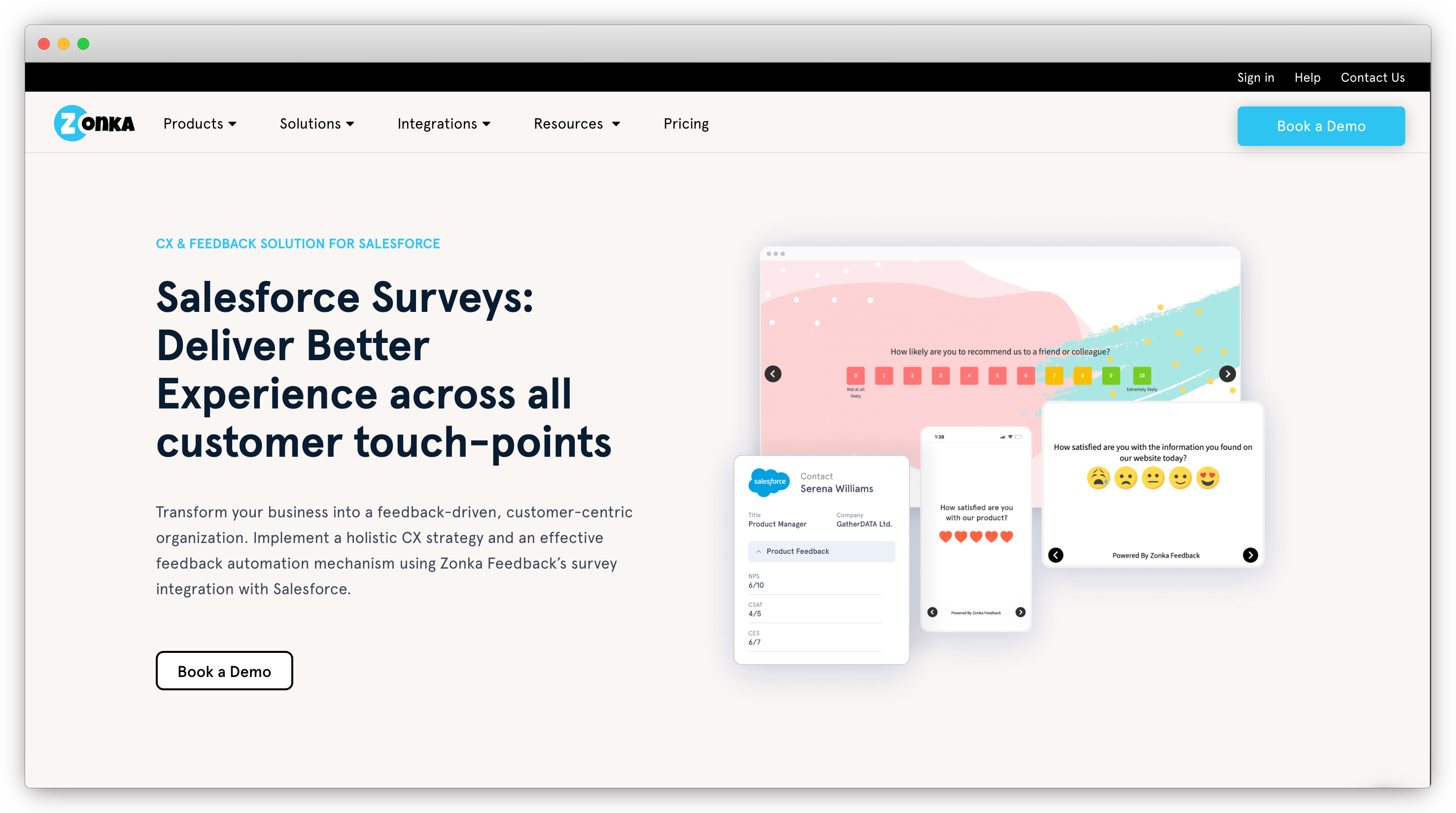
Zonka Feedback is built for teams running Salesforce feedback programs that need more than scores, specifically AI signals on what's driving those scores. The AppExchange integration is bidirectional. Surveys trigger from Salesforce Flow on any object condition: Case status, Opportunity stage, lifecycle fields, custom field changes. Responses map to the record that triggered them: CSAT to the Case, NPS to the Contact, post-deal feedback to the Opportunity. Both custom and managed mapping are supported, with lookup field mapping and partial response capture for programs that need finer control. Full details at Zonka's Salesforce integration.
The real differentiator is what happens after the response lands. The AI layer runs thematic analysis, sentiment detection, and entity mapping across open-text comments, clustering hundreds of case comments into patterns your support team can act on, rather than a backlog no one reads. Ask AI lets anyone query the full dataset in plain language: "What's driving low CSAT in Enterprise this quarter?" That's feedback intelligence, signals, not just scores. Channel range covers email, SMS, WhatsApp, in-app, kiosk, QR code, and offline, all triggerable from Salesforce events, all syncing responses to the right Salesforce objects. For healthcare or field service teams where email doesn't reach customers, that's genuine coverage.
Key Features
- AI Feedback Intelligence: thematic analysis, sentiment detection, entity mapping to Salesforce records, Ask AI for plain-language queries across your full feedback dataset
- Omnichannel distribution: email, SMS, WhatsApp, in-app, kiosk, QR, offline, all triggerable from Salesforce Flow
- Custom and managed mapping: responses sync to Case, Contact, Account, or Opportunity depending on what triggered the survey
- Closed-loop automation: low scores auto-create Tasks or Cases, routed to the right person
- Survey builder with conditional branching, multi-language support, white-label, and Salesforce merge fields
- AI agents that monitor feedback continuously and surface signals before patterns become visible in scores
Zonka Feedback Pros
- AI analysis goes beyond keyword tagging. Thematic clustering and entity mapping work at real volume, not just in demos
- Widest channel range in this category: SMS, WhatsApp, offline, and kiosk included natively
- Custom and managed mapping handles complex Salesforce programs without custom development
- Most teams have their first survey live within a few days
Zonka Feedback Cons
- Full AI features are on higher-tier plans; teams on entry-level plans won't access the complete intelligence layer
- Voice and speech feedback analysis is on the roadmap but not available yet
- Requires AppExchange install and field mapping setup, which means more initial configuration than purely native options
Zonka Feedback Pricing
- Custom pricing based on volume and program requirements
- Price: Available on request. Schedule a demo to get a quote.
G2 Rating: 4.7/5 on G2
Best Use Case: Teams running multi-channel Salesforce feedback programs who need AI analysis on open-text responses: support teams tracking CX metrics like NPS, CSAT, and CES together, and organizations migrating from GetFeedback who need feature parity plus an AI layer.
2. Salesforce Feedback Management: Best for Simple, Native Salesforce Programs
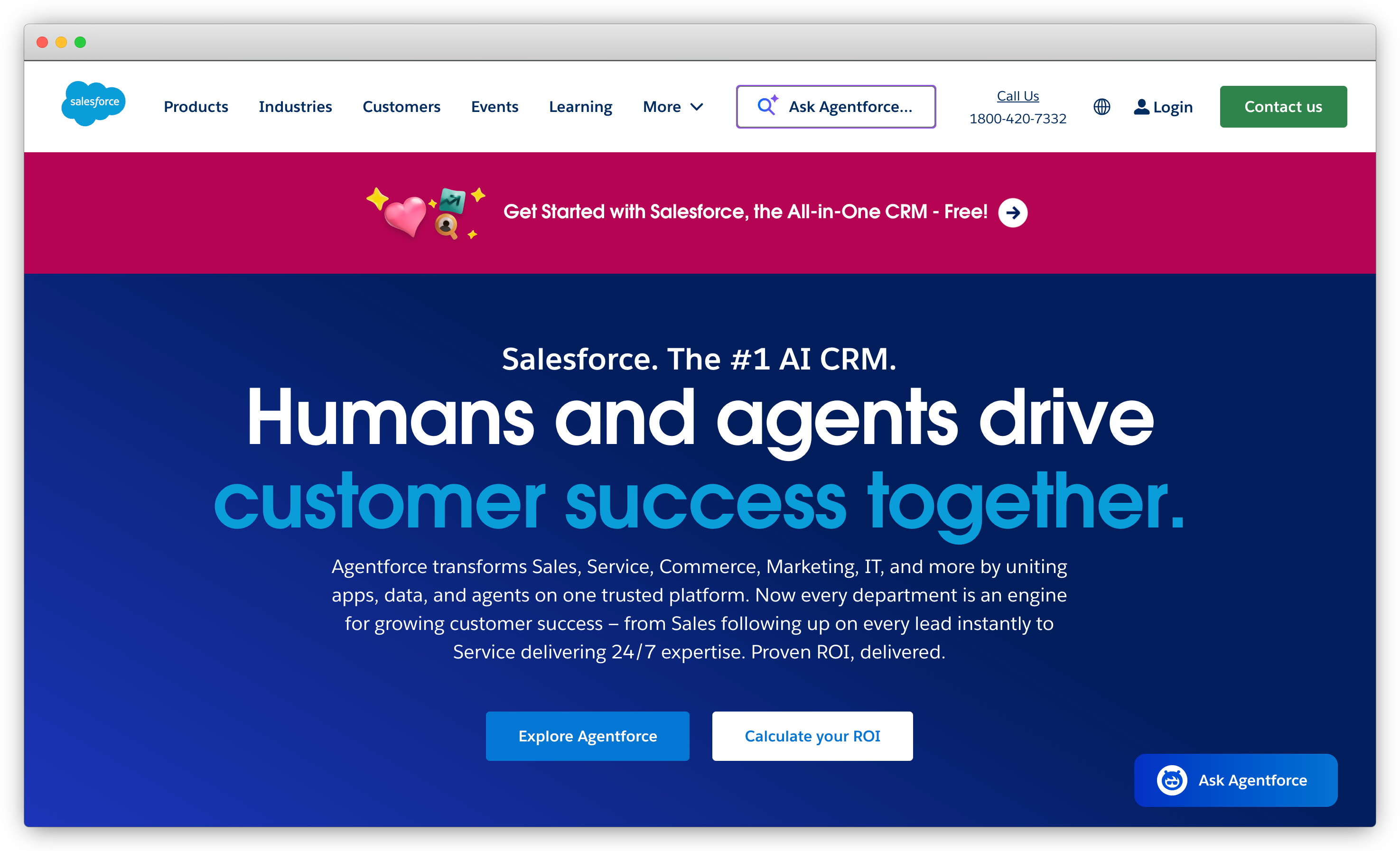
Salesforce Feedback Management is the native option. Built into the Salesforce platform, no external vendor, no additional cost, and if you have a Service Cloud or Experience Cloud license, it's already there. Surveys are created inside Salesforce, distributed via the default Experience Cloud site or a direct link, and responses appear in standard reports alongside your other CRM data. No AppExchange install. No field mapping between two systems.
For teams that want to start collecting feedback without adding another tool, it works. The survey builder covers the basics: rating scales, multiple choice, text responses. Flow handles automation. Reporting uses the dashboards your team already knows. Getting a first CSAT survey live from a Case closure trigger is genuinely fast. For the step-by-step, embedding surveys in Salesforce emails covers both inline and linked approaches.
The limits show up when programs grow. No SMS. No WhatsApp. No in-app. Conditional branching is basic compared to any dedicated survey builder. There's no AI analysis layer for open-text responses, which means a support org handling 2,000 cases a month will have survey comments nobody reads. Visual customization is constrained by Salesforce's Experience Cloud styling. If those gaps aren't blockers for your program right now, native is the cleanest starting point. But they won't disappear if the program grows.
Key Features
- Built into Salesforce. Zero integration setup, no external vendor to manage
- Survey builder: rating scales, multiple choice, text, NPS question type
- Salesforce Flow automation for survey triggers and timing
- Standard Salesforce reports and dashboards on survey responses
- Access controls, survey expiry, and basic response settings
Salesforce Feedback Management Pros
- Included with Service Cloud and Experience Cloud, no additional cost
- Zero integration complexity: surveys live entirely within your existing Salesforce org
- Uses standard Salesforce dashboards your team already knows how to read
Salesforce Feedback Management Cons
- Email distribution only. No SMS, WhatsApp, in-app, kiosk, or offline
- No AI or text analysis on open-text responses at any volume
- Limited conditional branching and display logic
- Visual customization restricted to what Salesforce's Experience Cloud supports
Salesforce Feedback Management Pricing
- Included with Salesforce Service Cloud and Experience Cloud licenses
- No additional charge for basic Feedback Management functionality
- Confirm specific license tier requirements with your Salesforce account executive
G2 Rating: Not separately rated on G2 (covered within Salesforce Service Cloud reviews)
Best Use Case: Teams already on Service Cloud that want a simple NPS or CSAT program with email distribution only, minimal setup time, and no additional vendors. Right choice when the program scope is genuinely narrow and that scope won't change.
3. Qualtrics: Best for Enterprise Research and Experience Programs
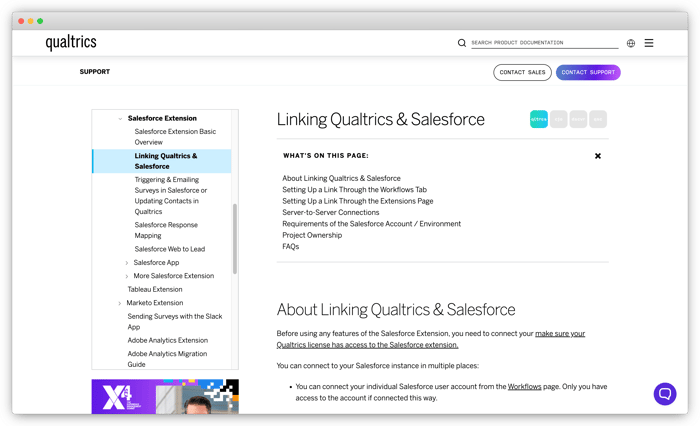
Qualtrics is the enterprise standard for experience management. Customer experience, employee surveys, academic research, product feedback. The platform handles all of it at scale. The Salesforce integration is bidirectional and solid: AppExchange package plus API, surveys trigger from SF workflows, responses map to standard Salesforce objects, and Qualtrics data can surface in Salesforce dashboards.
The analytics depth is where Qualtrics earns its positioning. Text iQ is their AI text analysis layer: thematic clustering and sentiment analysis across large response volumes. Stats iQ handles statistical significance testing for programs that need research-grade analysis. For organizations running quarterly NPS programs across thousands of customers with enterprise-grade analytics requirements, that's real value that simpler tools can't match.
The honest trade-off: Qualtrics is priced and designed for enterprise programs. Teams running straightforward post-case CSAT or simple NPS will find it more complex than they need, and the learning curve reflects that scope. A typical Qualtrics Salesforce implementation involves professional services time, not an afternoon AppExchange install. If the complexity fits the program, it's a strong platform. If you're a 50-person company running quarterly NPS, there are better-fit options on this list.
Key Features
- Text iQ: AI text analysis including thematic clustering, sentiment, and topic classification
- Stats iQ: statistical significance testing and predictive analytics
- Bidirectional Salesforce sync via AppExchange and API
- Advanced branching, skip logic, display conditions, and embedded data fields
- Multichannel distribution: email, SMS, web, in-app, offline
- Role-based dashboards and closed-loop case management
Qualtrics Pros
- Most powerful analytics in this category. Text iQ and Stats iQ are genuinely enterprise-grade
- Handles employee experience, CX, and product research in one platform
- Strong compliance posture: HIPAA, GDPR, FedRAMP options available
Qualtrics Cons
- One of the highest price points in this category. Enterprise contracts, custom pricing
- Steep learning curve; most implementations require professional services support
- Overkill for simple NPS or CSAT programs where the complexity isn't justified
Qualtrics Pricing
- Custom enterprise pricing. Contact Qualtrics directly
- No self-serve pricing published; typically starts in five figures annually
G2 Rating: 4.3/5 on G2
Best Use Case: Large enterprises running complex, multi-program experience management where research-grade analytics and compliance requirements justify the platform's cost and complexity. Not the right fit for teams whose only need is a Salesforce-connected survey program.
4. Medallia: Best for Distributed Enterprise CX Operations
Medallia is built around large, distributed operations. Hotel chains, retail networks, banks, telecoms. Organizations running feedback programs across thousands of locations where role-specific signal distribution matters. A branch manager seeing their location's data, a regional VP seeing their region, a CCO seeing the aggregate. That kind of structured visibility is hard to configure in most tools. Medallia has built for it explicitly.
The Salesforce connector is bidirectional and supports object mapping and workflow triggers. The AI layer processes unstructured feedback at real scale. A meaningful differentiator: Medallia can ingest survey responses, support ticket text, review data, and chat transcripts together, giving teams a more complete picture for decision making than survey-only tools provide. For Salesforce teams whose program extends beyond surveys into a broader voice-of-customer initiative, that unified analysis is relevant.
Like Qualtrics, Medallia is positioned and priced for enterprise. Implementation involves professional services. If you're already evaluating Medallia for broader CX operations and Salesforce integration is one component, it's a natural fit. If your primary use case is Salesforce-specific survey feedback, it's probably more platform than you need.
Key Features
- Text Analytics and AI summarization across surveys, tickets, reviews, and chat, not survey-only
- Salesforce bidirectional connector with object-level sync
- Role-based signal distribution: agents, managers, and executives each see a different view
- Real-time alerts and closed-loop case management
- Multi-source feedback unification: surveys plus digital plus social
- Enterprise compliance: HIPAA, GDPR, SOC 2 Type II
Medallia Pros
- Multi-source feedback unification is a real differentiator at enterprise scale
- Role-based signal distribution is more sophisticated than anything else in this category
- Purpose-built for highly distributed organizations with thousands of locations
Medallia Cons
- Significant professional services time required for implementation, not self-serve
- Price point is among the highest in this category
- Too much platform for teams whose use case is specifically Salesforce survey programs
Medallia Pricing
- Custom enterprise pricing. Contact Medallia directly
- No public pricing; enterprise contracts only
G2 Rating: 4.5/5 on G2
Best Use Case: Large enterprises in retail, hospitality, financial services, or telecom where feedback flows from multiple sources into Salesforce and role-specific signals need to reach different teams automatically.
5. AskNicely: Best for Frontline NPS Programs
AskNicely is built around one thing: running NPS programs for frontline service teams. Not a general CX platform that handles NPS as one of many metrics. It's a tool designed specifically for the use case where frontline employees, the people actually delivering the service, need visibility into their own NPS performance and the ability to act on detractor feedback in real time.
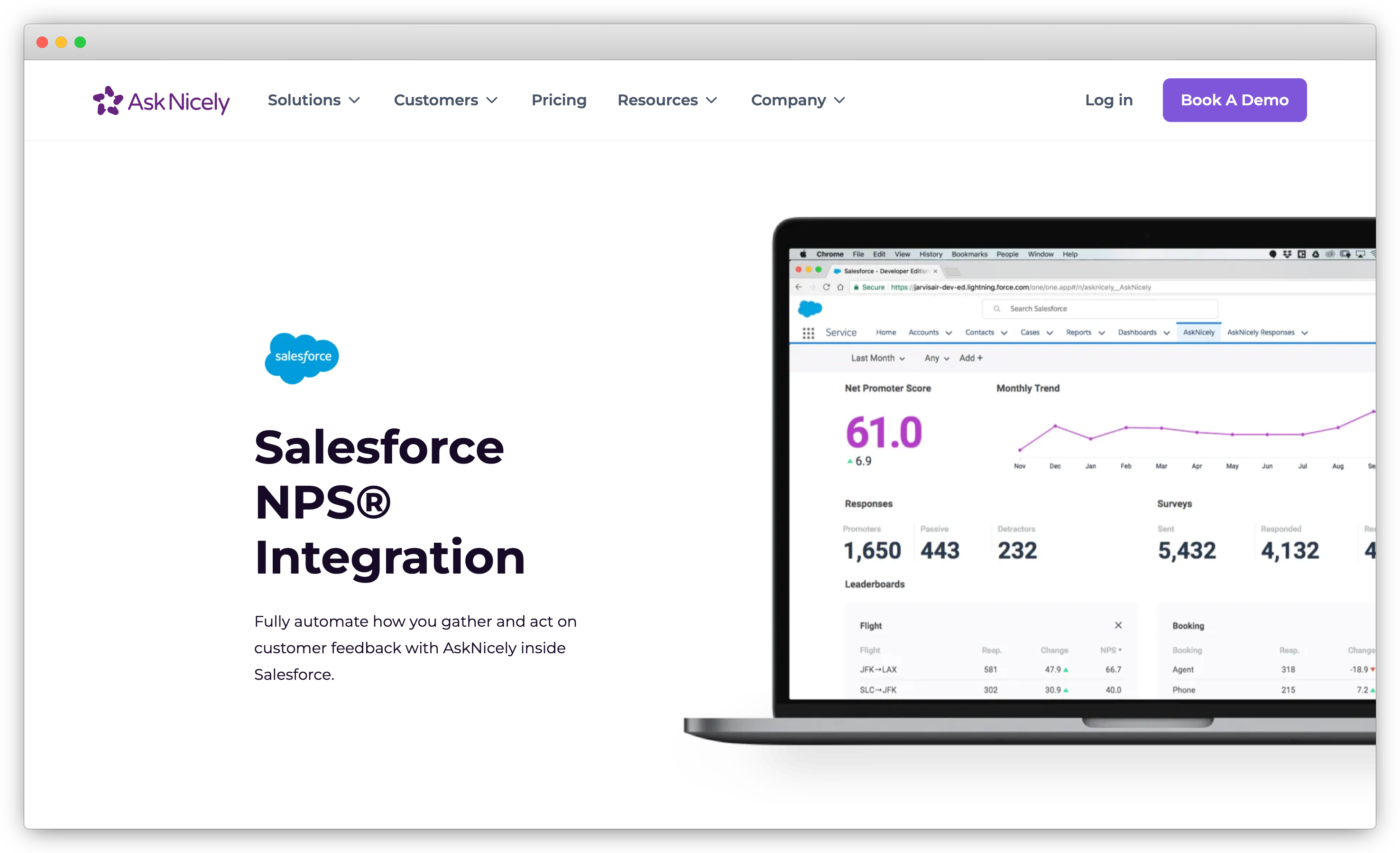
The Salesforce integration is purpose-built for NPS: survey triggers from SF events, NPS scores write back to Contact records, and real-time leaderboards show team performance in a UI that frontline employees can actually use without training. The automated workflows handle the fundamentals: alert the employee when a detractor responds, route promoters toward leaving a review, track how individual performance moves NPS scores over time.
The limitation is scope. AskNicely is NPS first. CSAT and CES exist on the platform, but the depth is in NPS programs. If your Salesforce survey needs include multi-metric programs with AI analysis on open-text, or omnichannel distribution beyond email and SMS, you'll hit the ceiling. For service businesses where employee-customer relationships are the primary NPS driver, the frontline-first design is well-matched to how those programs work.
Key Features
- Frontline leaderboards: individual and team NPS visibility for service employees
- Native Salesforce sync: NPS scores to Contact records, triggers from SF events
- Real-time detractor alerts with automated follow-up workflow
- Promoter review routing to Google, app stores, and Yelp
- Email and SMS survey distribution
- Basic NPS comment analysis
AskNicely Pros
- Best frontline UX in this category. Service employees can see and act on their own NPS without any onboarding
- Salesforce sync is reliable and built specifically for NPS-to-Contact mapping
- Review routing from promoters is a practical addition most survey tools skip
AskNicely Cons
- NPS-first: limited depth for CSAT, CES, or multi-metric programs
- Open-text AI analysis is basic compared to Zonka, Qualtrics, or Medallia
- Integration depth and automation options vary by plan
AskNicely Pricing
- From approximately $449/month (verify current pricing on AskNicely's website)
- Custom pricing available for larger programs
G2 Rating: 4.7/5 on G2
Best Use Case: Service businesses (property management, hospitality, home services, fitness studios, healthcare practices) running NPS programs where frontline employee visibility is core to the program. The Salesforce NPS survey guide covers the strategy and setup side: what counts as a good NPS, timing, and closed-loop automation. Less suitable for multi-metric or high-volume analytics programs.
6. Wootric (Now InMoment): Best for Product and CX Teams Running NPS, CSAT, and CES Together
Wootric was an independent CX platform before InMoment acquired it. It's been absorbed into InMoment's broader platform, which adds text analytics depth the standalone Wootric didn't have. The Salesforce integration is bidirectional: surveys trigger from SF events, responses sync to Contact and other objects. The methodology covers NPS, CSAT, and CES across SaaS apps, web forms, mobile apps, email, and SMS. More versatile than a pure NPS tool and at a lower price point than Qualtrics or Medallia.
A practical note: buyers should be clear whether they're getting Wootric, the entry product, or InMoment, the enterprise platform. Pricing, onboarding, and implementation support differ meaningfully between the two. The post-acquisition product direction has also introduced some uncertainty around roadmap. Worth confirming current tiers directly with InMoment before committing.
.png?width=2946&height=1764&name=inmoment%20salesforce%20survey%20tools%20img%20(1).png)
Key Features
- NPS, CSAT, and CES. All three metrics supported natively
- Salesforce AppExchange integration with bidirectional sync
- Survey distribution via email, SMS, web, in-app
- Text analytics through InMoment's platform
- Automated workflows for low-score follow-up
- Reporting dashboards with Salesforce data sync
Wootric (InMoment) Pros
- Covers all three CX metrics in one tool without enterprise-level complexity or pricing
- Strong in-app and web integration. Good fit for product teams
- InMoment acquisition adds analytics depth compared to standalone Wootric
Wootric (InMoment) Cons
- Post-acquisition product direction creates uncertainty. Pricing model and roadmap have shifted
- Channel range is narrower than Zonka or Qualtrics
- Smaller Salesforce-specific documentation and community
Wootric (InMoment) Pricing
- Custom pricing. Contact InMoment directly for current rates
- Pricing structure changed post-acquisition; confirm current tiers before signing
G2 Rating: Not available for Wootric
Best Use Case: Mid-market CX and product teams that need NPS, CSAT, and CES across web and in-app touchpoints with Salesforce sync, at a price point below Qualtrics or Medallia.
7. SurveySparrow: Best for Conversational Survey Experiences
SurveySparrow's main differentiator is format. Chat-style, conversational surveys, one question at a time in a messaging-like interface, rather than traditional static form layouts. This format consistently produces higher response rates on mobile, and in practice it does work for consumer-facing programs where the survey experience itself affects whether someone completes it.
The Salesforce integration connects via AppExchange. Surveys trigger from SF events, responses sync to Salesforce records, and basic sentiment tagging is available on responses. NPS, CSAT, CES, and custom survey types are covered. Distribution spans email, SMS, web, and in-app. The AI analysis layer is limited: basic NLP tagging rather than the thematic clustering and entity mapping that Zonka or Qualtrics provide. For programs generating high volumes of open-text that need automated analysis, that gap matters. For programs where response rate and survey experience are the focus, it may not.
Key Features
- Conversational, chat-style survey format with one-question-at-a-time delivery
- NPS, CSAT, CES, and custom survey types
- Salesforce AppExchange connector with response sync
- Email, SMS, web, and in-app distribution
- Basic sentiment analysis and NLP tagging
- Recurring survey scheduling and audience management
SurveySparrow Pros
- Conversational format genuinely improves response rates on mobile, not just a cosmetic difference
- Clean visual builder, accessible to non-technical users without training
- More affordable entry point than the enterprise platforms
SurveySparrow Cons
- AI analysis is basic. Not suitable for programs requiring thematic or entity-level feedback analysis
- Salesforce integration depth is less mature than purpose-built SF tools
- Conversational format works well for B2C programs; less appropriate for formal enterprise surveys
SurveySparrow Pricing
- From approximately $99/month for business plans (verify current pricing on SurveySparrow's website)
- Free trial available
G2 Rating: 4.4/5 on G2
Best Use Case: Teams that prioritize survey experience and response rates over analytics depth: B2C programs, consumer-facing surveys, smaller teams without enterprise analytics requirements.
8. Formstack: Best for Form and Survey Automation Inside Salesforce Workflows
Formstack sits at the boundary between form builder and survey tool. It handles both. The Salesforce connector is well-established with solid documentation. Where it becomes specifically relevant: teams that need surveys alongside document generation or e-signatures in the same Salesforce workflow. A feedback form that triggers a document, gets signed, and routes a follow-up task. That combination is hard to find elsewhere on this list. If your feedback collection involves approvals, consent forms, or document workflows alongside survey responses, Formstack handles all of it together.
As a pure survey tool for Salesforce CX programs, it's functional but limited. Basic NPS and CSAT questions work. Web and email distribution, standard Salesforce field mapping, conditional logic. All covered. AI analysis on open-text is absent. Channel range is narrower than any dedicated survey platform. The value is specifically for operational workflows where surveys are one step in a process that also involves documents or signatures.
Key Features
- Native Salesforce connector with field mapping to standard and custom objects
- Drag-and-drop form and survey builder, no-code
- Conditional logic and multi-page survey support
- Formstack Documents and Formstack Sign integration for combined workflows
- Basic CRM workflow triggers from survey responses
Formstack Pros
- Strong combination of surveys, documents, and e-signatures in connected Salesforce workflows
- Reliable native Salesforce connector with good documentation
- Genuinely no-code and accessible for non-technical users
Formstack Cons
- Not a dedicated survey tool. Limited channel range, no AI analysis, not suited for high-volume CX programs
- Pricing adds up across forms, documents, and signatures if you want the full platform
- Not the right fit for NPS or CSAT programs requiring agent-level reporting or thematic analysis
Formstack Pricing
- Forms plans from approximately $50/month; full platform pricing varies by products included
- Verify current pricing on Formstack's website
G2 Rating: 4.3/5 on G2
Best Use Case: Operations teams using Salesforce for complex workflows where surveys connect to document generation and e-signatures. Not suited for standalone CX survey programs or teams that need AI feedback analysis.
9. Titan: Best for No-Code Salesforce-Native Surveys and Web Experiences
Titan builds everything on Salesforce: surveys, web apps, portals, documents, e-signatures. All Salesforce-native, running entirely on the Salesforce platform. The difference is scope: Titan extends beyond surveys into a broader no-code platform for building Salesforce-connected web experiences.
As a dedicated survey tool, Titan handles the basics well. Form and survey creation, Salesforce object mapping, Flow triggers, standard Salesforce reporting. The no-code builder is genuinely accessible. AI analysis on open-text is absent, and channel range is limited to what's native in Salesforce: web forms and email. For teams whose primary need is a Salesforce-native survey embedded in a larger web experience they're building anyway, it's a strong no-code option.
Key Features
- 100% Salesforce-native: all data stored in Salesforce objects
- No-code builder for surveys, forms, web apps, and customer portals
- Salesforce Flow integration for automated triggers
- Custom Salesforce object and relationship mapping
- E-signatures and document capabilities alongside surveys
- Standard Salesforce reporting on all survey data
Titan Pros
- 100% Salesforce-native with broader capability. Covers web apps and portals too
- No-code builder is well-designed and accessible
- Good for teams building customer-facing Salesforce experiences beyond surveys alone
Titan Cons
- Limited to Salesforce channels. No SMS, WhatsApp, in-app, or kiosk distribution
- No AI analysis on open-text feedback responses
- Survey-specific depth is weaker than dedicated survey tools because the platform scope is wider
Titan Pricing
- From approximately $25/user/month (verify on Titan's AppExchange listing)
- Free trial available via AppExchange
G2 Rating: 4.5/5 on G2
Best Use Case: Teams building customer-facing Salesforce web experiences (portals, self-service apps, onboarding flows) where survey collection is one part of a larger no-code Salesforce build. Not suited to dedicated CX feedback programs or high-volume survey analytics.
Moving Off GetFeedback Before the December 2026 Deadline
GetFeedback was purpose-built for Salesforce. Clean survey design, solid NPS and CSAT programs, tight bidirectional sync. For the teams it served, especially smaller teams running focused NPS and CSAT survey programs, it worked well. That's exactly why the shutdown hurts more than a generic tool going away. SurveyMonkey confirmed the full timeline in their official GetFeedback end-of-life announcement.
The default migration path SurveyMonkey is offering is SurveyMonkey Enterprise. Worth understanding what that actually means: SurveyMonkey Enterprise is a general research platform. It's not Salesforce-native. The integration is functional but requires setup work that GetFeedback never needed. For teams whose program depended on responses mapping automatically to Cases, Contacts, and Accounts, that's a real step backward.
What to look for in a replacement:
- Bidirectional Salesforce sync without middleware, not through Zapier or a manual export
- Object-level mapping. Responses should land on Cases, Contacts, or Accounts depending on what triggered the survey, not on a generic record
- Channel parity or better. GetFeedback covered email, web, and limited SMS; a replacement that adds WhatsApp, in-app, and offline gives your customer success team more channels to collect data from customers who never responded to email, turning a replacement into a competitive advantage
- Migration support. Historical data export, survey template recreation, integration rebuild assistance
A practical note on timing: December 31, 2026 sounds far away. It isn't, once you factor in the actual migration work. Exporting historical data, rebuilding surveys, reinstalling the Salesforce integration, recreating Flow triggers, revalidating field mapping. Most teams underestimate this by about two months. If your SurveyMonkey contract renewal is coming up before the shutdown date, the decision window may already be narrower than the deadline implies.
Broader alternatives: GetFeedback alternatives. Full timeline: GetFeedback shutting down.
Which Salesforce Survey Tool Is Right for Your Team?
The right answer depends on what your program actually needs.
Simple email program, everything inside Salesforce, no external vendor: native Feedback Management.
Channels beyond email or AI analysis on open-text: a third-party platform.
Zonka Feedback for omnichannel programs where AI signals matter.
Qualtrics or Medallia if scale and complexity genuinely require enterprise-grade analytics.
AskNicely if NPS frontline visibility is the primary use case.
And if you're on GetFeedback, the decision window is shorter than it looks. Start now.
Choosing a tool is one decision. Building a survey program that turns customer feedback into informed decisions across different teams is the longer game. The mechanics of how Salesforce surveys actually work (triggers, mapping, response rates, common mistakes) are worth understanding before you configure anything. And if your goal is a full CX program built around Salesforce, not just a survey workflow, the strategic architecture looks different from a single-tool setup.